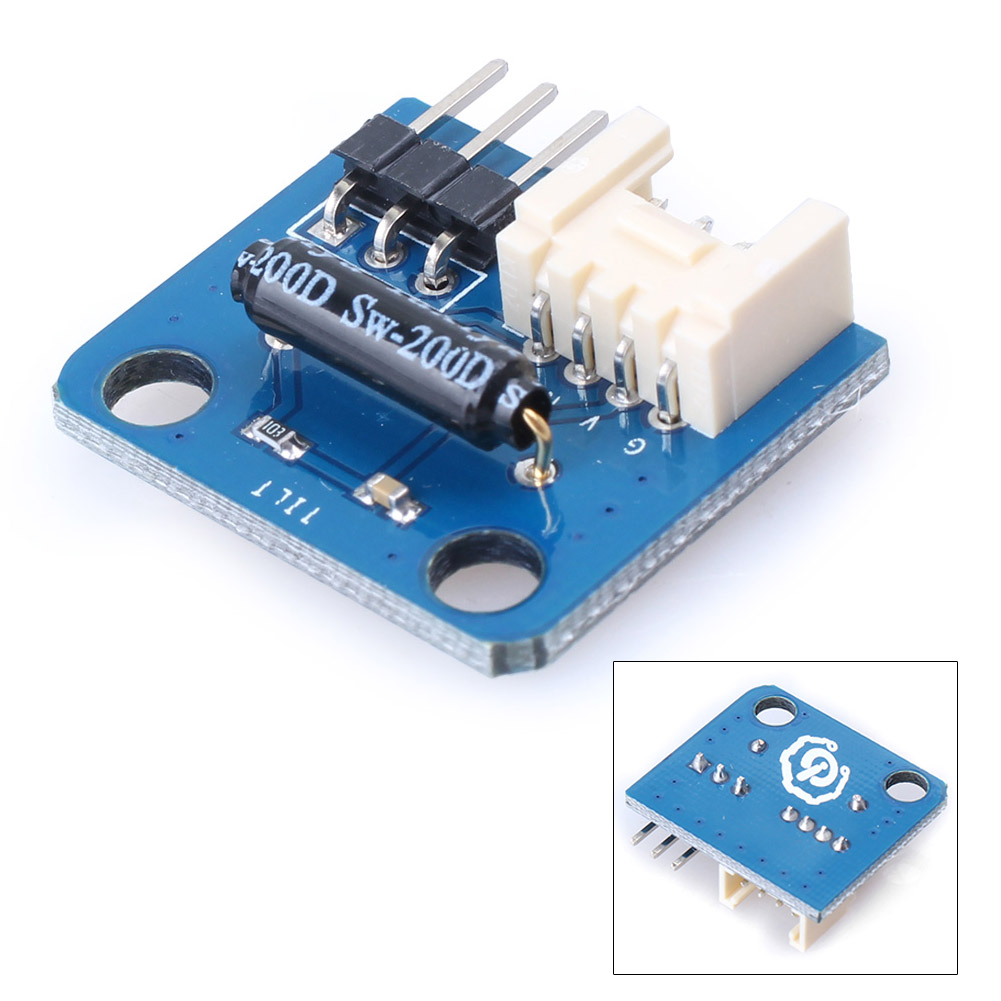
PC 3p/4p Ziegelneigungssensor-Schaltermodul Winkelsensormodul für Module
Features: Paket enthalten: 1pc Elektronische Brick Tilt Sensor Switch Module Features:
1.Electronic Ziegel des Neigungsschalters kann an analogen I / O-Hafen angeschlossen werden und im Neigungssensor für intelligentes Auto oder Roboter benutzt werden.
2.Wenn der Sensor in der horizontalen Position ist, ist der Ausgang High-Pegel; Wenn sich der Sensor gegen den Uhrzeigersinn dreht, um einen Winkel von mehr als 15 ° mit der horizontalen Linie zu bilden, ist der Ausgang ein niedriger Pegel.
3.Compatible mit den Mainstream 2.54 Schnittstellen und 4-Pin Grove Schnittstellen auf dem Markt.
4. Kompatibel mit M4-Standard-Kits wie Lego und Makeblock mit M4 Standard-Festlöchern.
5. Plug and play, einfach zu bedienen.
Spezifikation:
PCB Größe: 24,0 mm X 21,0 mm X 1,6 mm
Betriebsspannung: 3,3 oder 5 V DC
Digitale Ausgangsspannung: (VCC = 5V) 0-5V
Arbeitsstrom (VCC = 5V): 450uA
Betriebsspannung: 3,3 oder 5 V DC
Kompatible Schnittstellen: 2,54 3-polige Schnittstelle und 4-polige Grove-Schnittstelle
Richtung:
Verbinden Sie den S-Port des elektronischen Kippschalters mit dem D2-Port der Arduino-Platine, und wir verwenden das folgende Programm, um seinen digitalen Wert zu lesen.
Wenn der gelesene Digitalwert hoch ist, leuchtet die LED-Lampe auf.
Wenn der gelesene Digitalwert niedrig ist, ist die LED-Lampe aus.
1. int Neigung = 2; // verbinde die Neigung mit D2
2. int LED = 13;
3. void setup ()
4. {
5. pinMode (LED, AUSGANG);
6. pinMode (Neigung, EINGANG);
7.}
8.
9. Leere Schleife ()
10. {
11. if (digitalRead (Tilt) == HIGH) // Wenn der digitale Ausgangswert der Neigung hoch ist, schalten Sie die LED ein.
12. {
13. digitalWrite (LED, HOCH);
14.}
15. if (digitalRead (tilt) == LOW) // Wenn der digitale Ausgangswert der Neigung niedrig ist, schalten Sie die LED aus.
16. {
17. digitalWrite (LED, NIEDRIG);
18.}
19.}
English description:
1.Electronic brick of tilt switch can be connected to analog I/O port and used in tilt sensor for smart car or robot.
2.When
the sensor is in the horizontal position, the output is high level;
when the sensor rotates counterclockwise to form an angle of more than
15 °with the horizontal line, the output is low level.
3.Compatible with the mainstream 2.54 interfaces and 4-Pin Grove interfaces in the market.
4. Compatible with M4-standard kits such as Lego and Makeblock with M4 standard fixed holes.
5.Plug and play, easy to use.
Specification:
PCB size:24.0mm X 21.0mm X 1.6mm
Working voltage:3.3 or 5V DC
Digital output voltage:(VCC=5V)0-5V
Working current(VCC=5V):450uA
Operating voltage:3.3 or 5V DC
Compatible interfaces:2.54 3-pin interface and 4-pin Grove interface
Direction:
Connect
S port of electronic brick of tilt switch to D2 port of Arduino board,
and we will use the following program to read its digital value.
When the digital value read is high level, LED lamp will be ON;
when the digital value read is low level, LED lamp will be OFF.
1. int tilt=2; //connect tilt to D2
2. int LED=13;
3. void setup()
4. {
5. pinMode(LED, OUTPUT);
6. pinMode(tilt, INPUT);
7. }
8.
9. void loop()
10. {
11. if(digitalRead(tilt)==HIGH) //when the digital output value of tilt is high, turn on the LED.
12. {
13. digitalWrite(LED, HIGH);
14. }
15. if(digitalRead(tilt)==LOW) //when the digital output value of tilt is low, turn off the LED.
16. {
17. digitalWrite(LED, LOW);
18. }
19. }
Package Included:1pc Electronic Brick Tilt Sensor Switch Module