Dual Monitor Gas Spring Desk Mount — Full Motion Twin Arm for 17"–32" Screens
Two screens. Two arms. One clean desk.
Smooth, effortless height adjustment
Each arm is supported by a gas spring, so your monitor glides to a new height or position without the strain of a fixed stand. Spring tension is set during installation to match the weight of your screen, keeping it held exactly where you leave it — whether you're sitting, standing or sharing the screen with someone beside you.
- Gas spring-assisted lift on both arms
- Adjustable tension to suit 2–10 kg monitors
- Reposition screens as your working position changes
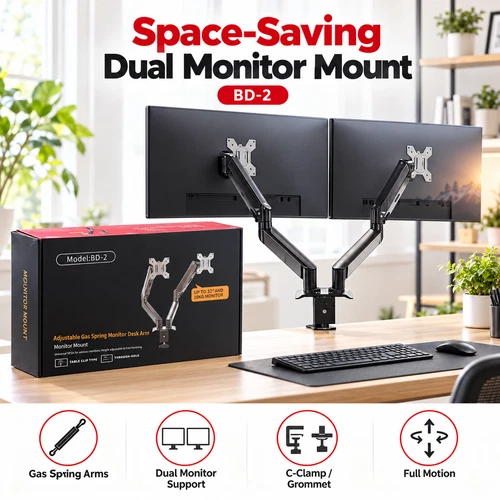
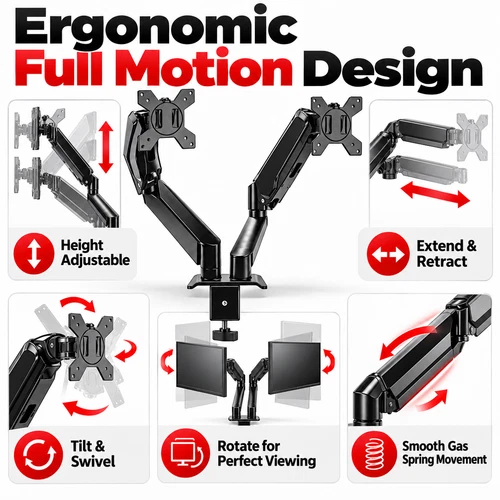
Height, tilt, swivel and rotate
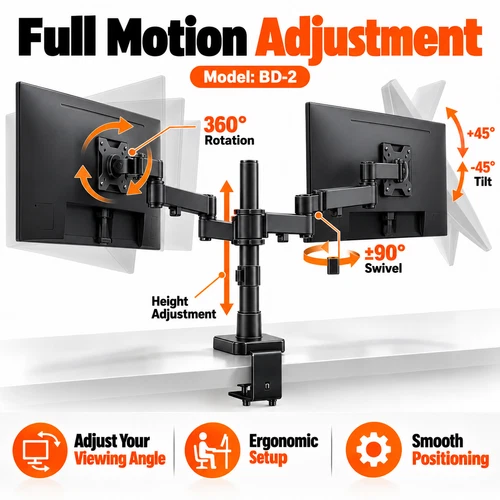
Articulating joints give you the full range of movement: raise or lower each screen, tilt it to kill glare, swing it toward you or push it back, and rotate between landscape and portrait. The installation manual illustrates 360° movement at the swivel joints, so you can arrange your screens to suit the task rather than the other way round.
- 360° swivel at the articulating joints
- Tilt adjustment for a comfortable viewing angle
- Portrait or landscape orientation on compatible monitors
Position each monitor separately
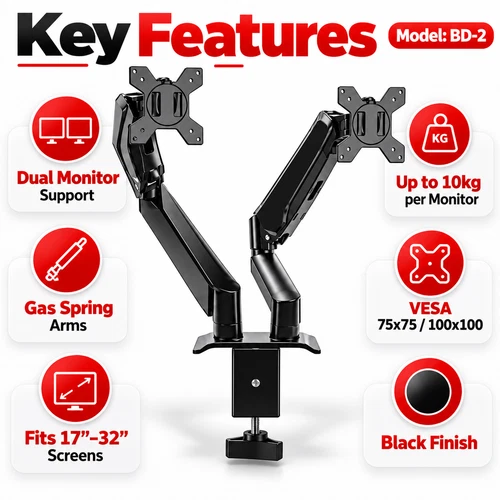
Two independently adjustable arms let you set each screen on its own terms — a main display dead ahead at eye level and a second angled in beside it, or both side-by-side in a matched pair. Each arm supports a 17"–32" monitor weighing between 2 kg and 10 kg (4.4–22 lbs), covering the vast majority of office and gaming displays.
- Two arms, each adjusted on its own
- Supports 17"–32" screens per arm
- 2–10 kg (4.4–22 lbs) load capacity per arm
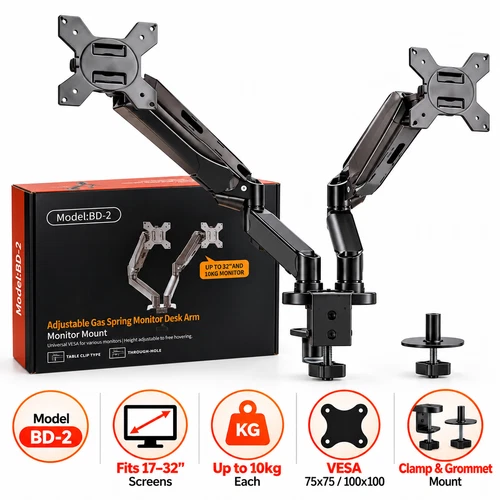
Fits standard 75 × 75 and 100 × 100 mounts
The supplied mounting plates attach to the standard VESA hole pattern on the back of most monitors, using the hardware included in the box. Check the four mounting holes on each of your screens before ordering — screen size alone doesn't confirm compatibility; both the VESA pattern and the monitor's weight need to be within range.
- VESA 75 × 75 mm
- VESA 100 × 100 mm
- Mounting plates and screws supplied
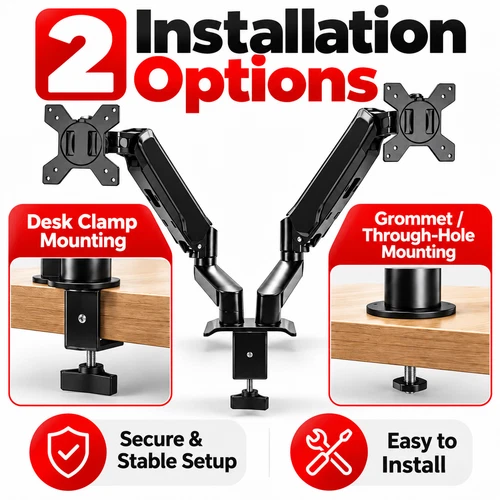
C-clamp or grommet — your choice
Clamp it to the desk edge with the adjustable C-clamp for a no-drill install that's easy to fit and remove, or use the grommet fixing through an existing cable hole in the desktop where an edge clamp won't fit. Both methods are illustrated step by step in the supplied manual. Always check your desk's construction, thickness and clearance before installing.
- C-clamp: secure, adjustable, no drilling required
- Grommet: through-hole fixing for compatible desks
- Hardware for both methods included
Reclaim the desk under your screens
Two monitor stands eat up the most useful part of your desk. The BD-2 lifts both screens from a single central mount, clearing the surface beneath for your keyboard, mouse, notebook and whatever else you need to hand. Need the whole desk for a moment? Swing the arms back and the space is yours.
- Single desk-mounted support for both screens
- Frees the area beneath the monitors
- Black finish suits home and professional desks
Built for every dual-screen desk
From a spare-room home office to a professional multi-screen workstation, the BD-2 puts two displays exactly where you want them.
Home Offices
Turn a cramped desk into a tidy, flexible workstation with both screens lifted off the surface.
Professional Offices
Set two monitors side-by-side for everyday productivity, spreadsheets, email and multitasking.
Gaming Setups
Main gaming display front and centre, second screen angled in for chat, streams or guides.
Design & Creative Work
Angle your screens for editing, design and content creation — portrait for timelines and code.
Study & Remote Working
Make the most of a small desk — references on one screen, notes or video calls on the other.
Multi-Screen Workstations
Coding, trading, document comparison or monitoring — anywhere two screens beat one.
Check before you order
To make sure the BD-2 is right for your setup, please confirm the following:
- Each monitor is between 17" and 32"
- Each monitor weighs between 2 kg and 10 kg without its original stand
- Each monitor has a VESA 75 × 75 mm or 100 × 100 mm mounting pattern
- Your desk provides a stable, suitable mounting surface for your chosen method
- There is enough room for the arms to move safely
For safety, always follow the supplied installation manual and ensure all mounting hardware is fully secured before attaching your monitors.
Specifications
All figures taken from the BD-2 product documentation and installation manual.
| Monitor Compatibility | |
|---|---|
| Supported Screen Size | 17"–32" per arm |
| Load Capacity | 2–10 kg (4.4–22 lbs) per monitor |
| VESA Compatibility | 75 × 75 mm / 100 × 100 mm |
| Number of Screens | 2 |
| Screen Orientation | Portrait or landscape (compatible monitors) |
| Arm & Movement | |
| Arm Mechanism | Adjustable gas spring, two independent arms |
| Spring Tension | Adjustable during installation to suit monitor weight |
| Movement | Height adjustment, tilt, swivel, rotation |
| Swivel | 360° at articulating joints (as illustrated in the manual) |
| Positioning | Each monitor positioned independently |
| Desk Mounting | |
| Mounting Style | Desktop |
| Installation Methods | C-clamp (desk edge) / Grommet (through-hole) |
| C-Clamp | Adjustable clamping mechanism, no drilling required |
| Grommet | Fixes through a suitable hole in the desktop |
| Desk Requirements | Check desk construction, thickness and mounting clearance before installation |
| General | |
| Model | BD-2 |
| Product Type | Dual Monitor Desk Mount |
| Colour | Black |
| Installation | Assembly required — full illustrated manual supplied |
| Intended Use | Indoor desktop use |
What's in the box
- Dual gas spring monitor arm components
- VESA monitor mounting plates
- Desk mounting base and fixing components
- C-clamp and through-hole mounting hardware
- Monitor mounting screws and fittings
- Installation tools illustrated in the manual
- Installation and assembly manual
Please note: monitors, keyboard, mouse and desk shown in product images are not included.
Why a gas spring arm beats a fixed stand
A monitor stand holds your screen in one place. A gas spring arm holds it wherever you need it next.
Adjust in seconds
Once the tension is set for your screen, repositioning is a smooth push or pull by hand — no knobs, no tools.
Two screens, one footprint
Both monitors rise from a single desk mount, giving back the space two separate stands would take.
Install your way
C-clamp for a quick no-drill fit, or grommet through an existing cable hole — hardware for both is in the box.
UK service, start to finish
UK Seller · UK Stock
Genuine UK stock held here — not a grey import. Full UK support.
Fast Dispatch
Same or next working day dispatch via Royal Mail Tracked 48.
30-Day Free Returns
Changed your mind? Send it back within 30 days at no cost.
12-Month Warranty
Every unit covered for a full 12 months from purchase.
12-Month UK Warranty Included
If anything goes wrong within 12 months, we'll repair or replace it — handled in the UK, with real people answering messages. Keep your order details as proof of purchase.
At a glance
Two screens, positioned exactly where you want them
BD-2 Dual Monitor Gas Spring Desk Mount — full-motion twin arms for 17"–32" screens up to 10 kg each, VESA 75/100, with C-clamp or grommet fitting. In stock in the UK, ready to ship today.