



You may also like






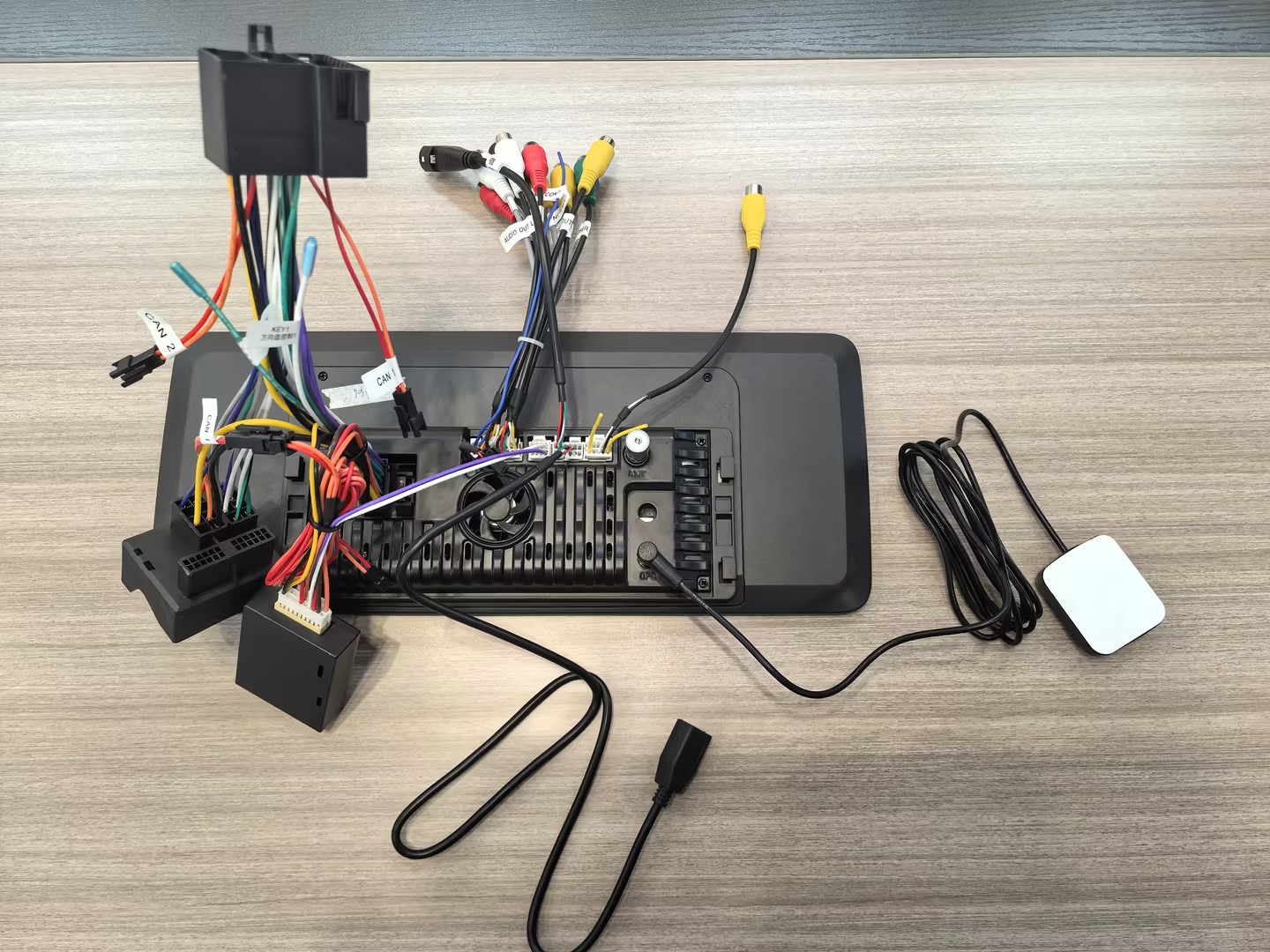
Upgrade Your Drive with the Ultimate 12.3" Android 13 Car Stereo
Enjoy a smarter, seamless, and entertaining ride every time you hit the road!
🌟 Key Features at a Glance
🔄 Apple CarPlay – Wired & Wireless!
Perfectly integrate your iPhone with your car’s display. Use voice commands for navigation, calls, messaging, and music—all without touching your phone.🤖 Android Auto – Wired & Wireless!
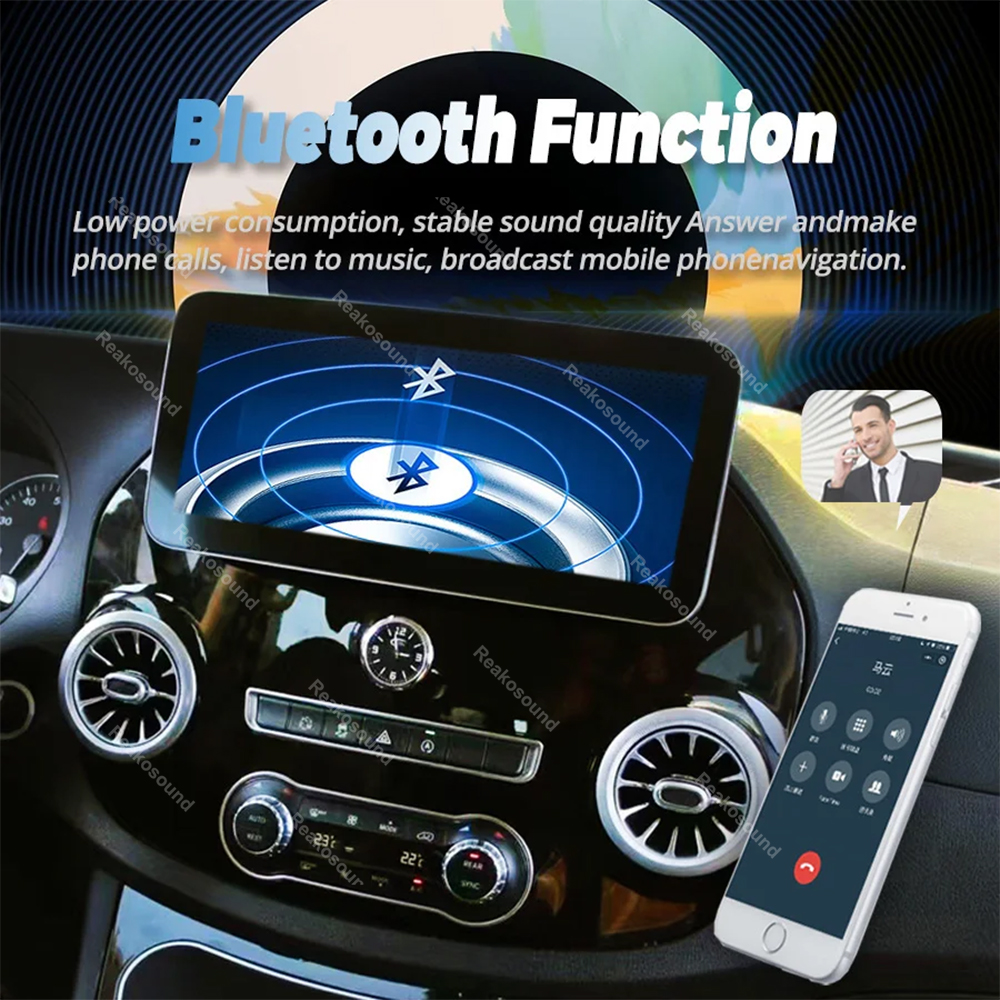
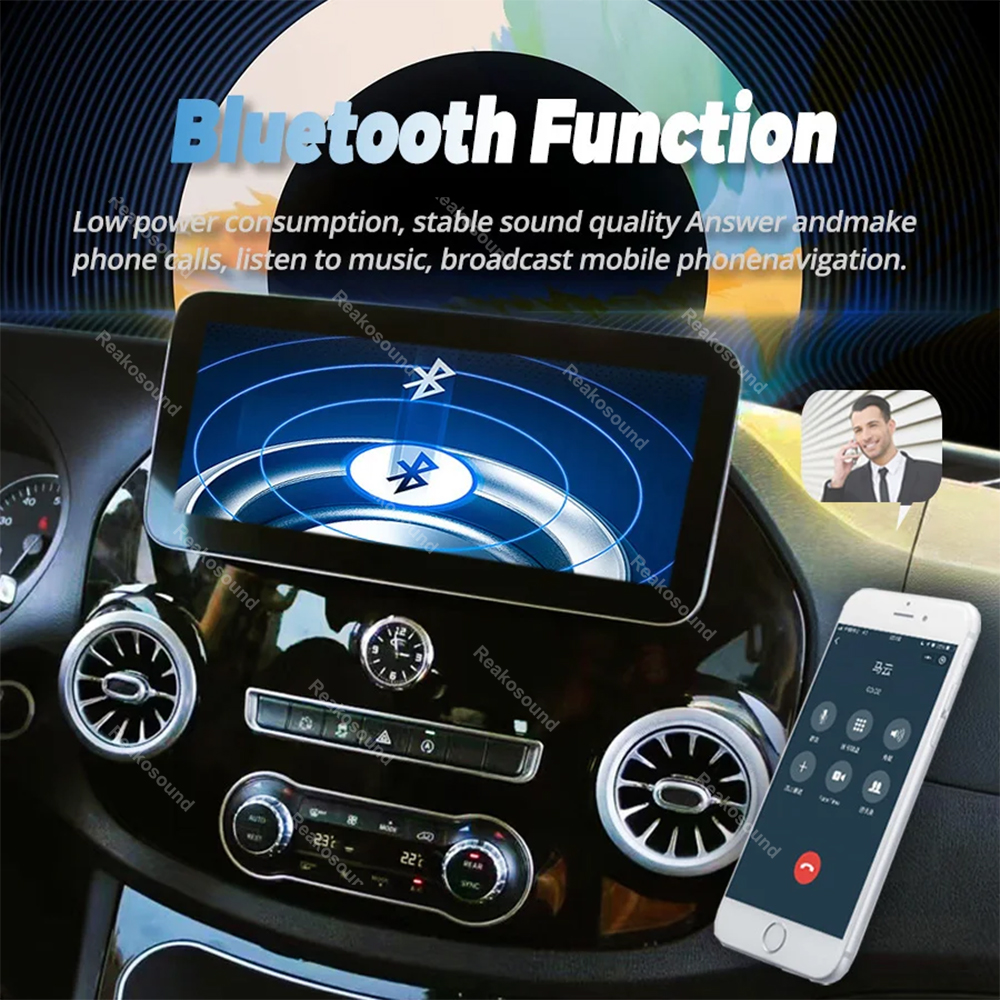
Connect your Android phone seamlessly. Just download the Android Auto app, link via Bluetooth, and control maps, calls, music, and more with your voice.📡 Built-in Wi-Fi & Bluetooth 5.0
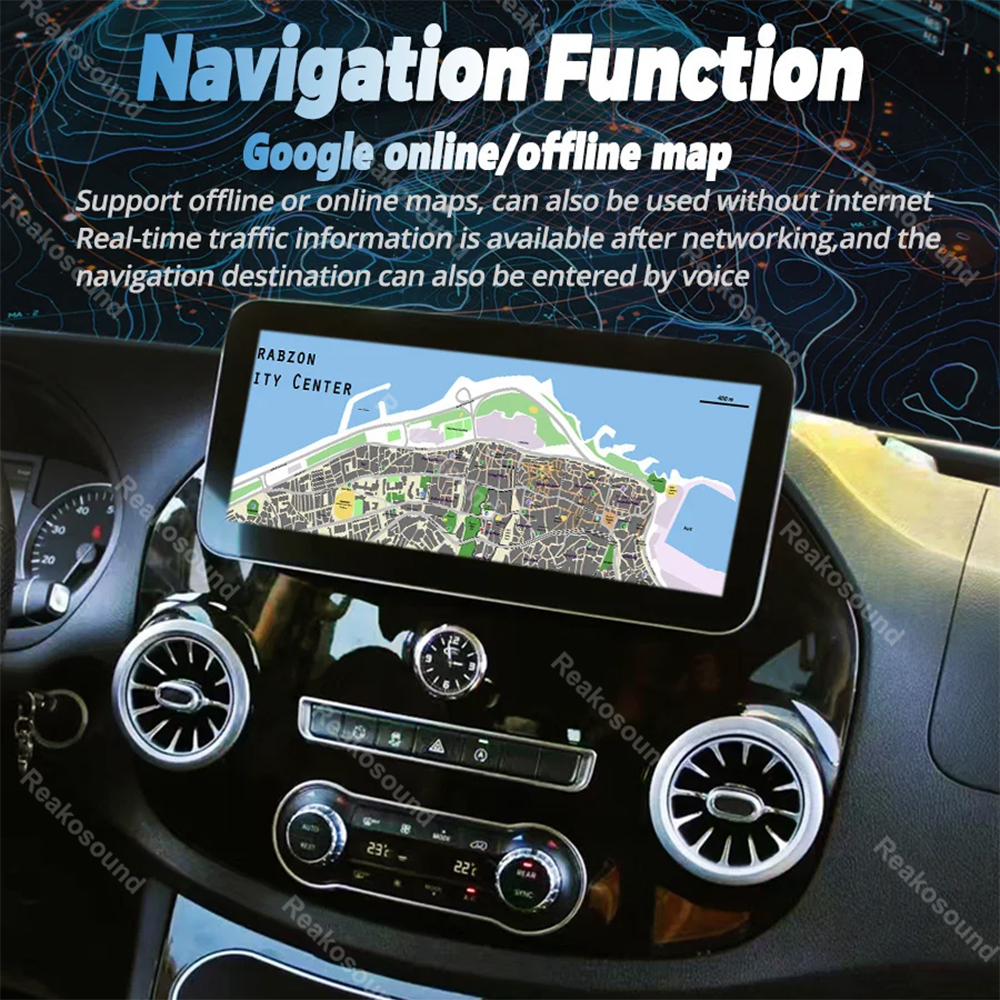
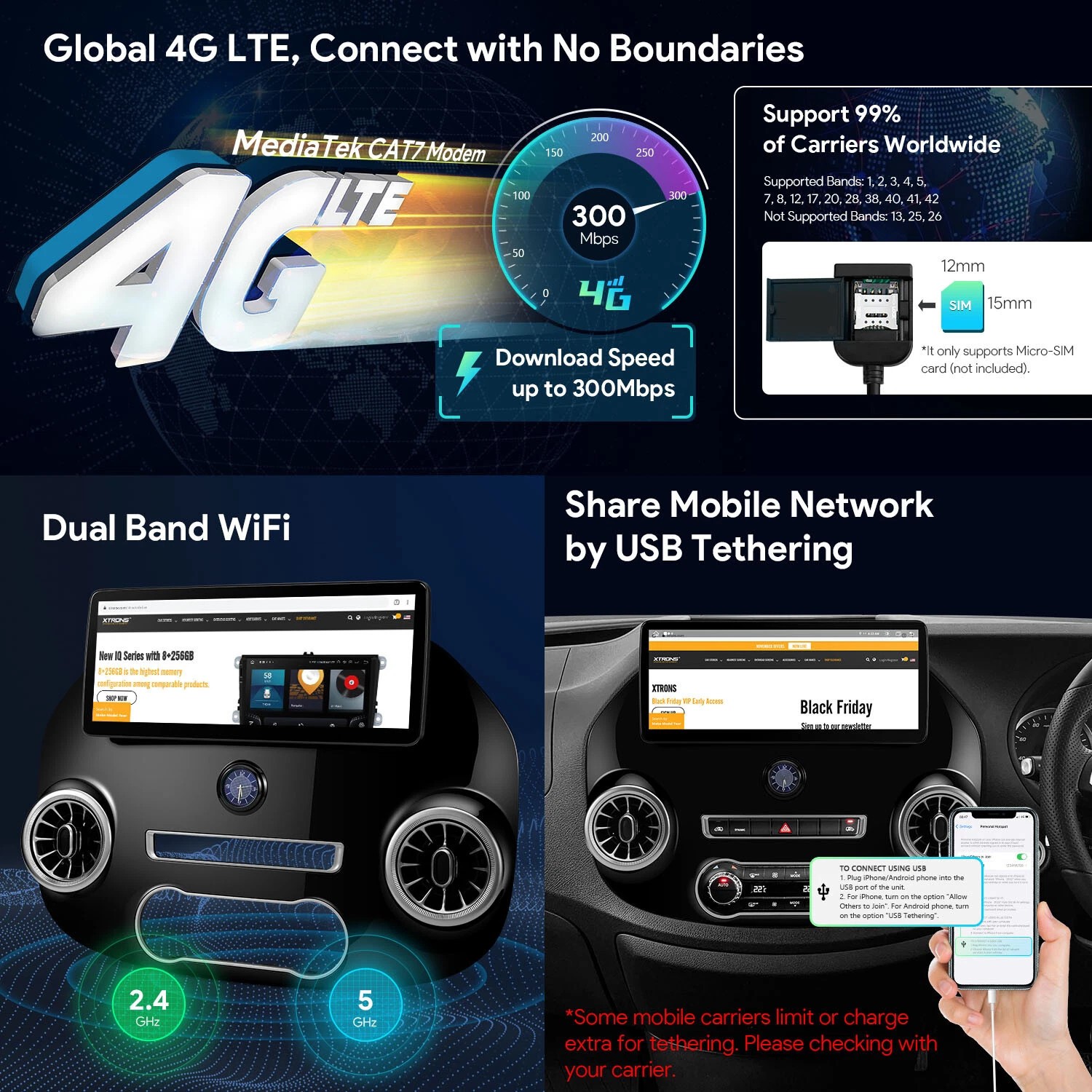
Connect to hotspots for online streaming, social apps, and video calls. Pair phones instantly for hands-free calls and wireless audio (Bluetooth code: 0000).🧭 Built-in GPS Navigation Module
Equipped with a dedicated GPS module for reliable navigation. Ready to support your preferred navigation apps for turn-by-turn directions on the 9-inch touchscreen.🎥 Rearview Camera Ready + DVR Input
Connect a rear camera for safer reversing. Also supports USB DVR systems (with compatible app) to record drives directly.📻 Enjoy Crisp FM Radio & Enhanced Audio
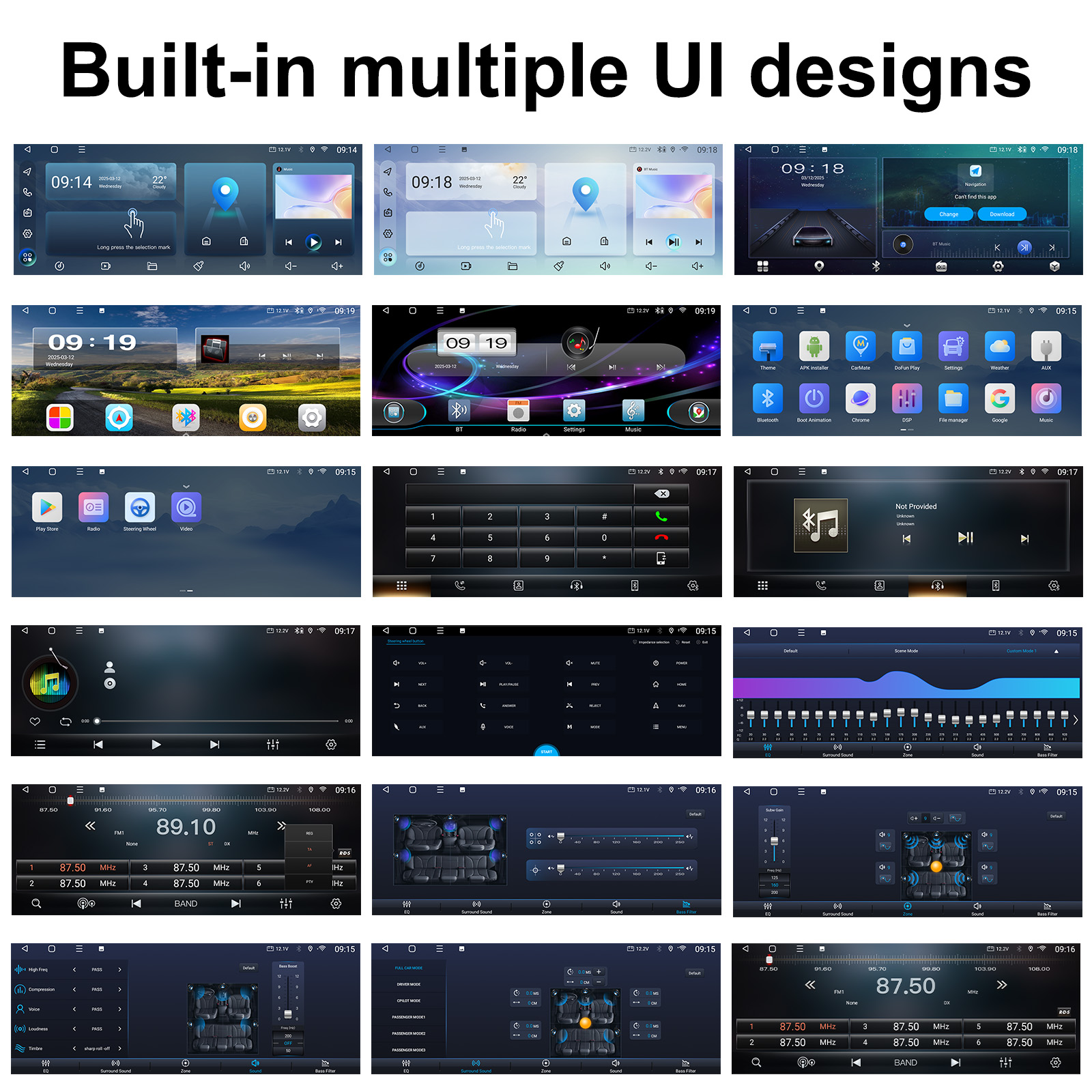
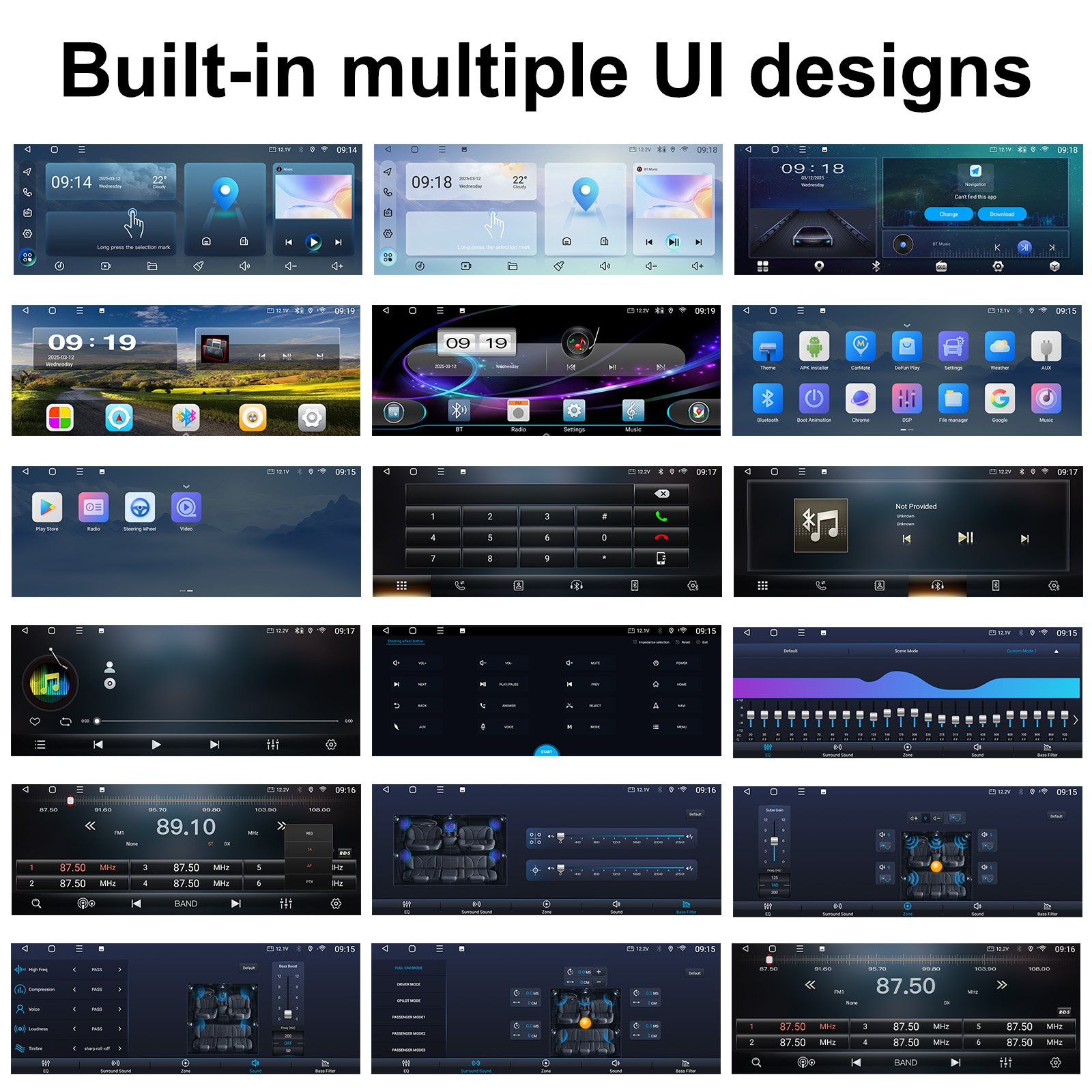
Listen to your favorite FM stations, and customize sound with the built-in equalizer for richer bass and clearer highs.🎵📹 Massive Media Support
Plays all popular audio (MP3, FLAC, WAV, etc.) and video (MP4, MKV, MOV, etc.) formats via USB or internal memory.🔧 Runs Smoothly on Android 13
With 4GB RAM + 64GB ROM, enjoy fast, responsive performance for all your apps and media.
📏 Specifications
Screen: 12.3” Capacitive Touchscreen | Resolution: 1080P
OS: Android 13 | RAM: 4GB | Storage: 64GB
Bluetooth: Version 5.0 (Code: 0000)
Voltage: DC 12V
Radio: FM Band
Camera Input: Supports AHD rear camera
Factory Reset Code: 1617
Languages: 25 languages including English, Chinese, Spanish, French, German, Japanese, Arabic, Russian, and more.
📦 What’s in the Box
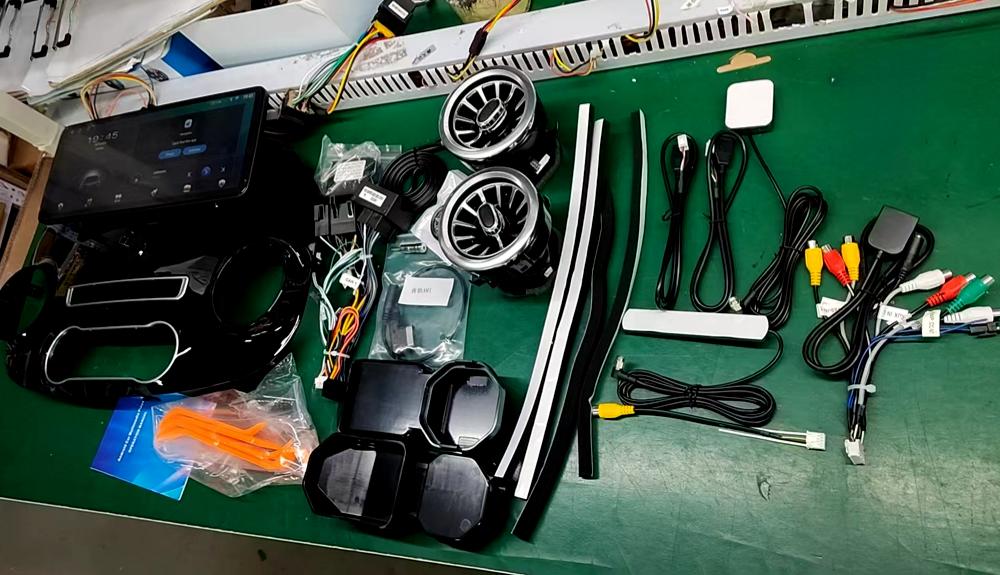
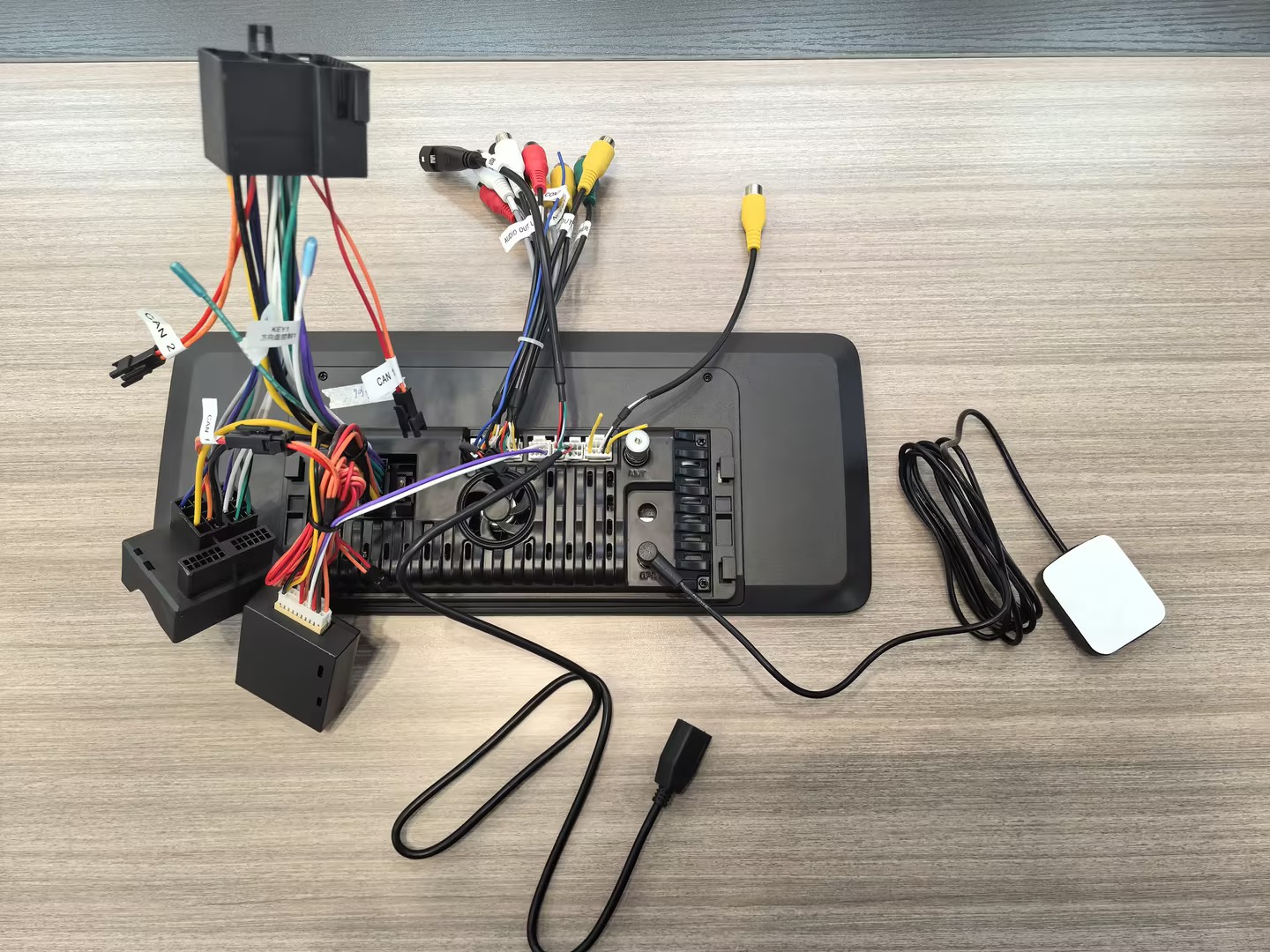
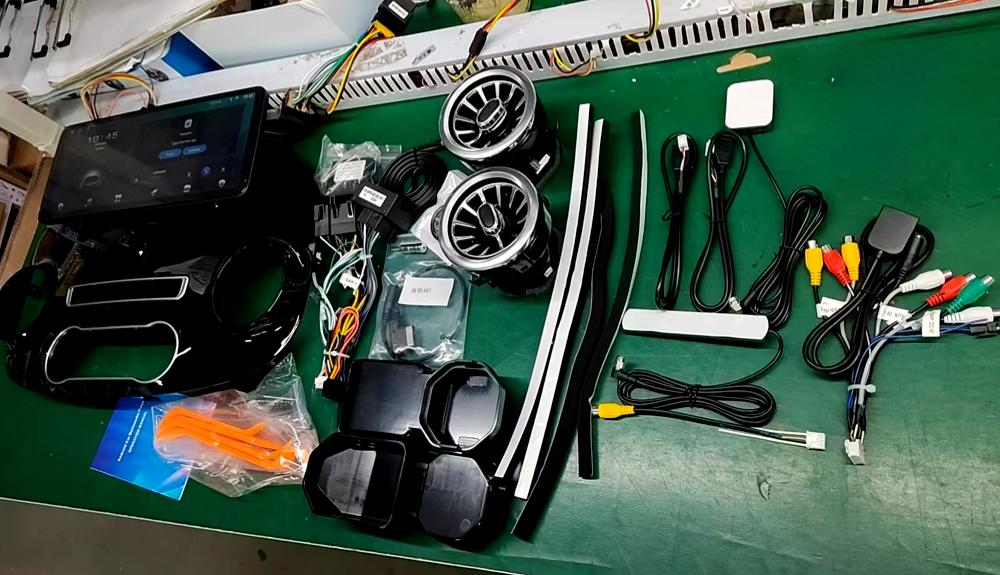
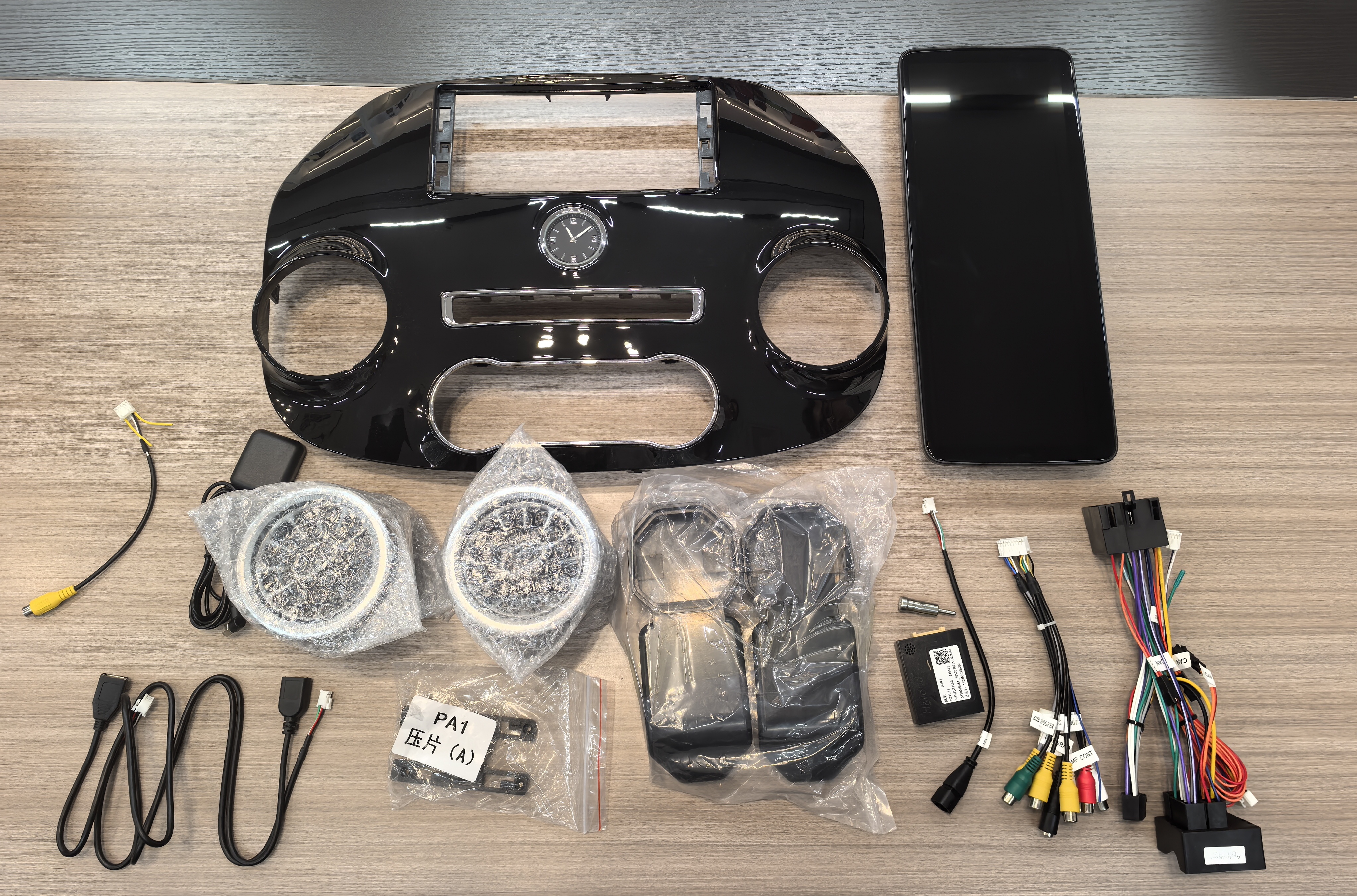
1 × Android Car Stereo
1 × Power Cable
1 × GPS Antenna
2 × USB Cables
1 × RCA Cable
1 × CAM-IN Cable
1 × User Manual
⚠️ IMPORTANT COMPATIBILITY NOTICE: READ BEFORE PURCHASING ⚠️
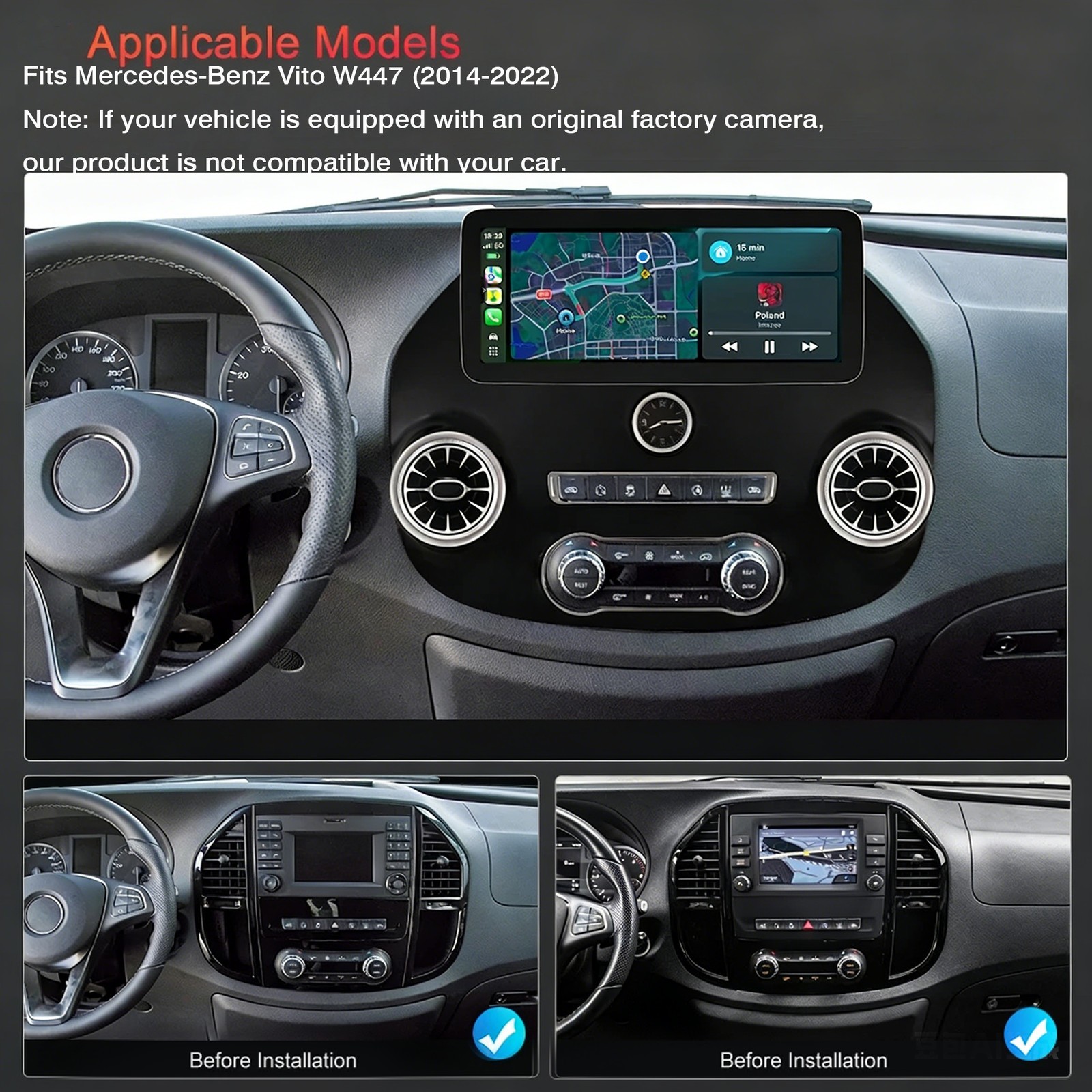
📊 Vehicle Fitment: Compatibility may vary based on vehicle options, production dates, and installation method.
👉 Always verify fitment before ordering!
"Warning: This product does not include installation instructions or disassembly tools.
Please ensure you have the proper tools and knowledge before setup or removal. Use caution to avoid damage or injury."
- Premium factory sound systems
- BOSE® amplified audio systems
- OnStar® equipped vehicles (with premium audio)
- Any factory-amplified sound systems
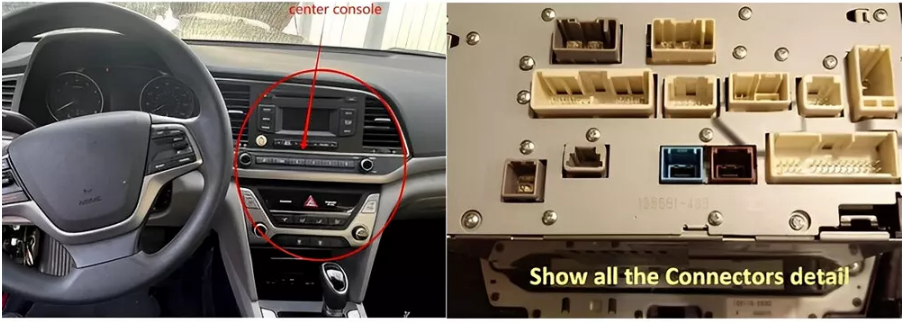
🔍 CRITICAL STEP: Verify your vehicle's EXACT Vehicle's Original sound system configuration before purchase.
Unsure About Compatibility?
We'll confirm fitment for you!
- Front image of Car Radio in the central control
- Back of your center console plugs
Important Shipping Information:
Order Processing:
Orders will be processed after payment. Items will be shipped within 1-5 business days.
We only ship according to the shipping address provided during checkout. Please verify your shipping address carefully before completing your purchase.
Once the order is in transit, the shipping address cannot be changed.
International Buyers:
As an international buyer, you are responsible for all additional customs fees, brokerage fees, duties, and taxes for importation into your country. These fees are not included in the item price or shipping cost.
Additional fees may be collected at the time of delivery. Please check with your local customs office for more information.
Our prices do not include any import taxes, VAT, or other hidden customs charges.
Our Commitment:
We strive to process and ship your orders as quickly as possible, using the most appropriate shipping method to meet your needs. If you have any special requests or questions about shipping, feel free to contact us – we’re here to help!
Thank you for choosing [reako-sound]. We appreciate your trust and look forward to serving you!
Accepted Payment Methods:
PayPal:
PayPal is one of the most widely used and secure payment platforms. It allows you to pay quickly and easily using your credit card, debit card, or PayPal balance.
PayPal also offers buyer protection, ensuring a safe and worry-free transaction.
Credit/Debit Cards:
We accept major credit and debit cards, including Visa, Mastercard, American Express, and Discover.
Payments are processed securely through eBay’s payment system, so your financial information is always protected.
Apple Pay:
For a fast and seamless checkout experience, you can use Apple Pay if you’re shopping on a compatible device.
Google Pay:
Google Pay is another convenient option for quick and secure payments on supported devices.
eBay Gift Cards:
You can use eBay gift cards to pay for your order. Simply enter your gift card code during checkout.
Important Notes:
Immediate Payment Required: To ensure a smooth transaction, immediate payment is required at the time of purchase. Your order will not be processed until payment is completed.
Payment Security: All payments are processed through eBay’s secure payment system, ensuring your financial information is protected.
Our Commitment:
We strive to provide a seamless and secure checkout experience for all our customers. If you have any questions about payment methods or encounter any issues during checkout, please don’t hesitate to contact us. We’re here to help!
Thank you for shopping at [reako-sound]. We appreciate your business and look forward to serving you!
At [reako-sound], we stand behind the quality of our products and want you to shop with confidence. That’s why we offer a 30-day return or exchange policy for any quality-related issues. If you encounter any problems with your purchase, we’re here to make it right!
Policy Highlights:
Coverage: This policy applies to all items sold by [reako-sound] that are marked as eligible for "30-day return or exchange."
Quality Issues: This includes product defects, damage during shipping, or items that significantly differ from the description.
Easy Process:
Contact us within 30 days of receiving your order to report the issue. Please provide photos or videos to help us understand the problem.
After receiving the returned item, we’ll promptly send a replacement or issue a full refund.
Conditions:
The item must be returned in its original condition, including packaging, tags, and all accessories.
This policy does not cover returns due to personal preferences (e.g., wrong size, color, or style). Please review product details carefully before purchasing.
Why Choose Us?
We are committed to providing high-quality products and excellent customer service. Your satisfaction is our priority, and we’re always here to help resolve any issues quickly and efficiently.
Shop with confidence at [reako-sound] – where quality and customer care come first!
Why Reach Out to Us?
Pre sales consultation: Do you have any questions about product details, size, color, material, inventory status, shipping cost, estimated delivery time, etc? Please provide us with the product number or link, and we will provide a detailed answer!
Order issue (before shipment): Regarding orders that have already been placed (such as payment confirmation, modification of shipping address, freight consolidation request, order status, shipping time update, etc.)
Post delivery issue: If you have received the item but encounter any problems, please do not initiate a return request yet! Please contact us immediately via eBay message, clearly describe the issue and attach photos (if applicable). We will actively communicate with you to find the best solution.
How to Contact Us:
Send Us a Message on eBay: Simply click the “Ask a Question” or “Contact Seller” button on our eBay store page. Let us know the items you’re interested in, the quantity you’d like to purchase, and any other details. We’ll respond promptly with a customized offer.
Quick Response: We strive to reply to all inquiries within 24 hours (excluding weekends and holidays). Your satisfaction is our priority, and we’re here to make your shopping experience as smooth as possible.
Our Commitment to You:
At [reako-sound], we believe in building long-term relationships with our customers. Whether you’re looking for a one-time bulk purchase or a reliable supplier for ongoing needs, we’re dedicated to providing high-quality products, competitive pricing, and exceptional customer service.
Don’t hesitate to reach out – we’re excited to work with you and help you save more while getting the products you need!
Thank you for choosing [reako-sound]. We look forward to hearing from you!
