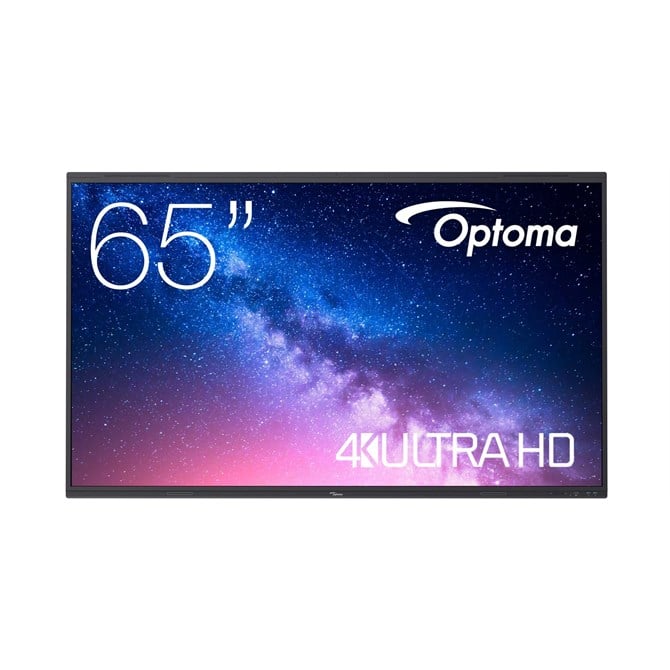

Optoma 5653RK Interactive Whiteboard 165.1 Cm 65 3840 X 2160 Pixels Touchscreen"
Create. Connect. Inspire. Teacher led technology
Optoma-s interactive displays are designed to fit the needs of teachers and students seamlessly. By listening to educators and gathering customer feedback, Optoma creates solutions that remove the challenging barriers facing teachers today. The result; intuitive user-friendly software to work in harmony with the way you educate - Create. Connect. Teach.
Google EDLA certification means a full library of Apps are at your disposal via the pre-installed Google Play Store.
Creative sharing is easy with built-in annotation tools to help facilitate collaboration in the classroom. Designed for hybrid working - Whiteboard provides smart collaboration and connectivity features for any classroom.
Work simultaneously. Multiple teams or individuals can work together from two separate locations in real-time.
Launch the Whiteboard by simply lifting the pen from the chassis and enjoy the features such as Magic draw - a shape recognition tool, pressure sensitivity pen, marker, and much more!
The stylish and sleek design of the 53 Series includes an 8 array microphone with a pickup distance of up to 8M accompanied by x2 18W speakers & x2 8W subwoofers making it the ideal solution to be heard in a large environment without the need of external speakers.
Specs
Display
Display diagonal
Size of the display for this product, measured diagonally, usually in inches.
5.1 cm (65")
Display brightness
Brightness is the amount of radiating light emitted from the screen. The brightness rating is measured in candellas per square meter, commonly known as 'nits'.
400 cd/m?
Display resolution
The number of distinct pixels in each dimension that can be displayed. It is usually quoted as width - height, with the units in pixels: for example, "1024 - 768" means the width is 1024 pixels and the height is 768 pixels. The higher the number of pixels, the sharper the image.
3840 x 2160 pixels
HD type
Type of supported High Definition (e.g. Full HD, 4K Ultra HD).
4K Ultra HD
LED backlight
A backlight is a form of illumination used in liquid crystal displays (LCDs). One type of backlight is made by LEDs, which can be either white or RGB (red green blue). White LEDs are used most often in notebooks and desktop screens, and in virtually all mobile LCD screens. RGB LEDs for backlighting are found in high-end color proofing displays such as HP DreamColor LP2480zx monitor or selected HP EliteBook notebooks, as well as newer consumer grade displays such as Dell's Studio series laptops which have an optional RGB LED display.
LED backlighting type
Backlighting is the illumination of a screen e.g. LCD (liquid crystal display). There are several types of backlighting with LEDs, e.g. full array, edge lit.
Direct-LED
Contrast ratio (typical)
The difference in light intensity between the brightest white and the darkest black.
5000:1
Response time
The response time is the time difference between the moment that a source (for example a video card) sends a signal and that equipment (for example a monitor) receives or display the signal. (Used abbreviations: R/F = Rise and Fall.)
6 ms
Touchscreen
A screen of a laptop, smartphone, etc., that responds to touch so you can control the interface using your fingers.
Touch technology
Technology of touch sensetive screen e.g. dual-touch.
Multi-touch
Number of simultaneous touchpoints
50
Touch resolution
32768 x 32768 pixels
Viewing angle, horizontal
Maximum horizontal angle at which a display can be viewed with acceptable visual performance.
8?
Viewing angle, vertical
Maximum vertical angle at which a display can be viewed with acceptable visual performance.
8?
Hardness
A measure of how solid/firm/rigid something is.
7H
Computer system
Operating system installed
Type of operating system on a device e.g. IOS on Apple devices, Android for mobile devices.
Android
Operating system version
The version of the operating system used e.g. 4.1, 4.2 for Android.
Built-in processor
Whether or not a processor is built into the device.
Processor architecture
ARM Cortex A76 + ARM Cortex A55
User memory
64 GB
RAM capacity
8 GB
Graphics card
Mali-G610 MC4
Audio
Built-in speaker(s)
The device contains speaker(s) to produce sound.
Number of built-in speakers
2
Speaker power
W
Network
Wi-Fi standards
The type of wireless local area network (LAN). It can be ad-hoc, where units in a network communicate peer-to-peer, or Infrastructure, where units communicate with each other via an access point A LAN interconnects computers in a small area e.g. home, school or office.
802.11a, 802.11b, 802.11g, Wi-Fi 4 (802.11n), Wi-Fi 5 (802.11ac), Wi-Fi 6 (802.11ax)
Ports & interfaces
USB 3.2 Gen 1 (3.1 Gen 1) Type-A ports quantity
4
HDMI ports quantity
The number of sockets (ports) for HDMI connections. HDMI (High-Definition Multimedia Interface) is a compact audio/video interface for transferring uncompressed video data and compressed/uncompressed digital audio data from a HDMI-compliant device ("the source device") to a compatible computer monitor, video projector, digital television, or digital audio device. HDMI is a digital replacement for existing analog video standards.
5
Ports & interfaces
USB Type-C ports quantity
2
HDMI version
2.0
HDMI output ports quantity
1
DisplayPorts quantity
Number of DisplayPorts. A DisplayPort is a digital display interface developed by the Video Electronics Standards Association (VESA). The interface is primarily used to connect a video source to a display device such as a computer monitor, though it can also be used to carry audio, USB, and other forms of data.
1
Ethernet LAN (RJ-45) ports
Number of Ethernet LAN (RJ-45) ports (connecting interfaces) in the device. Ethernet LAN (RJ-45) ports allow a computer to connect to the ethernet.
2
OPS slot
1
S/PDIF out port
S/PDIF (Sony/Philips Digital Interconnect Format) is a digital audio interconnect used in consumer audio equipment over relatively short distances. The signal is transmitted over either a coaxial cable with RCA connectors or a fibre optic cable with TOSLINK connectors.
RS-232 ports
The number of sockets (ports) for RS-232. An RS-232 serial port was once a standard feature of a personal computer, used for connections to modems, printers, mice, data storage, uninterruptible power supplies, and other peripheral devices. Now it has been largely replaced by USB and other ports.
1
Ergonomics
VESA mounting
Panel mounting interface
The product can be used wih VESA mounting interfaces.
600 x 400 mm
Power
Power consumption (max)
The maximum amount of power used by the device.
380 W
Power consumption (typical)
Amount of power consumed by this model, often expressed in watts (W). Typical values that manufacturers give are power consumption when off, standby/suspended mode, typical use, maximum usage.
0 W
Power consumption (standby)
The amount of electricity that is consumed when the product is on standby.
0.5 W
AC input voltage
The voltage of the AC electricity that is inputted into the product.
0 - 240 V
AC input frequency
50/60 Hz
Weight & dimensions
Width
The measurement or extent of something from side to side.
88 mm
Depth
The distance from the front to the back of something.
86 mm
Height
The measurement of the product from head to foot or from base to top.
908 mm
Weight
Weight of the product without packaging (net weight). If possible, the net weight is given including standard accessories and supplies. Please note that sometimes the manufacturer leaves out the weight of accessories and/or supplies.
38.6 kg
Packaging data
Package weight
Weight of the packaged product.
48.2 kg
Packaging content
Pen tray included
Cables included
AC, HDMI, USB, USB Type-C
Remote control included
Component of an electronics device, most commonly a television set, DVD player and home theater systems originally used for operating the device wirelessly from a short line-of-sight distance.
Quick start guide
Instructions, either online, as a computer program or in paper form, to allow you to set up and start using the product quickly.
Stylus included
Stylus pen type
Passive
