ThinkScan 662 OBD2 Diagnostic Tool: 4-System Diagnosis + 12 Reset Functions
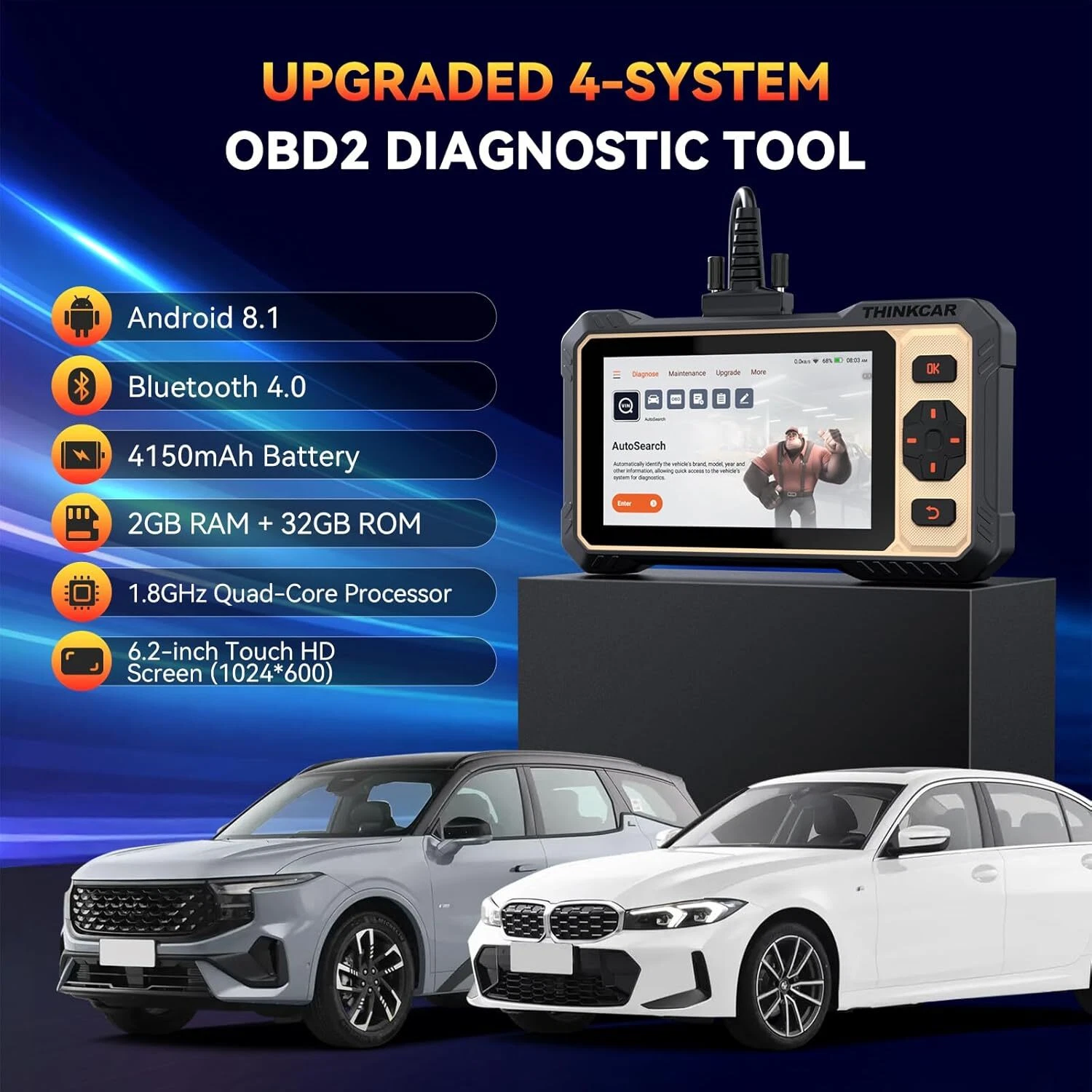
4-System Diagnosis: ABS (Anti-lock Braking System), SRS Airbag, ECM (Engine Control Module), TCM (Transmission Control Module). It reads codes, displays live data, clears codes and restores vehicle performance — free lifetime updates included.
Active Testing: The ThinkScan 662 can send commands directly from the OBD2 diagnostic tool to the vehicle’s control unit for active testing. This allows corresponding actions to be performed, accurately identifying car issues and saving you a lot of time and money!
Active Testing: The ThinkScan 662 can send commands directly from the OBD2 diagnostic tool to the vehicle’s control unit for active testing. This allows corresponding actions to be performed, accurately identifying car issues and saving you a lot of time and money!
12 Reset Functions: Airbag (SRS) Reset, Bleed Reset, BMS (Battery Management System) Reset, EPB (Electronic Parking Brake) Reset, DPF (Diesel Particulate Filter) Reset, ETS (Electronic Throttle Body) Reset, Injector Coding, Oil Light Reset, SAS (Steering Angle Sensor) Reset, Transmission Adaptation, TPMS (Tire Pressure Monitoring System) Reset, IMMO (Immobilizer) Reset. These reset functions help you quickly perform various maintenance tasks on vehicle systems.
Active Test(Bidirectional):Commonly Used Active Tests Include: Coolant Pumps / Power Window Open/Close / Lighting Control / Mirror Control / Windshield Adjustment / Wiper Adjustment / Injector Testing / Fuel Pump On/Off / Door Lock Actuators / Horn On/Off / Headlight Testing / Sunroof Control / Sound Horn Activation / Mirror Operation and More...
28 Supported Languages (All Free):German, English, Spanish, Italian, Russian, Turkish, Hungarian, Swedish, French, Finnish, Greek, Portuguese, Polish, Dutch, Danish, Bulgarian, Slovak, Romanian, Serbian, Arabic, Croatian, Czech, Slovenian, Chinese, Japanese, Korean, Persian, Vietnamese.
28 Supported Languages (All Free):German, English, Spanish, Italian, Russian, Turkish, Hungarian, Swedish, French, Finnish, Greek, Portuguese, Polish, Dutch, Danish, Bulgarian, Slovak, Romanian, Serbian, Arabic, Croatian, Czech, Slovenian, Chinese, Japanese, Korean, Persian, Vietnamese.
140+ Car Brands (10,000+ Models):Compatible with most US cars from 1996 onward, EU cars from 2000 onward, and Asian-manufactured vehicles from 2008 onward.
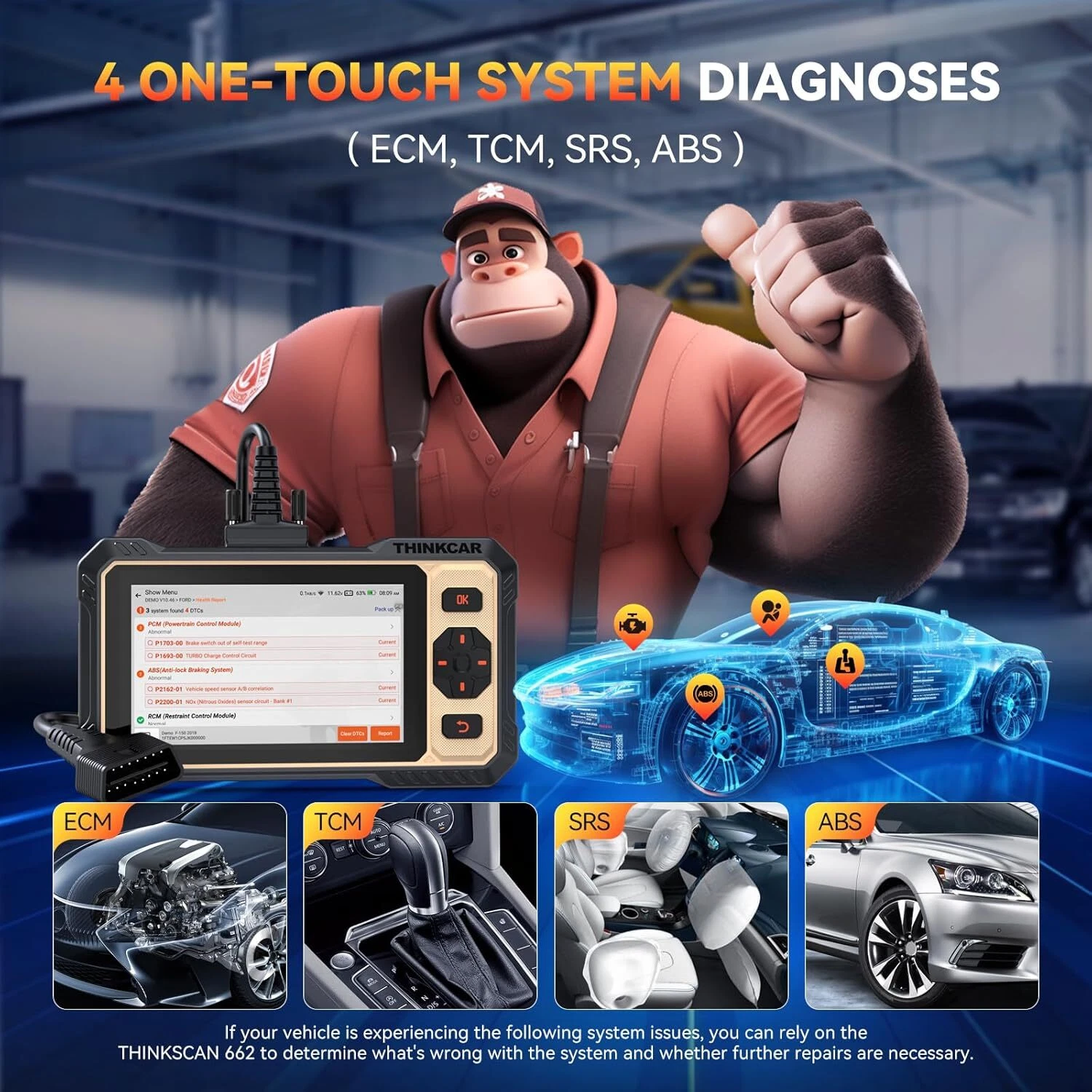
4-System Diagnosis (ABS/SRS/ECM/TCM)
Engine System (ECM):
When the engine control light appears on the vehicle’s dashboard, it indicates an engine malfunction. This tool quickly identifies the cause of engine system issues, reads and clears fault codes, and turns off the warning light. It also retrieves current, pending, and permanent fault codes from the vehicle’s engine system, displays real-time data, and allows you to access engine system fault data based on real-time insights. It addresses common engine problems like faulty oil pumps, oil deposits and dirt, insufficient fuel and air compression, leaking engine coolant, clogged engine radiators, prolonged engine detonation, damaged oxygen sensors, and worn spark plugs. It ensures proper and safe engine operation.
When the engine control light appears on the vehicle’s dashboard, it indicates an engine malfunction. This tool quickly identifies the cause of engine system issues, reads and clears fault codes, and turns off the warning light. It also retrieves current, pending, and permanent fault codes from the vehicle’s engine system, displays real-time data, and allows you to access engine system fault data based on real-time insights. It addresses common engine problems like faulty oil pumps, oil deposits and dirt, insufficient fuel and air compression, leaking engine coolant, clogged engine radiators, prolonged engine detonation, damaged oxygen sensors, and worn spark plugs. It ensures proper and safe engine operation.
Transmission System (TCM):
The transmission system consists of a set of transmission devices that coordinate engine speed and actual wheel speed to ensure smooth vehicle operation on the road. The tool displays real-time data, supports reading/clearing codes, and turns off transmission system warning lights — helping you repair the transmission system and diagnose transmission temperatures in a timely manner to save time and costs. Ignoring transmission system issues can lead to significant maintenance expenses.
The transmission system consists of a set of transmission devices that coordinate engine speed and actual wheel speed to ensure smooth vehicle operation on the road. The tool displays real-time data, supports reading/clearing codes, and turns off transmission system warning lights — helping you repair the transmission system and diagnose transmission temperatures in a timely manner to save time and costs. Ignoring transmission system issues can lead to significant maintenance expenses.
Airbag (SRS):
If the SRS light remains on after the vehicle starts (instead of turning off), the airbag system is faulty. To avoid severe damage or even death in the event of an accident, this OBD2 diagnostic tool can detect airbag problems and facilitate timely repairs. It extends the airbag’s service life, improves vehicle safety, and resolves vehicle system issues quickly and effectively.
If the SRS light remains on after the vehicle starts (instead of turning off), the airbag system is faulty. To avoid severe damage or even death in the event of an accident, this OBD2 diagnostic tool can detect airbag problems and facilitate timely repairs. It extends the airbag’s service life, improves vehicle safety, and resolves vehicle system issues quickly and effectively.
Anti-lock Braking System (ABS):
It can access and diagnose the ABS (Anti-lock Braking System). It retrieves diagnostic fault codes that trigger the ABS warning light. Common issues include blown sensor fuses, insufficient brake fluid, and defective sensors. To ensure your family’s safety, you should monitor your ABS condition closely. This car diagnostic tool helps you detect problems promptly for repairs like brake pad replacements and more.
It can access and diagnose the ABS (Anti-lock Braking System). It retrieves diagnostic fault codes that trigger the ABS warning light. Common issues include blown sensor fuses, insufficient brake fluid, and defective sensors. To ensure your family’s safety, you should monitor your ABS condition closely. This car diagnostic tool helps you detect problems promptly for repairs like brake pad replacements and more.
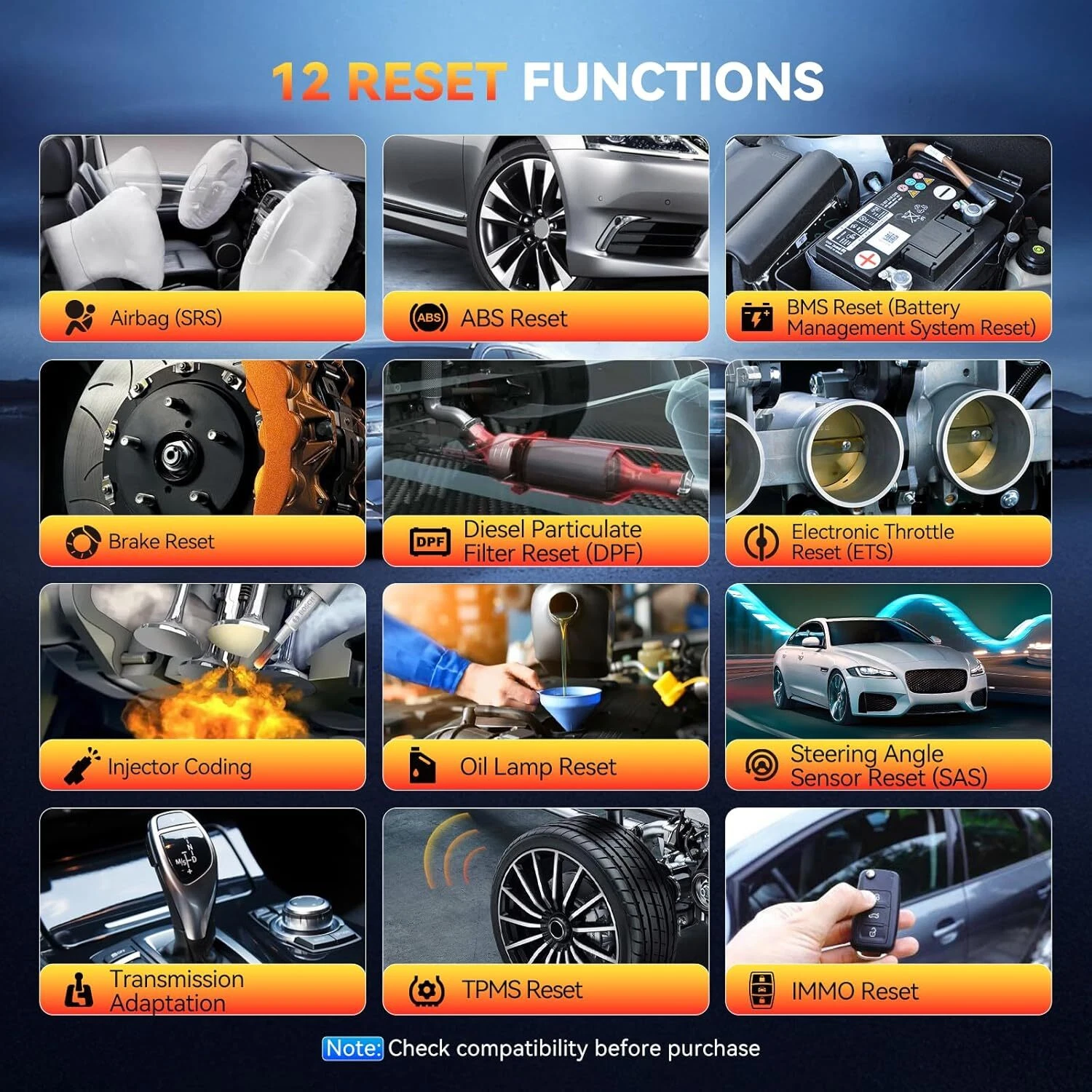
The 12 Most Commonly Used Reset Functions:
Oil Reset:
This diagnostic tool helps reset the oil change indicator (turn off the oil service light) during an engine oil change. It prevents potential engine damage from oil contaminants and allows the vehicle to recalculate an optimal oil change interval based on driving conditions and climate, ensuring your driving safety.
Airbag Reset:
If the vehicle is involved in a collision and the airbag deploying, a fault code corresponding to the impact data will appear, and the airbag control light will illuminate. This function resets the airbag data and clears the airbag crash fault indicator.
This diagnostic tool helps reset the oil change indicator (turn off the oil service light) during an engine oil change. It prevents potential engine damage from oil contaminants and allows the vehicle to recalculate an optimal oil change interval based on driving conditions and climate, ensuring your driving safety.
Airbag Reset:
If the vehicle is involved in a collision and the airbag deploying, a fault code corresponding to the impact data will appear, and the airbag control light will illuminate. This function resets the airbag data and clears the airbag crash fault indicator.
ABS Bleed (ABS):
Bleeds the braking system to restore ABS brake sensitivity and maintain a firm brake pedal.
Bleeds the braking system to restore ABS brake sensitivity and maintain a firm brake pedal.
BMS Reset (Battery Management System Reset):
After replacing the battery, a reset is performed to clear the original battery’s fault information and protect the new battery.
After replacing the battery, a reset is performed to clear the original battery’s fault information and protect the new battery.
Electronic Parking Brake Reset (EPB):
This is crucial for maintaining the safety and efficiency of the electronic braking system. Remember to reset the brake pads, especially after replacing them.
This is crucial for maintaining the safety and efficiency of the electronic braking system. Remember to reset the brake pads, especially after replacing them.
Diesel Particulate Filter Reset (DPF):
The DPF absorbs harmful particles in diesel vehicle exhaust to purify emissions. Once it absorbs enough harmful particles, it can no longer trap additional contaminants. At this point, let the vehicle enter DPF regeneration mode and use sufficient throttle to burn off trapped exhaust particles. This tool facilitates the DPF regeneration process, restoring the system’s performance.
The DPF absorbs harmful particles in diesel vehicle exhaust to purify emissions. Once it absorbs enough harmful particles, it can no longer trap additional contaminants. At this point, let the vehicle enter DPF regeneration mode and use sufficient throttle to burn off trapped exhaust particles. This tool facilitates the DPF regeneration process, restoring the system’s performance.
IMMO Reset (Immobilizer Reset):
Primarily used to deactivate lost vehicle keys and program new replacement keys.
Primarily used to deactivate lost vehicle keys and program new replacement keys.
Injector Coding:
Writes the new injector code into the vehicle system to ensure accurate cylinder injection volume.
Writes the new injector code into the vehicle system to ensure accurate cylinder injection volume.
Steering Angle Sensor Reset (SAS):
The steering angle sensor calibration function allows you to calibrate the sensor, permanently storing the current steering wheel position. Once calibration is successful, the sensor’s fault memory is automatically cleared.
The steering angle sensor calibration function allows you to calibrate the sensor, permanently storing the current steering wheel position. Once calibration is successful, the sensor’s fault memory is automatically cleared.
Tire Pressure Monitoring System (TPMS) Reset:
When tire sensors are replaced, this TPMS scan tool can quickly retrieve tire sensor IDs from the vehicle’s ECU, perform TPMS sensor relearning, reset tire pressure, and turn off the tire pressure MIL (Malfunction Indicator Lamp).
When tire sensors are replaced, this TPMS scan tool can quickly retrieve tire sensor IDs from the vehicle’s ECU, perform TPMS sensor relearning, reset tire pressure, and turn off the tire pressure MIL (Malfunction Indicator Lamp).
Transmission Adaptation:
This function enables the transmission to self-learn, improving shifting quality.
Electronic Throttle Body Reset (ETS):
The vehicle’s throttle position sensor is connected to the throttle spindle and primarily monitors the throttle position in a combustion engine. Due to its location, it effectively tracks the throttle’s position. This reset function restores the throttle body’s optimal performance.
This function enables the transmission to self-learn, improving shifting quality.
Electronic Throttle Body Reset (ETS):
The vehicle’s throttle position sensor is connected to the throttle spindle and primarily monitors the throttle position in a combustion engine. Due to its location, it effectively tracks the throttle’s position. This reset function restores the throttle body’s optimal performance.
NOTE:
If you encounter compatibility or malfunction issues, please provide your vehicle’s model, year, and VIN (Vehicle Identification Number). The problem can be resolved through a software or hardware upgrade.
If you encounter compatibility or malfunction issues, please provide your vehicle’s model, year, and VIN (Vehicle Identification Number). The problem can be resolved through a software or hardware upgrade.

New Upgraded Feature: Active Test(Bidirectional)
Commonly Used Active Tests Include: Coolant Pumps / Power Window Open/Close / Lighting Control / Mirror Control / Windshield Adjustment / Wiper Adjustment / Injector Testing / Fuel Pump On/Off / Door Lock Actuators / Horn On/Off / Headlight Testing / Sunroof Control / Sound Horn Activation / Mirror Operation and More...
(NOTE: Please send us your Vehicle Identification Number (VIN) to verify compatibility, as functions may vary by vehicle.)
Commonly Used Active Tests Include: Coolant Pumps / Power Window Open/Close / Lighting Control / Mirror Control / Windshield Adjustment / Wiper Adjustment / Injector Testing / Fuel Pump On/Off / Door Lock Actuators / Horn On/Off / Headlight Testing / Sunroof Control / Sound Horn Activation / Mirror Operation and More...
(NOTE: Please send us your Vehicle Identification Number (VIN) to verify compatibility, as functions may vary by vehicle.)

10 OBD2 Function Modes :
1. Read Codes
Retrieve fault codes stored in the current ECU. (Application: Typically used when a malfunction indicator light illuminates on the vehicle dashboard to read the active fault code.)
Retrieve fault codes stored in the current ECU. (Application: Typically used when a malfunction indicator light illuminates on the vehicle dashboard to read the active fault code.)
2. Clear Codes
Erase fault codes from the current ECU. (Application: Use this function after resolving the vehicle issue to turn off the malfunction indicator. If the active fault cannot be fixed immediately, perform it after required maintenance.)
Erase fault codes from the current ECU. (Application: Use this function after resolving the vehicle issue to turn off the malfunction indicator. If the active fault cannot be fixed immediately, perform it after required maintenance.)
3. Read Live Data Stream
Read and display real-time operating data and parameters from the vehicle’s ECU. (Application: Technicians gain insights into overall vehicle performance by monitoring these real-time data streams, providing guidance for vehicle maintenance.)
Read and display real-time operating data and parameters from the vehicle’s ECU. (Application: Technicians gain insights into overall vehicle performance by monitoring these real-time data streams, providing guidance for vehicle maintenance.)
4. Display Freeze Frame
When the vehicle develops a fault, a code is generated — the freeze frame function shows vehicle data at the moment the fault code was triggered. (Application: Technicians use the corresponding data to identify the fault location.)
When the vehicle develops a fault, a code is generated — the freeze frame function shows vehicle data at the moment the fault code was triggered. (Application: Technicians use the corresponding data to identify the fault location.)
5. I/M Readiness
Indicates whether the vehicle’s various emissions-related systems are functioning properly and ready for inspection and maintenance tests.
Indicates whether the vehicle’s various emissions-related systems are functioning properly and ready for inspection and maintenance tests.
6. O2 Sensor Test
Retrieve and display O2 sensor monitor test results from the vehicle’s on-board computer to show the most recent test performed.
Retrieve and display O2 sensor monitor test results from the vehicle’s on-board computer to show the most recent test performed.
7. On-Board Monitor Test
Read results from the on-board diagnostic monitor test for a specific component/system.
Read results from the on-board diagnostic monitor test for a specific component/system.
8. EVAP Test
Initiate a leak test for the vehicle’s EVAP system. This tool does not perform the leak test directly but sends a signal to the vehicle’s on-board computer to start the test. Vehicle manufacturers define standards and methods for terminating the test once initiated. Before using this system test function, refer to the vehicle’s service manual to confirm the required process for stopping the test.
Initiate a leak test for the vehicle’s EVAP system. This tool does not perform the leak test directly but sends a signal to the vehicle’s on-board computer to start the test. Vehicle manufacturers define standards and methods for terminating the test once initiated. Before using this system test function, refer to the vehicle’s service manual to confirm the required process for stopping the test.
9. Read Vehicle Information
Displays details such as VIN (Vehicle Identification Number), CID (Calibration ID), and CVN (Calibration Verification Number).
Displays details such as VIN (Vehicle Identification Number), CID (Calibration ID), and CVN (Calibration Verification Number).
10. DTC Lookup
Provides detailed descriptions of diagnostic trouble codes (DTCs). Enter the 5-digit code to view detailed definitions and diagnostic tips/solutions for active DTCs.
Provides detailed descriptions of diagnostic trouble codes (DTCs). Enter the 5-digit code to view detailed definitions and diagnostic tips/solutions for active DTCs.
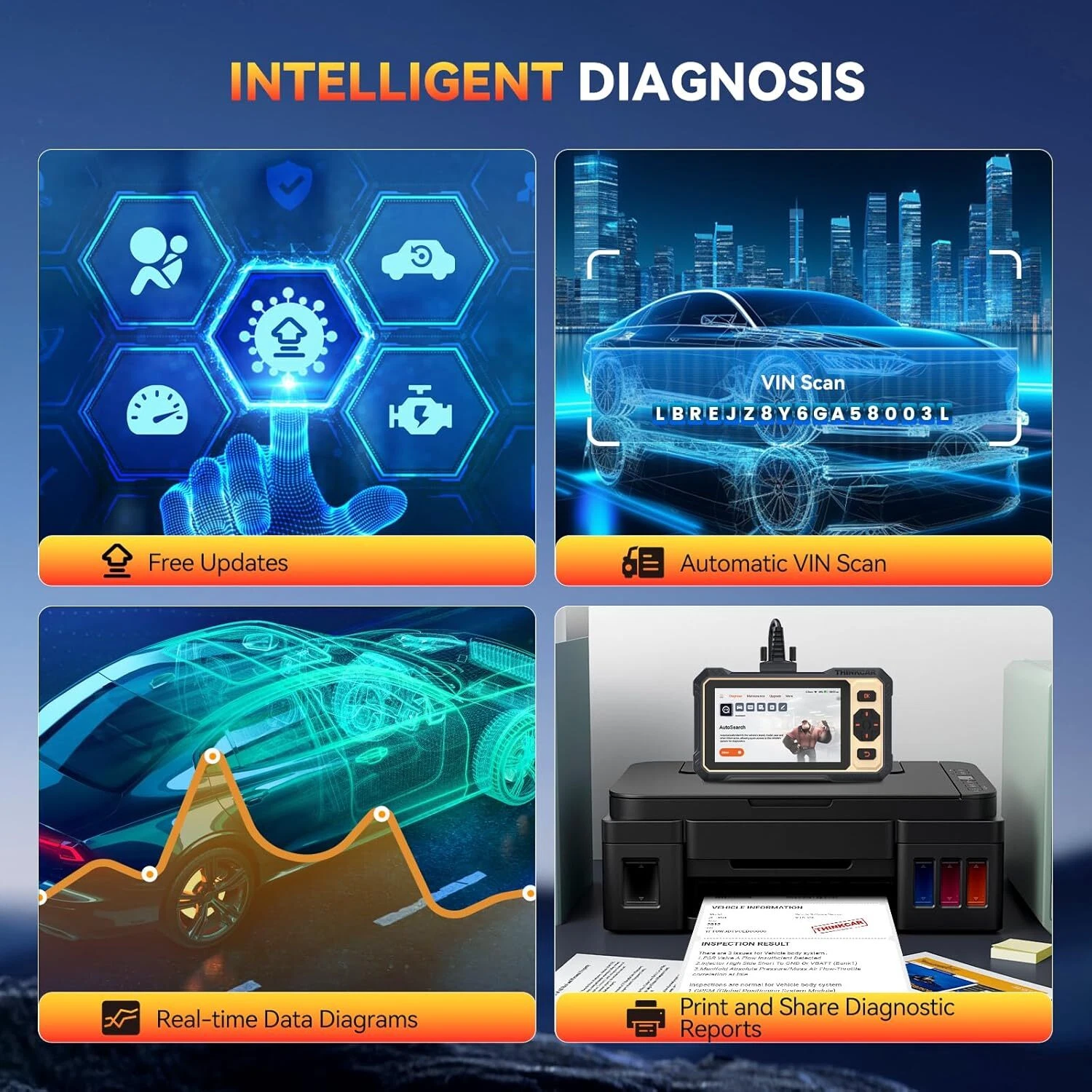
Intelligent Diagnosis:
Automatic VIN Scan:Smart AutoVIN technology quickly and accurately identifies your vehicle with the press of a button. It scans the control unit for vehicle information and performs diagnostics on selected systems, letting you access vehicle details fast and save time.
4-in-1 Live Data Stream:View dynamic data streams to assess vehicle condition. Most car scanners only display 2 data streams in one graph, but this ThinkScan 662 car diagnostic tool shows and merges 4 data streams in a single diagram — including engine RPM, vehicle speed, engine coolant temperature, absolute throttle position, and more.
Automatic Generation and Sharing of Diagnostic Reports:The status report scans all vehicle modules and provides a status list for each module’s condition. Once diagnostics are successfully completed, the tool automatically generates a diagnostic report, which is stored in internal memory for later review. Reports can be saved as PDFs, and since the device is WiFi-enabled, they can be emailed to your office or directly to the customer.
Professional Online Technical Support:THINKCAR offers a feedback function for you to report any issues encountered during the diagnostic process. We strive to provide a better user experience by resolving problems promptly and improving product quality based on your questions and suggestions.

Wide Vehicle Coverage & Multilingual Support :
The ThinkScan 662 offers extensive vehicle compatibility, working with 99% of car models from the US, Europe, and Asia (constantly updated...).
28 Supported Languages (All Free)
German, English, Spanish, Italian, Russian, Turkish, Hungarian, Swedish, French, Finnish, Greek, Portuguese, Polish, Dutch, Danish, Bulgarian, Slovak, Romanian, Serbian, Arabic, Croatian, Czech, Slovenian, Chinese, Japanese, Korean, Persian, Vietnamese.
German, English, Spanish, Italian, Russian, Turkish, Hungarian, Swedish, French, Finnish, Greek, Portuguese, Polish, Dutch, Danish, Bulgarian, Slovak, Romanian, Serbian, Arabic, Croatian, Czech, Slovenian, Chinese, Japanese, Korean, Persian, Vietnamese.
140+ Car Brands (10,000+ Models)
Compatible with most US cars from 1996 onward, EU cars from 2000 onward, and Asian-manufactured vehicles from 2008 onward.
You will receive:
Compatible with most US cars from 1996 onward, EU cars from 2000 onward, and Asian-manufactured vehicles from 2008 onward.
You will receive:
1 × ThinkScan 662 Diagnostic Tool
1 × Diagnostic Cable
1 × Type-C Cable
1 × Quick Start Guide
1 × Diagnostic Cable
1 × Type-C Cable
1 × Quick Start Guide
Online Service Support
24/7 Professional Support:
THINKCAR is always here for you. When you need help, connect with our trained technicians via in-app chat. You can also contact THINKCAR’s official customer service by email — we have a dedicated professional team ready to assist!
THINKCAR is always here for you. When you need help, connect with our trained technicians via in-app chat. You can also contact THINKCAR’s official customer service by email — we have a dedicated professional team ready to assist!
