Samsung Wireless Earbuds Bluetooth Headphones for Galaxy A16 5G Black
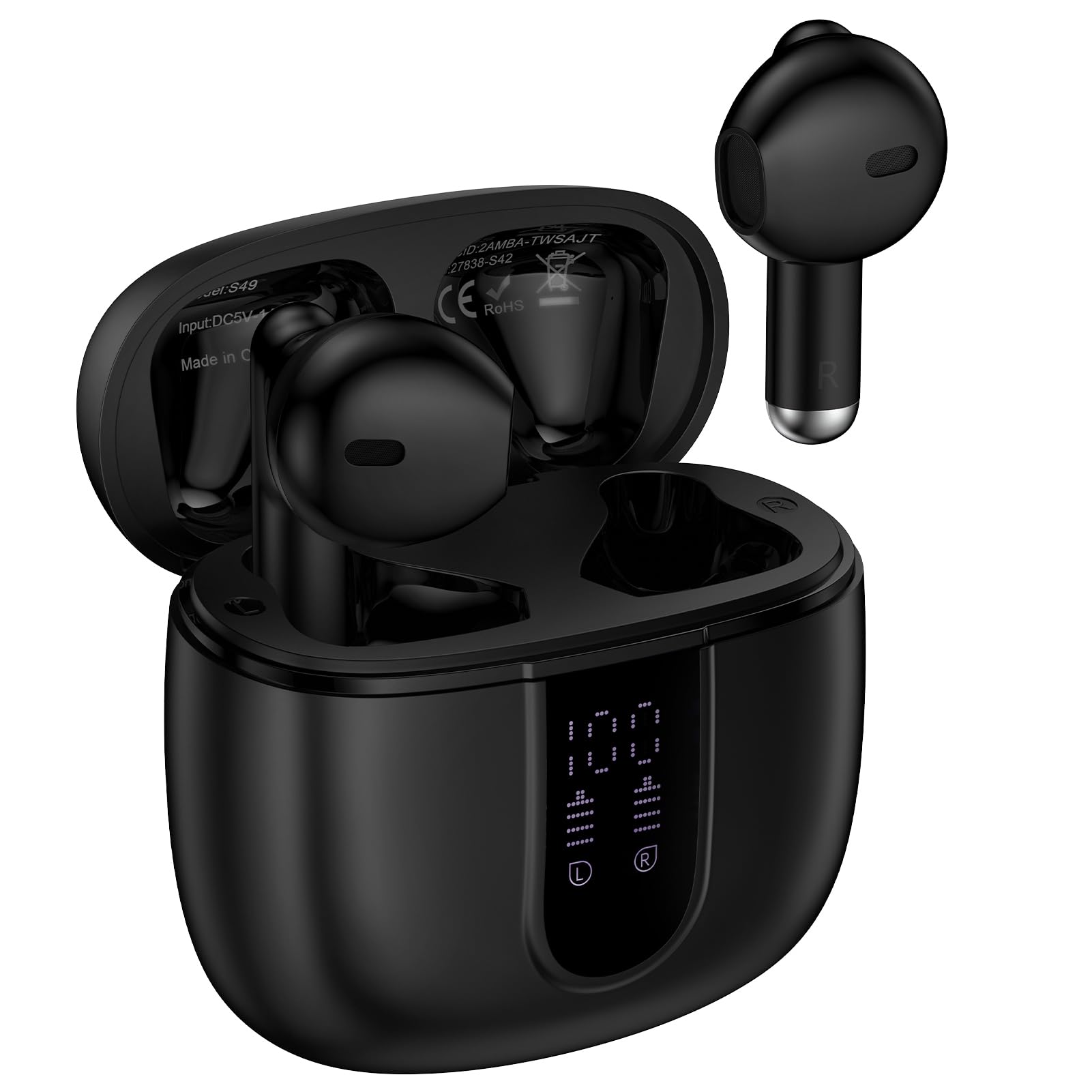
Product Details
- Easy Pairing Bluetooth V5.3 Wireless Headphones: Once paired for the first time, the two samsung wireless earbuds will automatically connect to your device when you simply take them out of the charging case. Please keep the distance between the samsung a16 bluetooth earbuds and your devices within 10M (the Best Pairing Distance is Within 50CM ). Latest Bluetooth version 5.3 is more stable transmission, lower power consumption and longer range with fewer dropouts than Bluetooth 5.1
- HiFi Stereo Sound: The samsung wireless earphones with 13mm speakers and triple-layer composite diaphragms provide powerful bass, stunning treble and clear mids. Each wireless ear bud has a build-in microphone for phone calls to avoid sound loss, ensuring you could be heard clearly even in noisy environment
- 40Hrs Playtime & Digital Charging Case: Equipped with a 30mAh battery to get hours of music on a single charge of each ear buds, allowing you to enjoy a total of 40 hours of music by taking turns with the charging case. Built-in dual LED power display keeps tracking the case's remaining power and real-time battery status
- Type-C Cable Fast Charging: The usb c cable fully charges the case in 1.5 hours, and a 10-minute quick charge provides 2 hours of playback. Perfect for travel, workouts, and daily commutes. Stay connected and entertained wherever you go
- Playtime Stereo IP7 Waterproof Bluetooth Headphones: The waterproof earbuds wireless bluetooth headphones use IP7 no-coating technology to seal the surface of both earbuds to prevent sweat or rain from penetrating, allows you to use the in-ear earphones in any weather and workout situation.
- Smart Touch Control Bluetooth Earphones: Equipped with sensitive touch control panels on the left and right earbuds, you can flexibly power on/off, play/pause, skip songs, answer/hang up, adjust volume, activate Siri and access other functions at the touch of a button. Easily free your hands when you’re busy doing sports, driving or running. Earphones in ear are compatible with most Bluetooth-enabled devices including iOS or Android smartphones, computer, laptop etc
- What You Get: 2* Wireless Bluetooth Earbud with Charging Case, 1* USB C Cable, 1* User Manual. If you have any questions about our samsung s25 in-Ear Ear buds, please feel free to contact us, we will resolve your issue within 24 hours. The bluetooth samsung earbuds is compatible with Samsung Galaxy S25 Edge S25 Ultra S25+ S25 S24 S23 S22 S21 S20 series, A17 A36 A56 A26 A16 A15 A35, iPhone 16e 16 15, ect
Top 8 Advantages of Wireless Bluetooth EarbudsBluetooth V5.3 TechnologySmart Touch ControlLED Power DisplayENC Noise Cancelling Mics40H StandbyUSB C Cable Fast FastingIP7 WaterproofErgonomic Design of The Sport Ear BudsCompatible with:Samsung Galaxy S25 Edge S25 S25+ S25 Ultra,S24 S23 S22 S21 seriesSamsung Galaxy A17 A36 A56 A26 A16 5G,A55 A35 A15 5G, A25iPhone 16e 16 15 SeriesGoogle Pixel 9 8 7 6 Seriesall devices enable bluetoothSpecificationsConnection Range: Within 10 MetersBluetooth Version: V5.3Battery Capacity of Headset: 30mAh * 2Battery Capacity of Charging case: 330mAhFunctionsControl music playback, Answer or reject calls, Adjust volume, Switch music, Activate voice assistan,Digtital power display, Wireless charging case, Secure and comfort, IPX5 waterproof, Smart touch control, Auto pairingEasy to pairOpen the charging case, take out the earbus then automatically connect.Please keep the distance between the bluetooth headphones and your devices within 10M(the Best Pairing Distance is Within 50CM).Friendly Answer QusetionsA: What should I do when only one side plays music/ can't use the two earbuds together/ occur connection-related issues?Put both earbuds into charging case, then take them out, both earbuds will automatically get paired with each other successfully.If still not work, please reset them.C: How to reset earbuds?1. Quickly tap both Left and Right earbud's Multi-function button 4 times to Power off the samsung s23 wireless earbus.2. Put the earbuds back into the charging case.3. Delete S49 bluetooth record on your phone and deactivate the bluetooth setting.4. Wait for 10s to open the charging case and turn on the bluetooth of your phone.5. Click S49 to connect, earbuds will work properly.