Ninyoon Full HD 1080P USB Digital Microscope Camera for iPhone/iPad Black
Description
Features:
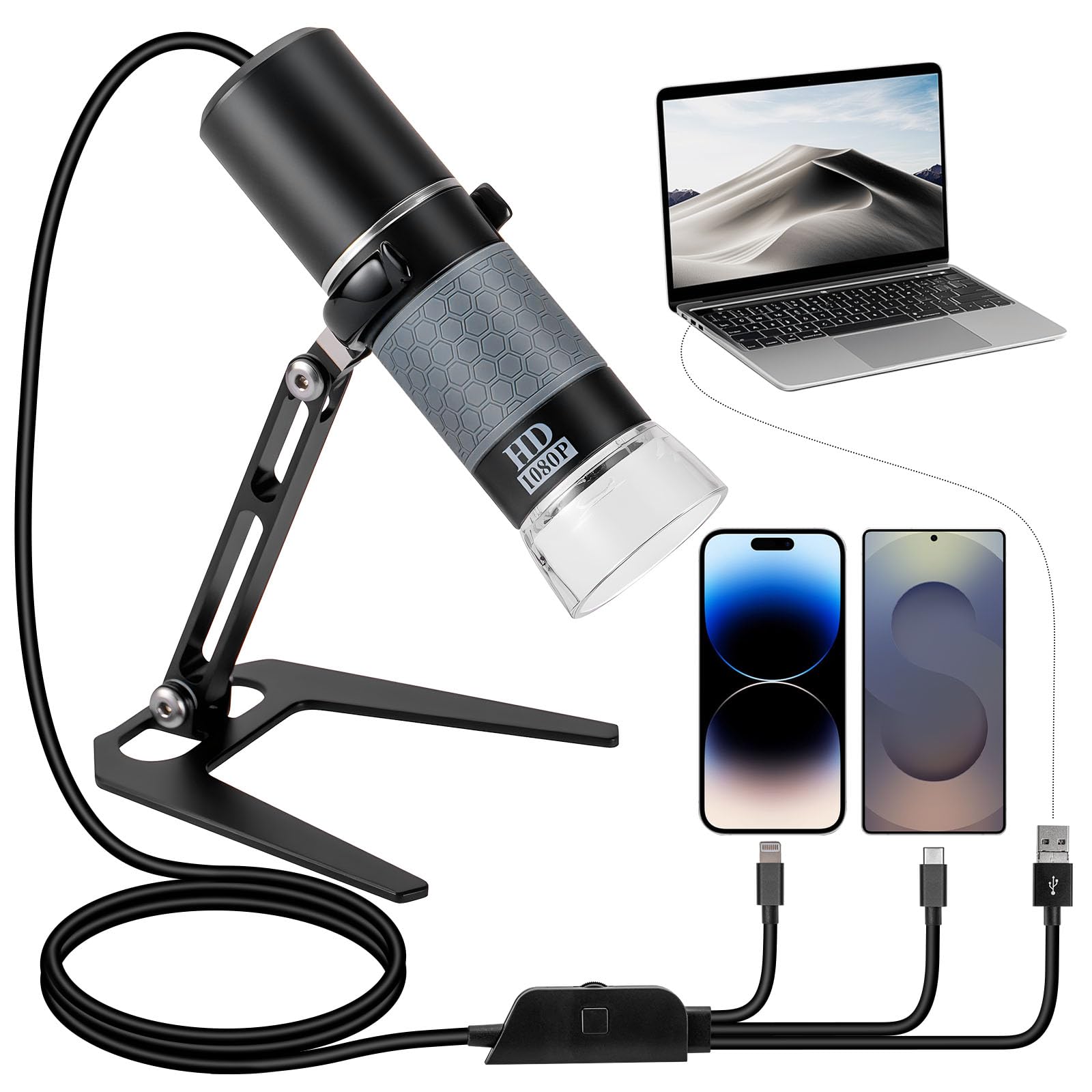
- 【All-platform compatibility breakthrough】 As the world's first plug-and-play multi-system microscope, this product completely breaks through device barriers. Support direct plug-and-play compatible with iPhone/iPad, Android mobiles & tablets, and Windows/Mac/Linux/Chrome computers. No complex setup required - achieve instant cross-system integration for home, education, medical, industrial, and other professional applications.
- 【Professional-Grade Imaging Performance】 Equipped with a Full HD 1080P lens module and intelligent image noise reduction algorithms, it captures micrometer-level clarity. Supports 1080P video recording and photo output, meeting dual needs of scientific research documentation and educational demonstrations.
- 【Intuitive One-Touch Operation】 PC: Simply plug into PC and launch native camera app (Windows Camera, Mac Photo Booth, Linux Cheese, Chrome Camera). iOS/Android: Capture images with a single tap via the dedicated app. Plug-and-play functionality ensures users can effortlessly perform microscopic imaging, significantly enhancing the user experience.
- 【Driver-Free Plug-and-Play Technology】 Leveraging system-native webcam protocols, this microscope bypasses driver compatibility issues entirely. PC users can immediately activate Skype/ZOOM or any webcam-enabled software, while mobile devices require only our app installation from respective stores.
- 【Bank-Level Data Security】 Images transmit securely via USB without any network connectivity. Our app features local encryption storage with optional network permission lockdown, passing third-party audits for zero-cloud leakage risk. Ideal for sensitive medical imaging and confidential research.
- 【Versatile Application Solutions】 The stable stand and anti-slip silicone base allow stable desktop positioning or handheld inspections. With temperature-compensated circuitry operating reliably from -10℃ to 45℃, this microscope excels in labs, manufacturing floors, field research, and educational settings.
- ⚠️【Note】 For Oppo, Vivo, Oneplus, iQOO or Realme brand phones, please enable the OTG function in "Settings" before each use. To enable OTG: unlock your phone, tap "Settings", search for “OTG” on Search Bar, toggle the OTG switch to enable it.
Product Details: