If you have any questions, please contact customer service first, do not open disputes easily, thank you!
Features:
Accepts 99% of coins and tokens
Intelligent software control High-precision CPU
Self-programmable without the need for a PC
Number of pulses configurable
Accepts up to 6 different currencies at the same time
Protection against electric shock / electromagnetic interference
Automatic self-diagnosis of problems
DC12V voltage
Coin diameter 15mm-29mm
Coin width 1.8-3mm
Temperature -10º +60º.
Material: Metal and PVC
Setup Instructions:
Steps to Modify Internal Settings
Simultaneously press and hold the Increase Key ⑨ and Decrease Key on both sides of the display panel for approximately two seconds.
The display panel will show the letter “A” (when the A/B mode switch is set to A mode). At this point, internal settings can be modified:
1. Press the Setup Key ⑧ once. The letter “E” (selecting currency types) will appear. Press the Increase Key
or decrease key to adjust the value. Press the setting key to confirm after adjustment.
2. The letter “H” appears (sample quantity per denomination).
3. The letter “P” appears (signal output count per denomination).
4. The letter “F” appears (accuracy level per denomination).
5. Proceed similarly until settings for all selected currencies are complete. When “E” appears, turn off the power and restart.
Notes:
E: Number of selected denominations (1-6)
H: Sample quantity per denomination (1-20)
P: Signal output count per denomination (1-50)
F: Accuracy level per denomination (1-20; lower values indicate higher accuracy; 8 recommended)
SET Key: Confirmation key
Increase: Value “+”
Decrease: Value “-”
Note: E: Select number of denominations (1-6) H: Sample quantity per denomination (1-20) P: Signal output count per denomination (1-50) F: Accuracy level per denomination (1-20; lower values indicate higher accuracy; 8 recommended)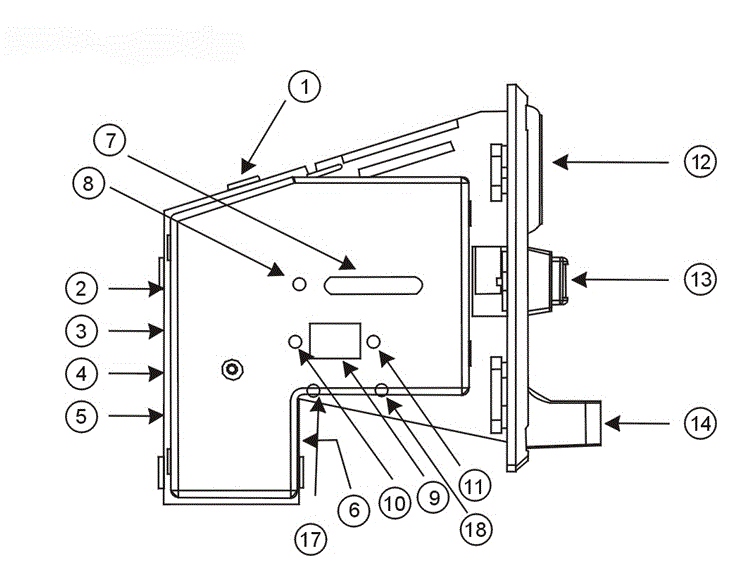
Package includes:
1*Coin Mech Selector Acceptor
Note:
Please verify product information before purchase to ensure you can install it yourself. Thank you!
