
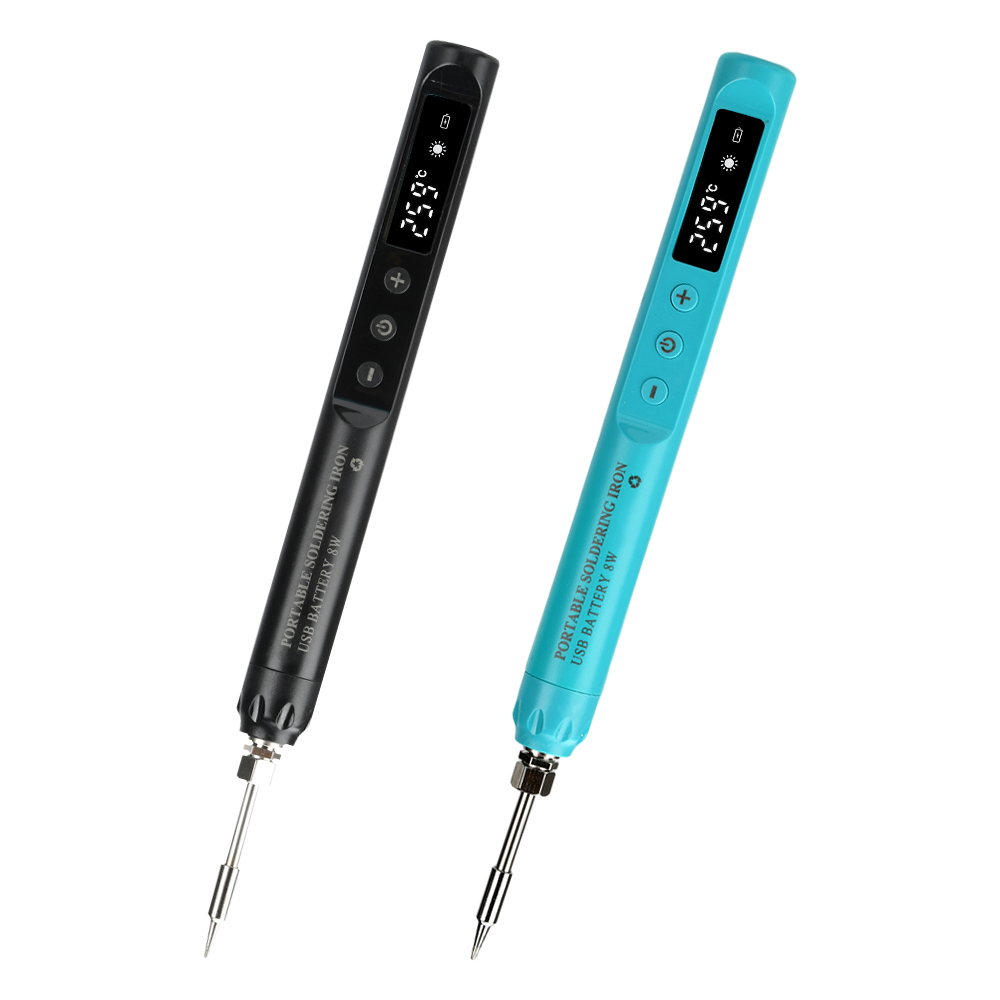
Digital USB Smart Temperature Adjustable Soldering Iron 800mAh battery Portable
Product View
Detail
Features
1.The product is compact and easy to operate, long press button 3S to turn on/off.
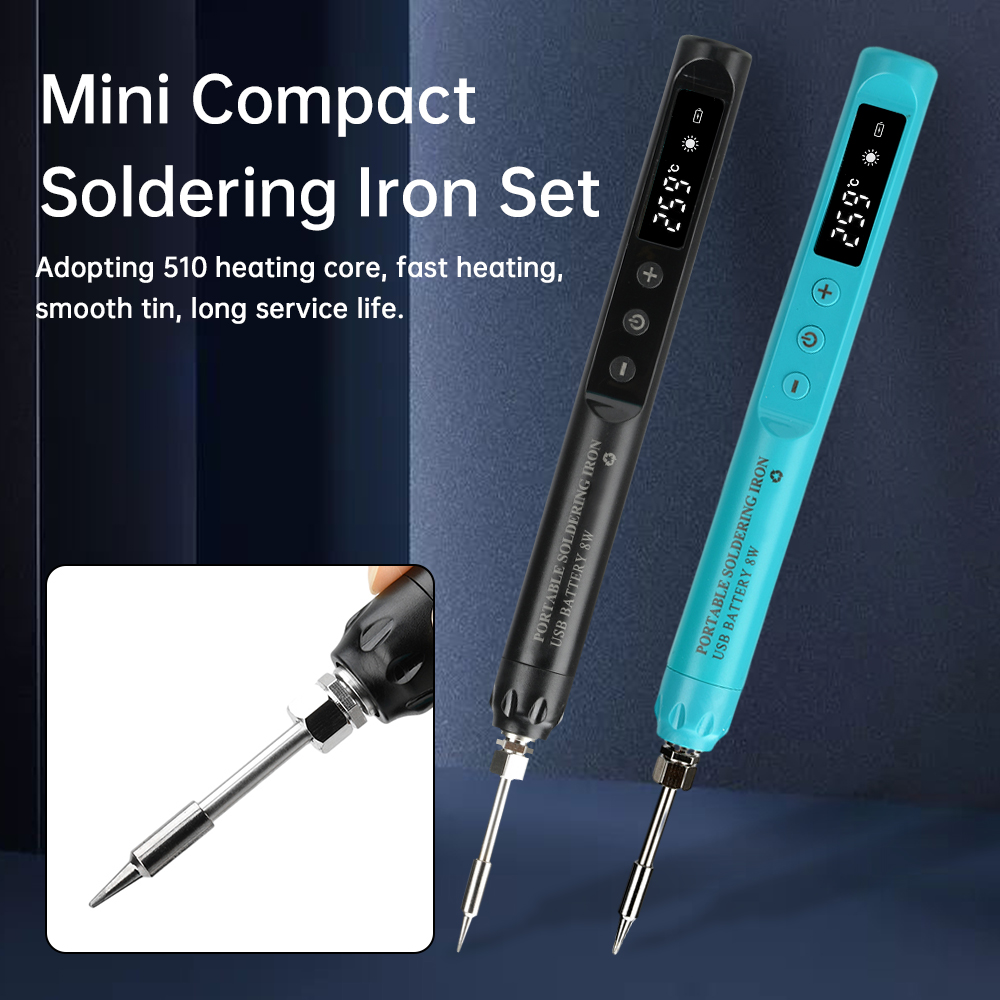
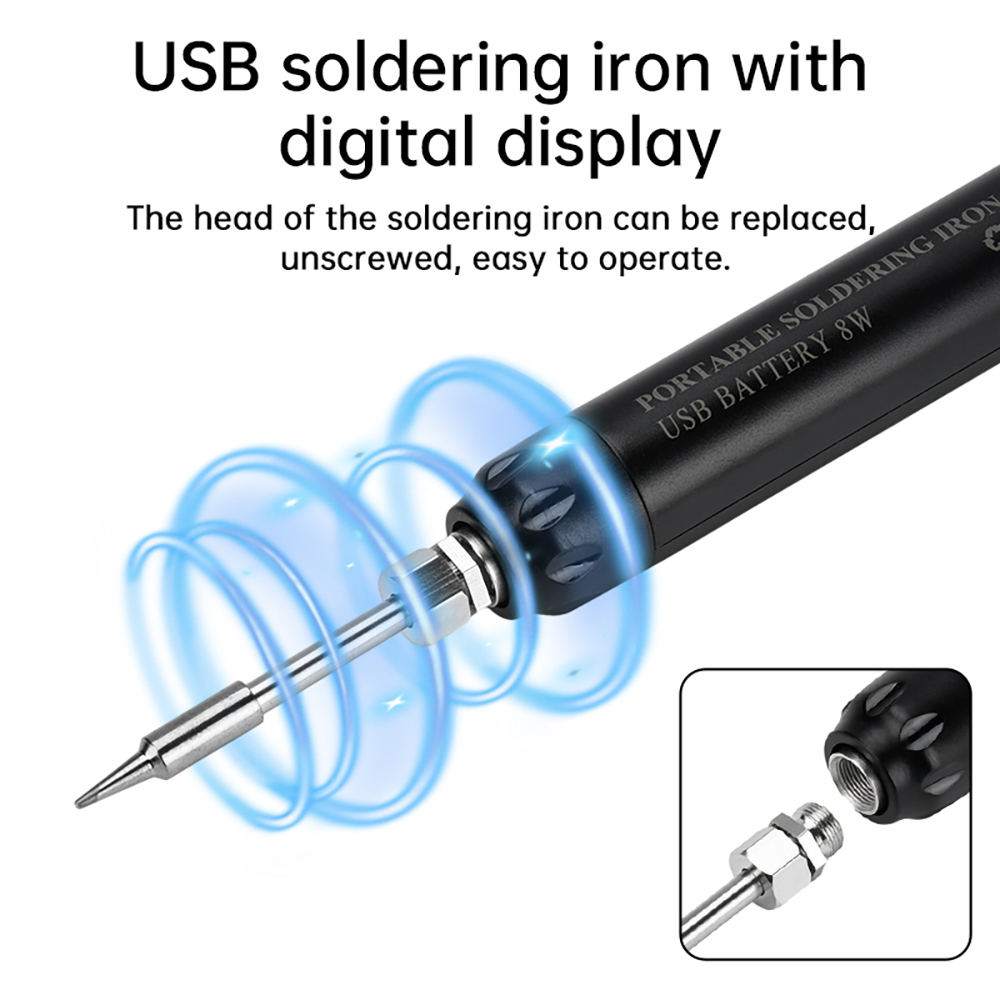
2.The soldering iron head is replaceable, unscrew it, easy to operate.
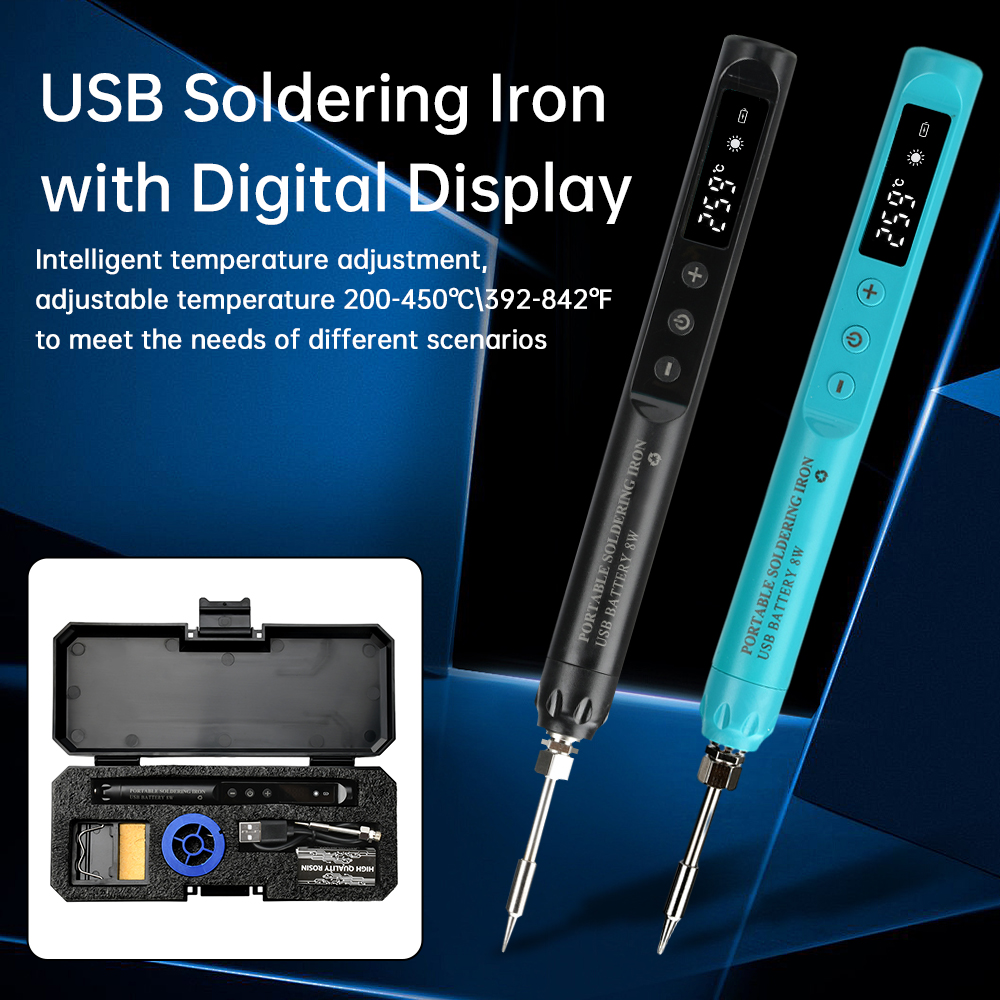
2.Intelligent temperature adjustment, adjustable temperature 200-450℃\392-842℉ to meet the needs of different scenes.
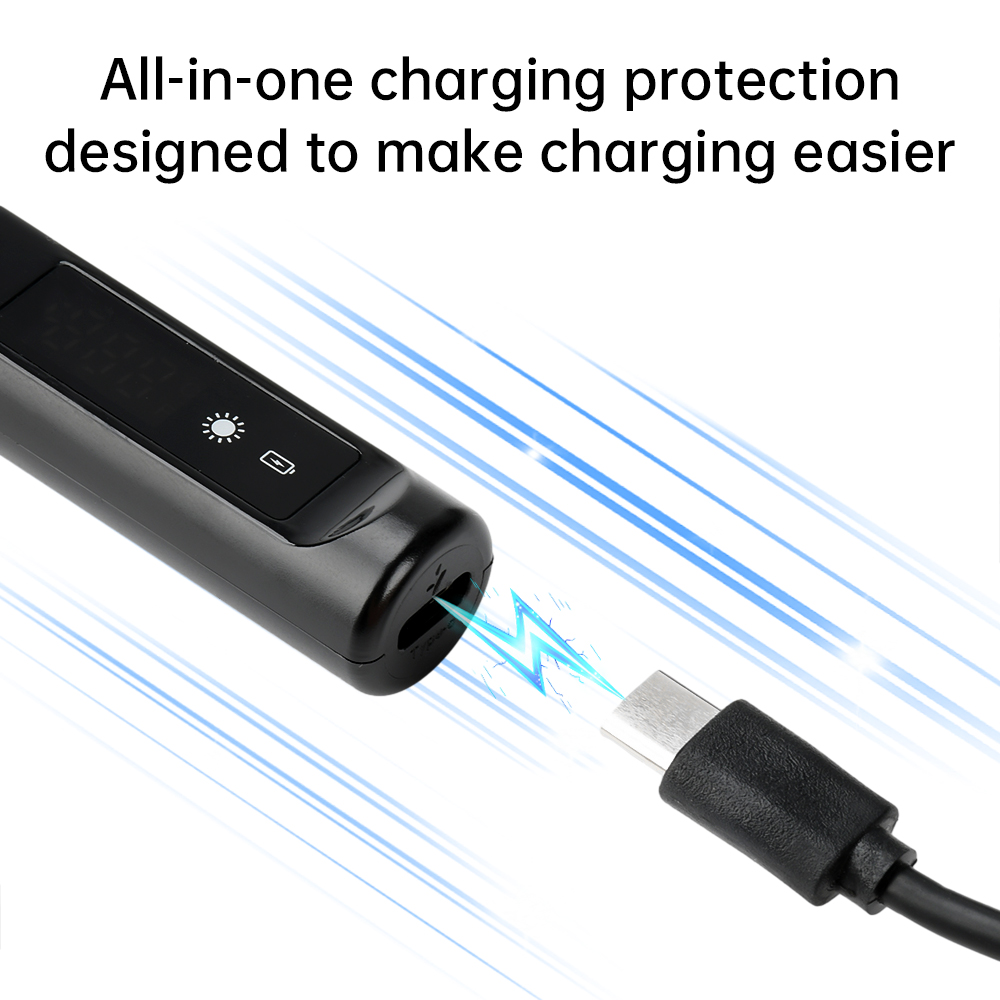
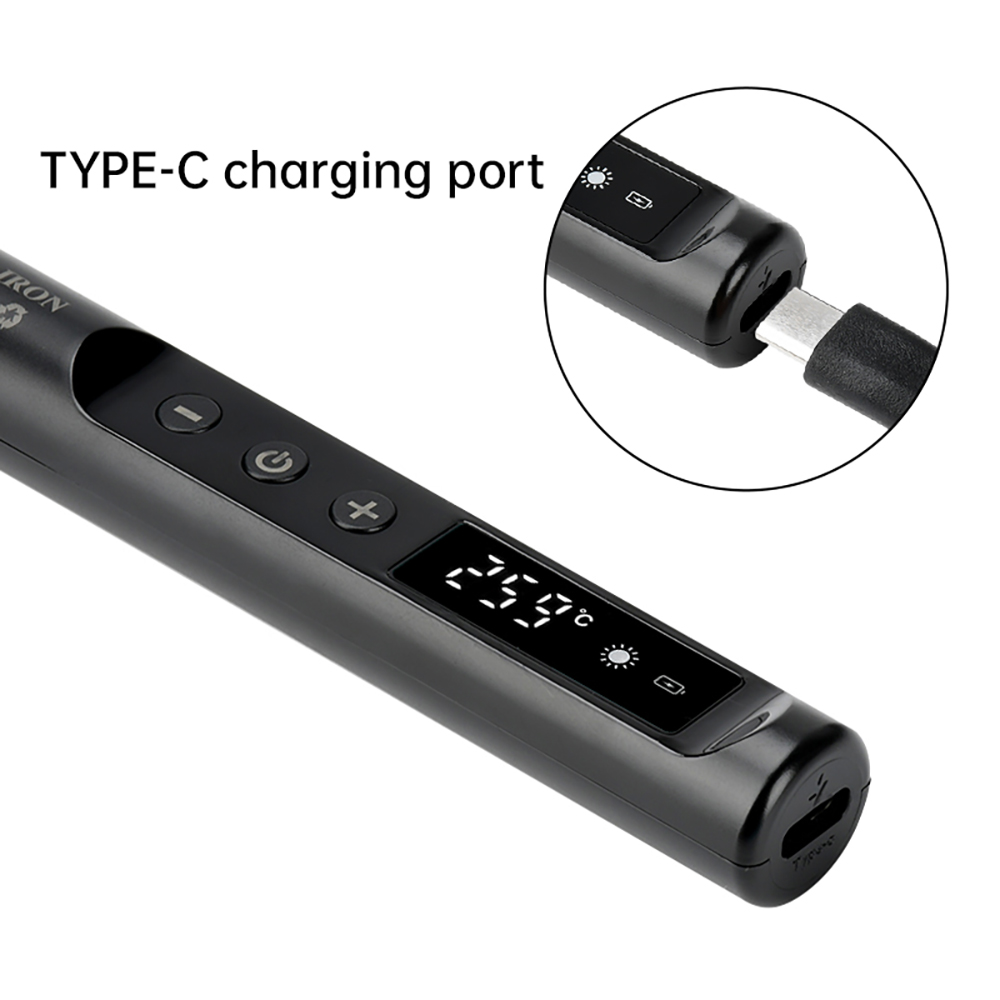
4. Worry-free charging, TYPE-C interface, with USB interface can be powered.
5.Adopting 510 heating core, fast heating, smooth tin, long service life.
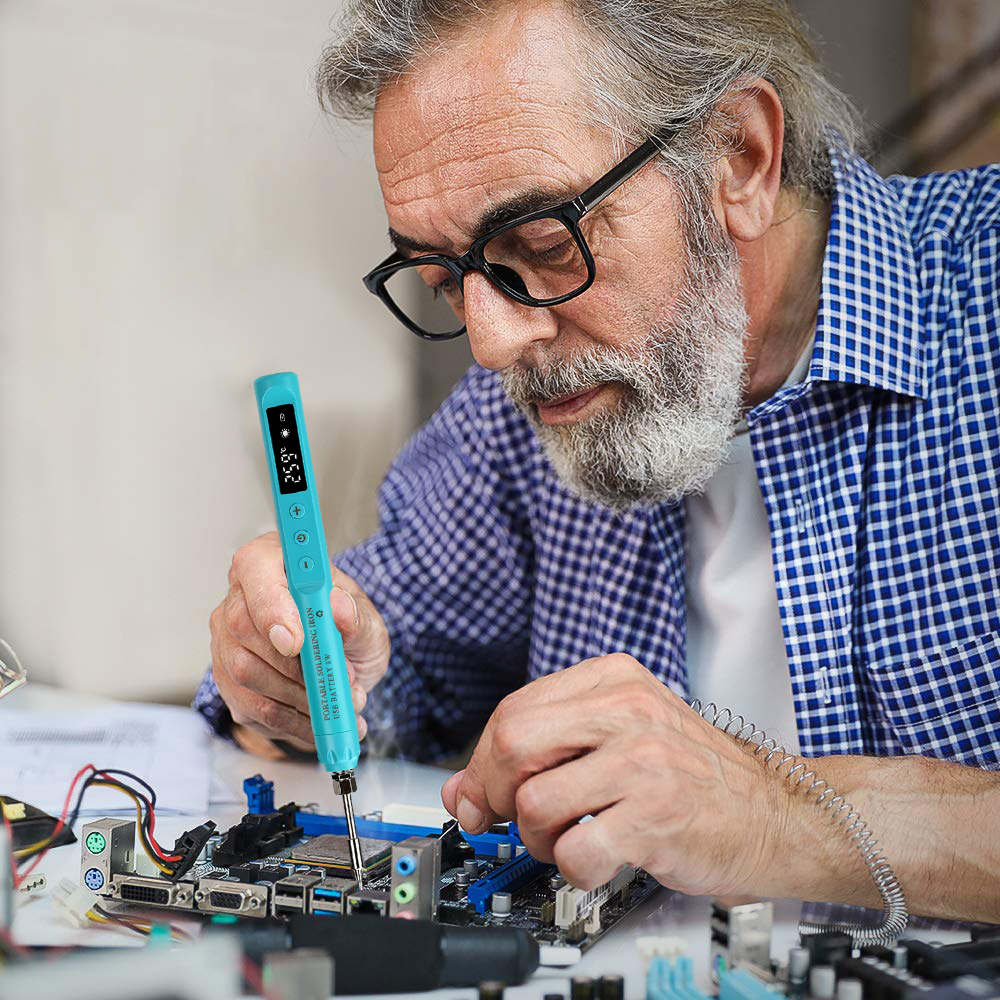
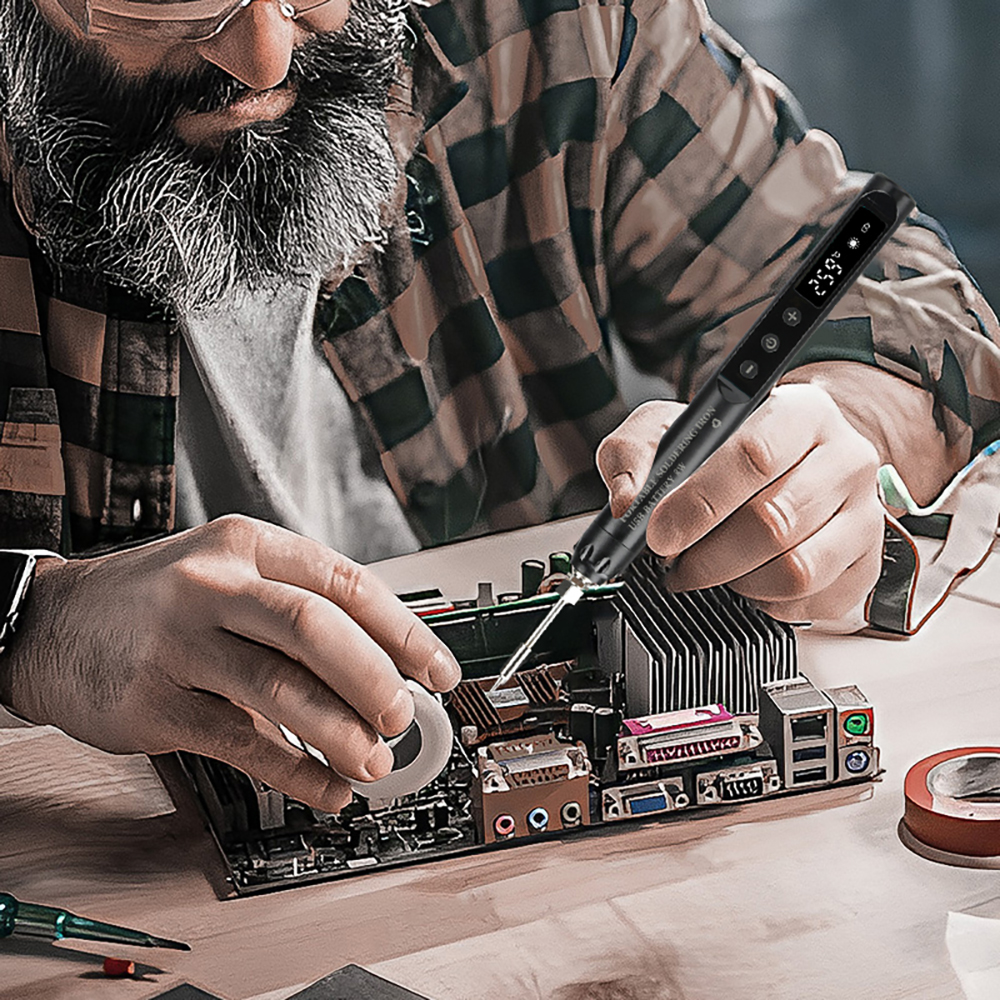
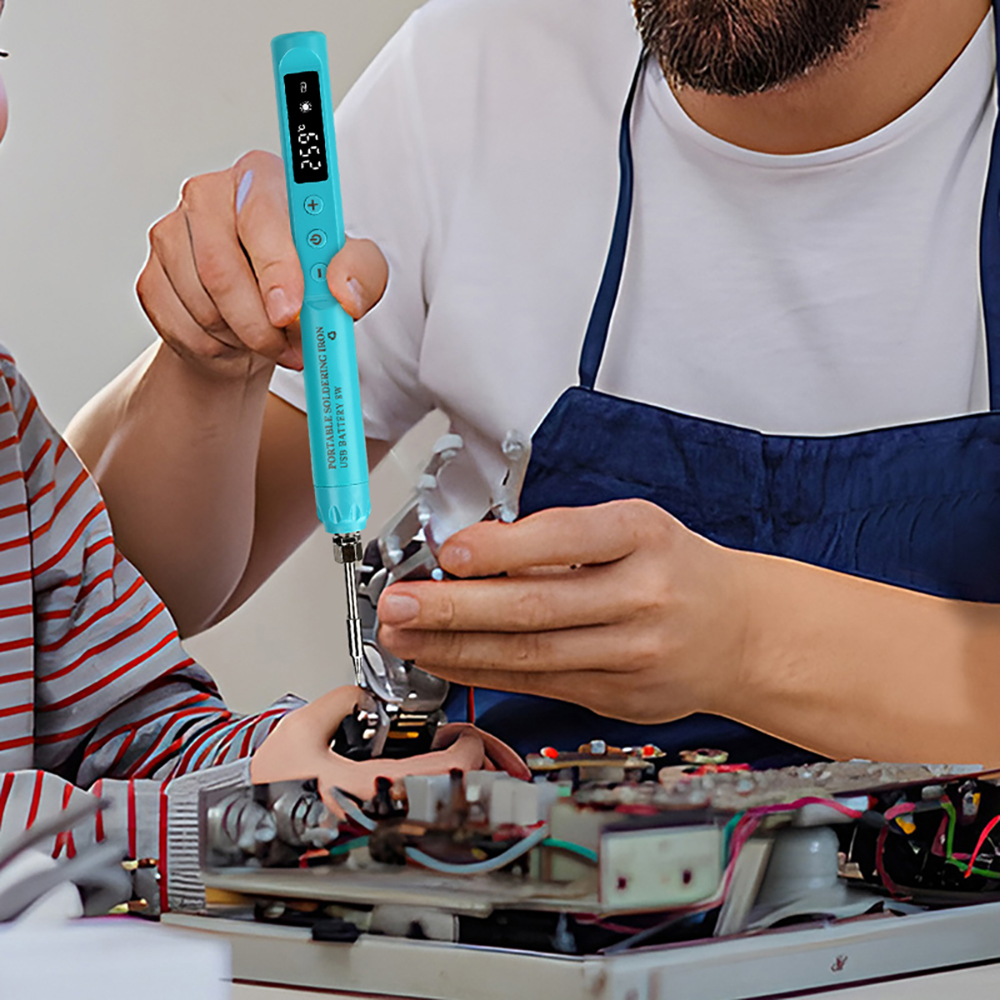
6. Wide range of use: suitable for circuit board repair, cell phone repair, electronic component repair, wire soldering, hand-carved branding and so on.
1.The product is compact and easy to operate, long press button 3S to turn on/off.
2.The soldering iron head is replaceable, unscrew it, easy to operate.
2.Intelligent temperature adjustment, adjustable temperature 200-450℃\392-842℉ to meet the needs of different scenes.
4. Worry-free charging, TYPE-C interface, with USB interface can be powered.
5.Adopting 510 heating core, fast heating, smooth tin, long service life.
6. Wide range of use: suitable for circuit board repair, cell phone repair, electronic component repair, wire soldering, hand-carved branding and so on.
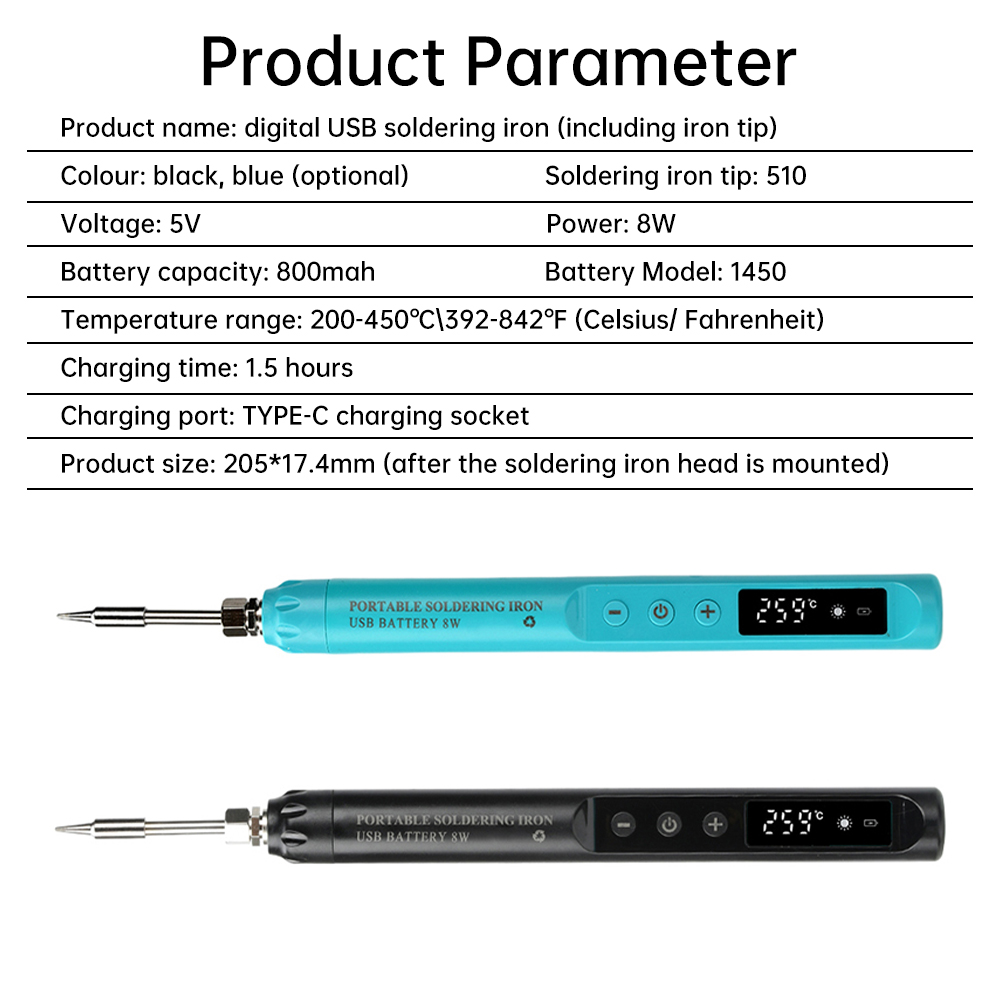
Product Parameters
Product Name: Digital USB Soldering Iron (Including Iron Tip)
Color: Black, Blue (Optional)
Iron Tip: 510
Voltage: 5V
Power: 8W
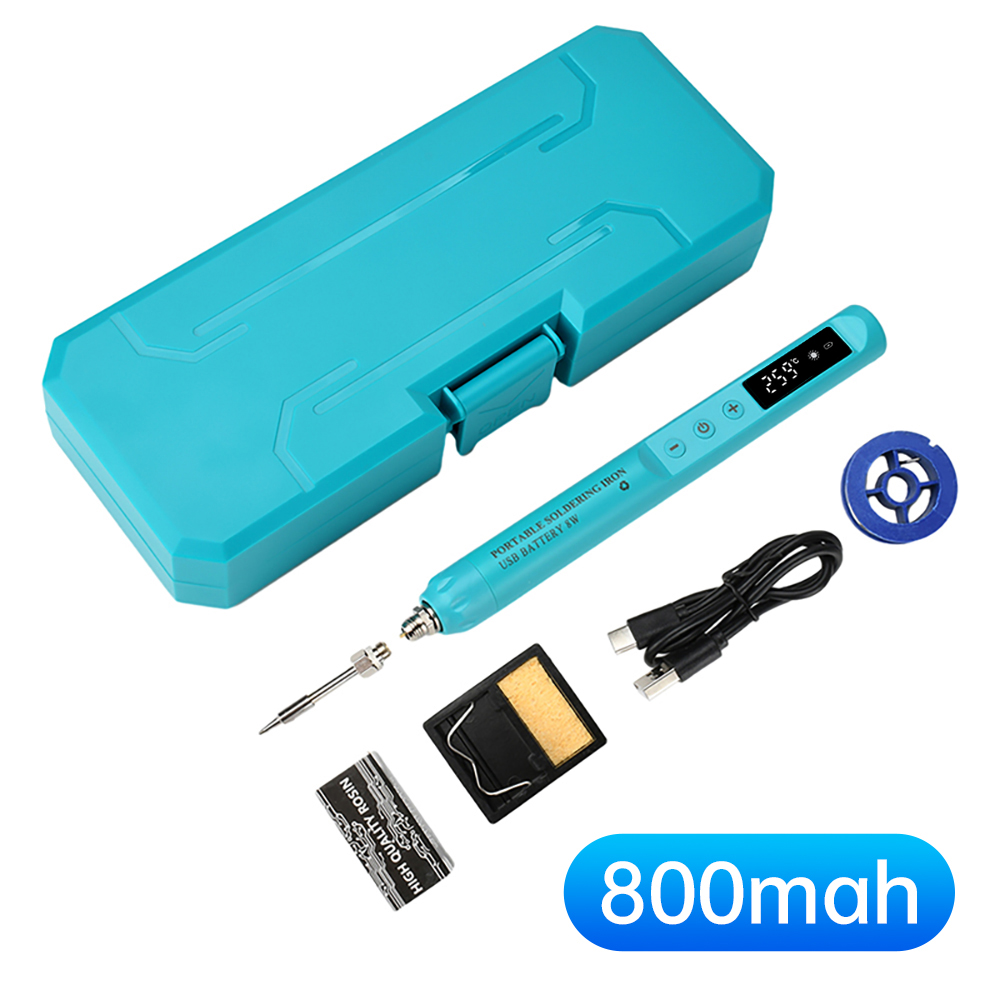
Battery Capacity: 800mah
Battery Model: 1450
Temperature Range: 200-450°C\392-842°F (Celsius/Highlighted degrees Celsius)
Charging Time: 1.5 hours
Charging Interface: TYPE-C Charging Socket, Product size: 205*17.4mm (after the soldering iron head is mounted)
Product Name: Digital USB Soldering Iron (Including Iron Tip)
Color: Black, Blue (Optional)
Iron Tip: 510
Voltage: 5V
Power: 8W
Battery Capacity: 800mah
Battery Model: 1450
Temperature Range: 200-450°C\392-842°F (Celsius/Highlighted degrees Celsius)
Charging Time: 1.5 hours
Charging Interface: TYPE-C Charging Socket, Product size: 205*17.4mm (after the soldering iron head is mounted)
Instructions for use
1.Long press the power on button for 3 seconds to turn on the power in the off state, and display the temperature change process to the set temperature.
2. Power on state long press the power on button 3 seconds to turn off, display “OFF”.
3. The temperature scale will light up after power on, and blink when it reaches the set temperature. Short press or long press “+” or “-” to adjust the temperature.
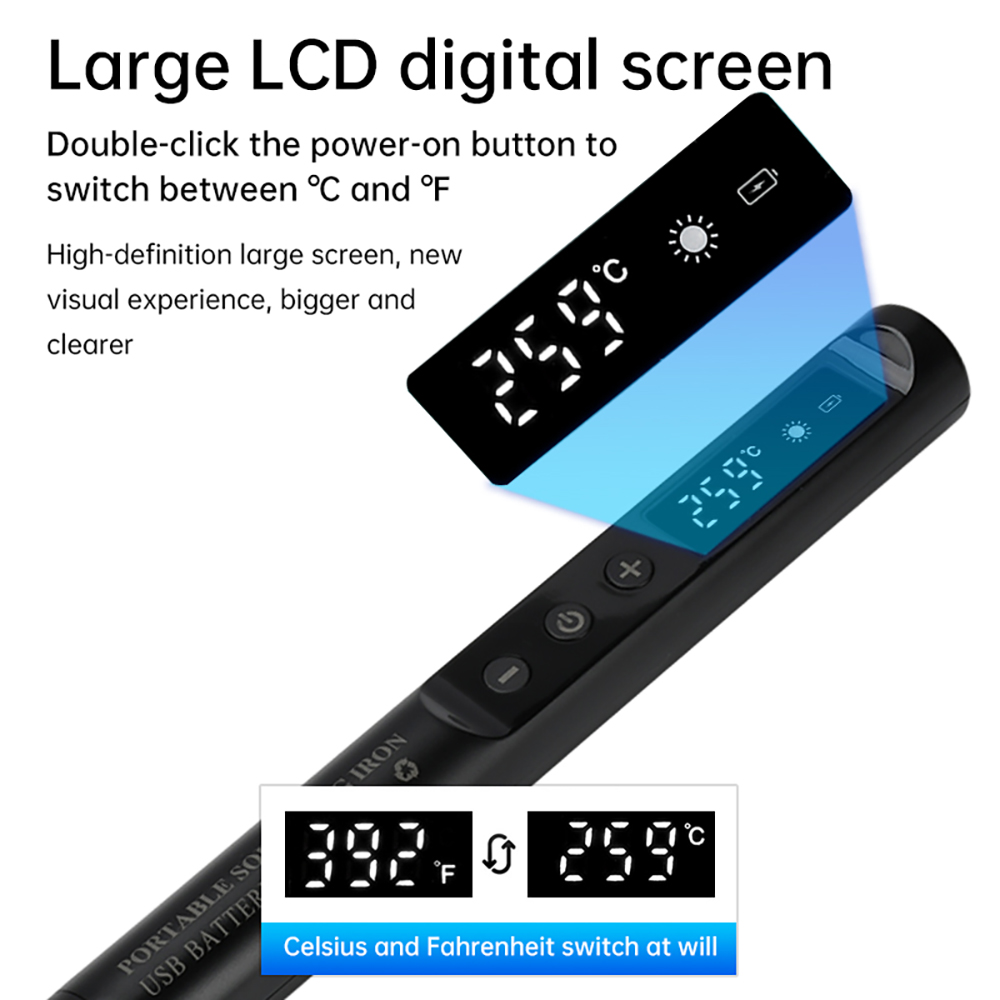
4. Double-click the power-on button to switch between ︒C and ︒F in the power-on state.
5. Press “+” and “-” at the same time to open the hibernation setting in power off state, press “+” to open the hibernation display “S-O”, press “+” to open the hibernation display “S-O”, press “+” to open the hibernation display “S-O”. Press “+” key to turn on the hibernation display “S-O”, press “-” key to turn off the hibernation display “S-F”. After the hibernation is opened, work for 10 minutes to enter the hibernation state, the iron does not heat up, display “---” hibernation symbols, at this time, press any key to return to the power-on state, and then after 5 minutes of no operation will be off.
6. The screen displays “L-O” and flashes, indicating that the power should be charged.
7. “888” blinking, you should correctly install the heating core or check whether the heating core is damaged.
1.Long press the power on button for 3 seconds to turn on the power in the off state, and display the temperature change process to the set temperature.
2. Power on state long press the power on button 3 seconds to turn off, display “OFF”.
3. The temperature scale will light up after power on, and blink when it reaches the set temperature. Short press or long press “+” or “-” to adjust the temperature.
4. Double-click the power-on button to switch between ︒C and ︒F in the power-on state.
5. Press “+” and “-” at the same time to open the hibernation setting in power off state, press “+” to open the hibernation display “S-O”, press “+” to open the hibernation display “S-O”, press “+” to open the hibernation display “S-O”. Press “+” key to turn on the hibernation display “S-O”, press “-” key to turn off the hibernation display “S-F”. After the hibernation is opened, work for 10 minutes to enter the hibernation state, the iron does not heat up, display “---” hibernation symbols, at this time, press any key to return to the power-on state, and then after 5 minutes of no operation will be off.
6. The screen displays “L-O” and flashes, indicating that the power should be charged.
7. “888” blinking, you should correctly install the heating core or check whether the heating core is damaged.
Packing list
USB soldering iron (round tip)*1
rosin*1
soldering iron stand (with sponge)*1
charging cable*1
soldering wire*1
tool box*1
USB soldering iron (round tip)*1
rosin*1
soldering iron stand (with sponge)*1
charging cable*1
soldering wire*1
tool box*1

Copyright © 2017 DataDaciques
Product View
Detail
Features
1.The product is compact and easy to operate, long press button 3S to turn on/off.
2.The soldering iron head is replaceable, unscrew it, easy to operate.
2.Intelligent temperature adjustment, adjustable temperature 200-450℃\392-842℉ to meet the needs of different scenes.
4. Worry-free charging, TYPE-C interface, with USB interface can be powered.
5.Adopting 510 heating core, fast heating, smooth tin, long service life.
6. Wide range of use: suitable for circuit board repair, cell phone repair, electronic component repair, wire soldering, hand-carved branding and so on.
1.The product is compact and easy to operate, long press button 3S to turn on/off.
2.The soldering iron head is replaceable, unscrew it, easy to operate.
2.Intelligent temperature adjustment, adjustable temperature 200-450℃\392-842℉ to meet the needs of different scenes.
4. Worry-free charging, TYPE-C interface, with USB interface can be powered.
5.Adopting 510 heating core, fast heating, smooth tin, long service life.
6. Wide range of use: suitable for circuit board repair, cell phone repair, electronic component repair, wire soldering, hand-carved branding and so on.
Product Parameters
Product Name: Digital USB Soldering Iron (Including Iron Tip)
Color: Black, Blue (Optional)
Iron Tip: 510
Voltage: 5V
Power: 8W
Battery Capacity: 800mah
Battery Model: 1450
Temperature Range: 200-450°C\392-842°F (Celsius/Highlighted degrees Celsius)
Charging Time: 1.5 hours
Charging Interface: TYPE-C Charging Socket, Product size: 205*17.4mm (after the soldering iron head is mounted)
Product Name: Digital USB Soldering Iron (Including Iron Tip)
Color: Black, Blue (Optional)
Iron Tip: 510
Voltage: 5V
Power: 8W
Battery Capacity: 800mah
Battery Model: 1450
Temperature Range: 200-450°C\392-842°F (Celsius/Highlighted degrees Celsius)
Charging Time: 1.5 hours
Charging Interface: TYPE-C Charging Socket, Product size: 205*17.4mm (after the soldering iron head is mounted)
Instructions for use
1.Long press the power on button for 3 seconds to turn on the power in the off state, and display the temperature change process to the set temperature.
2. Power on state long press the power on button 3 seconds to turn off, display “OFF”.
3. The temperature scale will light up after power on, and blink when it reaches the set temperature. Short press or long press “+” or “-” to adjust the temperature.
4. Double-click the power-on button to switch between ︒C and ︒F in the power-on state.
5. Press “+” and “-” at the same time to open the hibernation setting in power off state, press “+” to open the hibernation display “S-O”, press “+” to open the hibernation display “S-O”, press “+” to open the hibernation display “S-O”. Press “+” key to turn on the hibernation display “S-O”, press “-” key to turn off the hibernation display “S-F”. After the hibernation is opened, work for 10 minutes to enter the hibernation state, the iron does not heat up, display “---” hibernation symbols, at this time, press any key to return to the power-on state, and then after 5 minutes of no operation will be off.
6. The screen displays “L-O” and flashes, indicating that the power should be charged.
7. “888” blinking, you should correctly install the heating core or check whether the heating core is damaged.
1.Long press the power on button for 3 seconds to turn on the power in the off state, and display the temperature change process to the set temperature.
2. Power on state long press the power on button 3 seconds to turn off, display “OFF”.
3. The temperature scale will light up after power on, and blink when it reaches the set temperature. Short press or long press “+” or “-” to adjust the temperature.
4. Double-click the power-on button to switch between ︒C and ︒F in the power-on state.
5. Press “+” and “-” at the same time to open the hibernation setting in power off state, press “+” to open the hibernation display “S-O”, press “+” to open the hibernation display “S-O”, press “+” to open the hibernation display “S-O”. Press “+” key to turn on the hibernation display “S-O”, press “-” key to turn off the hibernation display “S-F”. After the hibernation is opened, work for 10 minutes to enter the hibernation state, the iron does not heat up, display “---” hibernation symbols, at this time, press any key to return to the power-on state, and then after 5 minutes of no operation will be off.
6. The screen displays “L-O” and flashes, indicating that the power should be charged.
7. “888” blinking, you should correctly install the heating core or check whether the heating core is damaged.
Packing list
USB soldering iron (round tip)*1
rosin*1
soldering iron stand (with sponge)*1
charging cable*1
soldering wire*1
tool box*1
USB soldering iron (round tip)*1
rosin*1
soldering iron stand (with sponge)*1
charging cable*1
soldering wire*1
tool box*1
1)All items will be shipped to your eBay Address .Please make sure to provide us with correct,precise and detailed shipping address.
2) Economy shipping needs 2-5 weeks to arrive mostly.
In rare case, it can take up to 6-8 weeks.
It depends on your location and local postal service, as well as the weather condition along the shipping.
But the accurate time is depend on the customs .
If you not get it on time , please don't hesitate to contact us .
If you need a tracking number, you could choose Standard Shipping.
We accept PayPal only.
We only ship item to your PayPal verified address.
Please pay attention that import duties, taxes and charges are not included in the item price or shipping charges. These charges are the buyer's responsibility.
Please check with your country's customs office to determine what these additional costs will be prior to bidding/buying.
1.We believe our items are so outstanding. We are convinced you will be happy with your Purchase.
2. If you do not satisfy with our items. Please simply return to us within 30 Days in original condition. Just pay for the returned postage. Then we can issue full refund or resend the item to you after the returned item arrived at our warehouse.
3. Please include your eBay ID and item number with any email requests.
We will work hard to make sure every customer 100 percent satisfied, and reslove any problem for you. We sincerely hope that you can leave us a positive comment once you received the item,We also will leave a positive feedback immediately after payment is received. If for some reason there is any issue with the purchase, please contact us through "My Messages" or "Ask Seller Questions" before leaving neutral or negative feedback,we will be glad to work with you to have it resolved.
Our working time: Monday to Friday, 9:00~18:00
Thanks for your shopping
Am 13.01.2026 hat der Verkäufer die folgenden Angaben hinzugefügt: