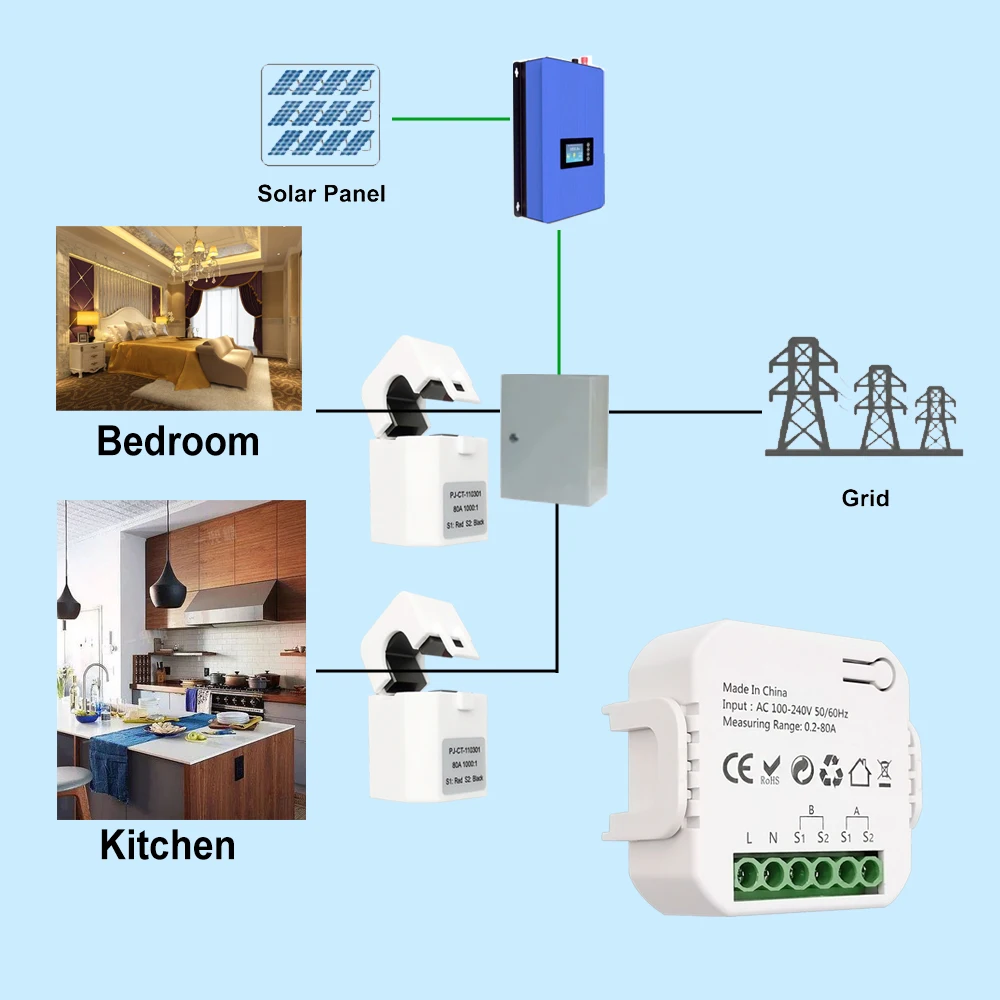
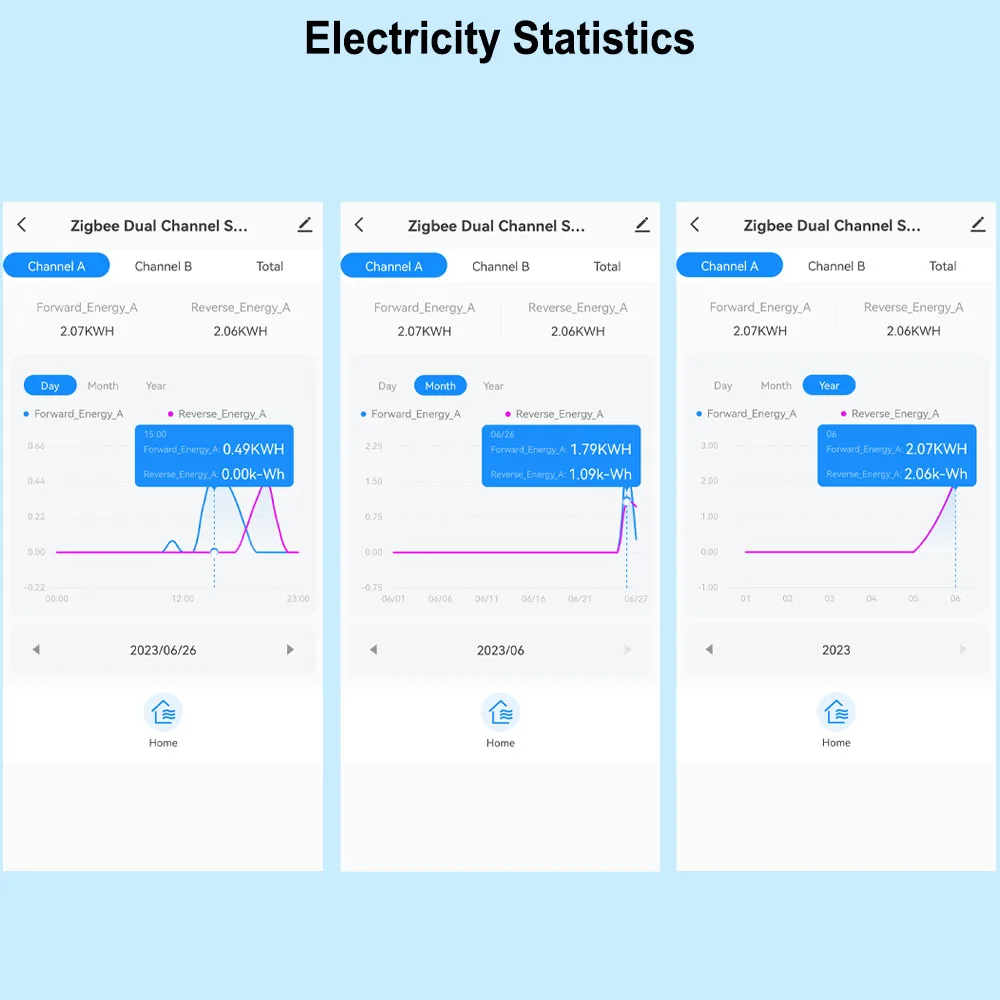
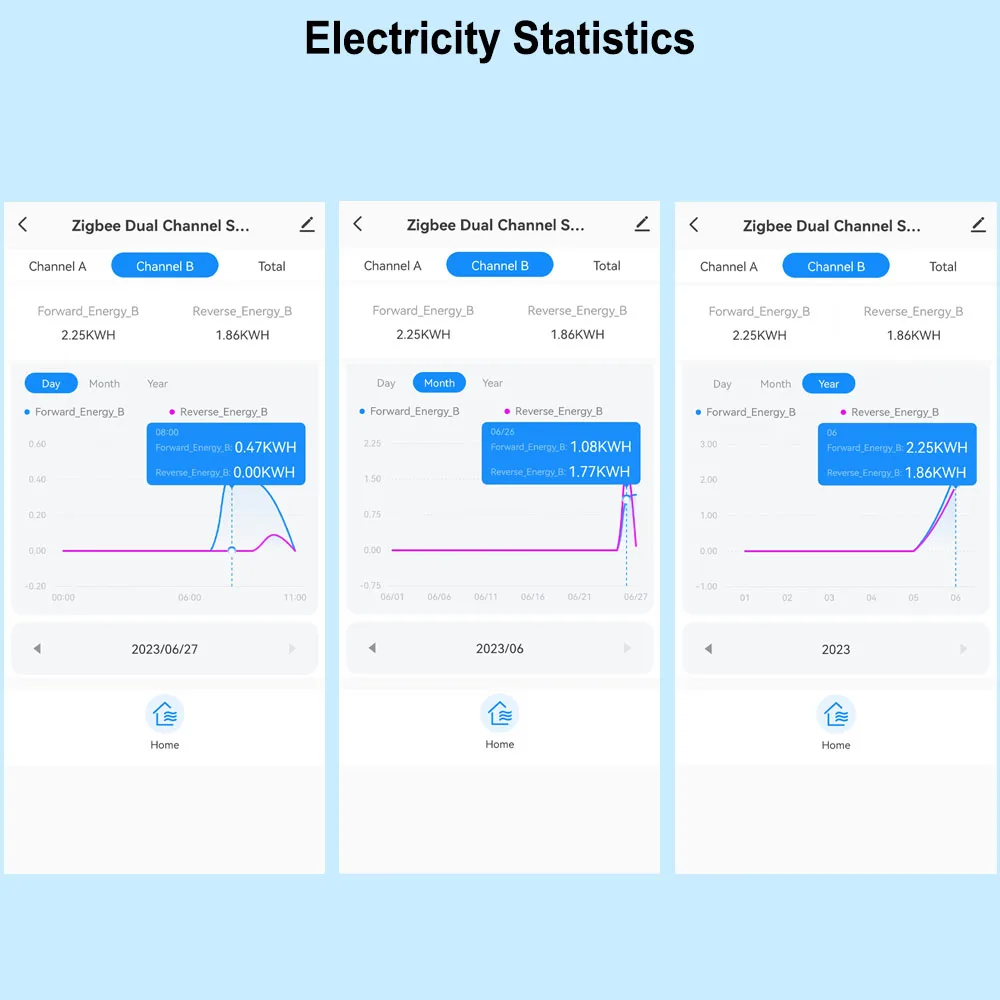
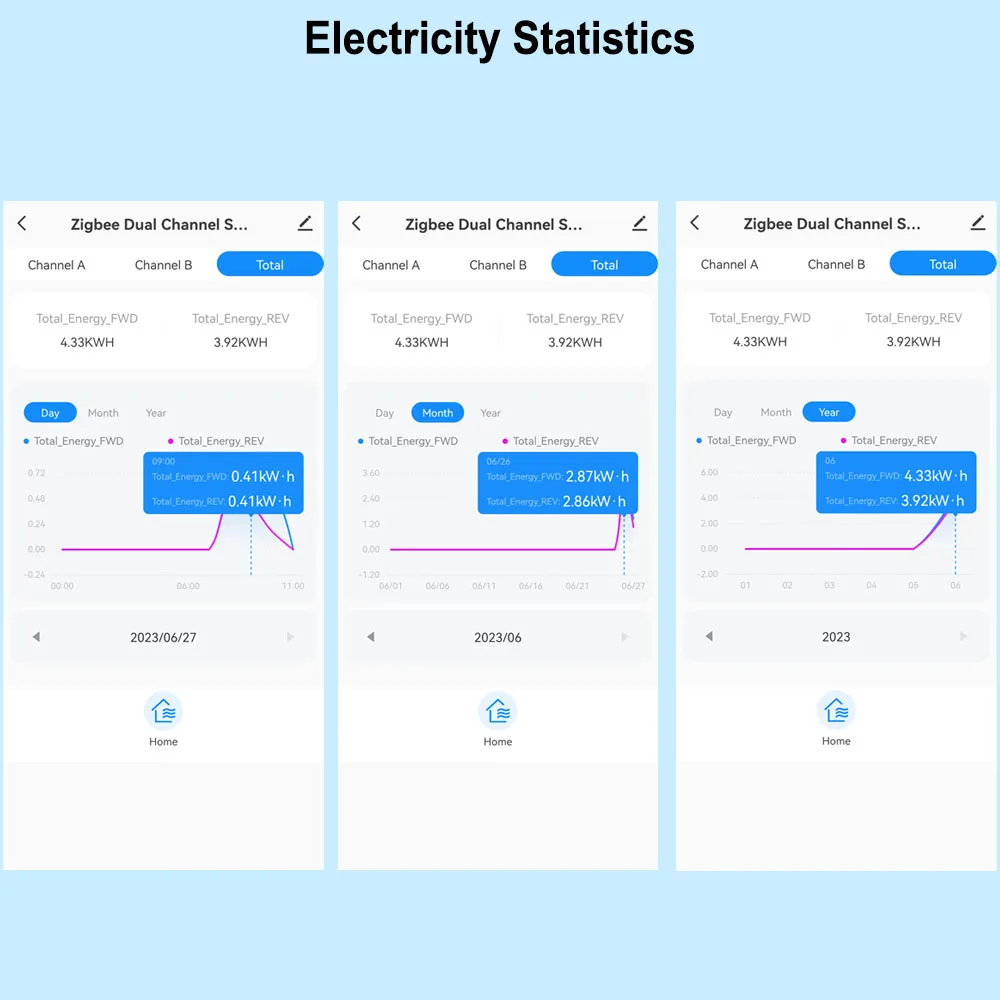
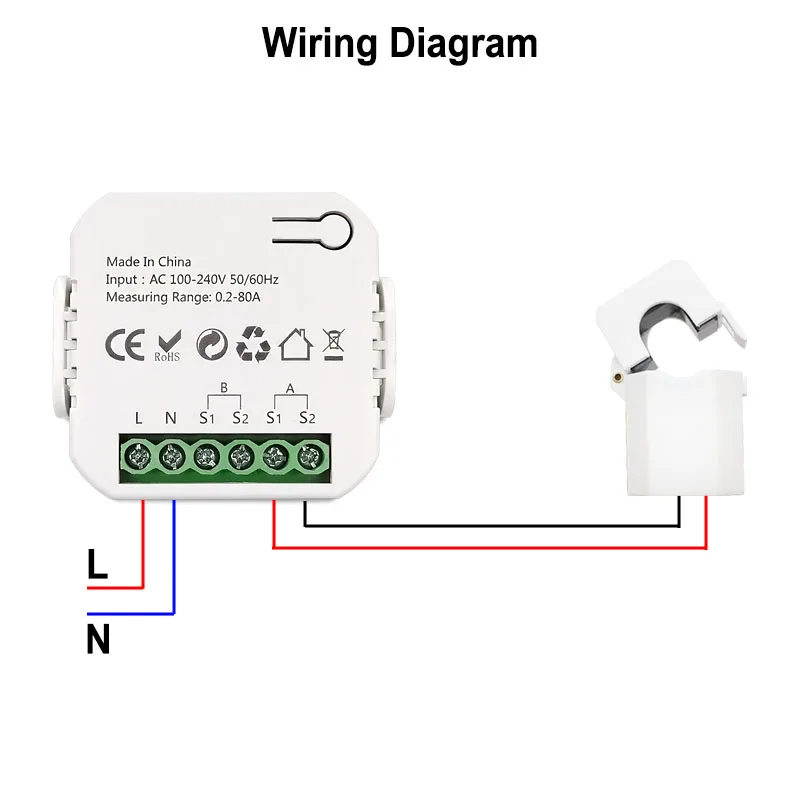
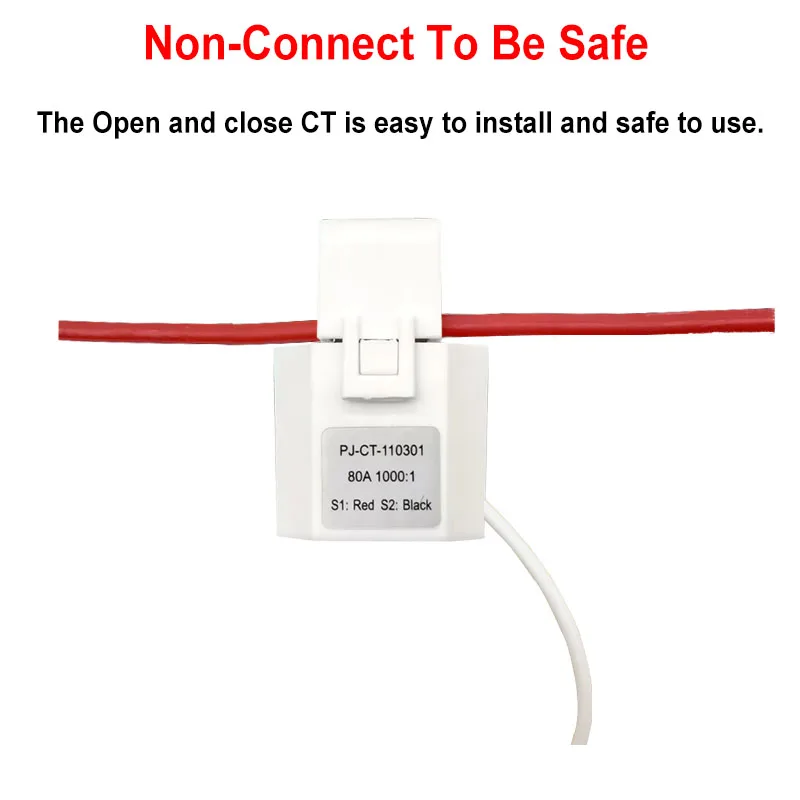
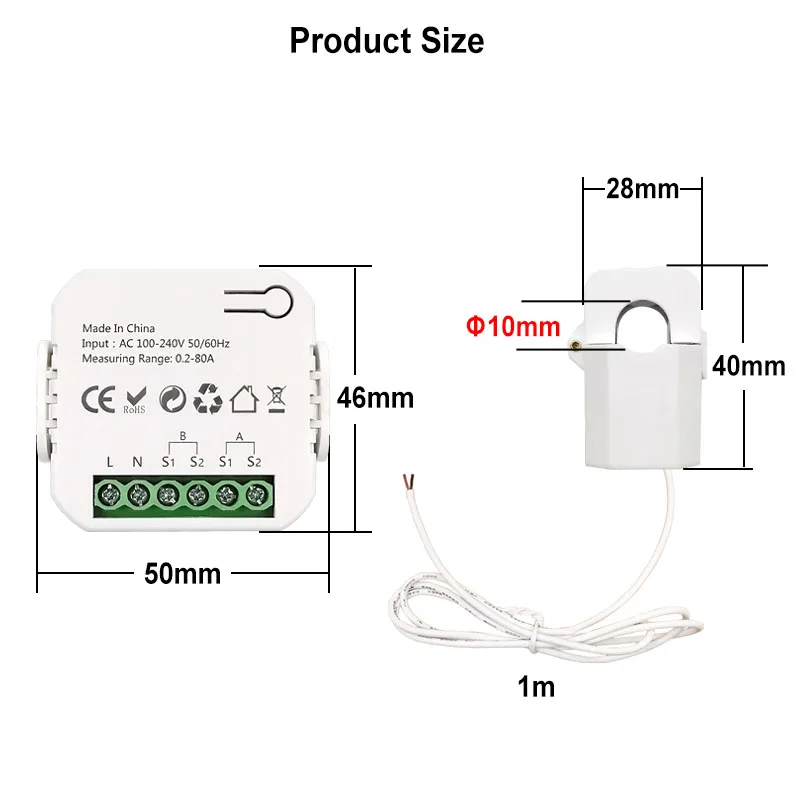
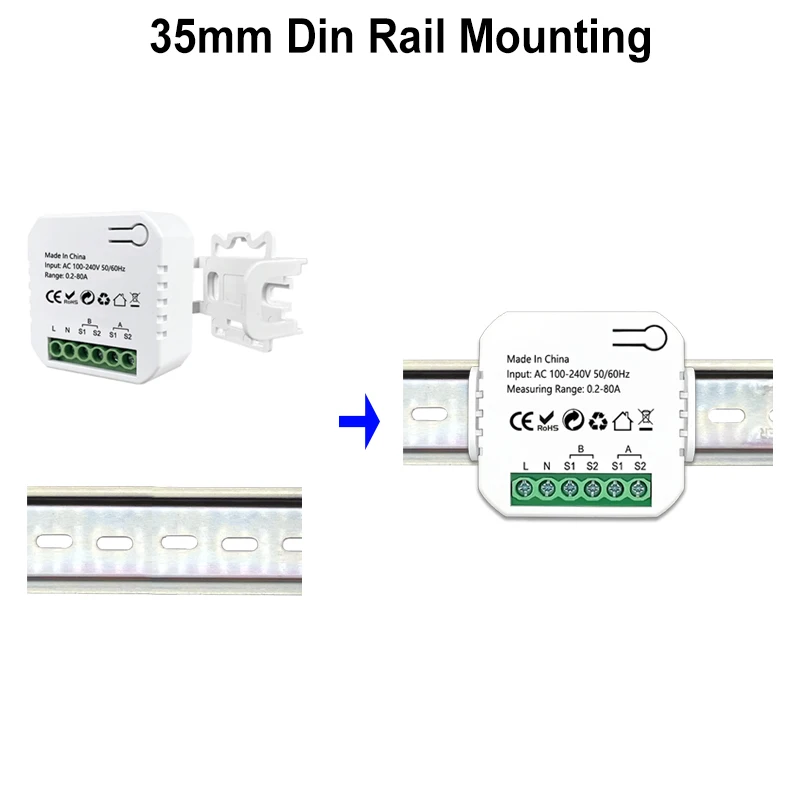
FQA Q: Why can't my device connect to 2.4G WiFi? NEW ARRIVAL Tuya ZigBee Smart Dual Channel Energy Meter with 2 Clamp 80A - Please note this item requires a Tuya ZigBee Gateway to work. If You don't have this Tuya Gateway , You need to buy one. App can display Channel A and B Real-time power, current, voltage for Forward and Reverse direction clrealy Calibration 2 Channels For Reverse and Forward direction 1 Channle or 2 Channels are available to Choose Electricity Statistic Channel A , B Separately and Total daily monthly, yearly Reverse and Forward Direction Automation , It allows to make a Scene for this device working with other tuya devices Set Automation for the Measured Device , Wiring Diagram 1. To measure the power 'from Grid' and 'To Grid' 2. Measure the power consumption. Non-connect to Be Safe, Easy and Safe to Install No need to change the wires, Just put the wire into the clamp, then it can measure, very easy. Small Size Module , Easy to Install We guarantee good quality, every product will be tested before delivery. Not before Order
A: This is a ZigBee device, it can't connect WIFI signal directly, but require a Tuya ZigBee gateway as hub to work, please make sure you have a Tuya ZigBee gateway to work with this item.
Q: Is it ZigBee 3.0 standard Item?
A: No. It's Tuya ZigBee device, not with ZigBee 3.0. Standard, so it can only work with Tuya ZigBee Gateway.
Q: Is this device compatible with Zigbee2MQTT?
A: Sure. But you need to know how to set it up. Internal id: _TZE284_81yrt3lo. You may need to install a quirk: 'github.com/jeverley/zha-device-handlers/blob/ts0601_energy_meter_devices/zhaquirks/tuya/ts0601_energy_meter.py'
Q: Is this device compatible with HomeAssistant?
A: No, it's not compatible. You need configure it with ZigBee2MQTT first, then it can work with Home Assistant. If you don't know how to configure it, please use the Tuya Smart or Smart Life APP.
Q: Does the equipment have an overload alarm function?
A: Sorry, it doesn't support that.
Zigbee devices can not directly connect to 2.4G WiFi.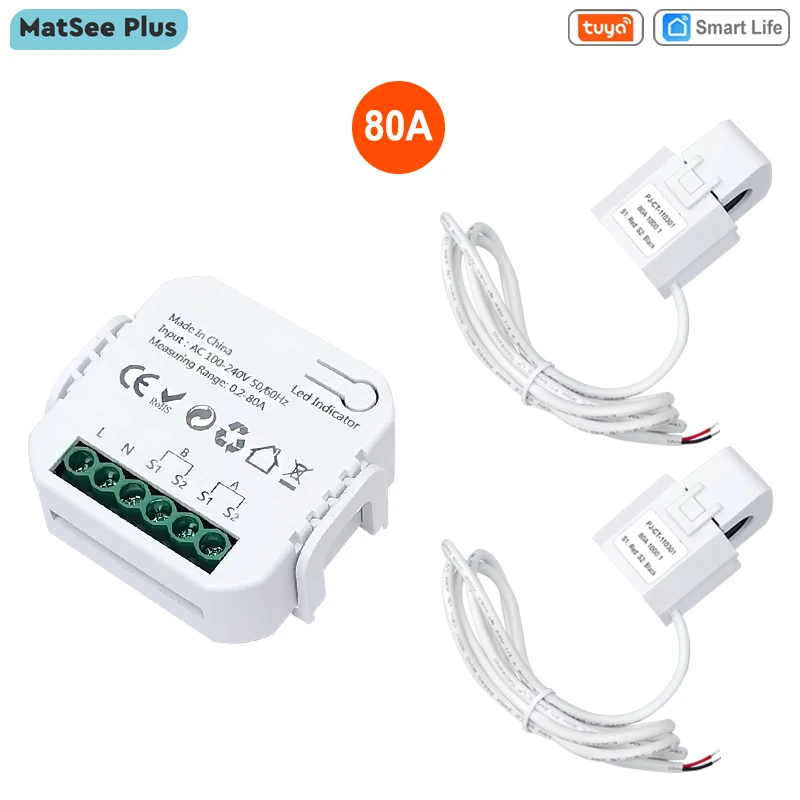
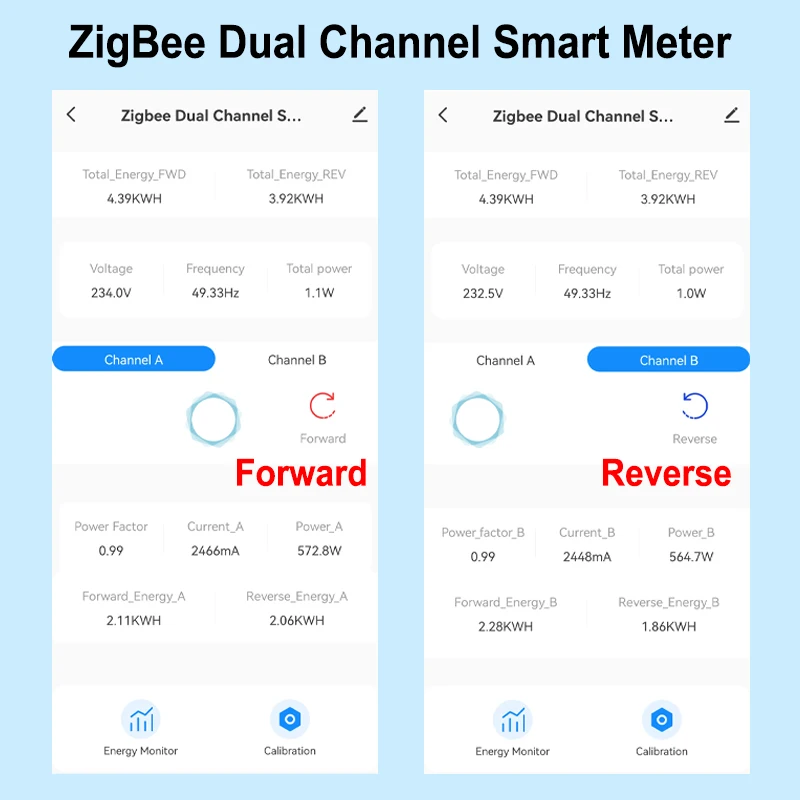
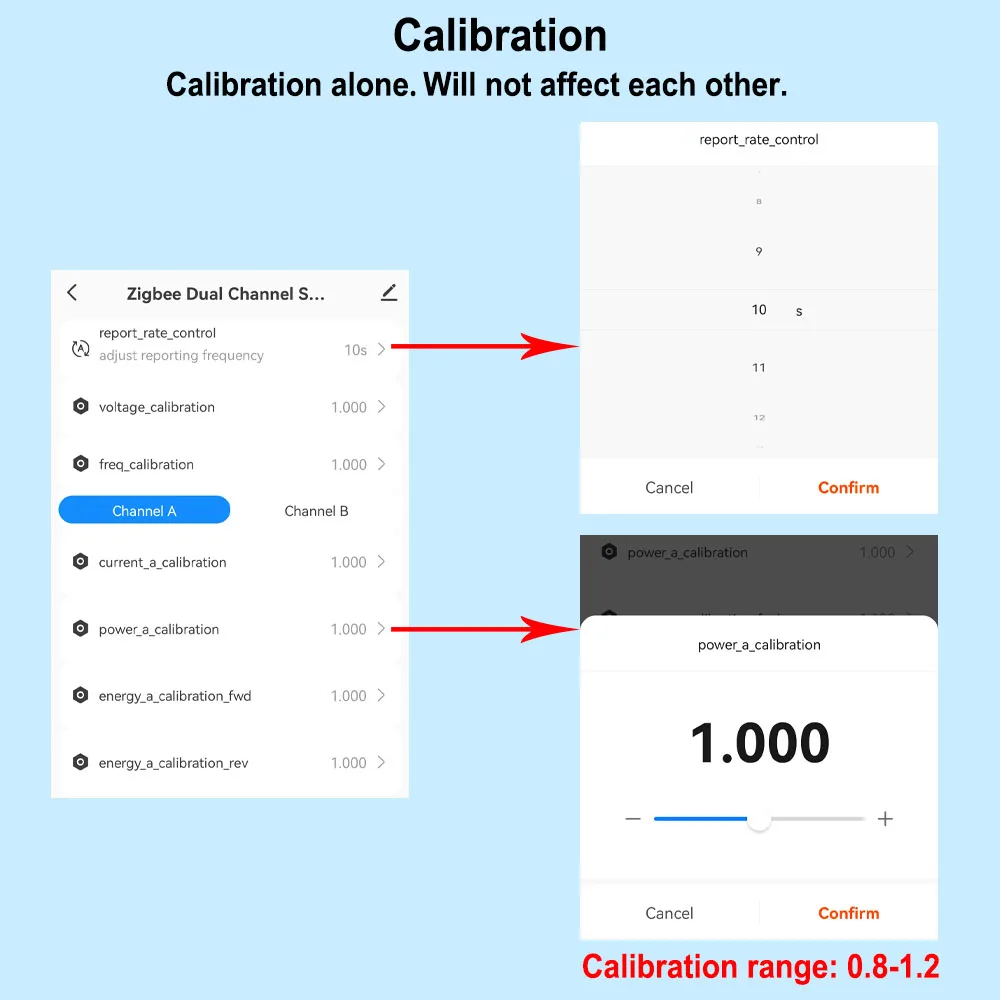
And you can read from App for each Channel
- Real-time total power of 2 channels of reverse and forward direction
- Power for Channel A and B Separately(W)
- Current(mA)
- Voltage(V),
- Power factor, and Frequency(Hz)
Electricity Statistic for each channel in Forward and Reverse direction.
Hourly Elec. (KWh)
Daily Elec. (KWh),
Monthly Elec. (KWh)
-Yearly Elec. (KWh)
Technical data:
Rated Voltage:100-240V AC 50/60Hz
Measurable Current Range: 0.2A-80A
Protocal: ZigBee
WiFi Frequency: 2.4GHZ (Not Support 5Ghz)
Ambient Temperature Range:-10°C ~ 55°C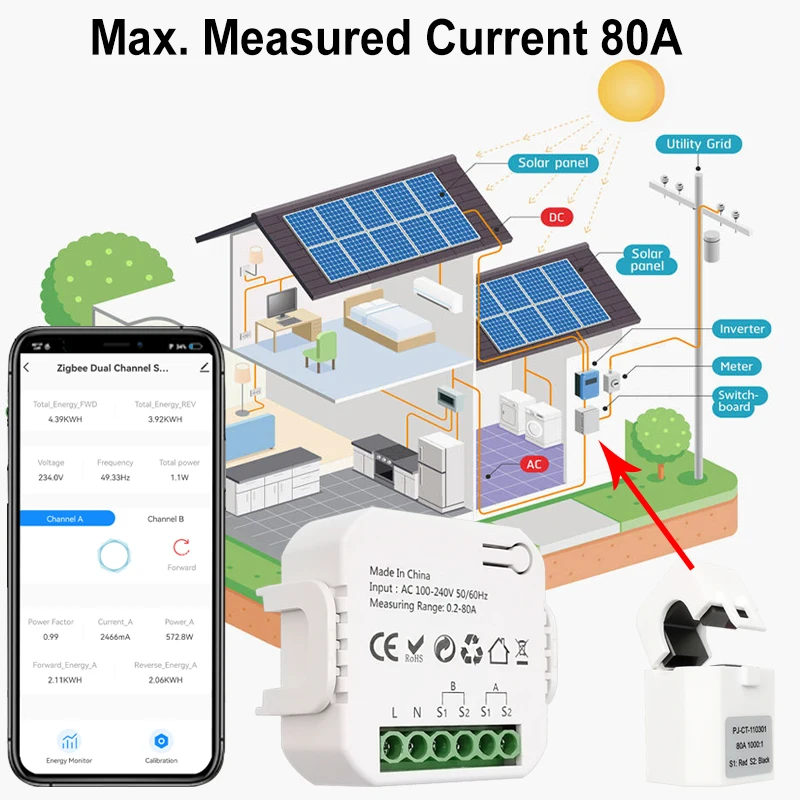
For example, If Power or Current Is over the Value, then other tuya device starts to work .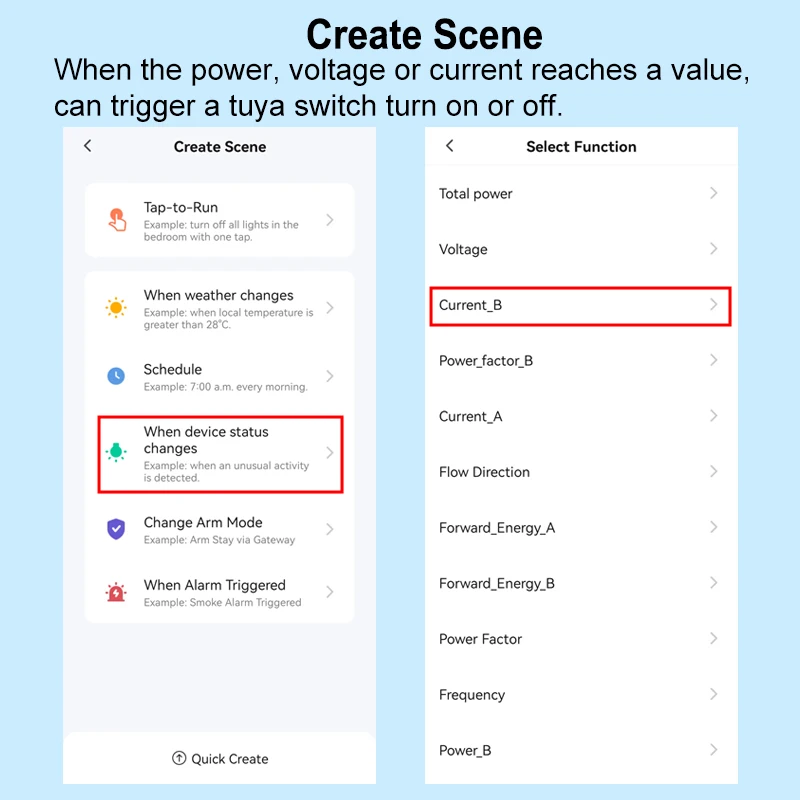
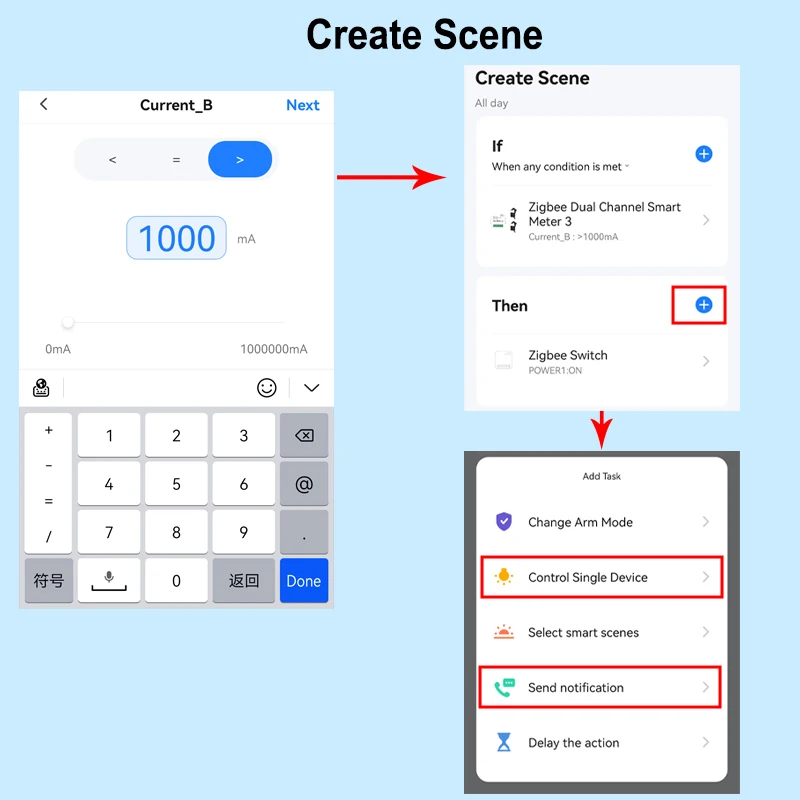
Please note to make sure the circuit mesaured is in the same phase as the circuit power to the module.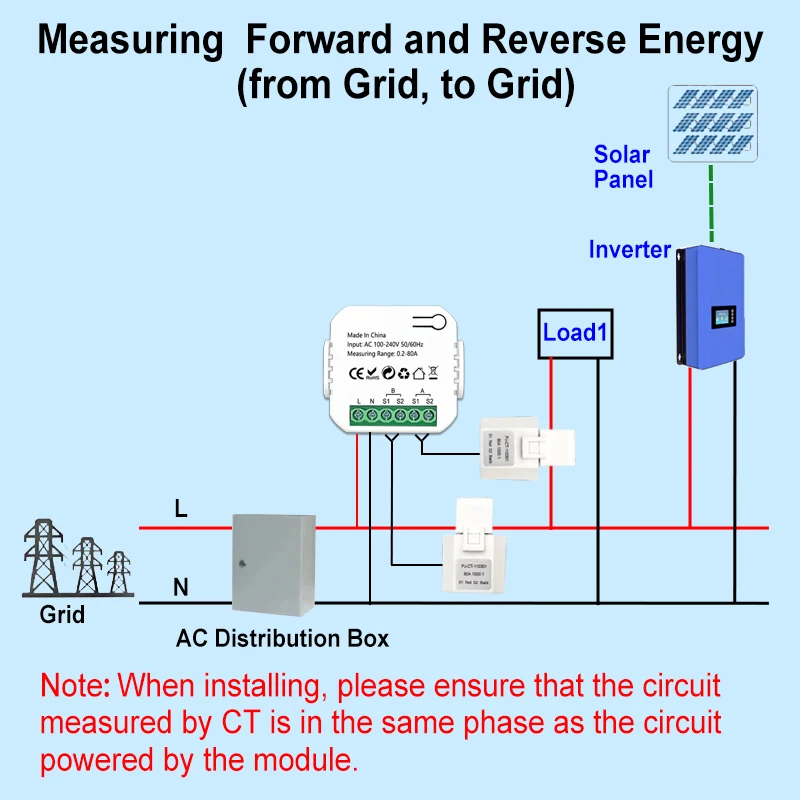
Please note to make sure the circuit mesaured is in the same phase as the circuit power to the module.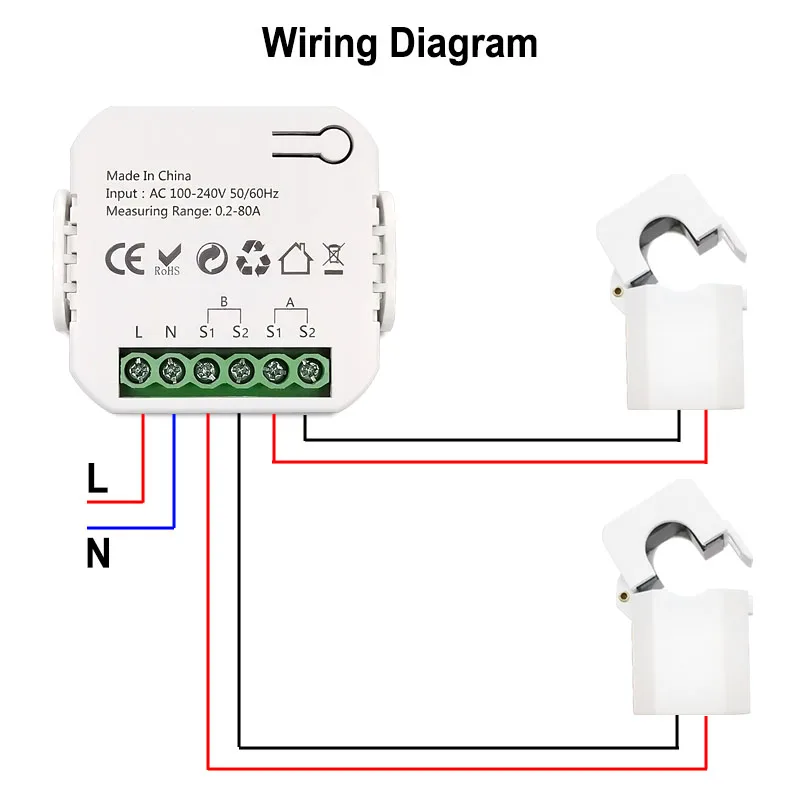
About Us
Prime Living Canada is a Canadian company specialized in exporting a wide range of products. With strong expertise in e-commerce and logistics, we guarantee efficient order processing, secure packaging, and fast tracked shipping. Our mission is to deliver reliable, professional, and transparent service to every customer while keeping our prices competitive.
Shipping policy
We are always working hard to ensure your package arrives as soon as possible. Please understand that some factors like weather, high postal traffic, and the performance of shipping companies are outside of our control.
Returns
We offer a 14-Day Return Policy on items in which you are not completely satisfied with. You have the option of a full-refund or an exchange of the item.