Il s'agit de la version chinoise de l'appareil photo ; le serveur de l'application doit être sélectionné comme Chine continentale.
NOTE: This product version is for the China region. When adding cameras, please select the Chinese server in the Mijia settings.
User Instructions:
1.Please download the Mi Home app first. After downloading, Click "Profile" - "Additional settings".
2.In "Language & region", set "Region" to "Chinese Mainland".
3.Connect the power.
(1) Insert the power adapter cable into the camera power port, and the camera will automatically power on.
(2) The indicator light will be solid yellow, and you will hear a voice prompt indicating successful power-on.
(3) Click the "+" in the upper right corner, then click "Scan".
4.Follow the on-screen instructions to reset the product. Click "Device Reset".
5.Select Wi-Fi and Click"Next".
6.Continue until the connection is successful.
*The app server can only be selected as Mainland China. Ensure a smooth network connection during connection, with the camera turned on normally and the indicator light solid yellow; after successful connection, the indicator light will be solid blue.

Powering On: Insert the power adapter cable into the camera's power port, and the camera will automatically power on. The indicator light will be solid yellow, and you will hear a voice prompt, indicating successful startup.
Connecting to Mi Home App: This product is already integrated into Mi Home, allowing control through the Mi Home app and seamless integration with other products. Scan the QR code to download and install the Mi Home app. Users who have already installed the Mi Home app will directly access the device connection page. Alternatively, you can search for "Mi Home" in the app store, download, and install the Mi Home app. Open the Mi Home app's homepage, click the "+" in the upper right corner, and follow the app's prompts to add the device.
Xiaomi Outdoor CW500 Dual Camera Version Principales caractéristiques
Équipé de deux objectifs pour une surveillance complète, offrant plusieurs angles de vision et assurant une double protection de sécurité.
Deux appareils photo de 4 mégapixels avec un objectif à grande ouverture f/1,6 offrent une qualité d'image 2,5K ultra claire, en maintenant la clarté même lorsqu'ils sont zoomés.
8 lumières de remplissage aident à la détection humanoïde, assurant une surveillance claire même dans des conditions de faible luminosité.
Conçu pour résister aux conditions extérieures avec un indice professionnel IP66 anti-poussière et imperméable à l'eau, ce qui le rend résistant au vent, au gel, à la neige et à la pluie.
Utilise la détection de l'IA pour la détection des humanoïdes et des véhicules, fournissant des notifications proactives via l'application Mi Home pour assurer la sécurité de la propriété.
Offre une transmission stable et rapide avec une connectivité Wi-Fi 6 bi-bande, assurant une lecture fluide des images haute définition.
Prend en charge les méthodes de stockage locales, cloud et NAS, offrant flexibilité et sécurité pour stocker des séquences.
Utilise l'encodage H.265 pour économiser de l'espace de stockage et de la bande passante, ce qui facilite la lecture vidéo.
Dispose d'une communication vocale bidirectionnelle avec des microphones très sensibles et des haut-parleurs haute puissance, permettant une communication claire.
XIAOMI Outdoor Camera 4 Pro Triple-Camera Version Main Features
*Dual 5-megapixel ultra-clear vision*One camera for two scenarios, one serves as two
*Balancing long and short focal lengths for both near and far
*Smart Full - Color Night Vision
*Gun - Ball Linkage
*Dual - Band Wi - Fi 6
*AI Human & Vehicle Recognition
*Mijia Security Chip
*IP66 Dust - and - Water Resistance
*Acoustic - Optical Alarm
*Supports Network Cable Connection
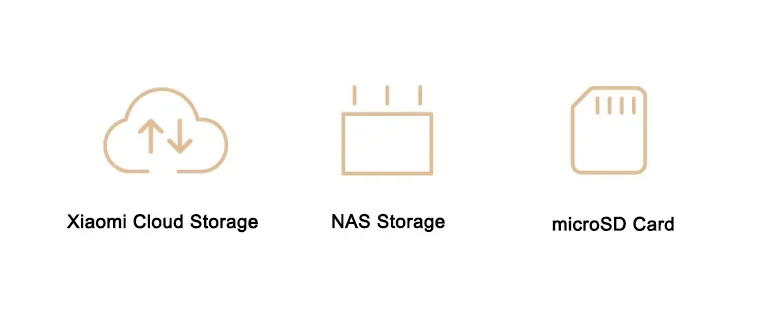
Local + Cloud + NAS, Triple Storage, Controlled at Will
Activate the cloud service to enable secure cloud backup. Meanwhile, unlock more functions such as AI face recognition and intelligent dynamic recording.
*Xiaomi Cloud Storage
*NAS Storage
*microSD Card
*The microSD card is not included in the package and needs to be prepared by the user. It is recommended to use a microSD card (16GB - 256GB) produced by a regular manufacturer.
Cloud storage is a paid function and requires separate activation of the cloud storage service to experience.
Ceiling Mounting, Side Mounting, Pole Mounting*, Meeting Various Installation Requirements
*If you choose pole mounting, it supports the use with 8mm and 12mm wide hoop collocations, which need to be purchased separately.
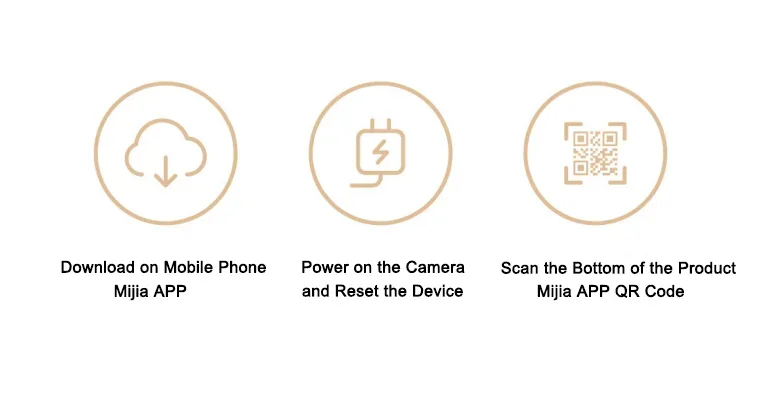
Three Simple Steps for Worry - Free Connection, Easily Done
1. Download the Mijia APP on your mobile phone
2. Power on the camera and reset the device
3. Scan the Mijia APP QR code at the bottom of the product
*Cloud storage is a paid feature. You need to activate the cloud storage service to experience it. More care - related features such as AI face recognition and dynamic real - time recording require activating the cloud storage service. Face recognition needs to be manually enabled, while cloud - based dynamic recording storage is automatically enabled.
*AI features like motion detection, vehicle detection, virtual fence, and face recognition are disabled by default. They can be used only after being enabled in the “AI Features” section of the Mijia APP on your mobile device. Message push is affected by the alarm time interval of the Care Assistant (default 10 minutes). Users can modify the settings in the Care Assistant by themselves.
*With an IP66 waterproof rating, the product can fully prevent dust and water ingress but cannot withstand submersion. Do not use it in overly humid environments or environments that may cause water to enter the product, such as in steam rooms or underwater, to avoid water ingress into the product.
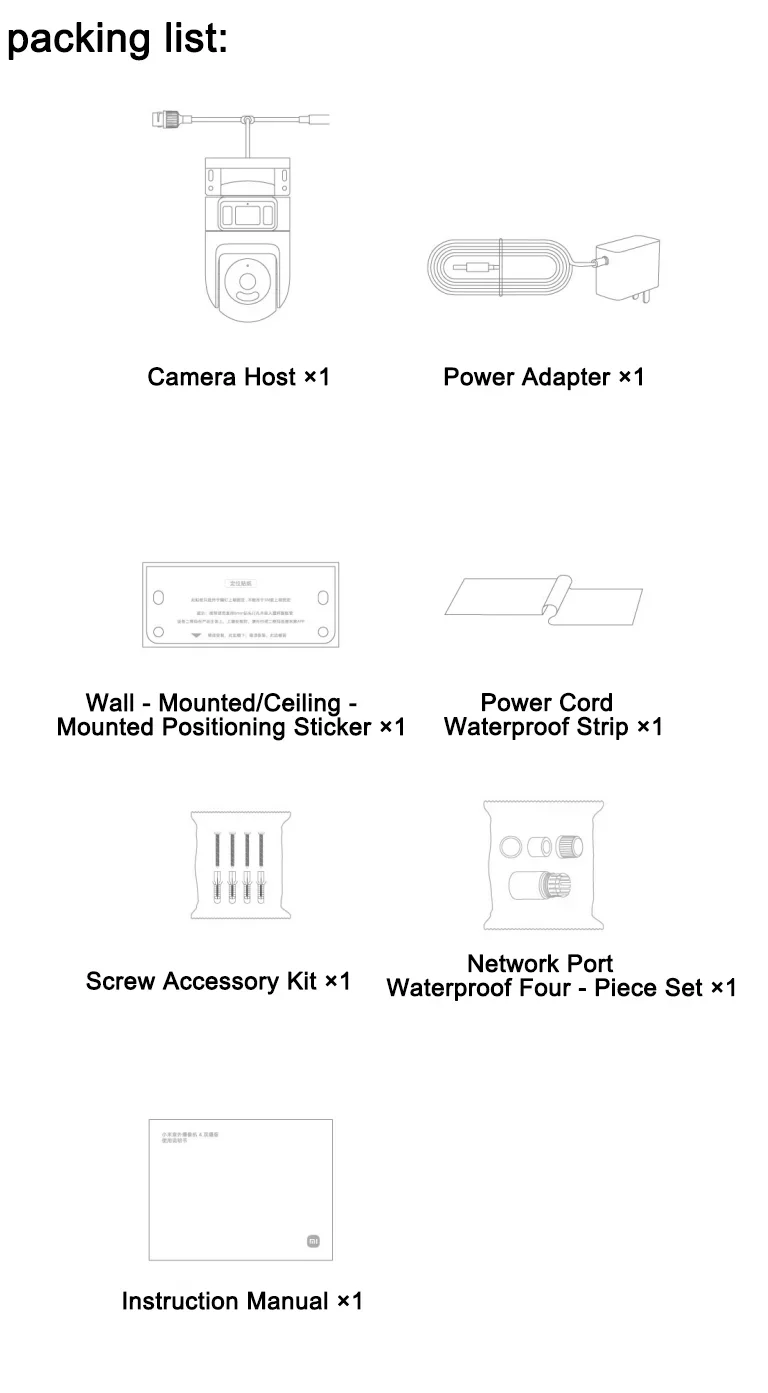
Packing List:
Camera host × 1
Power adapter × 1
Wall - mount/ceiling - mount positioning sticker × 1
Power cord waterproof adhesive strip × 1
Screw accessory pack × 1
Network port waterproof four - piece set × 1
Instruction manual × 1