Note:- Missing box and manual (if any) which is why selling it as refurbished but comes with 2 USB Cables, 4 HDMI Cables and 1 micro-USB cable.
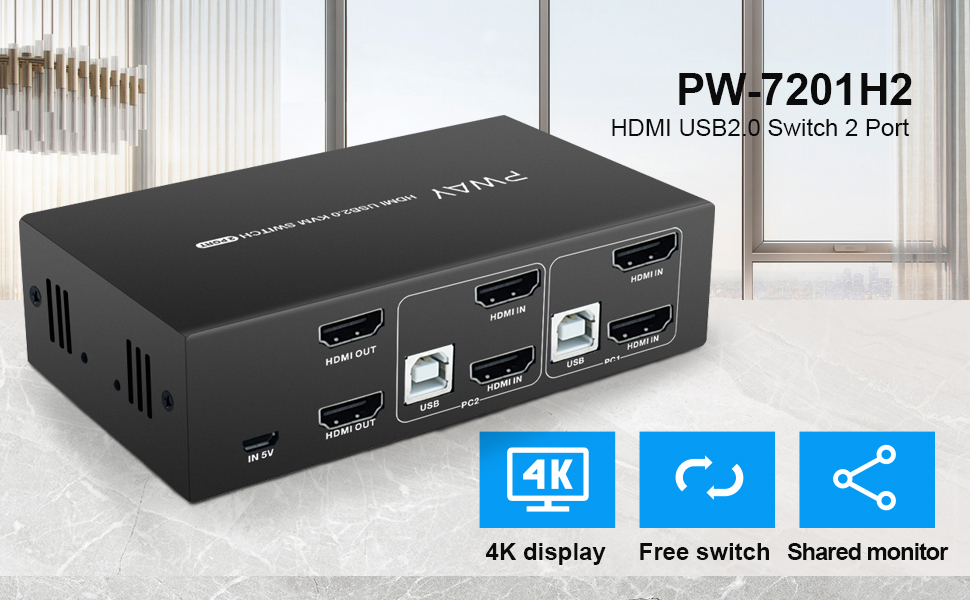
PWAY HDMI KVM Switch 2 Port Dual Monitor Support 4K@30Hz Y:U:V: 4:4:4 with 2 PC 5ft HDMI and USB Cable Compatible Windows/Linux/Mac System etc.
Note:- Missing box and manual (if any) which is why selling it as refurbished but comes with 2 USB Cables, 4 HDMI Cables and 1 micro-USB cable.
PWAY HDMI KVM Switch 2 Port Dual Monitor Support 4K@30Hz Y:U:V: 4:4:4 with 2 PC 5ft HDMI and USB Cable Compatible Windows/Linux/Mac System etc.
About this item
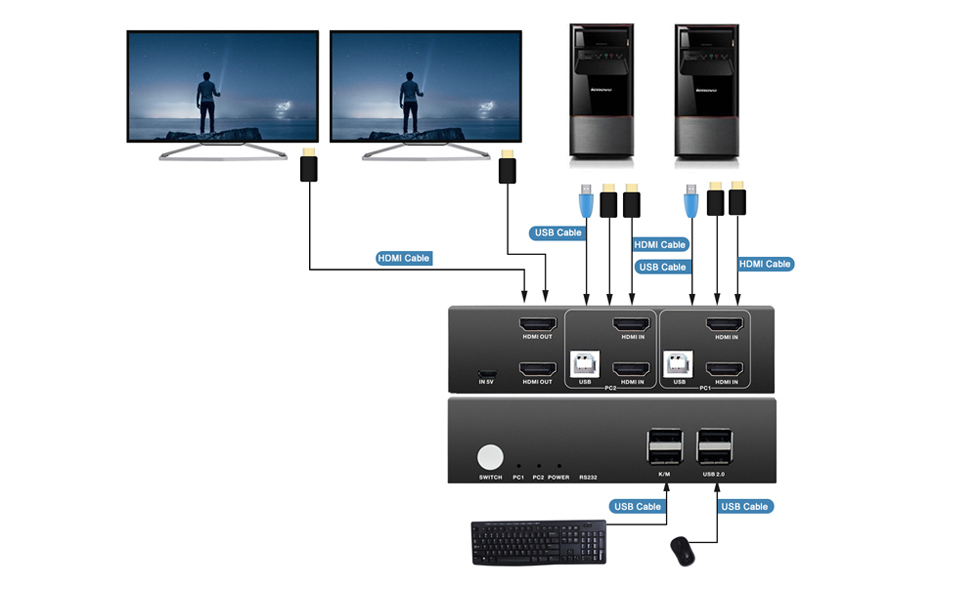
- ?2 PORT HDMI KVM DUAL MONITOR?This kit help you use one set of keyboard and mouse to control 2 computers and share 2 monitor, you can switch anytime. It requires every computer support 2 screen or above display functions. If your computer supports this function and only one HDMI output, you can use a converter or conversion cable, such as VGA to HDMI converter or conversion cable, DVI to HDMI converter or conversion cable, etc.
- ?UHD 4K@30Hz? Support 4K x 2K@30Hz/3D/1080P resolution, make the image display more exquisite and realistic. You can enjoy the most luxurious video with this HDMI KVM dual monitor Switch.
- ?HOTKEY SWITCH?You can choose hotkey switch (Press scroll lock+ scroll lock+1/2), you also can switch the two signal sources by the panel buttons, the status light tells you which port is active. Special Note: Hotkey switching is not supported when the keyboard and mouse use the USB 2.0 port.
- ?POWERED BY USB?It means powered by USB cables, no need external power adapter, just connect you switcher devices to enjoy, it make you work and life easier and simpler.
Product Description



Connection diagram


Powered by SixBit's eCommerce Solution