●Why Choose Ottocast CarPlay Clips?
The Ottocast CarPlay Clips is not just about technology; it’s about enhancing your journey. Imagine a drive where your music flows wirelessly, your time is always visible, and your memories are at hand—all while keeping your car’s interior chic and clutter-free.
●Unlock a new level of driving experience with the CarPlay Clip!
Transform your everyday drives from mundane to exceptional by addressing common frustrations . Say goodbye to boring journeys and unpleasant odors, and say hello to an engaging and refreshing atmosphere.
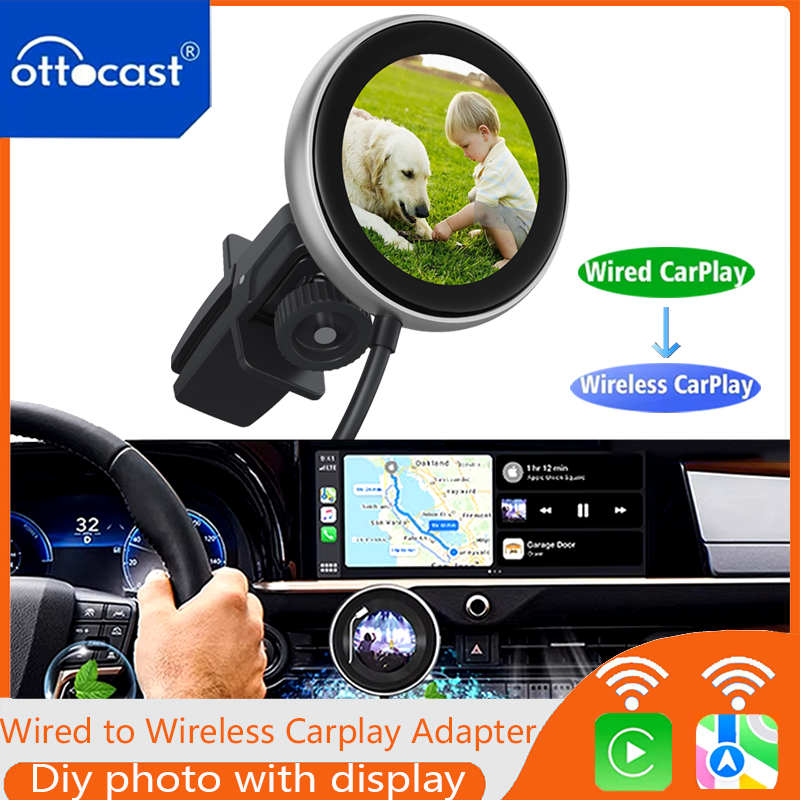
● Wired to Wireless CarPlay
Transform your traditional wired CarPlay experience into a seamless wireless connection. Enjoy the freedom of staying connected without the hassle of cables. Stream your favorite music, access navigation, and use your apps effortlessly!
●This screen serves multiple purposes:
- Album Cover: Enjoy your playlists while seeing the album art right on your dashboard.
- Digital Clock: Keep track of time easily with a stylish digital clock.
- Digital Picture Frame: Personalize your car with your favorite images or memories displayed on the screen.
●Experience Exceptional Quality Performance
It is with fast and stable connections that enhance your use while driving.
●Equipped with a button Control Hub
You could effortlessly switch between different dashboard displays, making it easy to customize your driving interface. The CarPlay Clip also features 360 Vent Clips for aromatic diffusion, ensuring a pleasant scent fills your vehicle.
●Installing the 360 Vent Clips is incredibly simple.
① Remove the back cover.
② Insert the stand into the back cover.
③ Place the diffuser into the back cover.●Connecting your CarPlay Clip to your vehicle is a breeze:
① Insert the adapter into the USB interface.
② Turn on your phone's WiFi and Bluetooth, search for the adapter's Bluetooth, and connect.
③ Click"Use Carplay"
●How to OTA Update
① Plug the adapter into a stable power supply
(such like a phone charger or computer USB port)
② Connect the adapter's Bluetooth on iphone
③ Open the OttoPilot App → click "Firmware Update " → find the update button.
●About the product packaging
CarPlayClip Adapter * 1
USB Plug Adapter (Type-A to C) * 1
Vent Clips * 1
User Manual* 1
Scents Diffuser (Selective Buying)
Warm tip:
🚫❌cannot download any other apps.
🚫❌cannot support for any Android phones.
🚫❌cannot support for BMW/TSL.
1. Ottocast CarPlay Clip only fit car with factory wired CarPlay .
2. Setting up the product screen requires that the car is already connected to the wireless CarPlay protocol.
3.Keep the aroma pad away from seats or other objects; Keep it away from children
● Ottocast CarPlay Clip – The Ultimate Wireless CarPlay Adapter for 2024!
The first wireless CarPlay Clip on the market designed to revolutionize your driving experience! Upgrade your vehicle with this innovative accessory that combines functionality and style.
●Why Choose Ottocast CarPlay Clips?
The Ottocast CarPlay Clips is not just about technology; it’s about enhancing your journey. Imagine a drive where your music flows wirelessly, your time is always visible, and your memories are at hand—all while keeping your car’s interior chic and clutter-free.
●Unlock a new level of driving experience with the CarPlay Clip!
Transform your everyday drives from mundane to exceptional by addressing common frustrations . Say goodbye to boring journeys and unpleasant odors, and say hello to an engaging and refreshing atmosphere.
● Wired to Wireless CarPlay
Transform your traditional wired CarPlay experience into a seamless wireless connection. Enjoy the freedom of staying connected without the hassle of cables. Stream your favorite music, access navigation, and use your apps effortlessly!
●This screen serves multiple purposes:
- Album Cover: Enjoy your playlists while seeing the album art right on your dashboard.
- Digital Clock: Keep track of time easily with a stylish digital clock.
- Digital Picture Frame: Personalize your car with your favorite images or memories displayed on the screen.
●Experience Exceptional Quality Performance
It is with fast and stable connections that enhance your use while driving.
●Equipped with a button Control Hub
You could effortlessly switch between different dashboard displays, making it easy to customize your driving interface. The CarPlay Clip also features 360 Vent Clips for aromatic diffusion, ensuring a pleasant scent fills your vehicle.
●Installing the 360 Vent Clips is incredibly simple.
① Remove the back cover.
② Insert the stand into the back cover.
③ Place the diffuser into the back cover.
●Connecting your CarPlay Clip to your vehicle is a breeze:
① Insert the adapter into the USB interface.
② Turn on your phone's WiFi and Bluetooth, search for the adapter's Bluetooth, and connect.
③ Click"Use Carplay"
●How to OTA Update
① Plug the adapter into a stable power supply
(such like a phone charger or computer USB port)
② Connect the adapter's Bluetooth on iphone
③ Open the OttoPilot App → click "Firmware Update " → find the update button.
●About the product packaging
CarPlayClip Adapter * 1
USB Plug Adapter (Type-A to C) * 1
Vent Clips * 1
User Manual* 1
Scents Diffuser (Selective Buying)