Description
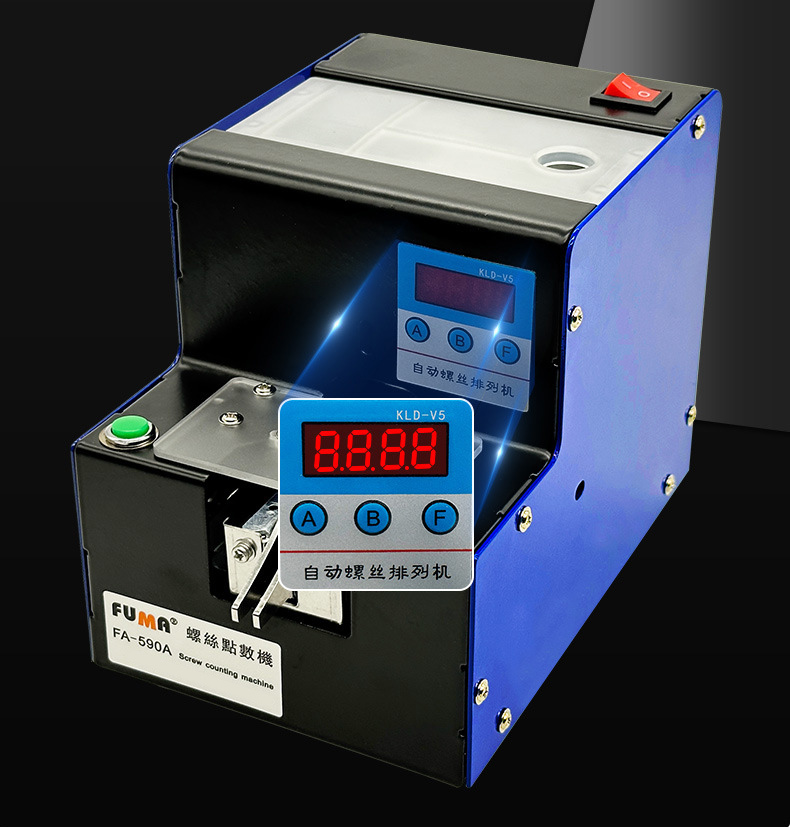
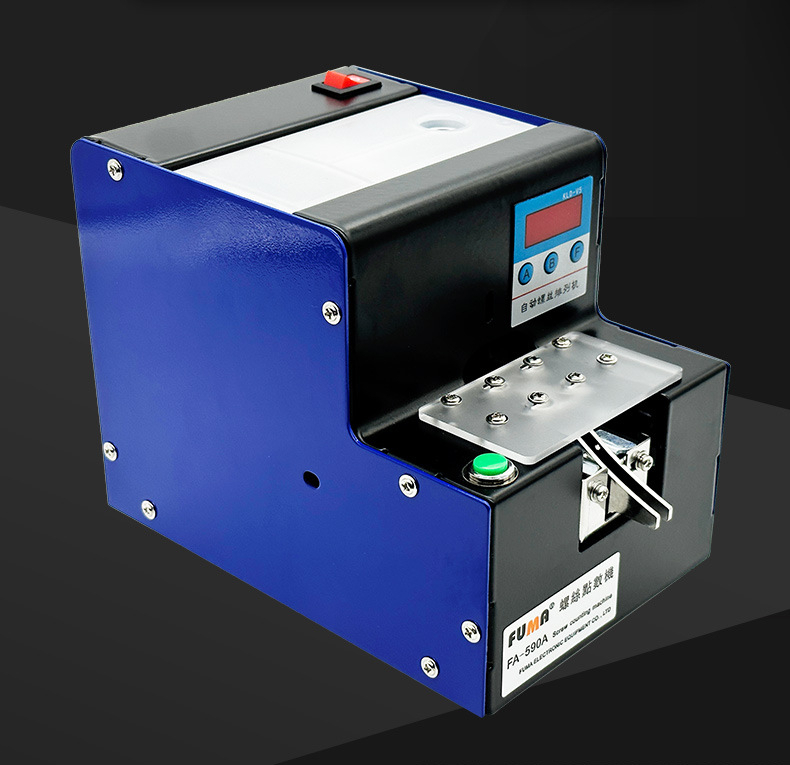
FUMA FA-590A Automatic Screw Counting Machine Supports Screw Diameter Range of 1.0-5.0mm
Features:
Automatic screw counting machine
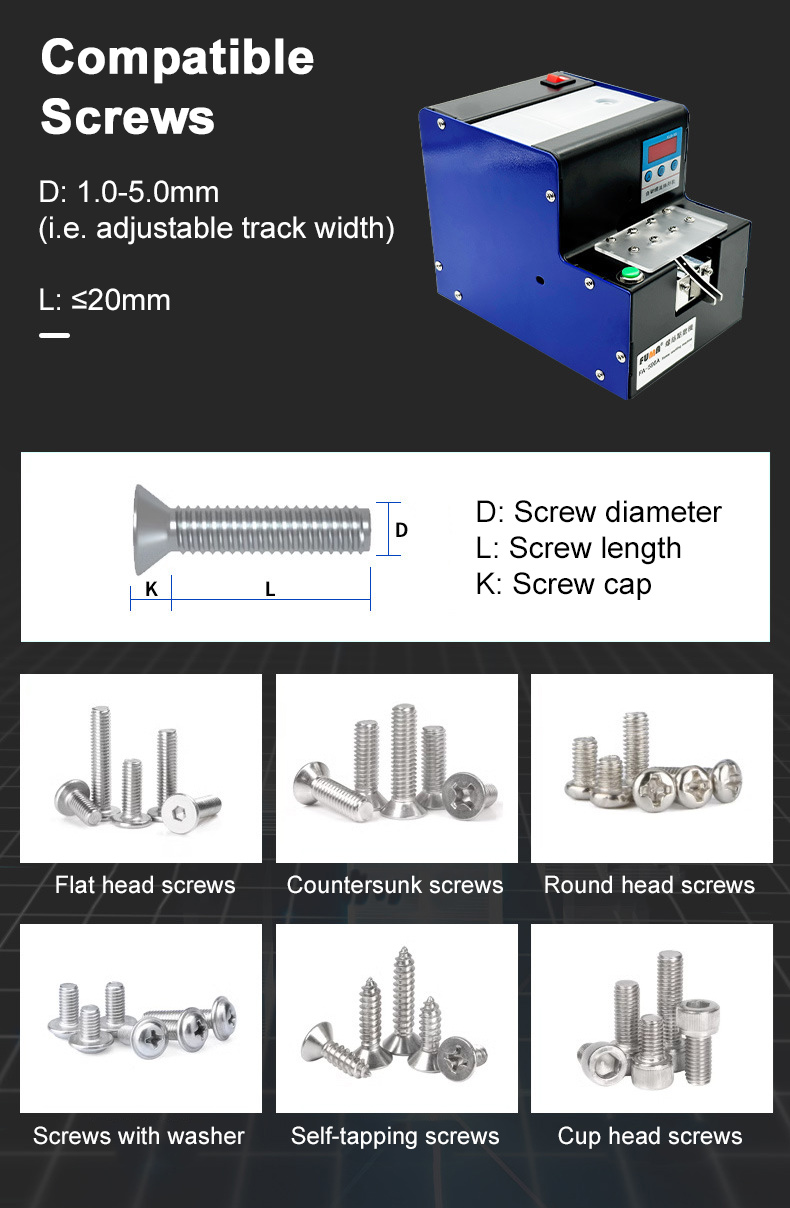
* For screws and bolts with round heads, flat heads, countersunk heads, with shrapnel, with washer, etc.
* Screws with caps can be counted.
HD digital display, intelligent control and cycle counting
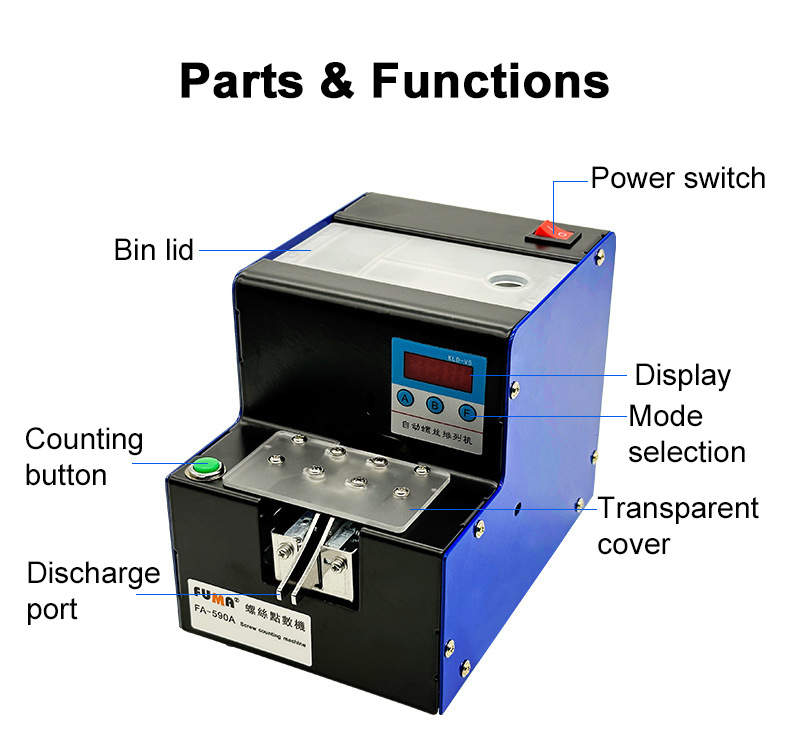
* Digital display counting function and 1-9999 pieces can be set freely. After you set the number of pieces, press the green button to get as many as you want. Every time the button is pressed, it will automatically zero, count and discharge screws. You can also set the interval to let the machine automatically discharge and count.
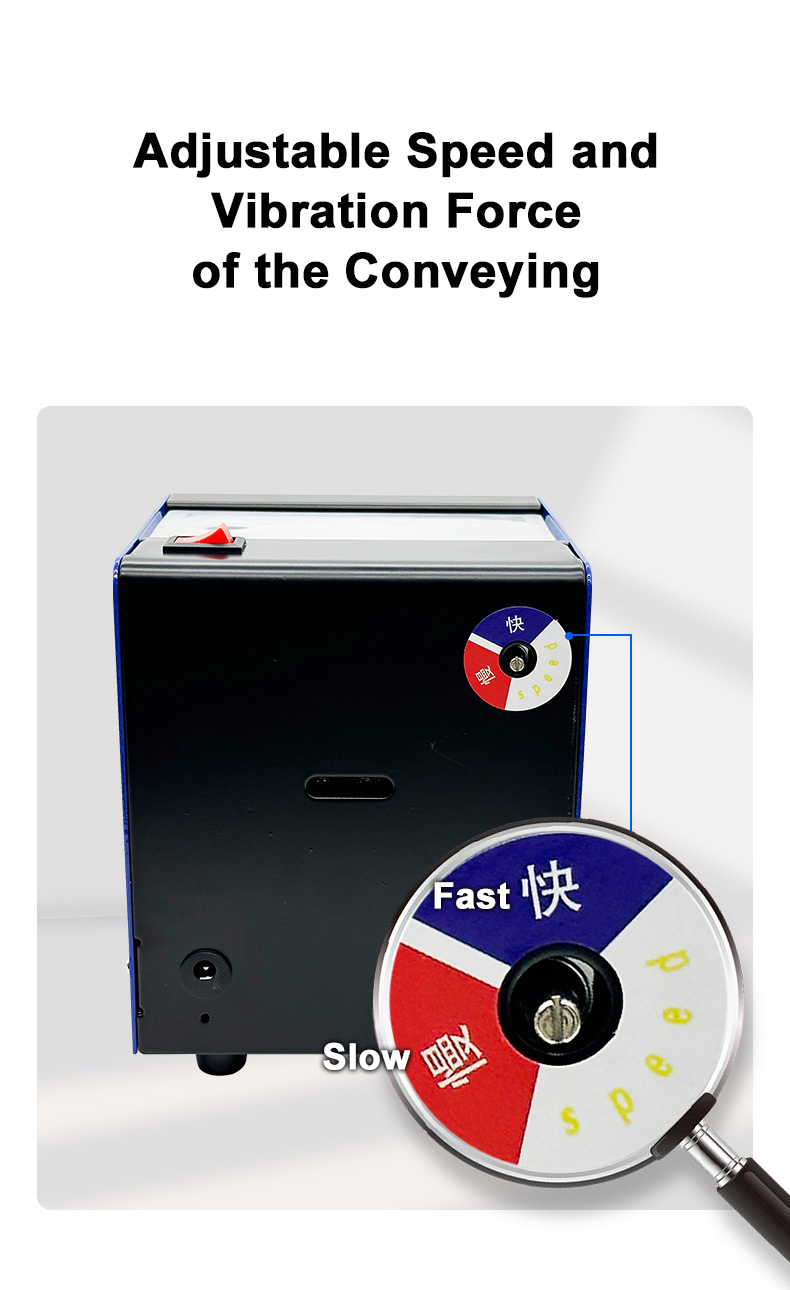
Speed and vibration force of the conveying can be adjusted
* Users can adjust the above parameters according to the required screws, so that the equipment works more smoothly and improves efficiency.
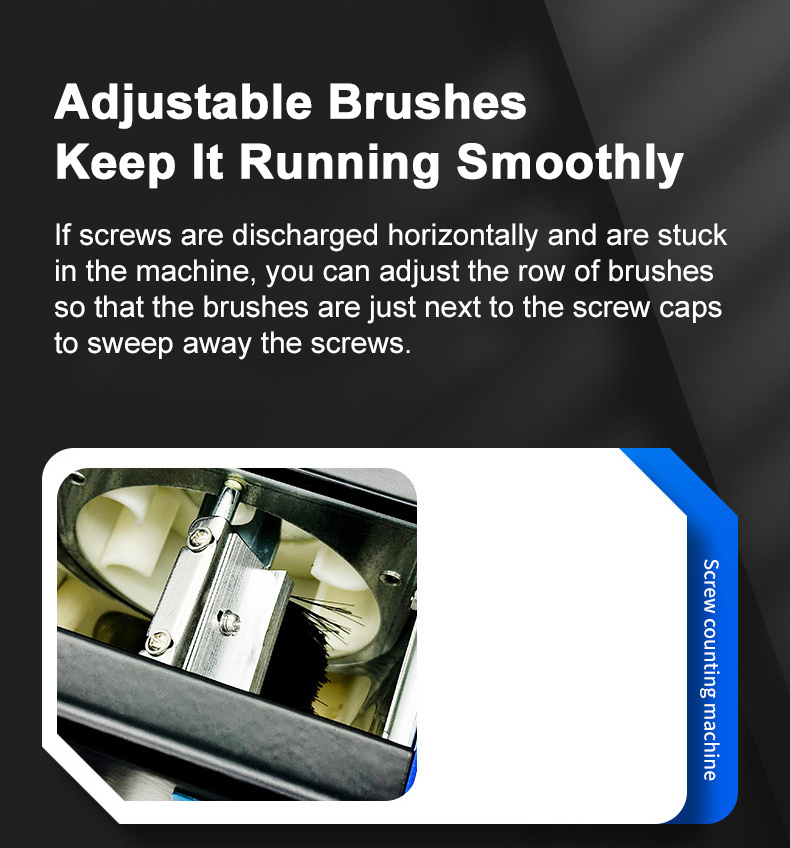
Adjustable brushes keep the device running smoothly
* If screws are discharged horizontally and are stuck in the machine, you can adjust the row of brushes so that the brushes are just next to the screw caps to sweep away the screws.
Improving productivity
* Fast output
* Smooth operation
* Counting in a faster speed
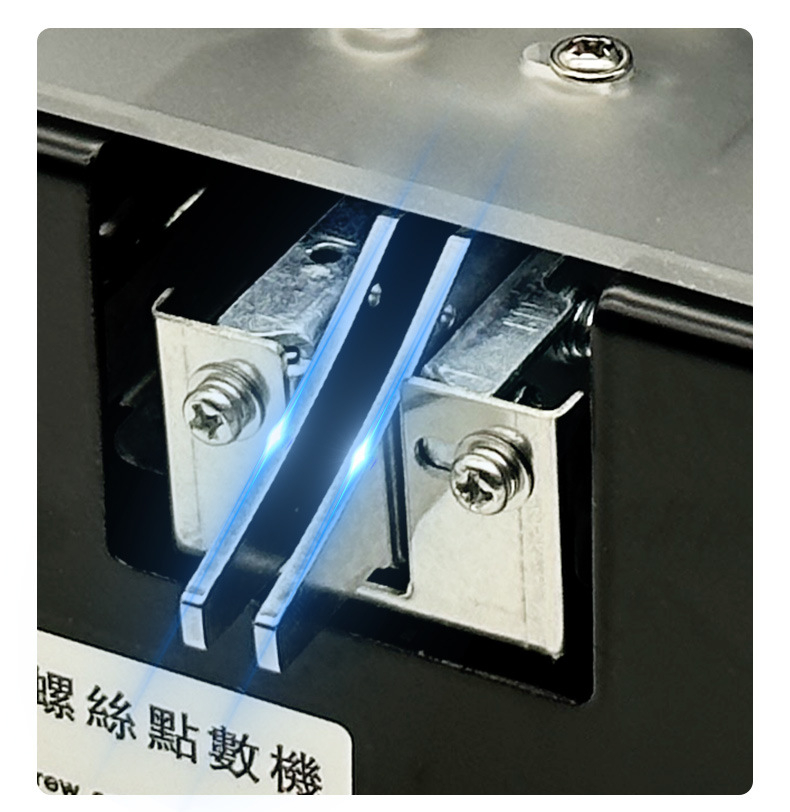
1.0~5.0MM adjustable track width
* Suitable for more screws
* Silky smooth track without stuck screws
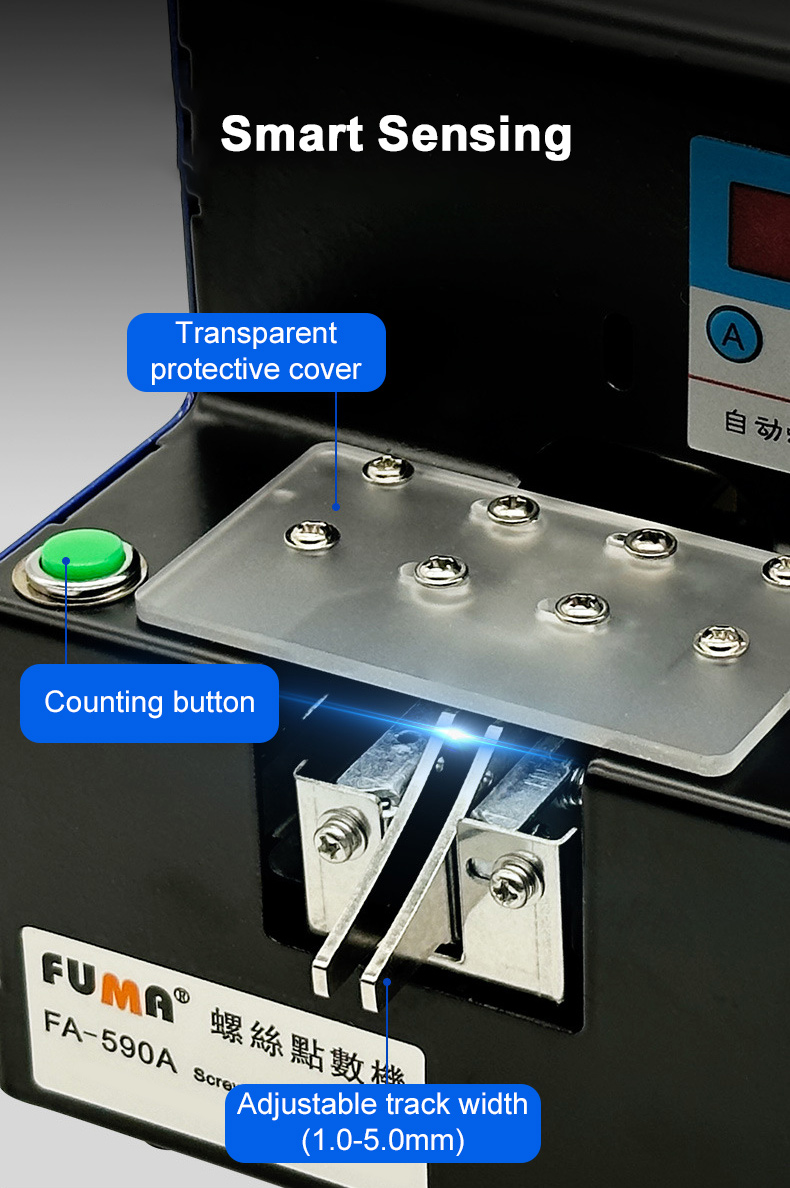
Smart sensing
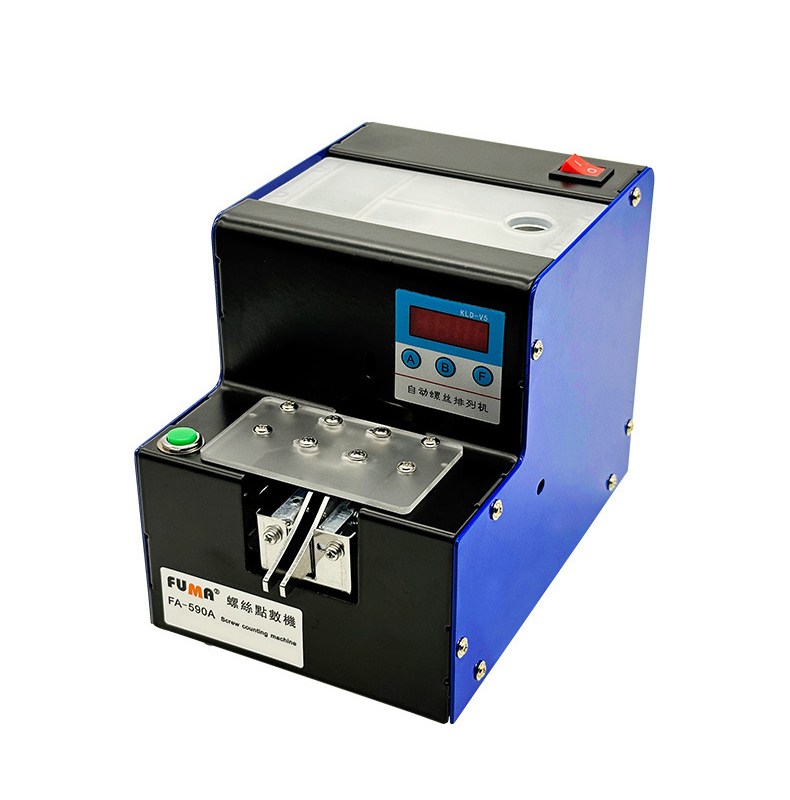
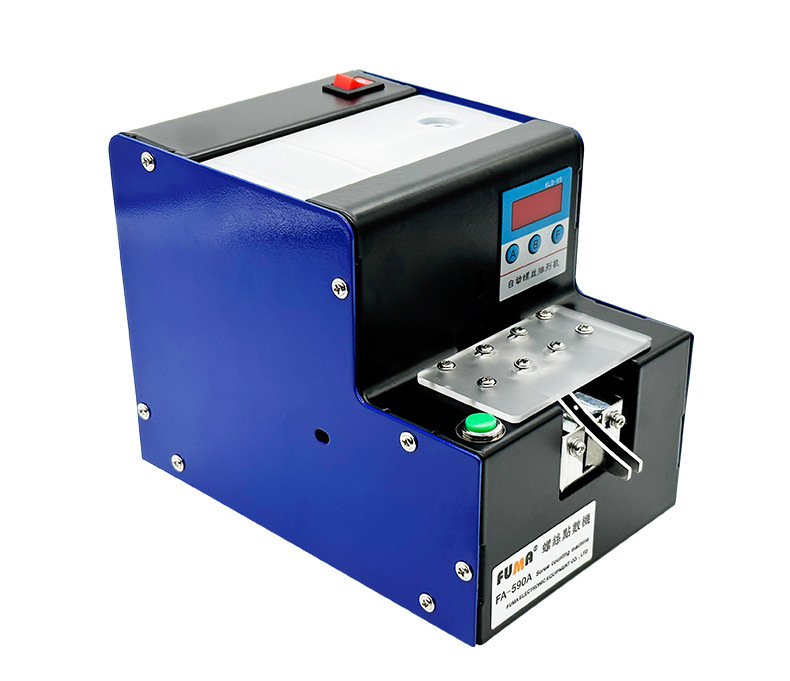
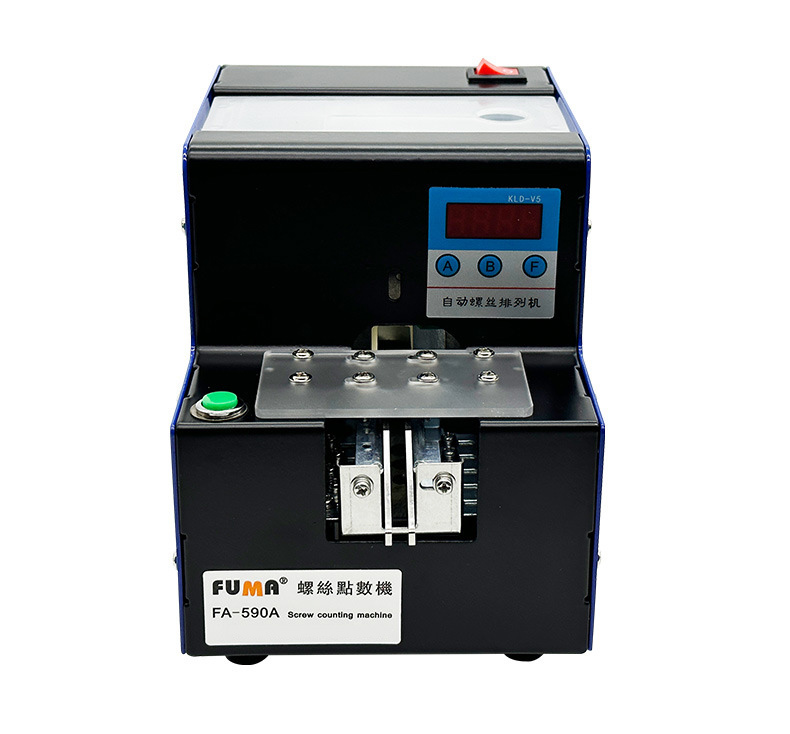
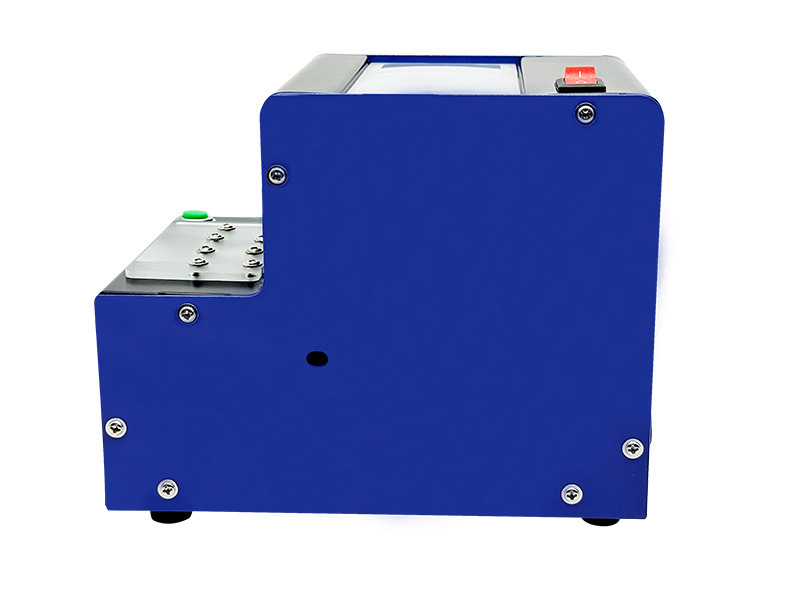
* The screw counting machine has a transparent protective cover, a green button, and a track with adjustable width.
More Features
* Free to switch automatic/manual reset.
* Counting number and the reset time can be set freely. With memory function. Settings can be saved when the power is off.
* The size of the suitable screws is between M1-M5 (the best is between M1.5-M3.5), and the length is less than 20mm.
Specifications:
* Brand: FUMA
* Model: FA-590A
* Applicable screws: 1.0~5.0mm adjustable
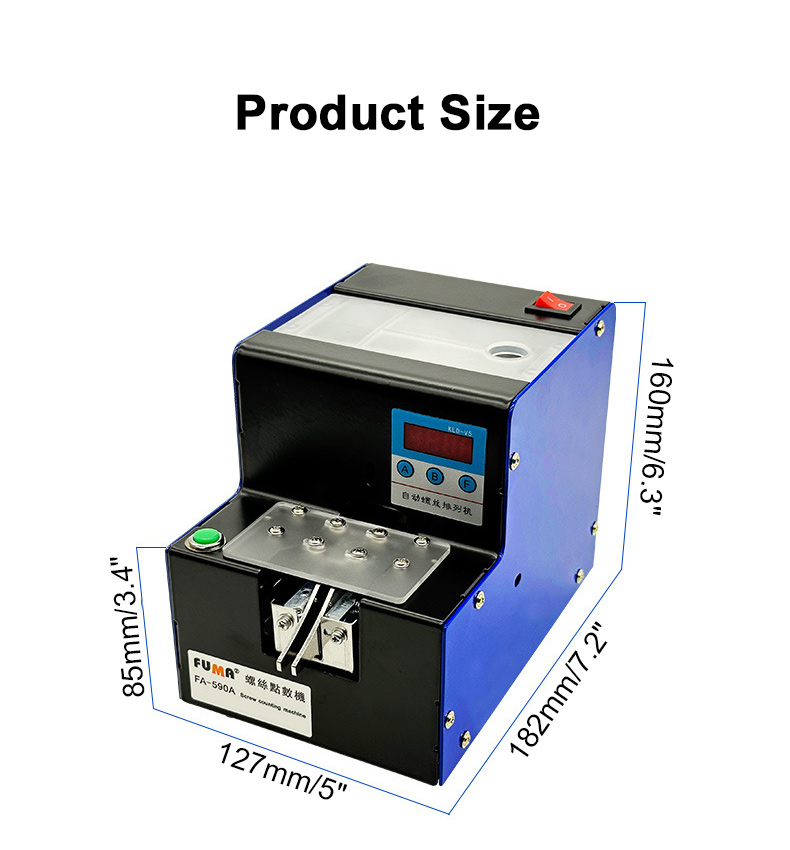
* Screw length: ≤20mm
* Screw diameter: <15mm
* Output speed: 2pcs/sec
* Product weight: 3.3KG
* Input voltage: AC110V-240V
Package Included:
* 1 x Automatic Screw Counting Machine
Packaging Details:
* Weight: 3.5kg
Adjustment:
Manual Reset Mode:
After the setting is ready, the screws are poured into the bin. And then the machine is turned on and enters the standby state. At this time, after pressing the red button (power switch), the machine starts to work and count. After the screws are output, the machine will stop and will be on standby. Then when you press the red button again, the machine will reset and continue to the next cycle.
Automatic Reset Mode:
Once it is set up, the screws are poured into the bin. And then the machine is turned on, and it immediately starts working and counting. After the screws are output, the machine will stop and will be on standby. Then, after waiting for the set delay, the machine automatically resets and continues to the next cycle.
Manual Mode Setting:
1. Select manual mode: In the shutdown state, press and hold button B, and then press the power button to turn on the machine. At this time, the screen will display E000 (manual reset mode). Then press button A to switch to E001 (automatic reset mode). Press the A button to cycle through the manual mode and the automatic mode. And then press button F to confirm the saved settings and exit.
2. Fixed number setting: In the boot state, press and hold the A button (hold down), the machine will start to count. After the beep, release the A button, and the screen will display d010 (the default setting is 10). Press the A button to increase the number of screws. Press the B button to reduce the number of screws. When the setting is complete, press the F button to confirm that the quantity setting is saved and exit.
Automatic Mode Setting:
1. Select automatic mode: In the shutdown state, press and hold the B button, and then press the power button to power on. E001 (automatic reset mode) will be displayed. If it's not E001, you can press A to switch to E001. Finally, press the F button to confirm to save and exit.
2. Delay setting: In the boot state, press and hold the B button, and the machine will start counting down. After beeping, release the B button and the screen will display FF03 (the default setting is 3-second delay). Press the A button to increase the delay time. Press the B button to reduce the delay time. Once the settings are complete, press the F button to confirm to save and exit.
3. Fixed number setting: In the boot state, press and hold the A button (hold down), and the machine will start counting down. After beeping, release the A button, and the screen will display d010 (the default setting is 10). Press the A button to increase the number of screws. Press the B button to reduce the number of screws. Once the settings are complete, press the F button to confirm to save and exit.
Sensor Accuracy Setting:
The accuracy has already been set and generally does not need to be adjusted. However, it is necessary to reset it only after the control is imprecise and the track width has been adjusted. The setup steps are as follows:
1. When the machine is turned on, press and hold the F button, and the machine will start counting down. After beeping, you release the F button, and the screen will display 1-## which is the value of the current sensor.
2. Press the F button again, and the screen will display 2-## (automatically calculated, generally no need to change). Of course, you can also press the A button to increase the parameter and press the B button to decrease the parameter.
3. Finally, press the F button to confirm to save and exit.
Features:
Automatic screw counting machine
* For screws and bolts with round heads, flat heads, countersunk heads, with shrapnel, with washer, etc.
* Screws with caps can be counted.
HD digital display, intelligent control and cycle counting
* Digital display counting function and 1-9999 pieces can be set freely. After you set the number of pieces, press the green button to get as many as you want. Every time the button is pressed, it will automatically zero, count and discharge screws. You can also set the interval to let the machine automatically discharge and count.
Speed and vibration force of the conveying can be adjusted
* Users can adjust the above parameters according to the required screws, so that the equipment works more smoothly and improves efficiency.
Adjustable brushes keep the device running smoothly
* If screws are discharged horizontally and are stuck in the machine, you can adjust the row of brushes so that the brushes are just next to the screw caps to sweep away the screws.
Improving productivity
* Fast output
* Smooth operation
* Counting in a faster speed
1.0~5.0MM adjustable track width
* Suitable for more screws
* Silky smooth track without stuck screws
Smart sensing
* The screw counting machine has a transparent protective cover, a green button, and a track with adjustable width.
More Features
* Free to switch automatic/manual reset.
* Counting number and the reset time can be set freely. With memory function. Settings can be saved when the power is off.
* The size of the suitable screws is between M1-M5 (the best is between M1.5-M3.5), and the length is less than 20mm.
Specifications:
* Brand: FUMA
* Model: FA-590A
* Applicable screws: 1.0~5.0mm adjustable
* Screw length: ≤20mm
* Screw diameter: <15mm
* Output speed: 2pcs/sec
* Product weight: 3.3KG
* Input voltage: AC110V-240V
Package Included:
* 1 x Automatic Screw Counting Machine
Packaging Details:
* Weight: 3.5kg
Adjustment:
Manual Reset Mode:
After the setting is ready, the screws are poured into the bin. And then the machine is turned on and enters the standby state. At this time, after pressing the red button (power switch), the machine starts to work and count. After the screws are output, the machine will stop and will be on standby. Then when you press the red button again, the machine will reset and continue to the next cycle.
Automatic Reset Mode:
Once it is set up, the screws are poured into the bin. And then the machine is turned on, and it immediately starts working and counting. After the screws are output, the machine will stop and will be on standby. Then, after waiting for the set delay, the machine automatically resets and continues to the next cycle.
Manual Mode Setting:
1. Select manual mode: In the shutdown state, press and hold button B, and then press the power button to turn on the machine. At this time, the screen will display E000 (manual reset mode). Then press button A to switch to E001 (automatic reset mode). Press the A button to cycle through the manual mode and the automatic mode. And then press button F to confirm the saved settings and exit.
2. Fixed number setting: In the boot state, press and hold the A button (hold down), the machine will start to count. After the beep, release the A button, and the screen will display d010 (the default setting is 10). Press the A button to increase the number of screws. Press the B button to reduce the number of screws. When the setting is complete, press the F button to confirm that the quantity setting is saved and exit.
Automatic Mode Setting:
1. Select automatic mode: In the shutdown state, press and hold the B button, and then press the power button to power on. E001 (automatic reset mode) will be displayed. If it's not E001, you can press A to switch to E001. Finally, press the F button to confirm to save and exit.
2. Delay setting: In the boot state, press and hold the B button, and the machine will start counting down. After beeping, release the B button and the screen will display FF03 (the default setting is 3-second delay). Press the A button to increase the delay time. Press the B button to reduce the delay time. Once the settings are complete, press the F button to confirm to save and exit.
3. Fixed number setting: In the boot state, press and hold the A button (hold down), and the machine will start counting down. After beeping, release the A button, and the screen will display d010 (the default setting is 10). Press the A button to increase the number of screws. Press the B button to reduce the number of screws. Once the settings are complete, press the F button to confirm to save and exit.
Sensor Accuracy Setting:
The accuracy has already been set and generally does not need to be adjusted. However, it is necessary to reset it only after the control is imprecise and the track width has been adjusted. The setup steps are as follows:
1. When the machine is turned on, press and hold the F button, and the machine will start counting down. After beeping, you release the F button, and the screen will display 1-## which is the value of the current sensor.
2. Press the F button again, and the screen will display 2-## (automatically calculated, generally no need to change). Of course, you can also press the A button to increase the parameter and press the B button to decrease the parameter.
3. Finally, press the F button to confirm to save and exit.
Payment Terms
1. We accept PayPal,Payoneer,Visa Card,Google pay,Credit card etc.
2. We ship to your eBay or Paypal address. Please make sure your eBay and Paypal address is correct before you pay.
2. We ship to your eBay or Paypal address. Please make sure your eBay and Paypal address is correct before you pay.
Shipping Terms
1. We will process the order within the handling time ,if you have any questions, please contact us via eBay message or email.
2. For remote regions of DHL/FedEx..., extra shipping costs might be charged. Usually it costs about 30USD-50USD. We will contact you if shipping company informed us your address belongs to remote area. Thanks for your understanding.
2. For remote regions of DHL/FedEx..., extra shipping costs might be charged. Usually it costs about 30USD-50USD. We will contact you if shipping company informed us your address belongs to remote area. Thanks for your understanding.
Return Terms
If you receive the item that not satisfied or defective, please do not open case and kindly notify us within 30 days. We will guide you the returning process for replacement or refund.
Custom Duties & Taxes
1. It is buyer's responsibility to cover the import duties, taxes.We do not charge any taxes and fees, and the possible taxes and fees will be collected by the platform or by third parties such as customs and carriers.
2. Please check with your country's customs office and inform us what/how much should declare before shipping.
2. Please check with your country's customs office and inform us what/how much should declare before shipping.
Feedback
1. Please kindly leave us a positive feedback and 5 star DSR if you satisfied with our product and service. Please feel free to contact us firstly if you have any problem with your order, we are responsible and credible seller and will solve the issue it for you asap.
2. If you are dissatisfied for any reason, please don't be quick to leave us neutral or negative feedback. We work hard to make sure EVERY CUSTOMER 100% SATISFIED and resolve any problem for you and always leave positive feedback to all our customers.
2. If you are dissatisfied for any reason, please don't be quick to leave us neutral or negative feedback. We work hard to make sure EVERY CUSTOMER 100% SATISFIED and resolve any problem for you and always leave positive feedback to all our customers.