

Details
Nano V3.0 Board ATmega328P CH340 Built-in 0.91'' OLED Display 128x32 SSD1306 IIC I2C Compatible for Arduino
Overview
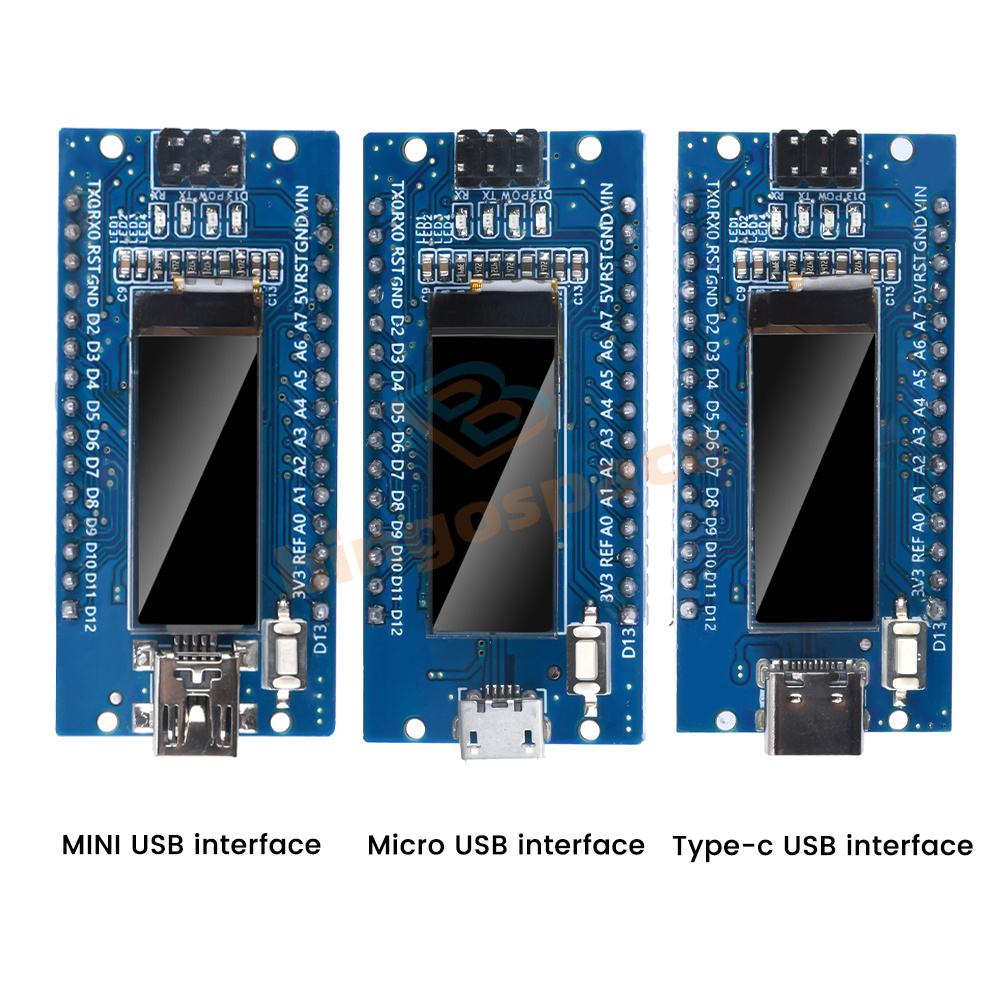
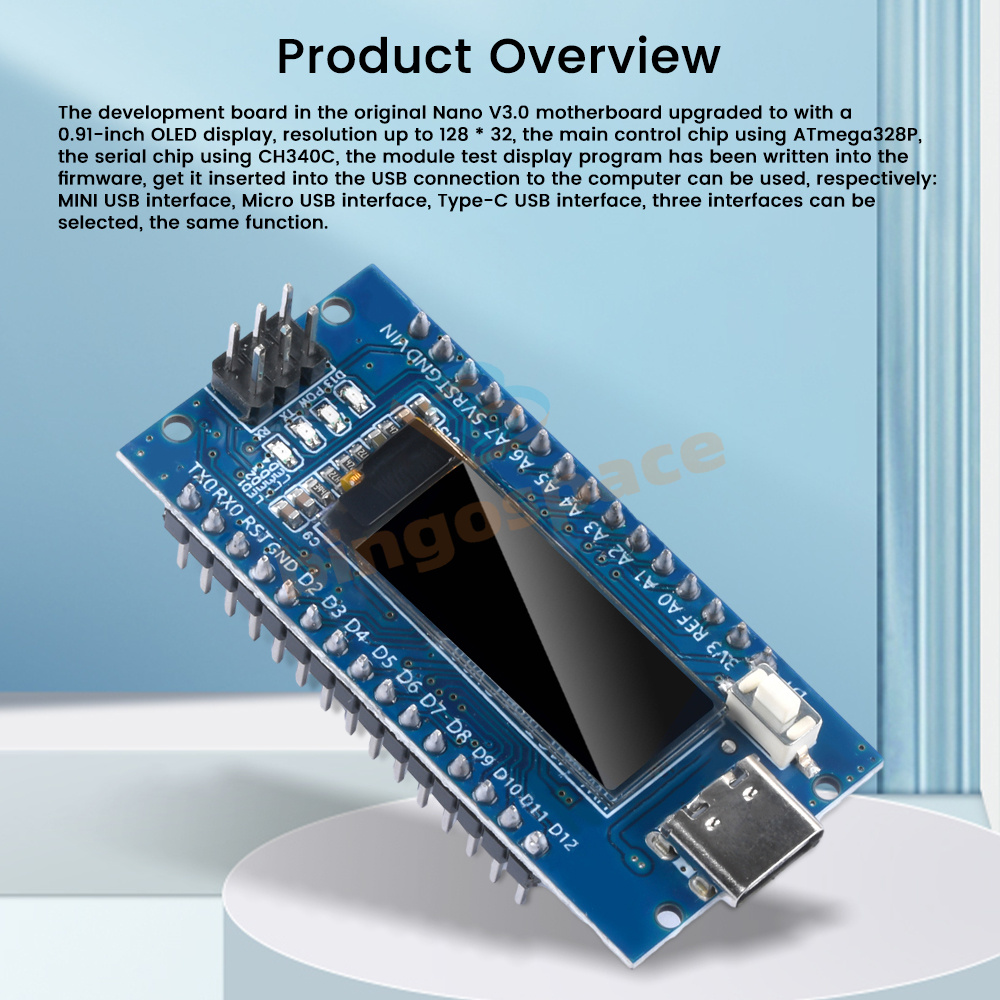
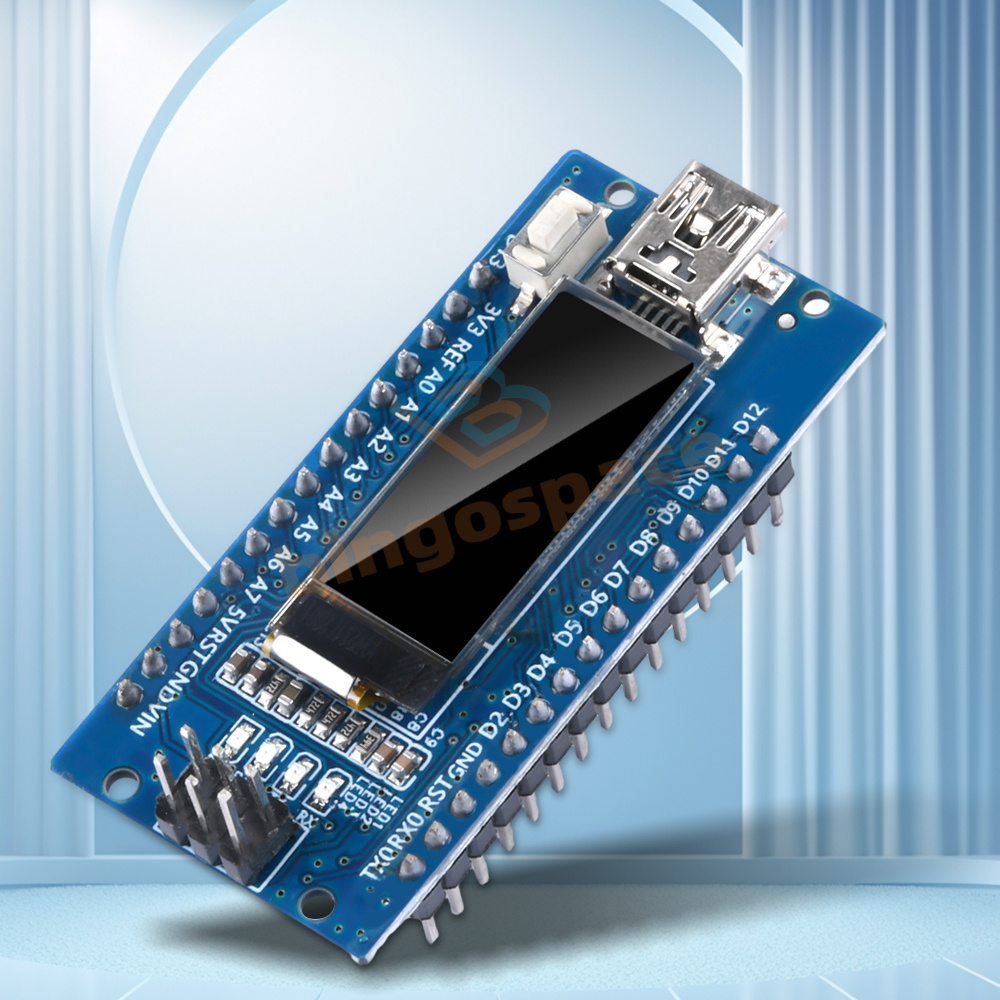
The development board in the original Nano V3.0 motherboard upgraded to with a 0.91-inch OLED display, resolution up to 128 * 32, the main control chip using ATmega328P, serial chip using CH340C, module test display program has been written into the firmware, get it inserted into the USB connection to the computer can be used, respectively: MINI USB interface, Micro USB interface, Micro USB interface, Type-C USB interface, three interfaces can be selected, the same function.
Features
1.The product uses high quality PCB material, stable performance, quality assurance
2.Products in the original Nano V3.0 motherboard upgraded to with 0.91-inch OLED display, resolution 128 * 32, more convenient and clearer to use
3. Main control chip: ATmega328P, serial chip: CH340C
4. Diversified product interface options, three optional: MINI USB interface, Micro USB interface, Type-C USB interface
5. Module test display program has been written into the firmware, get plugged into the USB connection to the computer can be used!
1.The product uses high quality PCB material, stable performance, quality assurance
2.Products in the original Nano V3.0 motherboard upgraded to with 0.91-inch OLED display, resolution 128 * 32, more convenient and clearer to use
3. Main control chip: ATmega328P, serial chip: CH340C
4. Diversified product interface options, three optional: MINI USB interface, Micro USB interface, Type-C USB interface
5. Module test display program has been written into the firmware, get plugged into the USB connection to the computer can be used!
Specification
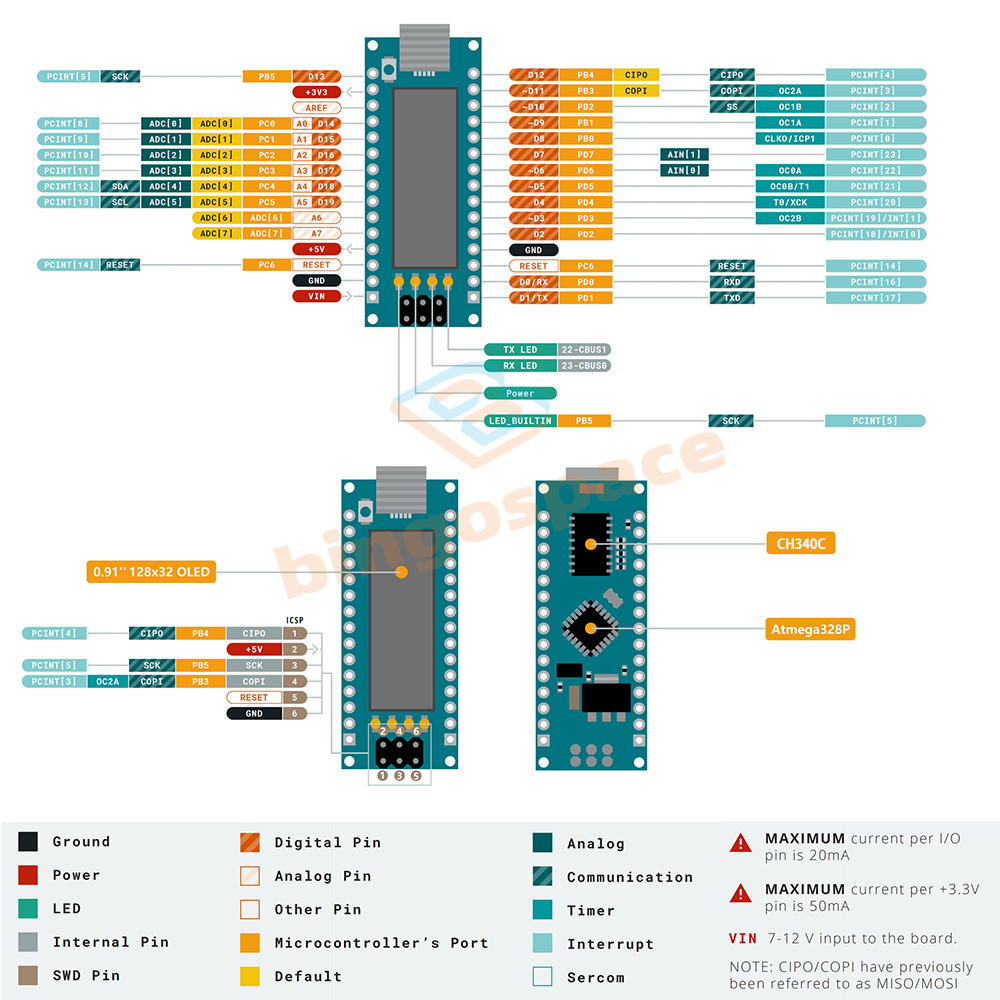
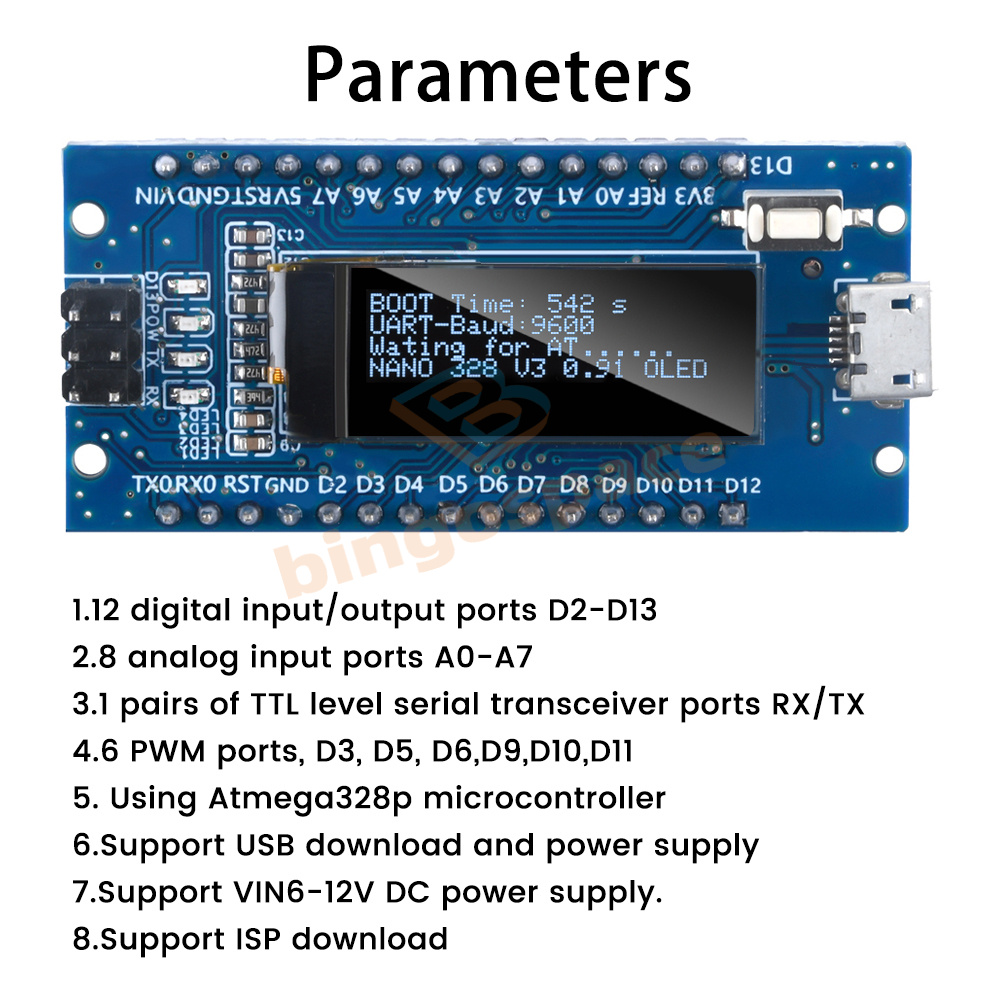
1.12 digital input/output ports D2-D13
2.8 analog input ports A0-A7
3.1 pairs of TTL level serial transceiver ports RX/TX
4.6 PWM ports, D3, D5, D6,D9,D10,D11
5. Using Atmega328p microcontroller
6.Support USB download and power supply
7.Support VIN6-12V DC power supply.
8.Support ISP download
1.12 digital input/output ports D2-D13
2.8 analog input ports A0-A7
3.1 pairs of TTL level serial transceiver ports RX/TX
4.6 PWM ports, D3, D5, D6,D9,D10,D11
5. Using Atmega328p microcontroller
6.Support USB download and power supply
7.Support VIN6-12V DC power supply.
8.Support ISP download
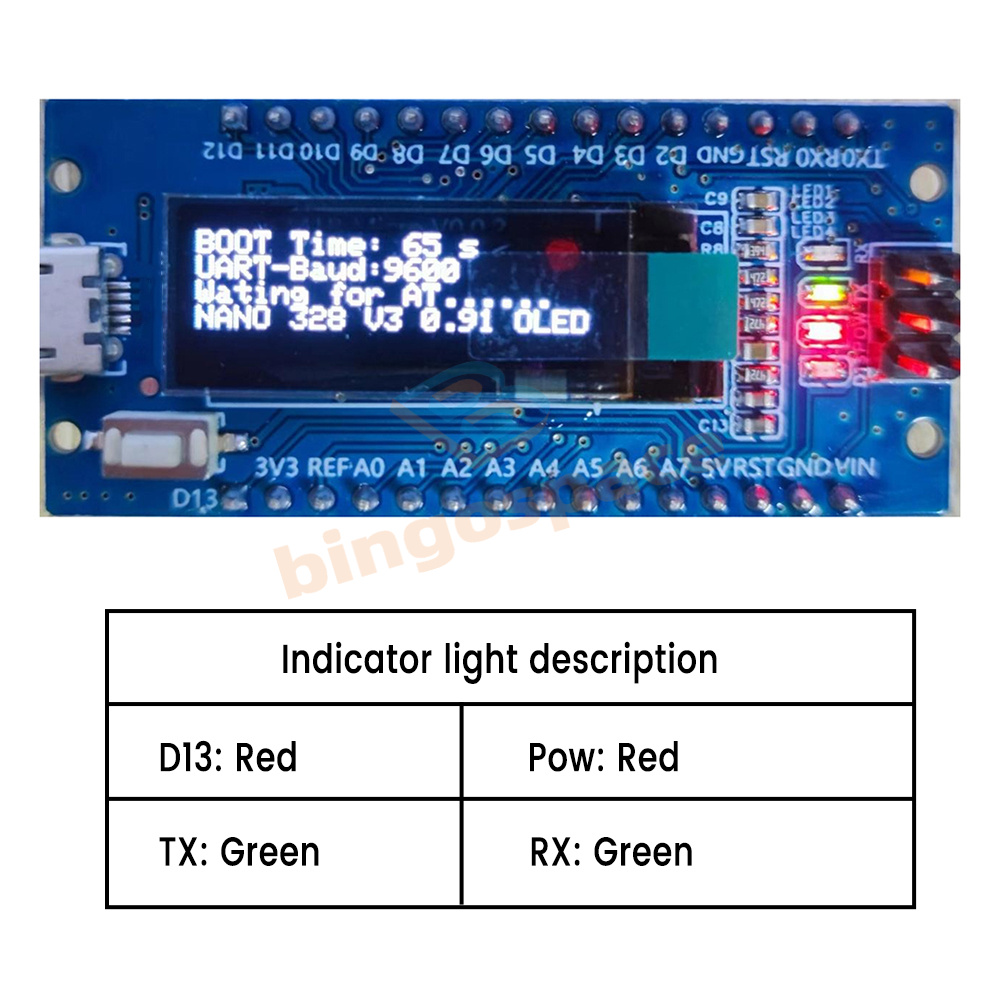
Indicator light description:
D13: red
Pow: red
TX: green
RX: green
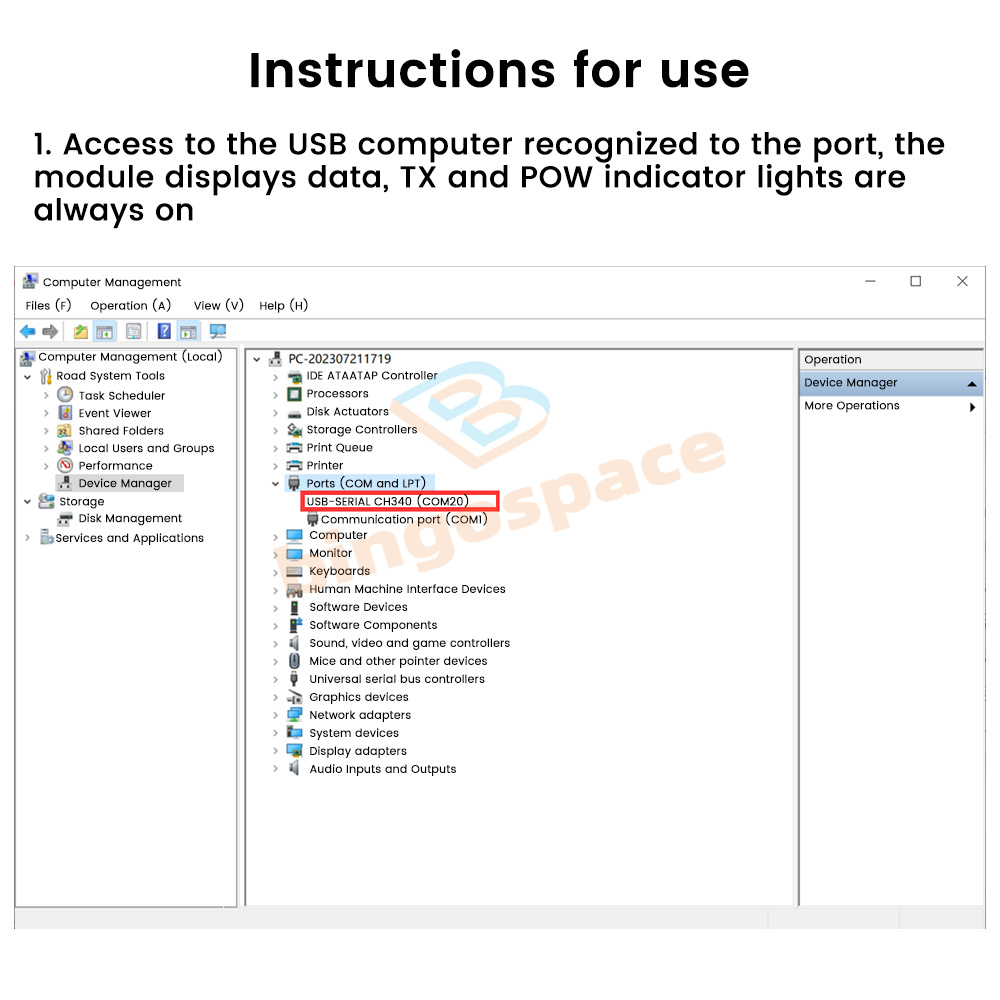
1. Access to the USB computer to recognize the port, the module displays data, TX and POW indicators are always on!
2. Open the serial port assistant, select the corresponding parameters and open the COM port, the window receives data, open the serial port when the first line of the OLED screen BOOT Time will be re-timed.
3. Send AT command through the serial assistant, TX light off, RX light blinks once, D13 light briefly once, OLED screen displays AT-OK, and then the whole white screen, and then return to the display data interface, the indicator light returns to TX and POW is always on.
D13: red
Pow: red
TX: green
RX: green
1. Access to the USB computer to recognize the port, the module displays data, TX and POW indicators are always on!
2. Open the serial port assistant, select the corresponding parameters and open the COM port, the window receives data, open the serial port when the first line of the OLED screen BOOT Time will be re-timed.
3. Send AT command through the serial assistant, TX light off, RX light blinks once, D13 light briefly once, OLED screen displays AT-OK, and then the whole white screen, and then return to the display data interface, the indicator light returns to TX and POW is always on.
List
1 x Development Board
1 x Development Board
Copyright©2018 datacaciques

Top & Fast Shipping!
Get The Right At The Right Price!

Nano V3.0 ATmega328P CH340C Development Board + 0.91'' OLED Display For Arduino
DESCRIPTION
Nano V3.0 Board ATmega328P CH340 Built-in 0.91'' OLED Display 128x32 SSD1306 IIC I2C Compatible for Arduino
Overview
The development board in the original Nano V3.0 motherboard upgraded to with a 0.91-inch OLED display, resolution up to 128 * 32, the main control chip using ATmega328P, serial chip using CH340C, module test display program has been written into the firmware, get it inserted into the USB connection to the computer can be used, respectively: MINI USB interface, Micro USB interface, Micro USB interface, Type-C USB interface, three interfaces can be selected, the same function.
Features
1.The product uses high quality PCB material, stable performance, quality assurance
2.Products in the original Nano V3.0 motherboard upgraded to with 0.91-inch OLED display, resolution 128 * 32, more convenient and clearer to use
3. Main control chip: ATmega328P, serial chip: CH340C
4. Diversified product interface options, three optional: MINI USB interface, Micro USB interface, Type-C USB interface
5. Module test display program has been written into the firmware, get plugged into the USB connection to the computer can be used!
1.The product uses high quality PCB material, stable performance, quality assurance
2.Products in the original Nano V3.0 motherboard upgraded to with 0.91-inch OLED display, resolution 128 * 32, more convenient and clearer to use
3. Main control chip: ATmega328P, serial chip: CH340C
4. Diversified product interface options, three optional: MINI USB interface, Micro USB interface, Type-C USB interface
5. Module test display program has been written into the firmware, get plugged into the USB connection to the computer can be used!
Specification
1.12 digital input/output ports D2-D13
2.8 analog input ports A0-A7
3.1 pairs of TTL level serial transceiver ports RX/TX
4.6 PWM ports, D3, D5, D6,D9,D10,D11
5. Using Atmega328p microcontroller
6.Support USB download and power supply
7.Support VIN6-12V DC power supply.
8.Support ISP download
1.12 digital input/output ports D2-D13
2.8 analog input ports A0-A7
3.1 pairs of TTL level serial transceiver ports RX/TX
4.6 PWM ports, D3, D5, D6,D9,D10,D11
5. Using Atmega328p microcontroller
6.Support USB download and power supply
7.Support VIN6-12V DC power supply.
8.Support ISP download
Indicator light description:
D13: red
Pow: red
TX: green
RX: green
1. Access to the USB computer to recognize the port, the module displays data, TX and POW indicators are always on!
2. Open the serial port assistant, select the corresponding parameters and open the COM port, the window receives data, open the serial port when the first line of the OLED screen BOOT Time will be re-timed.
3. Send AT command through the serial assistant, TX light off, RX light blinks once, D13 light briefly once, OLED screen displays AT-OK, and then the whole white screen, and then return to the display data interface, the indicator light returns to TX and POW is always on.
D13: red
Pow: red
TX: green
RX: green
1. Access to the USB computer to recognize the port, the module displays data, TX and POW indicators are always on!
2. Open the serial port assistant, select the corresponding parameters and open the COM port, the window receives data, open the serial port when the first line of the OLED screen BOOT Time will be re-timed.
3. Send AT command through the serial assistant, TX light off, RX light blinks once, D13 light briefly once, OLED screen displays AT-OK, and then the whole white screen, and then return to the display data interface, the indicator light returns to TX and POW is always on.
List
1 x Development Board
1 x Development Board

SHIPPING
Please Make sure your Ebay Address is 100% right.
We maintain high standards of excellence and strive for 100% customer satisfaction!
Feedback is very important to us. We request that you keep in touch with us immediately BEFORE you give us neutral or negative feedback, so that we can satisfactorily address your concerns.

PAYMENT
Please leave note for your special request (e.g. Colors or Size) in PayPal when you pay the order.

RETURN
Please contact us first if you have any problems/questions/concerns. We will be happy to resolve any issues you may have in a cordial and friendly manner.
---------------------------------------------©Copyright Gogaviinse. All Rights Reserved.--------------------------------------