Melery TS005 Pull Up Power Point with USB-C, 3 Australian Outlets, 2 USB-A Ports, 10A 250V Retractable In-Desk Power Strip with AU Plug, 1.8m Cord and 60mm Cut-Out, Silver and Black
Key Product Features
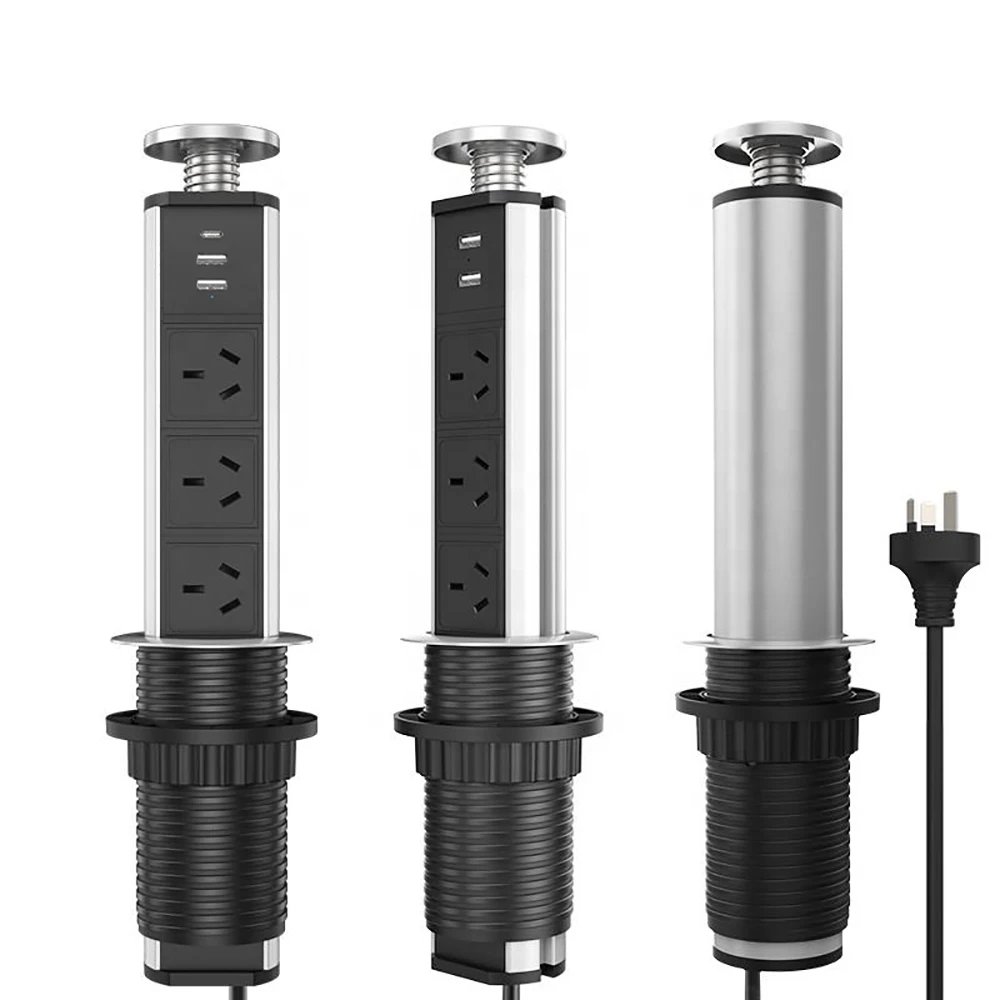
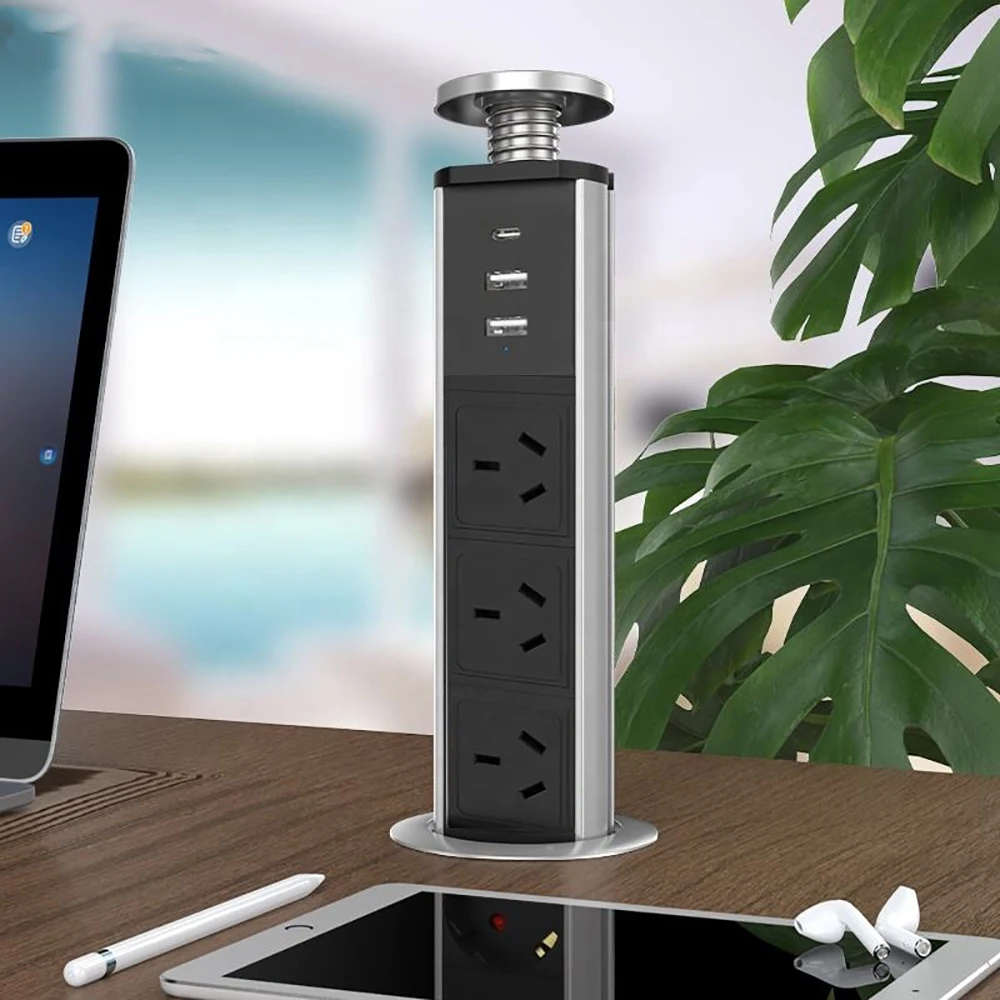
RETRACTABLE, SPACE-SAVING DESIGN – Keep your desk or workstation neat with a pull-up power point that stores discreetly below the surface when not in use. Pull it up for easy access to power and USB charging, then disconnect all cables and press it down to restore a cleaner desktop.
3 AUSTRALIAN POWER OUTLETS – Features three earthed Australian-standard outlets for compatible laptops, monitors, desk lamps, printers and other indoor appliances. Rated up to 10A and 250V AC total. Also suitable for compatible electrical applications in Argentina.
USB-A AND USB-C CHARGING – Includes two USB-A ports rated at 5V/2.1A and one USB-C port rated at 5V/3.4A for charging compatible phones, tablets and other USB-powered devices. These are standard 5V charging ports and are not specified as PD, QC or fast-charging ports.
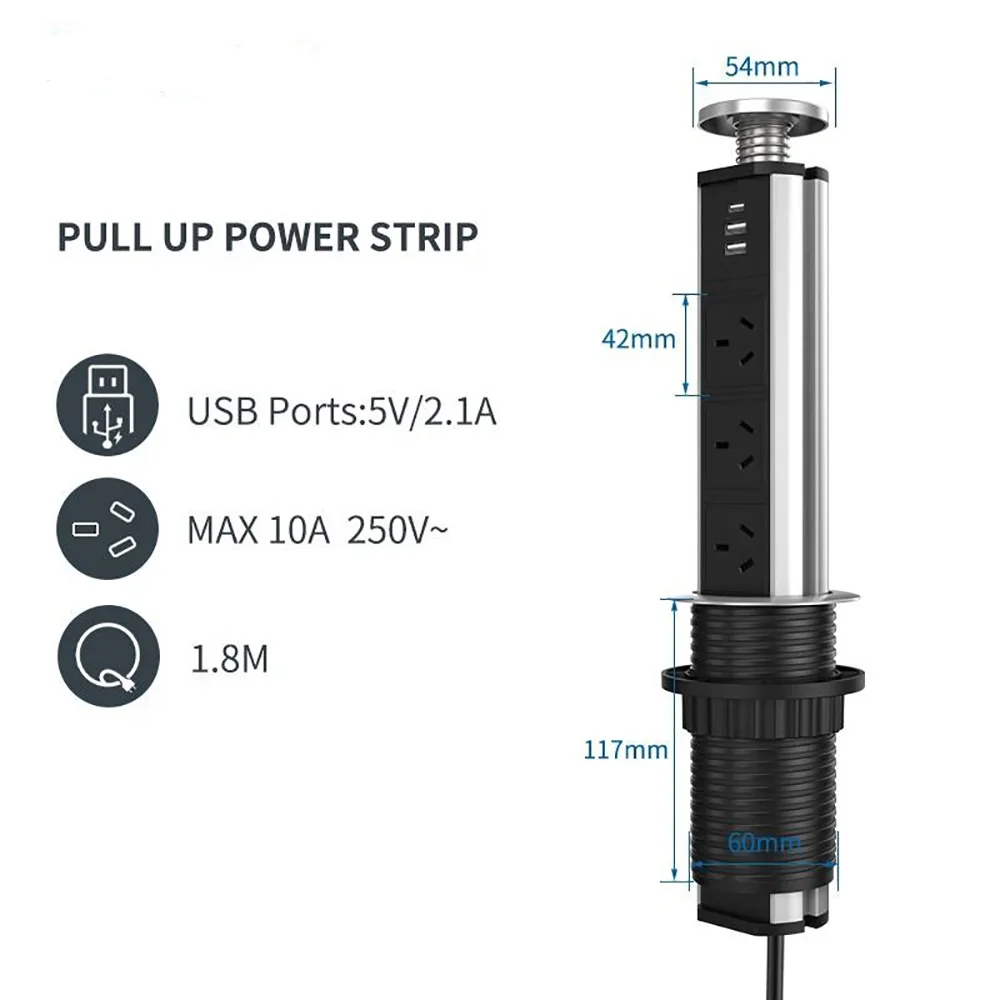
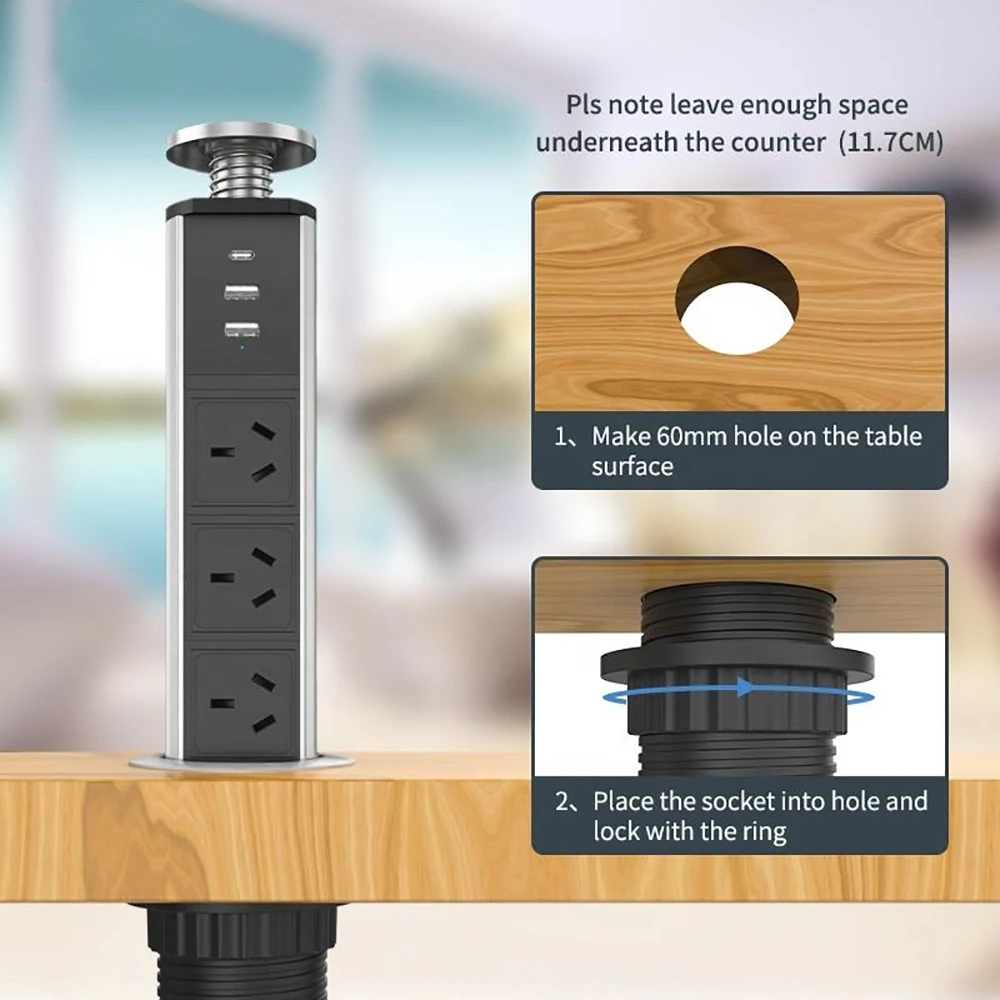
SECURE IN-DESK INSTALLATION – Designed for fixed installation in a desk, worktop or conference table. Requires a 60mm mounting hole and approximately 117mm of clear space beneath the surface, plus sufficient room for cable routing. The threaded body is secured from below using the supplied locking ring.
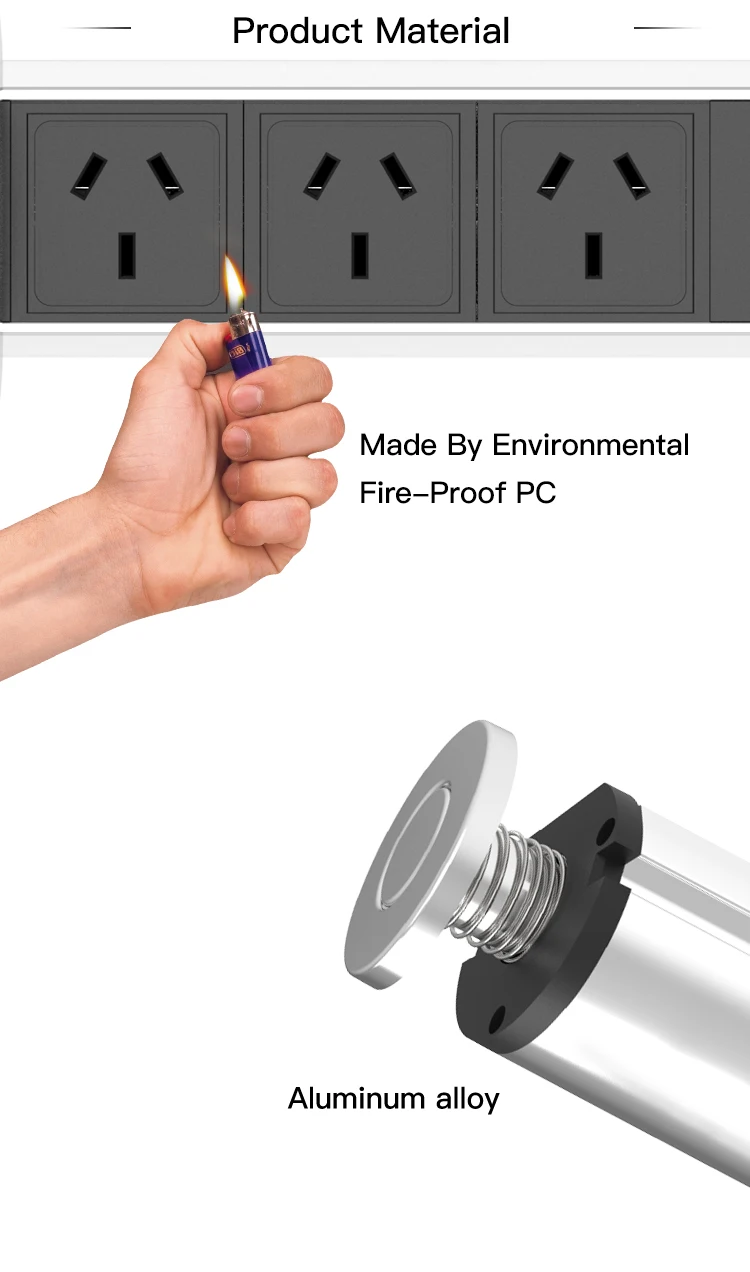
DURABLE AND SAFETY-FOCUSED CONSTRUCTION – Made with a silver aluminium-alloy housing and flame-retardant PC modules. Earthed construction and integrated safety shutters support dependable everyday use. Supplied with an Australian plug and a 1.8m H05VV-F 3G 1.5mm² power cord.
Product Description
Bring convenient power access directly to your workspace while keeping bulky power boards off the desktop.
The Melery TS005 Pull Up Power Point is a fixed, retractable power solution for home offices, workstations, meeting rooms, reception counters and suitable indoor benchtops. Its compact in-desk design keeps the power module stored below the surface when it is not required.
Simply pull the unit upward to access three Australian-standard AC outlets, two USB-A ports and one USB-C port. Connect compatible appliances and USB-powered devices without reaching for a distant wall outlet. When finished, disconnect every plug and charging cable before pressing the unit back into the desk.
The three earthed AU outlets support multiple compatible devices within the product’s combined maximum rating of 10A and 250V AC. The two USB-A ports provide 5V/2.1A output, while the USB-C port provides 5V/3.4A output for compatible USB devices.
Installation requires a 60mm opening in a suitable mounting surface. Insert the threaded body through the opening, then tighten the locking ring from underneath. Approximately 117mm of clear space is required below the desktop, with additional room recommended for safe cable routing and ventilation.
Finished in silver aluminium alloy with a black flame-retardant PC front panel, the TS005 complements contemporary home and commercial interiors while helping reduce visible cable clutter.
Product Specifications
- Brand: Melery
- Model: TS005
- Product type: Pull-up in-desk power point
- Installation type: Fixed recessed installation
- AC outlets: 3 Australian-standard outlets
- USB-A ports: 2
- USB-A output: 5V/2.1A
- USB-C ports: 1
- USB-C output: 5V/3.4A
- Charging type: Standard 5V charging
- Rated voltage: Up to 250V AC
- Maximum total current: 10A
- Plug type: Australian plug
- Power cord length: 1.8m
- Cable specification: H05VV-F 3G 1.5mm²
- Mounting-hole diameter: 60mm
- Top outer diameter: Approximately 85mm
- Required space below surface: Approximately 117mm minimum
- Housing material: Aluminium alloy and flame-retardant PC
- Earthing: Earthed
- Safety shutters: Included
- Colour: Silver and black
- Water resistance: Not water-resistant
- Recommended environment: Dry indoor locations
- Suitable markets: Australia and compatible applications in Argentina
Recommended Applications
Suitable for installation in:
- Home-office desks
- Study tables
- Computer workstations
- Conference and meeting tables
- Reception counters
- Retail service counters
- Indoor utility or kitchen benchtops positioned safely away from water
Installation Instructions
- Select a dry, suitable mounting location.
- Confirm at least 117mm of clear space beneath the surface, plus room for the power cord.
- Check for hidden cables, pipes or structural obstructions.
- Create a clean 60mm mounting hole.
- Remove the locking ring from the threaded body.
- Feed the Australian plug and power cord through the opening.
- Insert the TS005 until its top flange sits flat against the surface.
- Refit and hand-tighten the locking ring from underneath.
- Route the cord away from sharp edges, heat and moving parts.
- Connect the Australian plug to a suitable earthed wall outlet.
Operating Instructions
- Grip the centre cap and gently pull the unit upward.
- Connect compatible Australian plugs or USB charging cables.
- Keep the total connected load within the 10A maximum rating.
- After use, switch off and disconnect all appliances.
- Remove every AC plug and USB cable.
- Press the top downward gently to retract the unit.
Warning and Safety Information
Warning: Read the instructions before installation and use. Failure to follow the safety requirements may result in electric shock, fire, equipment damage or personal injury.
- For dry indoor use only.
- This product is not waterproof or water-resistant.
- Do not install near sinks, taps, wet areas or locations exposed to liquids.
- Do not exceed the combined maximum rating of 10A.
- Connect only to a properly installed and earthed Australian outlet.
- Never retract the unit while plugs or USB cables are connected.
- Do not pull, crush, modify or sharply bend the power cord.
- Do not connect power boards or multi-socket adaptors in a daisy chain.
- Do not use the product if the housing, plug, cord, sockets or ports are damaged.
- Stop using the unit immediately if it produces excessive heat, smoke, sparks or an unusual smell.
- Keep fingers, cables and other objects clear of the retractable mechanism.
- Do not disassemble or attempt to repair the product.
Package Contents
- 1 × Melery TS005 Pull Up Power Point
- 1 × Integrated 1.8m power cord with Australian plug
- 1 × Mounting locking ring
- 1 × English user manual
Backend Search Terms
pull up power point desk socket australia retractable desk power outlet pop up power point usb c in desk power board conference table socket 60mm cut out benchtop power outlet 3 au outlets usb charging workstation power socket melery ts005