| 5G Cellular Communicator for Alarm System |
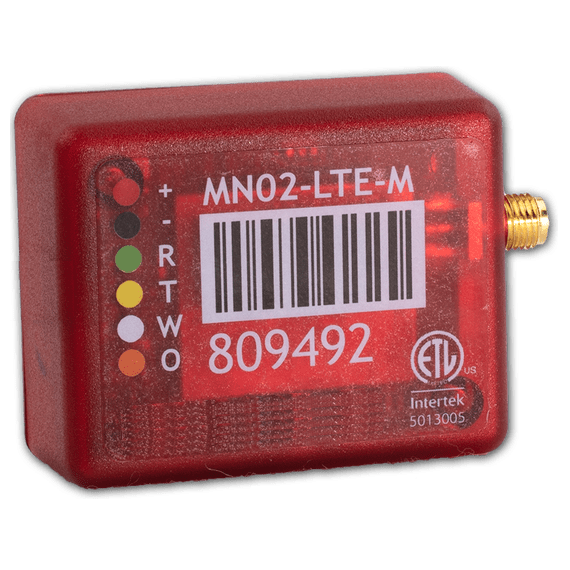

This cellular communicator can be connected to any alarm system that supports Contact ID. Use it for self-monitoring or professionally monitored systems.
5G LTE-M & 4G LTE Cellular Network
-
Duel Mode: Switches to Strongest Network
-
AT&T
-
T-Mobile
Notifications
-
Calls 1 Phone Number
-
Texts(SMS) 10 Phone Numbers
-
Push Notifications to Unlimited Devices
Phone App
-
Arm & Disarm Control
-
Alarm Logs
-
Multi-User Accounts
Professional Monitoring (Optional)
-
Transmit Contact ID to any Central Station
Billing
-
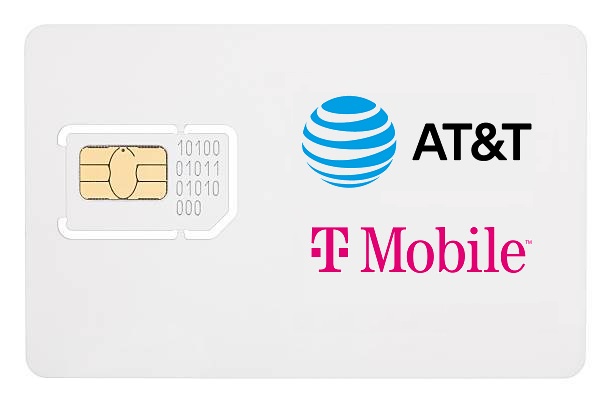
This device is locked under the M2M service plan and must be billed through Shield Tech Security.
-
You cannot use your own SIM Card with this device.
-
One-Time $30 activation fee
-
Month-to-Month billing; cancel anytime.
Service Plans
-
Only $12.00/month (includes 150 signals!)
-
Includes 150 Phone Calls (calls 1 number)
-
Includes 150 Texts (up-to 10 numbers at once)
Included 150 Calls & Texts reset each month
-
Unlimited Push Notifications
-
Phone App Alarm Log
Optional: $2/mo. Add-On: Send a Contact ID signal to any central station for professional monitoring.
-
Paid annually ($12.00/mo.), quarterly ($12.25/mo.), or monthly ($12.50/mo.)
-
-
FREE Smart Phone Control Included!
-
Arm & Disarm App Control
-
Live Arm/Disarm Updates
-
Multi-User Accounts
-
5G LTE-M and 4G LTE Networks
-
4G (LTE Band)
-
5G (LTE-M Band)
-
Device runs on the LTE-M band which is part of the 5G network. This means once the 4G LTE towers are turned down, it will continue to run on the 5G towers utilizing the LTE-M band.
AT&T or T-Mobile
-
Connects to AT&T and T-Mobile Towers
-
Automatic Mode: Connects to AT&T or T-Mobile based upon strongest signal. (Can switch back and forth if signal strength changes.)
-
Manual Mode: Manually set device to AT&T or T-Mobile regardless of strongest signal.
Phone App
-
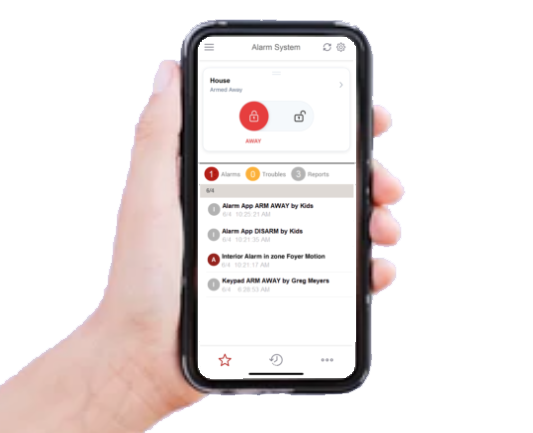
Arm Away & Disarm Control
-
Alarm system must support a key zone for this feature.
-
-
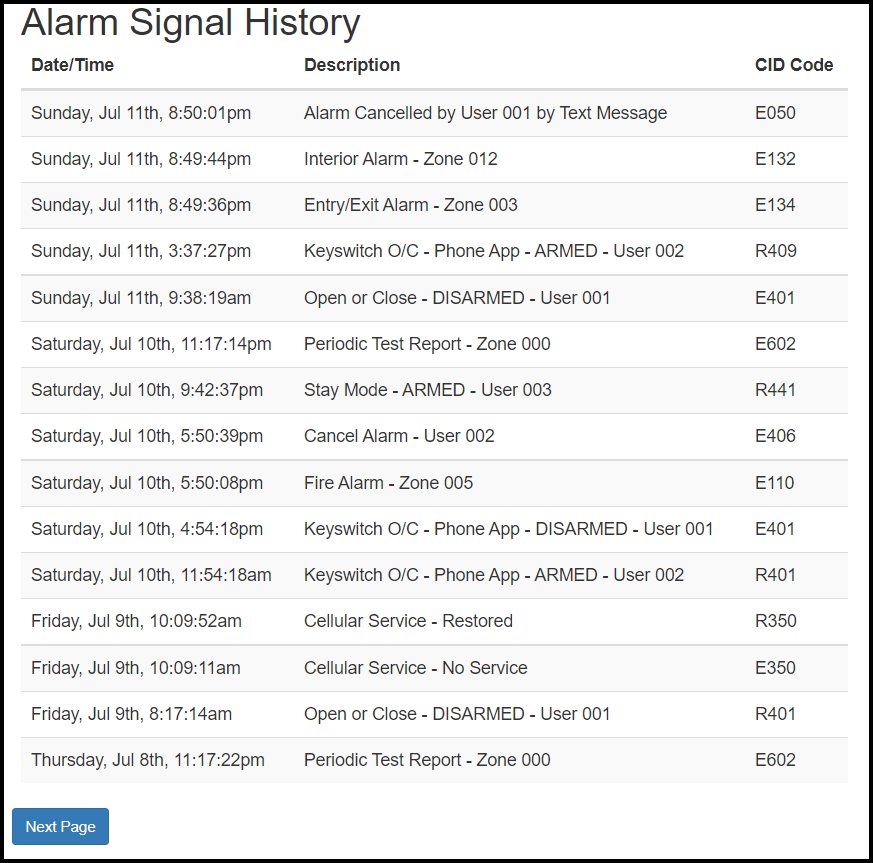
Alarm History
-
Alarm system must support Contact ID for this feature.
-
-
Push Notifications
-
Select Alarms, Alarm Control, and/or Troubles
-
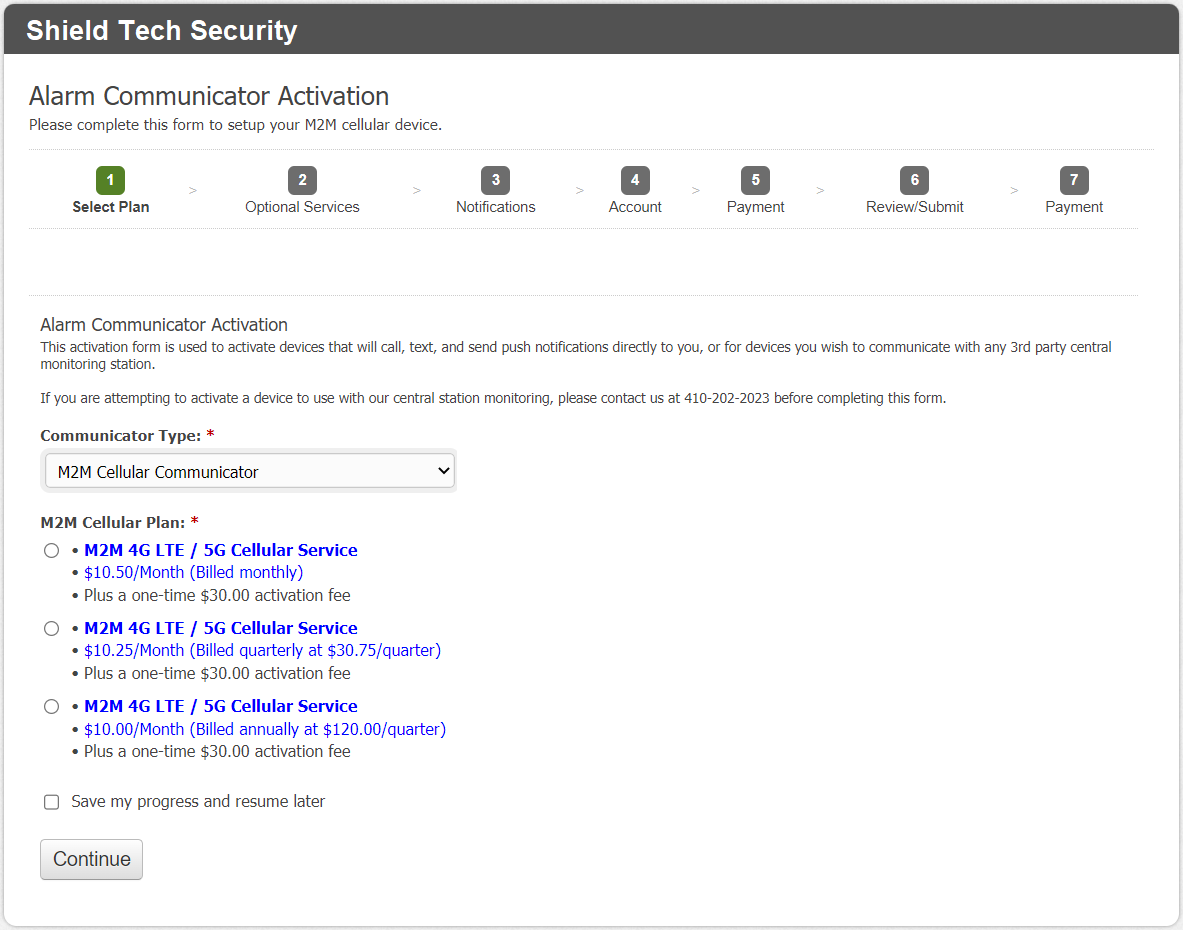
Pre-Activation Required before Shipping
-
We will send you a link to activate your service shortly after your purchase.
-
We will ship the same or next business day after you complete the activation form.
-
If activation is not completed within 3-days of your purchase, we will cancel the transaction since we can not ship the item until service is activated.
Online Website
-
Set 1 Phone Number to Call
-
Set 10 Phone Numbers to Text
-
View Real-Time Alarm Log
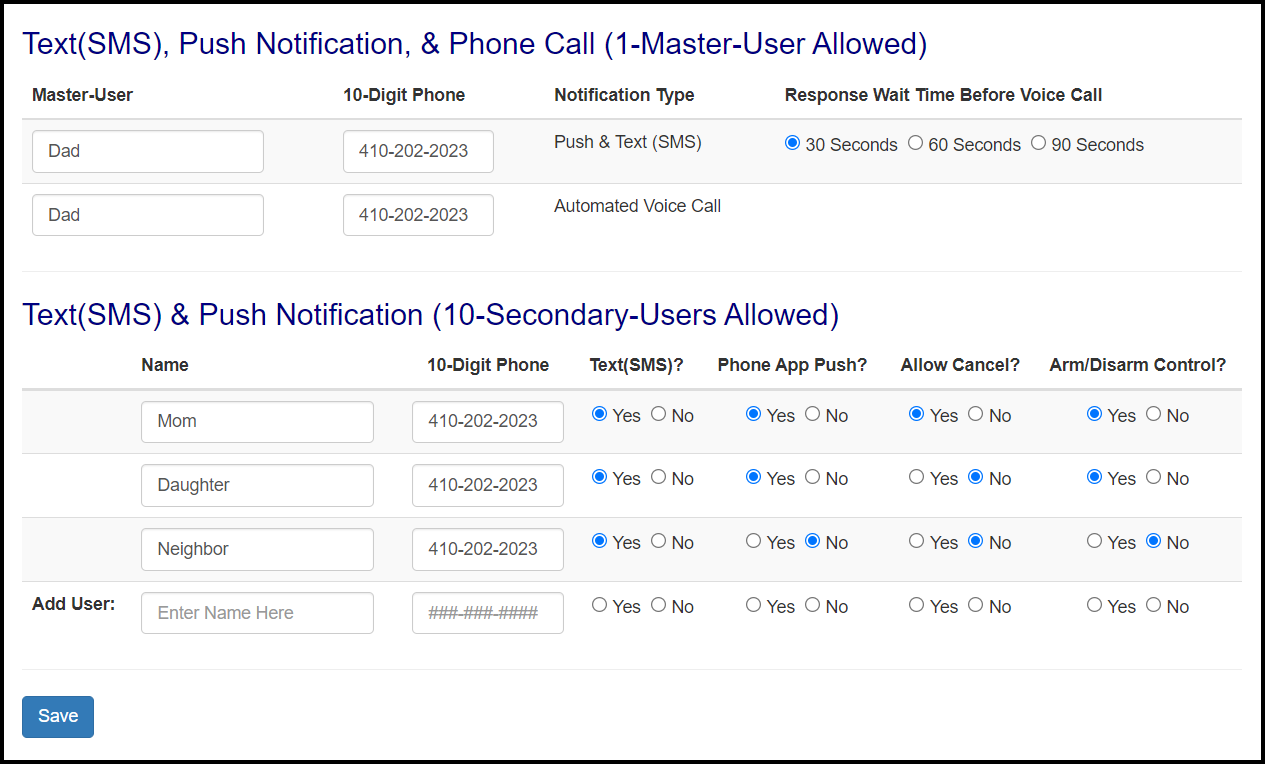
Online Website - View Alarm Log
Technical Information
Working Voltage: 12v-17v
Dimensions: Approximately 2 inches x 3 inches x 1 inch
Antenna: Short antenna with 3 foot cord
Alarm Programming
1.) Enable the PSTN (phone line) dialer of the alarm panel.
2.) Select DTMF mode (touch tone dialing).
3.) Select Contact ID Full communication format or SIA.
4.) Enter a telephone number for dialing (you can use any number, e.g. 9999999).
5.) Enter a 4-digit account number in the panel.
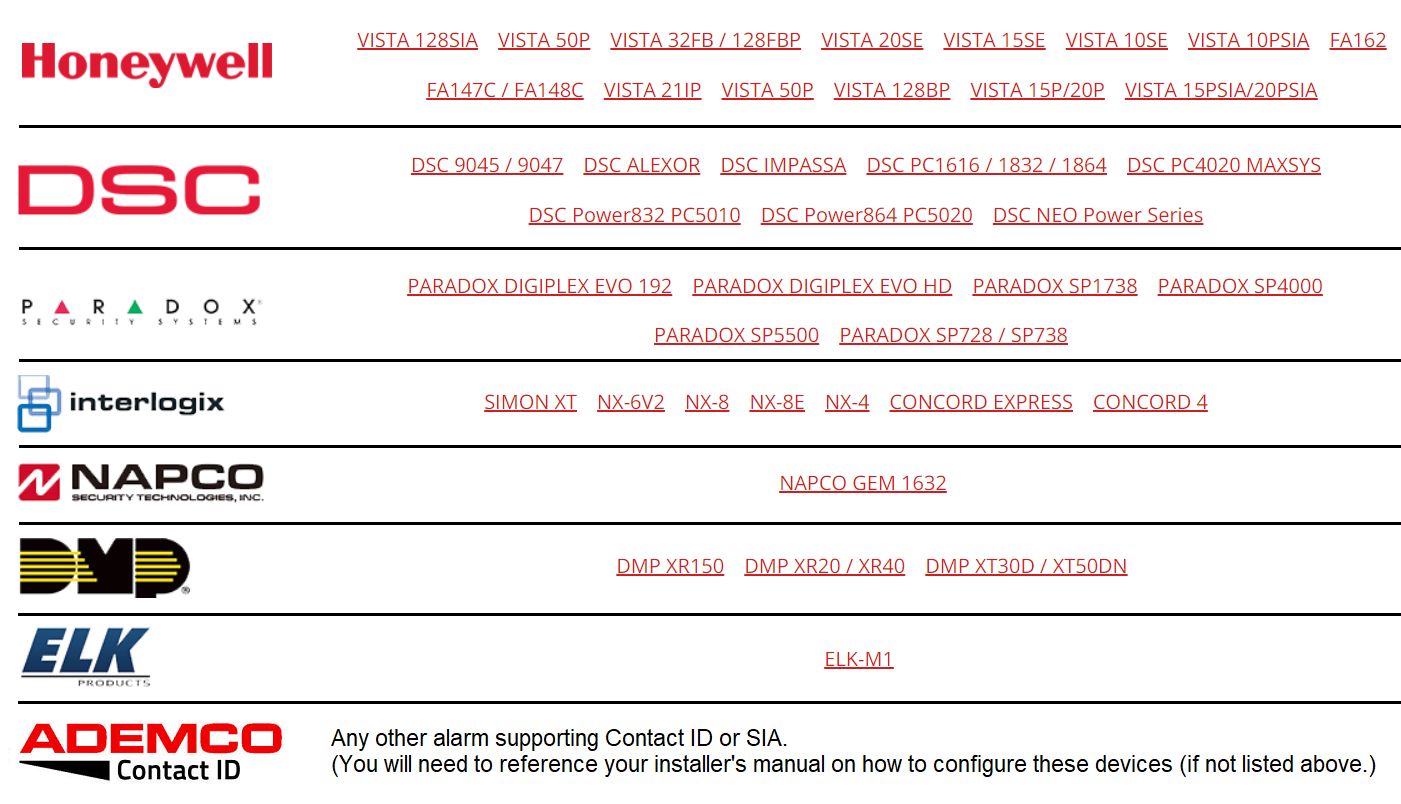
Custom Instructions Available
We have programming instructions for many alarm panels. If your alarm model is listed below, custom instructions for your specific alarm panel may be downloaded from our website. If your alarm panel is not listed below, you will need to reference your alarm manual to program it to report Contact ID and/or to enable a key-zone for phone app control.
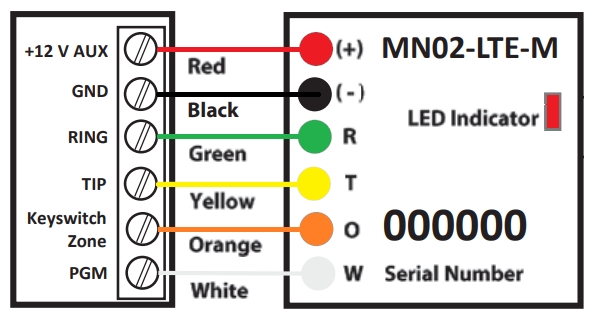
Wired Connections
Red: 12v+ 12v-15v DC Power
Black: Ground (-)
Green: Phone Line (Ring)
Yellow: Phone Line (Tip)
Orange: Keyswitch Zone
White: Arm Status Report, OR Siren Monitoring, OR Other AUX Feature
Requirements
-
Alarm Panel that can transmit Contact ID or SIA to use Phone App Control and/or to view alarm history.
-
Alarm Panel that supports a key-zone for Phone App Control.
-
Siren/Bell terminals if your alarm does not transmit Contact ID or SIA.
-
You must know your installer (programming) code.
-
Works in USA and Canada (This device will not work in any other country at this time.)
-
We require you to pre-activate the device before we ship the item.
Included Components
-
M2M Cellular Device
-
Antenna w/ 3 foot cord.

Fast Shipping
We usually ship orders the same or next business day once your complete the device activation form! We ship by USPS First Class Mail.

Warranty & Returns
All units come with a 90-day limited warranty. We will be happy to exchange any component that does not work or stops working within 90-days of purchase. Optionally, you may add a 1-year or 2-year warranty through Square Trade at the time of purchase. In the rare event you are unhappy with the item, we offer 30-day returns.

Contact Us
Use the "contact seller" link to send us a message and we generally reply within 1-2 days (Mon-Fri).
Shield Tech Security | Copyright @ 1999-2025 | All Rights Reserved