


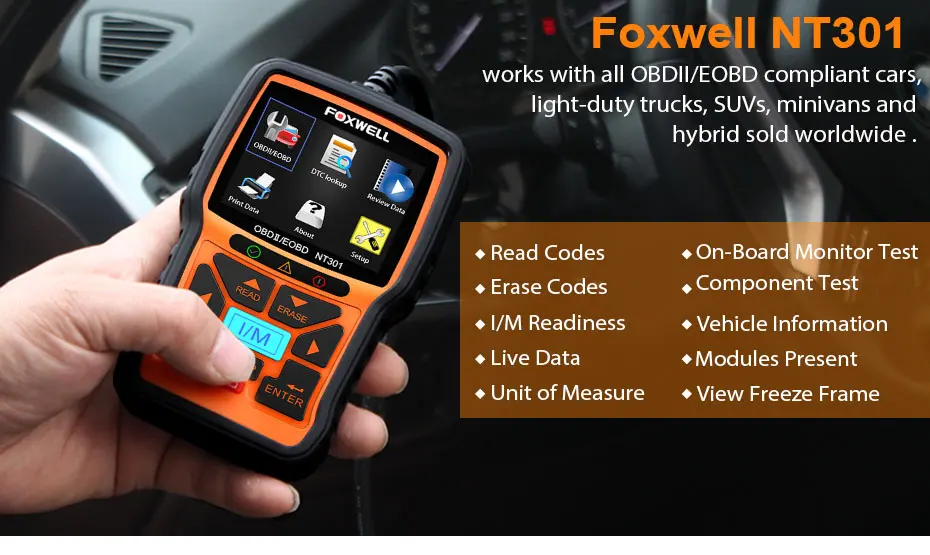
Reading Codes: Show the detailed description of the Diagnostic Trouble Code (DTCs)
Erasing Codes: Turns off Check Engine Light (MIL), clears codes and resets monitors.
Data Stream:Reads and displays live ECU/PCM data stream, plotting functions graphically and stores freeze frame data.
I/M Readiness Status: Shows whether the various emissions-related systems on the vehicle are operating properly and are ready for inspection and maintenance testing.
Read Live Data Stream: Show the information of continuous data stream from a vehicle in live graphic (waveform) display.
View Freeze Frame Data:Check the certain vehicle conditions which are recorded by the on-board computer at the time the emission-related fault occurs.
O2 Sensor Test:Allows retrieval and viewing of O2 sensor monitor test results for the most recently performed tests from the vehicle’s on-board computer.
On-Board Monitor Test:Retrieves and displays test results for emission-related powertrain components and systems.
Read Vehicle Information: Display the information such as VIN (Vehicle Identification Number), CID (Calibration ID) and CVN (Calibration verification number), etc.
Component Test: Certain vehicle components can be actuated by commands sent from the scanner to test their operability.

Enhanced OBDII Functions:
NT301 obd2 scan tool can not only read and clear engine fault codes, save money for you, but also have some enhanced functions which could help you find some deep problems so that makes your diagnosis easier.
LED Notifications:Red-Yellow-Green LEDs and build-in speaker indicate the readiness status for smog check. This engine diagnostic tool can also help catch intermittent problems or confirm repairs during a drive cycle.
Data Log: The NT301 engine code reader records PIDs for later use to help you diagnose intermittent driving performance problems which can not be determined by any other methods.
DTC Help:Press "HELP" button with DTC guide for possible causes if codes show the small "?" icon.
VIN Retrival:Automatic VIN acquisition and decoding make it much easier to read manufacturer specific codes and enhanced mode 6 data.
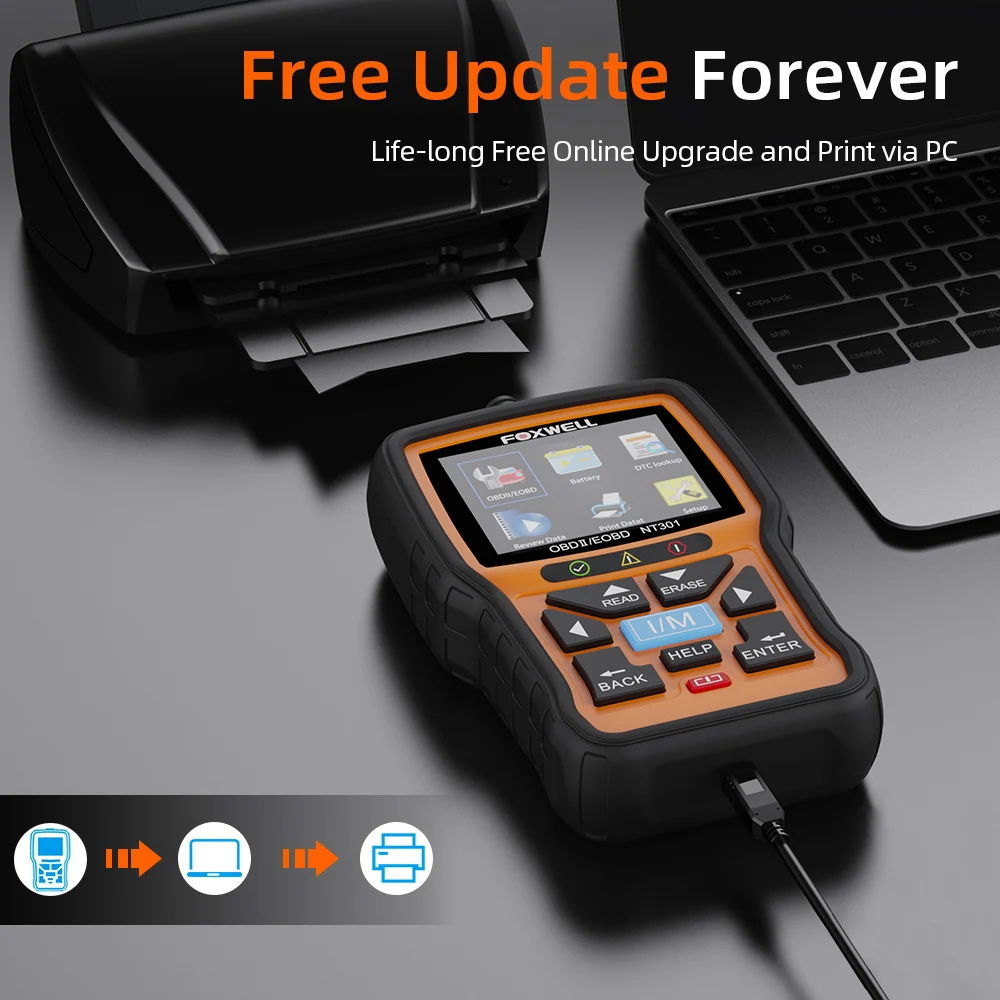
Print Data: If you are unable to determine the problem, you can print out the diagnostic data and send the data to your mechanic for help.


Support Language:


FOXWELL NT301Car Support List:
Need standard obd2 , and release from 2001 years to now
Fit for Chrysler , Fit for Ford , Fit for GM , Fit for Jeep
2. Europe Car List:
Need standard obd2 , and release from 2004 years to now
Fit for Alfa Romeo ,Fit for SAAB ,Fit for Acura ,Fit for Opel, Fit for Audi ,Fit for Seat ,Fit for Peugeot ,
Fit for Bentley ,Fit for Skoda ,Fit for Daewoo, Fit for Benz ,Fit for Daihatsu ,Fit for Land Rover
Fit for BMW ,Fit for Vauxhall ,Fit for Citroen, Fit for Volvo ,Fit for Fiat ,Fit for VW ,Fit for Ford ,Fit for Jaguar
Fit for Renault cars need after 2009 years
Does not Fit for Renault / not Fit for Dacia Logan , not Fit for Clio.
3. Asia Car List: (include Australia)
Japanese car Need standard obd2 , and release from 2006 years to now
Fit for KIA ,Fit for Isuzu ,Fit for Honda ,Fit for Mitsubishi, Fit for Hyundai ,Fit for Dacia ,Fit for Lexus ,Fit for Mazda
Fit for Nissan ,Fit for Subaru ,Fit for Suzuki,
Chinese car Need standard obd2 , and release from 2011 years to now
Fit for BYD, Fit for Chery, Fit for Geely, Fit for Great Wall, Fit for Karry
for Ssangyong cars need after 2015 years.
Does not Fit for Lada , not Fit for UAZ , not Fit for VAZ .
Stpe1: Download the update tool from foxwell official website, connect the NT301 to PC and login in the foxwell program , the device will be automatcially detected.
Stpe2: You can go to setting , select the language of your software package.
Step3:Click online update, it will download the software, then click on Offline update, you may install the patch.
Notice:
All of our user manual are English in the package,
But we have French ,Spanish ,German language user manual on the foxwell office website, (foxwelltech.com).
you can download it yourself, thanks
| Brand | FOXWELL |
| Model | NT301 |
| Fitment | for all OBDII compliant cars |
| Colour | black + orange |
| Display | 2.8" TFT color screen |
| OSD Language | English, Spanish, French, German, Portuguese, Hungarian, Dutch, Italy and Swedish |
| Power | 8-18 Volts powered by vehicle battery |
| Working Temperature | 0° to 60° |
| Storage Temperature | -20° to 70° |
| Product Dimension | 14.5 * 9.4 * 3.2cm / 5.7 * 3.7 * 1.3in |
| Package Size | 26 * 18 * 5cm / 10 * 7 * 2in |
| Package Weight | 490g / 17oz |


- 1 * English User Manual

