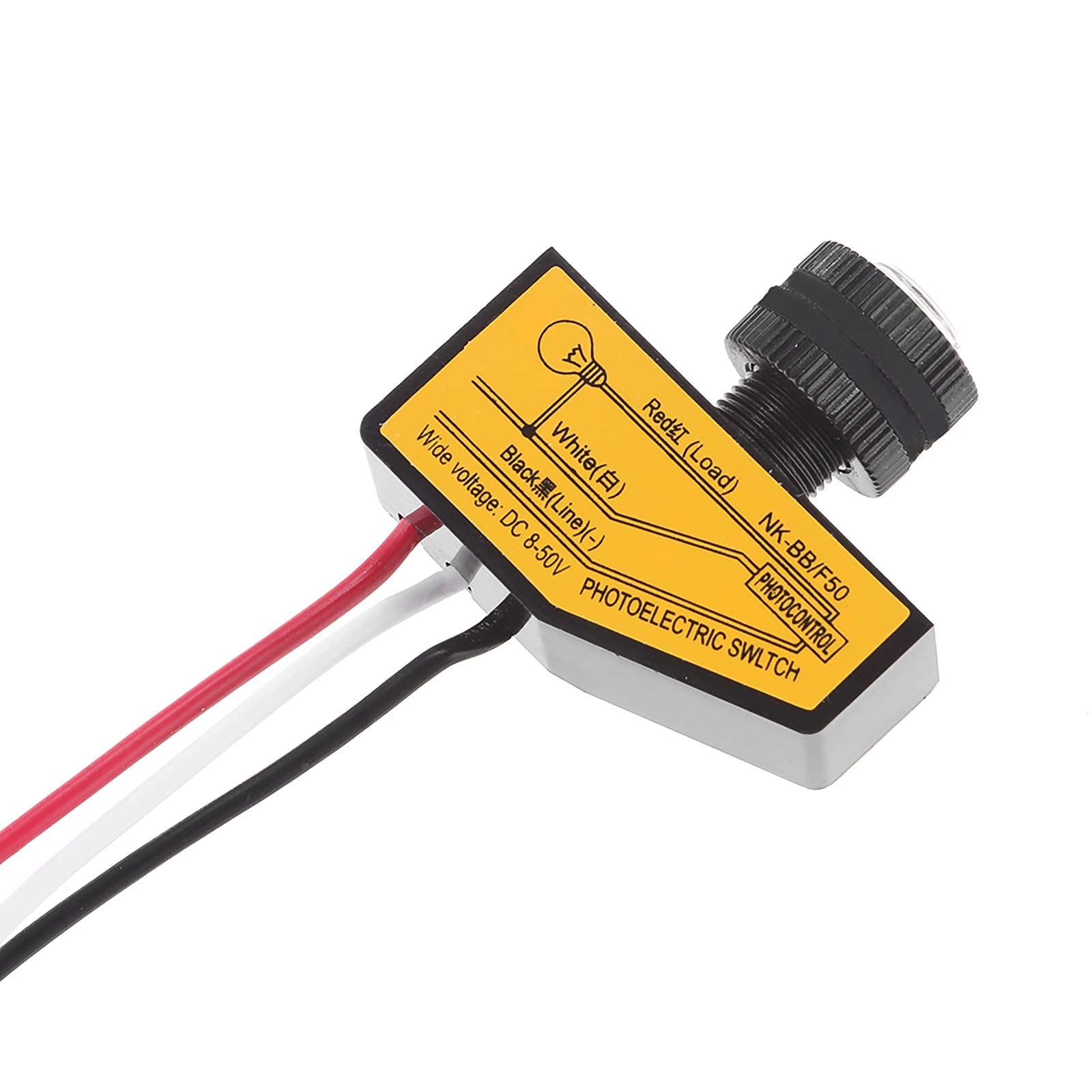
Light Control Switch ONEVER DC 12V 24V 36V 48V Dusk to Dawn Photocell White
Product Details
- ⭐Installation method: 3 wires: black, white and red. The black wire connects to the negative (-) DC source. Both the white wire and one of the lamp wires connect to the positive (+) DC source. Then connect the red wire to another lamp wire. (Please follow the instructions in picture 2 on the product page to install, not according to the surface of the product because many people will be confused)
- ⭐ Note: This photocell light switch can only be used for DC, not AC. 12V DC 24V DC 36V DC 48V DC all can be used. But the input voltage must be the same as the voltage of the load. Or it can't work
- ⭐Automatic on and off: the internal environment with automatic lighting detection circuit, turn off during the day and automatically open at night
- ⭐ Save Money: Uses a three-wire, resistor-compatible system. Low consumption, energy saving, long life, safe and reliable. Lighting time control according to the lighting value of the environment automatically
- ⭐ Save Money: Uses a three-wire, resistor-compatible system. Low consumption, energy saving, long life, safe and reliable. Lighting time control according to the lighting value of the environment automatically
Detailed instructions:A. The module has 3 wires (red, black, white): 1. The black wire is the ground (-) of the battery connector or power supply, the load common or ground is not involved with this connection2. The white wire is the positive (+) of the switch (the positive connection of the load goes to the positive of the battery together in parallel). 3. The red wire (the actual switched wire) is the ground (-) of the light, it switches the ground to the load.B. How to connect correctly? 1. The white wire and the positive connection of the load go directly to the positive connection of the source or battery. Both wires. The load and the positive switch in parallel. 2. The black wire from the switch goes directly to the negative or ground of the source or battery. Note: This will be the only ground or common connection to the source or battery. 3. The RED cable is the actual switched cable. Changes the ground or common connection of the load to the source or battery. The red wire from the switch connects to load common or ground.C. Warm Notes: 1. Black Wire: Ground or Common to Source or Battery only. 2. White wire: positive in parallel with the positive charge. Direct to the source or battery. 3. Red wire: exchanged ground or common to the load. It does not short this wire to the ground of the source or the battery. This will destroy the switch! Just connect to load. 4. This photocell light switch can only be used for DC not AC. 12V DC, 24V DC, 36V DC, 48V DC all can be used. But the input voltage must be the same as the voltage of the load.Specifications:Type: Photocell Light SwitchPlastic materialVoltage: DC 8-50V.Working temperature: -25 ~ 70 °C.Related Humidity: 99% RHItem size: 4 x 3.7 x 1.5 cm (L x W x H).Net weight: 0.02 kg.Package Included:1 Light Sensor Switch