Keyboard Case For Galaxy Tab S10 Plus S9 FE Plus S9 Plus S8 Plus S7 Plus S7 FE


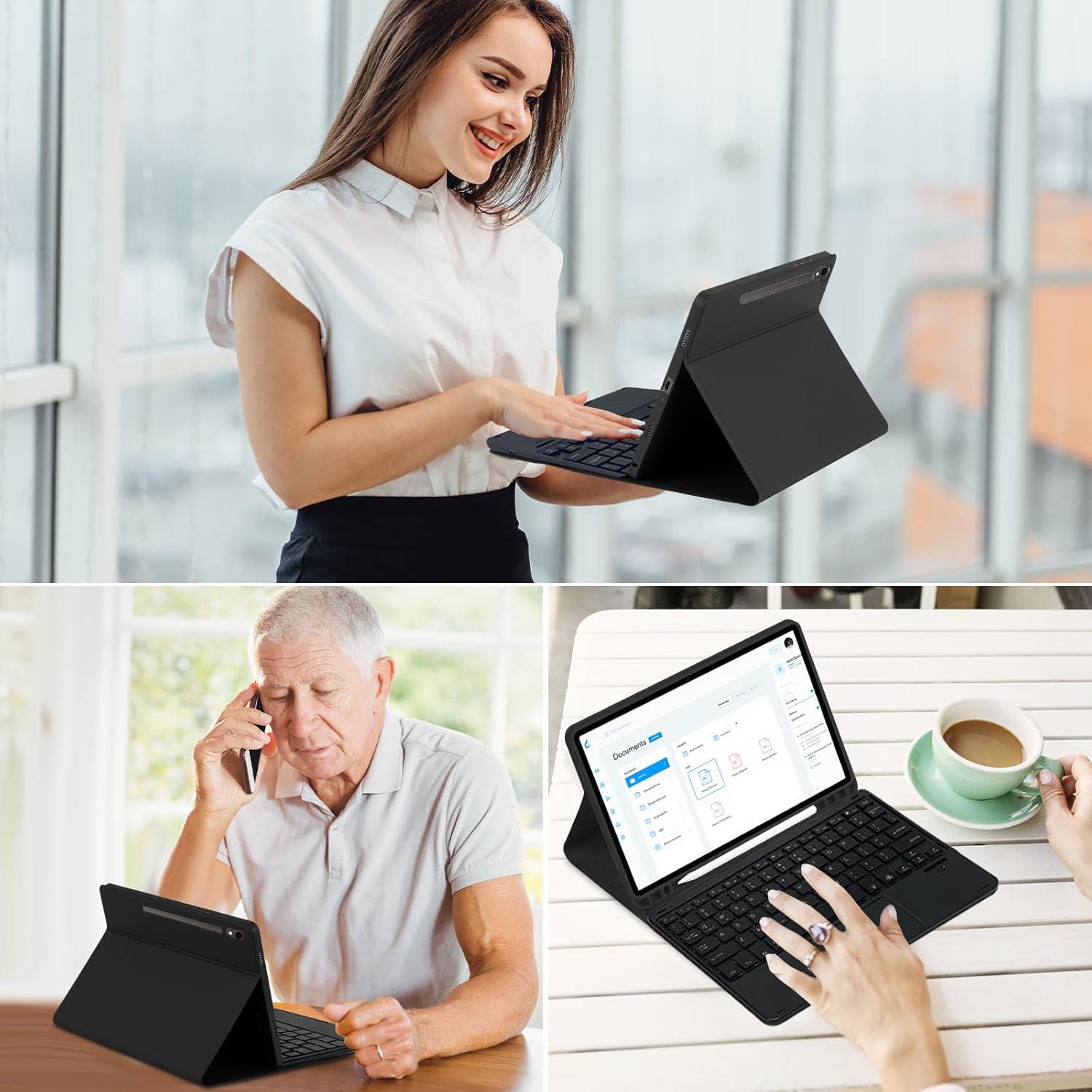
Features:
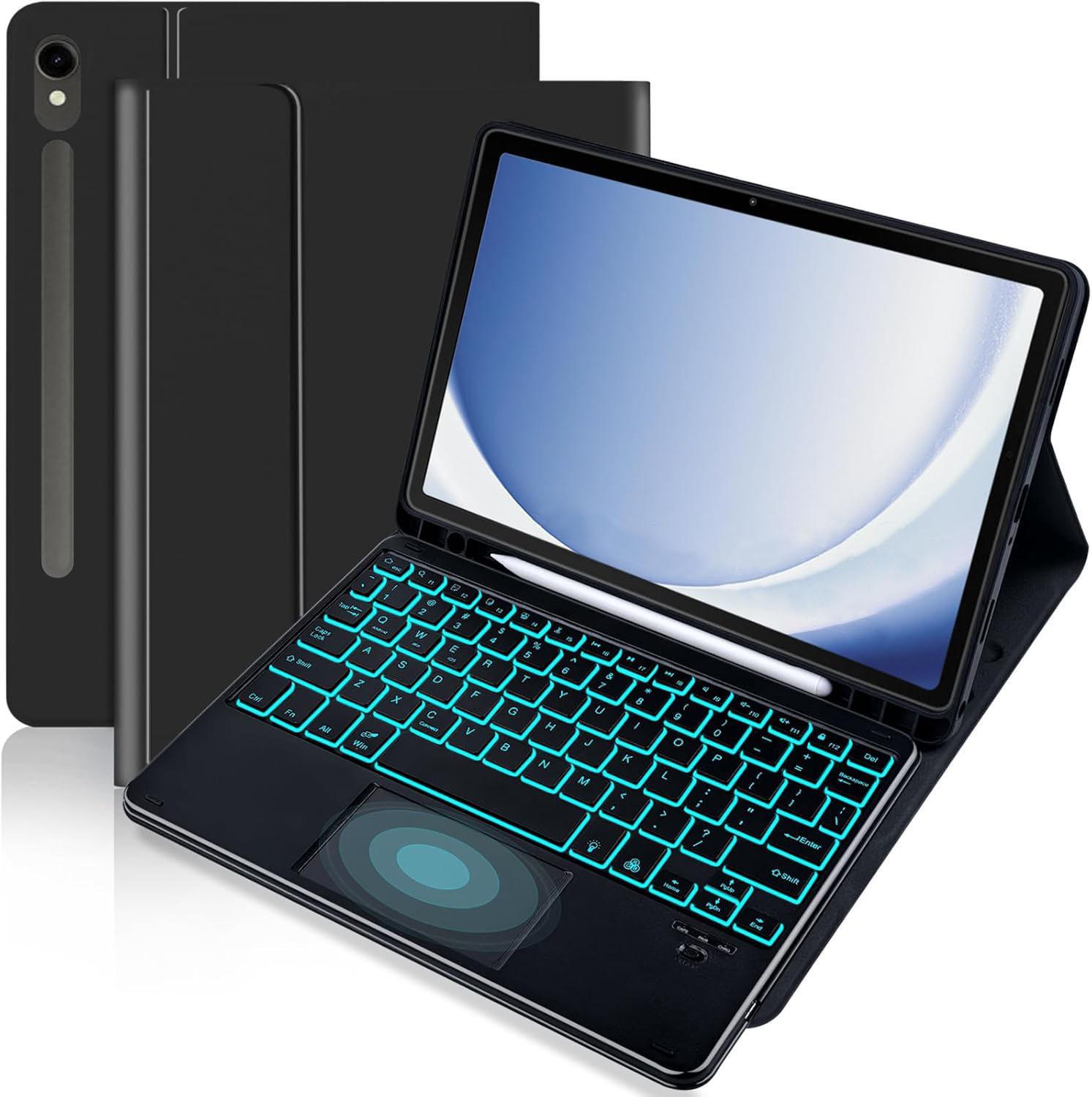
- Compatible Models: This keyboard cover is compatible with Samsung Galaxy Tab S10 Plus 12.4 inch 2024 / Galaxy Tab S9 Plus 12.4 inch 2023 (Model SM-X810/SM-X816B/SM-X818U), Galaxy Tab S9 FE+ /S9 FE Plus 12.4 inch 2023 (Model: SM-X610/X616/X618), Galaxy Tab S8 Plus 12.4 inch 2022 (Model SM-X800/SM-X806/SM-X808), Galaxy Tab S7 FE 5G 12.4 inch 2021 (Model SM-T730/T733/T735/T736/T738) and Galaxy Tab S7+/S7 Plus 12.4 inch 2020 (Model SM-T970/T975/T976/T978) Tablet . Please check your tablet model "SM-Xxxx" in your tablet "Settings" before purchasing. (Note: tablet and pencil is not included!)
- Smart Touchpad: The precise smart touchpad supports multi-finger gestures such as clicking, pinching, sliding, and scrolling. You can accurately control the tablet with just your fingertips, realize the mouse function, enjoy a laptop-like experience, and improve your work efficiency
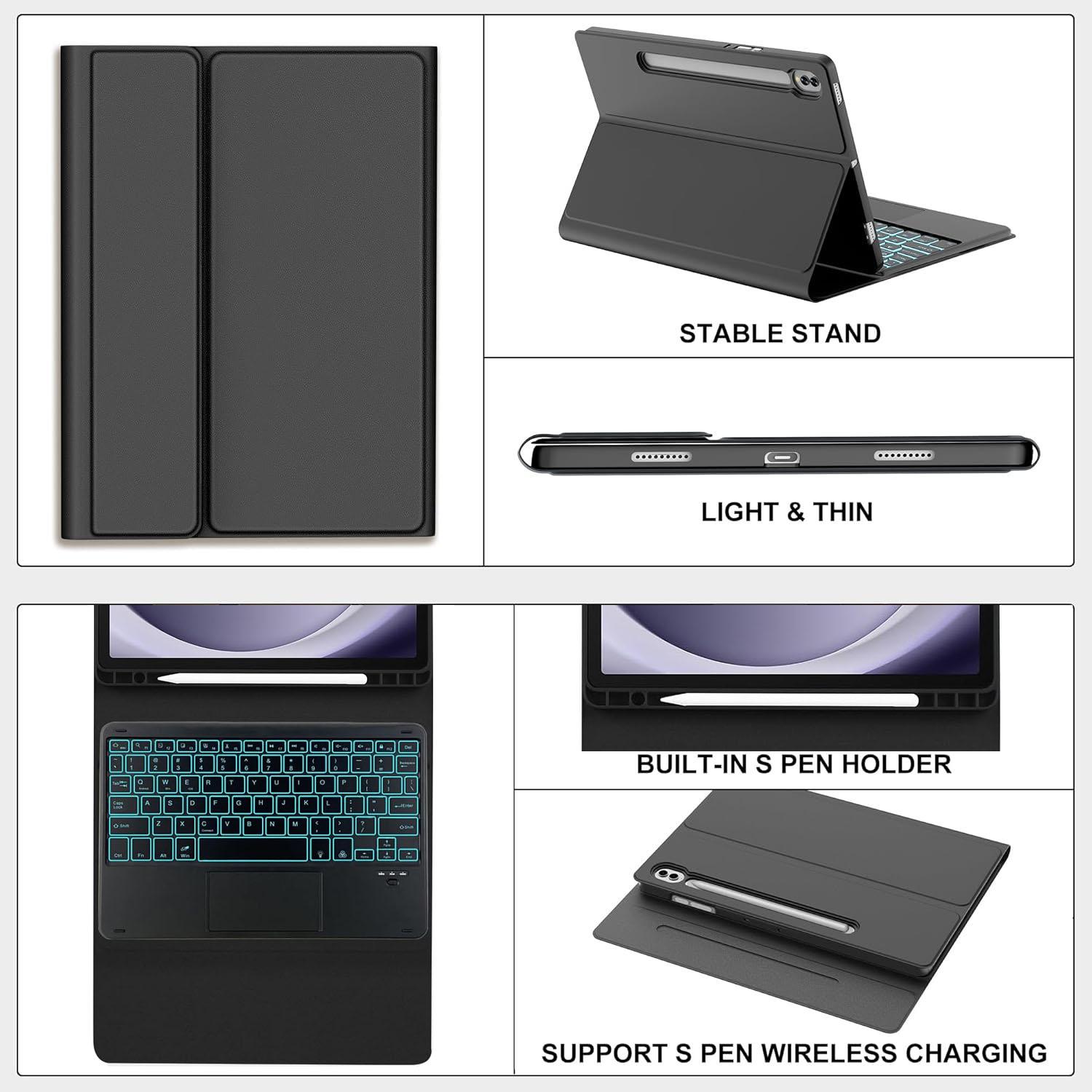
- Supports S Pen Wireless Charging and Pencil Clip : The case supports S Pen wireless charging without removing the case. holder can all-around protection your pencil,doesn't loss or damage.SF coating protection your tablet, against bumps scratches
- 7-Color Backlight, Multi-Function Keyboard: Suitable for Samsung Tablet RGB backlight keyboard, 7 adjustable backlight colors, breathing light backlight mode can be automatically switched. The backlit keyboard can be used in the dark, providing a comfortable typing experience. Rich function shortcut keys allow you to use Samsung Tablet more efficiently and comfortably, such as editing documents, navigating applications, and creating presentations
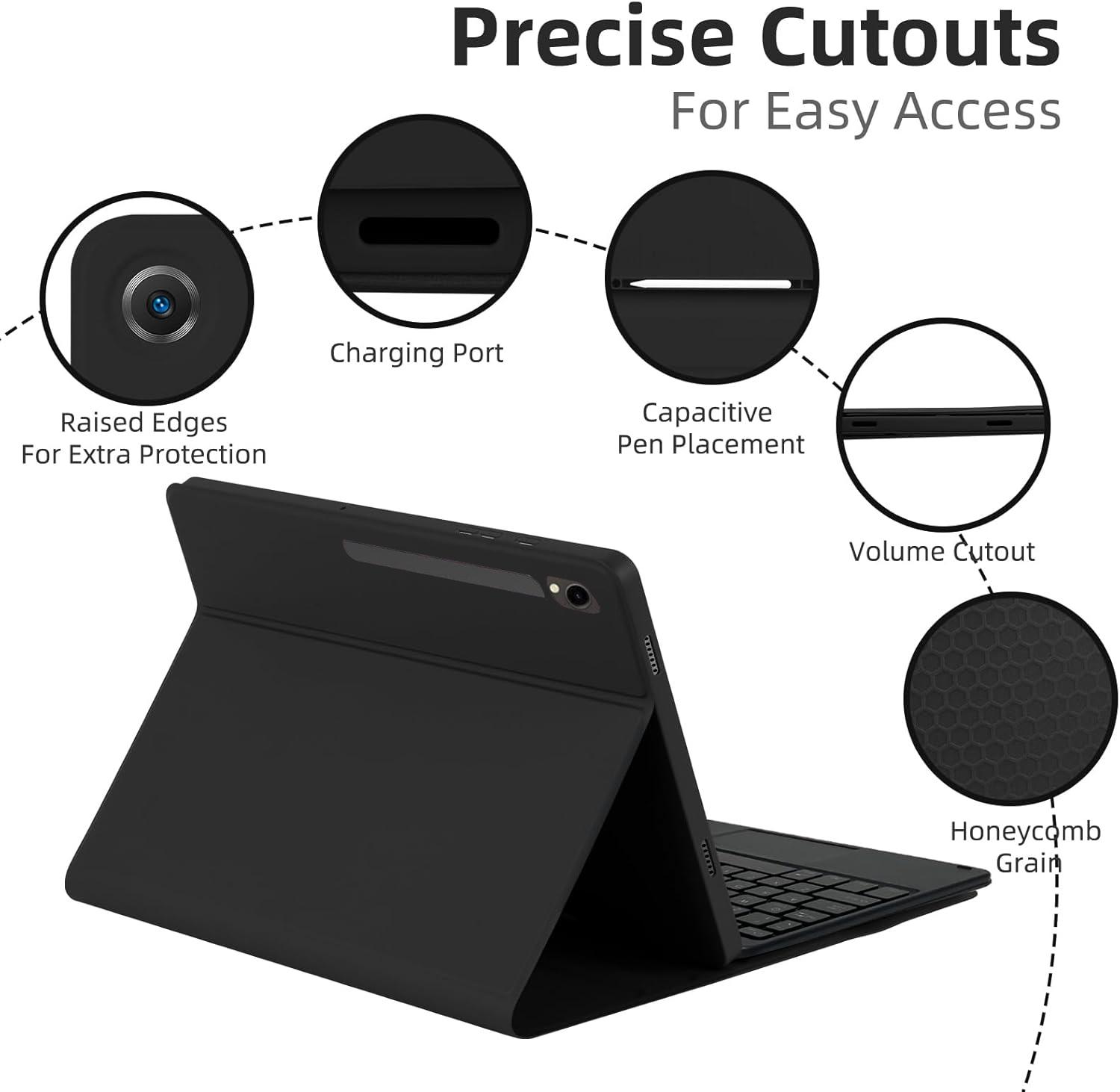
- Precise Hole Location, Honeycomb Design, With Pen Slot: The mold of the protective case is made based on the real tablet, and the precise cutouts provide perfect protection and convenience for daily use. The soft TPU inner shell adopts a honeycomb design, which is beneficial to the heat dissipation of the tablet and improves the performance of the tablet. Equipped with a pen slot design, you can access your S Pen anytime and anywhere, making storage more convenient
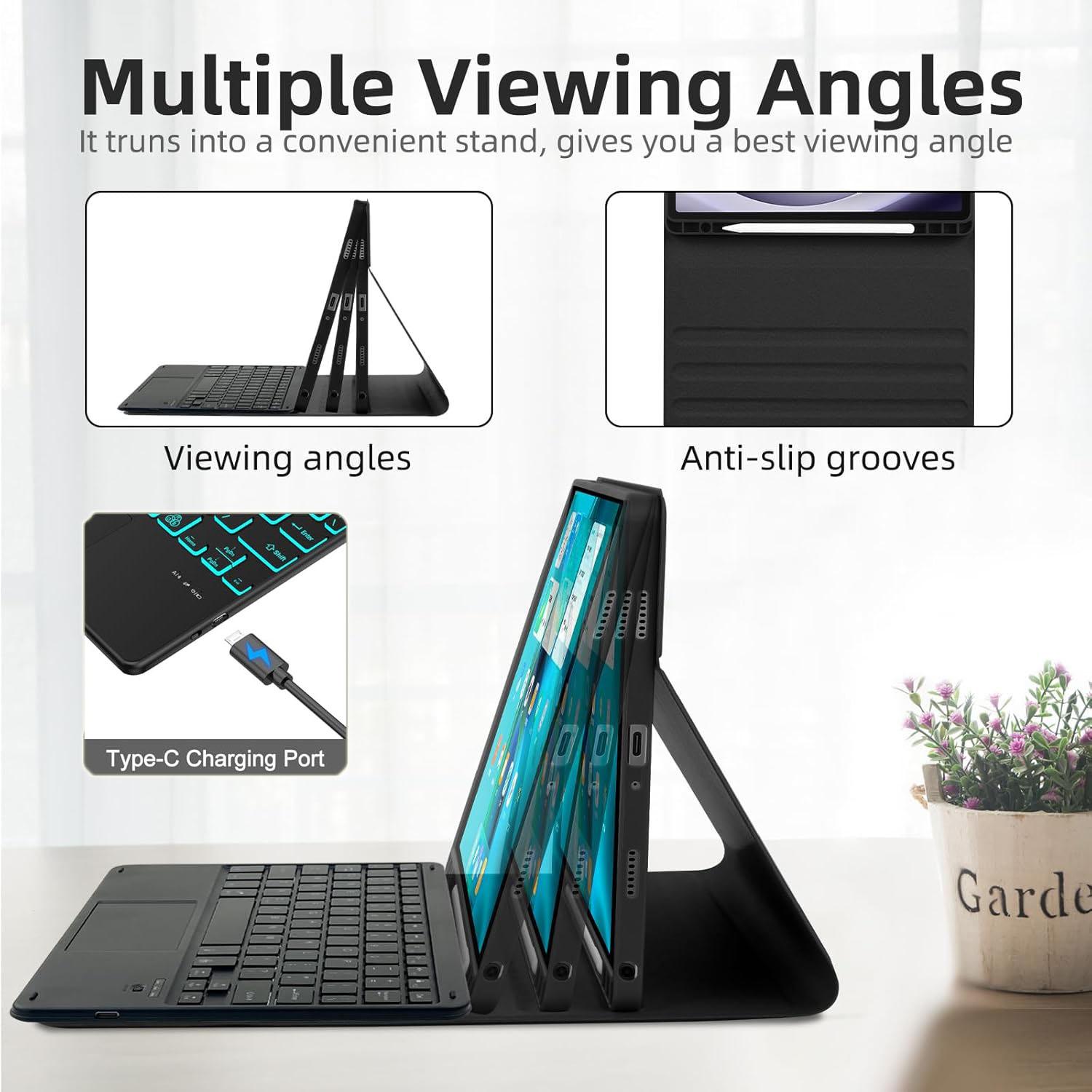
- Multi-Angle Adjustment, Detachable Keyboard: The protective case has 3 anti-slip grooves, supporting 100 degree/110 degree/120 degree angles, allowing you to use the tablet at a comfortable tilt angle and enjoy reading, drawing, watching, chatting, etc. The detachable Bluetooth keyboard can be used alone and can be removed when not in use, making it very convenient to carry
How to connect Bluetooth?
- Turn the keyboard power on.
- Open the Pad, Settings-Turn on Bluetooth.
- Press the ”Fn+C“ keys on the keyboard.
- The tablet finds the Bluetooth keyboard: Keyboard, click on the Bluetooth keyboard to pair and connect.
How to adjust the backlight?
- Press the bulb button to turn on the backlight. Click RGB to switch between seven colors.
- Press the bulb button to switch to the backlight breathing light, and the seven colors will automatically cycle
- Press the bulb button to turn off the backlight.
How to adjust the touchpad sensitivity?
Open the pad, click Settings--General Management--Mouse and Trackpad--Pointer Speed.
How long can the keyboard be used after it is fully charged?
- It can be used for <5 hours with the backlight turned on.
- Can be used for <300 hours with the backlight turned off.
How to adjust if the keyboard keys or touchpad gestures do not respond?
- This keyboard is a universal keyboard for three systems. After confirming the use of the device.
- Press FN+Q\W\E to switch to the appropriate system.
- We Support different payments.Many ways allow you to pay by Credit cards, Debit cards, bank transfers and account Balances.
- The item will be shipped to buyer’s CORRECT and VERIFIED Address. We are not responsible for the package lost due to incorrect address.
- Payment is required within 7 days of end of the auction.
- Please click the "Buy It Now" button or "Place Bid" button to process your purchase.
- You will be notified via email if you are the winning bidder.
- We Ship to USA and Some Countries Outside of USA.
Shipping Method Standard Shipping(For USA Buyers)Economy Shipping(For Buyers outside of USA)Shipping Cost Free 3.99 Working days 7-15 days 11-35 days Each additional item Free 1.99 - Items are usually shipped in 1-2 working days after payment received. We do not ship on weekends and holidays.
- Sellers are not responsible for service transit time.Transit time is provided by the carrier,exclude weekends and holidays,and may vary with package origin and destination, particularly during peak period.
- All orders are shipped via USPS/SpeedPAK. Tracking number will be emailed to you once it is generated.
- PO Boxes or APO/FPO addresses are shipped via USPS.
- 30 days refund, and 1 year manufactured warranty,warranty period starts from the date of purchase.
- If you are not satisfied when receive your item, please return it within 30 days for a replacement or ask for refund.
- If item is defective in a year, We will send you a replacement without extra charge, or offer refund after we receive the defective item.Return shipping is the responsibility of buyer unless the return is a result of our mistake . We will pay for shipping replacement back to you if an exchange is requested.
- Warranty will be voided if the product is mishandled or physical damaged by customer. We will refuse back all the returns which are out of warranty.
- We are not responsible for any kind of compatible issues, or problems related to any specific software or games.
- You must contact us to request a Return Merchandise Authorization Number (RMA) written on the outside shipping box or on the return label before return the item.
- All non-defective, undamaged products are subject to a 15% restocking fee (except where prohibited by law) if returned opened or in a non-factory sealed box. There is no restocking fee for damaged or defective products.Shipping and handling fees are absolutely non-refundable.
- Our online store opens 24 hours a day and 7 days a week.
- Customer Support during: 24 Hours.
- All emails are replied within 24 hours.

