HDMI Support Format : 3840*2160p(24,25,30Hz),1080p (60/59.94/50/30/29.97/25/24/24sF/23.98/ 23.98sF),1080i (60/59.94/50),720p (60/59.94/50/30/29/25/24/23.98),others
Contrast : 1000:1
Brightness : 1000nits
Model Number : T5
Plug Type : EU Plug,US PLUG,UK Plug
Display Screen : 5.5"
Brand Name : OSEE
Origin : Mainland China
Certification : CE
Aspect Ratio : 16:9
Resolution : 1920x1080
PPI : 400
Color Depth : 1.06G
Backlight : Edge lit,Level 1-10
Viewing Angle : 160x160
Body : Polycarbonate ABS plastic (with aluminum sheet built-in)
Weight : 175g
Dimensions : 157.5mmx79mmx20mm
Operating Temp : 0-40℃
Battery Type : Sony NP-F/Canon LP-E6
Battery In : 5-17V
Type-C In : 5-17V
Battery Out : 5-8.4V
Consumption : 5.5W
Signal Input : HDMI 1.4
Signal Format : 3840x2160p(30/29.97/25/24/23.98) 1080p(60/59.94/50/30/29.97/25/24/23.98) 1080i(60/59.94/50) 720p(60/59.94/50) 480i/576i/480p/576p
SD Card Slot : User LUT Upload&Firmware Upgrade (FAT32 format and under 16G size recommended)
Audio Jack : 3.5mm
Remote Jack : 2.5mm
Volume : Level 0-31
Rotate/Mirror : Rotate (0, 180, auto), Mirror
Probe Location : Set this to let exposure tools analyze before or after User LUT
Aspect : 9:16 (Phone), 4:5, 1:1, 4:3 (SD TV), 1.375:1 (Cinema), 16:9 (HD TV), 1.85:1 (Cinema), 2.37:1 (Cinema), custom(1:3 - 3:1)
Safe : Action&Title
Center : Cross/Hollow
Crosshatch : 2x2, 3x3 ... 9x9
Anamorphic : 1.33X, 1.4X, 1.5X, 1.6X, 1.8X, 1.9X, 2X with magnify function
False Color : Spectrum/Follow camera/Custom
Zebra : Custom tone 1 and tone 2
Waveform : Luma/RGB/Parade style, location, opacity&density adjustable
Histogram : Luma/RGB style, location, opacity&density adjustable
Vector Scope : Location, opacity&gain adjustable
Focus Assist : White Red Green Blue B&W background available
Peaking : Intensity 1-10
De-log : HLG, PQ, Arri, BMD, Canon, Fuji, JVC, Nikon, Panasonic, RED, Sony
User LUT : Up to 10 user LUTs can be uploaded, support LUT intensity adjustment
Audio Meter : Location&opacity adjustable
Multi-scopes : Waveform, histogram, vector scope and audio meter around scaled image
Product Description
Osee T5+ is a 5.5 inch daylight viewable 1000nits 4K HDMI on camera monitor with professional functionalities for v-loggers, content creators and filmmakers.
It features a 1000nits panel which is suitable for both outdoor and studio filming. It is also light weighted and yet very sturdy, with a specially designed L-bracket, you can tilt your monitor at any angle without worrying the loose of the connection. What's more, T5+ features osee's first generation of MON OS, which is a page style UI with tons of video assisting tools, it allows user to toggle between different settings on set quickly.
1000nits Daylight Viewable Brightness
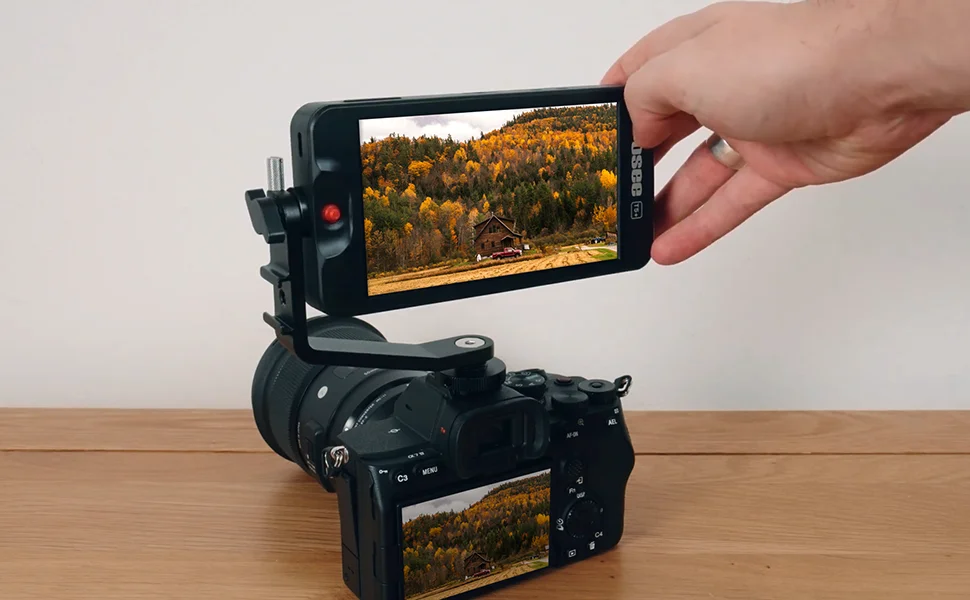
T5+ is the new upgraded version of osee's most popular model T5, it has a 1000nits daylight viewable brightness, which is twice the brightness of an entry level on camera monitor.
What's more, with a contrast ratio of 1000:1 and osee's LOG/HDR processing technology, which supports PQ/HLG curves, users can shoot HDR format and the monitor will help transform it into a standard image to monitor right in the field.
* Please confirm your LOG/HDR settings before shooting videos (refer to QSG page 6).

Light and Sturdy Build Design
This monitor only weighs 175g without battery and has a size similar with your phone, it can be attached on your camera, gimbal, cage... You can fit it into almost all kinds of setups without loose.
But with a polycarbonate shell and a built-in aviation aluminum skeleton, it is not only light but also quite sturdy as well.
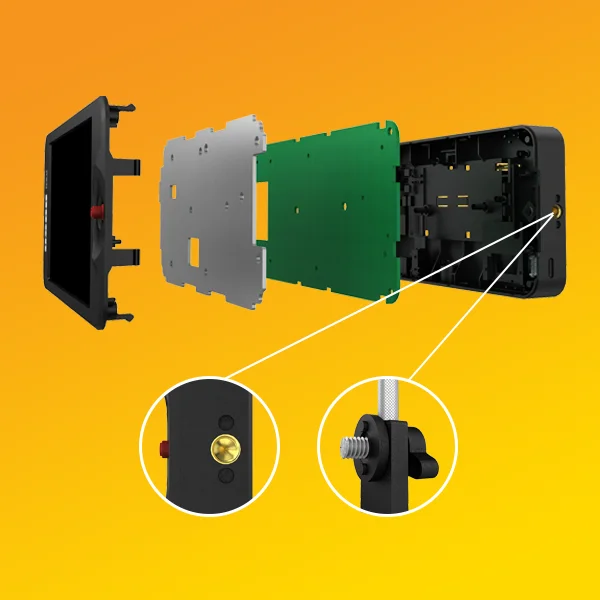
T5+ also has two metal 1/4'' screw holes with anti-rotation pin holes which match the L bracket in the package. The L bracket is well designed so that you can tilt your monitor at any angle without worrying the loose of the connection.
Powerful New Operating System
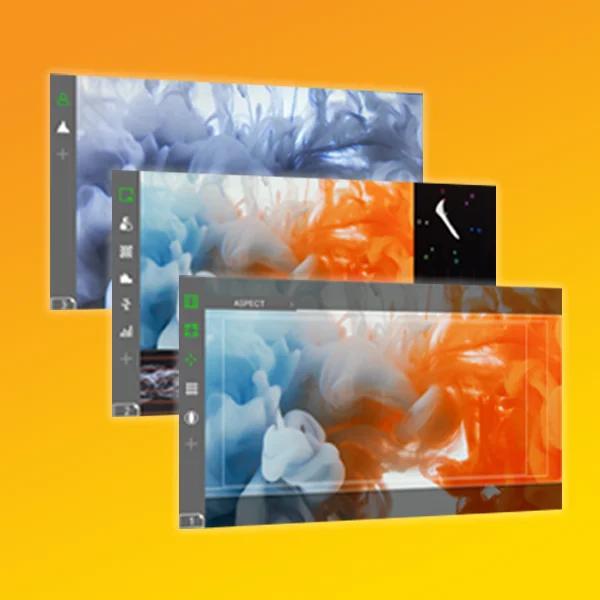
T5+ features the first generation of osee's MON OS, a convenient page style user interface that allows you add up to 8 MySets, and up to 8 different image assist tools can be added in each MySet.
When monitoring on location, users can switch between MySets to check different things at ease with simple toggles.
Osee's MON OS has a full package of video assisting tools which you can check in the next section.
* Factory has 3 MySets (frame, exposure, focus) preset, you can edit them to your preferences.
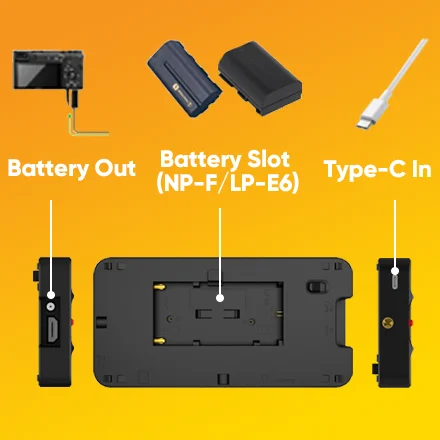
Flexible Power Solutions
Battery In
Users can use battery (not included in package) to power the device, T5+ supports both Sony NP-F and Canon LP-E6.
DC In
T5+ also can be powered by the Type-C port.
Battery Out
What's more, users can use the battery out port to power your camera when using battery power source and a dummy battery.
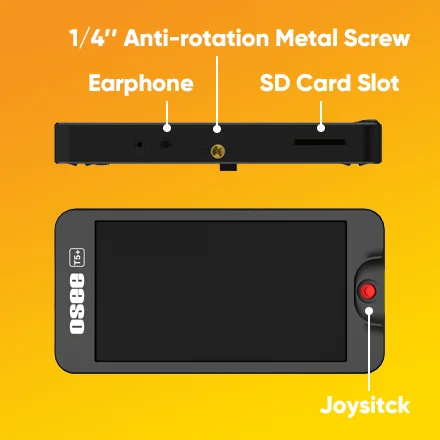
Various Connectors for Different Uses
It is used to upload custom user LUTs and update firmware (FAT32 format and size under 16G suggested).
1/4'' Screw Hole
They are made of metal and has 2 anti-rotation pin holes to prevent loose.
Earphone Jack For audio monitoring.
Joystick No more greasy fingerprints on screen.
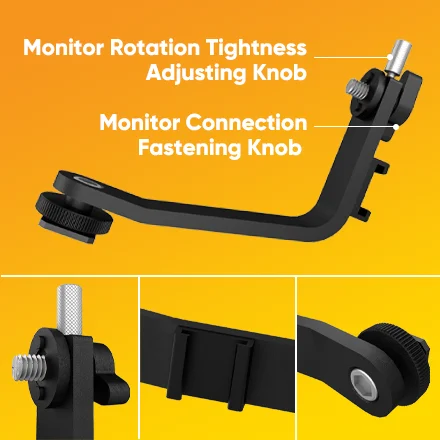
Refined Tilt Arm Design
T5+ offers a specially designed L bracket which matches the 1/4'' metal screw hole with anti-rotation pin holes.
Connection Fastening Knob
After tightening the connection fastening knob, the connection of the monitor and tilt arm won't loose.
Rotation Tightness Adjusting Knob
And you can still adjust the toque adjustment screw to adjust the tightness you want for the monitor to rotate to different angle.
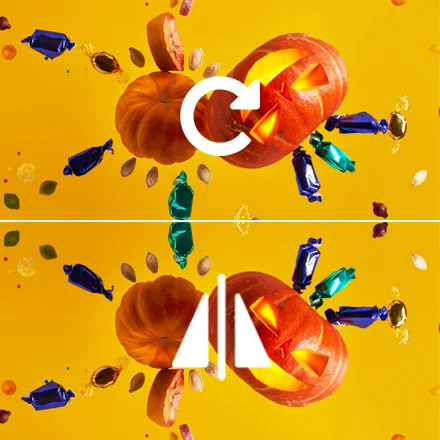
Zoom&Rotate
Zoom&Pan
T5+ offers 2x and 4x zoom, and in zoom mode, you can pan the joystick to check different parts of the image.
Rotate (auto or manual)
The rotate function can turn the image 180 degrees vertically, manually or automatically.
Mirror
Mirror function is for turning the image 180 degrees horizontally.
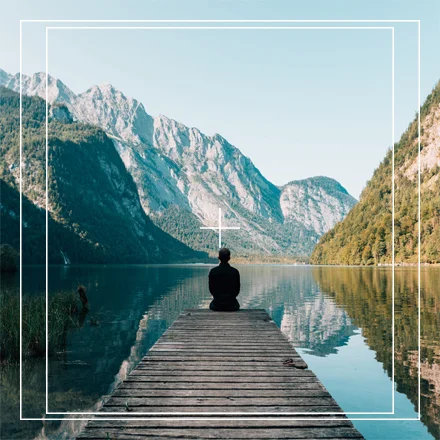
Frame Tools
Aspect T5+ supports common aspect ratios for horizontal and vertical videos, and custom ratios from 1:3 to 3:1.
Safe is a tool for displaying the action and title safe areas.
Center is used to display a center marker of the frame.
Cross Hatch can display a grid of 2x2 to 9x9 lines to help you get a better composition.
Anamorphic De-squeeze helps de-squeeze the videos shot by anamorphic lens, supported ratios are 1x/1.33x/1.5x/1.66x/1.8x/2x and there’s a magnify function to magnify the image.
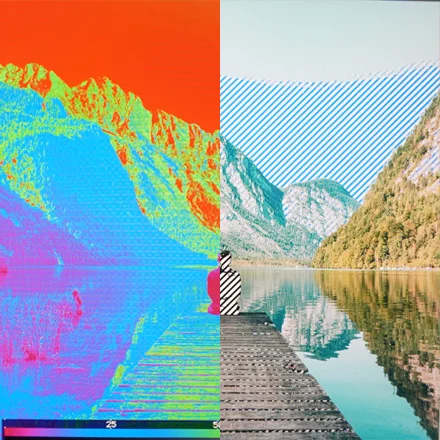
Exposure Tools
False Color T5+ supports false color calculated for different camera curves and it also supports custom false color.
Zebra T5+ supports custom tone ranges defined by users.
Waveform T5+’s waveform supports LUMA, RGB and Parade mode, the density of the graph is also adjustable.
Histogram displays a brightness graph like the histogram on your camera.
Vector Scope can display the saturation level of a certain color target, choosing 2x for GAIN can exaggerate the graph and make it more obvious.
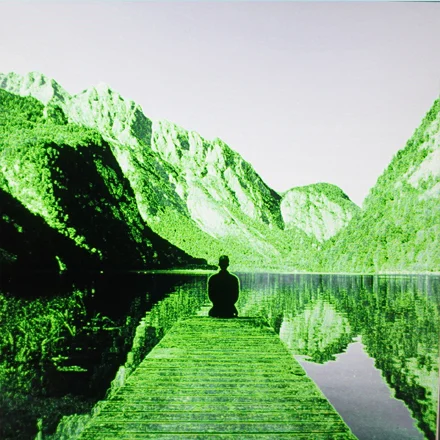
Focus Tools
Focus Assist helps focus by marking areas that are in focus with different colors, there are total three colors blue, red and green for the mark. Just in case they are still not outstanding from the background, you can turn the image to black&white to make the marks more evident.
Peaking helps focus by increasing the “sharpness” of input image to exaggerate the contrast. There are 10 levels for increasing the "sharpness", with more higher level, you can see the contrast of each part of the image more clearly.
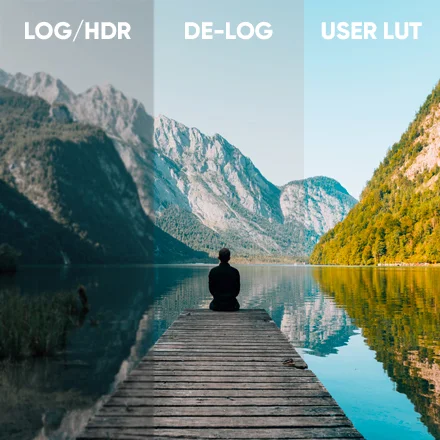
Look Tools & Others
De-log Use De-log to apply a standard color grade for different camera LOG/HDR profiles.
User LUT Use User LUT to apply a custom color grade on the signal. Up to 10 user LUTs can be uploaded into the monitor by an SD card (FAT32, under 16G). T5+ also supports User LUT intensity adjustment.
Quick Analysis is a mode where the image is scaled and waveform, histogram, vector scope and audio meter will show together around the image. The appearance of the meters can be adjusted under this mode.
What's in the Box
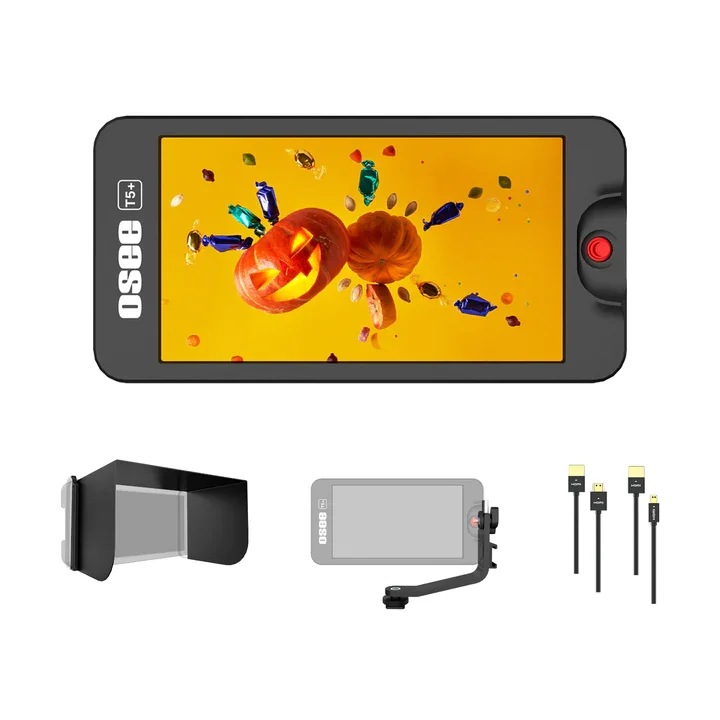
Monitor x1
Tilt Arm x1
Sun Hood x1
HDMI Cable x2 (1 Micro, 1 Type A)
Quick Start Guide x1
Service Card x1
Trouble Shooting
Q: I can’t find some functions like Anamorphic, Volume Control etc?
A: The functions you can’t find arein Monitor Settings Menu, scroll the joystick left for 3 seconds, and the menu will appear.
Q: When I am zooming, the Peaking is disabled?
A: When you do x2 or x4 Zooming, the Peaking’s intensity will be reduced to a certain threshold value accordingly.
Q: Why is False Color disabled when LUT is activated?
A: It’s a default setting when one of them is on, another one will be off. To ensure an accurate exposure of your original footage, we believe it’s best to let the exposure tools only analyze the original signal without LUTs.
Q: Can it work with my camera or Iphone?
A: T5+ will work as long as feeding the signal formats that it supports.
From the brand
Osee Technology Ltd. has been a leading manufacturer of monitoring products for filmmakers in China since its foundation in 2001.
OSEE emphasizes innovation and technology while maintaining high standards for product quality and customer service. We proudly develop and manufacture to accommodate world-class Film product needs. To accomplish this, OSEE maintains a tight partnership with our users, dealers and system integrators in the design process. This partnership allows us to use the latest technologies in our product designs to rapidly respond to changing market needs and develop high performance solutions with innovative feature sets while maintaining competitive pricing.
Helping filmmaker to get better quality image, facilitating their work flow and expressing their creation and imagination without boundary serve Osee's the highest priority.
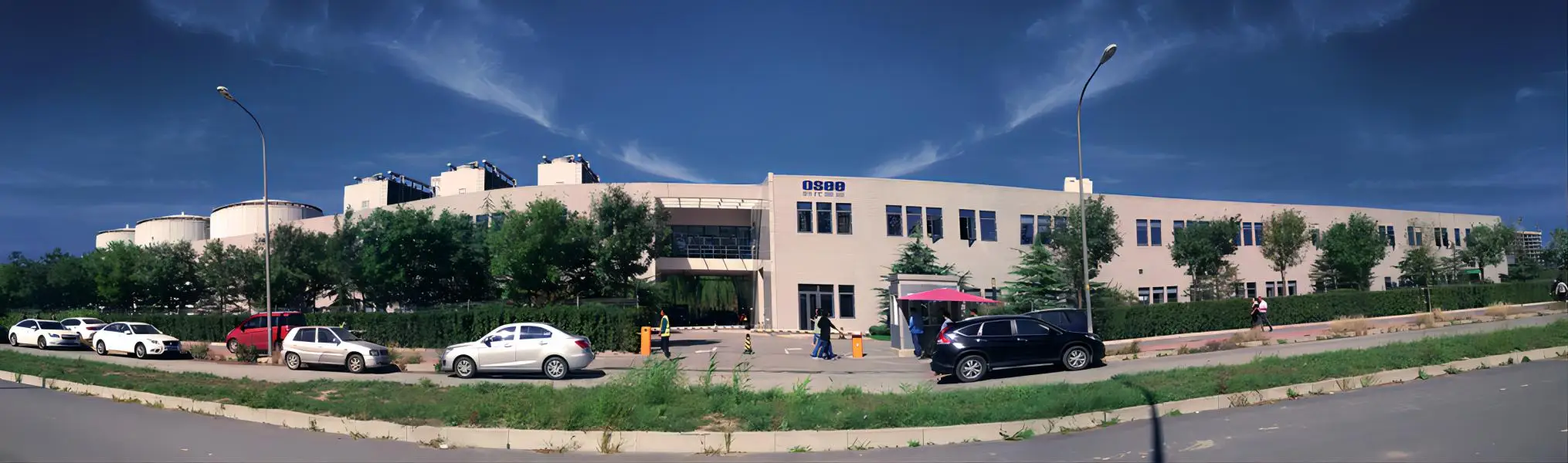
Our OSEE, The World's OSEE