Melery Zigbee Smart Double Socket AU Plug - 2 Ways, Alexa/Google Home/SmartThings Compatible
✅ AU PLUG FOR AUSTRALIAN HOUSEHOLDS | ✅ RCM CERTIFIED FOR AUSTRALIA | ✅ 2-WAY POWER SUPPLY | ✅ WORKS WITH ALEXA/GOOGLE HOME/SMARTTHINGS | ✅ PREMIUM GLASS PANEL | ✅ ENERGY-SAVING & SAFE
Product Overview
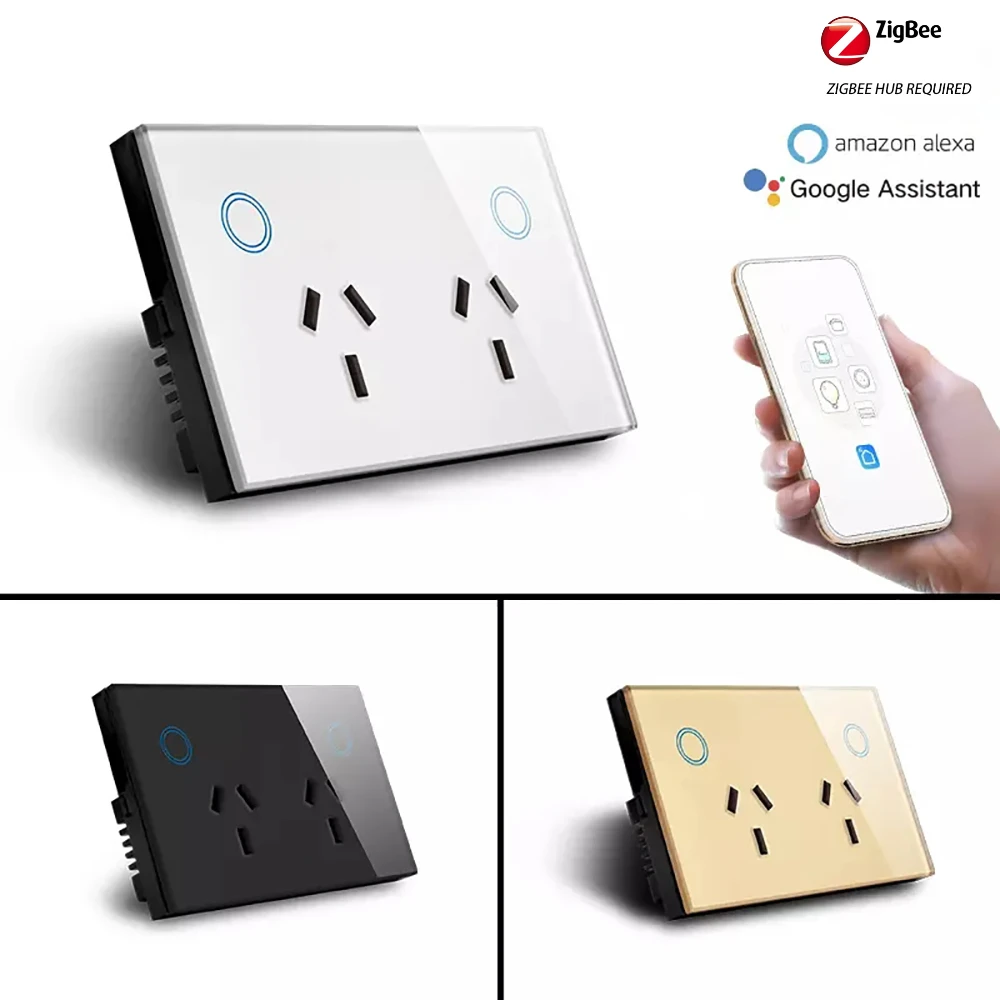
Elevate your home to a smarter, more stylish space with the Melery Zigbee Smart Double Wall Socket—tailor-made for Australian homes! Combining sleek modern design with practical functionality, this socket features a high-quality glass panel available in four elegant colors (Black, White, Gold, and Grey), effortlessly blending with any home decor, from minimalist to classic styles.
With compact dimensions of 120mm (L) × 72mm (W) × 38mm (H), it fits perfectly into standard Australian wall boxes, no extra modification needed. Powered by stable Zigbee technology, it seamlessly connects with Amazon Alexa, Google Home, and Samsung SmartThings (Zigbee hub/gateway required), bringing you full control over your home appliances—anytime, anywhere.
Supporting remote app control, personalized scheduling, real-time status tracking, and energy-saving functions, it simplifies your daily life while cutting down on electricity bills. Boasting a wide voltage range (90-250V AC) and a maximum power output of 2900W, it efficiently powers most household appliances, from lamps and coffee makers to portable heaters and chargers. RCM Certified (compliant with Australian EMC and safety standards AS/NZS 3100, AS/NZS CISPR 32), plus FCC, CE, ROHS, and RED certified, this socket is fully compatible with Australian power grids and household use, safe, easy to install, and built to last—your ideal choice for a hassle-free smart home upgrade.
Specification
Parameter
Details
Product Model
Melery Zigbee Smart Double Socket (AU Plug)
Color
Black, White, Gold, Grey (Premium Glass Panel)
Dimensions
120mm (L) × 72mm (W) × 38mm (H)
Net Weight
191g
Material
PC + Premium Glass Panel
Voltage Range
90 - 250V AC
Maximum Current
Wireless Technology
Zigbee
Wireless Frequency
2.412 - 2.484GHz
Wireless IEEE Standards
IEEE802.11b/g/n
Security Type
WEP61/WEP/128/TKIP/CCMP(AES)
Security Mechanism
WEP/WPA-PSK/WPA2-PSK
Wireless Power Consumption
≤0.3W
Operating Temperature
-30℃ - 60℃
Maximum Power Support
Up to 2900W
Certifications
FCC, CE, ROHS, RED, RCM Certified (Australian Compliance)
Required Accessory
Zigbee hub/gateway (not included)
Core Features
1. Tuya Zigbee Core Functions & Easy Step-by-Step Pairing (Zigbee Gateway + Alexa + Google Home + SmartThings)
Detailed Tuya Zigbee Functions
This socket adopts Tuya Zigbee Wireless Technology (a mainstream low-power, high-stability IoT communication protocol supported by Tuya’s global IoT platform), which serves as the core of the socket’s smart connection and control, with the following key functions:
-
Stable Low-Power Connection: Tuya Zigbee operates at 2.412-2.484GHz frequency, featuring low power consumption (wireless power consumption ≤0.3W) and strong anti-interference ability, avoiding signal disruption from other household wireless devices (such as WiFi routers). It maintains stable connection within 10 meters of the Tuya Zigbee gateway, with minimal disconnections even with walls or furniture obstructions.
-
Gateway-Centric Smart Link: As a Tuya Zigbee sub-device, the socket relies on a Tuya Zigbee gateway (the "brain" of the smart system) to connect to the internet and Tuya Smart app, enabling remote control and multi-device linkage. The gateway supports seamless connection of multiple Tuya Zigbee devices (sockets, lights, sensors, etc.), building a unified smart home ecosystem without lagging or crashing.
-
One-Tap Auto-Detection Pairing: Equipped with Tuya’s exclusive Smart Link Technology, the socket can be quickly detected by the Tuya Smart app after entering pairing mode (press the button 5 times rapidly or long-press 3-5 seconds), eliminating complex manual configuration and completing pairing in 10-20 seconds—suitable for all users, even beginners.
-
Real-Time Data Synchronization: Tuya Zigbee supports bidirectional data transmission, enabling the socket to sync its on/off status, power usage (indirect feedback via app) to the Tuya Smart app in real time. You can check the socket’s working status anytime, anywhere, and receive instant prompts if there is an abnormal connection or power overload.
-
Multi-Platform Interconnection: Tuya Zigbee is highly compatible with Tuya’s ecological system, supporting seamless linkage with Tuya Smart app, as well as third-party smart platforms (Alexa, Google Home, Samsung SmartThings) through account binding. This means you can control the socket via Tuya app, voice commands, or other platform apps, realizing flexible and diverse control methods.
-
Group Control & Scene Linkage: Through the Tuya Smart app, you can group multiple Tuya Zigbee sockets (or other Tuya smart devices) and control them with one tap (e.g., "turn off all living room sockets"). You can also set scene linkage (e.g., "when the socket is turned on, the living room light turns on"), creating a personalized smart home experience.
-
Secure Data Encryption: Tuya Zigbee adopts WEP/WPA-PSK/WPA2-PSK security mechanisms and CCMP(AES) encryption technology, same as the socket’s overall security configuration, to protect the connection between the socket, gateway, and app from unauthorized access, ensuring your smart home data and network security.
I. Pair with Tuya Zigbee Gateway (Prerequisite)
-
Prepare: Ensure your Tuya Zigbee gateway is connected to WiFi and added to the "Tuya Smart" app.
-
Power On: Plug the socket into a power outlet and place it within 10 meters of the gateway (minimize obstructions like walls or furniture).
-
Enter Pairing Mode: Press the socket’s function/on-off button 5 times rapidly, or long-press for 3-5 seconds until the indicator flashes quickly (red-blue alternating/green) — pairing mode is now activated.
-
Add to App: Open Tuya Smart app → Log in → Enter the gateway’s home/room → Tap "+" → "Auto-Detect Devices" → Follow the on-screen prompts to name the socket and assign it to a room. A steady indicator means pairing is successful!
I. Pair with Tuya Zigbee Gateway (Prerequisite)
-
Prepare: Ensure your Tuya Zigbee gateway is connected to WiFi and added to the "Tuya Smart" app.
-
Power On: Plug the socket into a power outlet and place it within 10 meters of the gateway (minimize obstructions like walls or furniture).
-
Enter Pairing Mode: Press the socket’s function/on-off button 5 times rapidly, or long-press for 3-5 seconds until the indicator flashes quickly (red-blue alternating/green) — pairing mode is now activated.
-
Add to App: Open Tuya Smart app → Log in → Enter the gateway’s home/room → Tap "+" → "Auto-Detect Devices" → Follow the on-screen prompts to name the socket and assign it to a room. A steady indicator means pairing is successful!
II. Connect to Amazon Alexa
-
Prerequisite: Socket is paired with the Tuya app; your Alexa device (Echo/Echo Dot) is online.
-
Link Accounts: Open the Alexa app → Tap "More" → "Skills & Games" → Search for "Tuya Smart" → Tap "Enable" → Enter your Tuya account credentials to bind.
-
Discover Devices: In the Alexa app, go to "Devices" → "+ Add Device" → "Other" → Wait for the scan to complete → The socket will appear in the device list → Start using voice control (e.g., "Alexa, turn on the bedroom socket").
III. Connect to Google Home
-
Prerequisite: Socket is paired with the Tuya app; your Google Home/Nest device is online.
-
Link Accounts: Open the Google Home app → Tap "+" → "Set up device" → "Works with Google" → Search for "Tuya Smart" → Enter your Tuya account to bind.
-
Sync Devices: Allow auto-sync or tap "Sync devices" → The socket will appear in the device list → Assign it to a room → Control via voice commands (e.g., "Hey Google, turn off the living room socket").
IV. Connect to Samsung SmartThings
-
Prerequisite: Socket is paired with the Tuya app; your SmartThings hub (with Zigbee radio) is online, and the SmartThings app is installed.
-
Link Accounts: Open the SmartThings app → Tap "Add Device" → Search for "Tuya Smart" or "SmartLife" skill → Select it and tap "Add".
-
Authorize Binding: Enter your Tuya Smart app account and password → Confirm the account region (must match your Tuya account settings) → Complete authorization.
-
Sync & Manage: After binding, SmartThings will auto-sync your Tuya devices. Assign the socket to a room → Control it via the app or voice commands (e.g., "Hey SmartThings, turn on the kitchen socket").
2. 3 Convenient Control Modes
-
Voice Control: Hands-free operation with Alexa, Google Home, or SmartThings—perfect for when you’re cooking, cleaning, or relaxing and can’t reach your phone.
-
Remote App Control: Manage the socket anytime, anywhere via the Tuya Smart app (iOS/Android) or SmartThings app. Real-time status feedback lets you check if appliances are on or off, even when you’re away from home (never worry about forgetting to turn off the iron again!).
-
Touch Control: A sensitive touch sensor on the premium glass panel allows direct on/off control—reliable backup when your phone or network is unavailable, with a sleek, responsive feel.
3. 2-Way Socket Design for Versatile Use
With a maximum power output of 2900W, the dual sockets are compatible with most household appliances: lamps, fans, coffee makers, electric kettles, portable heaters, phone chargers, audio systems, and more. Focused on stable high-power supply, it’s designed for daily use without redundant features—practical and efficient for any smart home.
4. Personalized Scheduling & Energy Saving
-
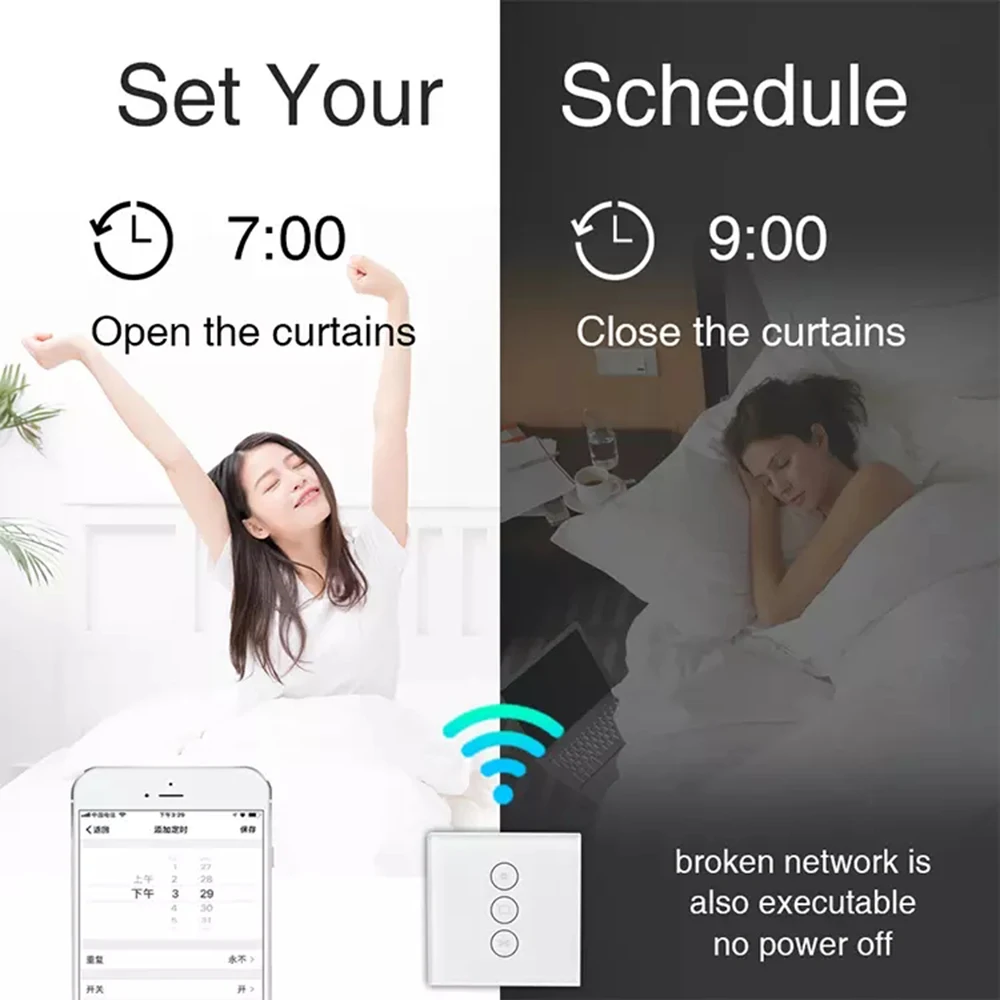
Custom Schedules: Set one-time or recurring timers (daily/weekly) for your appliances. For example, schedule lamps to turn on at dusk, or heaters to activate before you get home—come back to a warm, welcoming house!
-
Countdown Timer: Set auto-shutoff for devices like phone chargers or humidifiers to prevent overuse and save energy.
-
Energy-Saving Function: Schedule the socket to turn on only when in use, eliminating standby power waste and lowering your electricity bills.
5. Real-Time Status Tracking & Easy Installation
-
Status Feedback: The Tuya Smart or SmartThings app sends instant updates on the socket’s on/off state—never second-guess if you turned off your appliances.
-
Stable Connection: Smart Link Technology ensures easy one-tap setup, and the Zigbee connection is stable with minimal disconnections.
-
Easy Installation: Fits standard Australian wall boxes (120mm × 72mm). Use the included screws for secure mounting—no complex wiring required, even for beginners!
6. All-Round Safety Protections
-
Overload/Short-Circuit Protection: Automatically cuts power when current or power exceeds safe limits, protecting your appliances and your home.
-
Flame-Retardant Material: The PC body + premium glass panel resists high temperatures and prevents fire spread, meeting strict international safety standards.
-
Secure Encryption: Multiple security protocols (WEP/WPA-PSK/WPA2-PSK) protect your network and device data from unauthorized access—safe and secure.
Quick Initial Setup (Tuya App)
-
Download the Tuya Smart app from the App Store (iOS) or Google Play Store (Android).
-
Register or log in to your account → Ensure your Zigbee gateway is added to the app.
-
Power on the socket → Activate pairing mode (follow the steps in Section 1.I.3).
-
In the app, tap "+" → "Auto-Detect Devices" → Follow the prompts to complete setup.
-
Customize the socket’s name, set schedules, and connect to Alexa/Google Home/SmartThings (follow the steps in Section 1.II/III/IV).
Wide Compatibility
With a maximum power of 2900W, this double socket works seamlessly with most household appliances: lamps, electric kettles, coffee makers, portable heaters, fans, audio systems, phone chargers, and more. It transforms ordinary devices into smart ones without the need for replacement—cost-effective and perfect for whole-home smart transformation.
Package Contents
-
1 × Melery Zigbee Smart Double Socket (AU Plug)
-
2 × Installation Screws
-
1 × User Manual (Easy to Follow Instructions)
Why Choose Melery Zigbee Smart Socket?
Melery is committed to bringing high-quality, stylish smart home products to Australian households—and this Zigbee Smart Double Socket is no exception. It combines Zigbee’s stable connectivity with multi-platform compatibility (Alexa/Google Home/SmartThings), offering a seamless smart home experience for diverse ecosystems.
The 2-way design focuses on reliable high-power supply, while the premium glass panel (available in four colors) complements any home decor. Its compact size fits standard Australian wall boxes, it is RCM certified to meet Australian local standards, and the Tuya Zigbee technology ensures stable smart connection. The personalized scheduling/energy-saving features simplify your daily life and cut costs. Easy to install, safe to use, and certified to international standards, it’s the perfect choice for anyone looking to upgrade to a smarter, more stylish lifestyle.
Note: A Zigbee hub/gateway is required (not included) for remote, app, and voice control.
📦 FAST SHIPPING TO AUSTRALIA | 🛡️ 12-MONTH WARRANTY | 💬 24/7 CUSTOMER SUPPORT | ✅ 100% AUTHENTIC MELERY PRODUCT
Melery Zigbee Smart Double Socket AU Plug - 2 Ways, Alexa/Google Home/SmartThings Compatible
✅ AU PLUG FOR AUSTRALIAN HOUSEHOLDS | ✅ RCM CERTIFIED FOR AUSTRALIA | ✅ 2-WAY POWER SUPPLY | ✅ WORKS WITH ALEXA/GOOGLE HOME/SMARTTHINGS | ✅ PREMIUM GLASS PANEL | ✅ ENERGY-SAVING & SAFE
Product Overview
Elevate your home to a smarter, more stylish space with the Melery Zigbee Smart Double Wall Socket—tailor-made for Australian homes! Combining sleek modern design with practical functionality, this socket features a high-quality glass panel available in four elegant colors (Black, White, Gold, and Grey), effortlessly blending with any home decor, from minimalist to classic styles.
With compact dimensions of 120mm (L) × 72mm (W) × 38mm (H), it fits perfectly into standard Australian wall boxes, no extra modification needed. Powered by stable Zigbee technology, it seamlessly connects with Amazon Alexa, Google Home, and Samsung SmartThings (Zigbee hub/gateway required), bringing you full control over your home appliances—anytime, anywhere.
Supporting remote app control, personalized scheduling, real-time status tracking, and energy-saving functions, it simplifies your daily life while cutting down on electricity bills. Boasting a wide voltage range (90-250V AC) and a maximum power output of 2900W, it efficiently powers most household appliances, from lamps and coffee makers to portable heaters and chargers. RCM Certified (compliant with Australian EMC and safety standards AS/NZS 3100, AS/NZS CISPR 32), plus FCC, CE, ROHS, and RED certified, this socket is fully compatible with Australian power grids and household use, safe, easy to install, and built to last—your ideal choice for a hassle-free smart home upgrade.
Specification
|
Parameter
|
Details
|
|---|---|
|
Product Model
|
Melery Zigbee Smart Double Socket (AU Plug)
|
|
Color
|
Black, White, Gold, Grey (Premium Glass Panel)
|
|
Dimensions
|
120mm (L) × 72mm (W) × 38mm (H)
|
|
Net Weight
|
191g
|
|
Material
|
PC + Premium Glass Panel
|
|
Voltage Range
|
90 - 250V AC
|
|
Maximum Current
|
|
|
Wireless Technology
|
Zigbee
|
|
Wireless Frequency
|
2.412 - 2.484GHz
|
|
Wireless IEEE Standards
|
IEEE802.11b/g/n
|
|
Security Type
|
WEP61/WEP/128/TKIP/CCMP(AES)
|
|
Security Mechanism
|
WEP/WPA-PSK/WPA2-PSK
|
|
Wireless Power Consumption
|
≤0.3W
|
|
Operating Temperature
|
-30℃ - 60℃
|
|
Maximum Power Support
|
Up to 2900W
|
|
Certifications
|
FCC, CE, ROHS, RED, RCM Certified (Australian Compliance)
|
|
Required Accessory
|
Zigbee hub/gateway (not included)
|
Core Features
1. Tuya Zigbee Core Functions & Easy Step-by-Step Pairing (Zigbee Gateway + Alexa + Google Home + SmartThings)
Detailed Tuya Zigbee Functions
This socket adopts Tuya Zigbee Wireless Technology (a mainstream low-power, high-stability IoT communication protocol supported by Tuya’s global IoT platform), which serves as the core of the socket’s smart connection and control, with the following key functions:
- Stable Low-Power Connection: Tuya Zigbee operates at 2.412-2.484GHz frequency, featuring low power consumption (wireless power consumption ≤0.3W) and strong anti-interference ability, avoiding signal disruption from other household wireless devices (such as WiFi routers). It maintains stable connection within 10 meters of the Tuya Zigbee gateway, with minimal disconnections even with walls or furniture obstructions.
- Gateway-Centric Smart Link: As a Tuya Zigbee sub-device, the socket relies on a Tuya Zigbee gateway (the "brain" of the smart system) to connect to the internet and Tuya Smart app, enabling remote control and multi-device linkage. The gateway supports seamless connection of multiple Tuya Zigbee devices (sockets, lights, sensors, etc.), building a unified smart home ecosystem without lagging or crashing.
- One-Tap Auto-Detection Pairing: Equipped with Tuya’s exclusive Smart Link Technology, the socket can be quickly detected by the Tuya Smart app after entering pairing mode (press the button 5 times rapidly or long-press 3-5 seconds), eliminating complex manual configuration and completing pairing in 10-20 seconds—suitable for all users, even beginners.
- Real-Time Data Synchronization: Tuya Zigbee supports bidirectional data transmission, enabling the socket to sync its on/off status, power usage (indirect feedback via app) to the Tuya Smart app in real time. You can check the socket’s working status anytime, anywhere, and receive instant prompts if there is an abnormal connection or power overload.
- Multi-Platform Interconnection: Tuya Zigbee is highly compatible with Tuya’s ecological system, supporting seamless linkage with Tuya Smart app, as well as third-party smart platforms (Alexa, Google Home, Samsung SmartThings) through account binding. This means you can control the socket via Tuya app, voice commands, or other platform apps, realizing flexible and diverse control methods.
- Group Control & Scene Linkage: Through the Tuya Smart app, you can group multiple Tuya Zigbee sockets (or other Tuya smart devices) and control them with one tap (e.g., "turn off all living room sockets"). You can also set scene linkage (e.g., "when the socket is turned on, the living room light turns on"), creating a personalized smart home experience.
- Secure Data Encryption: Tuya Zigbee adopts WEP/WPA-PSK/WPA2-PSK security mechanisms and CCMP(AES) encryption technology, same as the socket’s overall security configuration, to protect the connection between the socket, gateway, and app from unauthorized access, ensuring your smart home data and network security.
I. Pair with Tuya Zigbee Gateway (Prerequisite)
- Prepare: Ensure your Tuya Zigbee gateway is connected to WiFi and added to the "Tuya Smart" app.
- Power On: Plug the socket into a power outlet and place it within 10 meters of the gateway (minimize obstructions like walls or furniture).
- Enter Pairing Mode: Press the socket’s function/on-off button 5 times rapidly, or long-press for 3-5 seconds until the indicator flashes quickly (red-blue alternating/green) — pairing mode is now activated.
- Add to App: Open Tuya Smart app → Log in → Enter the gateway’s home/room → Tap "+" → "Auto-Detect Devices" → Follow the on-screen prompts to name the socket and assign it to a room. A steady indicator means pairing is successful!
I. Pair with Tuya Zigbee Gateway (Prerequisite)
- Prepare: Ensure your Tuya Zigbee gateway is connected to WiFi and added to the "Tuya Smart" app.
- Power On: Plug the socket into a power outlet and place it within 10 meters of the gateway (minimize obstructions like walls or furniture).
- Enter Pairing Mode: Press the socket’s function/on-off button 5 times rapidly, or long-press for 3-5 seconds until the indicator flashes quickly (red-blue alternating/green) — pairing mode is now activated.
- Add to App: Open Tuya Smart app → Log in → Enter the gateway’s home/room → Tap "+" → "Auto-Detect Devices" → Follow the on-screen prompts to name the socket and assign it to a room. A steady indicator means pairing is successful!
II. Connect to Amazon Alexa
- Prerequisite: Socket is paired with the Tuya app; your Alexa device (Echo/Echo Dot) is online.
- Link Accounts: Open the Alexa app → Tap "More" → "Skills & Games" → Search for "Tuya Smart" → Tap "Enable" → Enter your Tuya account credentials to bind.
- Discover Devices: In the Alexa app, go to "Devices" → "+ Add Device" → "Other" → Wait for the scan to complete → The socket will appear in the device list → Start using voice control (e.g., "Alexa, turn on the bedroom socket").
III. Connect to Google Home
- Prerequisite: Socket is paired with the Tuya app; your Google Home/Nest device is online.
- Link Accounts: Open the Google Home app → Tap "+" → "Set up device" → "Works with Google" → Search for "Tuya Smart" → Enter your Tuya account to bind.
- Sync Devices: Allow auto-sync or tap "Sync devices" → The socket will appear in the device list → Assign it to a room → Control via voice commands (e.g., "Hey Google, turn off the living room socket").
IV. Connect to Samsung SmartThings
- Prerequisite: Socket is paired with the Tuya app; your SmartThings hub (with Zigbee radio) is online, and the SmartThings app is installed.
- Link Accounts: Open the SmartThings app → Tap "Add Device" → Search for "Tuya Smart" or "SmartLife" skill → Select it and tap "Add".
- Authorize Binding: Enter your Tuya Smart app account and password → Confirm the account region (must match your Tuya account settings) → Complete authorization.
- Sync & Manage: After binding, SmartThings will auto-sync your Tuya devices. Assign the socket to a room → Control it via the app or voice commands (e.g., "Hey SmartThings, turn on the kitchen socket").
2. 3 Convenient Control Modes
- Voice Control: Hands-free operation with Alexa, Google Home, or SmartThings—perfect for when you’re cooking, cleaning, or relaxing and can’t reach your phone.
- Remote App Control: Manage the socket anytime, anywhere via the Tuya Smart app (iOS/Android) or SmartThings app. Real-time status feedback lets you check if appliances are on or off, even when you’re away from home (never worry about forgetting to turn off the iron again!).
- Touch Control: A sensitive touch sensor on the premium glass panel allows direct on/off control—reliable backup when your phone or network is unavailable, with a sleek, responsive feel.
3. 2-Way Socket Design for Versatile Use
With a maximum power output of 2900W, the dual sockets are compatible with most household appliances: lamps, fans, coffee makers, electric kettles, portable heaters, phone chargers, audio systems, and more. Focused on stable high-power supply, it’s designed for daily use without redundant features—practical and efficient for any smart home.
4. Personalized Scheduling & Energy Saving
- Custom Schedules: Set one-time or recurring timers (daily/weekly) for your appliances. For example, schedule lamps to turn on at dusk, or heaters to activate before you get home—come back to a warm, welcoming house!
- Countdown Timer: Set auto-shutoff for devices like phone chargers or humidifiers to prevent overuse and save energy.
- Energy-Saving Function: Schedule the socket to turn on only when in use, eliminating standby power waste and lowering your electricity bills.
5. Real-Time Status Tracking & Easy Installation
- Status Feedback: The Tuya Smart or SmartThings app sends instant updates on the socket’s on/off state—never second-guess if you turned off your appliances.
- Stable Connection: Smart Link Technology ensures easy one-tap setup, and the Zigbee connection is stable with minimal disconnections.
- Easy Installation: Fits standard Australian wall boxes (120mm × 72mm). Use the included screws for secure mounting—no complex wiring required, even for beginners!
6. All-Round Safety Protections
- Overload/Short-Circuit Protection: Automatically cuts power when current or power exceeds safe limits, protecting your appliances and your home.
- Flame-Retardant Material: The PC body + premium glass panel resists high temperatures and prevents fire spread, meeting strict international safety standards.
- Secure Encryption: Multiple security protocols (WEP/WPA-PSK/WPA2-PSK) protect your network and device data from unauthorized access—safe and secure.
Quick Initial Setup (Tuya App)
- Download the Tuya Smart app from the App Store (iOS) or Google Play Store (Android).
- Register or log in to your account → Ensure your Zigbee gateway is added to the app.
- Power on the socket → Activate pairing mode (follow the steps in Section 1.I.3).
- In the app, tap "+" → "Auto-Detect Devices" → Follow the prompts to complete setup.
- Customize the socket’s name, set schedules, and connect to Alexa/Google Home/SmartThings (follow the steps in Section 1.II/III/IV).
Wide Compatibility
With a maximum power of 2900W, this double socket works seamlessly with most household appliances: lamps, electric kettles, coffee makers, portable heaters, fans, audio systems, phone chargers, and more. It transforms ordinary devices into smart ones without the need for replacement—cost-effective and perfect for whole-home smart transformation.
Package Contents
- 1 × Melery Zigbee Smart Double Socket (AU Plug)
- 2 × Installation Screws
- 1 × User Manual (Easy to Follow Instructions)
Why Choose Melery Zigbee Smart Socket?
Melery is committed to bringing high-quality, stylish smart home products to Australian households—and this Zigbee Smart Double Socket is no exception. It combines Zigbee’s stable connectivity with multi-platform compatibility (Alexa/Google Home/SmartThings), offering a seamless smart home experience for diverse ecosystems.
The 2-way design focuses on reliable high-power supply, while the premium glass panel (available in four colors) complements any home decor. Its compact size fits standard Australian wall boxes, it is RCM certified to meet Australian local standards, and the Tuya Zigbee technology ensures stable smart connection. The personalized scheduling/energy-saving features simplify your daily life and cut costs. Easy to install, safe to use, and certified to international standards, it’s the perfect choice for anyone looking to upgrade to a smarter, more stylish lifestyle.
Note: A Zigbee hub/gateway is required (not included) for remote, app, and voice control.
📦 FAST SHIPPING TO AUSTRALIA | 🛡️ 12-MONTH WARRANTY | 💬 24/7 CUSTOMER SUPPORT | ✅ 100% AUTHENTIC MELERY PRODUCT