Phonecard Telecard Collector Database Professional Software
*** New 2025 Version ***
COMPATIBLE WITH ANY WINDOWS 10,11, WINDOWS 8, 8.1, 7, VISTA or XP-SP3
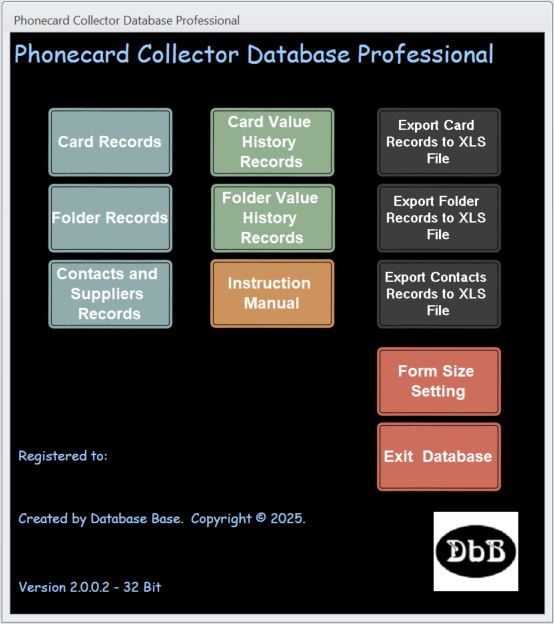
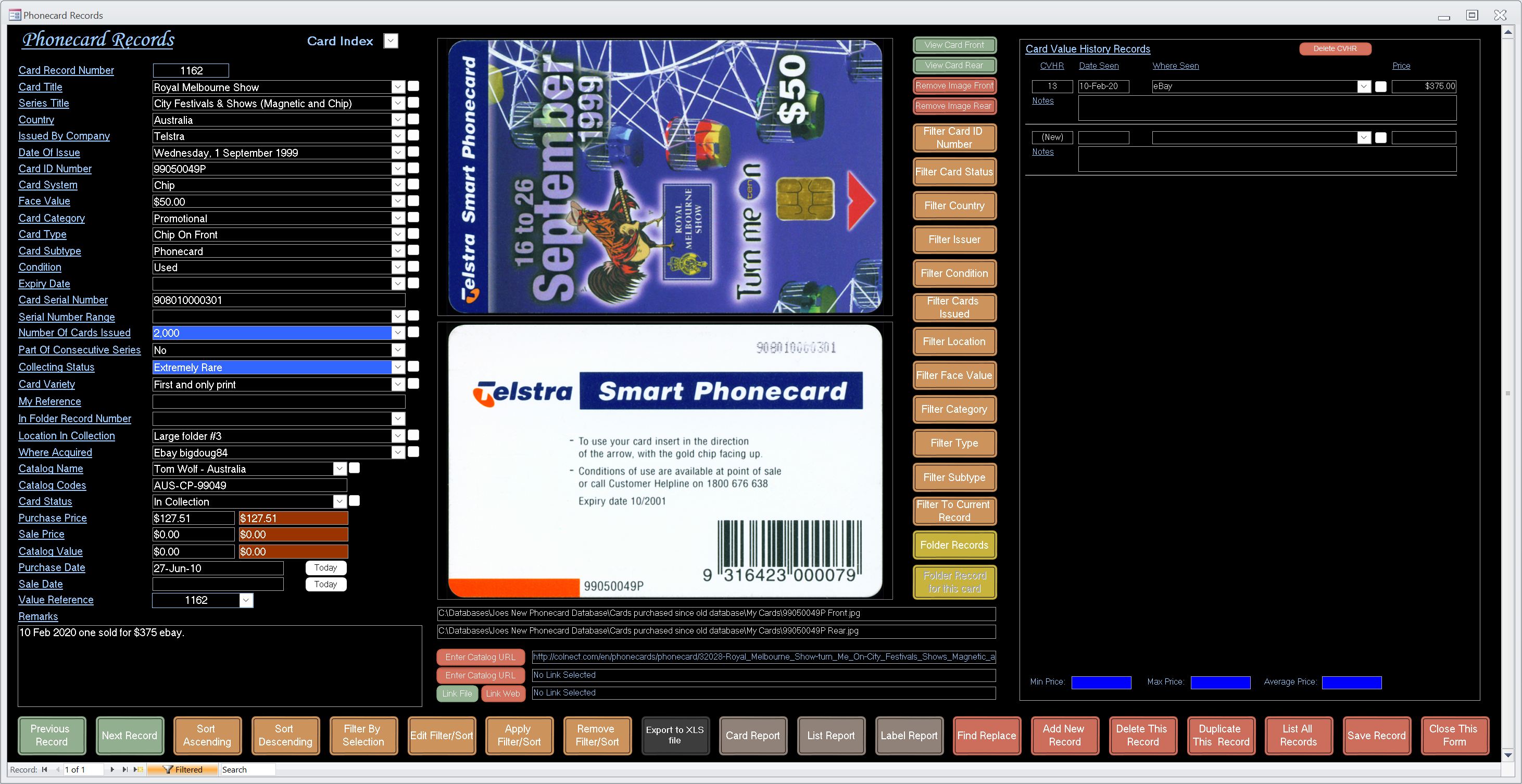
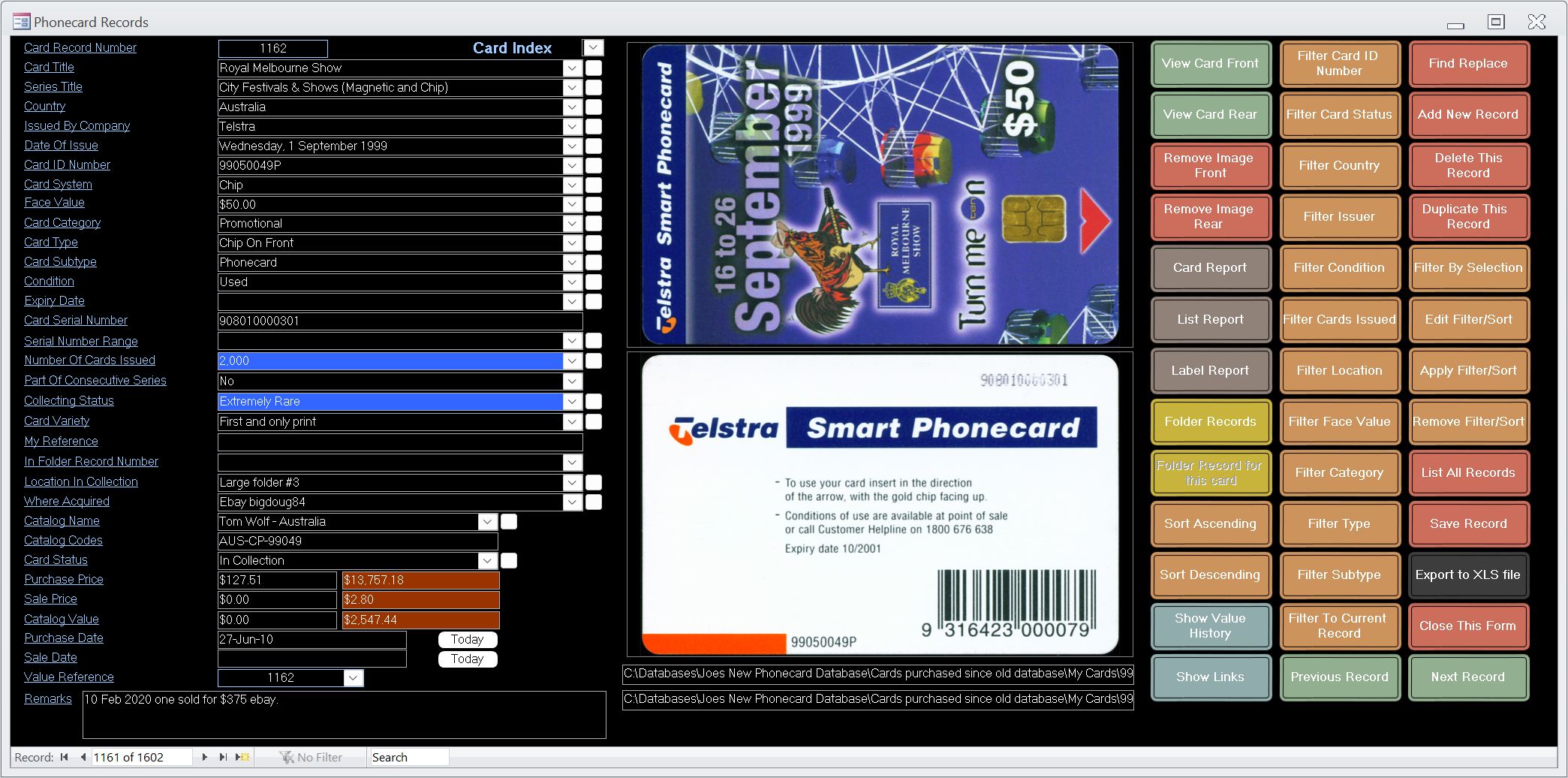
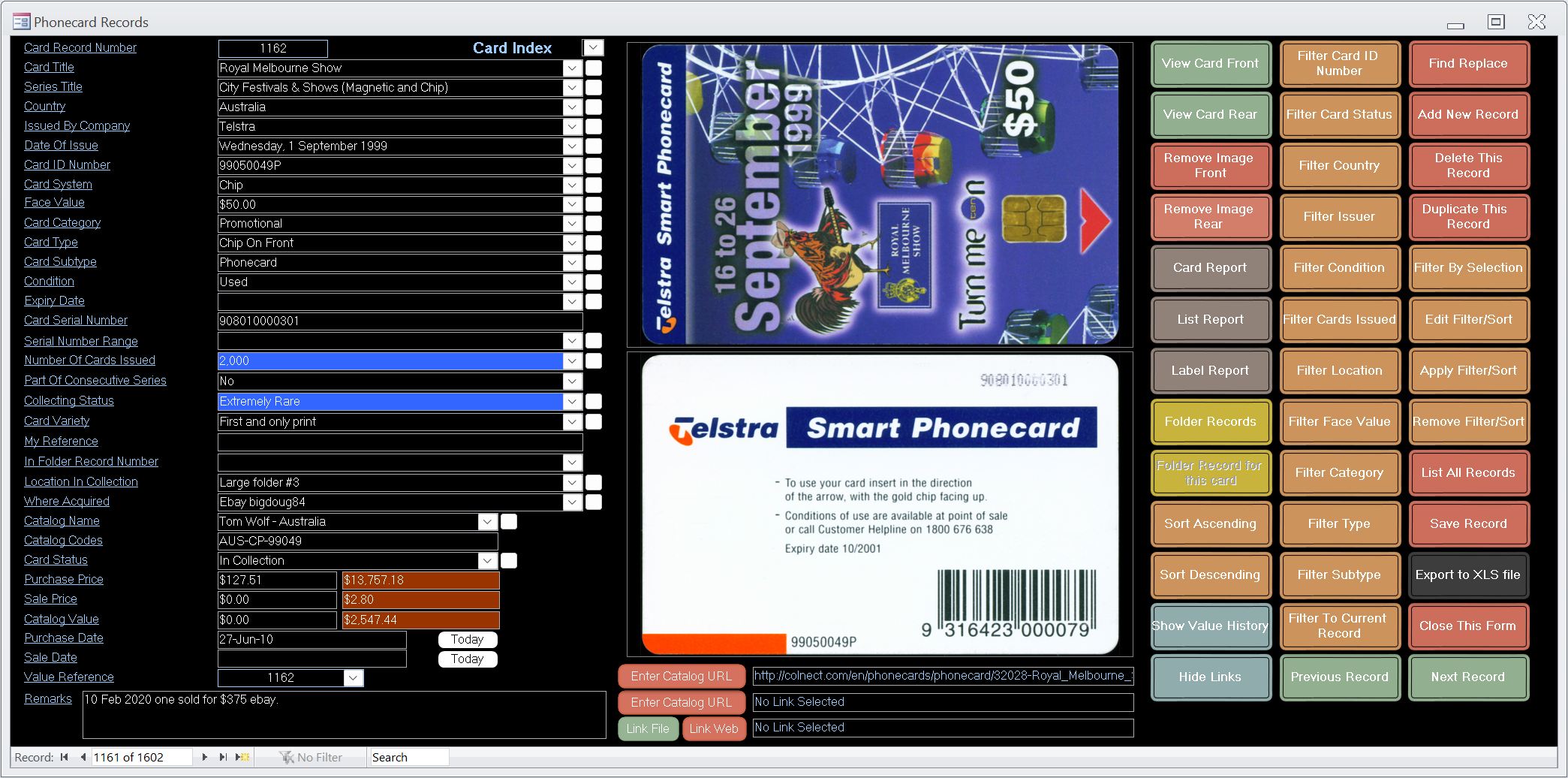
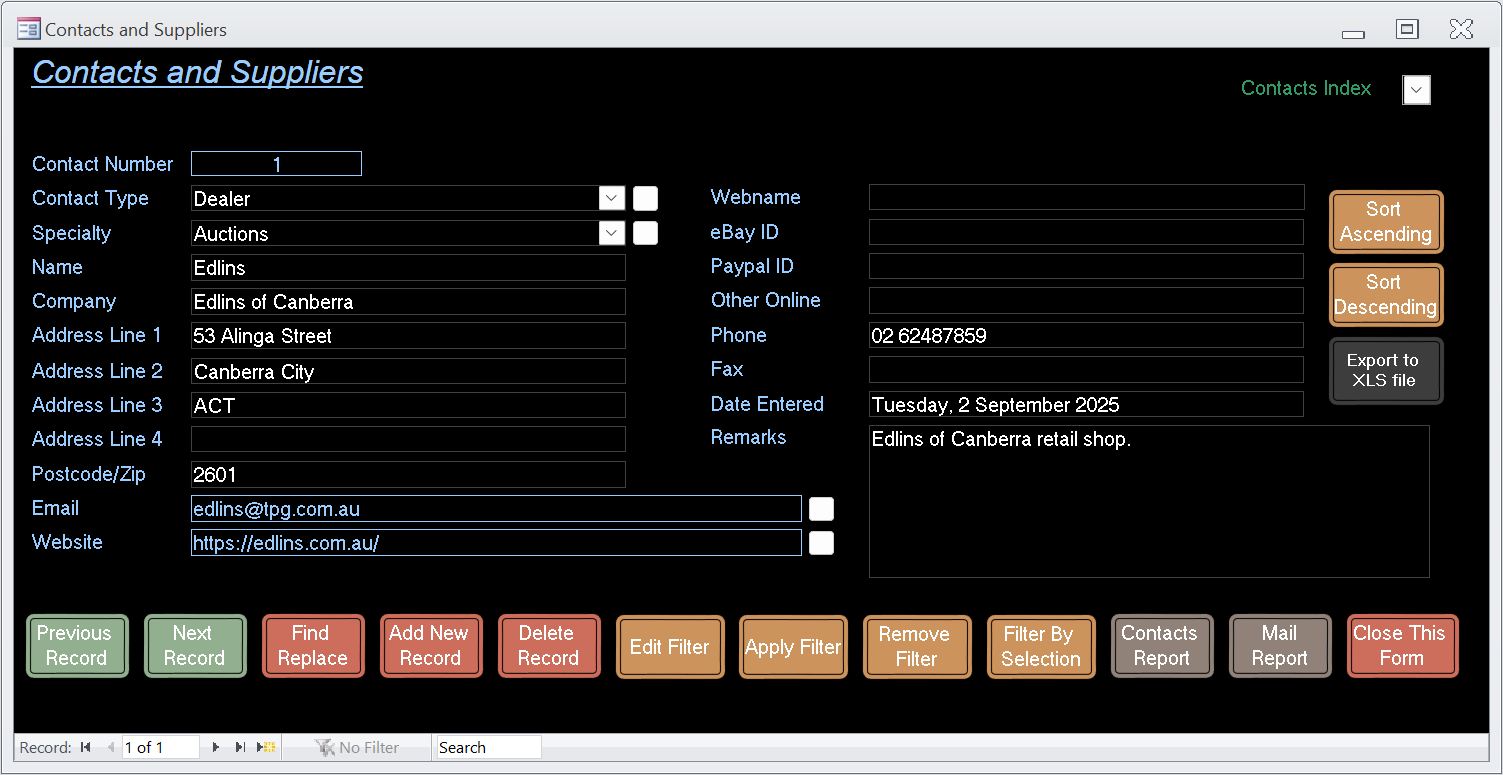
Professional level database based on Microsoft Access powerful features. Forms for data entry and viewing include card records, folder records and contacts & supplier records.
Suitable for any world phonecards or telecards.
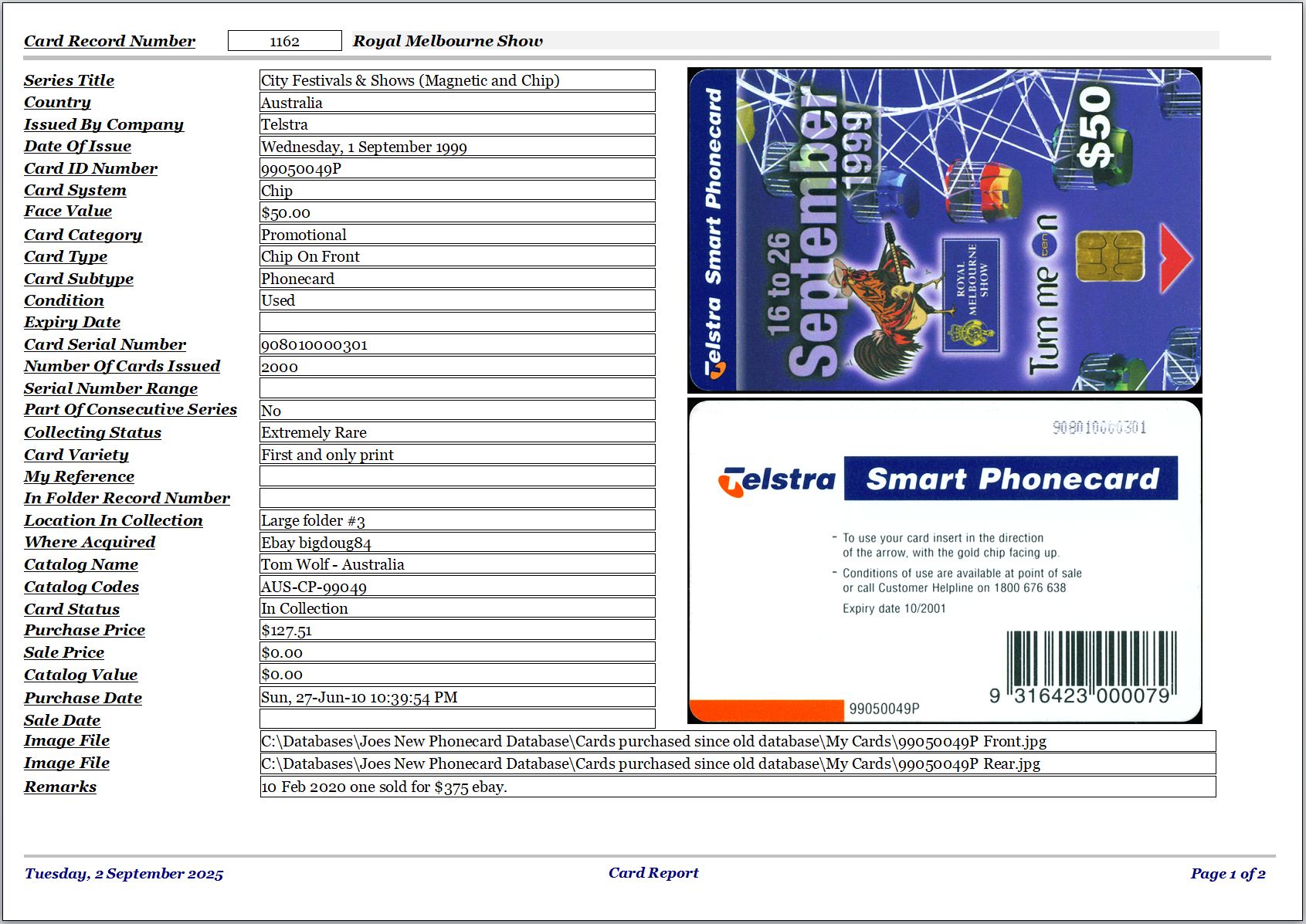
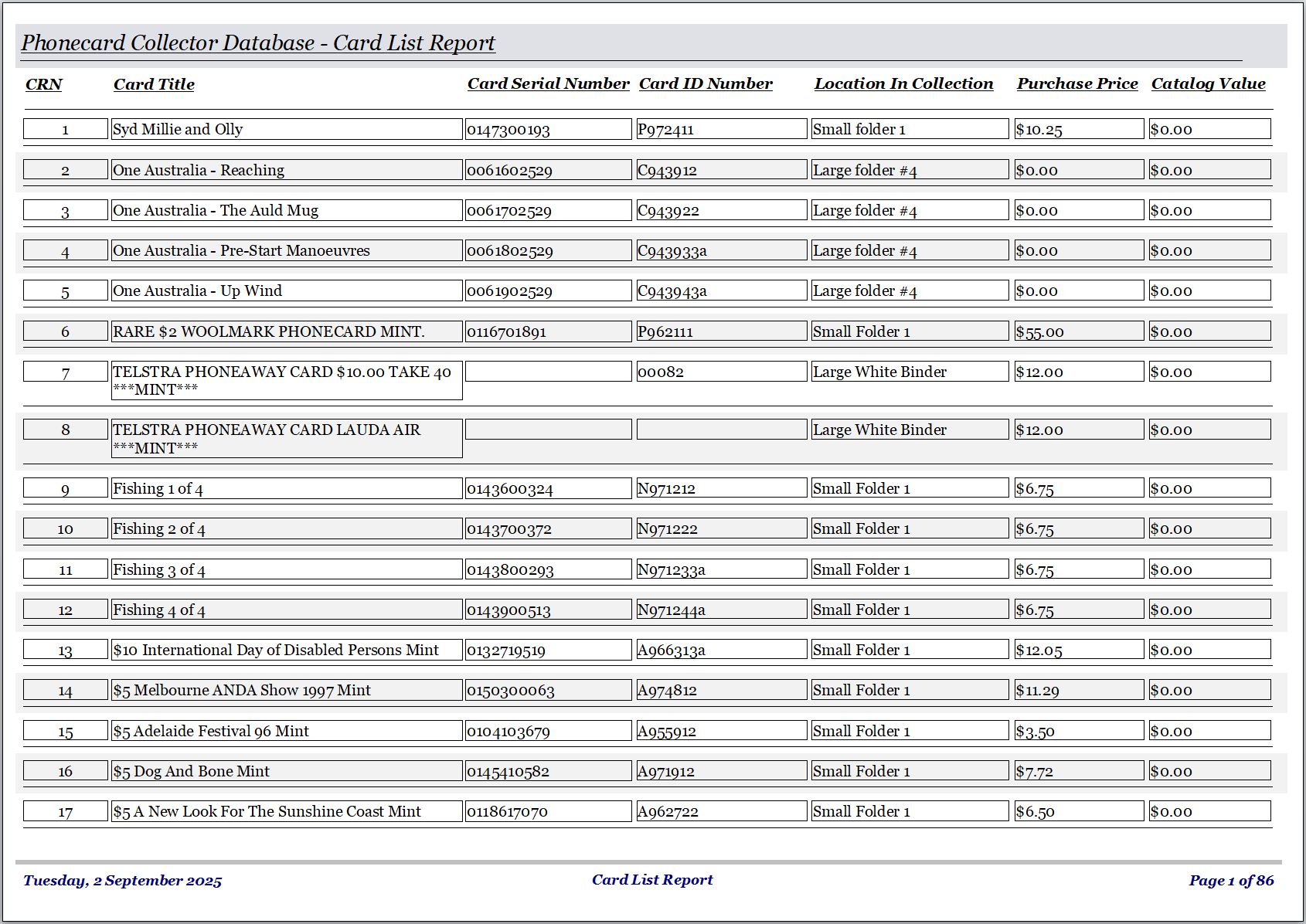
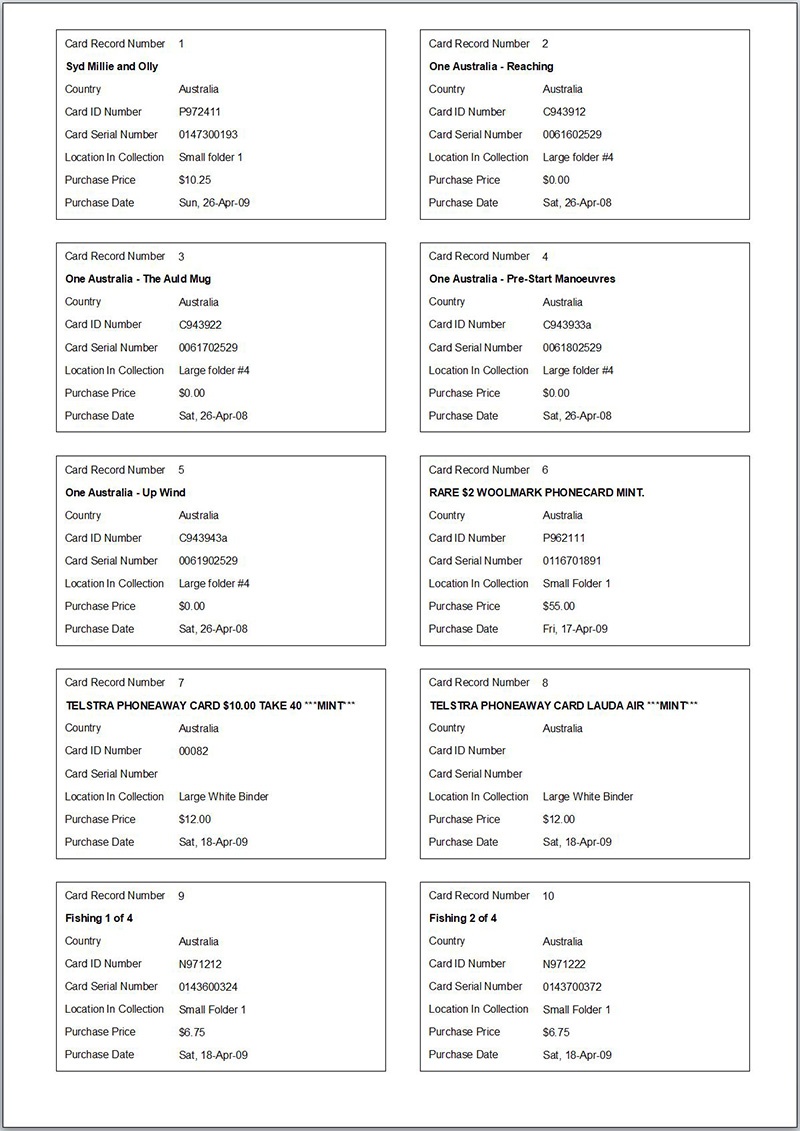
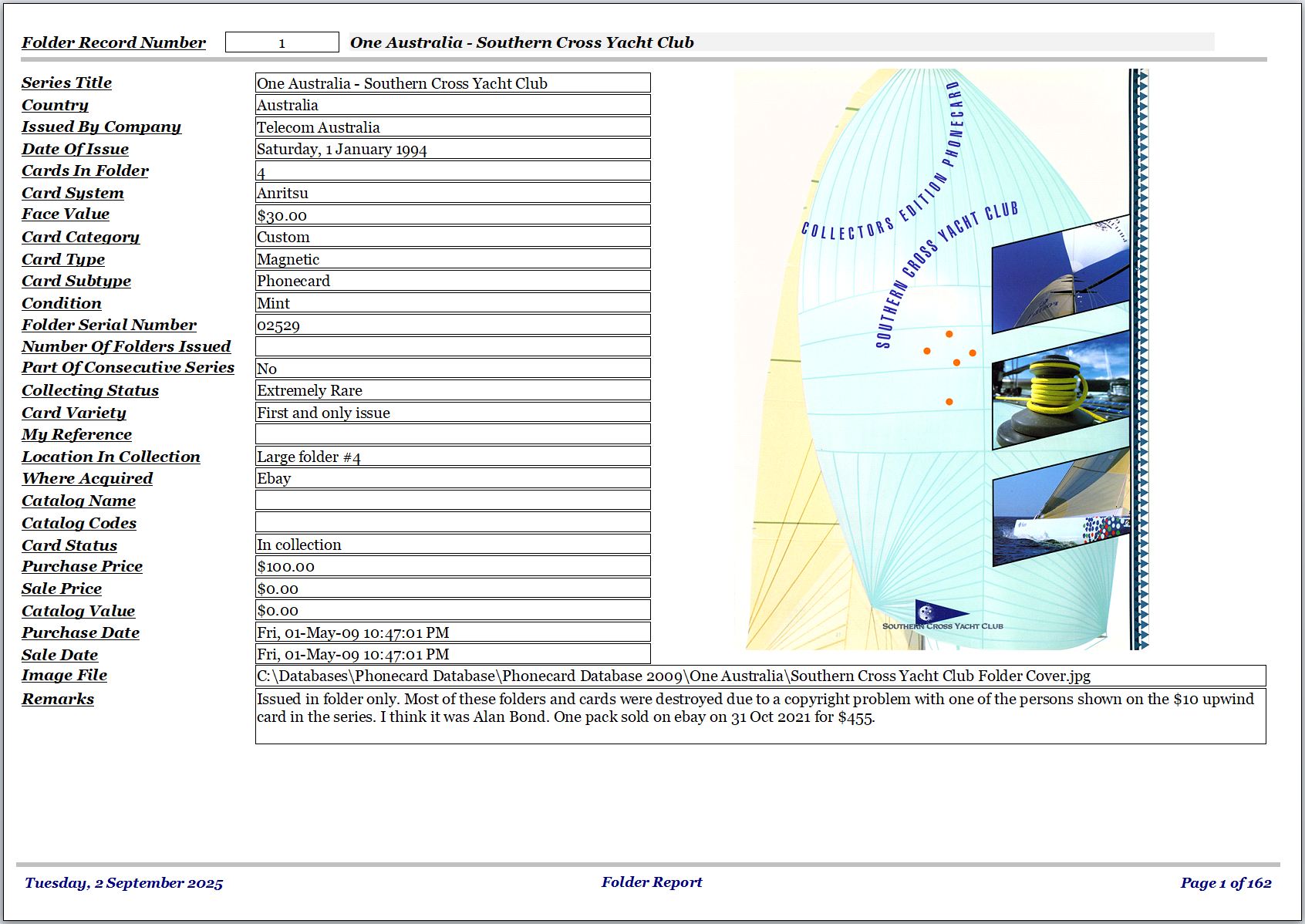
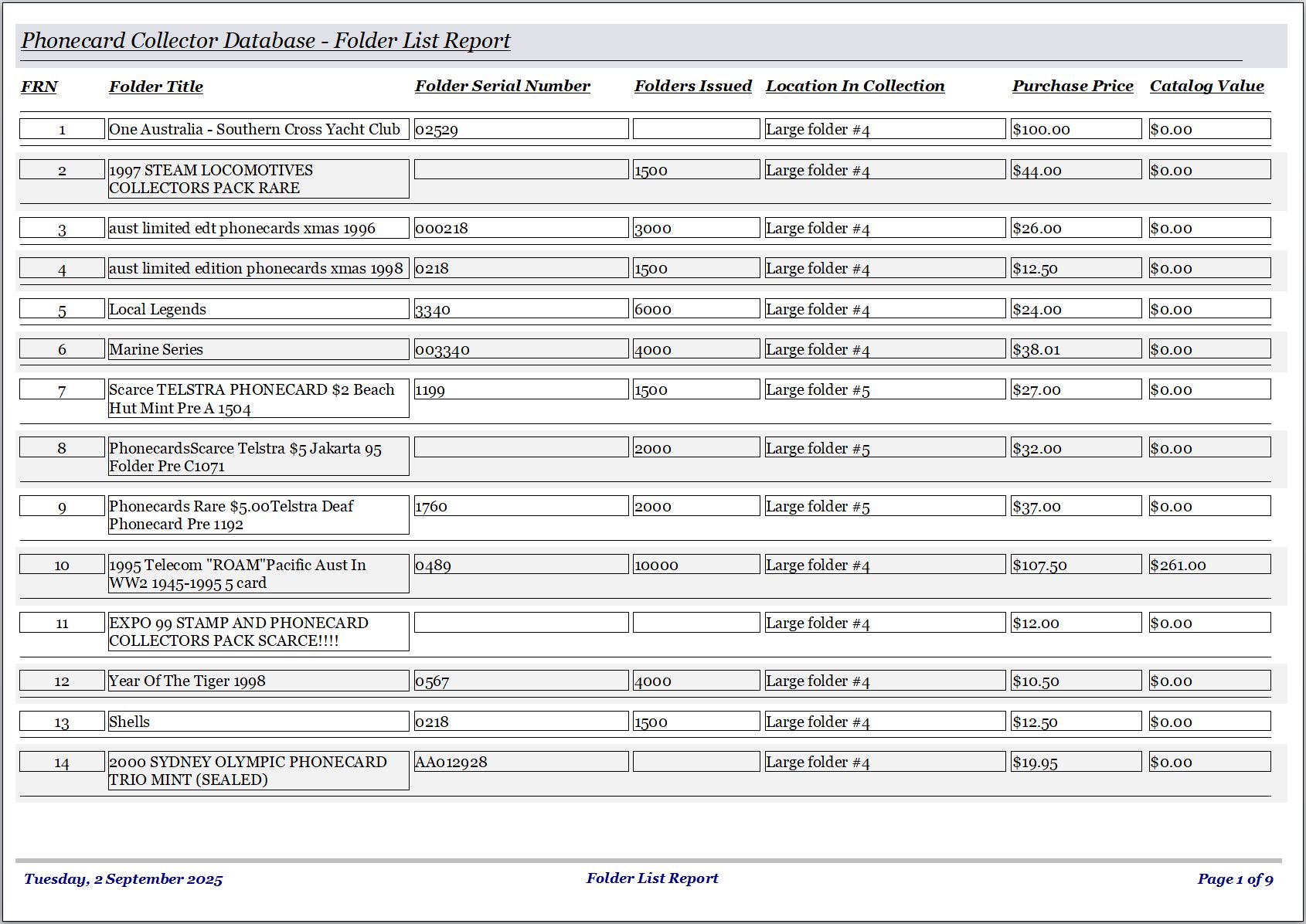
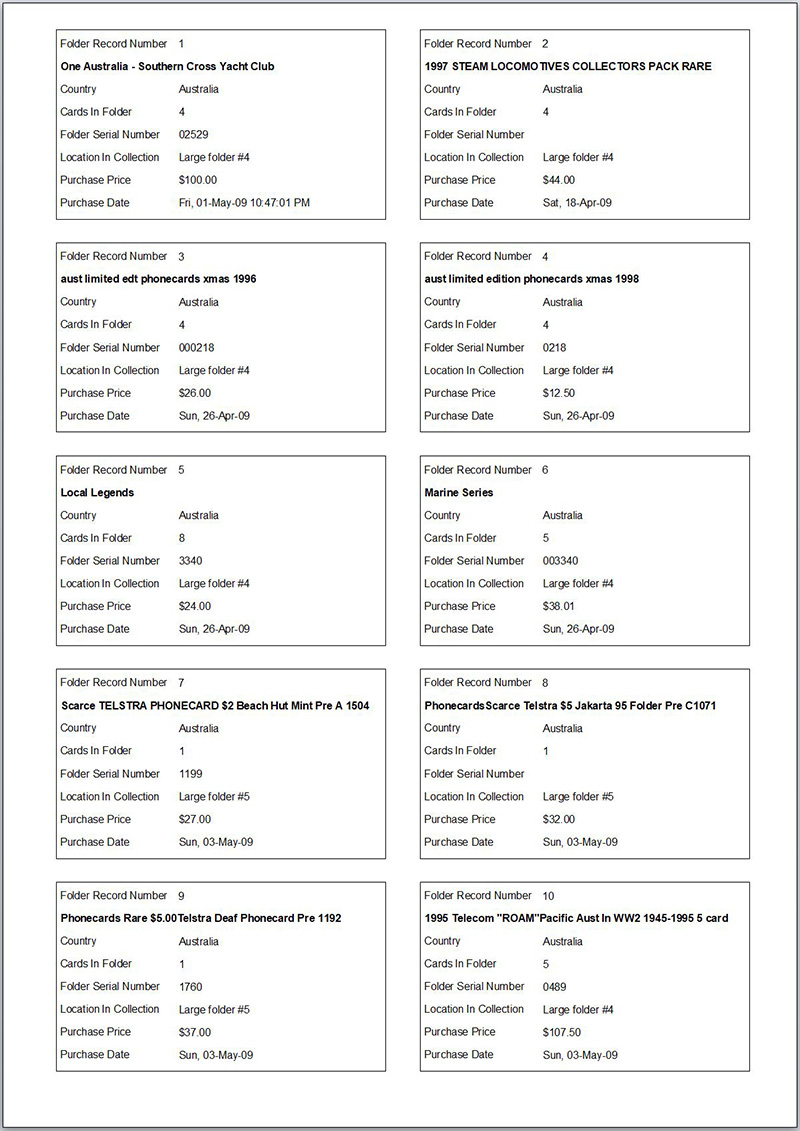
Easily create pdf or xps files which look identical to the reports including images where you can view your collection records on your phone or other devices. Group you records into several pdf files as desired.
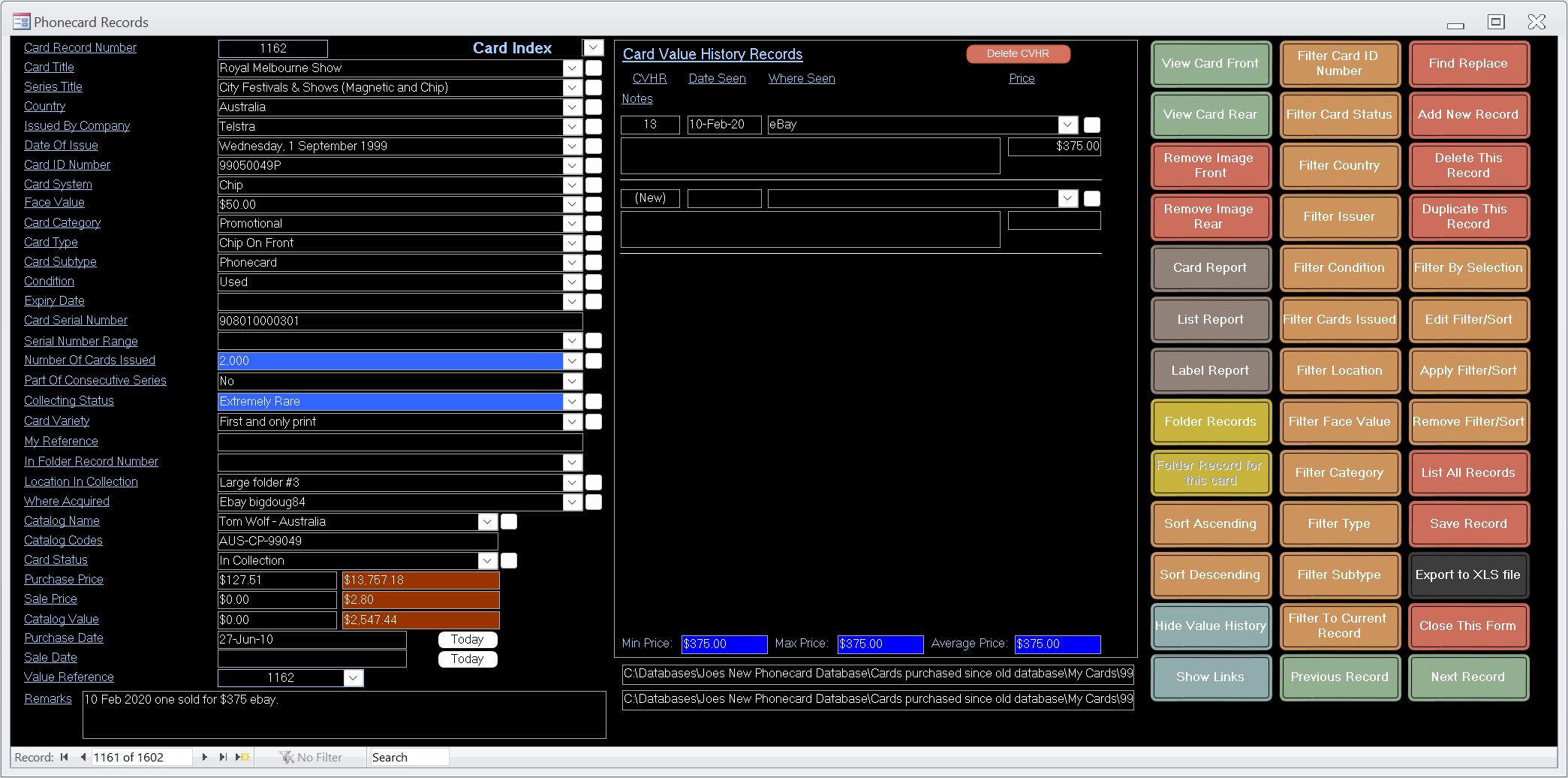
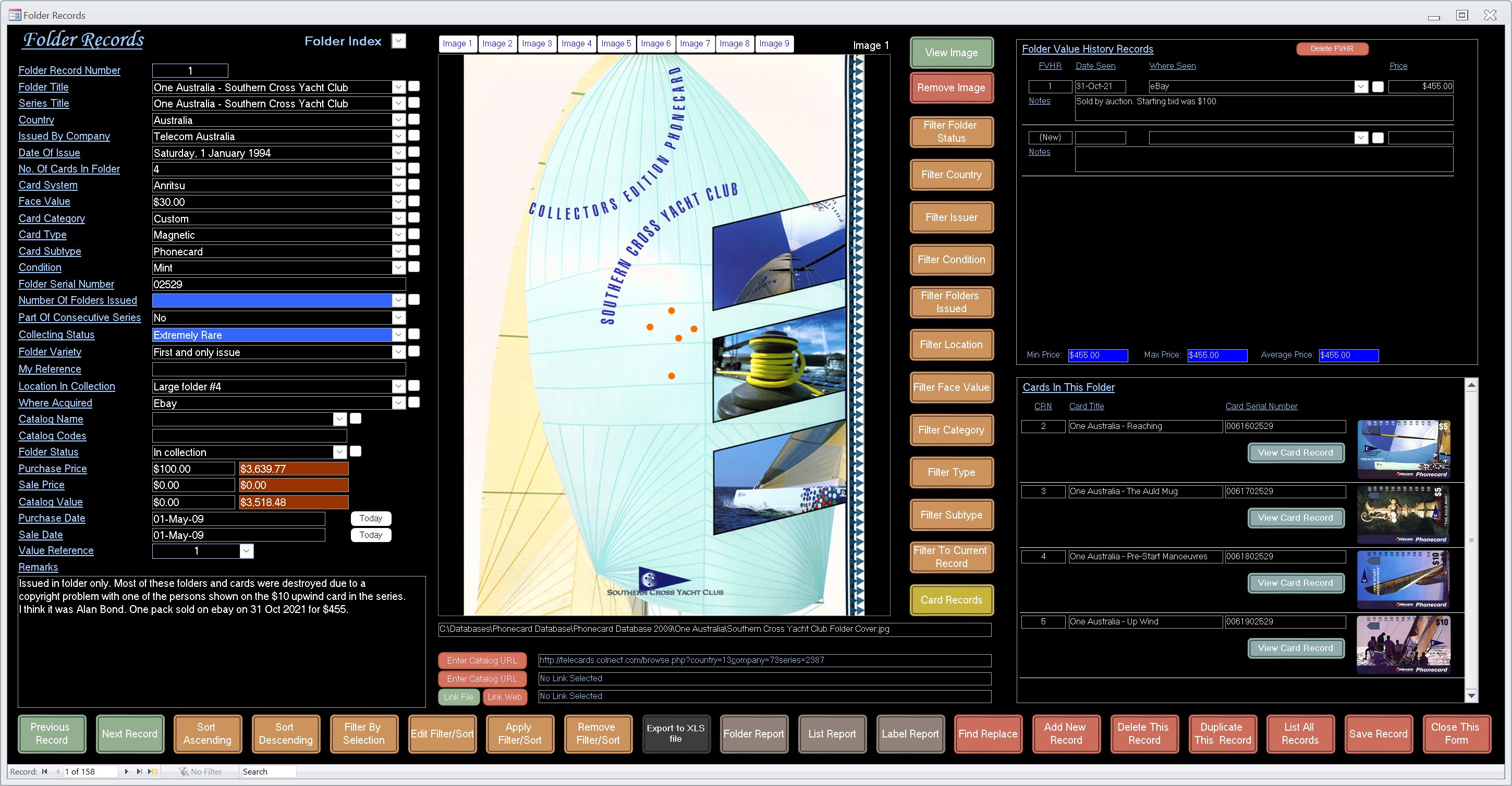
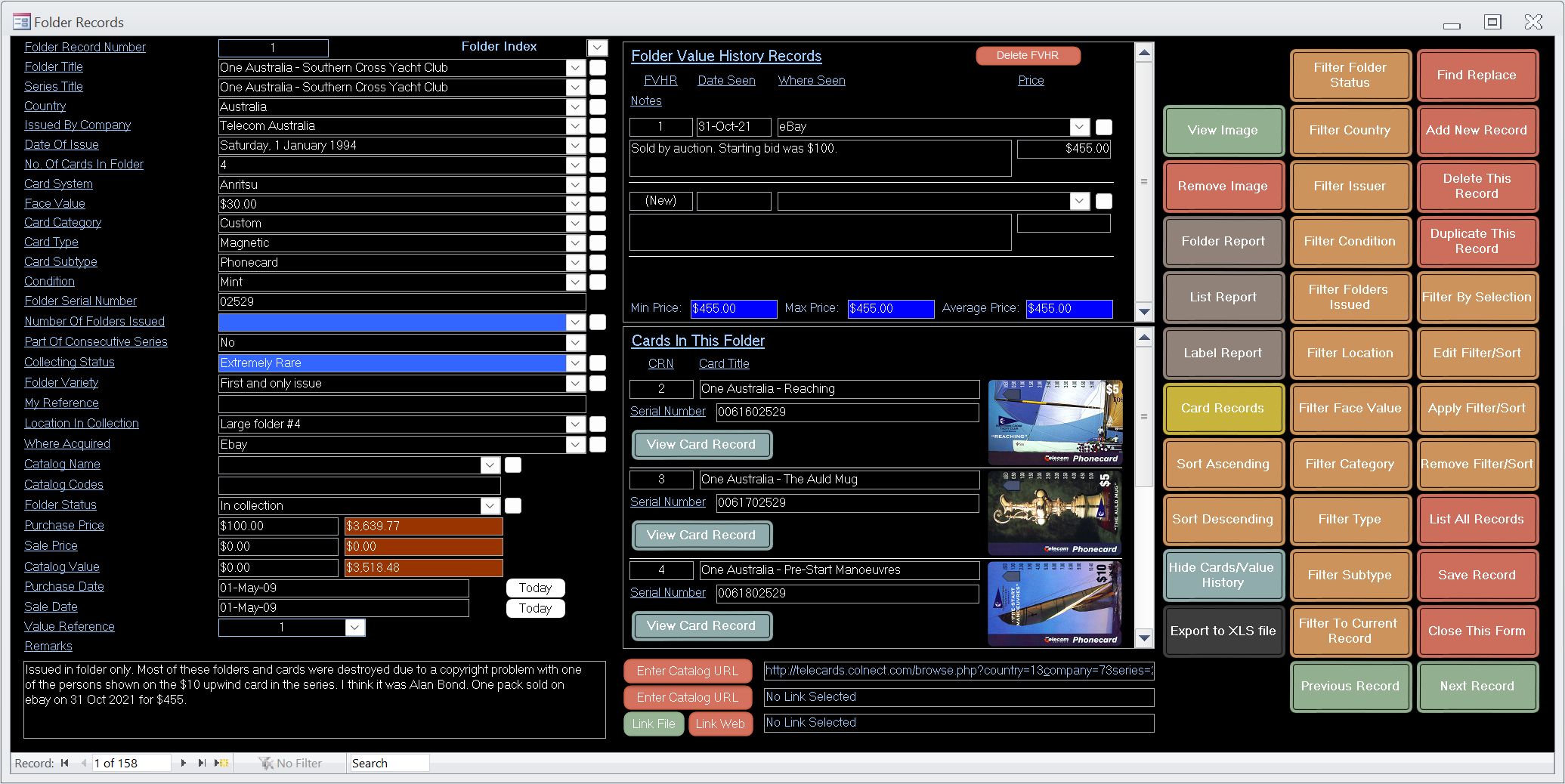
Value history records where you can record other sales of the same card or folder. This helps to record a true value of your cards and folders based on actual paid prices for the same card or folder.
High quality images can be used when creating your records.
Allows you to keep a record of your cards and folders in one simple to use package. Can be used for any world phonecards or telecards and their folders.
Supplied by posted CDROM. For supply by posted USB see my other listings.
- View your collection records and prices quickly and easily. Record sale prices you observe elsewhere for items in your collection.
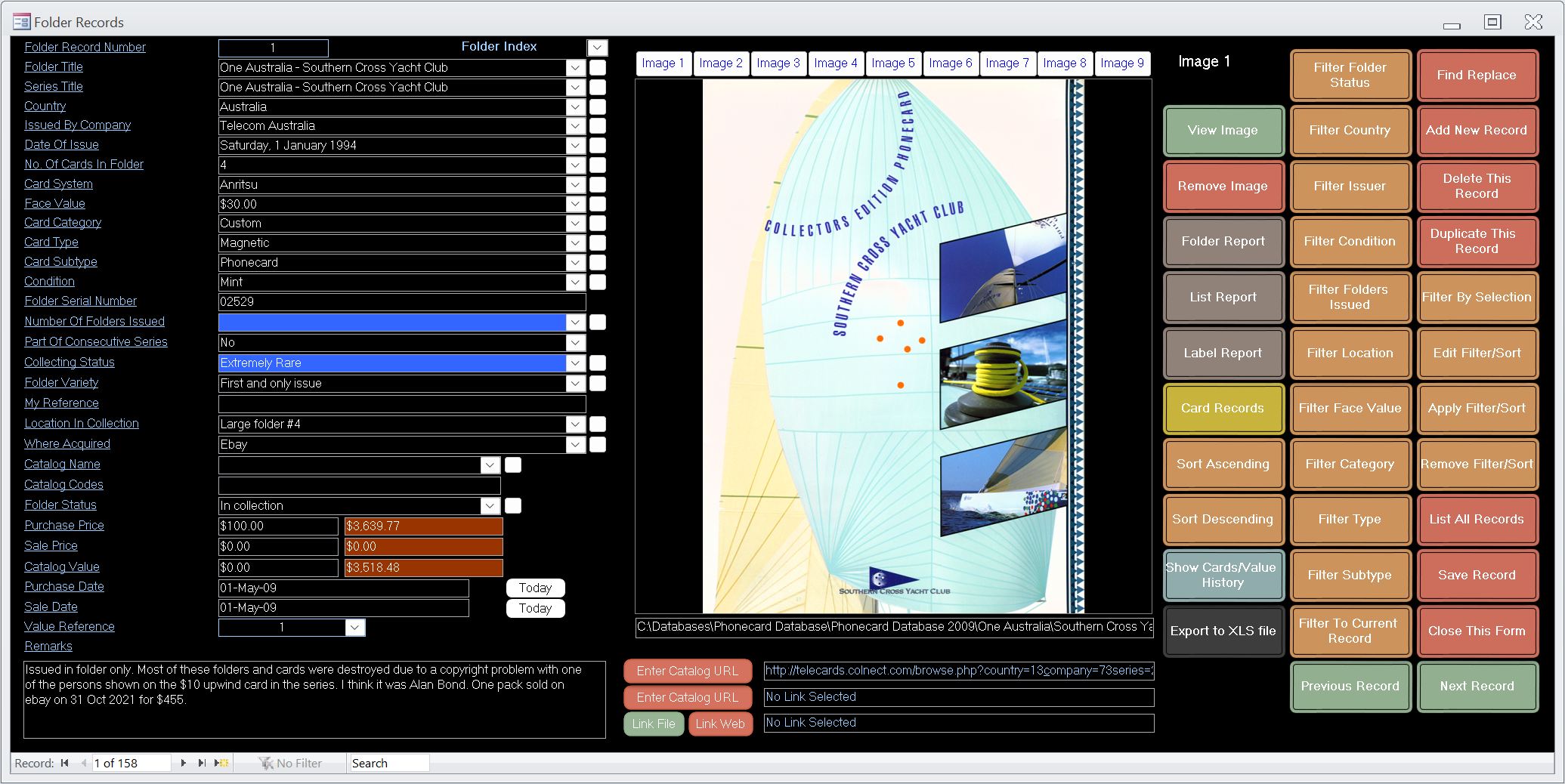
- A user friendly database which is simple to use for those with little computer experience. Detailed instruction manual supplied. See selected screenshots below.
- Capacity is a minimum 500,000 total card and folder records.
- Find your desired records quickly with powerful new filtering options.
- Filtering and sorting applied to main indexes and reports. Just apply a filter and/or sort to your category or other fields, then go straight to the main index which is also filtered and sorted accordingly. Reports are also automatically filtered and sorted.
- 2 images can be inserted with each card record and 9 images can be inserted with each folder record. Simple image insertion via file requester.
- Up to 3 hyperlinks for each record which can be a web url or a link to open any file on your computer such as a Word document. Can also be used to link to a page on a collector website relevant to the record such as a Colnect page.
- There are also running totals for the whole collection for Purchase Price, Sale Price and Catalog Value. These fields can handle any world currency. Pricing fields are also filtered, handy when wanting to know totals for a desired set of records.
- Minimum screen resolution required by the program is 1920 x 1080 to use the large forms or 1366 x 768 to use the small forms. If your screen has a lower resolution scrolling is required to see the entire window of the program. Resolutions higher than the minimum are fine but the program will not fill the screen unless you apply scaling to your display in Windows.
- A must for serious Phonecard or Telecard collectors. Supplied as a 32 and 64 bit installation.
- Supplied by posted CDROM. For supply by USB see my other listings.
- Suitable for Windows XP SP3 or later including Windows 7 Windows 8/8.1 Windows 10, 11 and Windows Vista. 32 and 64 bit Windows supported. Not suitable for Windows 8 RT.
- Minimum screen size required 1920×1080 for the large forms or 1366×768 for the small forms.
- Operating instructions supplied as pdf and can be opened using a button from the opening screen of the program.
- Unlimited future support