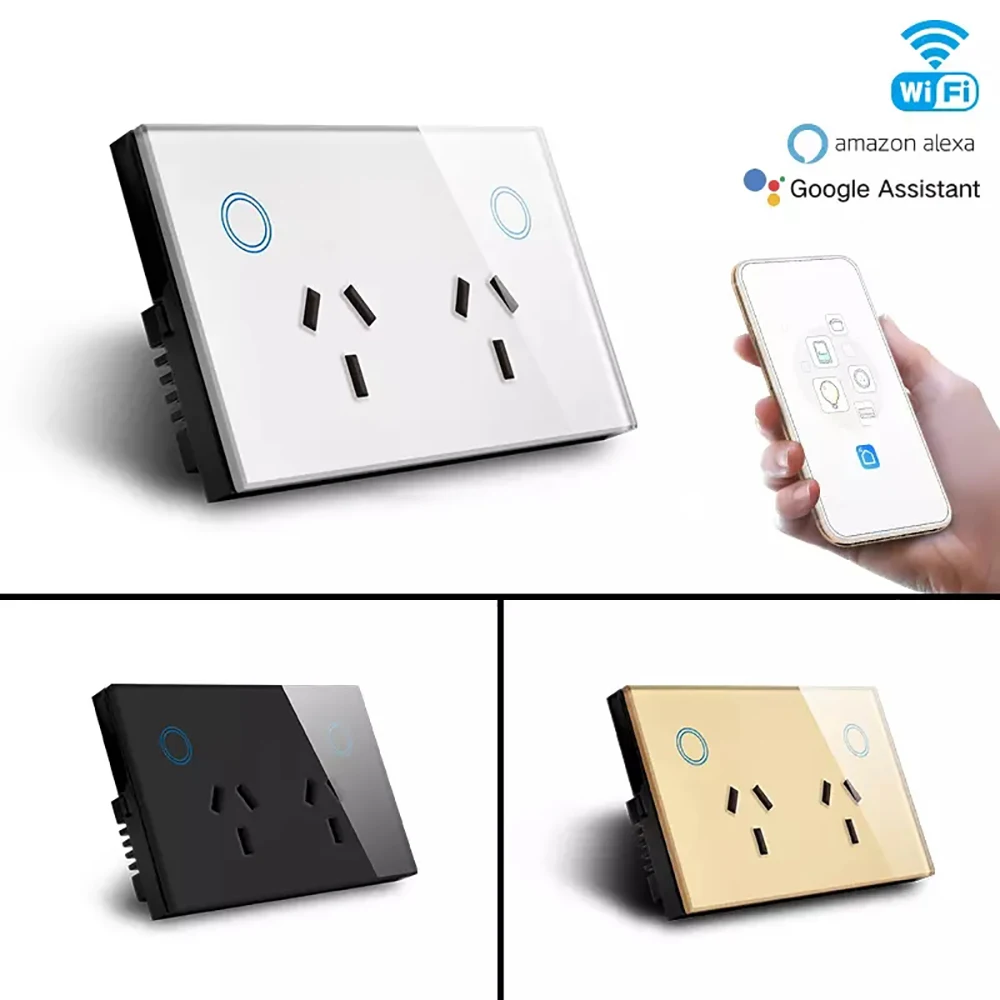
AU WiFi Smart Double Socket With Glass Panel Power Consumption Monitoring
Specification
| Parameter | Details |
|---|---|
| Product Type | AU Standard WiFi Smart Double Socket |
| Color | White |
| Dimensions | 120mm (L) × 72mm (W) × 38mm (H) |
| Net Weight | 191g |
| Material | Flame-retardant PC |
| Voltage Range | 90 - 250V AC |
| Maximum Current | 15A per socket |
| Wireless Frequency | 2.412 - 2.484GHz |
| Wireless IEEE Standards | IEEE802.11b/g/n |
| Security Type | WEP61/WEP/128/TKIP/CCMP(AES) |
| Security Mechanism | WEP/WPA - PSK/WPA2 - PSK |
| Wireless Power Consumption | ≤0.3W |
| Operating Temperature | -30℃ - 60℃ |
| Maximum Power | Up to 2900W |
| Certifications | FCC, CE, ROHS, RED |
Core Features
1. Step - by - Step Pairing for Amazon Alexa & Google Home
Effortlessly connect to voice assistants for instant hands - free control, making daily appliance management more convenient than ever:
Pairing with Amazon Alexa
- First, complete the initial connection between the socket and the TUYA app following the setup steps below.
- Download and open the Amazon Alexa app on your iOS or Android device, then log in to your Amazon account.
- Tap the "More" icon at the bottom right corner, select "Skills & Games" from the menu.
- Search for the "TUYA Smart" skill, click "Enable to Use", and enter your TUYA account credentials to link the two accounts.
- Alexa will automatically discover the smart socket. You can rename it (such as "Living Room Kettle Socket") and start voice control immediately.
Pairing with Google Home
- Ensure the smart socket is successfully connected to the TUYA app and stays online.
- Install the Google Home app, log in with your Google account.
- Tap the "+" icon at the top left corner and choose "Set up device".
- Select "Works with Google" and search for "TUYA Smart".
- Input your TUYA account info to bind. After successful binding, assign the socket to a specific room, and you can control it via voice or the Google Home app.
2. Triple Control Modes for All Scenarios
- Voice Control: Issue simple commands like "Alexa, turn on the bedroom fan" or "Hey Google, turn off the coffee maker". It’s perfect for when your hands are full during cooking or cleaning.
- Remote App Control: After connecting to 2.4GHz WiFi, the TUYA app (available for iOS and Android) lets you manage the socket anytime and anywhere. The app sends real - time status updates, so you’ll never worry about forgetting to turn off appliances when going out.
- Touch Control on Panel: The sensitive glass panel supports direct on/off touches. It’s a reliable backup when your phone is out of battery or the network is unstable, balancing smart convenience with traditional usability.
3. Multi - Mode Timing & Smart Automation
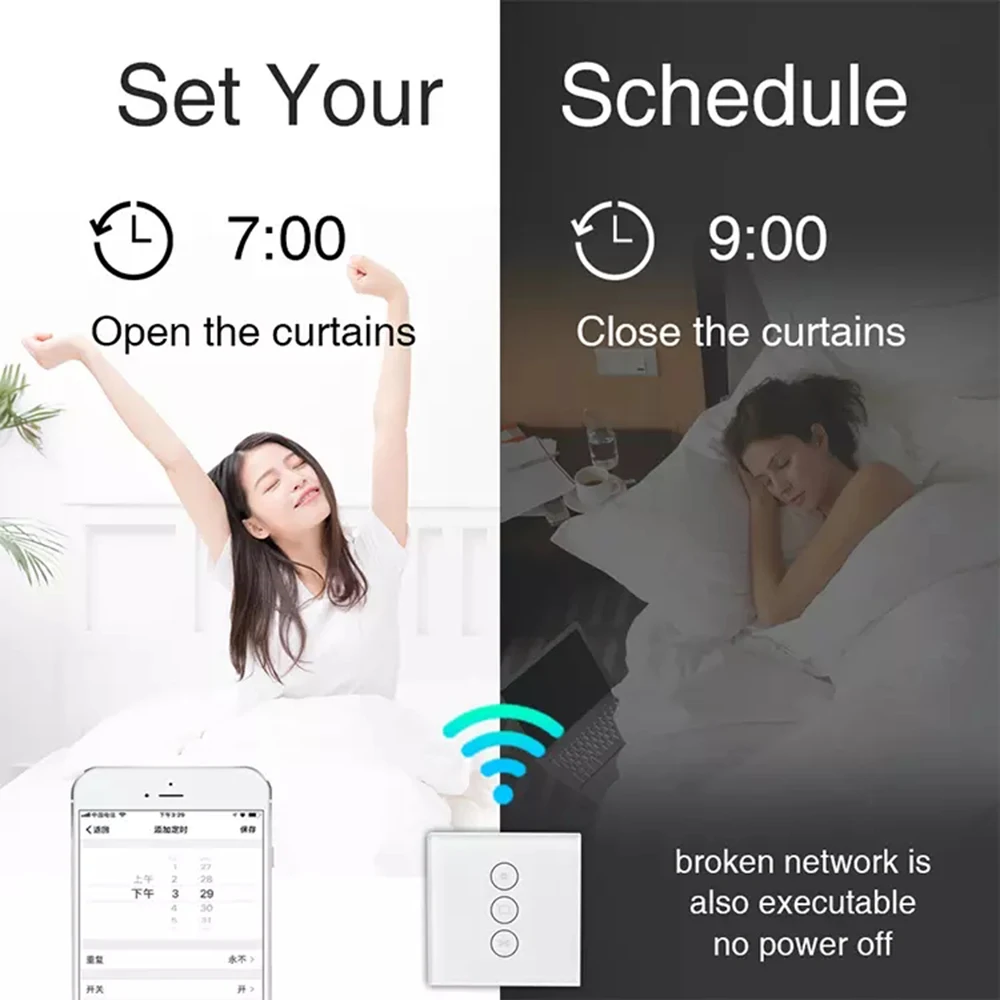
- Custom Schedules: Set one - time or recurring timers (daily/weekly). For example, schedule the desk lamp to turn on at 7 PM and off at 11 PM, or let the electric blanket warm up 10 minutes before you go to bed.
- Countdown Timer: Set a countdown from 1 second to 1 hour. It’s ideal for devices like electric heaters or chargers, preventing overuse and extending appliance lifespan.
- Cycle Timing: Customize on - off cycles, such as 20 minutes on and 20 minutes off for a humidifier, to maintain a comfortable indoor humidity without manual operation.
- Simulated Occupancy Mode: Randomly switch the socket on and off when you’re traveling. It creates the illusion that someone is at home, effectively deterring potential intruders and enhancing home security.
4. Real - time Power Monitoring & Energy Saving
- Real - time Power Display: The TUYA app shows the voltage, current, and power of connected appliances in real time. You can check the working status of devices at a glance.
- Cycle Energy Statistics: View daily, weekly, and monthly power consumption reports in the app. The intuitive data helps you identify power - hungry appliances and adjust your usage habits.
- Standby Power Cut: The socket can automatically cut off power when connected appliances enter standby mode. It eliminates "phantom power" waste, which usually accounts for 5 - 10% of household electricity consumption.
5. All - round Safety Protections
- Overload & Short - Circuit Protection: It immediately cuts off power when the current or power exceeds the safe threshold, protecting both your appliances and home from fire hazards.
- Voltage Fluctuation Protection: Detects abnormal voltage (too high or too low) and shuts down temporarily to avoid damaging sensitive devices like audio systems and routers.
- Flame - Retardant & Anti - Aging: The PC material resists high temperatures and prevents flame spread. It maintains stable performance even after long - term use, avoiding safety risks caused by material aging.
- Child Lock Function: Activate the child lock via the TUYA app to lock the touch panel and app control. It prevents children from accidentally touching the socket and causing electric shocks.
6. Stable Performance & Easy Installation
- Stable WiFi Connection: It adopts 2.4GHz WiFi technology which has strong wall - penetration ability and stable signal. It won’t disconnect frequently even in large houses.
- Offline Timing Support: The preset timing tasks will continue to run even if the network is interrupted, ensuring uninterrupted use of essential appliances.
- One - Tap Group Control: Create device groups in the TUYA app. You can turn on/off all sockets in the living room with one tap, simplifying the management of multiple devices.
- Hassle - free Installation: It fits standard Australian wall boxes with dimensions 120mm (L) × 72mm (W), matching most household installation needs. Use the included screws to fix it, no complex wiring required. Even beginners can complete the installation in 5 minutes.
- Power - on Memory Function: You can set the socket to restore its previous on/off state after a power outage. It’s especially useful for appliances like refrigerators that need to run continuously.
7. Reliable Data Security
The socket adopts multiple encryption protocols including WEP, WPA - PSK, and WPA2 - PSK. It effectively encrypts your network and account data, preventing unauthorized access and ensuring the privacy and security of your smart home system.
Quick Setup with TUYA App
- Download the TUYA app from the App Store (iOS) or Google Play Store (Android).
- Register an account and log in. Tap the "+" icon on the homepage and select "Smart Socket".
- Plug the socket into a power outlet, and follow the app prompts to put the socket into pairing mode.
- Enter your 2.4GHz WiFi password. Wait for 3 - 5 seconds until the connection is successful.
- Customize the socket name, set timing tasks, and activate safety functions as needed.
Wide Compatibility
With a maximum power of 2900W, this double socket is compatible with most household appliances, such as lamps, electric kettles, coffee makers, portable heaters, fans, audio systems, and chargers. It transforms ordinary appliances into smart ones without replacing your existing devices, which is cost - effective for smart home transformation.
Package Contents
- 1 × AU WiFi Smart Double Socket
- 2 × Installation Screws
- 1 × User Manual
Why Choose This Smart Socket?
This socket takes voice control pairing with Alexa and Google Home as its core advantage, and integrates all necessary smart functions for daily use. The compact 120mm × 72mm size fits seamlessly into standard Australian wall boxes, while the stylish glass panel complements various home decoration styles. It solves the troubles of forgetting to turn off appliances, wasting electricity, and difficult management of multiple devices. Whether you’re a busy office worker, a parent with children, or a travel enthusiast, this smart socket will bring a more convenient, safe, and energy - saving life experience to your family.