Bonsai Collector Database Professional Software
*** New 2020 Version ***
Please see my other
listings for this software supplied on a USB stick. Note that this listing is
for the CDROM only.
COMPATIBLE WITH ANY WINDOWS 10, 11 WINDOWS 8, 8.1, 7, VISTA or XP-SP3
Professional version including collection records, reference records links, reports and contacts.
Suitable for Bonsai management. Record your Bonsai collection. Includes growth records including images for each plant to record growth.
- Easily track watering, repotting, fertilizing due dates with the ability to bulk update records. Easily see what is due, overdue or soon due with dedicated indexes in date order.
- Easily create pdf or xps files where you can view your records on your phone or other devices. Create separate pdf or xps files for each Genus or any other grouping and view them on your phone.
- Record any procedures done for each plant.
- Record optimum months for flowering, propagation, sowing and pruning with the ability to filter records for a particular month.
- Import or export records to or from excel spreadsheets.
- Import records from the 2007 version directly.
- Capacity is a minimum 1,000,000 records.
- New data automatically added to drop down lists.
- Find your desired records quickly with powerful new filtering options such as direct filter drop downs. Save any filtering or sorting for quick recall as desired.
- Filtering and sorting applied to main indexes. Just apply a filter and/or sort to your category or other fields, then go straight to the main index which is also filtered and sorted accordingly.
- Direct filters for each dropdown field where you can apply a filter using that dropdown’s data list.
- Add web links or file links to each record. 3 hyperlinks for each collection and reference record and one per growth record which can be configured as desired. Can be used to link to a page on a collector website relevant to the record.
- There are also running totals for the whole collection for Purchase Price, Sale Price and Current Value. These fields can handle any world currency from zero to 3 decimal places. Pricing fields are also filtered, handy when wanting to know totals for a desired set of records.
- Allows you to keep a record of your Bonsai including images in one simple to use package. View your collection records quickly and easily.
- A user friendly database which is simple to use compared with other database programs available. See selected screenshots below.
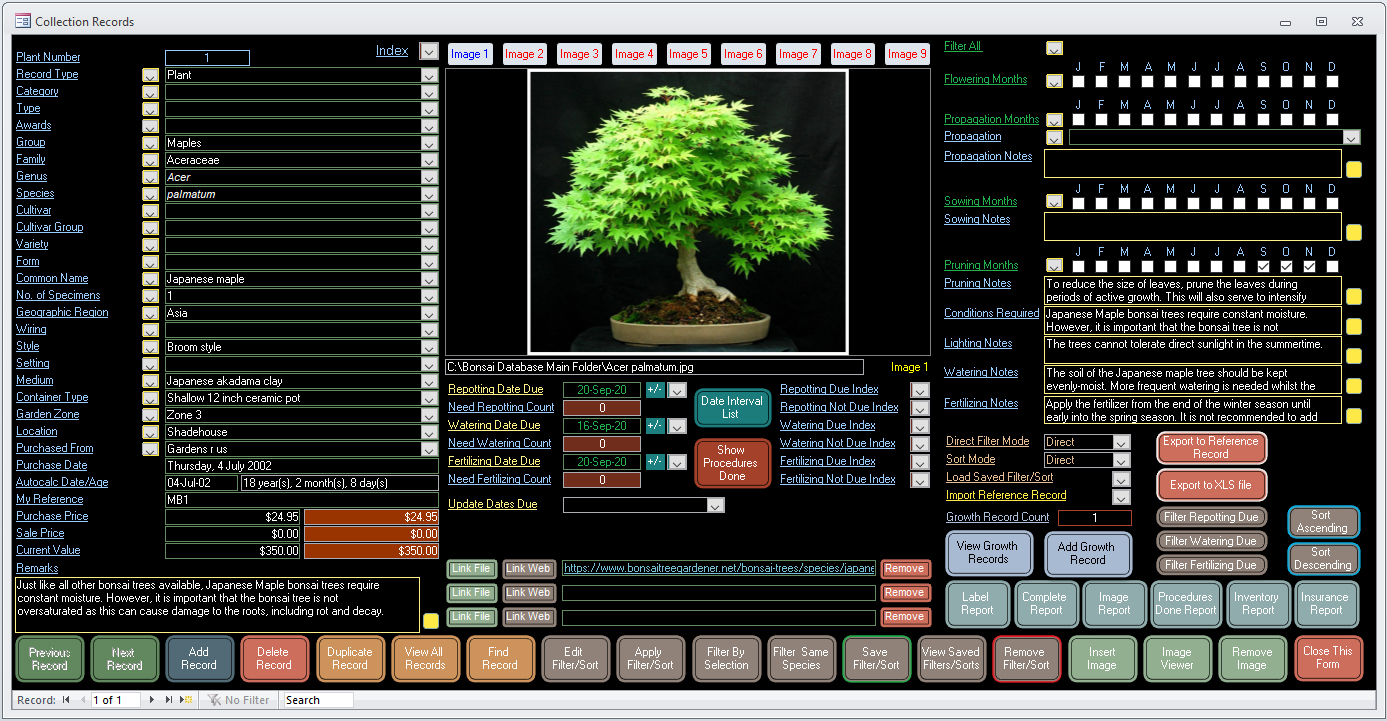
- 2 different form sizes for collection and reference forms – large forms to suit computers with screen resolution of 1920 x 1080 or higher and small forms suited to lower resolution laptops with a screen resolution of 1366 x 768 or higher.
Click on any image below to view at full size in a new tab.
Main Menu – The Main Menu is displayed when you first open the program.

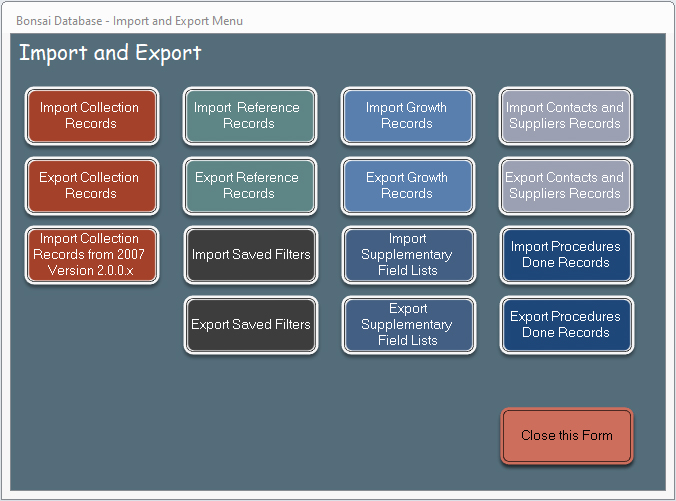
Import and Export Menu – The Import and Export Menu allows import and export of all records.
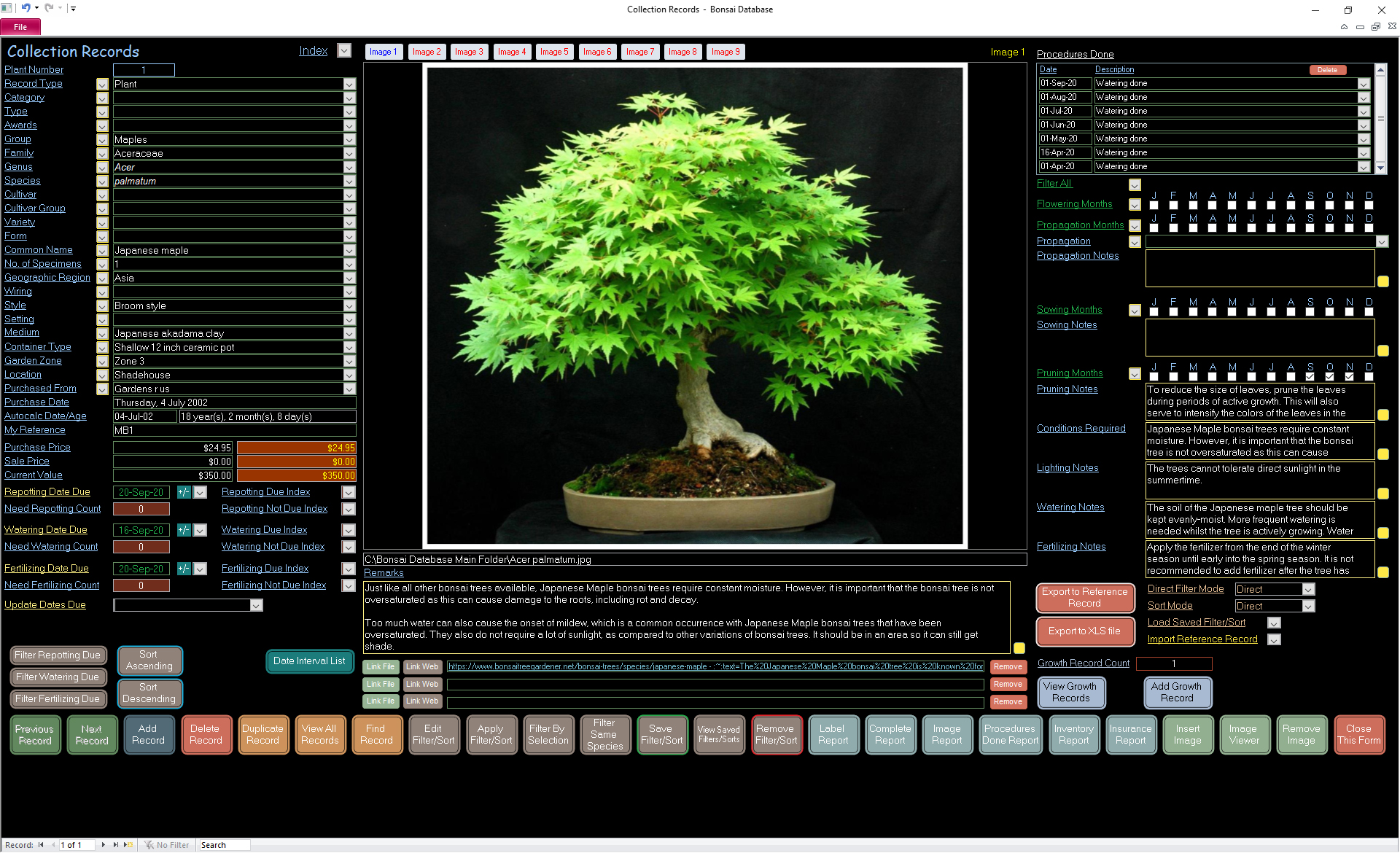
Collection Records Form – This is where you keep records of all your plants and seeds. Available fields are as per the screenshots below. Easily track watering, repotting, fertilizing due dates with the ability to bulk update records. Record any procedures done for each collection record. Find desired records quickly using powerful filtering and sorting tools which allow you to display records as desired. An Index allows direct navigation to records and is also filtered and sorted along with the form which is great if you have many records. Fields with yellow borders can hold up to 60,000 characters per record with a viewer button to view the contents of the field in a pop up text file. Store up to 9 images per collection record. Six smart looking reports are available where you can print desired records to a pdf or xps file to view on other devices or print to paper.
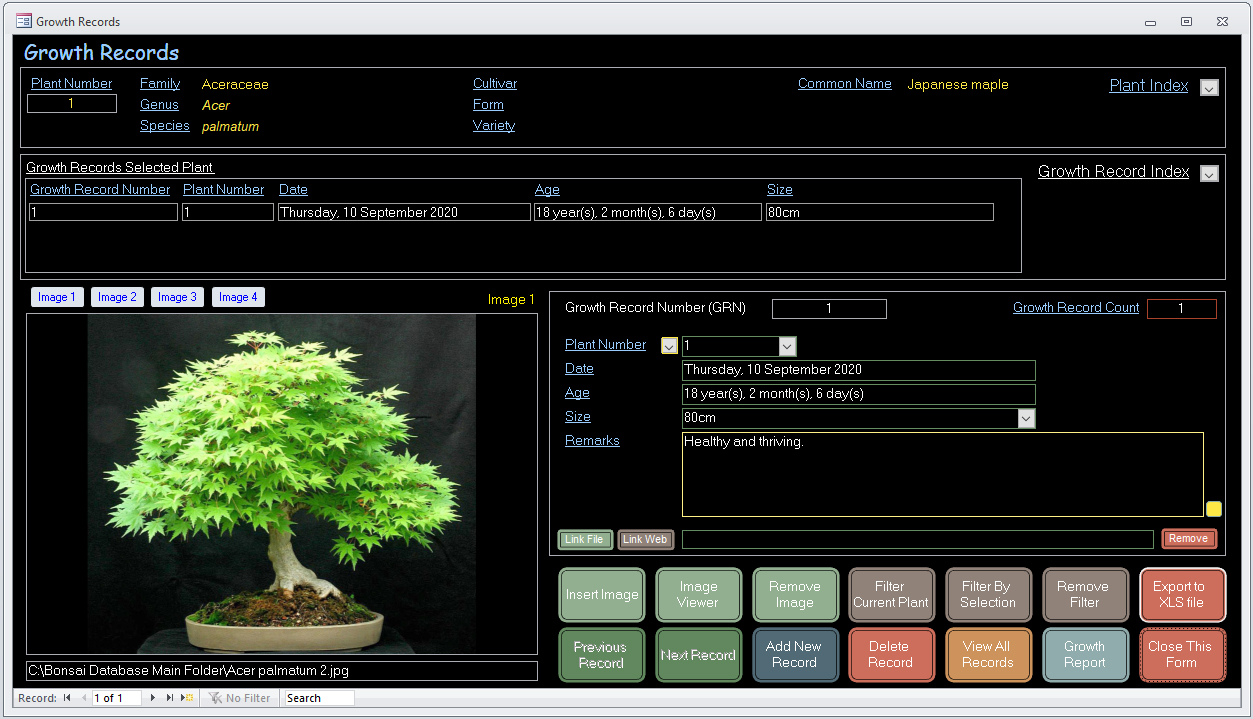
Growth Records Form – This is where you can keep growth records of your Bonsai. Easily record growth or flowering including four images and one link per growth record. A growth report including images is also included.
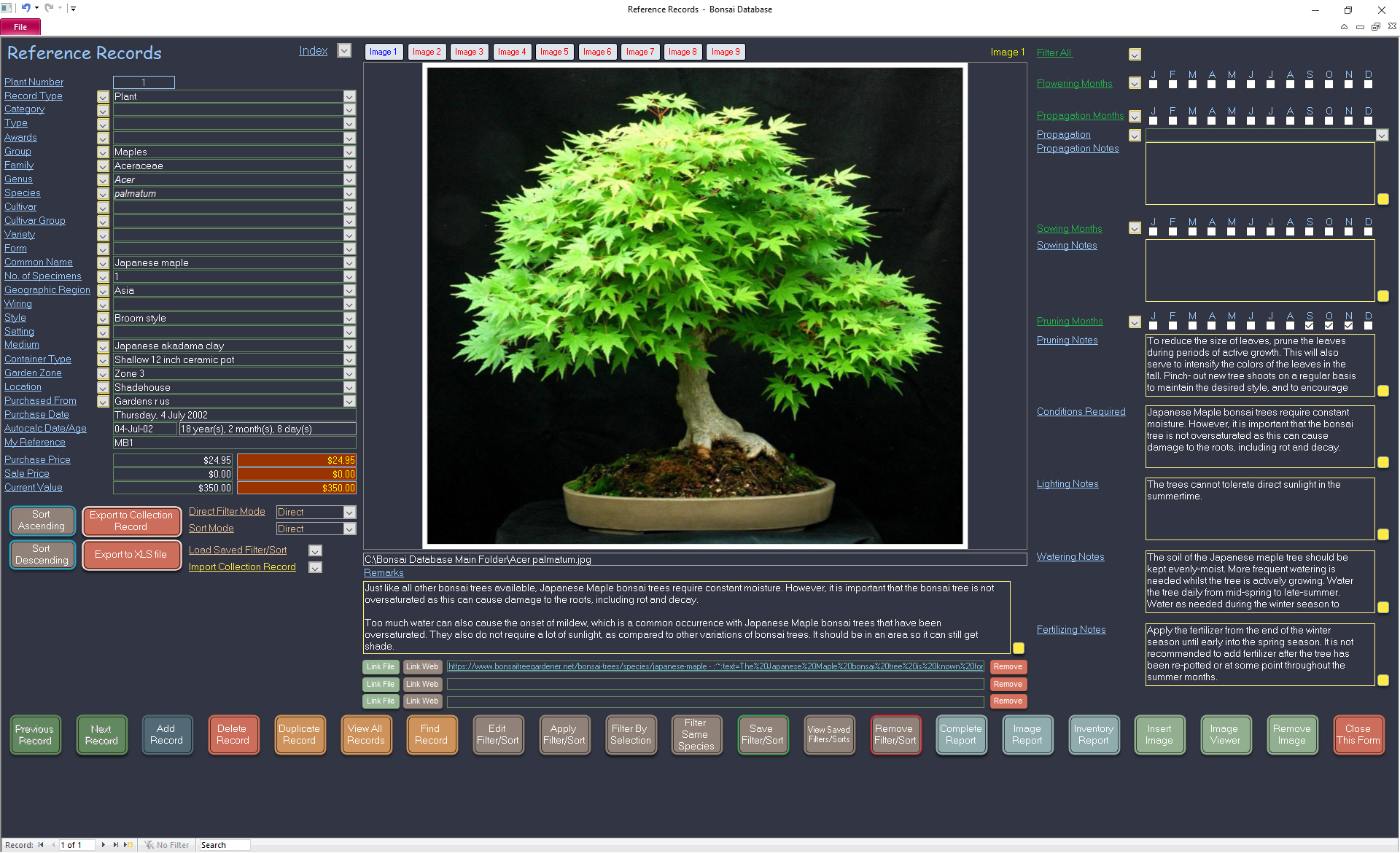
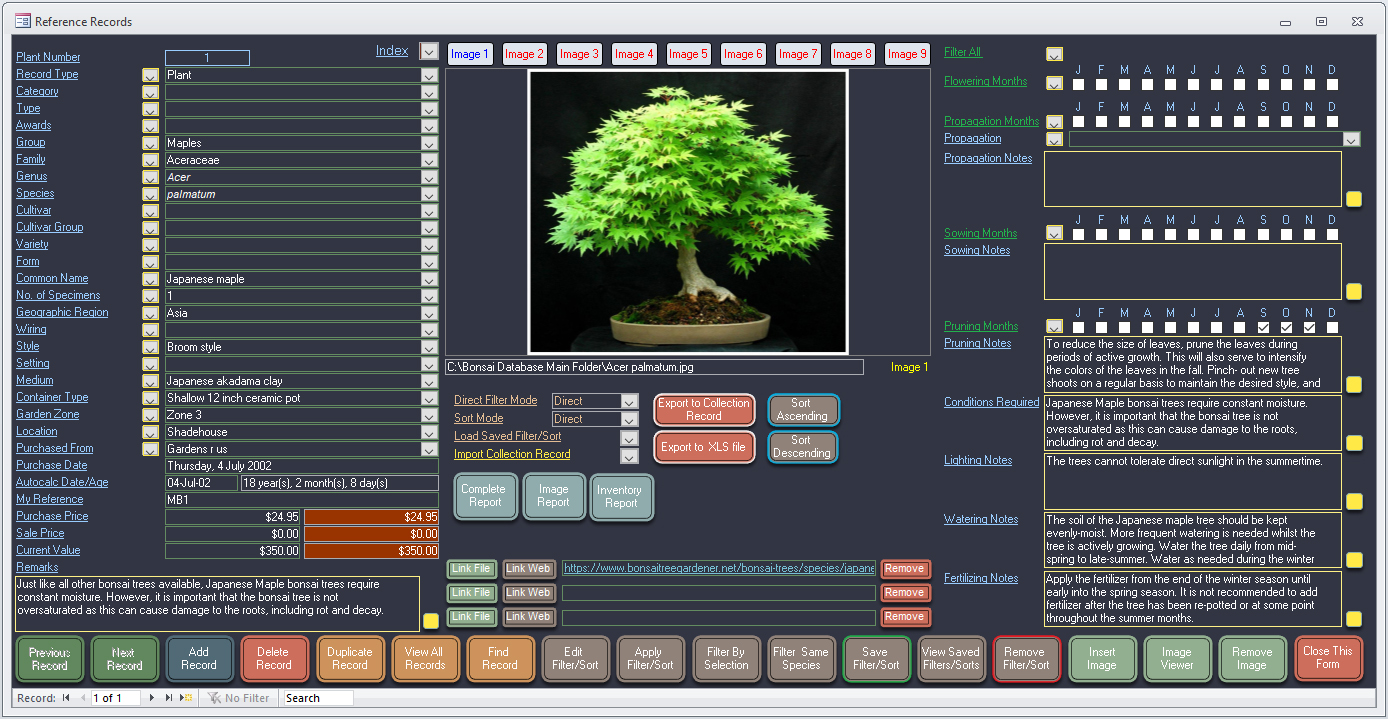
Reference Records Form – A whole separate database similar to the collection records, which may be used for reference records as a library, or may be also used for a variety of purposes as desired. Import/Export reference records directly to/from collection records. Import/Export collection records directly to/from reference records.
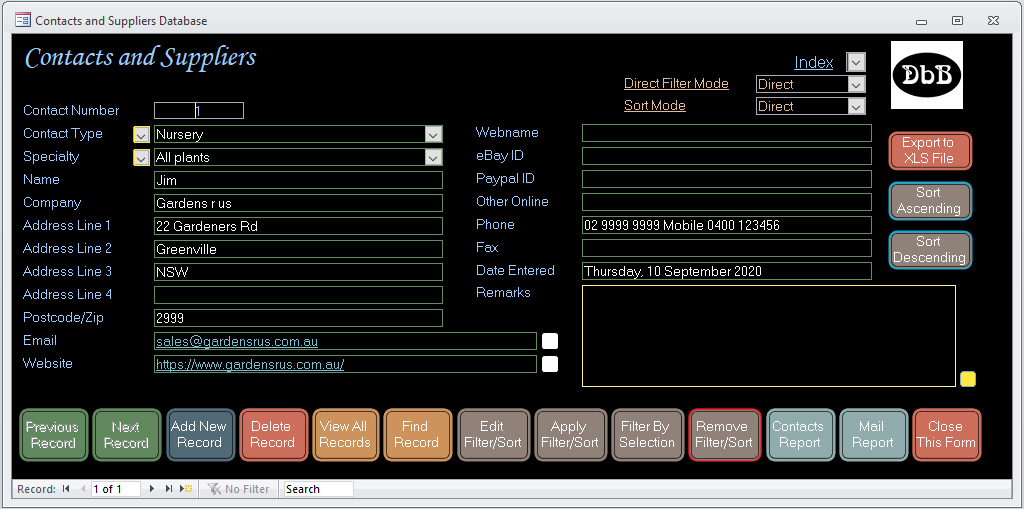
Contacts and Suppliers Form – Here you can record associated people and establishments. Included are link fields for website and email addresses.
Various reports are available which can be saved to a pdf or xps file where you can view your collection and reference records on your phone or other devices.
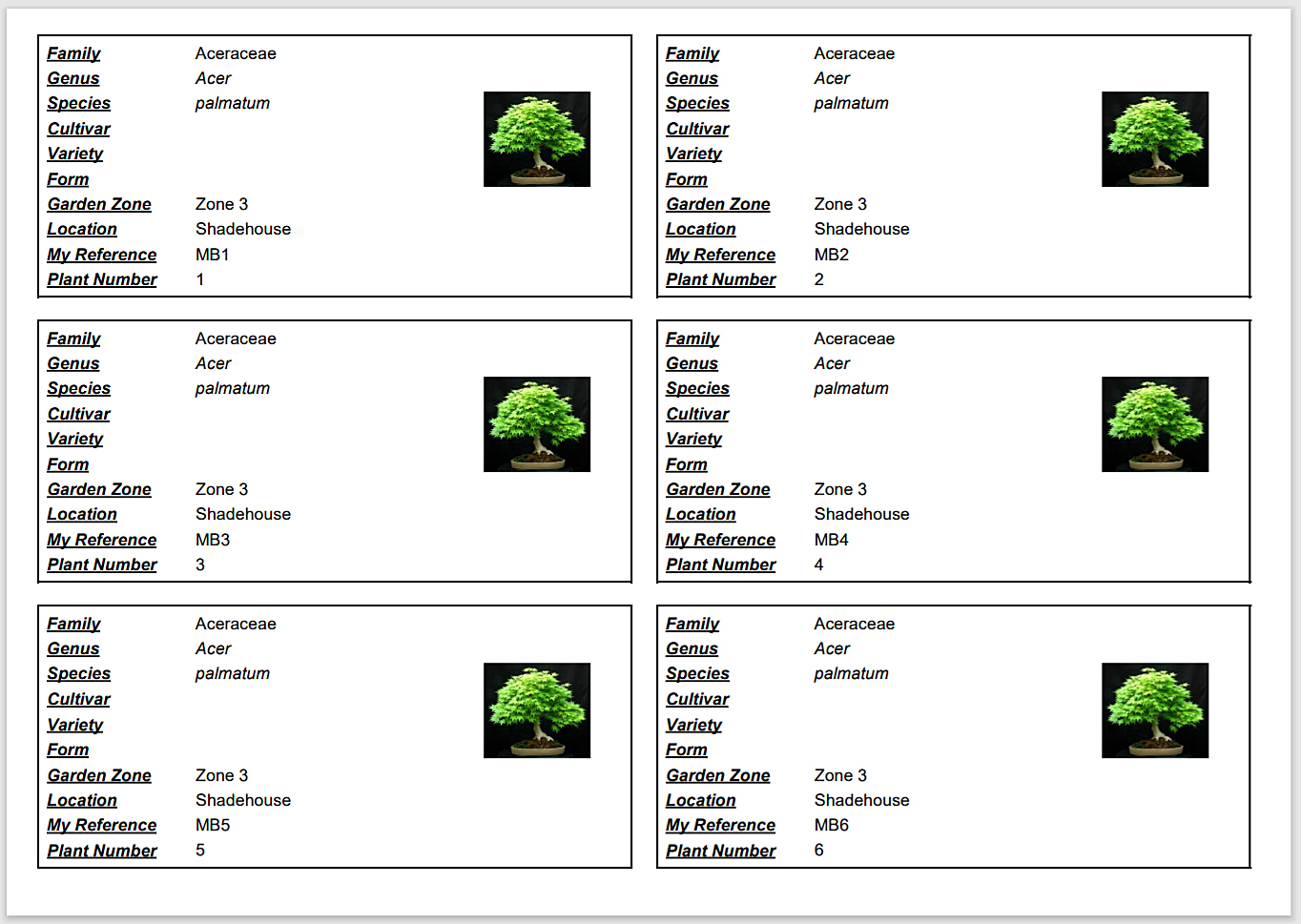
Label Report – Print labels with key information to store with each item.
Complete Report – All main fields of each record including the first image with a summary of pricing totals at the end of the report.
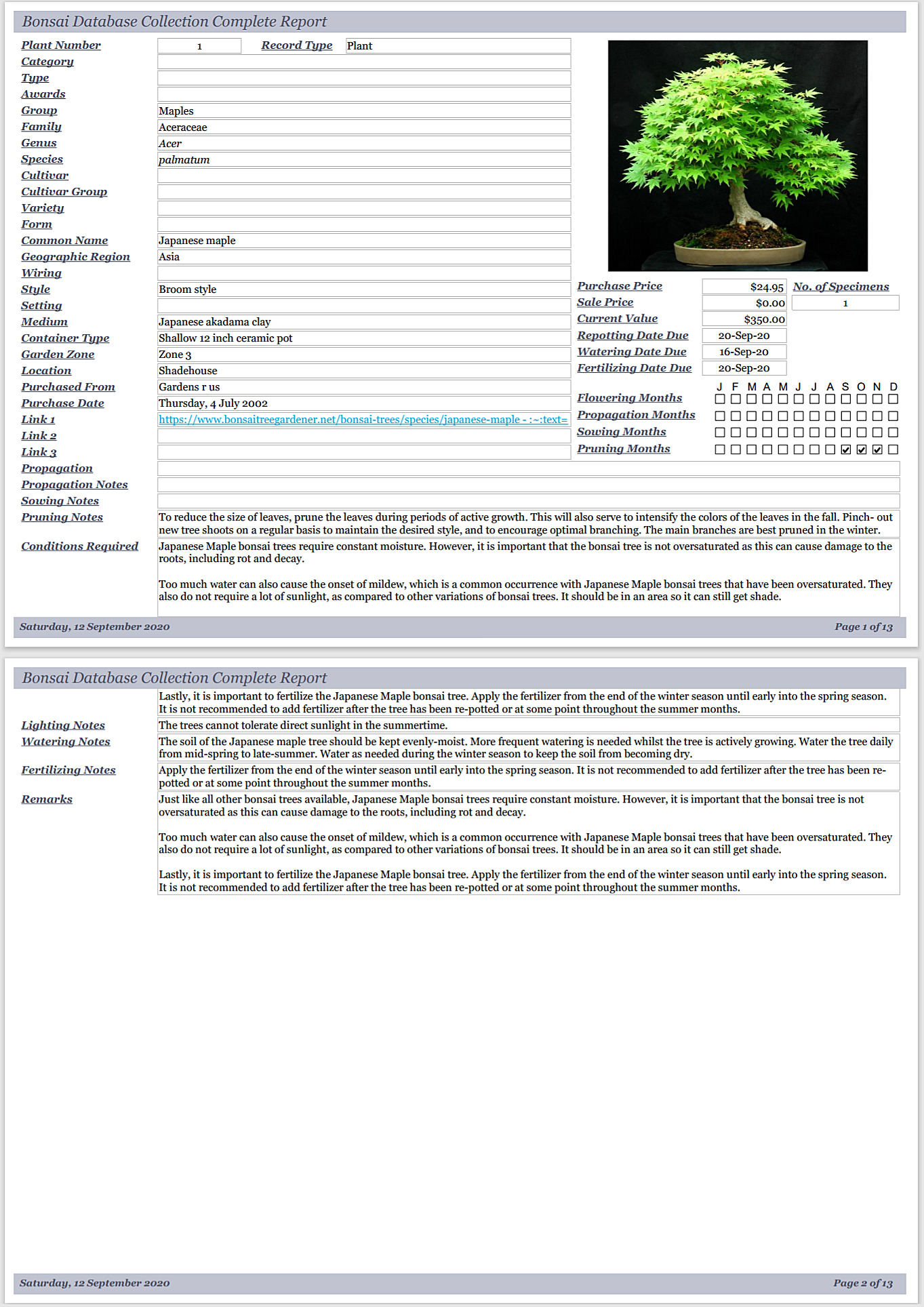
Growth Report – Key fields of each record including all 4 images.
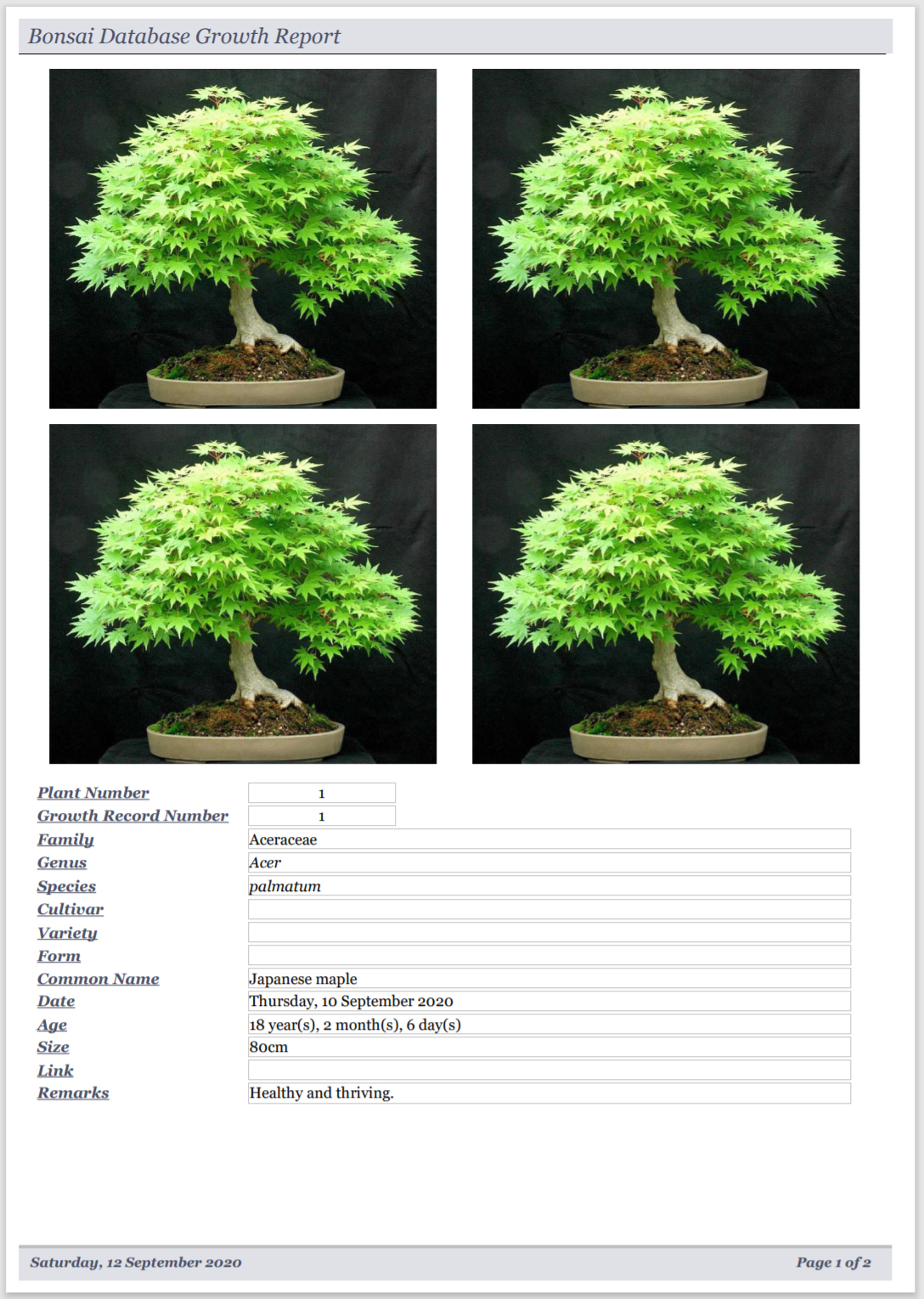
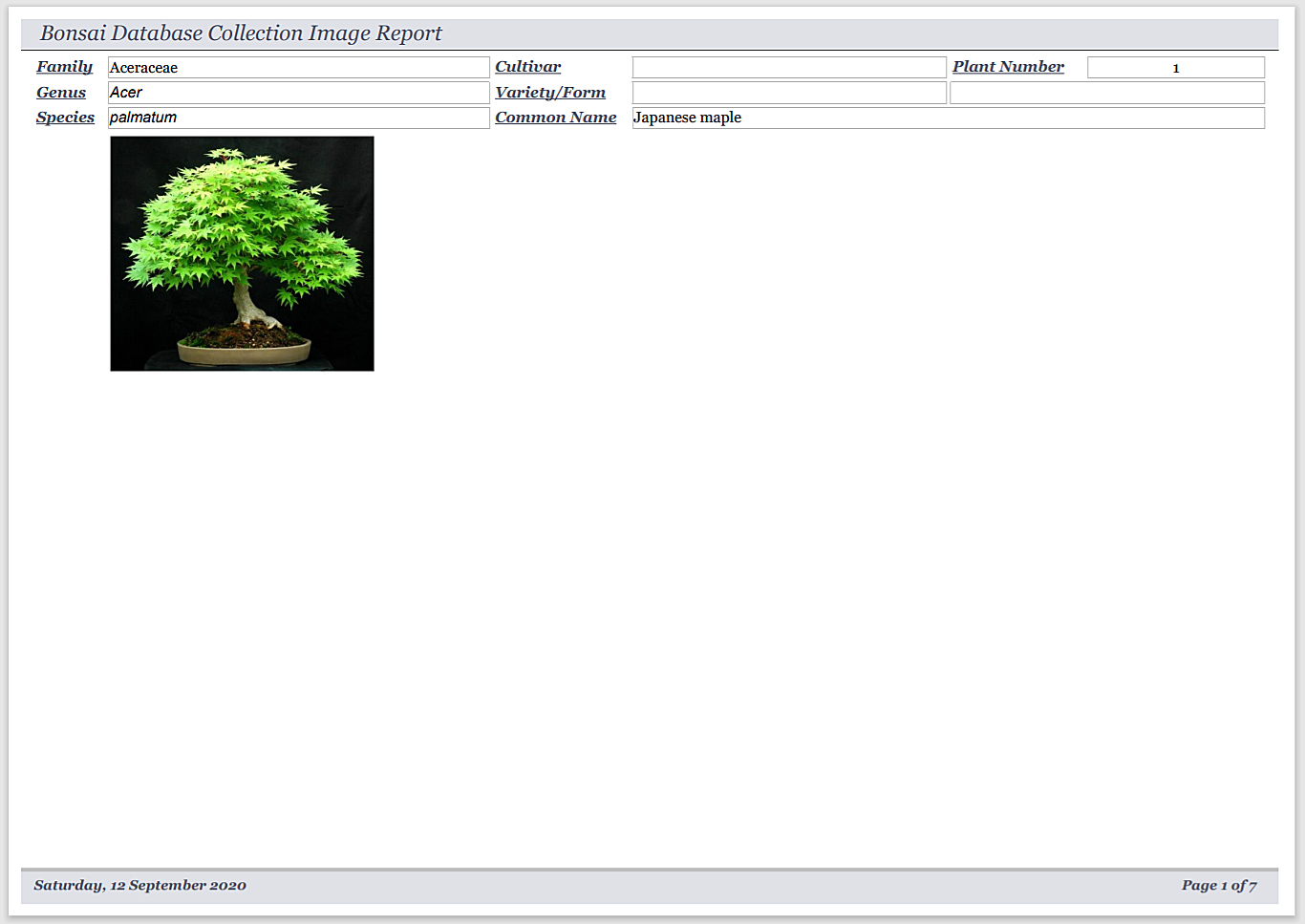
Image Report – Key fields of each record including all 9 images.
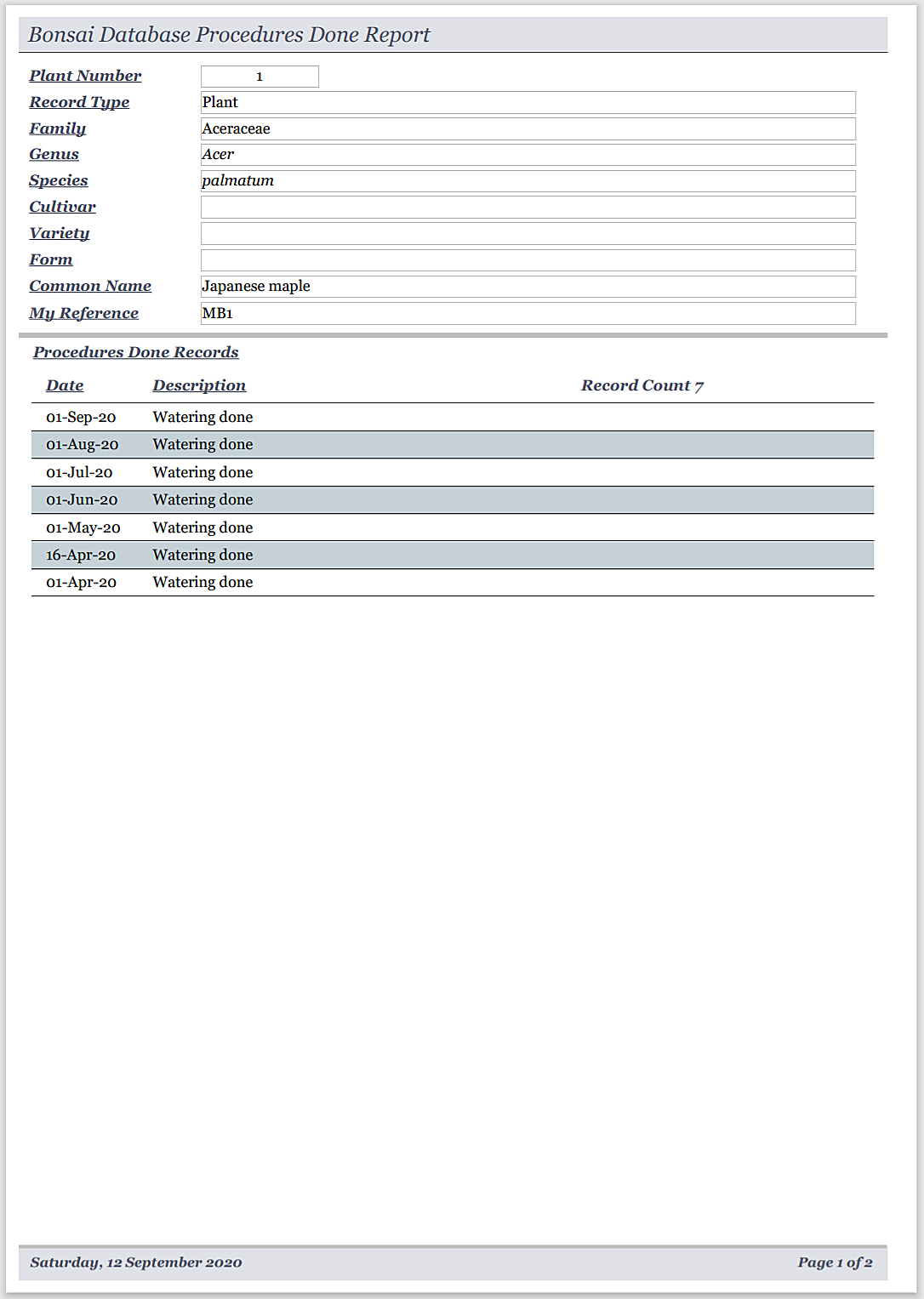
Procedures Done Report – Selected fields for each collection record including a sub report listing the procedures done records for each collection record.
Inventory Report – Key fields of each record including purchase price in a list format.
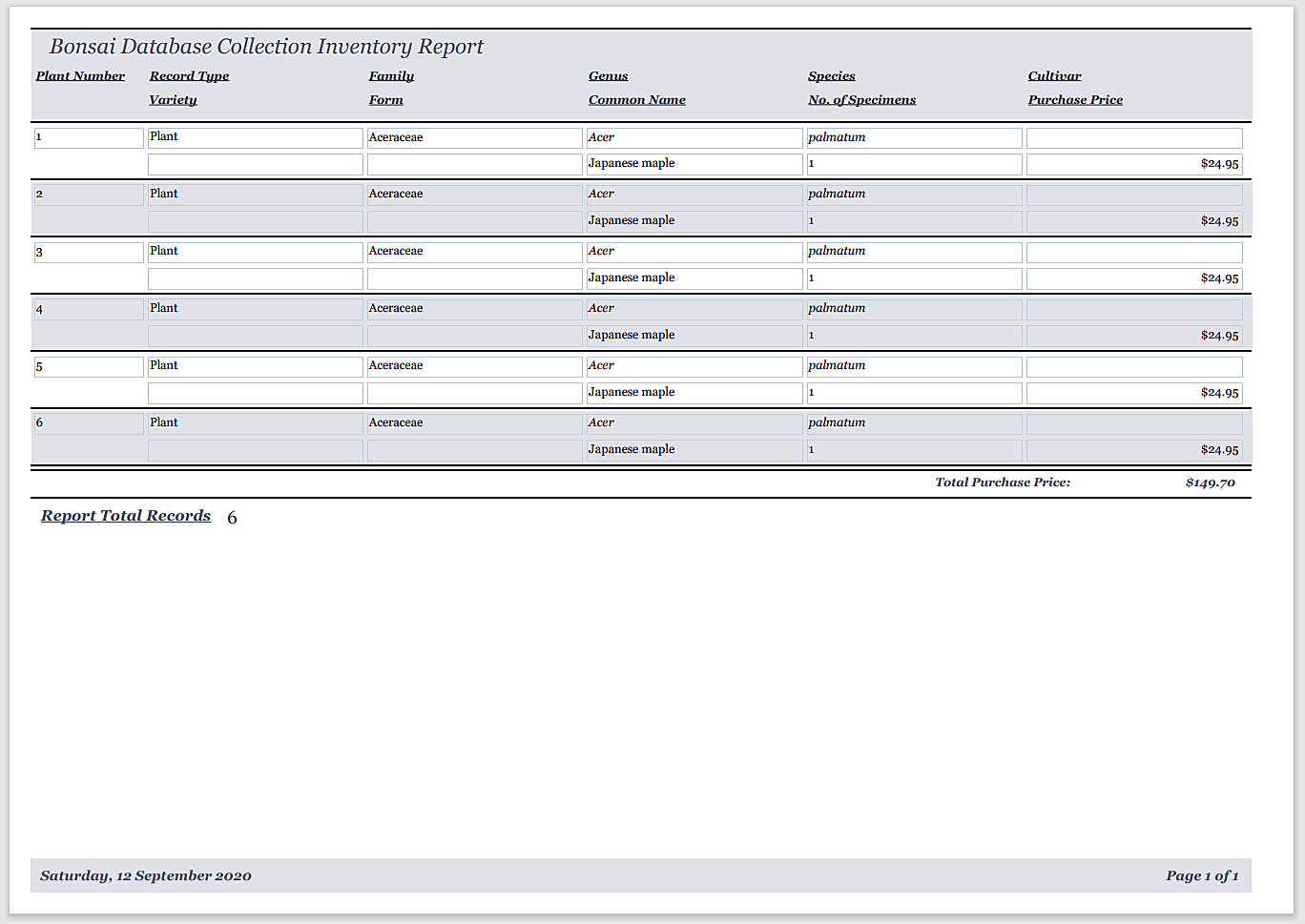
Insurance Report – Key fields of each record including current value in a list format. Your insurer does not see the purchase price of your items.
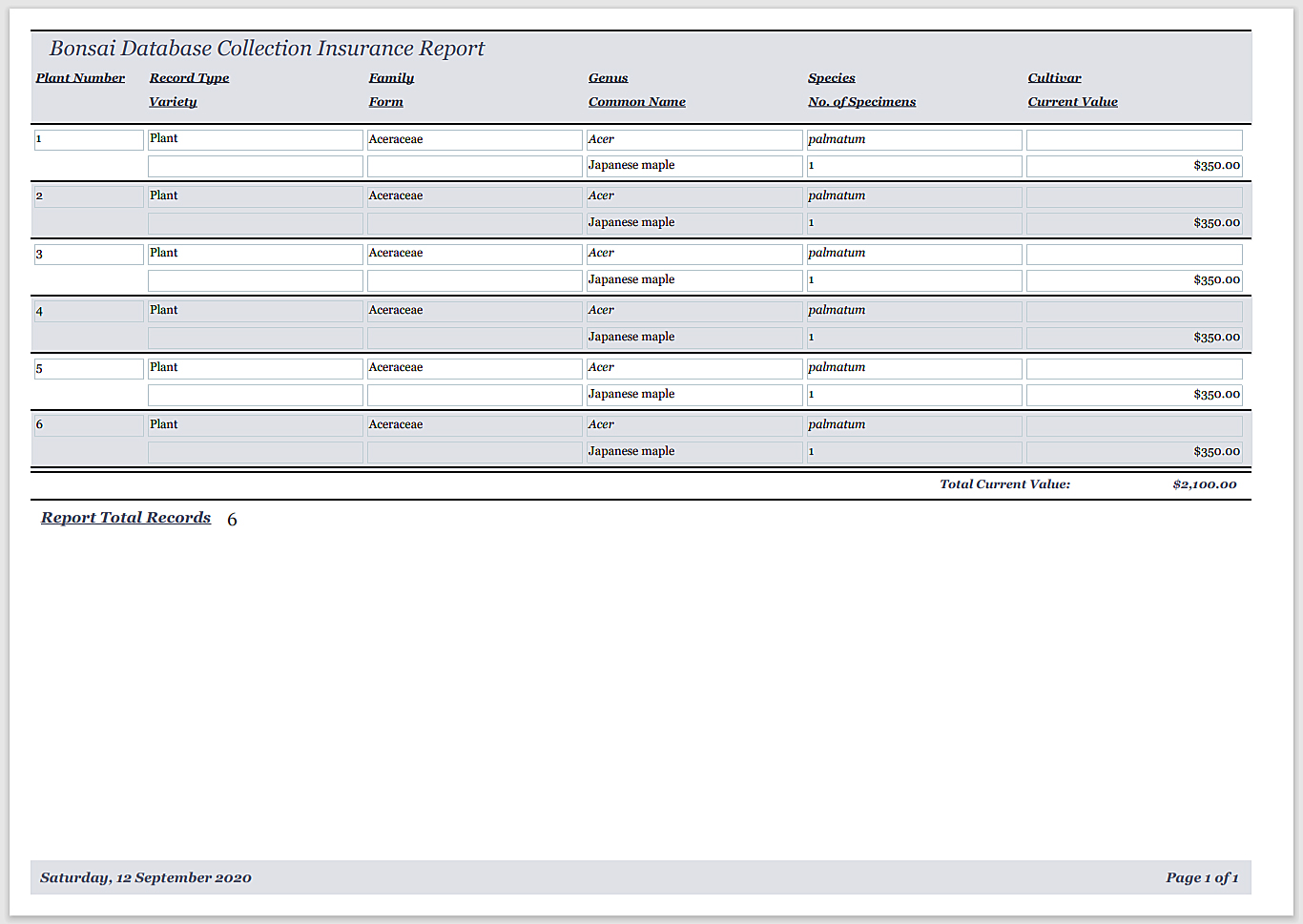
All the above reports can be filtered and sorted as desired. You can create separate reports filtered and sorted as desired.
- A must for serious Bonsai collectors.
- Supplied by posted CD.
- Suitable for Windows XP SP3 or later including Windows 7 Windows 8/8.1 Windows 10, 11 and Windows Vista. 32 and 64 bit Windows supported. Not suitable for Windows 8 RT.
- Minimum screen size required 1920×1080 for the large forms or 1366 x 768 for the small forms.
- Operating instructions supplied as pdf.
- Unlimited support included.