
Item Description
Features:
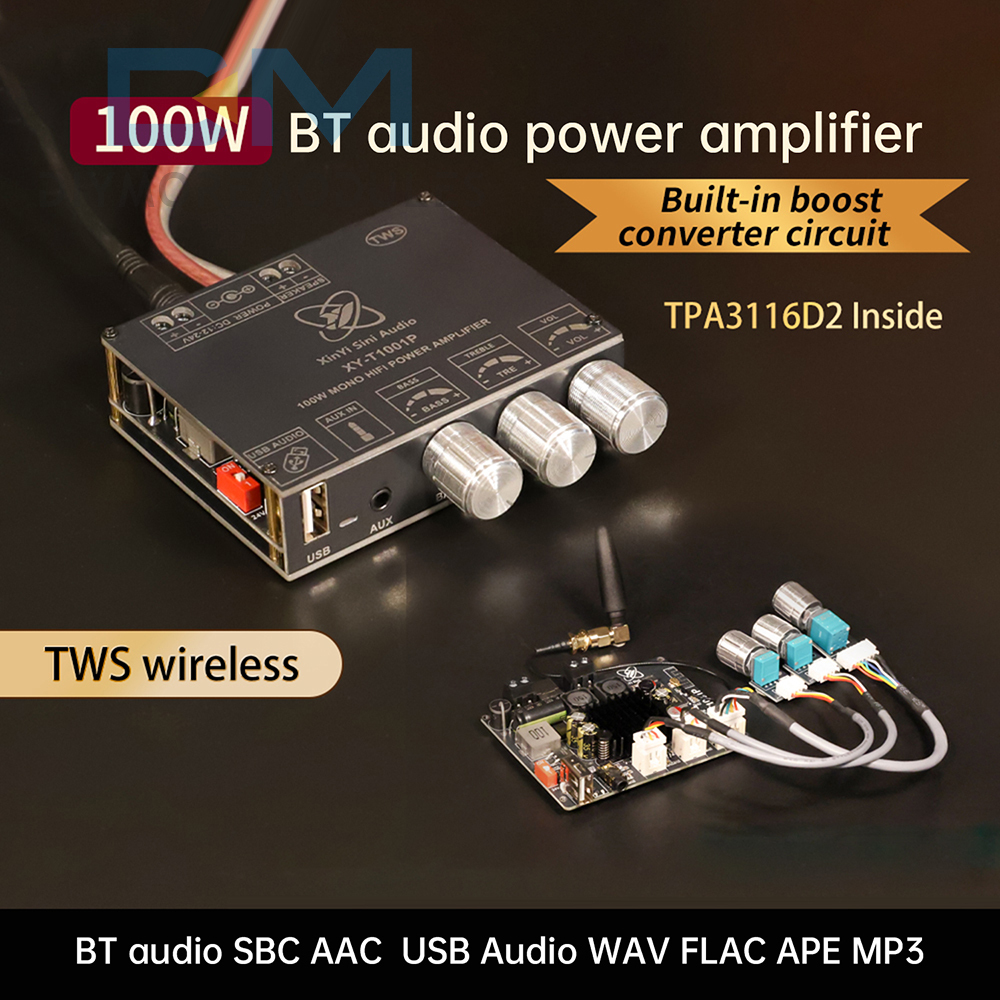
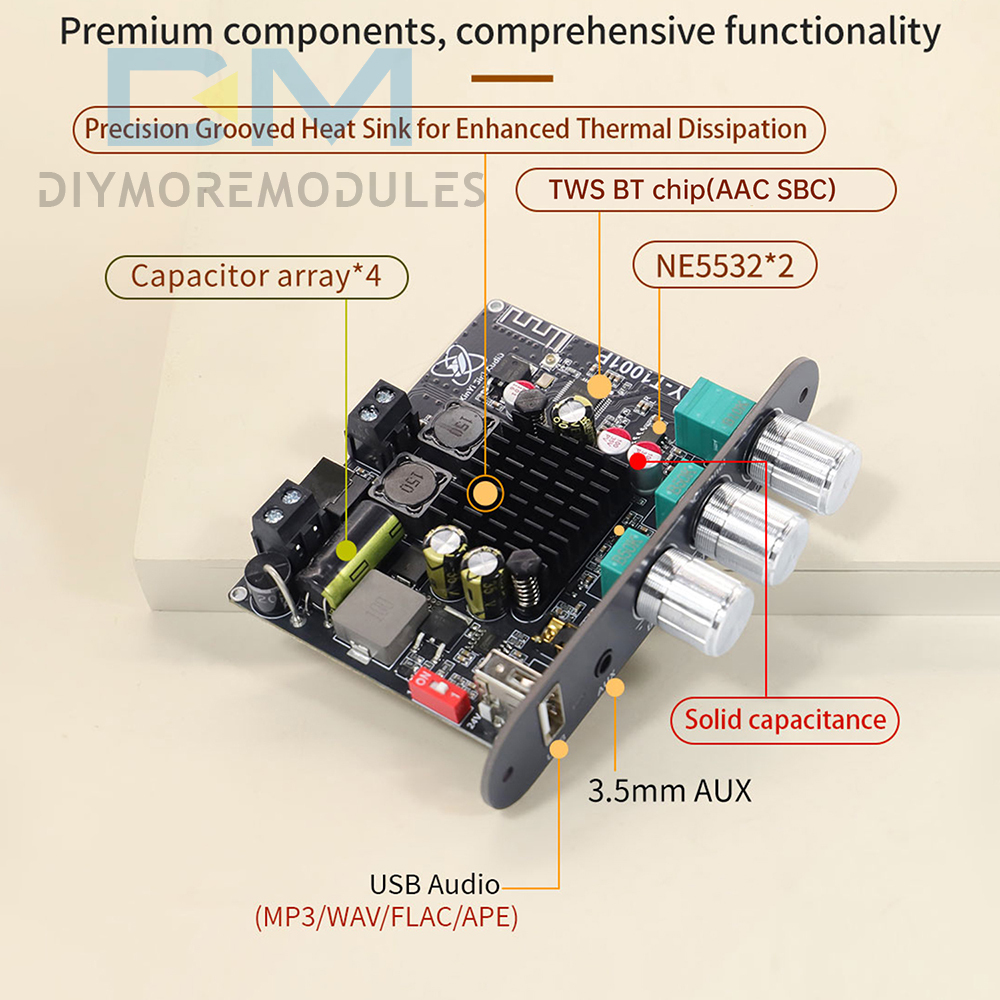
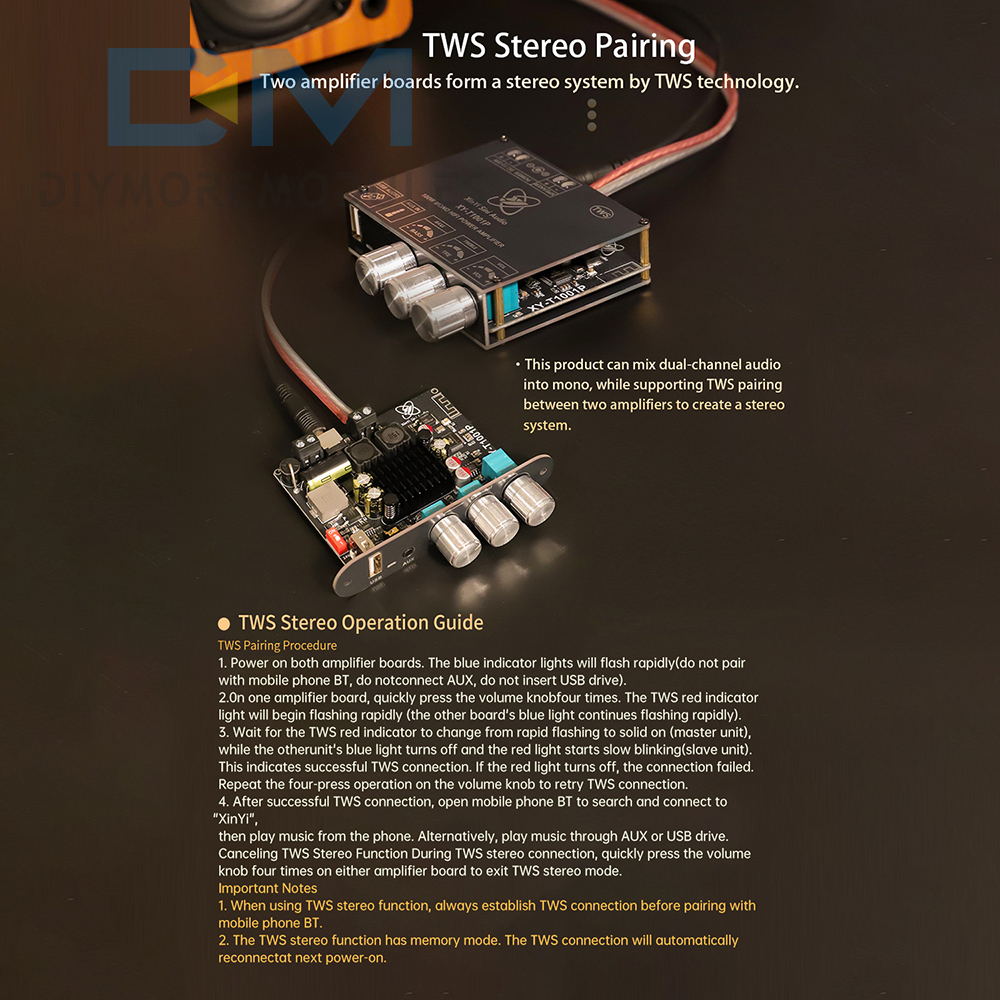
1. Supports TWS stereo pairing technology for effortless setup of immersive sound systems.
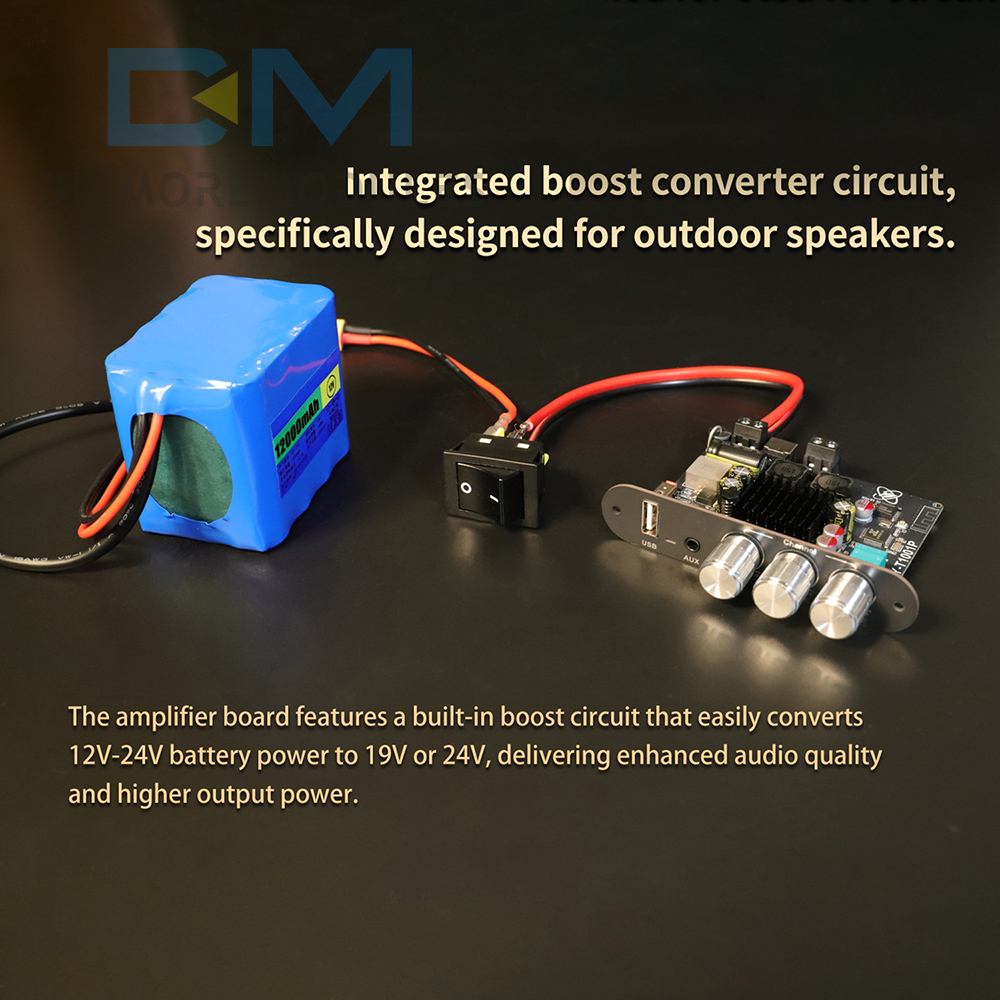
2. Built-in boost circuitry adapts to wide voltage ranges from 12V to 24V.
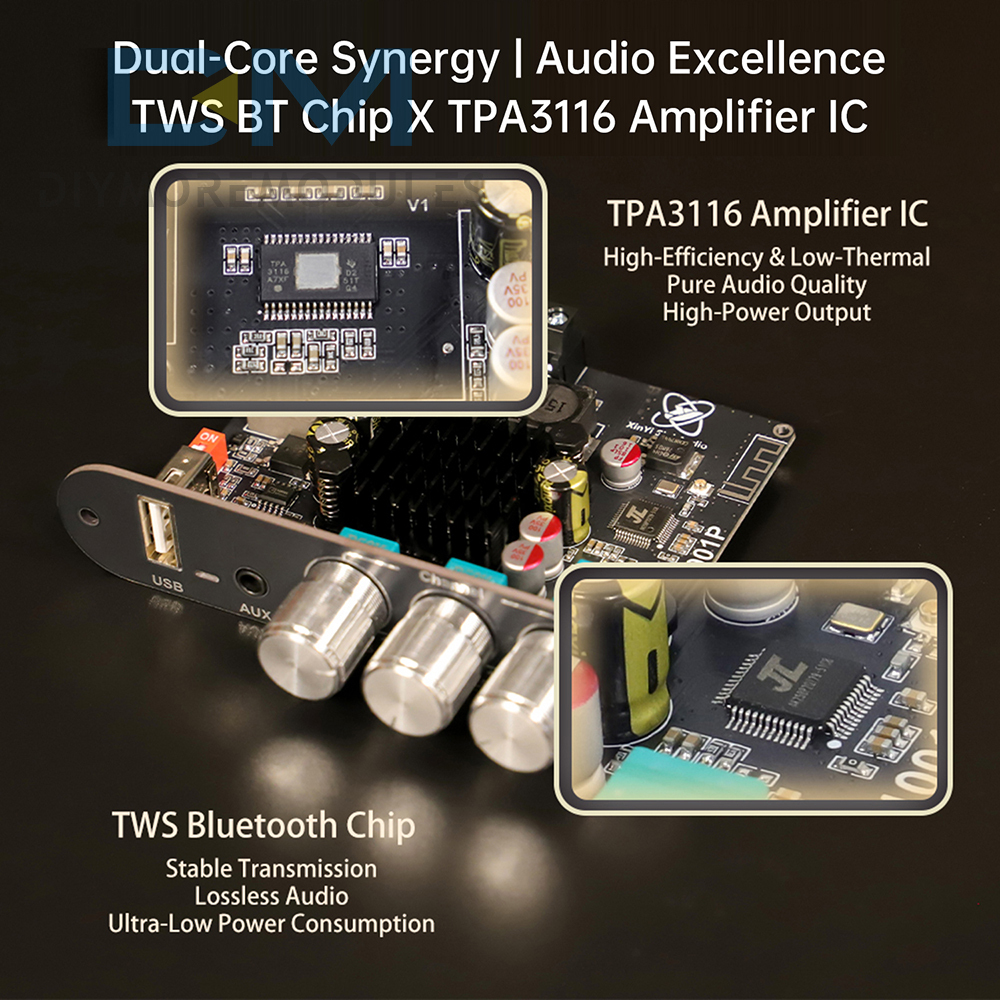
3. Utilizes genuine TPA3116D2 chip for high-fidelity, crystal-clear audio reproduction.
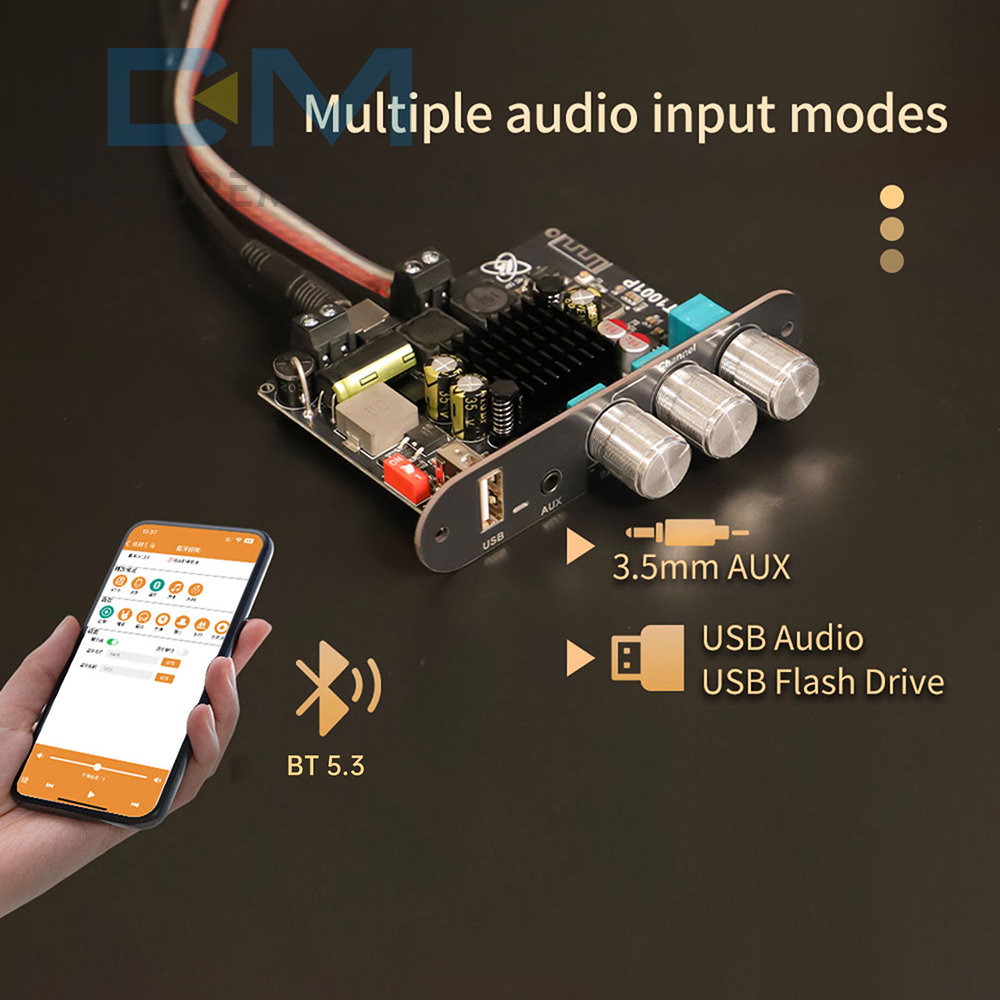
4. Compatible with multiple audio inputs: Bluetooth/USB drive/AUX.
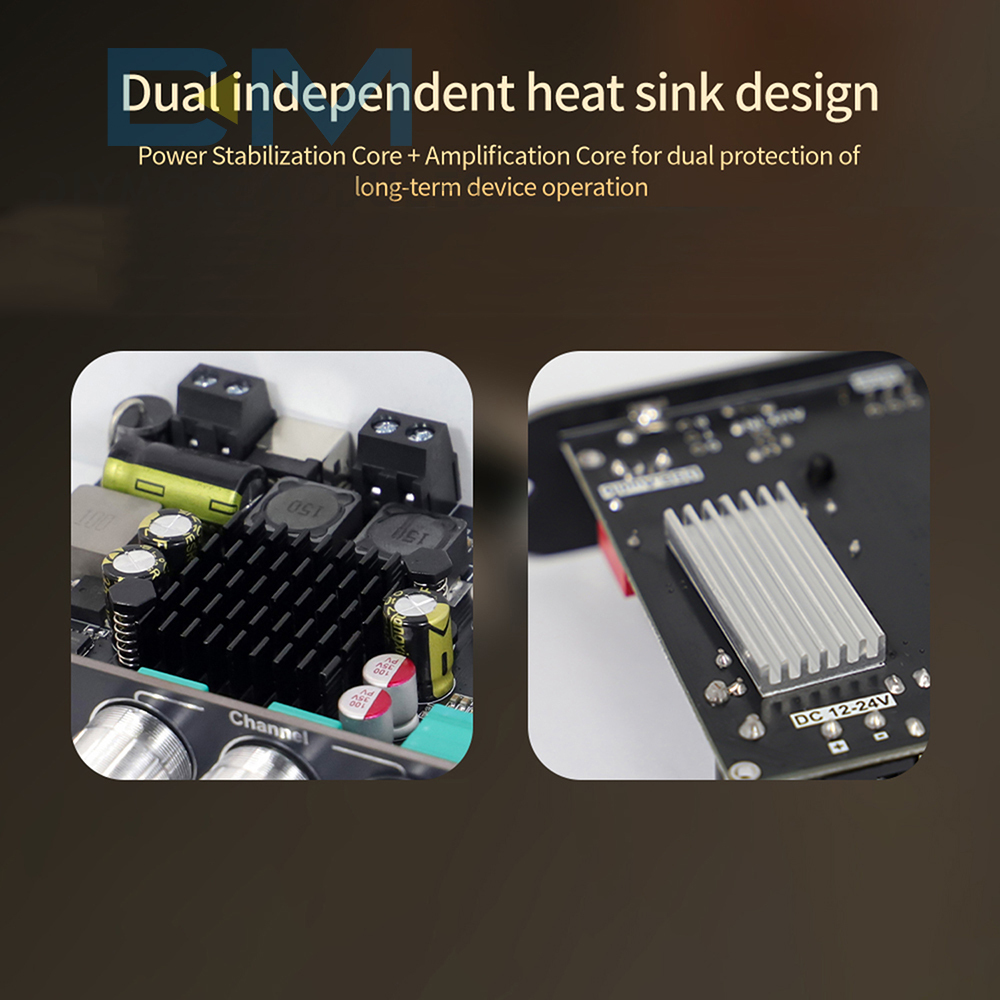
5. Dual independent cooling design ensures stable, efficient operation during extended use.
1. Supports TWS stereo pairing technology for effortless setup of immersive sound systems.
2. Built-in boost circuitry adapts to wide voltage ranges from 12V to 24V.
3. Utilizes genuine TPA3116D2 chip for high-fidelity, crystal-clear audio reproduction.
4. Compatible with multiple audio inputs: Bluetooth/USB drive/AUX.
5. Dual independent cooling design ensures stable, efficient operation during extended use.
Specifications:
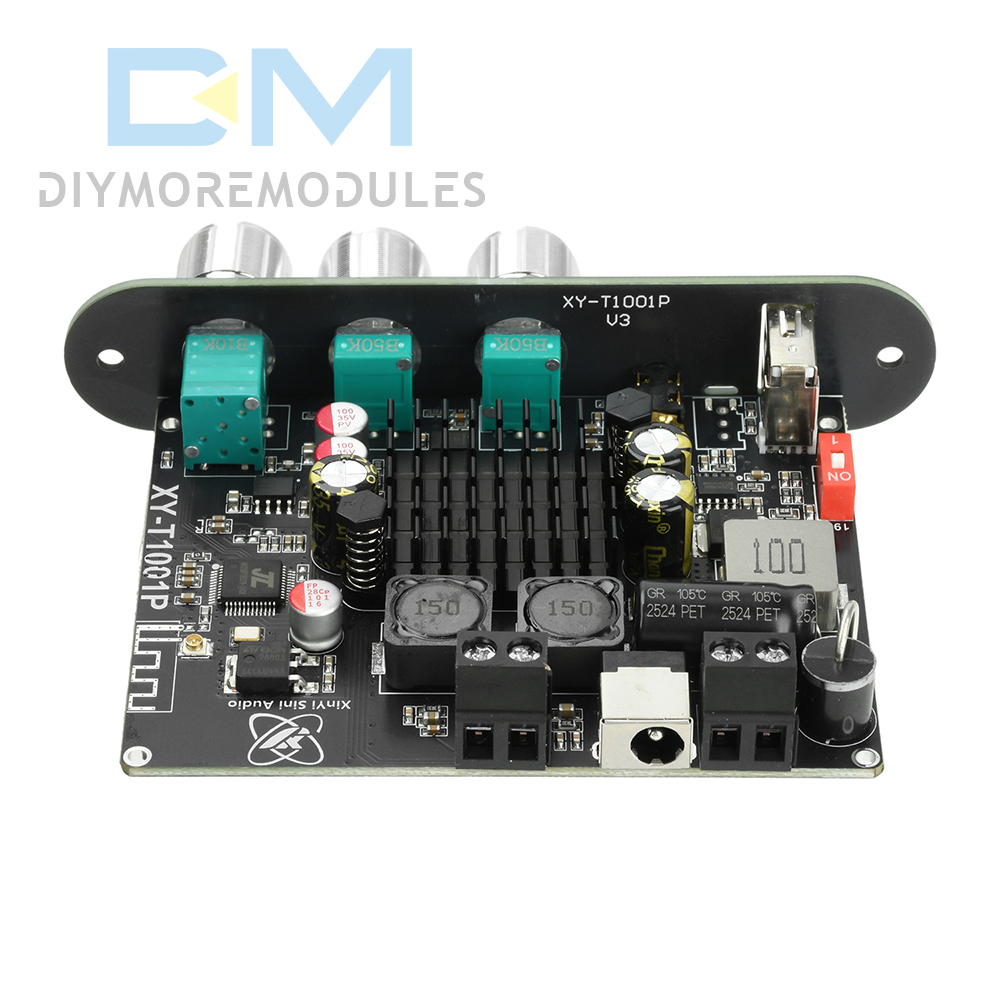
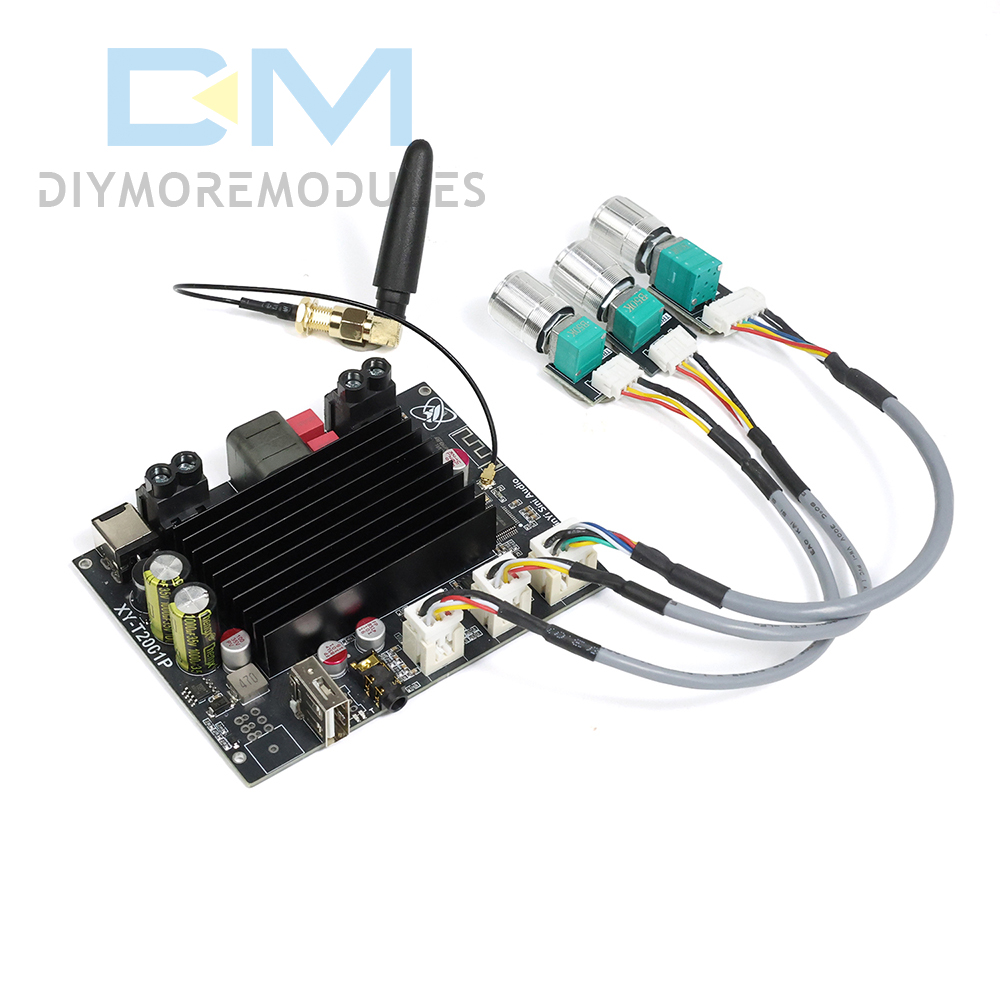
Product Name: TWS Bluetooth Digital Audio Amplifier Board
Model Number: XY-T1001P
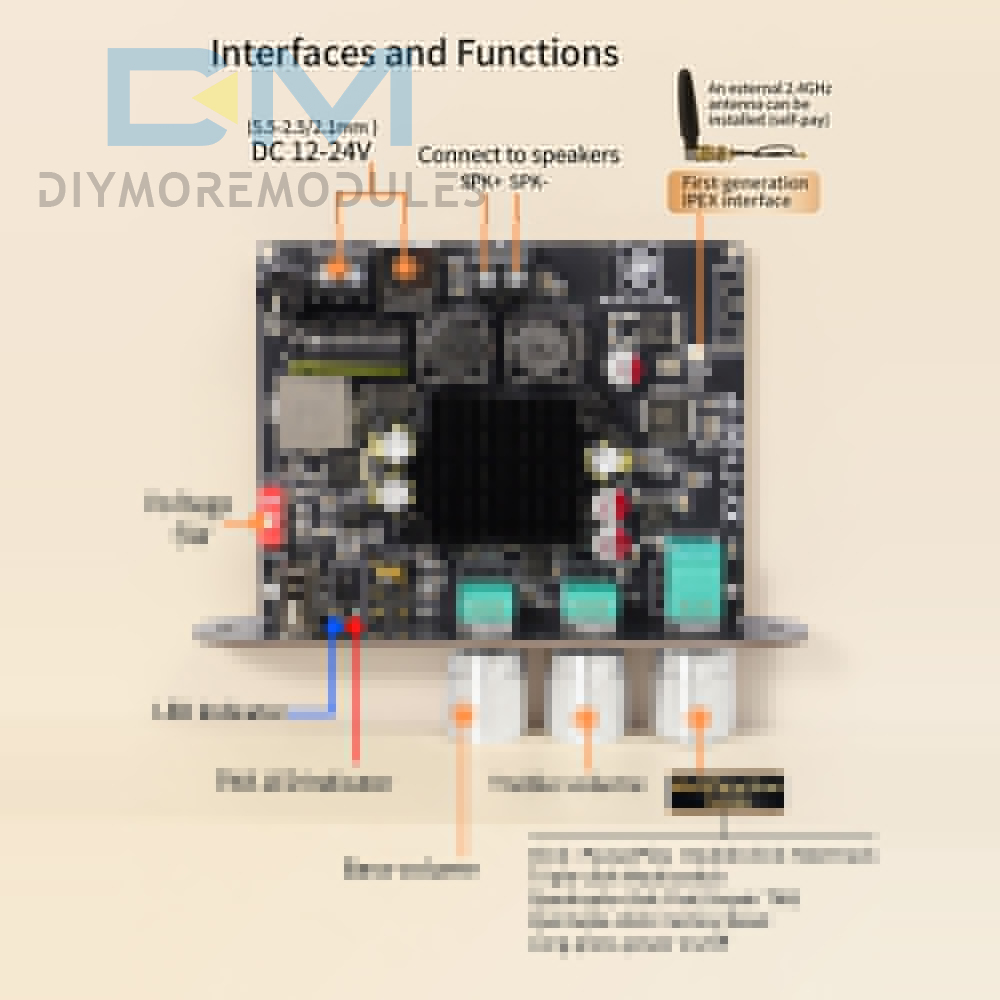
Power Supply: DC 12-24V/5A
Audio Inputs: Bluetooth/AUX/USB
Bluetooth Audio Decoding: SBC/AAC
USB Lossless Decoding: WAV/FLAC/APE/MP3
Application Scenarios: Suitable for outdoor speakers, home theaters, car audio systems, etc.
Product Name: TWS Bluetooth Digital Audio Amplifier Board
Model Number: XY-T1001P
Power Supply: DC 12-24V/5A
Audio Inputs: Bluetooth/AUX/USB
Bluetooth Audio Decoding: SBC/AAC
USB Lossless Decoding: WAV/FLAC/APE/MP3
Application Scenarios: Suitable for outdoor speakers, home theaters, car audio systems, etc.
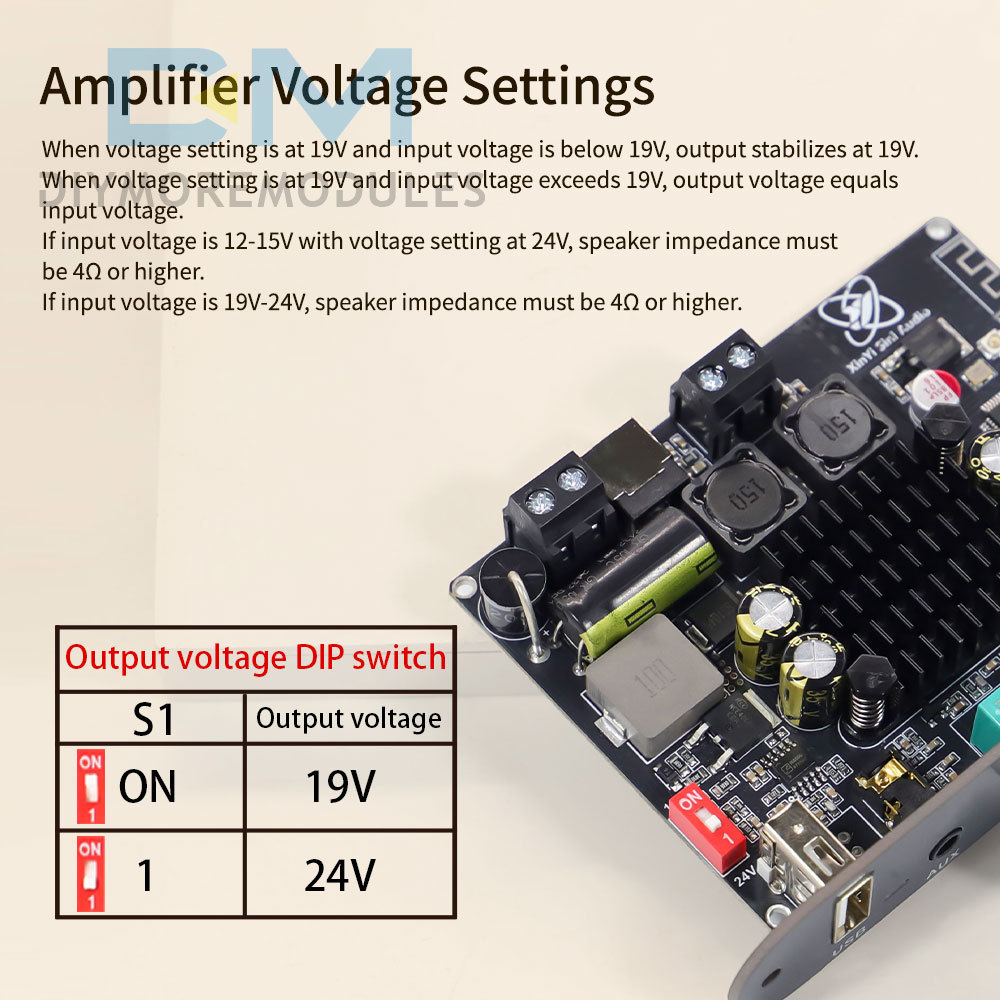
Input Voltage:
①12V-19V:
Voltage Setting: 19V; Output Power (Max): 8Ω@20W; 4Ω@45W
Voltage Setting: 24V; Maximum Output Power: 8Ω@35W; 4Ω@45W
②19V-21V:
Voltage Setting: 19V; Maximum Output Power: 8Ω@20W; 4Ω@45W; 2Ω@100W
Voltage Setting: 24V; Maximum Output Power: 8Ω@35W; 4Ω@70W
Voltage Setting: 19V; Maximum Output Power: 8Ω@20W; 4Ω@45W; 2Ω@100W
Voltage Setting: 24V; Maximum Output Power: 8Ω@35W; 4Ω@70W
③21V-24V:
Voltage setting: 19V; Maximum output power: 8Ω@35W; 4Ω@70W
Voltage setting: 24V; Maximum output power: 8Ω@35W; 4Ω@70W; 3Ω@100W
Voltage setting: 19V; Maximum output power: 8Ω@35W; 4Ω@70W
Voltage setting: 24V; Maximum output power: 8Ω@35W; 4Ω@70W; 3Ω@100W
TWS Pairing Operation Guide
TWS Pairing Connection
1. Power on both amplifier boards. The blue indicator light flashes rapidly (do not pair with mobile Bluetooth/do not connect AUX/do not insert USB drive).
2. Press the volume knob on one amplifier board 4 times consecutively. The TWS red indicator light begins rapid flashing (the other board maintains rapid blue flashing).
3. Wait until the TWS red indicator changes from rapid flashing to steady illumination (Master unit), while the other unit's blue indicator turns off and its red indicator begins slow flashing (Slave unit). This confirms successful TWS pairing. If the red indicator turns off, pairing failed; repeat the 4-tap volume knob procedure to reconnect.
4. After successful TWS pairing, enable your phone's Bluetooth, search for “XinYi,” and connect. Play music from your phone; alternatively, insert an AUX cable or USB drive to play music.
TWS Pairing Connection
1. Power on both amplifier boards. The blue indicator light flashes rapidly (do not pair with mobile Bluetooth/do not connect AUX/do not insert USB drive).
2. Press the volume knob on one amplifier board 4 times consecutively. The TWS red indicator light begins rapid flashing (the other board maintains rapid blue flashing).
3. Wait until the TWS red indicator changes from rapid flashing to steady illumination (Master unit), while the other unit's blue indicator turns off and its red indicator begins slow flashing (Slave unit). This confirms successful TWS pairing. If the red indicator turns off, pairing failed; repeat the 4-tap volume knob procedure to reconnect.
4. After successful TWS pairing, enable your phone's Bluetooth, search for “XinYi,” and connect. Play music from your phone; alternatively, insert an AUX cable or USB drive to play music.
Canceling TWS Pairing
During TWS pairing, press the volume knob on either amplifier board four times consecutively to exit TWS pairing mode.
Note:
1. When using TWS pairing, establish the TWS connection before pairing with your phone's Bluetooth.
2. TWS pairing operates in memory mode; devices will automatically reconnect upon next power-up.
Product Listing:
1x Amplifier Board
1x Screwdriver
1x Amplifier Board
1x Screwdriver
- We accept PayPal only. But we only Accept your Ebay Address,Please Make sure it's 100% right.
- Payment must be received in 5 business days of auction closing.
- Please leave note for your special request (e.g. Colors or Size) in PayPal when you pay the order.
- Any special request cannot be accepted after 24 hours of payment, because most of orders will be processed instantly and same day dispatched.
Fill your shipping info
- All package need to wait 30 days(US only need 7-10 days),Please take care it.Less than 30 days,we can't take a refund.
- If the item is defect when you receive it or you are not satisfied with it, please return it within 14 days for a replacement or money back. But the items must be back in factory condition. Please contact us and double check the return address before you return it.
- If is item is defective in 12 months, you can return it to us. We will send you a new replacement after receiving the defective item.