

USB Document Camera for Teachers, Webcam/Doc Camera for Classroom with A3 Format, 3-Level LED Lights, Image Invert, Fold, Dual Mic for Mac OS, Windows, Zoom, OBS Work with Distance Learning
Description
| Item model number | PA-800 |
| Brand Name | PAKOTOO |
| Video Capture Resolution | 1080p |
| Color | Black |
| Shooting Modes | Automatic |
| Product Dimensions | 7.2 x 5.87 x 3.94 inches |
| Exposure Control Type | Automatic |
| Item Weight | 14.8 ounces |
| Color Name | Black |
| Macro Focus Range | 10 centimeters |
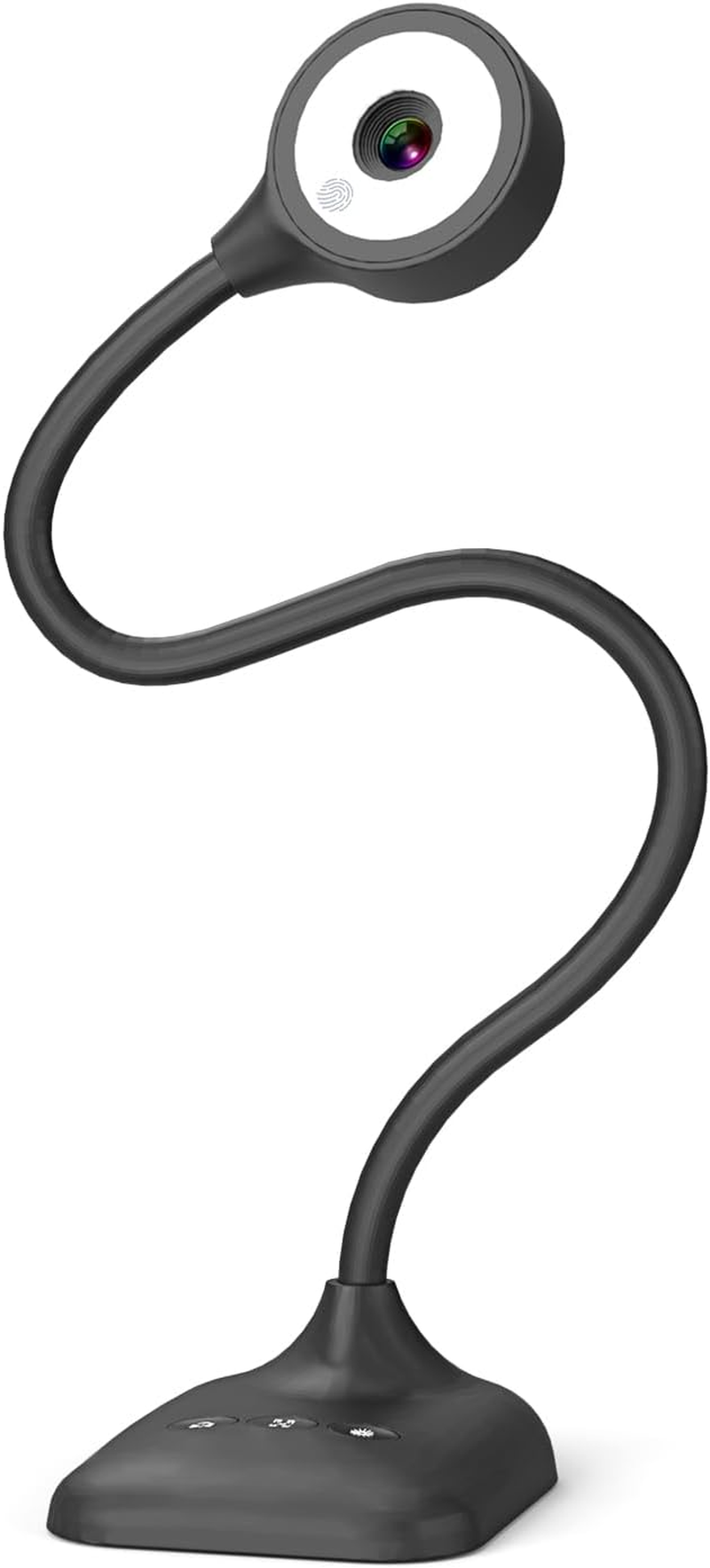
- 3 in 1 USB document camera, doc camera and webcam: it can be used as a webcam for webinars and conference calls, or flip the lens for live presentations. The document camera of the hose structure can be adjusted to any angle that you want, capturing images and videos from all angles. The maximum size is A3 paper
- Document camera for teachers and classroom with left and right mirroring and auto focus: it can be manually adjusted for image inversion. In the process of video chat or remote video teaching, it supports the left and right mirroring function of freely adjusting the image. Press the focus button once to automatically focus once. Ideal for remote video teaching
- Doc camera for teachers with LED fill light and IOS exposure: It comes with an exposure adjustment button. You can manually adjust the 5-level IOS exposure to ensure you get perfectly sharp images in imperfect environments. The 3-level LED fill light eliminates shooting problems in difficult lighting conditions, allowing you to aim for objects easily in dark and bright environments
- Important & High Compatibility: PAKOTOO document camera is not plug and play. You need to select "USB Camera" in the system that comes with your computer. The USB visualiser is equipped with a USB-C cable, which can be directly used with devices with USB-C interface such as MacBook. Compatible with Windows PCS, Macs and Chromebooks, works with Tiktok, Google Meet, Skyp-Microsoft Teams, Zoom; If you encounter any problems during the use of the product, or the computer does not recognize the camera, please be sure to contact our friendly support team for a quick solution.
- 5MP/1944P USB Document Camera for classroom: Full HD streaming at up to 30 fps, with CMOS image sensor, outputs HD images and video in real-time for excellent noise reduction and color reproduction—ideal for dimly lit environments shoot. Macro captures objects as close as 3.94"
Product description
PAKOTOO Document Camera for teachers in-class with Mic, mirror image, AF, light
PAKOTOO webcam delivers clear image resolution and high frame rate video streaming. Featuring a unique hose design, it enables effortless angle adjustment. For projector use, first connect the camera to your computer via USB cable, then connect your computer to the projector.
-
5MP USB Document Camera for art
Using PAKOTOO in-class, teachers to interact better with students, stimulate children's creativity!
-
USB Document Camera for Learning, Online Tutoring
When teachers use PAKOTOO, teachers can easily view students’ work, just like in an in-person class
-
Remote Video & Video Conferencing
The webcam PC is perfect for sharing your creations and video chatting with friends.
-
Document camera-Experiments
PAKOTOO is a 1944P/30fps HD document camera that perfectly displays 3D objects and experiments.
-
Webcam PC for home office & web conferencing
The PAKOTOO is used as an HD webcam to enable remote communication and collaboration with colleagues
PAKOTOO compatible with Windows 11/10/7/8/XP, Mac OS, Chromebooks and Linux
The PAKOTOO webcam is designed exclusively for use with computers. It cannot connect directly to projectors and is not compatible with iPads, mobile phones, smart whiteboards. The item does not have zoom, HDMI functionality.
Its universal systems compatibility is as follow:
- System supporting Windows 11/10/XP/7/8, Macs, Chromebooks and Linux.
- Compatible for E-Learning/Online Lesson App: Tiktok, OBS, Google Meet, Skype, Microsoft Teams, Zoom etc.
The document camera is compatible with Tiktok, Zoom, Skype, Google Meet, Microsoft Teams, FaceTime, etc. ! You can start a video conference with doc cam in 3 steps:
- Step 1: Plug in the computer. It will be automatically detected. No need to install any drivers or other software
- Step 2: Launch the desired video sharing app
- Step 3: In the settings menu, change the camera source to "Stream Camera" and you can start using it.
- Finally: Image resolution can be adjusted as you need
-
Webcam & Document camera- using video
PAKOTOO Web cam 1944P using video for MAC system
The operating steps of the Mac system are as follows:
- Shooting video: Please search for "Quick Time Player" in the system;
- Take a photo: Please search for "Photo Booth" on your computer;
The video showcases the product in use.The video guides you through product setup.The video compares multiple products.The video shows the product being unpacked.PAKOTOO using video for MAC system
Merchant Video -
Document camera for teachers - using video
PAKOTOO USB document camera use video for Windows 11/10 system
The operating steps of Windows 10/11 system are as follows:
- Please search for the "Camera" program in the system to use this document camera. (If you have a laptop, you also need to select "Change Camera" in the upper right corner of the laptop).
The video showcases the product in use.The video guides you through product setup.The video compares multiple products.The video shows the product being unpacked.video
Merchant Video
Features Comparison
2594*1944P & 30fps | Max Resolution | 3264*2448P & 30fps |
5 Megapixel 1/3"CMOS | Image Pixels | 8 Megapixel 1/3"CMOS |
Left and Right | Image Inversion | Left and Right |
Up and Down Mirror | ||
Auto focus "AF" | ||
Built-in Microphone | ||
Max Shooting Area A3 |
2594*1944P & 30fps | Max Resolution | 2594*1944P & 30fps |
5 Megapixel 1/3"CMOS | Image Pixels | 5 Megapixel 1/3"CMOS |
Left and Right | Image Inversion | Left and Right |
Up and Down Mirror | ||
Auto focus "AF" | ||
Built-in Microphone | ||
Max Shooting Area A3 |
- 8MP document camera
- 5MP Webcam PC
ABOUT US
We offer the best prices around on high quality products. Our E-store includes media such as books, movies, music and games while offering electronics, toys, sporting apparel, clothing, tools, general home, garden items and more.
SHIPPING
We are always working hard to ensure your package arrives as soon as possible. Please understand that some factors like weather, high postal traffic, and the performance of shipping companies are outside of our control.
We offer free shipping to the lower 48 states and ship within 2 business days of payment, usually sooner. We do not accept P.O. Boxes. Please provide a physical address.
RETURNS
We offer a 30-Day Return Policy on items which you are not completely satisfied with. You have the option for a full-refund or an exchange of the item. No returns are available on items shipped outside of the USA.
PAYMENT
We accept PayPal.
CONTACT US
This page content is yet to come
Please ad us to your favorite seller and visit again later
Thank You
CUSTOMER SATISFACTION
We try our very best to make sure every customer is completely satisfied. If there's a problem, message us! We're happy to help.