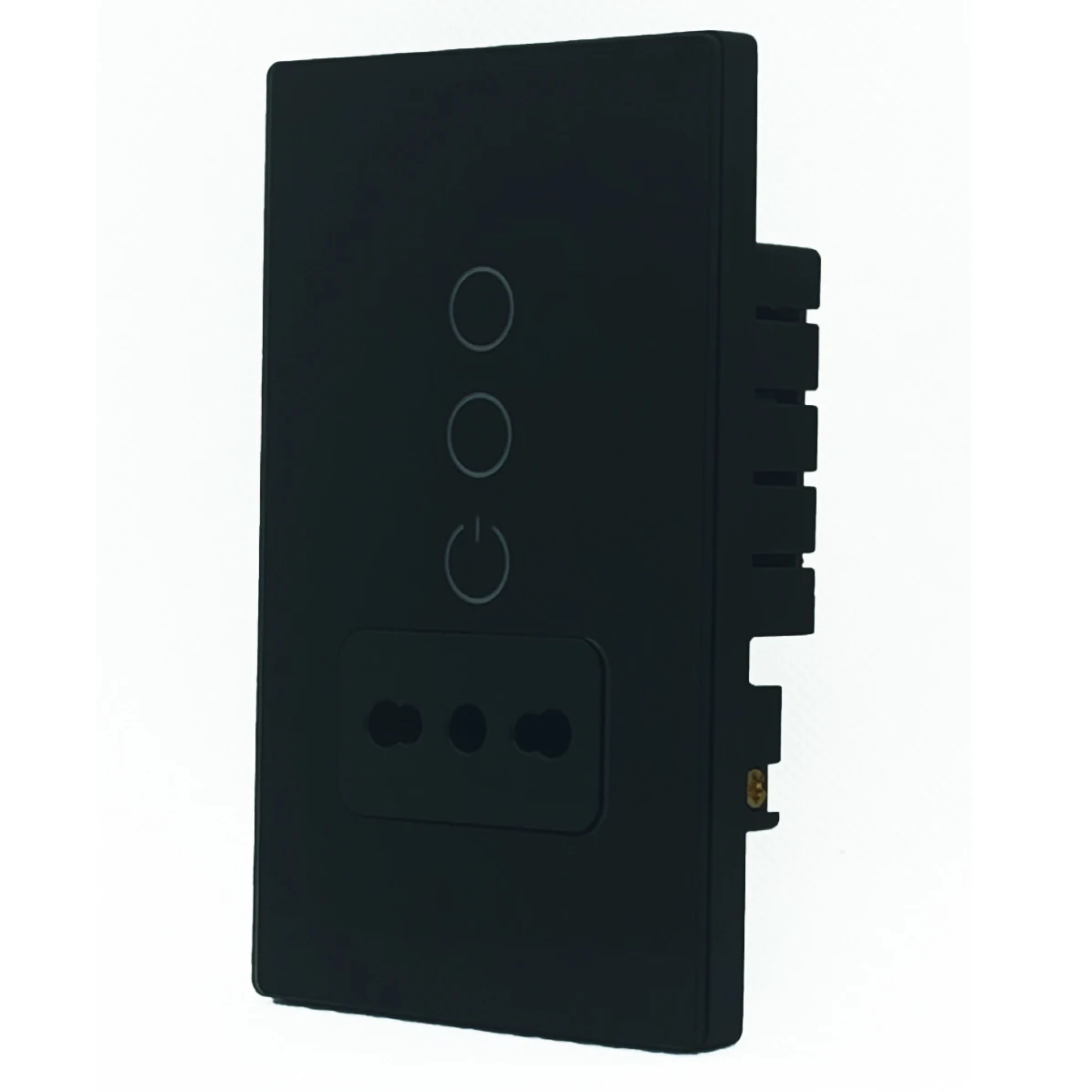
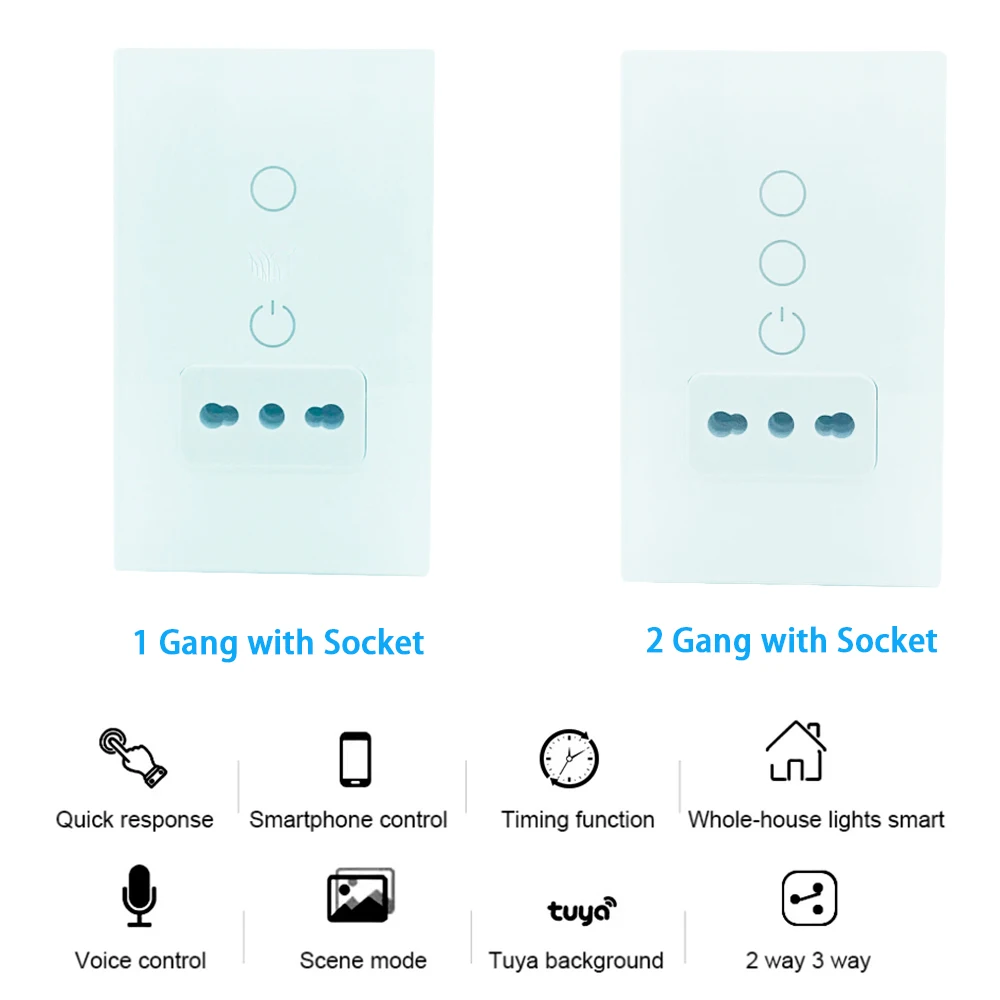
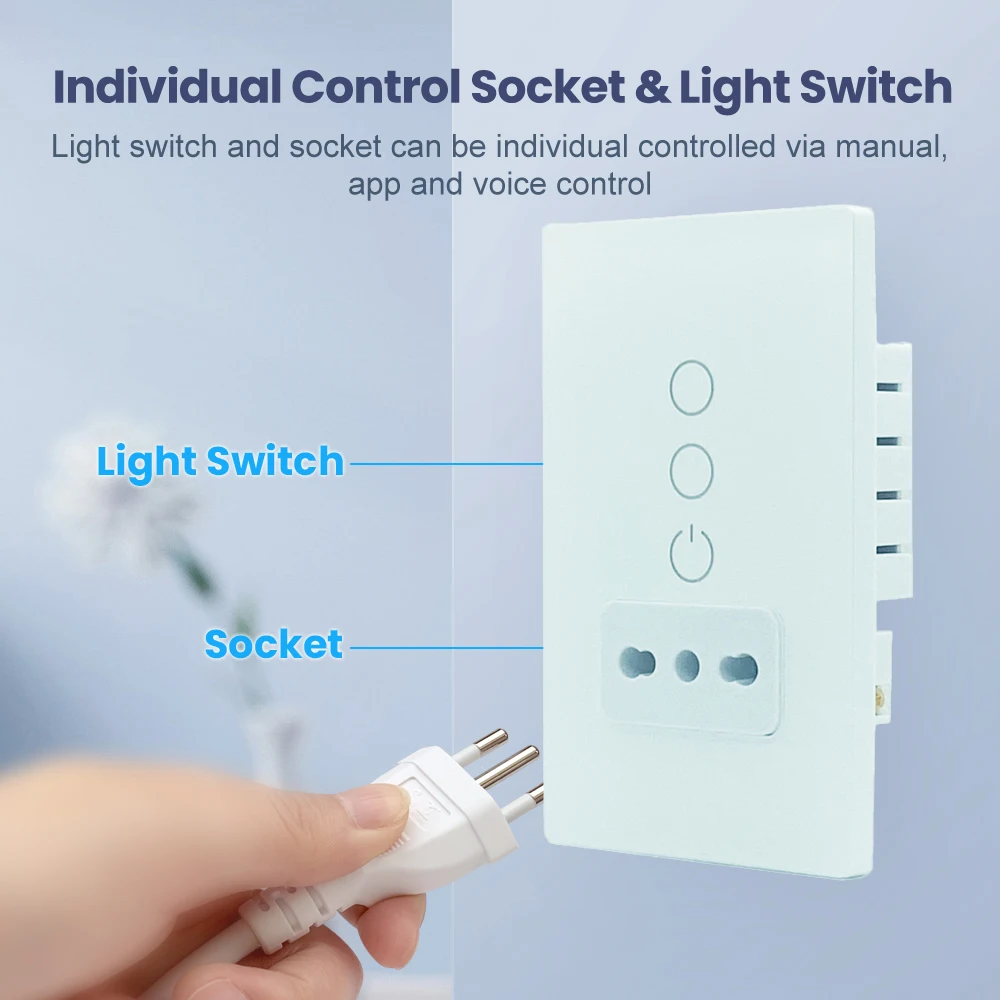
Melery Smart Tuya Italy/Chile 1AC 1/2-Gang Glass Panel Wall Socket & Switch
Intelligent Wireless Remote Control Compatible with Alexa & Google Home
Upgrade your Italian/Chilean home with the Melery Smart Wall Socket & Switch—a sleek, in-wall solution with 4*2 panel size that combines modern design with powerful smart home functionality. Ditch bulky plug-in adapters and enjoy seamless control of your lights and devices via app, voice commands, or schedules, no hub required!
Key Features
✅ Dual Control Modes for Ultimate Convenience
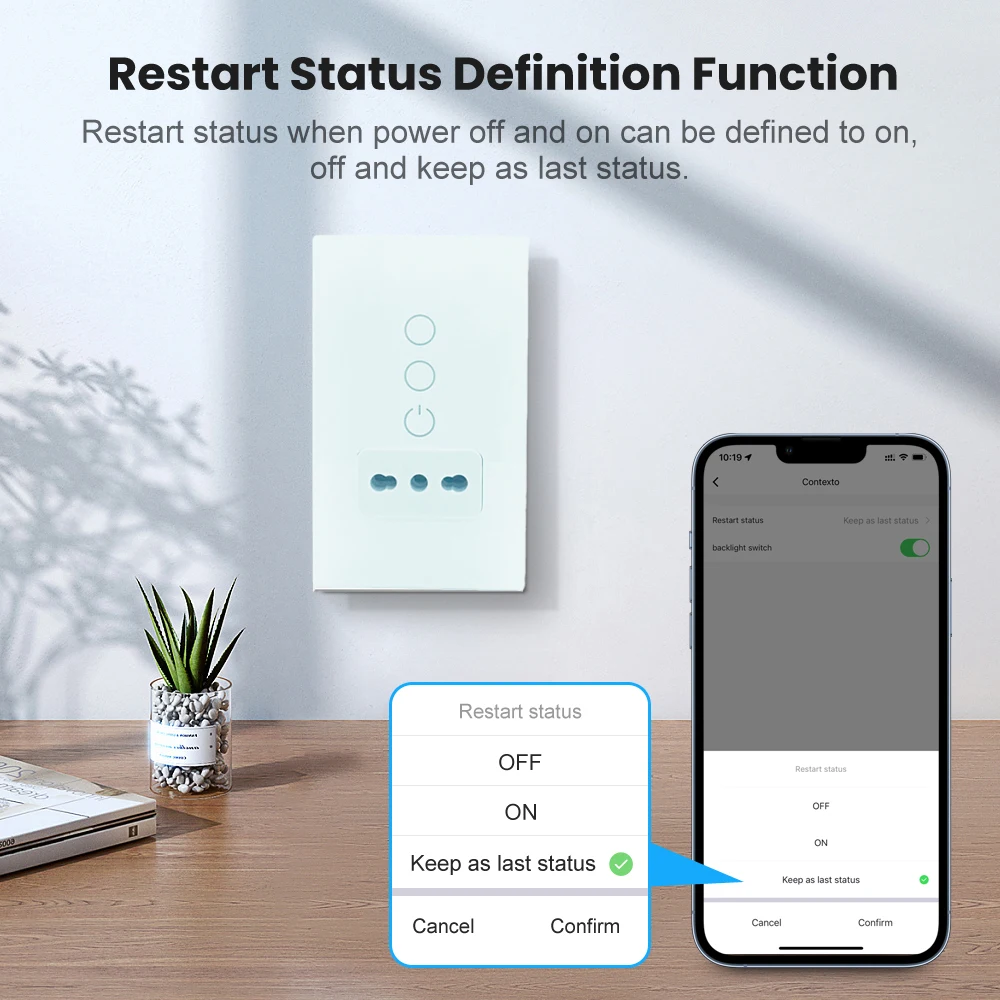
- App Remote Control: Manage your Melery smart devices from anywhere in the world using the free Smart Life/Tuya App (iOS & Android). Set timers, create schedules, or share access with family members to keep your home running smoothly.
- Voice Command Compatibility: Works flawlessly with Alexa, Google Assistant, and Microsoft Cortana. Use simple voice prompts like "Alexa, turn on the living room lights" or "Hey Google, power off the kitchen socket" to enjoy hands-free control of your Melery smart socket & switch.
✅ 2/3-Way Parallel Light Switch Function
Create group control via the Tuya App to let two switches operate the same light—perfect for large rooms, staircases, or hallways where multiple control points are needed, bringing more flexibility to your Melery smart home system.
✅ Energy-Saving & Safety-Focused Design
- Timer & Schedule Features: Cut down on unnecessary energy use by scheduling your Melery 16A device to turn on/off automatically (e.g., turn off bedroom air conditioners at midnight, power on kitchen ovens at 7 AM), ideal for high-power household appliances.
- Advanced Safety Protection: The Melery 16A smart socket is equipped with 1680J surge protection to shield high-power devices from voltage spikes. Built-in thermal fuses and Safety Shutdown Technology power off the system in case of overvoltage or surge protection expiration, preventing fire and equipment damage even when powering heavy-duty appliances.
- Intelligent Voltage Sensing: Detects and adapts to your high-power device’s power needs for stable, efficient performance, ensuring the longevity of both your Melery 16A socket and connected appliances like air conditioners, water heaters, etc.
✅ No Hub or Subscription Needed
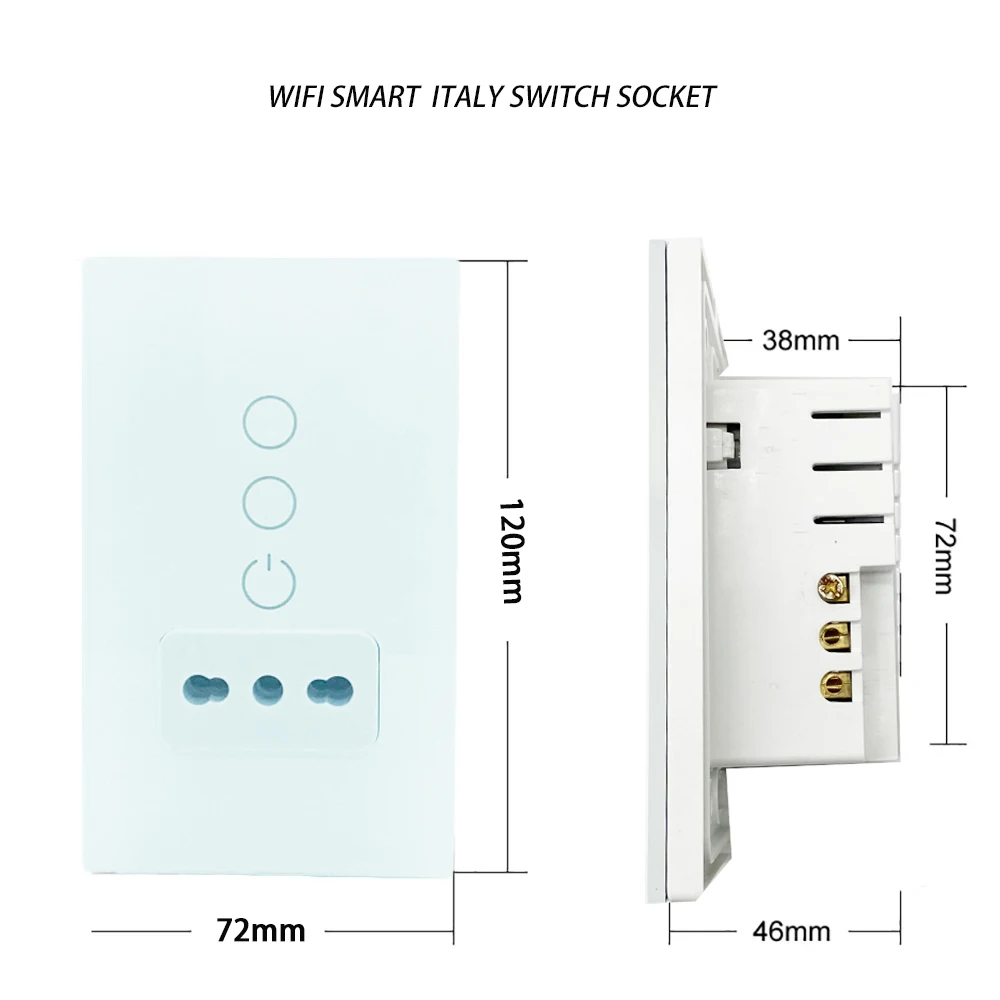
Simply install the Melery in-wall socket/switch into a standard Italian/Chilean wall box, connect it to your 2.4G WiFi network, and start controlling via your smartphone or tablet—no extra costs or complicated setup. The 4*2 panel size fits perfectly with standard wall openings in Italy and Chile.
✅ Inclusive Design for All Users
Empower the elderly and people with disabilities to live independently: control high-power appliances like air conditioners, water heaters, fans, and more via mobile app remote control orvoice commands (compatible with Alexa Echo Dot and Google Assistant) through your Melery 16A smart device. No need to reach for physical switches—accessibility at your fingertips.
Step-by-Step Guide: Pair Melery Smart Device with Alexa
Before pairing, ensure your Melery smart socket/switch has been successfully added to the Smart Life/Tuya App and you’ve set a unique name for it (e.g., "Living Room Socket").
- Open the Alexa App on your smartphone or tablet and log in to your Amazon account.
- Tap the hamburger menu icon (≡) in the top-left corner and select "Smart Home" from the menu.
- On the Smart Home page, tap "Get More Smart Home Skills" to enter the Skills & Games section.
- Use the search bar to look for "Tuya Smart" (the compatible skill for Melery devices) and select it from the search results.
- Tap "Enable to Use" to activate the Tuya Smart skill. A pop-up window will appear prompting you to log in to your Tuya/Smart Life account (the same one used to set up your Melery device).
- Enter your Tuya/Smart Life account credentials and tap "Link Now" to authorize Alexa to access your Melery smart device.
- After successful authorization, tap "Discover Devices" in the pop-up window. Alternatively, you can say "Alexa, discover devices" to trigger the discovery process.
- Wait for 20-30 seconds while Alexa searches for your Melery device. Once discovered, it will appear in your Alexa Smart Home device list.
- Rename the device (if needed) in the Alexa App to match your usage habits, and you’re ready to control it with voice commands!
Example Alexa Commands: "Alexa, turn on the Living Room Socket", "Alexa, turn off the Bedroom Light Switch".
Step-by-Step Guide: Pair Melery Smart Device with Google Home
Ensure your Melery smart device is already connected to the Smart Life/Tuya App and has a unique name before starting the pairing process.
- Open the Google Home App on your mobile device and log in to your Google account.
- Tap the "+" icon in the top-left corner of the home screen.
- From the dropdown menu, select"Set up device", then choose "Have something already set up?" under the "Works with Google" section.
- Tap the magnifying glass icon in the top-right corner and search for "Tuya Smart".
- Select "Tuya Smart" from the list and log in to your Tuya/Smart Life account (the same one linked to your Melery device).
- Tap "Authorize" to grant Google Home access to your Melery smart socket/switch.
- Google Home will automatically sync your Melery device. Once syncing is complete, the device will appear in your Google Home device list.
- Assign the Melery device to a specific room (e.g., "Kitchen") for easier voice control, and you’re all set!
Example Google Home Commands: "Hey Google, turn on the Kitchen Socket", "Hey Google, turn off the Staircase Light".
Technical Specifications
Parameter | Details |
Brand | Melery |
Colour | White / Black |
Net Weight | 200g |
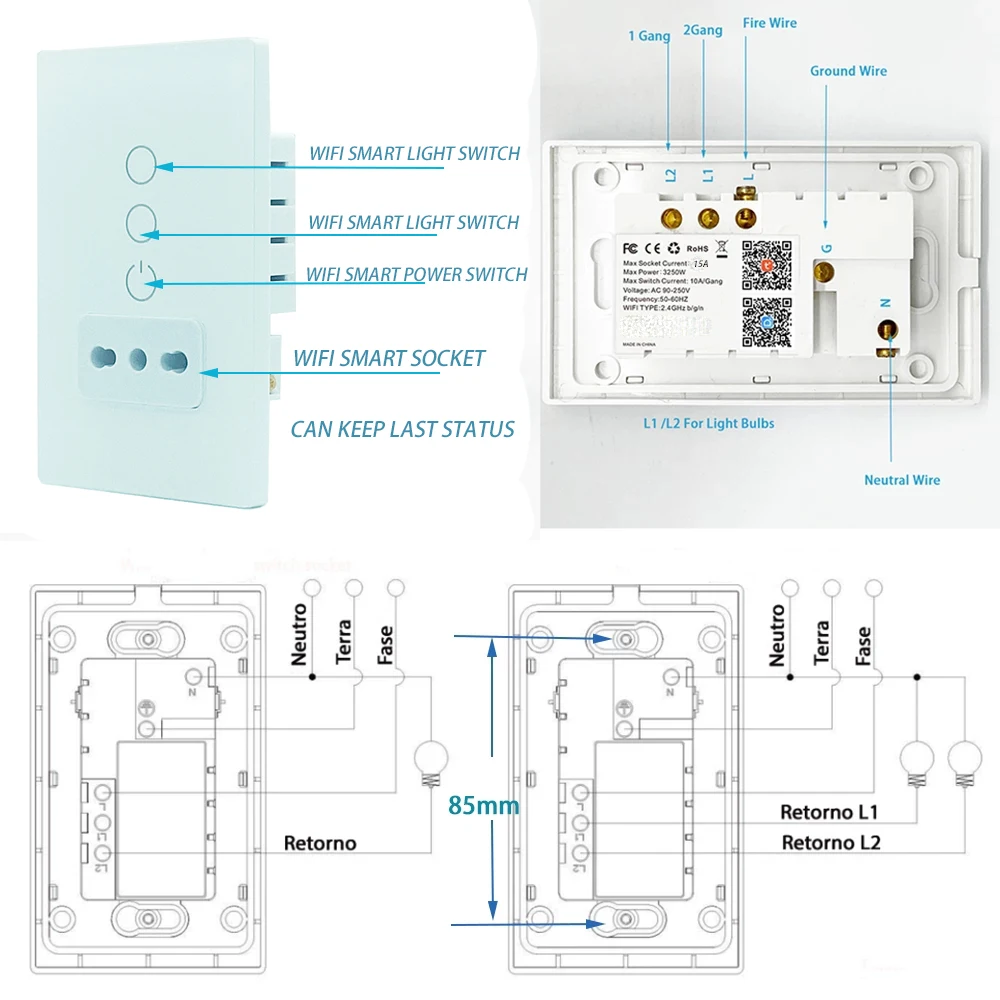
Input Voltage | 90-250V, 50-60Hz |
Max Current | 16A |
Max Power Rating | 4000W (Based on 250V voltage, suitable for high-power appliances) |
Product Dimensions | 5.5 × 3.86 × 2.6 inches (Panel Size: 4*2) |
Surge Protection Rating | 1680J |
WiFi Compatibility | 2.4G WiFi (no 5G support) |
Voice Assistant Compatibility | Alexa, Google Assistant, Microsoft Cortana |
Certifications | CE / ROHS / FCC |
Warranty | 30-day money-back guarantee + 24-month replacement warranty (Melery official warranty) |
How to Connect Melery Smart Device to Smart Life/Tuya App
- Download the App: Search "Smart Life" on the App Store or Google Play, or scan the QR code on the Melery user manual.
- WiFi Preparation: Ensure your smartphone is connected to a 2.4G WiFi network (required for pairing Melery devices).
- Create an Account: Sign up and log in to your Smart Life account.
- Install the Device: Securely mount the Melery smart socket/switch into a standard Brazilian wall box.
- Add Device: In the app, select Add Device > ELECTRICAL OUTLET and follow the prompts to confirm the device.
- Pairing Mode: Choose Easy Mode or AP Mode (long-press the Melery device’s on/off button for 5 seconds to activate AP Mode).
- Set Schedules: Customize timers and schedules for your appliances to maximize convenience and energy savings with your Melery smart device.
Compatibility
- Voice Assistants: Alexa, Google Assistant, Microsoft Cortana
- Smart Platforms: Smart Life App, Tuya App
- Home Spaces: Ideal for bedrooms, living rooms, kitchens, garages, and home offices in Italy and Chile—saves space and eliminates messy wiring with the sleek 4*2 glass panel design of Melery.
Package Contents
- 1 × Melery 1AC 1/2-Gang Smart Glass Panel Wall Socket & Switch
- 1 × User Instruction Manual (for Melery smart device setup)
- 1 × Paper Packaging Box
Why Choose Melery?
- Sleek Glass Panel Design: Elevates any home decor with a modern, minimalist look—exclusive to Melery smart home products.
- Reliable Certification: CE/ROHS/FCC certified for safety and quality—purchase Melery products with confidence.
- Comprehensive Warranty: Enjoy 30-day money-back guarantee and 24-month replacement warranty with Melery’s official after-sales support.
- Seamless Voice Control: Effortless pairing with Alexa and Google Home for a truly intelligent living experience.
- Customer Support: Our dedicated Melery team is ready to assist with any technical issues. Enjoy a hassle-free smart home experience!
Transform your Italian/Chilean home into a smart, efficient space with the perfect 4*2 panel size—order your Melery Smart Tuya Wall Socket & Switch today