-
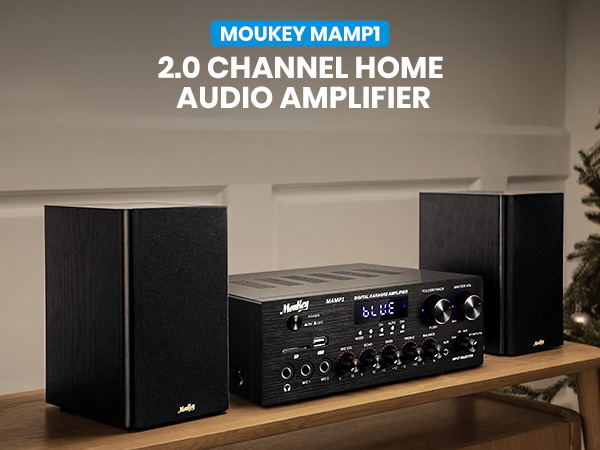
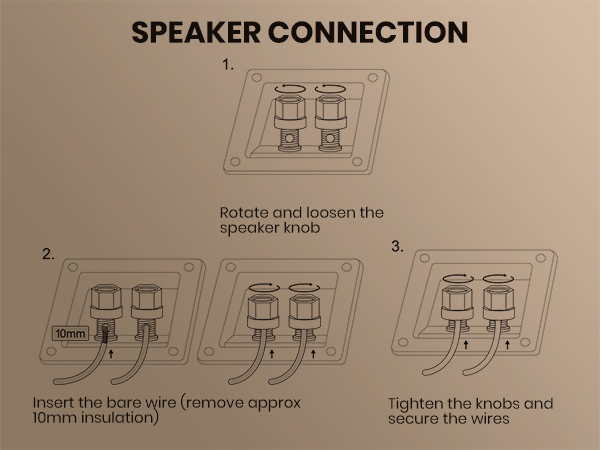
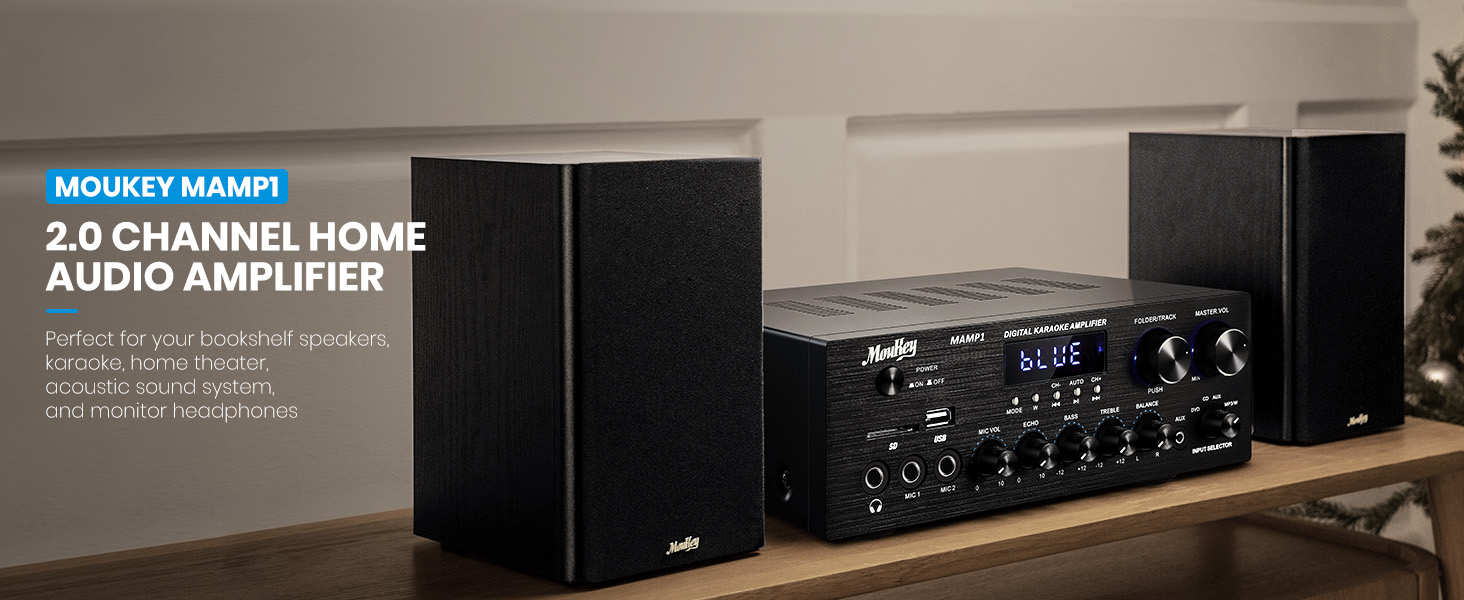
400 WATTS PEAK POWER: Moukey 2.0 Channel Bluetooth Stereo Amplifier Receiver is compact but powerful, which is perfect for your karaoke, home theater, acoustic sound system, and monitor headphones. Provides with 400 watts peak power output, you can enjoy the high-quality home audio experience.
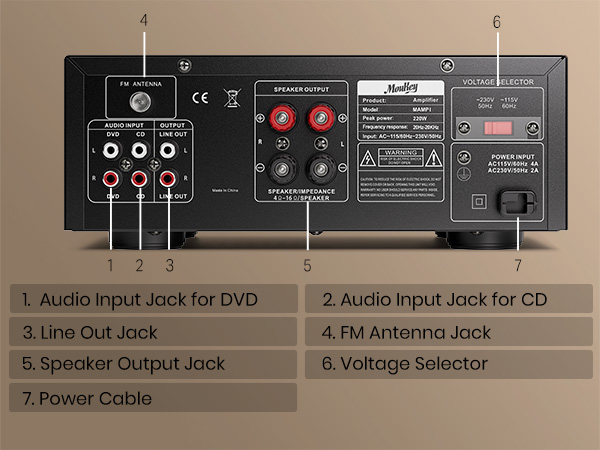
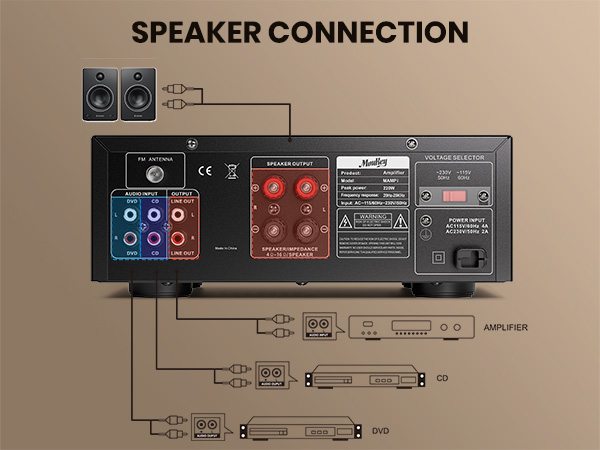
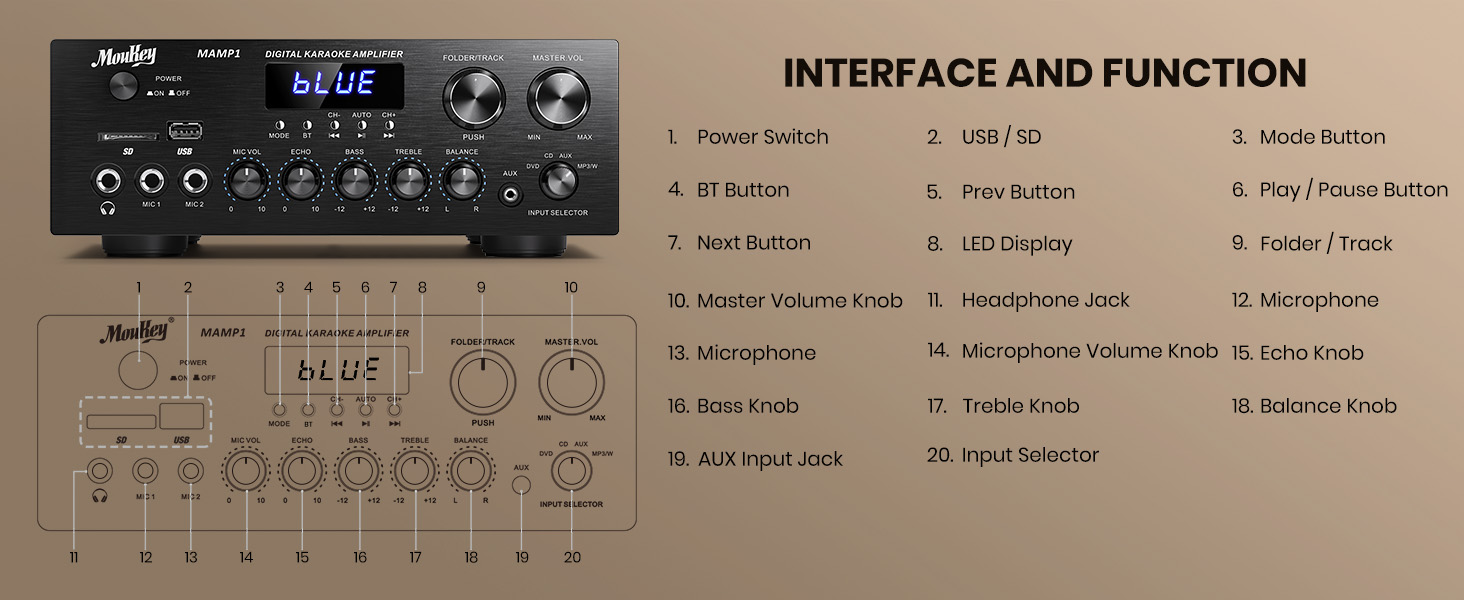
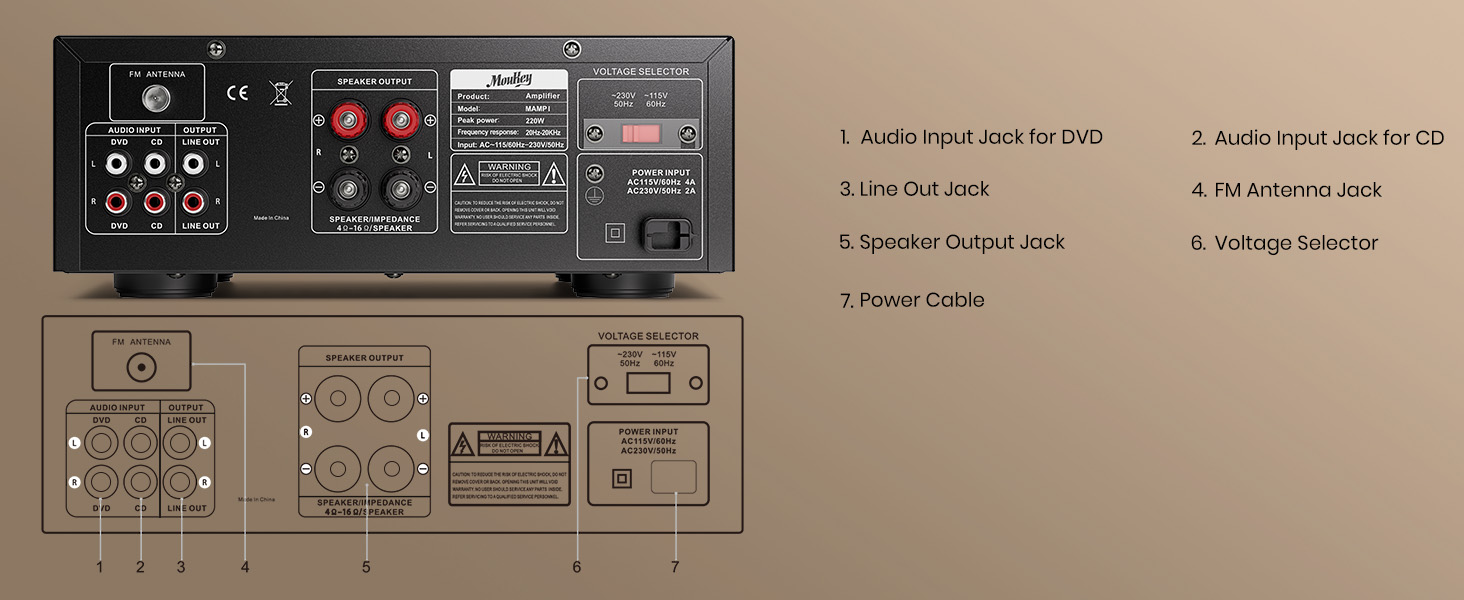
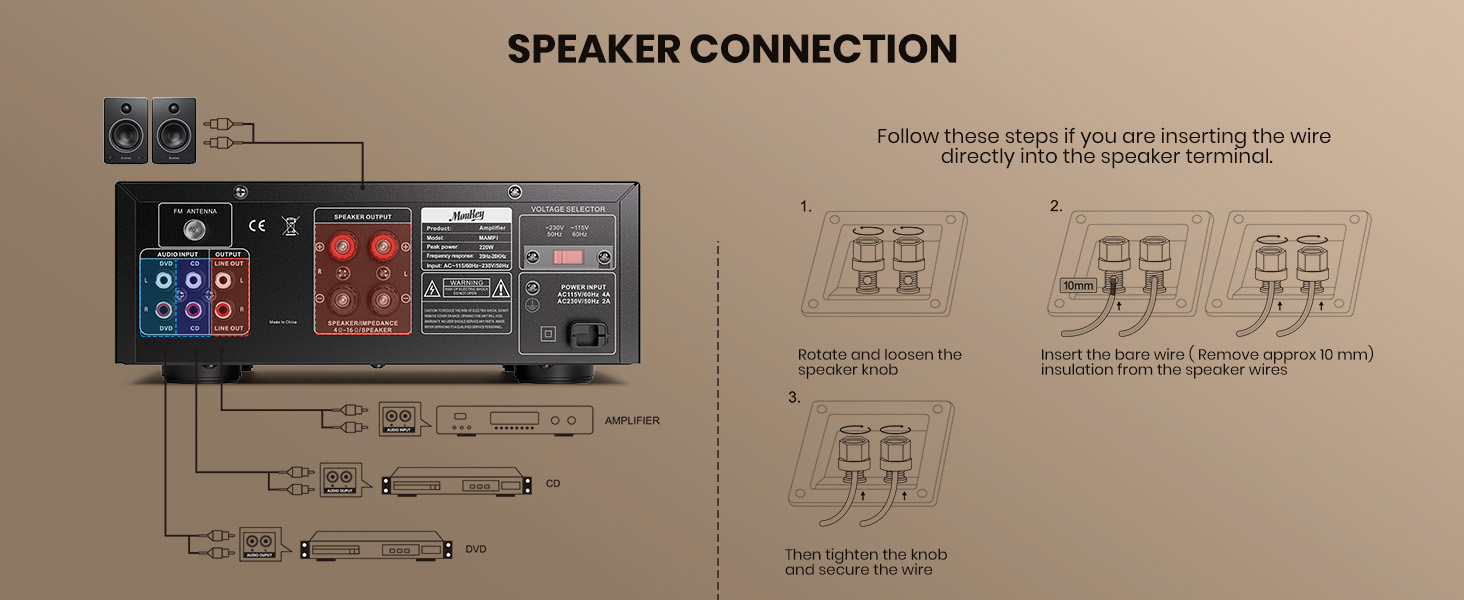
- 7 INPUTS: The audio amplifier supports various external signal sources - 2 pairs RCA audio inputs for CD player and DVD player, 2 1/4 inch(6.35mm) microphone inputs, USB(maximum 32G), SD card(maximum 16G), 3.5mm AUX IN, FM radio. With RCA Line Out, banana plug for speaker outputs. Supports 1/4 inch(6.35mm) headphone connection, so you can enjoy audio all the time without the worry that bothers others.
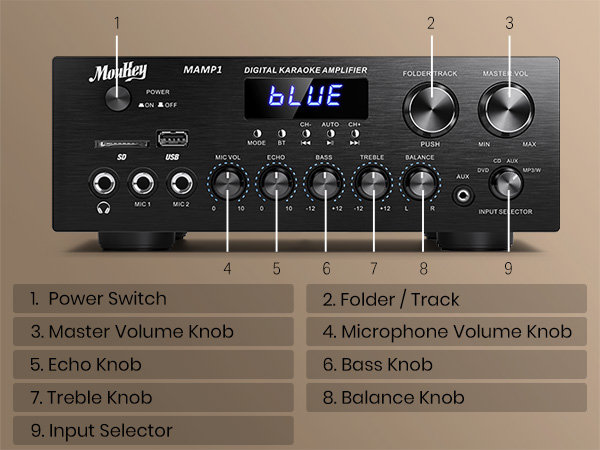
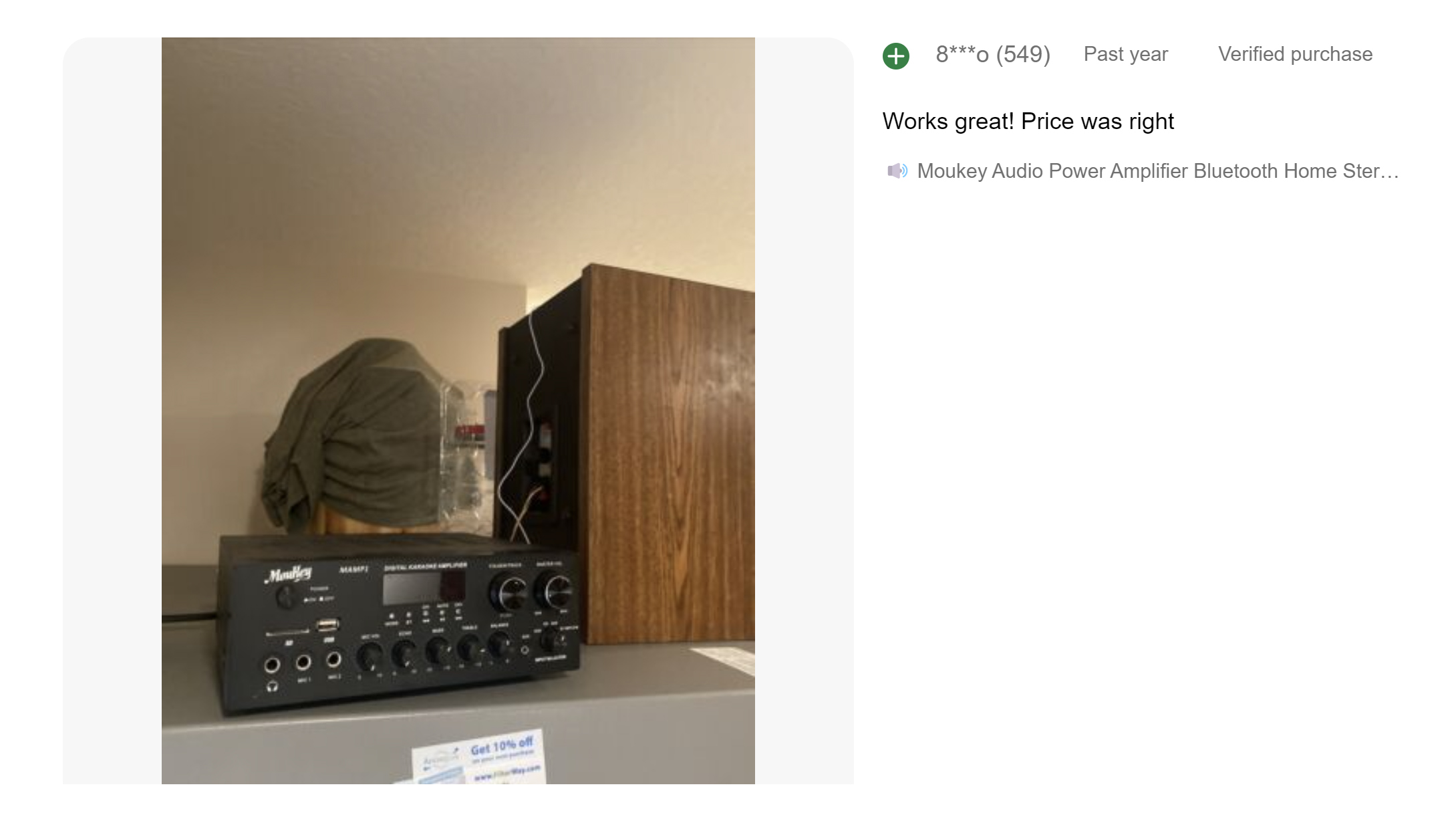
- EQ CONTROLS: The improved professional compact bookshelf sound amplifier features clear, responsive buttons for mode control. Knobs control for microphone echo / volume, balance, bass, treble, master volume, input source and unique folder / track.
- BLUETOOTH 5.0 WIRELESS CONNECTION: The professional indoor stereo receiver is equipped with Bluetooth music streaming with a wireless range of 40 feet / 10 meters or more. Works with today's latest devices (including smartphone, tablet, iPad, iPhone and computer), this bluetooth amplifier is easy to pair with the receiver.
-
HD LED SCREEN: The integrated receiver for home stereo features an FM radio w/ built-in LED display w/ front panel audio control center. FM Antenna and Remote Control are included in the stereo amplifier package for distant audio adjustments. (Remote control can ONLY remotely control the volume of MP3/BT/FM.)
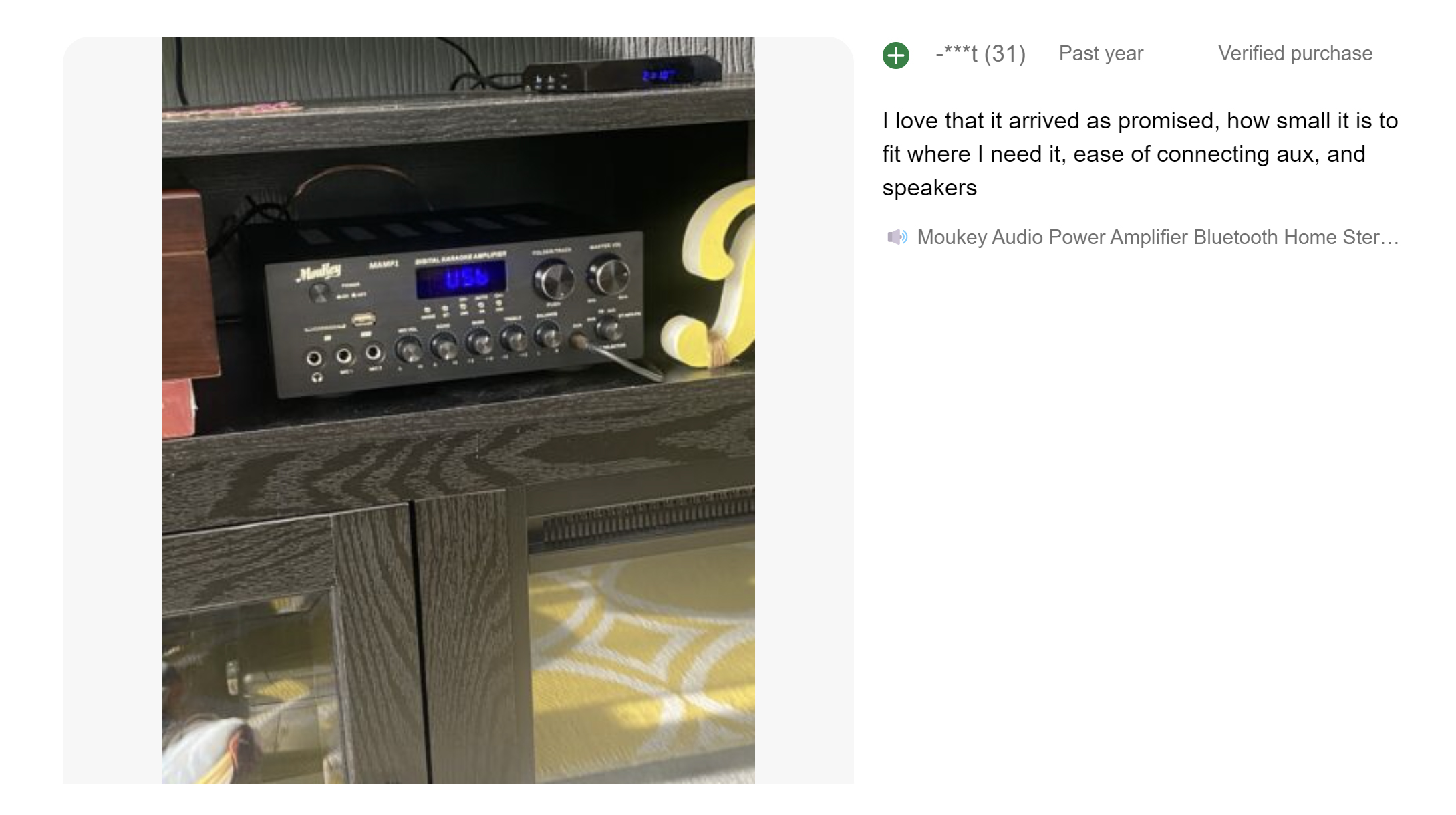
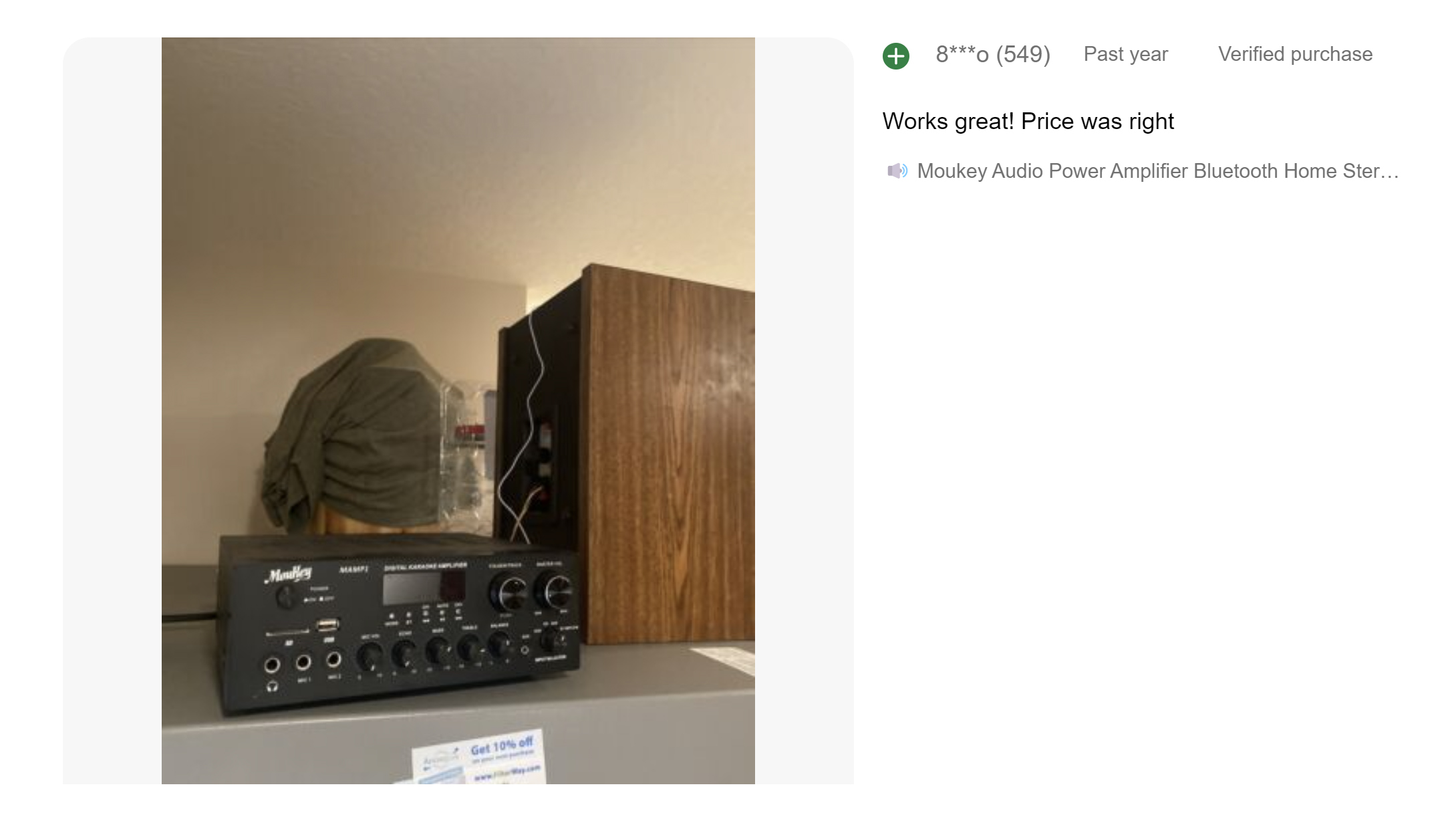
First, you need to check whether the bluetooth mode is turned on (when it is turned on, the screen displays BLUE). If it is not turned on, press the "BT" button or the "MODE" button to switch to the bluetooth mode.
Turn on the bluetooth input device, such as a mobile phone, turn on the bluetooth function to search for the model name of the power amplifier (MAMP1), click to connect, and hear a beep (provided that the speaker has been connected), indicating that the connection is successful.
Note: Regarding the Bluetooth transmitter without a screen, you only need to turn on the Bluetooth transmitter, get close to the power amplifier, and then wait for the connection.
Make sure there are no obstacles (especially metals) blocking the signal;
Turn off the power amplifier, disconnect and clear the connection of the Bluetooth transmitting device, and try to reconnect;
Note: If this happens at the beginning, please consult us to tell us about more details such as video, mobile phone model, etc..
No, connecting two at the same time will cause the audio stream to be disrupted. It can only be disconnected and then connected to other devices.
The Bluetooth speaker is a Bluetooth receiver, which is the same as the Bluetooth function of the power amplifier, and the Bluetooth speaker already has a small power amplifier, which may cause burn-in after being amplified by other power amplifiers.
First, find the input port of the power amplifier to receive the signal, such as the 3.5mm port of AUX or the RCA port of AUDIO INPUT
Then, connect the output end of the Bluetooth receiver to the input port of the power amplifier (the port does not correspond, please use the corresponding port interface converter)


-
400 WATTS PEAK POWER: Moukey 2.0 Channel Bluetooth Stereo Amplifier Receiver is compact but powerful, which is perfect for your karaoke, home theater, acoustic sound system, and monitor headphones. Provides with 400 watts peak power output, you can enjoy the high-quality home audio experience.
- 7 INPUTS: The audio amplifier supports various external signal sources - 2 pairs RCA audio inputs for CD player and DVD player, 2 1/4 inch(6.35mm) microphone inputs, USB(maximum 32G), SD card(maximum 16G), 3.5mm AUX IN, FM radio. With RCA Line Out, banana plug for speaker outputs. Supports 1/4 inch(6.35mm) headphone connection, so you can enjoy audio all the time without the worry that bothers others.
- EQ CONTROLS: The improved professional compact bookshelf sound amplifier features clear, responsive buttons for mode control. Knobs control for microphone echo / volume, balance, bass, treble, master volume, input source and unique folder / track.
- BLUETOOTH 5.0 WIRELESS CONNECTION: The professional indoor stereo receiver is equipped with Bluetooth music streaming with a wireless range of 40 feet / 10 meters or more. Works with today's latest devices (including smartphone, tablet, iPad, iPhone and computer), this bluetooth amplifier is easy to pair with the receiver.
-
HD LED SCREEN: The integrated receiver for home stereo features an FM radio w/ built-in LED display w/ front panel audio control center. FM Antenna and Remote Control are included in the stereo amplifier package for distant audio adjustments. (Remote control can ONLY remotely control the volume of MP3/BT/FM.)
First, you need to check whether the bluetooth mode is turned on (when it is turned on, the screen displays BLUE). If it is not turned on, press the "BT" button or the "MODE" button to switch to the bluetooth mode.
Turn on the bluetooth input device, such as a mobile phone, turn on the bluetooth function to search for the model name of the power amplifier (MAMP1), click to connect, and hear a beep (provided that the speaker has been connected), indicating that the connection is successful.
Note: Regarding the Bluetooth transmitter without a screen, you only need to turn on the Bluetooth transmitter, get close to the power amplifier, and then wait for the connection.
Make sure there are no obstacles (especially metals) blocking the signal;
Turn off the power amplifier, disconnect and clear the connection of the Bluetooth transmitting device, and try to reconnect;
Note: If this happens at the beginning, please consult us to tell us about more details such as video, mobile phone model, etc..
No, connecting two at the same time will cause the audio stream to be disrupted. It can only be disconnected and then connected to other devices.
The Bluetooth speaker is a Bluetooth receiver, which is the same as the Bluetooth function of the power amplifier, and the Bluetooth speaker already has a small power amplifier, which may cause burn-in after being amplified by other power amplifiers.
First, find the input port of the power amplifier to receive the signal, such as the 3.5mm port of AUX or the RCA port of AUDIO INPUT
Then, connect the output end of the Bluetooth receiver to the input port of the power amplifier (the port does not correspond, please use the corresponding port interface converter)
On Mar 18, 2026 at 18:04:21 PDT, seller added the following information: