9" For Suzuki SX4 2006-2013 Android 13 Car Stereo Radio Carplay GPS Navi 2+32GB

About this item

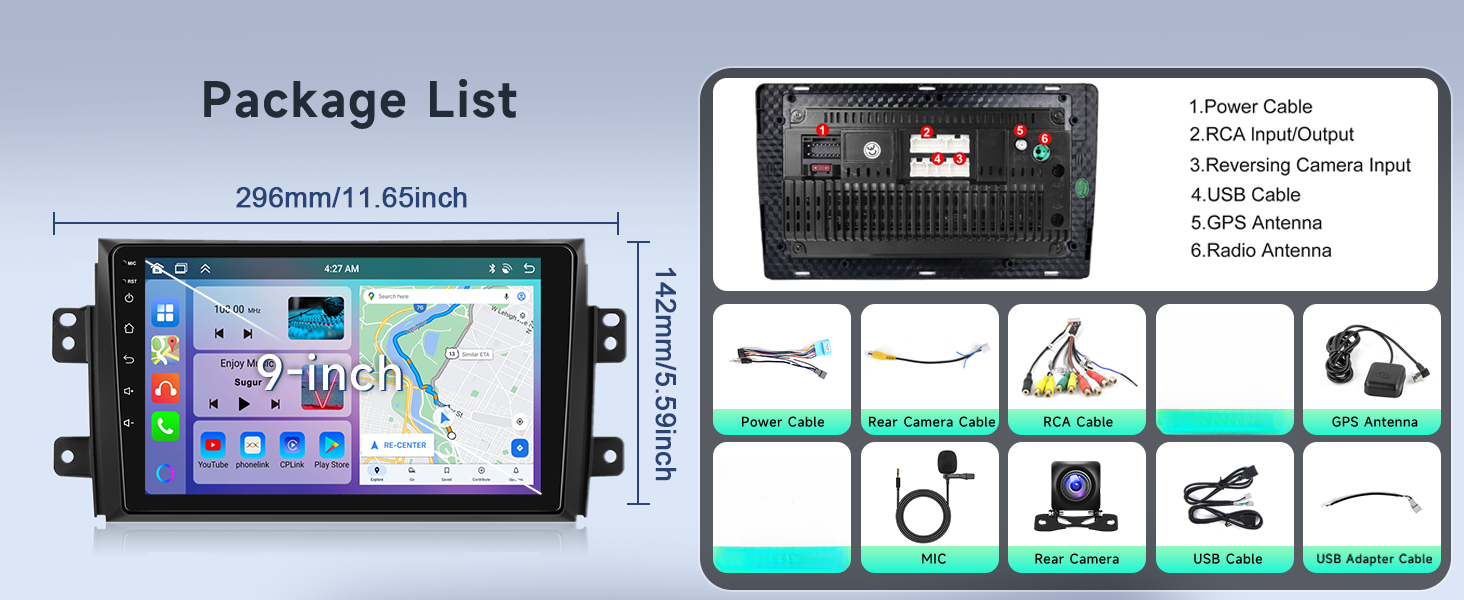
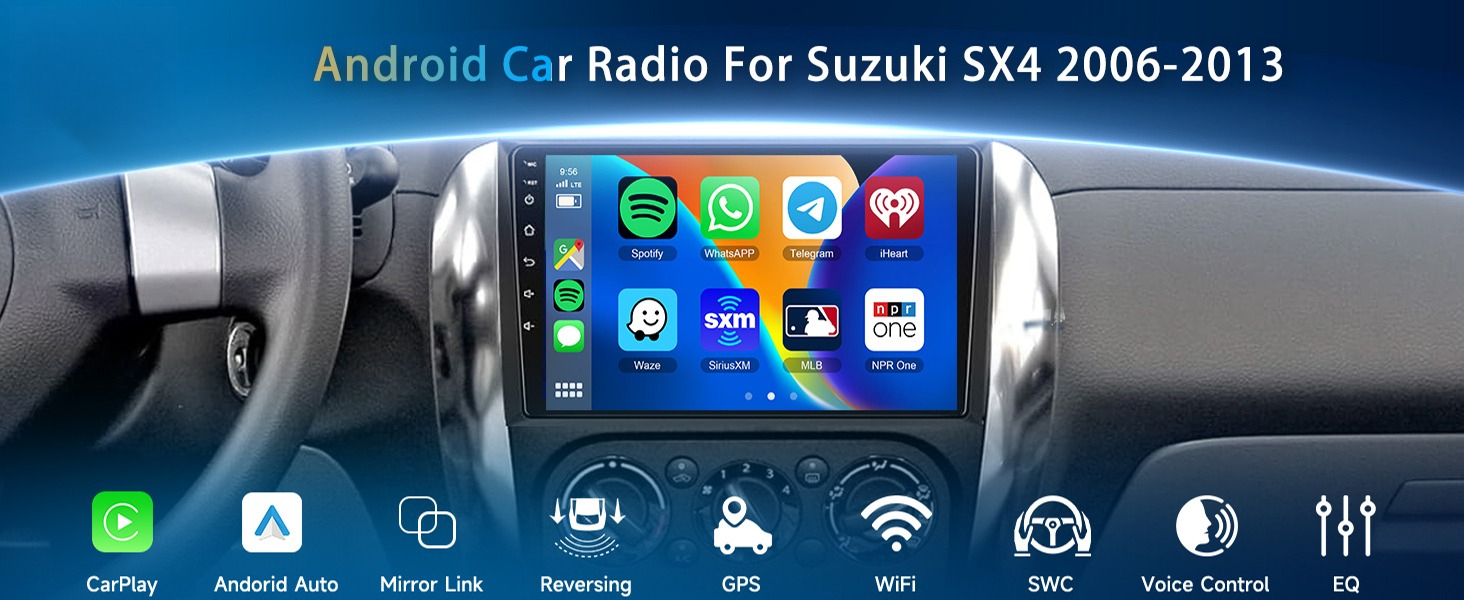
【Android Touchscreen Stereo for Suzuki SX4】Compatible Vehicles: for Suzuki SX4 2006-2013. Designed and Contoured to Match Factory Dashboard, Factory Style Texture Design, 9'' 2.5D Tempered Glass Mirror auto radio player. RAM 2G + ROM 32G memory, High definition 1080P, full capacitance touch screen for easy operation, well designed user interface for car only. Support split screen.

【Wireless Apple Carplay / Android Auto & Mirror Link】for 2007 Suzuki SX4 Radio can choose wired or wireless carplay and Android Auto, connect to mobile phone, access mobile phone address book, mail, notification, map navigation, music, video and other information, and realize voice control. Support IOS/Android mirror link function, You can mirror the phone interface to car stereo, Apple phones support one-way control, Android phones support two-way control.

【GPS Navigation/WiFi/HiFi】 for 2008 Suzuki SX4 radio built-in GPS Navigation, you can download offline maps, with wifi, you can perfectly use apps store,allows you to use any application such as online Maps, YouTube, TikTok, Spotify, etc. Support Hi-Fi high-fidelity sound, original sound immersive sound.

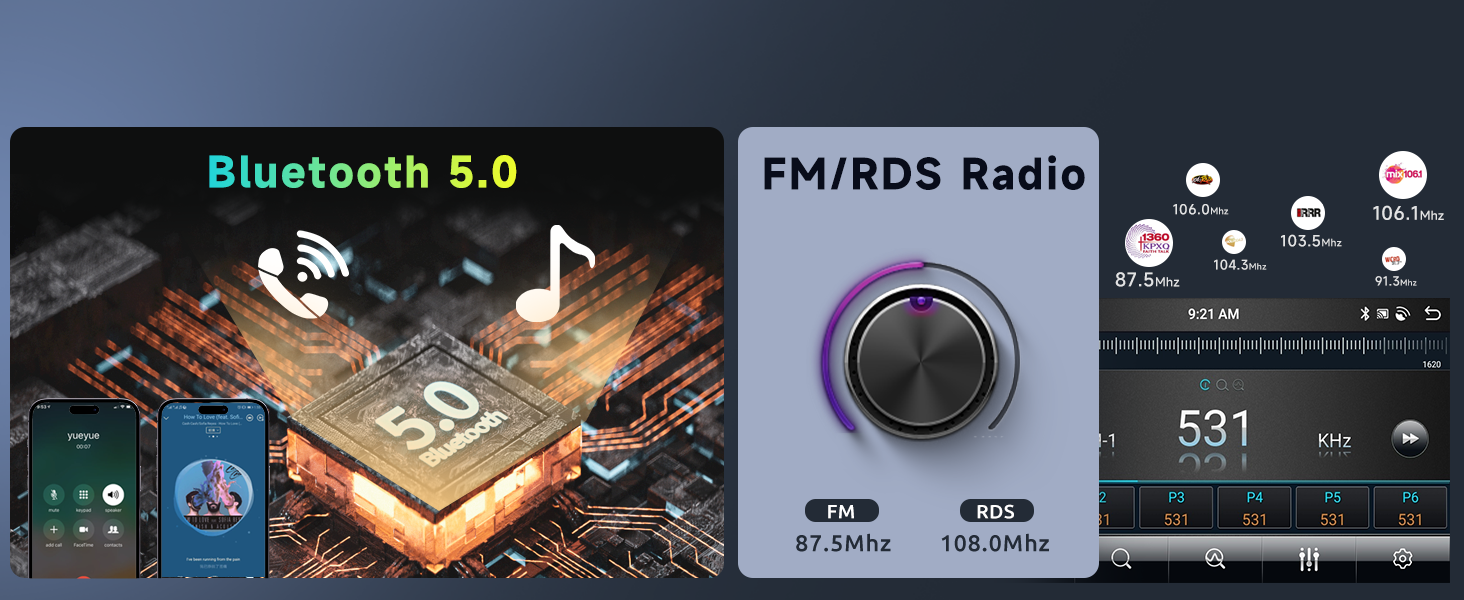
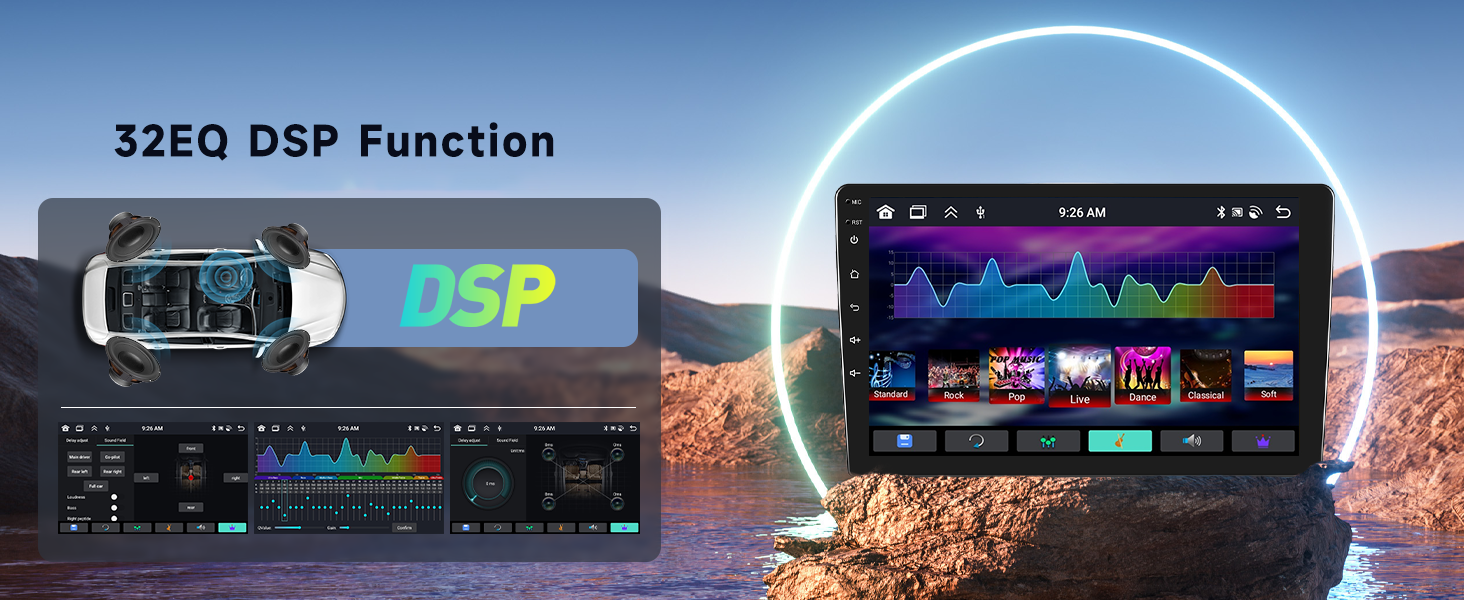
【Blueotooth & FM/RDS & EQ】for 2009 Suzuki SX4 stereo support Bluetooth hands-free call, Bluetooth music playback, automatic loading of the phone book. Support FM to transfer music to the car stereo system, Clear channel search and low noise, and preset 18 stations. Support a variety of EQ sound effects scene selection, Frequency division adjustment shocking surround panoramic.

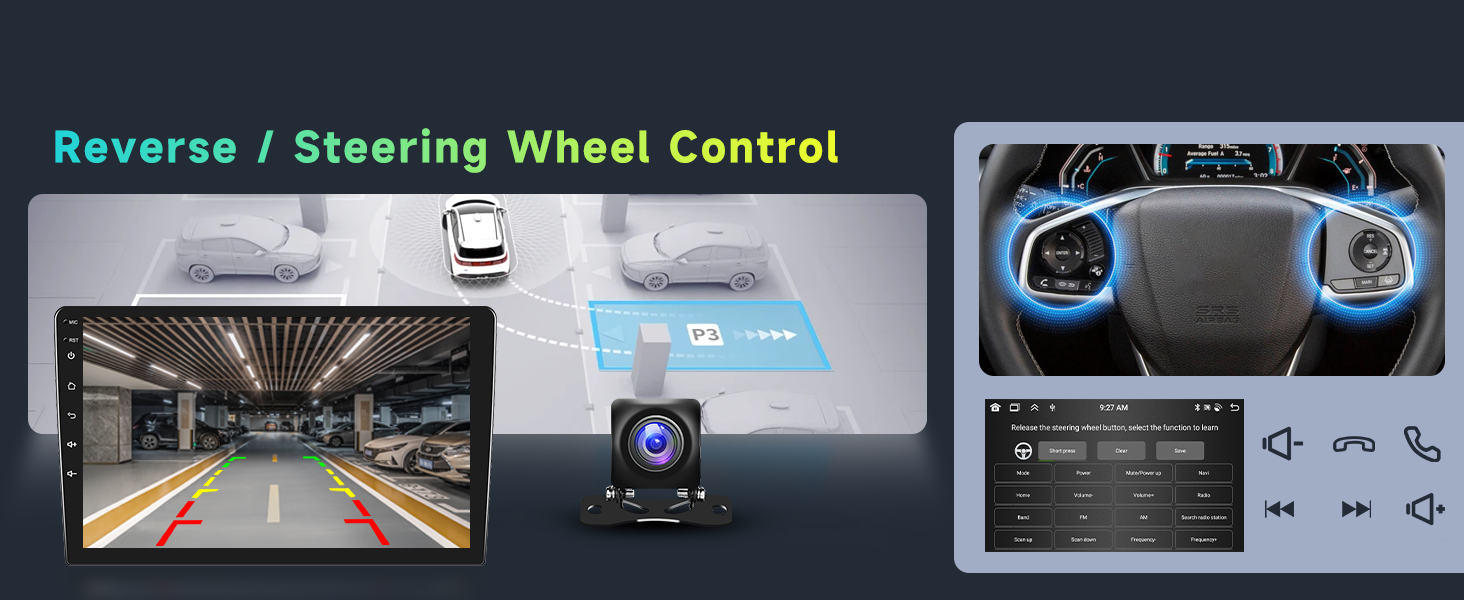
【Rear Camera and SWC】for 2010 Suzuki SX4 support AHD camera image input, When entering reverse, the screen automatically switches to the reverse image. for 2011 Suzuki SX4 stereo support Steering wheel control fnction, You can control the Bluetooth car radio via the steering wheel buttons of the vehicle, which makes your ride more convenient.

【Kind One-on-one Service】If you are not sure if your vehicle model is suitable for installation, you can send us a picture of your car's central control before purchasing, and our engineers will confirm and reply to you as soon as possible.  If you have any other questions, you can also contact us at any time.


Product Description
Android Car Radio Stereo, Wireless Apple Carplay Android AutoCar Radio Stereo for Suzuki SX4 2006-2013 [4G+64G] Android with Wireless CarPlay Android AutoBackup Camera & Sreering Wheel ControlBluetooth & FM/RDS RadioDSP/32-band EQSize & Package
Please kindly notes :

If you received any problem items,please contact us before giving any feedback,

we will confirm the problem and reply you ASAP and give a best solution for this,Please don't worry we are responsible for any possible issues.

It's our responsibility to solve the problem until you satisfied.


Payment

Payment Information
Immediate payment is required upon selecting "Buy It Now" or upon checking out through the basket. 


Return

We hope that you will be pleased with your order. However, in the event that your order is not suitable, we are happy to accept returns for a refund (excluding postage) or an exchange with 30 days of purchase.
 
It is very important that you include a note with your eBay ID, name, reason for returning and return requirements.
 
In the event of a return, the customer is responsible for postage costs. It is highly unlikely that a product may be faulty, however in the case returning postage will be refunded on arrival.
 
 
Exchange and Refund Process
Returns are handled on a daily basis therefore your exchange or refund will be posted on the day that your return arrives; you will also receive an email to confirm this. Exchanges will be posted to the address associated with the original order (unless otherwise stated) and refunds will be issued to the original payment method only.
 
PLEASE NOTE: All products that have been used or original packaging is incomplete will be charged 25% restock free


Shipping

We will ship items via SpeedPAK, USPS, or UPS,Fedex, AUPOST
Hope you can understand, we will choose the lowest price for your cities.
1. This item will ship to your ebay address, so please confirm your address is right when you pay.
2. Leave your phone number on the address, so if you are not at home, the carrier can contact you easily .
3. Estimated time of arrival?7-12  working days
4. If you do not receive it on time, please contact us via ebay message.


Our Duty Time

China Time

USA(pacific time)


Start End
Start
End
Monday AM 9:00 PM 18:00 Sunday PM 17:00 Monday AM 2:00

Tuesday

AM 9:00 PM 18:00 Monday PM 17:00

Tuesday

AM 2:00

Wednesday

AM 9:00 PM 18:00

Tuesday

PM 17:00

Wednesday

AM 2:00

Thursday

AM 9:00 PM 18:00

Wednesday

PM 17:00

Thursday

AM 2:00

Friday

AM 9:00 PM 18:00

Thursday

PM 17:00

Friday

AM 2:00

Saturday

Out of Duty

Friday

Saturday


Sunday

Out of Duty

Saturday

Sunday


During the duty time ,we can give you a quick respond.
If we are out of work, please kindly be patient and considerable to give us a little more time, thanks for your supporting!


FAQ
Frequently Asked Questions
 
Q: How do I order?
A: You can place your order online at any time using eBay secure shopping cart.


Q: How do I pay for my order?
A: We accept Visa, Mastercard, Discover, American Express, PayPal.
 
 
Q: How will my order be shipped?
A: We offer Ground Shipping for US orders ONLY (including Alaska and Hawaii).
 
 
Q: What are your shipping and handling rates?
A: Shipping and handling rates vary by product. Almost all of our items shipped within the continental U.S. come with Free Shipping, however, due to weight and occasional handling fees some of our products have a shipping charge. All shipping fees will be displayed on individual items before you add them to your shopping cart and purchase them. For orders being shipped outside the continental U.S. we will add an extra shipping charge to the entire order. This charge will be displayed on the order confirmation page before you submit your order.
 
 
Q: How long does it take for the products to arrive?
A: Most items in stock ship within 1 to 3 days. Please allow up to 5 days for delivery. Some custom items are made to order, and may take 1-2 weeks to be shipped
 
 
Q: What is your return policy?
A: Read our Return Policy
 
 
Q: How do I check the status of my order?
A: We will email you an order tracking number when your order has shipped. Some of our products, including but not limited to custom seat and car covers, are custom made to order and require us to get the tracking information from the manufacturer. For such orders, please allow additional time for order status information.


Tips:

1.Why can't turn on the car radio ?

1.1Please check the Voltage of car radio:12V

1.2When you test this car radio,you can combine the red and yellow wires and connect them to the positive side of the power supply.Black line to negative power supply.

1.3Replace the same type of insurance to test the car radio.

Note: Please must use our power cables to connect our car radio,it is not possible to insert the original car plug directly into our machine.


2.Why the car radio will show "No Signal" when we reversing?

2.1Please check if the camera's line is properly connected to the car radio.

Note:The video port of rear camera must insert the "CAMIN" port of car radio.

2.2 Please check whether the pink wire is connected to the line on the positive 12V? If not, there will be a light on but the display does not appear reverse image.


3.Why does the radio not turn off after turning off the engine and keep consuming power?

Check if the red ACC power cable and canbus are not disconnected? Otherwise it will keep powering up


4.Why can't search FM?

4.1: No radio antenna inserted;

4.2: Please check if the radio antenna is plugged in. Please insert more antennas several times to make it well contacted;

4.3: The signal of your location is not good. Please go to a better place to test again

4.4: The radio antenna on the car is broken/no effect; please replace the radio antenna and test again.


5.Why can't connect the Bluetooth of car radio?

5.1 Open the phone settings interface, open the Bluetooth in the Bluetooth function, search for Bluetooth devices, find the player's Bluetooth model to be paired; if you need a pairing code, enter 0000; if not, try 1234 or 123456.

5.2 Please try to use another mobile phone to test this function.

All methods are correct and still cannot use Bluetooth, Please unplug the plug on the back of the player and plug it in after 3 minutes.