
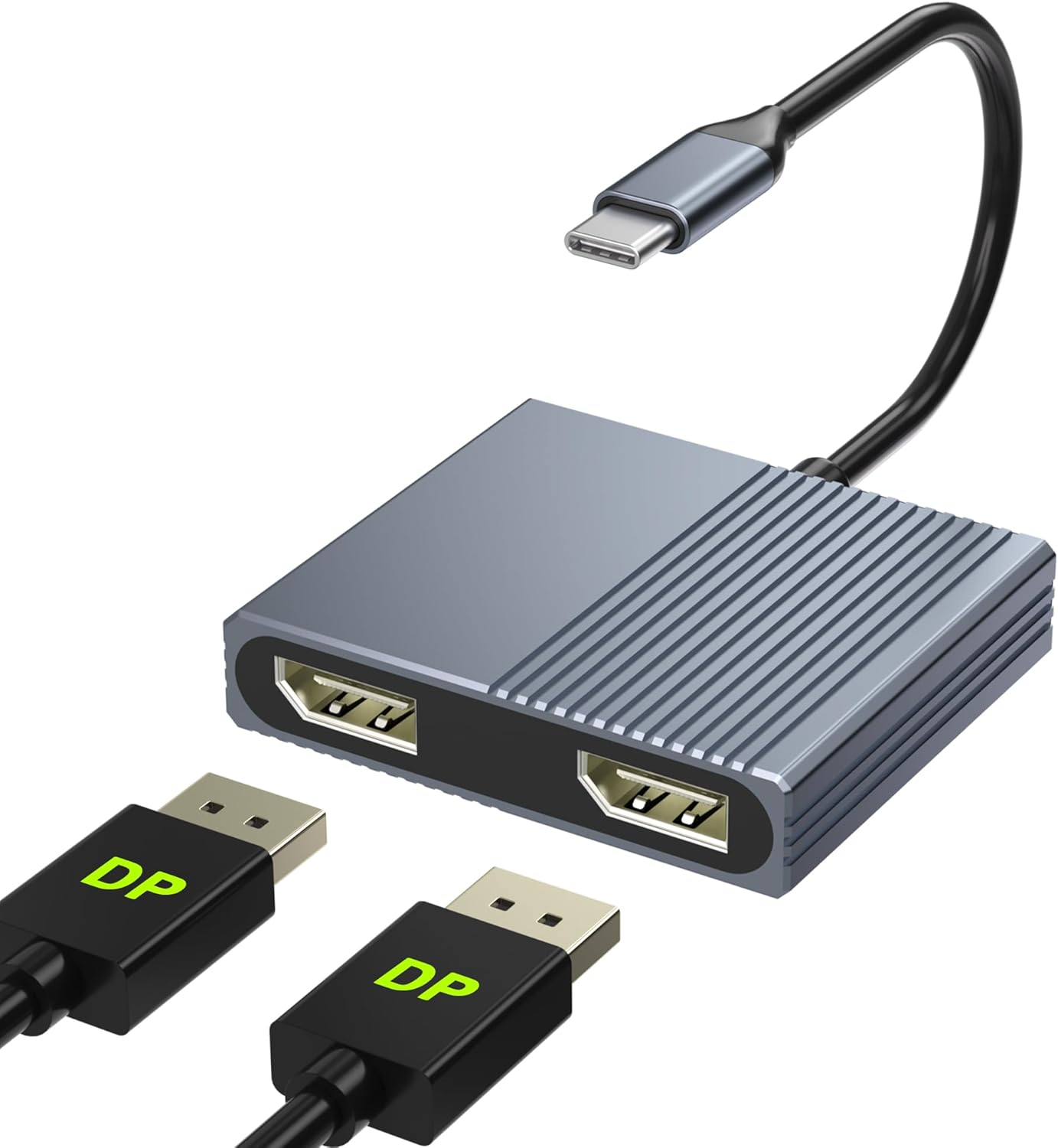
USB C to Dual Displayport Adapter, 4K@60Hz Displayport Splitter, Display Port to USB C, Displayport MST Hub, Display Port Splitter for Dual Monitors, Displayports Hub for Dell/Lenovo/Hp Etc
Description
| Item model number | USB C to Dual DP-01 |
| Style | Dual Display Port 4K@60Hz |
| Compatible Devices | function(f) {var _np=(window.P._namespace("DetailPageProductOverviewTemplatesJava"));if(_np.guardFatal){_np.guardFatal(f)(_np);}else{f(_np);}}(function(P) { P.when('A').execute(function(A){ A.on('a:truncate:po-attribute-truncate-0:updated', function(data) { var isTruncated = !data.truncateInstance.getIfTextFits(); var seeMoreElement = document.getElementById('po-attribute-see-more-id-0'); if(seeMoreElement) { seeMoreElement.style.display = isTruncated ? '' : 'none'; } }) }); })); Compatible with 2023/2022/2021/2020/2019 MacBook Pro iMac MacBook, Surface Book 2, Surface Go, HP Envy 13, Pixelbook, Galaxy Book, Samsung Galaxy S8/ S9/ S8 Plus/ S9 Plus/ Note 8/ Note 9, Dell XPS 15 / XPS 13, Chromebook, Chromebook Pixel, Intel NUC and More See more |
| Product Dimensions | 2.32 x 2 x 0.47 inches |
| Item dimensions L x W x H | 2.32 x 2 x 0.47 inches |
| Connector Type | USB Type C |
| Item Weight | 1.83 Ounces |
- 【4K@60Hz Dual DisplayPort Adapter】This USB-C to Dual DisplayPort adapter supports resolutions up to 4K @60Hz thanks to DisplayPort MST technology. It also supports 1440p and 1080p @60Hz. No driver required, plug in and play. (Important: NOT for all USB-C port laptop, you need to confirm that your host device's C port supports video output or DP Alt Mode, Video output will be 4K only if your device supports 4K resolution. Ensure you're using a DP 2.0 or higher-quality cable for optimal performance.)
- 【Multi-screen Display】The displayport MST hub can connect your USB-C ( support video output) computer to your Dual DisplayPort monitor. Attention: For Mac OS, it ONLY Mirror Mode, Can't extend two different screen due to Mac OS limitation. Windows support MST(Extend Mode) and SST(Mirror Mode).
- 【Wide Compatibility】Compatible with 2023/2022/2021/2020/2019 MacBook Pro iMac MacBook, Surface Book 2, Surface Go, HP Envy 13, Pixelbook, Galaxy Book, Samsung Galaxy S8/ S9/ S8 Plus/ S9 Plus/ Note 8/ Note 9, Dell XPS 15 / XPS 13, Chromebook, Chromebook Pixel, Intel NUC and More. Kindly Reminder: For devices with USB 3.1 Gen 1, it may take longer time to sync, please be patient and give it more time.
- 【Excellent Stability】Built-in advanced IC chip converts USB-C digital signal to DisplayPort signal. Nickled-plated connector ensures secure high-speed data transmission free from interference and the uni-body molding makes it unbreakable. Aluminum case dissipates heat efficiently for longer term use. Thicker copper wire distinctively minimizes signal loss with maximum conductivity.
- 【One-way USB C to Dual Display Port】This Thunderbolt 3/4 to DisplayPort cable only supports signal transfer from USB C source to Display Port display. Follow the correct transmission to ensure you can enjoy live events or your favorite shows on a larger screen. Display Port is Similar to a flat rectangle with missing corners. What you get: 1* USB Type C to Dual DisplayPort Adapter, 1* User Manual.
Product description
USB C to Dual DisplayPort Splitter Extended Display
The USB-C to Dual DisplayPort MST hub allows you connect two independent DisplayPort monitors to a laptop or PC via a USB-C port that supports DP Alt Mode. It enables dual 4K@60Hz displays with a single connection, allowing you to extend two different screens for enhanced productivity and efficient multitasking.
Product Features:
- Output to two 4K displays via USB-C
- Supports 4K@60Hz
- Selectable extend/mirror modes
- Compatible with ultra-wide monitors
- Simple plug-and-play connection
- Durable aluminum design with excellent heat dissipation
Please note:Insufficient power supply may cause unstable video output. This adapter does not provide additional power to your computer. To ensure normal and stable image output, you should use a separate power adapter to charge your computer.
Note: NOT for all USB-C port laptops, Make sure your laptop or PC supports ” Thunderbolt 3” ” Thunderbolt 4”or “displayport output mode(DP ALT mode.
What is USB-C DP ALT Mode?
DP Alt Mode allows USB-C ports to transfer dataideo via multiple interfaces, including the increasingly popular DisplayPort video interface. USB-C ports capable of transferring DisplayPort signals are either called USB-C DisplayPort or DP Alt Mode. They allow you to connect video sources (e.g. PCs, Blu-Ray players, etc.) and display devices (e.g. TVs, projectors, etc.) that support DisplayPort to each other via their USB-C ports to broadcast high-definition video.
But now not all USB-C ports feature DisplayPort Alt Mode functionality.
How do I know if my device supports DisplayPort over USB-C?
The best method to decipher whether your device supports DisplayPort over USB-C is to check either the product specs on the manufacturer’s official website or to check websites with in-depth product reviews and/or information. Within those sites you’ll be able to find detailed breakdowns of each port on the device.
Basically, Thunderbolt 3, Thunderbolt 4, and USB C 3.1 Gen 2 (or above) support video output. If you are not sure, you are welcome to ask us for a device compatibility check before purchase.
Windows System-Multiple Display Mode-Mirror Mode & Extend Mode:
Mirror Mode (AAA Mode):Laptop shows same images with external dual displays.
Extend Mode (ABB and ABC Mode):Laptop shows different images with external dual displays.
How to extend monitor on Windows: Right-click desktop→ select Intel display Settings → pop-up Settings screen select display→ select multi-screen display→ expand the desktop
MacOS System -Mirror Mode & Extend Mode -Only SST Supported:
Mirror Mode (AAA Mode):Laptop shows same images with displays.
Extend Mode (ABB Mode):3 external screen display same images but different with laptop.
How to extend monitor on macOS: Setting → Display →click the "mirror display" box to switch to Extend mode → then you can drag a window of website/movie to the rightest side of your desktop screen until it disappear on your desktop screen and show up on the external monitor screen.
Note: ON MacOS only SST mode (AAA and ABB mode) supported due to MacOS limitation.It will Not Support Extend Two Different Screens.
Dual 4K@60Hz DisplayPort
This dual display port to USB C adapter resolution up to 4K @60HZ, it also support 1440p and 1080p at 60Hz offered by the DisplayPort MST technology.
Please make sure the USB-C port of your Windows laptop supports DP1.4 that the dual displayport reach a maximum 4K@60Hz resolution.
Checking Your DisplayPort (DP) Version:
If you're using a Windows device, you can know which version of DP you have by checking your CPU generation.
DP version 1.2 if your CPU is Intel generation 10 or earlier.
DP version 1.4 if your CPU is Intel generation 11 or later.
DP version 1.4 if you're using a workstation laptop with an NVIDIA GPU.
If you're using a MacBook, iMac, or iPad, you can find your DP version from the list below:
DP 1.4: iPad Pro (3rd generation and later), MacBook Pro ( 2017, 2019, 2020, 2021), MacBook Air (2020), MacBook Air (13-inch, M1, 2020), iMac (2017 and later), iMac Pro (2017 and later)
DP 1.2: iPad Air (4th generation), MacBook Air (2018), MacBook Pro (2016), Mac mini (2018)
ABOUT US
We offer the best prices around on high quality products. Our E-store includes media such as books, movies, music and games while offering electronics, toys, sporting apparel, clothing, tools, general home, garden items and more.
SHIPPING
We are always working hard to ensure your package arrives as soon as possible. Please understand that some factors like weather, high postal traffic, and the performance of shipping companies are outside of our control.
We offer free shipping to the lower 48 states and ship within 2 business days of payment, usually sooner. We do not accept P.O. Boxes. Please provide a physical address.
RETURNS
We offer a 30-Day Return Policy on items which you are not completely satisfied with. You have the option for a full-refund or an exchange of the item. No returns are available on items shipped outside of the USA.
PAYMENT
We accept PayPal.
CONTACT US
This page content is yet to come
Please ad us to your favorite seller and visit again later
Thank You