


Hinweis: Gilt nur für Autel-Geräte, die bei einem Online-Händler erworben wurden.
Passend für: Autel MX808/MK808/MK808BT/MK808TS/MK808S/MK808K-BT/MK808S-TS/MP808/ MP808BT/DS808/MP808S/MP808S-TS/MP900E/MP900-BT/MP900-TS/MS906BT/MK906BT/MK906 PRO/MS906 /MS906 PRO/MK906BT/MS906BT/MK906TS/MS906TS/MK906PRO-TS/MS906PRO-TS/MK908/MK908 PRO/MS908/MS908 PRO/Maxisys MS909/Maxisys MS919/Maxisys Elite /Maxisys MS909/Maxisys MS919/Maxisys Ultra lite/Maxisys Ultra/ADAS Software/MaxiIM IM508/MaxiIM IM508S/ MaxiIM IM608/IM608 II/ IM608 PRO II
Beachten:
1. Sie könnten Ihre Autel-Benutzer-ID und Ihr Passwort angeben, wir könnten Ihr Update abschließen, Ihr Eingreifen ist nicht erforderlich.
2. Aktualisieren Sie Ihr Gerät selbst, indem Sie das Autel TCP-Kartenkennwort verwenden.
Suchen Sie pro.autel.com und geben Sie „Einlösen“ ein. Geben Sie das Passwort für die Autel TCP-Karte ein: xxxxxxxx
How to Pay and Get the Update Service:
Now the Autel provide the update service for MS908S PRO by using the Total Care Program Cards (TCP), Once you finish payment, we will share you the TCP code (Account and Password for updating online).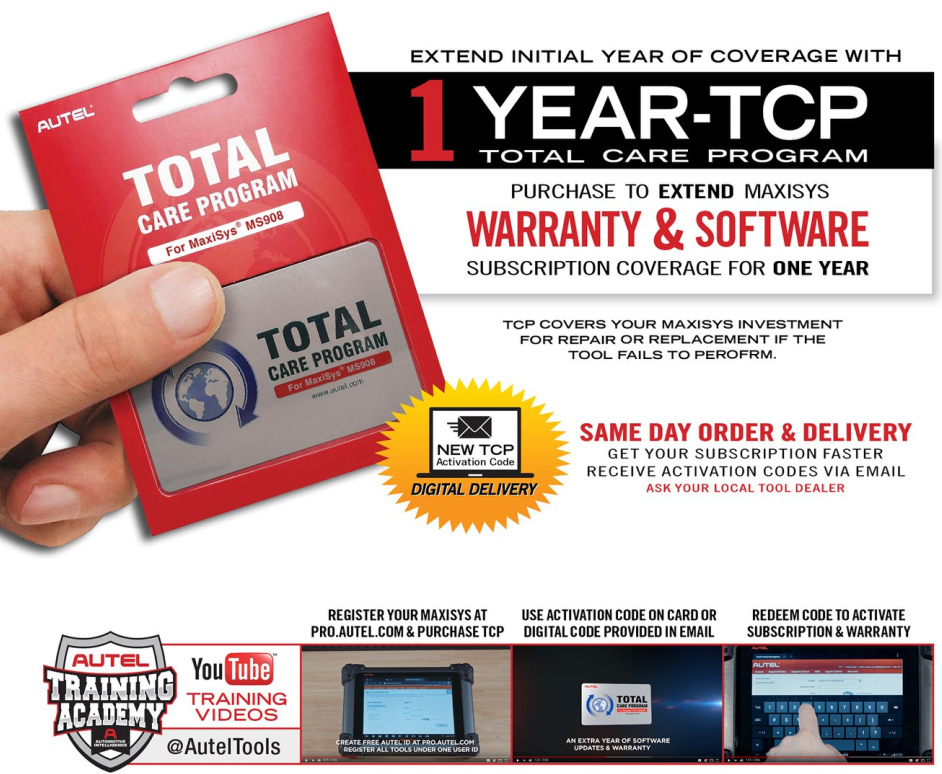
How to make it work?
Register all your Autel tools to your free Autel ID account at autel.com to download FREE software updates regularly to keep your Autel tools functioning like brand new.
Constantly Update MaxiSYS for Current Vehicle Coverage
Register Tool After Purchase for 1YR FREE Software Updates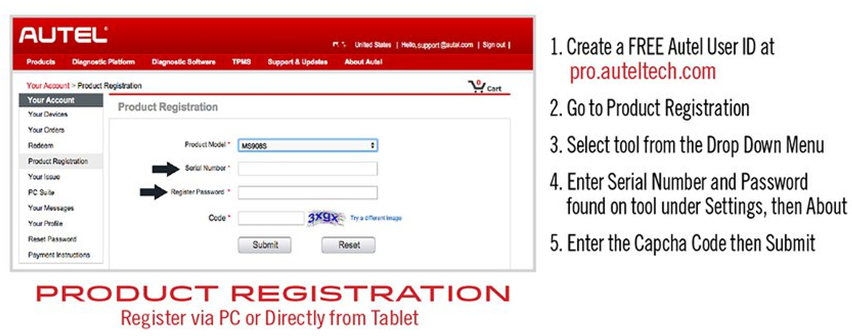
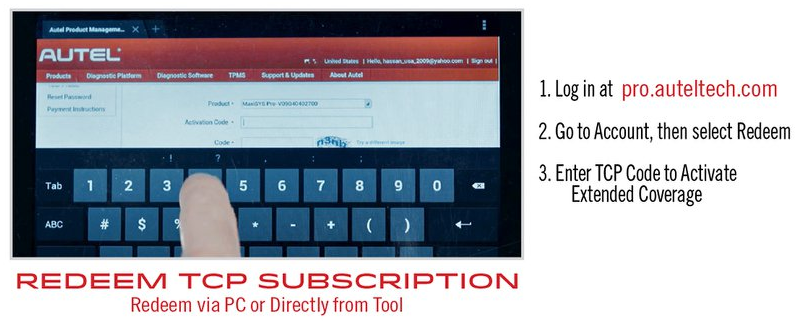
To Redeem on your Autel Maxisys Elite:
1. Sign in to your Autel account at Autel official website
2. Select Redeem on the left
3. Select the product
4. Peel off table & enter Activation Code
5. Press OK Button to confirm
Finally, wow, instantaneous access to the new updates!

