************************************************************************************************************************************************************************
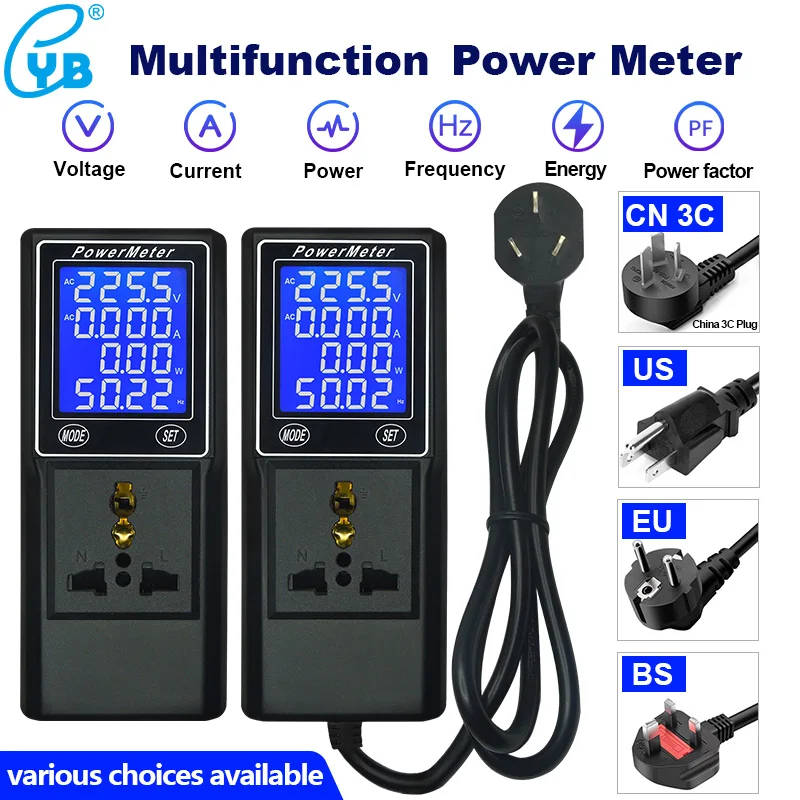
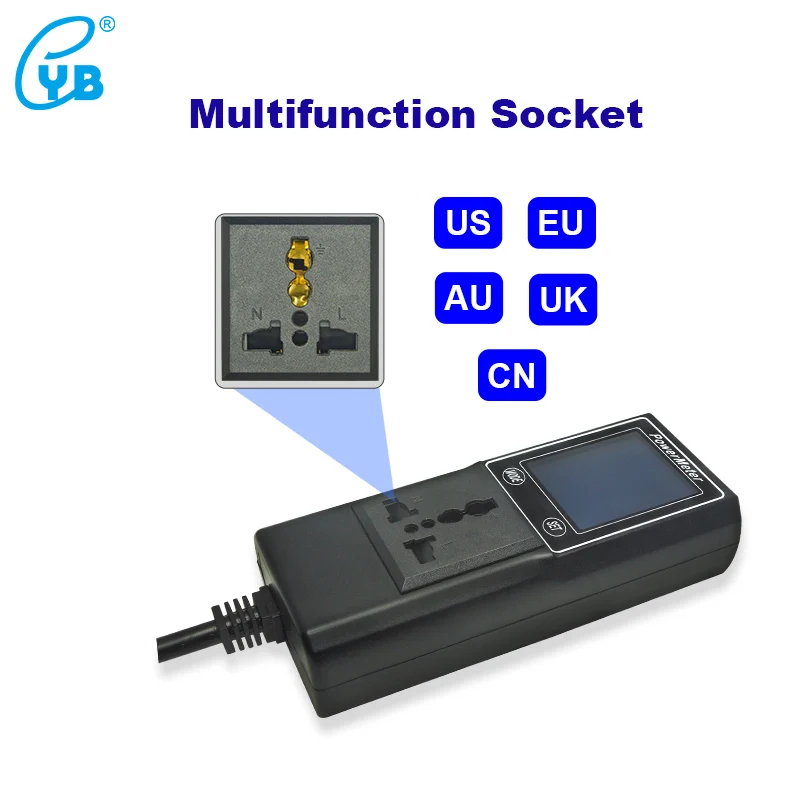
YB39DM Power Meter Digital Voltmeter Ammeter LCD Electric Energy Frequency Power factor Tester EU US Plug Multifunction socket
Attention:
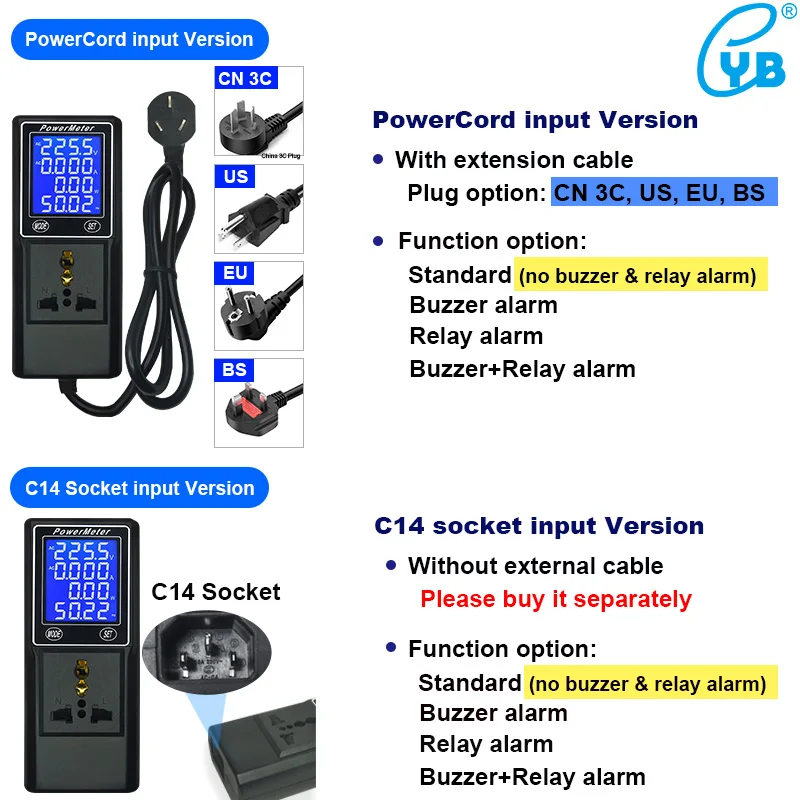
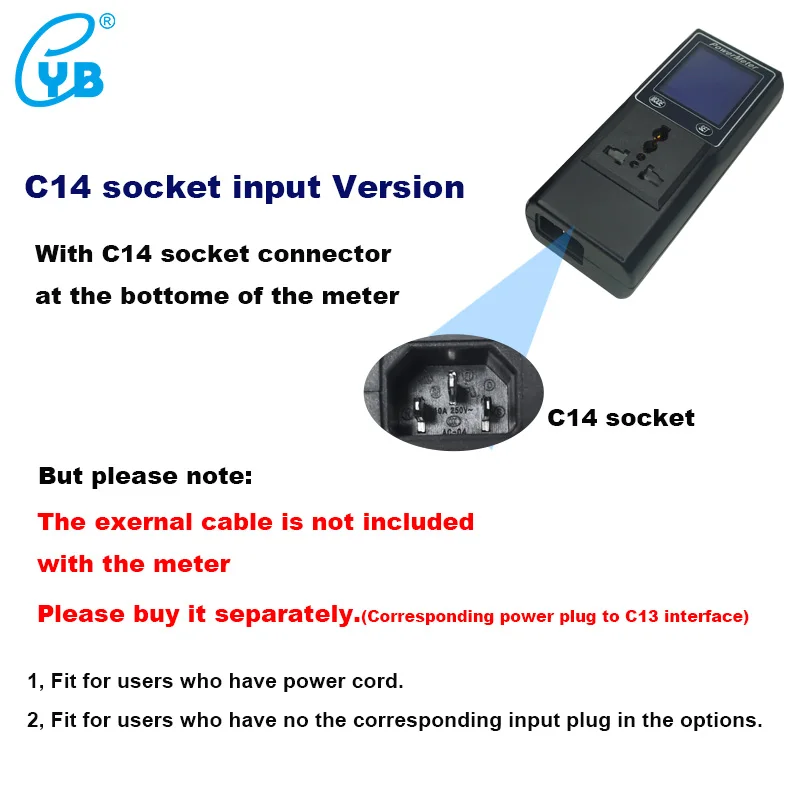
1, C14 socket input version:
-
the external cable is not included, need to buy separately;
-
When purchasing the adapter cable, please select the corresponding plug extension cable to the C13 plug.
2, PowerCord input version:
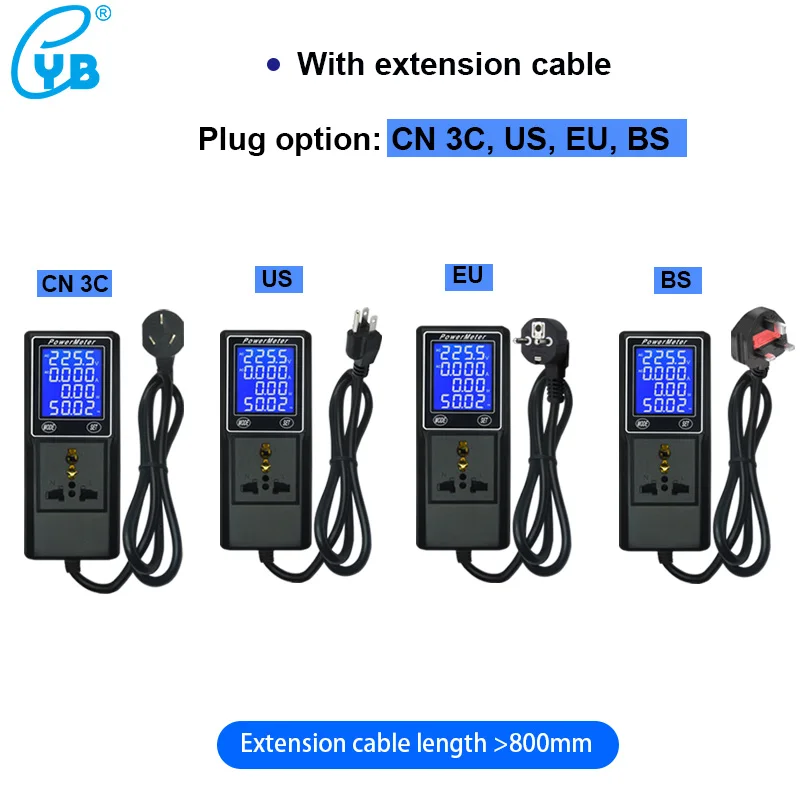
Please select the plug appropriate for your area, please select C14 socket input version if there is no plug option you need.
3, The power displayed by the meter is an active power: P=U*I*PF.
4, Please do not use the meter beyond the range, otherwise the meter may be permanently damaged.

-
Test voltage: AC 60.00~300V
-
Test current: AC 0.000~10.00A ( 13.00A for US Plug only )
-
Active power: 0.00W ~ 9999KW
-
Frequency: 45.00~65.00Hz
-
Power factor: 0.000~1.000
-
Electric energy: 0.000~9999KWh
-
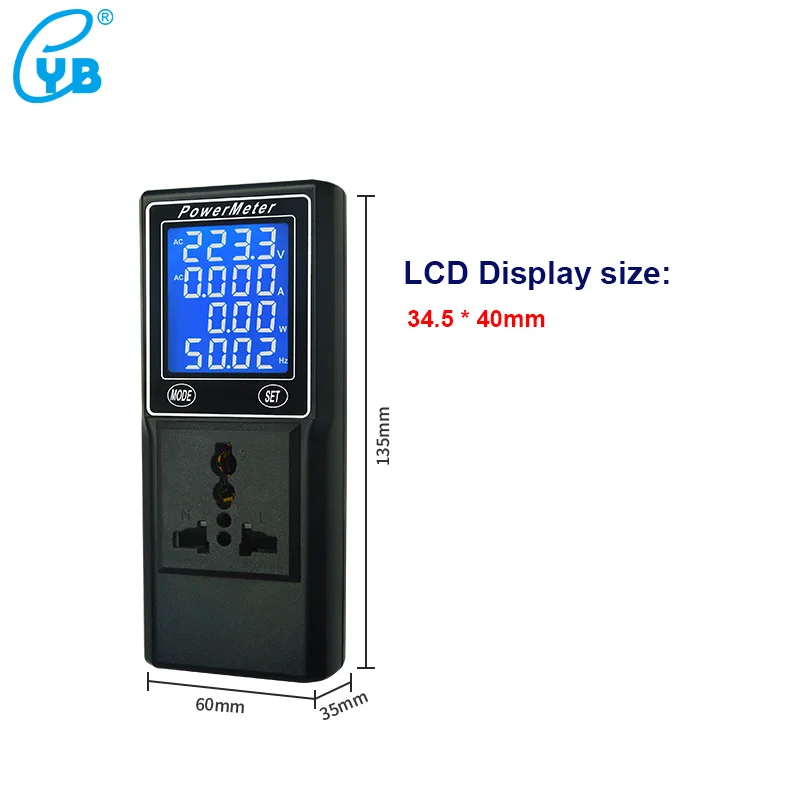
Dimension: 60*135*35 mm
-
LCD Visible size: 34.5*40mm
-
Display mode: White characters on a blue background
-
Meter power consumption: ≤0.5W

-
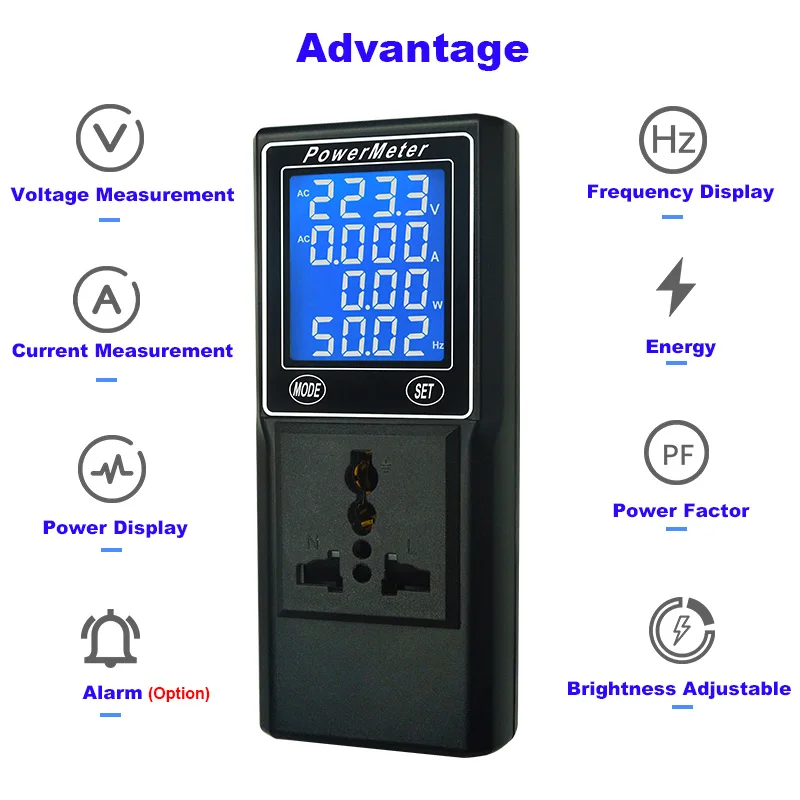
Buzzer alarm or Relay alarm for your order selection.
-
Voltage, current, power can be custome set to upper & lower alarm or overtime alarm.
-
Manual zero clearing
-
Automatic zero clearing.
-
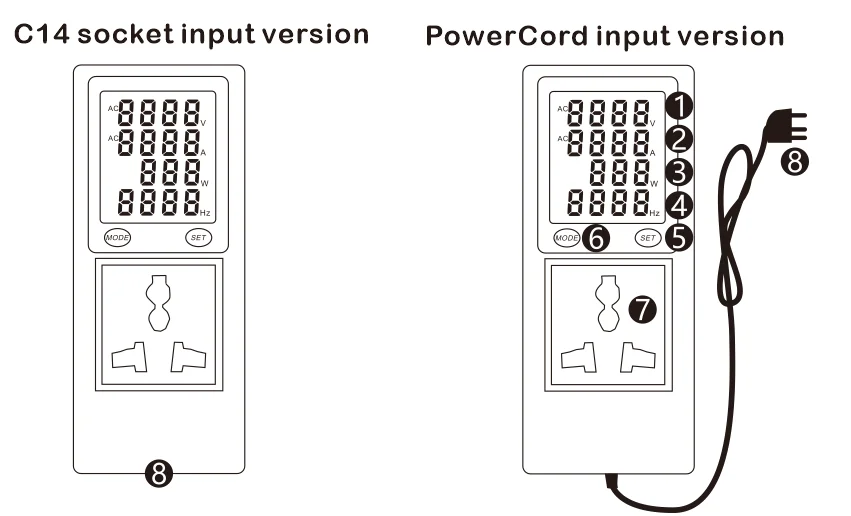
C14 socket input version :
-
PowerCord input version.
-
In normal display mode, press MODE key repeatedly to switch to the next mode
-
In normal display mode, press and hold mode key to enter setting mode
-
In setting mode, press MODE key repeatedly to enter to the next menu
-
In setting mode, press and hold MODE key to enter the submenu
-
In submenu setting mode, every time press MODE key, the flashing move one digit to the right
-
In submenu setting mode, press and hold MODE key to save and back to the previous step.
-
Press and hold MODE key 3 seconds, enter setting mode
-
LCD display AC220.0V , 1-CU
-
Then press and hold MODE key again, enter setting, the first digit is flashing, press MODE key once, flashing digit shifts in a cycle
-
When the digit flashing, press SET key to increase the value.
-
Press MODE+SET key once, decimal point move one digit to the right. Decimal point can move in a cycle, after parameter setting finished,
-
press and hold MODE key to save and back to the previous mode.
-
Press and hold SET key to exit and back to measurement display.
-
Other parameters setting are the same as 1-CU
-
In normal display mode, press SET key repeatedly to switch brightness of the backlight: high, low, no-light
-
In normal display mode, press and hold SET key to start and pause countdown(Please find the detail instruction at below overtime alarm)
-
In setting mode, press and hold SET key to back to normal mode
-
In submenu setting mode, press and hold SET key to not save and back to the previous step.
at the same time press MODE+SET once can move the position of decimal point.
-
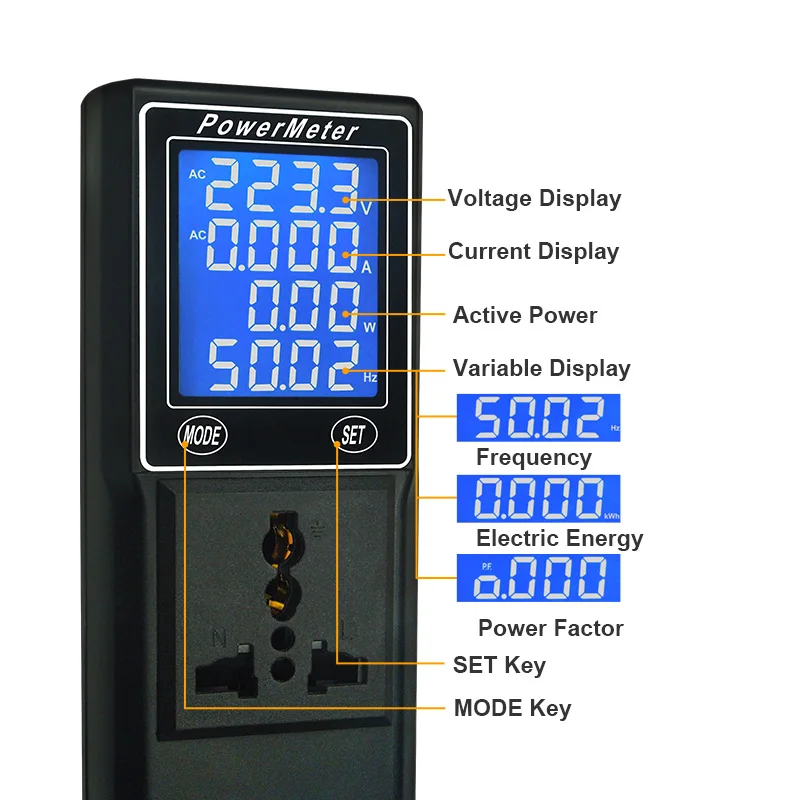
LCD display: areas of 1, 2, 3 are all fixed display, the 4th area can switch to different display modes by pressing MODE key
-
In normal display, press MODE key repeatedly to switch to different display modes(in 4th area), total 7 modes:(Frequency-- electric energy--power factor-- frequency + electric energy-- power factor + frequency– power factor + electric energy -- frequency+power factor+eletric energy)
-
Default value---- 00:00, that is overtime alarm function closed. The value can be set: 00:00~99:59(99 hours 59 minutes)
-
Check remaining time: press MODE+ SET key once, display remaining time for 6 seconds , then back to normal status.
-
Restart: in normal mode, press and hold MODE+SET key, restart timer after Bi one sound.
-
Pause/start : in normal mode, press and hold SET key

-
With C14 socket connector at the bottome of the meter.
-
But please note: The exernal cable is not included , with the meter, please buy it separately.
-
Fit for users who have power cord.
-
Fit for users who have no the corresponding input plug in the option.
-
Operating temperature: -10 ~ +50 ℃
-
Working humidity: 10 ~ 80% (no condensation)
-
Working pressure: 80 ~ 106kPa
-
Sun exposure: no direct exposure
Shipment:
-
Worldwide shipping. (Except some remote countries and APO/FPO)
-
We will arrange the shipment as soon as you finish your payment.
-
We only ship to confirmed order addresses. Your order address must match your shipping address.
-
The images shown are not the actual item and are for your reference only.
-
Service transit time is provided by the carrier and excludes weekends and holidays.It may vary, particularly during the holiday season.
-
If you have not received your order after 30 days from payment, please contact us. We will trace your order and get back to you asap. Our goal is customer satisfaction!
-
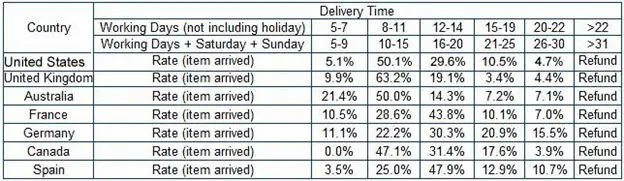
Delivery Time:


Return&Refund:
-
You have 7 days to contact us and 30 days to return it from the date received. If the item is in your possession more than 7 days, it will be considered used and WE WILL NOT PROMISE A REFUND OR REPLACEMENT to you. There are no exceptions! Shipping cost is bear by both seller and buyer in half.
-
All returned items must be in the original packaging and you must provide us with the shipping tracking number, specific reason for the return, and your order ID.
-
We will refund YOUR FULL WINNING BID AMOUNT, upon receipt of the item in its original condition and packaging with all components and accessories included, After both buyer and seller cancel the transaction from aliexpress. or you may choose to have a replacement.
-
We will bear all the shipping cost if the product is not as advertised.