
BENINCA SMART PHONE ALEXA GOOGLE HOME WIFI RADIO GATE CONTROLLER (BE.LINK)
BRAND : BENINCA
MODEL : BE.LINK

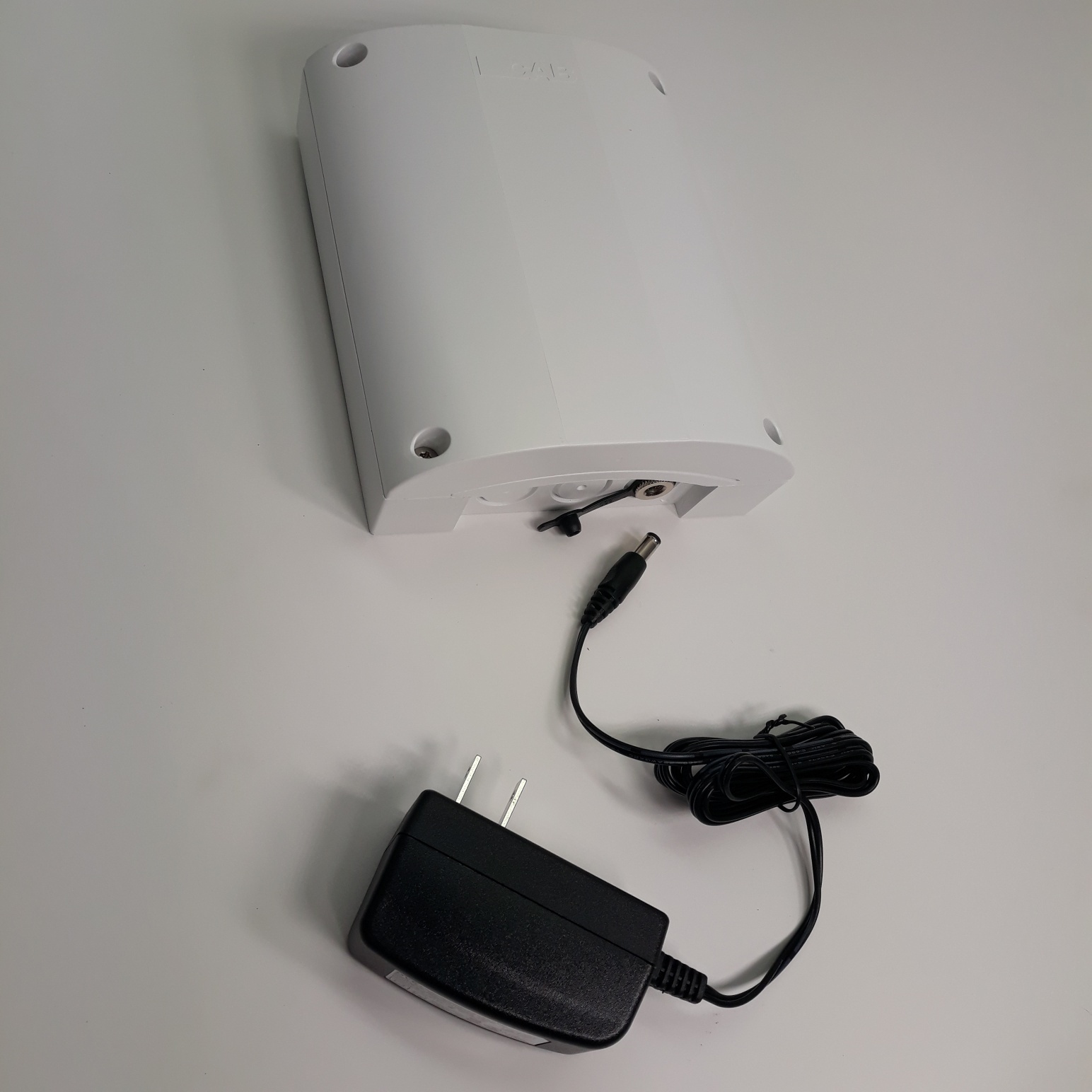
The BE.LINK can be conveniently placed inside the house/building where the wifi signal is stronger than outside, and transmit the command by radio-frequency to the gate or door opener, just like a regular remote control, with an outstanding range. The power adapter provided is for 120Vac to 12Vdc.
BE.LINK allows to activate 2 different gate or door openers (or other devices) provided with BENINCA radio-receiver.
The wifi module is intended to work on most 2.4GHz networks. Alexa and Google Home compatible.
First step : power the BE.LINK in an outlet close to the operator/s in order to program the internal transmitter module with the gate (or door) opener. The transmitter module of the BE.LINK has 2 buttons (for 1 or 2 openers). In addition, the transmitter can activate either 64bit or 128bit type of Beninca rolling door protocol. (Refer to the Beninca remote TO.GO 2 VA for programming instructions and radio protocol). After the transmitter module is programmed in the operator/s you can disconnect it and plug it inside the building or where it is supposed to be eventually placed, within good WiFi range.
Second step : search and Download the eWeLink Smart Home app for iPhone or for Android. It is the one with a blue icon with a white printed e in the lower left quadrant. Open the App. In case you have already tried unsuccessfully to pair and your unit is listed, select it and delete it. Now click on the PLUS sign at the bottom. On the next page disregard everything but the faint blue link at the bottom that says “Compatible Pairing Mode (AP)” Cool but busy pic on the next page. Now press & hold the Setting Button (the third one, far from the red Led) for about five seconds until the red light next to it starts to ‘double flash’. Release it and then push it again for about another five seconds until it changes to a rapid single flash. Now go to your Phone -- Settings – Wi-Fi page and select the network “ITEAD and some numbers”. (This is only temporary). It will ask the password, which is: 12345678. Join.
Go back to the eWeLink app. At the bottom select ‘Next’. It will ask the name and password for your actual personal Wi-Fi network. Type in the SSID and password for your 2.4G Wi-Fi network. Make sure ‘Remember Password’ is checked and select Next. It will take about a minute or so and then it will tell you that it has been successfully paired. It will give you a chance to Rename the device. My gate ?
To use it as a momentary “wall doorbell-type” button for your garage opener, press the other little Mode Toggle Button, just below the one you’ve been pushing, to turn off the red light.
Now you should be able to press the screen virtual ‘button’ on your phone’s app to cause the third red light just below the big blue relay to momentarily flash. You’re now capable of controlling via the app.
You can also go to the Alexa app and select ‘Skills’ from the menu and at the top Search for and Enable the “eWeLink Smart Home Fan” skill. Go back to the Alexa menu and select Smart Home. Choose Add Device. Once it finds it you can use Alexa’s screen virtual ‘button’ to activate the relay. Finally, verbally tell Alexa to “Activate Garage Door” and the relay light should flash. Remember this is a dumb switch. If the door is open it will close it and vice-versa, just like the button on a garage wall.