
13.5" Microsoft Surface Book 2 + Pen & Case!
Microsoft Surface Book 2 - 13.5" Touch-Screen 2-in-1 Laptop / Tablet Combo - Intel i5-8350U 1.70GHz - 8GB RAM - 256GB Solid State Drive - Windows Hello Facial Recognition Log-in IR Camera - Windows 11 Pro - Silver
Vivid 3000 x 2000 PixelSense UHD 3K Display
Works perfectly! Surface Pen and UAG Case Included! Touchscreen, trackpad, microphone, camera tested and working perfectly! Has Windows "Hello" Facial Recognition for easy log in. No visible wear on keyboard. Display looks flawless! Outer casing is excellent except for a couple small scratches and some light vertical scuffs on sides. - Please read description and see the pictures for more details and to have a better idea of what it looks like. - Charger not Included. Battery in great condition and holds a charge. 88% Battery Health. (93 Battery Cycles on Tablet.) Keyboard Battery at 87% Battery Health. Uses any USB-C 65W or higher to charge. Charger not included. Laptop / Tablet only.
(Surface Pen requires AAAA battery, not included)
Keyboard, Screen & Casing Thoroughly Cleaned & Sanitized!
Please carefully review photos of actual item for sale and ask any questions you may have prior to purchase.
Surface Book Laptop 2

Use it as a laptop
A sleek, portable powerhouse with up to 15 hours of battery life.
Get productive on the full keyboard with trackpad and high-resolution touchscreen.

Or a tablet
Detach the screen to transform Surface Book 2 into a thin, powerful, and lightweight Intel
Core i5 tablet you can take anywhere.
60 DAY "WORRY FREE" WARRANTY
Surface Book 2 features
Get to know Surface Book 2

SDXC™ card reader
USB 3.0
Rear-facing camera
Power button
Volume
Windows Hello with face sign-in
Front-facing camera
Headset jack
Detach key
Surface Connect
USB-C
Surface Book 2 and Windows 11
Surface Book 2 comes with Windows 11 Pro edition.
Charging your Surface
You can charge your Surface using USB-C or Surface Connect.
Surface Book 2 tips
If you just got a new Surface Book, congrats! Here are a few tips to get you started.
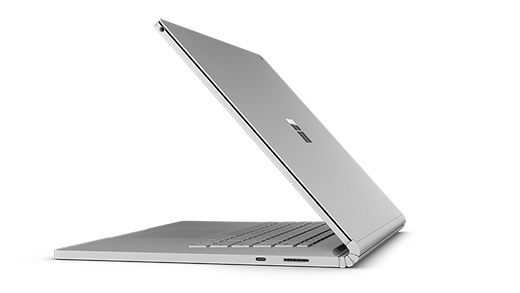
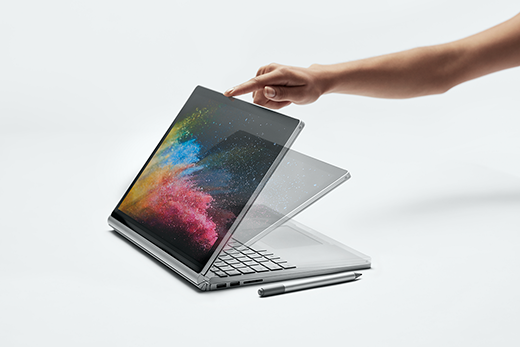
Detach the display for four different modes
Surface Book is a versatile laptop, a powerful tablet, and a portable studio that adapts to the ways you work and create.
How to detach the display
Press and hold the Detach key until the light on the key turns green and you see the Ready to Detach message on the screen. Then pull the display off of the keyboard.
Now you can put Surface Book in any mode, depending on what you want to do.
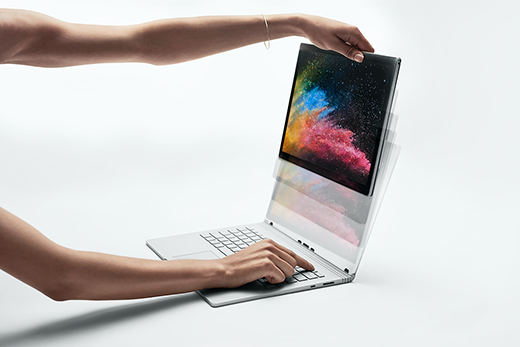
Use Surface Book as a tablet
Surface Book is a tablet that you can take anywhere. Just press and hold the Detach key on the keyboard, remove the display, and you’re ready to go.
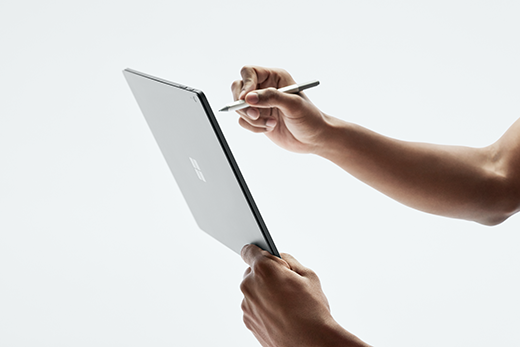
Tip: If you’re traveling and don’t need the keyboard, just bring the display and your power cord. There’s a power charging port on the bottom center of the display. Just be sure to protect the screen with a padded case or some other sort of protection if you’re not bringing the keyboard along.
Watch movies and share photos in View Mode
View Mode is perfect for when you want to:
Binge watch your favorite show.
Share photos at a family gathering.
Present ideas to a few colleagues or classmates.
Follow a recipe you found online.
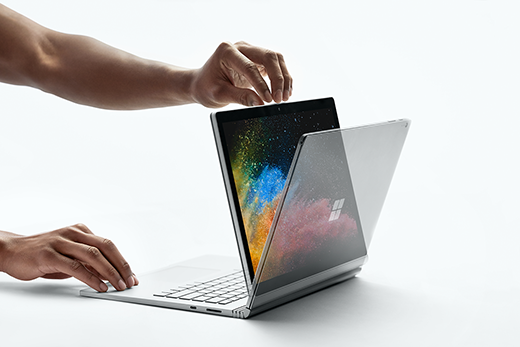
The keyboard is now a stable stand for the display for hands-free watching.
Sketch, write, and create naturally in Studio Mode
With Surface Book in View Mode, fold the display down so you have a horizontal surface to write on. Use touch or Surface Pen to draw or take notes, just like on paper. And if you want a truly immersive creative experience, add Surface Dial.
(Stock Photos)
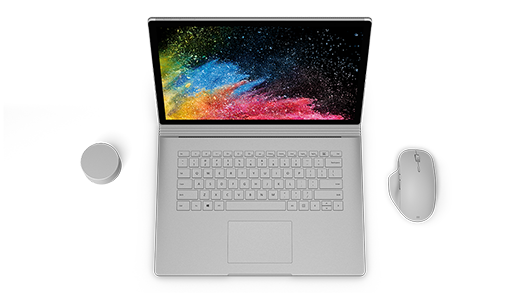
Use Surface Book as a laptop
Work the way you want with USB-C
Connect to an external display, docking station, newer USB devices and more using USB-C. For those times when you leave your charger at home, just grab a USB-C cable and charge your Surface Book 2 that way for a little extra battery when you need it. Surface Book 2 Laptop has a USB-A ports too, so you can connect your other USB devices at the same time.
Surface Book 2 Laptop and Windows 11
This Surface Book Laptop comes with Windows 11 Pro Edition
I ANSWER ALL INQUIRIES A.S.A.P.