100% Genuine Samsung S Pen Pen Titanium Silver Blue for Galaxy S 25Ultra , S938U with new no BOX. SPEN ONLY.
How to connect the S- Pen with your device:
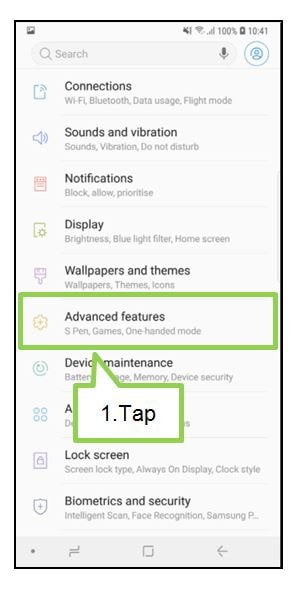
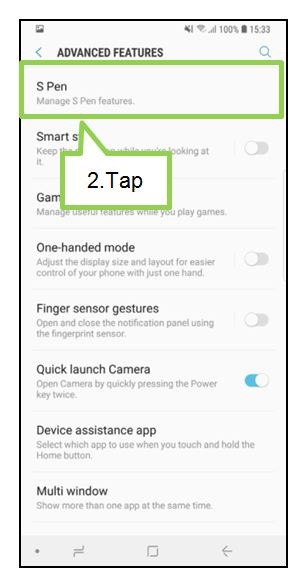
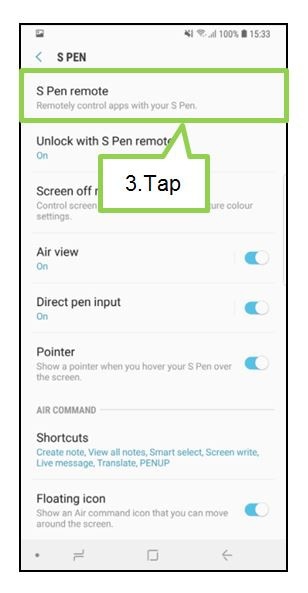
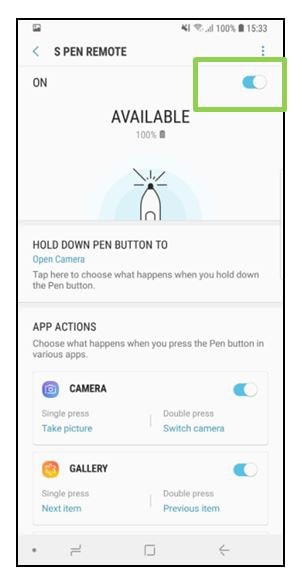


FYI: If your device can't connect to s-pen, please try resetting your device
100% Genuine Samsung S Pen Pen Titanium Silver Blue for Galaxy S 25Ultra , S938U with new no BOX. SPEN ONLY.