
DivMMC Interface SinDiKat edition ZX Spectrum SD Interface with SD-Card
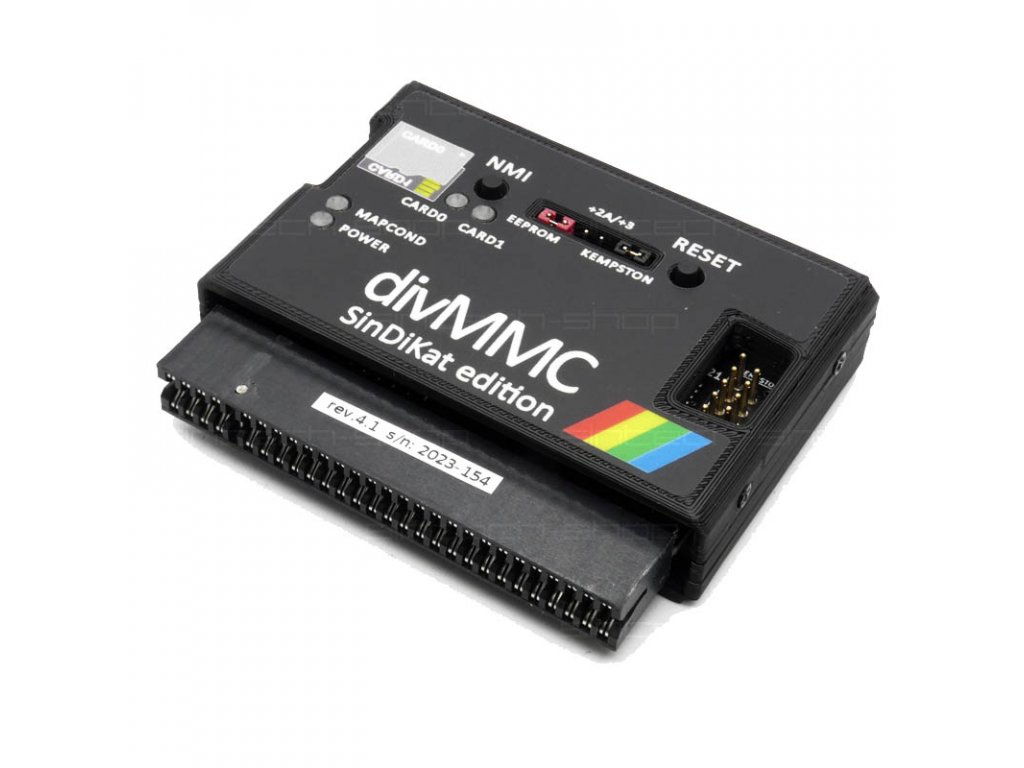
DivMMC is based on the well-known DIVIDE and is a consistent further development of the ATA (IDE) interface. This new version of the Divide includes two SD card slots that are installed directly on the interface. In addition to the CF card, the SD card has become generally accepted as a storage medium for the Divide, so there is no longer an IDE port on the interface.
The DivMMC comes with instructions and a prepared SD card (4GB) with system software and lots of games and demos. You can easily download additional Spectrum programs from various websites and save them on the CF card; these programs can then be accessed on the Spectrum at the push of a button.
The interface has been tested with the following computers:
ZX Spectrum 48, Issue 3,4,6
ZX Spectrum+, Issue 6
ZX Spectrum +128K, Issue 6A, 9G
ZX Spectrum +2
ZX Spectrum +2A, +2B
ZX Spectrum +3
Harlequin 48
Harlequin 128, Issue 2G
Didactics Gama 89, Kempston jumper switched off
Didactics M 1992
Some technical details:
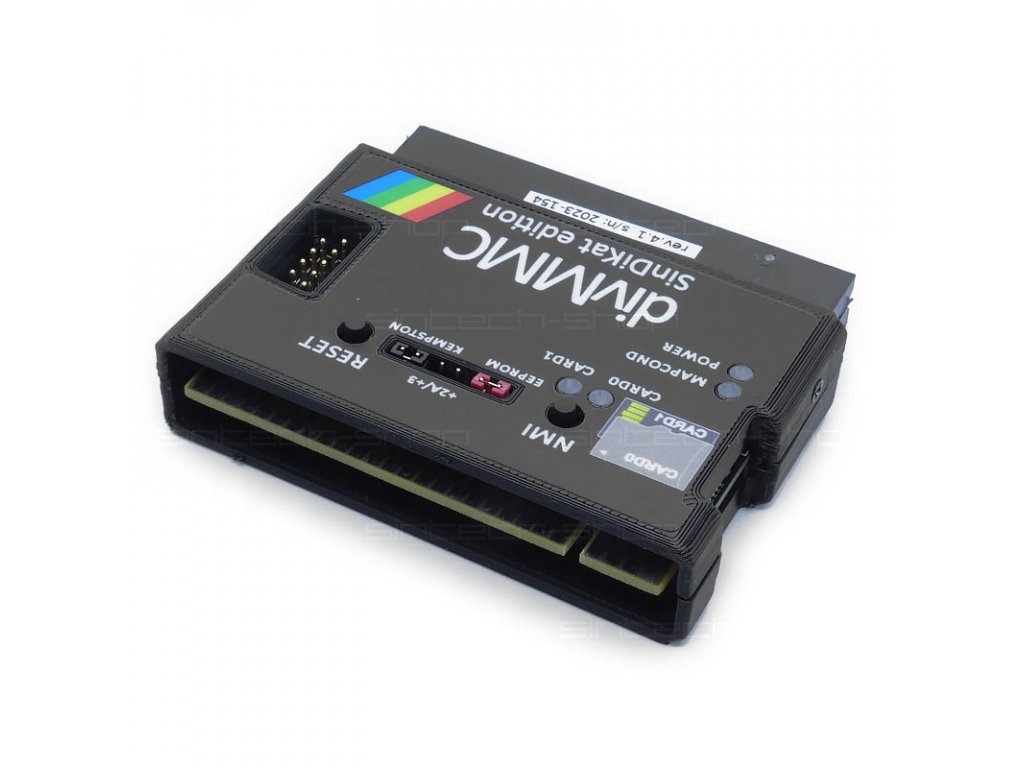
two micro SD card slots – on the top and bottom of the board
512KB RAM, 8KB EEPROM
RTC – Epson 72423 real time clock chip, on port #03
Battery backup RTC
independent 4 MHz clock generator
Powered by ZX spectrum, current consumption 110 mA
Kempston joystick interface
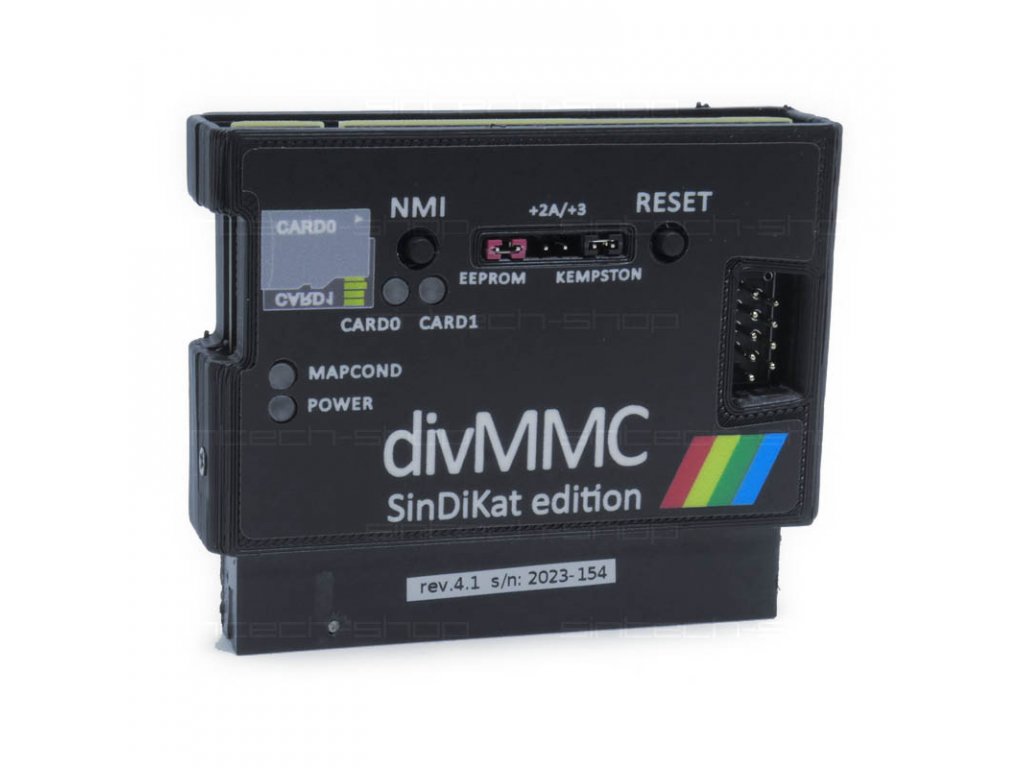
Jumper configuration - +2A/+3 selection, Kempston disable and EEPROM write disable
fully supported by ESXDOS / fully supports ESXDOS
Anyone looking for an easy way to quickly play software from the Internet on the original Spectrum hardware will love the DivMMC. The operating system is still being developed and new features can easily be updated.
But there are other operating systems that can be installed and that expand the interface even more. There is already a community online for this too.
If you have any further questions, we will be happy to inform you.

Proven quality
Fast dispatch
Thousands of happy customers
We post using Royal Mail
DivMMC is based on the well-known DIVIDE and is a consistent further development of the ATA (IDE) interface. This new version of the Divide includes two SD card slots that are installed directly on the interface. In addition to the CF card, the SD card has become generally accepted as a storage medium for the Divide, so there is no longer an IDE port on the interface.
The DivMMC comes with instructions and a prepared SD card (4GB) with system software and lots of games and demos. You can easily download additional Spectrum programs from various websites and save them on the CF card; these programs can then be accessed on the Spectrum at the push of a button.
The interface has been tested with the following computers:
ZX Spectrum 48, Issue 3,4,6
ZX Spectrum+, Issue 6
ZX Spectrum +128K, Issue 6A, 9G
ZX Spectrum +2
ZX Spectrum +2A, +2B
ZX Spectrum +3
Harlequin 48
Harlequin 128, Issue 2G
Didactics Gama 89, Kempston jumper switched off
Didactics M 1992
Some technical details:
two micro SD card slots – on the top and bottom of the board
512KB RAM, 8KB EEPROM
RTC – Epson 72423 real time clock chip, on port #03
Battery backup RTC
independent 4 MHz clock generator
Powered by ZX spectrum, current consumption 110 mA
Kempston joystick interface
Jumper configuration - +2A/+3 selection, Kempston disable and EEPROM write disable
fully supported by ESXDOS / fully supports ESXDOS
Anyone looking for an easy way to quickly play software from the Internet on the original Spectrum hardware will love the DivMMC. The operating system is still being developed and new features can easily be updated.
But there are other operating systems that can be installed and that expand the interface even more. There is already a community online for this too.
If you have any further questions, we will be happy to inform you.
Please complete your purchase using the regular methods in eBay
We will send the item out as soon as you have paid for the goods.
We will post the order to the address provided by eBay
Tab 6 - The most important
Bitte den Text, den Sie ändern möchten doppelt anklicken oder markieren und beginnen zu tippen.
Um Bilder zu tauschen bitte das Bild anklicken und "Bild einfügen" in der Toolbar auswählen.
Zum Verlinken von Buttons und "Passend-Dazu"-Artikeln Text und Bild durch Doppelklicken markieren (für Buttons und die "Passend-Dazu"-Artikel rechts) und anschließend den Link über den Menüpunkt "Link einfügen" in der Toolbar hinterlegen.
Mehr Informationen in der Anleitung weiter unten
Lorem ipsum dolor sit amet
Lorem ipsum dolor sit amet, consetetur sadipscing elitr, sed diam nonumy eirmod tempor invidunt ut labore et dolore magna aliquyam erat, sed diam voluptua. At vero eos et accusam et justo duo dolores et ea rebum. Stet clita kasd gubergren, no sea takimata sanctus est Lorem ipsum dolor sit amet. Lorem ipsum dolor sit amet, consetetur sadipscing elitr, sed diam nonumy eirmod tempor invidunt ut labore et dolore magna aliquyam erat, sed diam voluptua. At vero eos et accusam et justo duo dolores et ea rebum. Stet clita kasd gubergren, no sea takimata sanctus est Lorem ipsum dolor sit amet. Lorem ipsum dolor sit amet, consetetur sadipscing elitr, sed diam nonumy eirmod tempor invidunt ut labore et dolore magna aliquyam erat, sed diam voluptua. At vero eos et accusam et justo duo dolores et ea rebum. Stet clita kasd gubergren, no sea takimata sanctus est Lorem ipsum dolor sit amet.Lorem ipsum dolor
Lorem ipsum dolor sit amet, consetetur sadipscing elitr, sed diam nonumy eirmod tempor invidunt ut labore et dolore magna aliquyam erat, sed diam voluptua. At vero eos et accusam et justo duo dolores et ea rebum. Stet clita kasd gubergren, no sea takimata sanctus est Lorem ipsum dolor sit amet. Lorem ipsum dolor sit amet, consetetur sadipscing elitr, sed diam nonumy eirmod tempor invidunt ut labore et dolore magna aliquyam erat, sed diam voluptua. At vero eos et accusam et justo duo dolores et ea rebum. Stet clita kasd gubergren, no sea takimata sanctus est Lorem ipsum dolor sit amet. Lorem ipsum dolor sit amet, consetetur sadipscing elitr, sed diam nonumy eirmod tempor invidunt ut labore et dolore magna aliquyam erat, sed diam voluptua. At vero eos et accusam et justo duo dolores et ea rebum. Stet clita kasd gubergren, no sea takimata sanctus est Lorem ipsum dolor sit amet.Lorem ipsum dolor sit
Lorem ipsum dolor sit amet, consetetur sadipscing elitr, sed diam nonumy eirmod tempor invidunt ut labore et dolore magna aliquyam erat, sed diam voluptua. At vero eos et accusam et justo duo dolores et ea rebum. Stet clita kasd gubergren, no sea takimata sanctus est Lorem ipsum dolor sit amet. Lorem ipsum dolor sit amet, consetetur sadipscing elitr, sed diam nonumy eirmod tempor invidunt ut labore et dolore magna aliquyam erat, sed diam voluptua. At vero eos et accusam et justo duo dolores et ea rebum. Stet clita kasd gubergren, no sea takimata sanctus est Lorem ipsum dolor sit amet. Lorem ipsum dolor sit amet, consetetur sadipscing elitr, sed diam nonumy eirmod tempor invidunt ut labore et dolore magna aliquyam erat, sed diam voluptua. At vero eos et accusam et justo duo dolores et ea rebum. Stet clita kasd gubergren, no sea takimata sanctus est Lorem ipsum dolor sit amet.Lorem ipsum dolor sit
Lorem ipsum dolor sit amet, consetetur sadipscing elitr, sed diam nonumy eirmod tempor invidunt ut labore et dolore magna aliquyam erat, sed diam voluptua. At vero eos et accusam et justo duo dolores et ea rebum. Stet clita kasd gubergren, no sea takimata sanctus est Lorem ipsum dolor sit amet. Lorem ipsum dolor sit amet, consetetur sadipscing elitr, sed diam nonumy eirmod tempor invidunt ut labore et dolore magna aliquyam erat, sed diam voluptua. At vero eos et accusam et justo duo dolores et ea rebum. Stet clita kasd gubergren, no sea takimata sanctus est Lorem ipsum dolor sit amet. Lorem ipsum dolor sit amet, consetetur sadipscing elitr, sed diam nonumy eirmod tempor invidunt ut labore et dolore magna aliquyam erat, sed diam voluptua. At vero eos et accusam et justo duo dolores et ea rebum. Stet clita kasd gubergren, no sea takimata sanctus est Lorem ipsum dolor sit amet.Lorem ipsum dolor sit
Lorem ipsum dolor sit amet, consetetur sadipscing elitr, sed diam nonumy eirmod tempor invidunt ut labore et dolore magna aliquyam erat, sed diam voluptua. At vero eos et accusam et justo duo dolores et ea rebum.- Stet clita kasd gubergren
- no sea takimata sanctus est
- Lorem ipsum dolor sit amet.
Lorem ipsum dolor sit amet, consetetur sadipscing elitr, sed diam nonumy eirmod tempor invidunt ut labore et dolore magna aliquyam erat, sed diam voluptua. At vero eos et accusam et justo duo dolores et ea rebum. Stet clita kasd gubergren, no sea takimata sanctus est Lorem ipsum dolor sit amet.
What sets us apart
Quality
All our products are from selected factories and have been tested before sent out.
Fast
We send out the ordered goods within a day since the payment. Any queries will be answered as soon as possible.
Support
If you have any questions, please contact our service by mail. We gladly assist you with any problem.

|
powered by PlentyONE The all-in-one platform for successful e-commerce. |