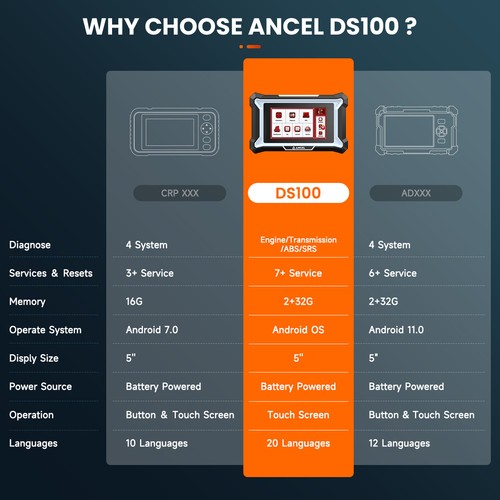
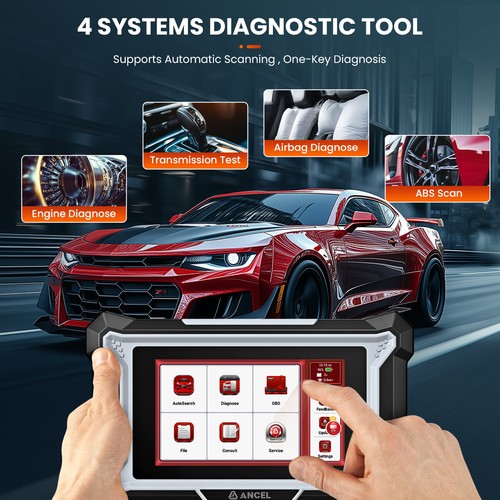
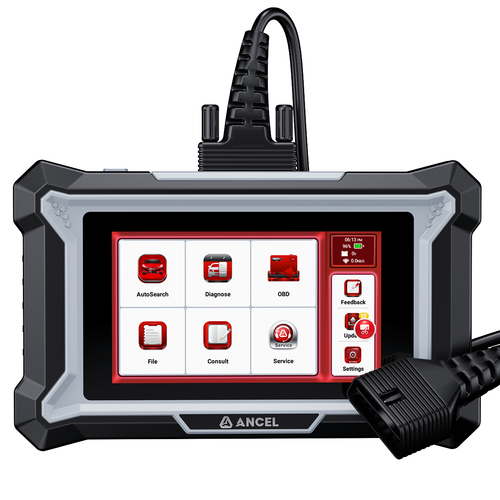
Product Advantages: - 4 System Diagnostic: As a comprehensive OBD2 scanner, DS100 can access and diagnose 4 car systems(ABS/SRS/Engine/Transmission ), enabling you to read and clear codes, monitor live data streams, and graph up to 10 pids graphing. It also supports data recording and review, includes special functions to evaluate vehicle module status. Delivering dealership-quality diagnostics, it offers detailed and accurate reports across 4 automotive systems
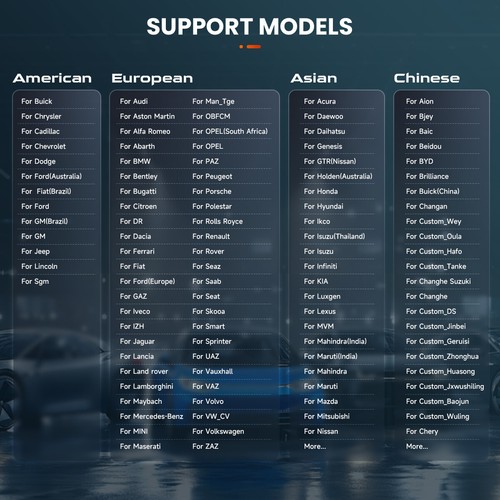
- Supports 150+ Vehicle Models for Diagnostic:Since the implementation of the OBDII standard in 1996, any vehicle equipped with an OBDII system can perform this function.
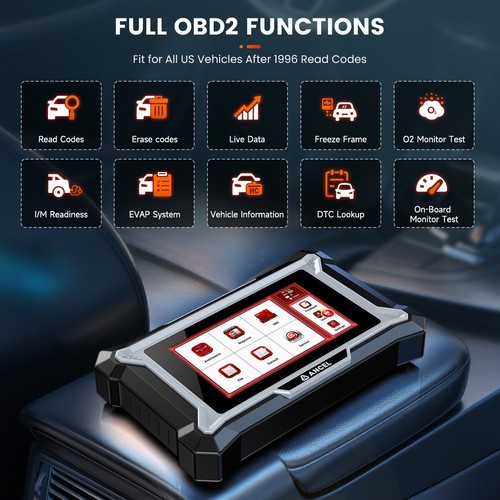
- Supports Full OBD Diagnostic Functions: Including Reading Codes, Erasing Codes & Reset, Data Stream, I/M Readiness Status, Read Live Data Stream, View Freeze Frame Data, Oxygen sensor monitoring, On-Board Monitor Test, Read Vehicle Information(VIN), Component Test
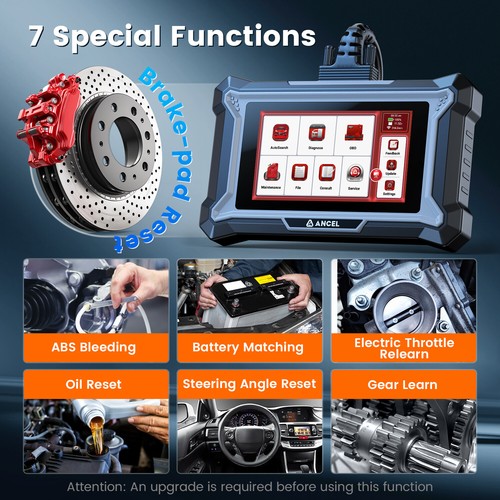
- 7 Additional Maintenance Functions: Which are ABS Bleeding, Battery Matching, Brake Reset, Electric Throttle Relearn, Gear Learn, Oil Maintenance Reset, Steering Angle Reset
- Support for 7+ Languages: The default language of the device is English, changeable language. Support for English, Portuguese, Spanish, Japanese, Italian, German, French
- Supports one-click Wi-Fi Connection: Wi-Fi connects the device to the internet, allowing for enhanced diagnostic services and access to the latest information. This device supports the 2.4GHz band. If you choose to skip the Wi-Fi connection, the default English version of the diagnostic software can still be used. However, it is recommended to connect to Wi-Fi during initial setup to easily download the latest version of the diagnostic softwar
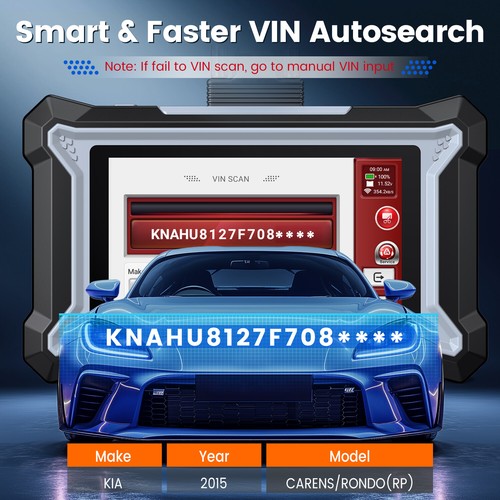
- AutoSearch Function: This function obtains the vehicle's VIN through the OBDII interface, analyzes the VIN, and automatically identifies the vehicle model to enhance diagnostic accuracy. It effectively prevents inaccurate diagnostic data caused by selecting the wrong vehicle model. To use this function, a Wi-Fi connection is required
- Support one-click Feedback: This function allows you to provide feedback when encountering diagnostic errors with certain vehicle models.
- One-click Upgrade Function: This function is used to upgrade the diagnostic software
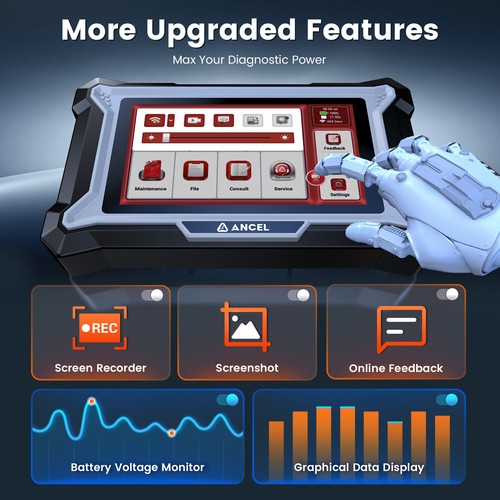
- One-click Screenshot Function: Swipe down from the top of the screen to open a floating window, providing quick access to settings like brightness adjustment and the screenshot feature
    
Easy to UseForget the hassle of complicated, time-consuming setup processes. While other systems might require multiple steps like downloading software, entering long codes, and navigating through confusing instructions, we’ve simplified everything into just 3 easy steps: - Select Your Language: No need to deal with tricky language settings buried deep in menus—just pick your preferred language right from the start.
- Connect to WiFi: Instantly connect to your home network without any technical jargon or manual configuration.
- Agree to the Terms and Conditions: A simple click to agree, and you’re all set—no long forms, no extra steps.
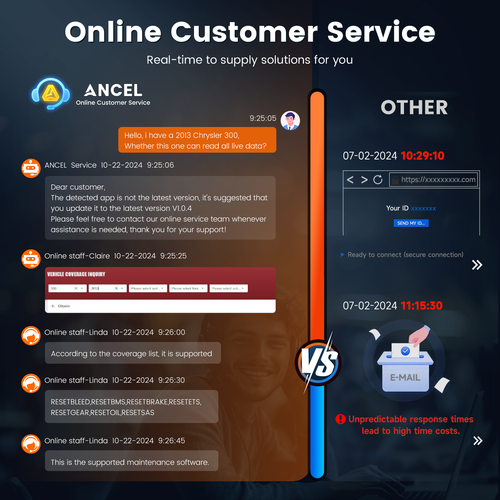
More Frequent Updates for Maximum Compatibility- The latest ANCEL DS100 is designed to keep pace with evolving vehicle technology. With updates, the scanner continuously expands its database, adding new vehicles and enhanced functionalities. This ensures that you stay ahead without spending extra on software renewals. Best of all, it providing long-lasting value and peace of mind for all your diagnostic needs.
99% Vehicle Coverage & Comprehensive Features- While factory and dealer tools often support only certain vehicles with restricted functions, the ANCEL DS100 goes beyond, offering extensive coverage for 99% of vehicles across 150+ diverse brands and over 10,000 models. With 10+ maintenance resets, all system diagnosis, it delivers everything needed for complete vehicle service, making it a superior choice for automotive DIY and enthusiasts alike.
-
 
Full OBD Diagnostic Functions- 1.Reading Codes: Read DTCs(Diagnostic trouble codes)
- 2.Erasing Codes & Reset: Clear DTCs
- 3.Data Stream: Reads and displays live ECU/PCM data stream, plotting functions graphically and stores freeze frame data.
- 4.I/M Readiness Status: Shows whether the various emissions-related systems on the vehicle are operating properly and are ready for inspection and maintenance testing.
- 5.Read Live Data Stream: Show the information of continuous data stream from a vehicle in live graphic (waveform) display.
- 6.View Freeze Frame Data: Check the certain vehicle conditions which are recorded by the on-board computer at the time the emission-related fault occurs.
- 7.Oxygen sensor monitoring
- 8.On-Board Monitor Test: Retrieves and displays test results for emission-related powertrain components and systems.
- 9.Read Vehicle Information(VIN)
- 10.Component Test: Certain vehicle components can be actuated by commands sent from the scanner to test their operability.

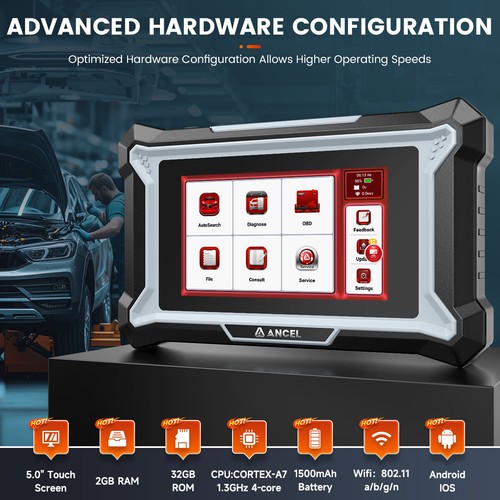
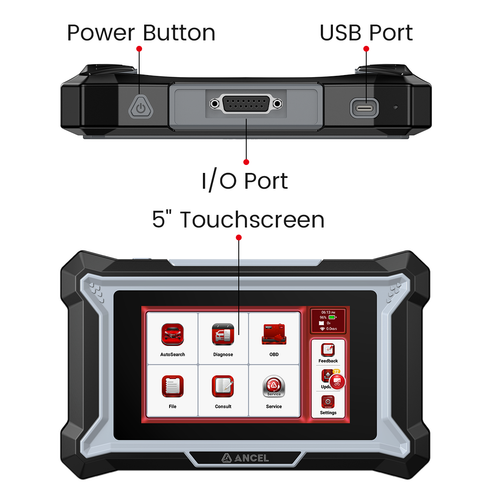
Product Parameter:- CPU:Quad-core 1.3GHz
- Memory:2GB+32GB
- Screen:5 inches 854*480
- Working Voltage: 5V
- Working Current: ≤ 2.5A
- Working Environment: 0°C ~ 50°C (32°F ~ 122°
-
Packaging: 
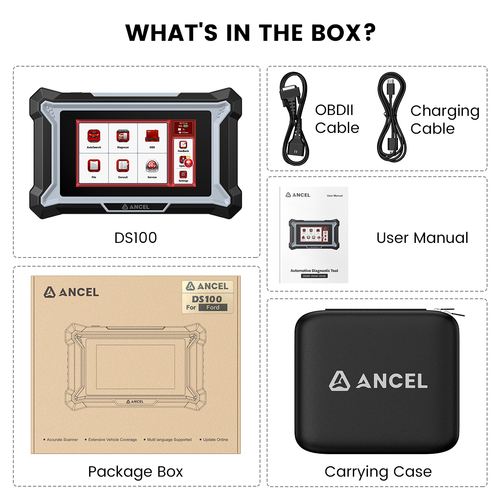
- 1x ANCEL DS100 Diagnostic
- 1x USB Data Cable
- 1x 16PIN Main Cable
- 1x Cloth bag
- 1x Box
AutoSearch FunctionIf the VIN code cannot be recognized, you can manually enter the VIN. You can also navigate to the "Diagnose" menu and select the corresponding option based on the vehicle's year and model. 
Diagnose FunctionIn this Function, directly select the corresponding vehicle brand, year, and model. You can then perform a full vehicle diagnostic scan to retrieve the fault codes from all ECUs. Alternatively, you can select a specific ECU system to read fault codes one by one, view data streams, or perform maintenance functions OBD FunctionThis function is for diagnosing the engine system, retrieving the status of various sensors and components related to the engine and emissions. This function is applicable to a wide range of vehicles. Since the implementation of the OBDII standard in 1996, any vehicle equipped with an OBDII system can perform this function. 7+Special Features:- ABS Bleeding:ABS brake bleeding to get a firm brake pad after air exhaustion.
- Battery Matching:Allows the scan tool to evaluate the battery charge state, monitor the close-circuit current, register the battery replacement, and activate the rest state of the vehicle.
- Brake Reset:Helps maintain the electronic braking system safely and effectively, deactivating and activating the brake control system, assisting with brake fluid control, opening and closing brake pads, and setting brakes after disc or pad replacement, etc.
- Electric Throttle Relearn:The throttle body is a tube containing a pivoting flat(butterfly) that is used to control the amount of air entering an engine. In an electronically fuel injected car , a throttle position sensor and air flow sensor communicate with the computer , which supplies the corresponding amount of fuel needed at the injectors. It must need re-learning throttle sensor position after clearing or repair.
- Gear Learn
- Oil Maintenance Reset:Allows you to perform reset for the Engine Oil Life system, which calculates an optimal oil life change interval depend on the vehicle driving conditions and climate.
- Steering Angle Reset:Helps clear the fault steering angle sensor memories and plays an important role in the steering angle sensor calibration.
Note: The specific maintenance services menu depends on the car models, kindly send your vehicle VIN to check it in advance. Support one-click feedback:- This function allows you to provide feedback when encountering diagnostic errors with certain vehicle models.
- These errors may result from undeveloped software features or incorrect diagnostic commands sent by the device.
- Please follow the prompts to send the latest diagnostic logs and error descriptions via Wi-Fi, enabling our team to analyze the issue, make improvements, and update the vehicle diagnostic software.

One-click Upgrade Function- This function is used to upgrade the diagnostic software. When new vehicle models are released or diagnostic features are optimized, we update the software to ensure the device can effectively detect and diagnose vehicles.
- A Wi-Fi connection is required during the upgrade.

Other Functions:- OBD Fault Code Library: Use the OBD fault codes generated during the diagnostic process to query detailed fault descriptions.
- Coverage Lists: Quickly check the supported models and functions available on the current device.
- Learning: Access video tutorials that provide guidelines for equipment usage, maintenance, and diagnostics.
- Video: Watch instructional videos that demonstrate how to operate the device effectively.
- User Manual: Helps technicians quickly understand how to use the device and improve diagnostic capabilities efficiently.
ANCEL DS100 Diagnostic System Functions:- Feedback: Report any bugs in the diagnostic software app to us for analysis and improvement.
- Screenshots: Turn on this switch to enable screen capture.
- Screen Floating Window: Turn on this switch to record screen operation videos.
- Wi-Fi: Set up the connectable Wi-Fi network.
- Firmware Fix: Used to update the firmware.
- Language: Select the language for the tool.
- Time Zone: Choose the time zone of your current location; the system will then automatically configure the time according to your selection.
- Clear Data: Clear the cache, reset settings, and restart the app.
- About: View version information for the device.
FAQQ: Why is there no response when the device is connected to a vehicle?
A: Ensure the connection to the vehicle's diagnostic port is proper, the ignition switch is on, and that the
device supports the vehicle.
Q:Why does the system freeze while reading the data stream?
A: This could be due to a loose diagnostic connection. Please unplug the connector and reconnect it firmly.
Q: Why is there a communication error with the vehicle's ECU?
A: Please check the following:
* Ensure the diagnostic connector is properly connected.
* Confirm that the ignition switch is ON.
* If everything appears normal, please use the Feedback function to send us the vehicle's year, make, model, and VIN number.
Q: Why does the screen flicker when the engine starts?
A: This is normal and is caused by electromagnetic interference.
Q:How do I upgrade the system software?
A: 1.Start the device and ensure a stable Internet connection.
2.Go to "Settings" -> "App Update," click "OTA," and then select "Check Version" to access the system upgrade
interface.
3.Follow the on-screen instructions to complete the upgrade. It may take a few minutes. After the upgrade is successfully completed, the tool will automatically restart and return to the main interface. |