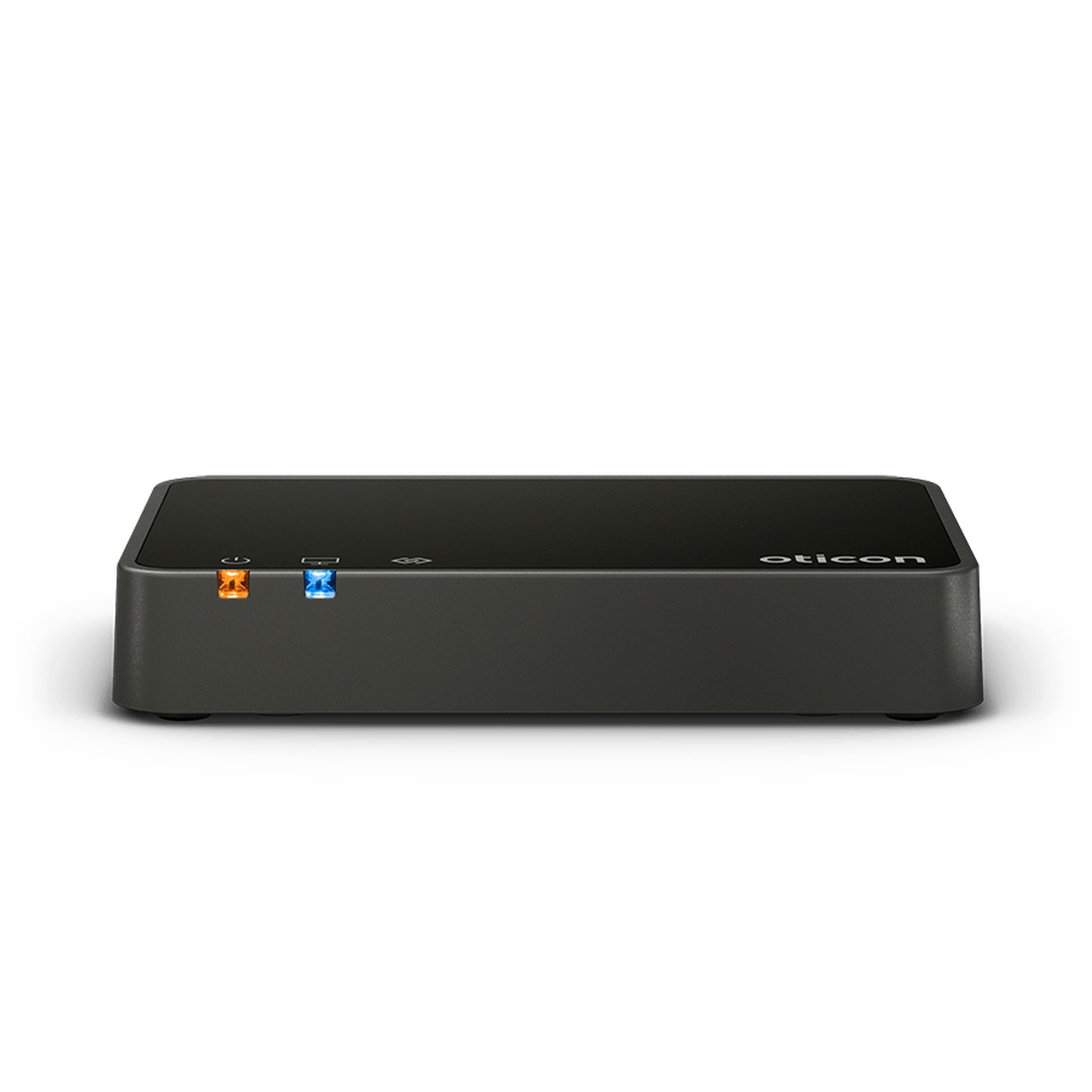
Oticon TV Adapter 3.0 for NHS Engage Hearing Aids (2.4 GHz) · Wireless TV Audio Streamer
Run by qualified audiologists·30-day returns·Tracked delivery

Stream TV and audio directly to your Oticon hearing aids at your own volume. Oticon TV Adapter 3.0 sends sound from your TV, stereo, or set-top box wirelessly to your hearing aids, letting you listen at a comfortable level while others enjoy the television at their preferred volume. It works with every current NHS Oticon range (Cara, Sage, Optim, Engage, Opn Play, Play SI, Play PX, Xceed and Xceed Play), and also with privately supplied Oticon aids that use 2.4 GHz wireless. Multiple compatible aids can listen simultaneously with fully synchronized audio.
Setup is a one-time home job - plug in, connect the cable, and pair by holding your aids near the adapter for a few seconds. It connects by optical, RCA, or 3.5 mm input - check your aids in the compatibility list, then see Initial pairing and setup below. Older 800 MHz Oticon aids need TV Adapter 2.0 with Streamer Pro instead - confirm your model before buying.
NHS hearing aids: TV Adapter 3.0 works with every current NHS Oticon range
Optim, Engage
Opn Play, Play SI, Play PX
Xceed, Xceed Play
Oticon names this accessory in the NHS user guide or on the NHS product page of each of these ranges.
Older NHS Oticon aids not in this list: message us with the model from your NHS paperwork and we will check.
- Older Oticon hearing aids without 2.4 GHz wireless - these use older 800 MHz radio technology and need TV Adapter 2.0 with Streamer Pro instead
- Non-Oticon brands - check the manufacturer's accessory range for the equivalent device
- Plug in the adapter using the included micro-USB power supply and connect it to your TV or audio player using an optical cable, RCA cable, or 3.5 mm jack (see "How to connect" below).
- Power on the adapter - a blue LED will illuminate once ready.
- Place both hearing aids near the adapter (within a few centimetres) or open/close the battery door repeatedly on each aid while the adapter is powered on.
- Wait for pairing - both the adapter LED and hearing aid indicators will turn solid blue when pairing is complete. This typically takes a few seconds.
- After pairing, a "TV" program will appear in your hearing aids. Switch to this program when you want to listen to TV audio.
TV Adapter 3.0 supports three types of audio input:
Optical TOSLINK (recommended for most modern TVs):
- Locate the optical audio output on your TV (usually labelled "Optical Out", "TOSLINK", or "Digital Audio Out").
- Connect the included optical cable from the TV to the adapter's optical input.
- Enable optical audio output in your TV settings (Settings → Sound → Audio Output).
RCA stereo cables (for older equipment):
- Connect the included red and white RCA cables from your TV or audio device to the adapter's RCA inputs.
- Ensure the TV or device is set to output audio via RCA (consult your equipment manual if needed).
3.5 mm mini-jack (for compact devices or adapters):
- Use the included 3.5 mm to RCA converter, then connect to the adapter's RCA inputs; or connect directly if your TV has a 3.5 mm headphone output.
Additional output: TV Adapter 3.0 also has a buffered TOSLINK output, allowing you to connect a soundbar or other audio device while streaming to your hearing aids simultaneously.
- Oticon TV Adapter 3.0 (black desktop device)
- Micro-USB power supply with wall adapter
- Optical TOSLINK cable
- RCA stereo cable (red and white connectors)
- 3.5 mm mini-jack to RCA converter
- User information and quick-start guide
Placement tip: Position the adapter on a stable surface, shelf, or TV stand within a clear line of sight to where you typically sit. Avoid placing it inside cabinets or behind obstacles.
Is this genuine Oticon?
Yes. This is the official Oticon TV Adapter 3.0 sold through authorized retailers, not a third-party copy.
Can I adjust the volume?
Yes. You can control TV audio volume directly on your hearing aids, using the Oticon ON app on your smartphone, or with a compatible Oticon remote control (Remote Control 3.0, sold separately).
Can multiple people listen?
Yes. Oticon says the TV Adapter can connect to an unlimited number of hearing aids at the same time, so any number of compatible Oticon hearing aids can listen to the same TV stream, each with independent volume control.
What if my TV doesn't have optical output?
Use the included RCA or 3.5 mm connection instead. Most modern TVs and set-top boxes have at least one of these options. Consult your TV's manual if unsure.
Will the audio be in sync with the picture?
Yes. Oticon TV Adapter 3.0 uses low-latency streaming to keep audio synchronized with the TV picture, so speech and sound effects remain perfectly timed.
What about older Oticon models?
Those aids require TV Adapter 2.0 paired with Streamer Pro, a different product. Confirm your model before purchasing.
What information do you need from me?
Your Oticon hearing aid model name (look on the aid itself or original paperwork, e.g., "Oticon Opn S miniRITE" or "Oticon More RT"). We'll confirm compatibility before you purchase.
What warranty covers this accessory?
Whatever the manufacturer's position, you are covered twice with us: our 30-day returns policy, and your statutory consumer rights, which run against us as the retailer. Oticon covers wireless accessories like this one with their own 12-month manufacturer warranty from the date of delivery, separate from the hearing aid's own cover - if you ever need it, message us and we will help route the claim.
Oticon and miniFit are trademarks of Demant A/S. The Bluetooth word mark and logos are registered trademarks of Bluetooth SIG, Inc.
EarX is an independent retailer. The products we supply are genuine Oticon, sourced through authorised channels.