Friends,welcome to our Q96OHP Store. This store provides a 12 month guarantee. All of our products have undergone rigorous testing. Don't forget to subscribe to us! If you have any questions, please contact us. After placing an order, we usually ship within 24 hours
Possible issues and solutions
1. The z1 max remote control supports infrared and Bluetooth. If the device is paired with the remote control and the first pairing is unsuccessful for a long time, please restart the device and pair again
2.If the response is slow when using the remote control, it may be due to Bluetooth link failure or other reasons causing disconnection. Therefore, you need to reconnect the remote control in Bluetooth settings, which can be operated through the remote control's infrared function (insensitive and slow response) or by inserting a wired mouse into the TV box device.
3. The device is equipped with IPTV parsing software (cztv), which can be used as needed, but we do not provide IPTV services
4.If the device root interface appears and prompts try again, factory reset when starting, please connect the keyboard through the USB port, select factory reset through the directional keys, and press the enter key on the keyboard to confirm (in this mode, the system may only recognize the enter key on the keyboard for confirmation, so it cannot be operated through other external devices)
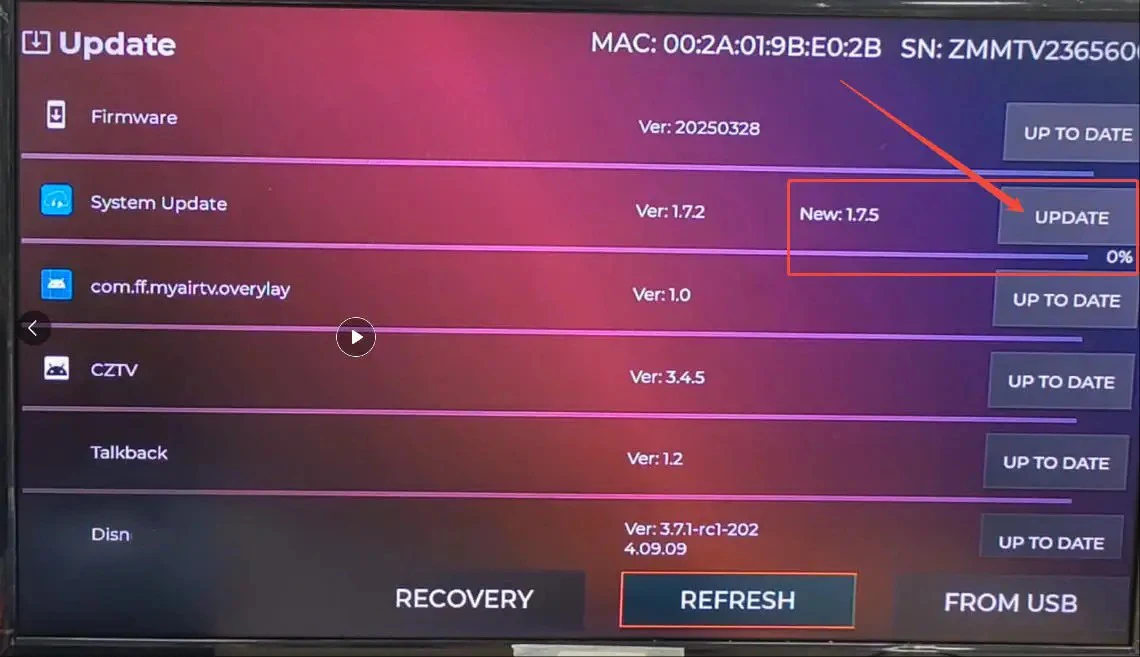
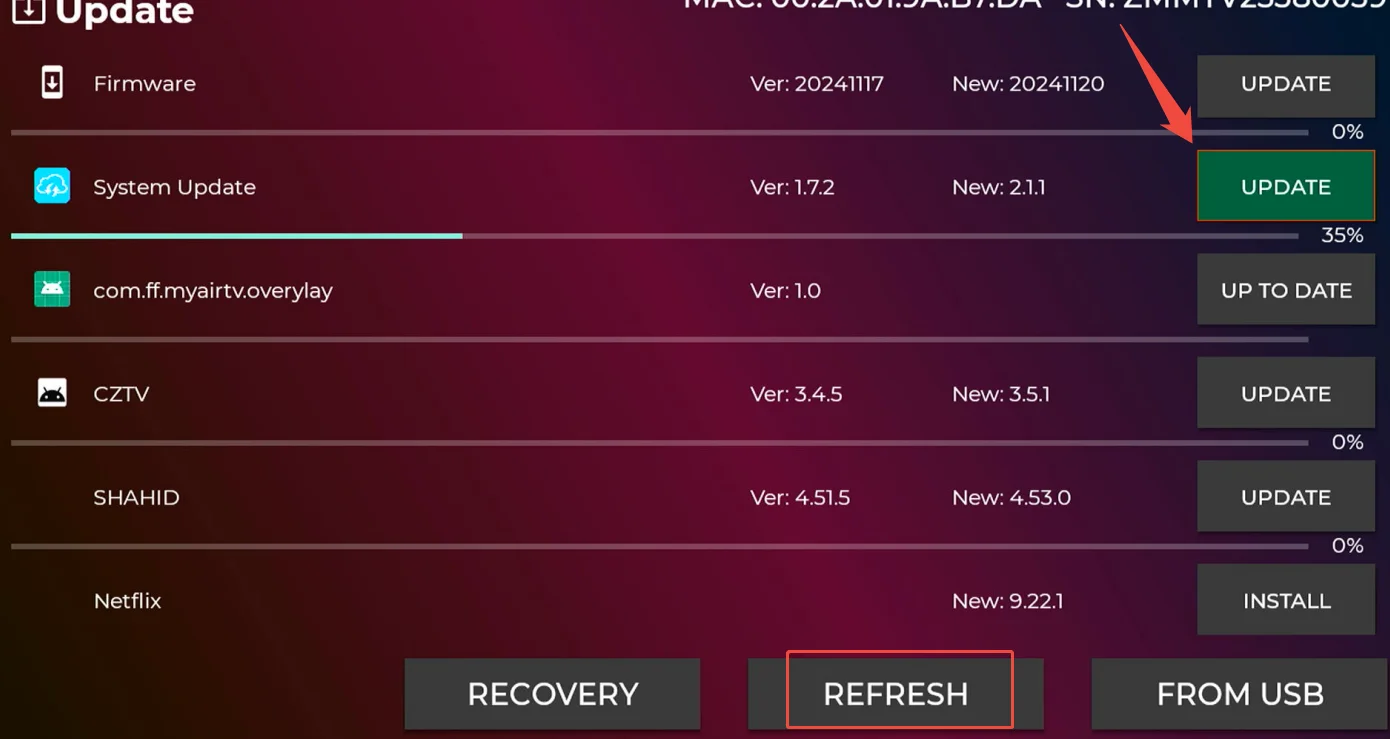
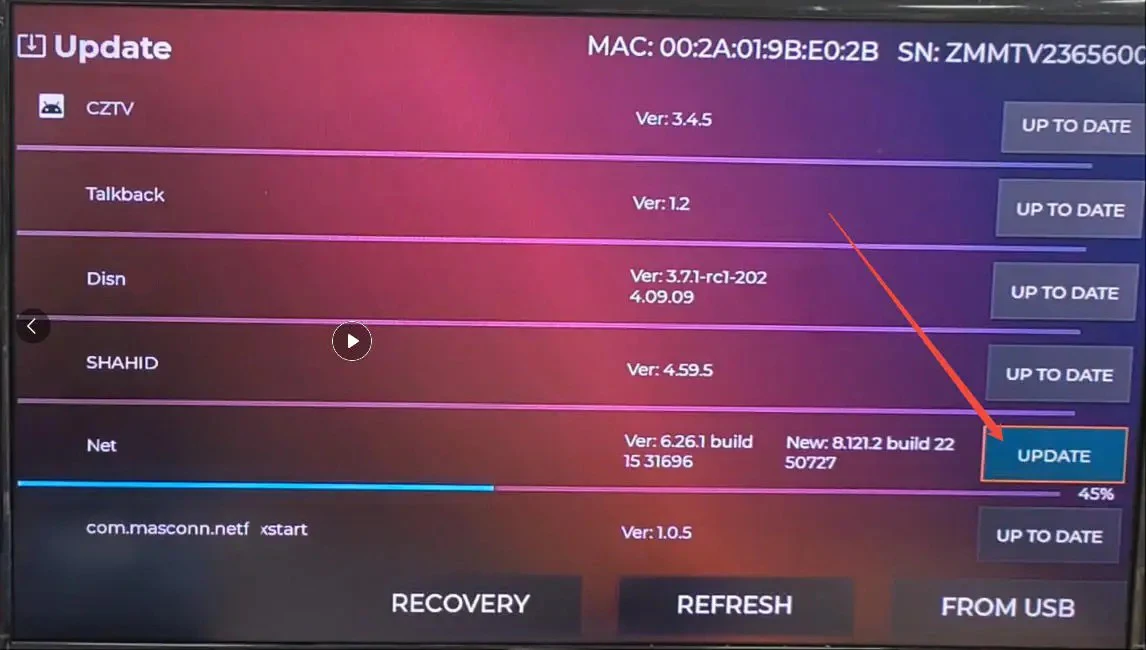
5. Currently, the device system functions have been upgraded to support automatic system updates and software updates (which can also be manually updated and downloaded through TV Manager). If the device does not have this software, please perform a manual system upgrade in XuPDATE. The solution is shown in the following figure
Fix Net(flix) playback usage issues.
Mainly for the 3 steps of the image, please wait a moment and restart to use it normally
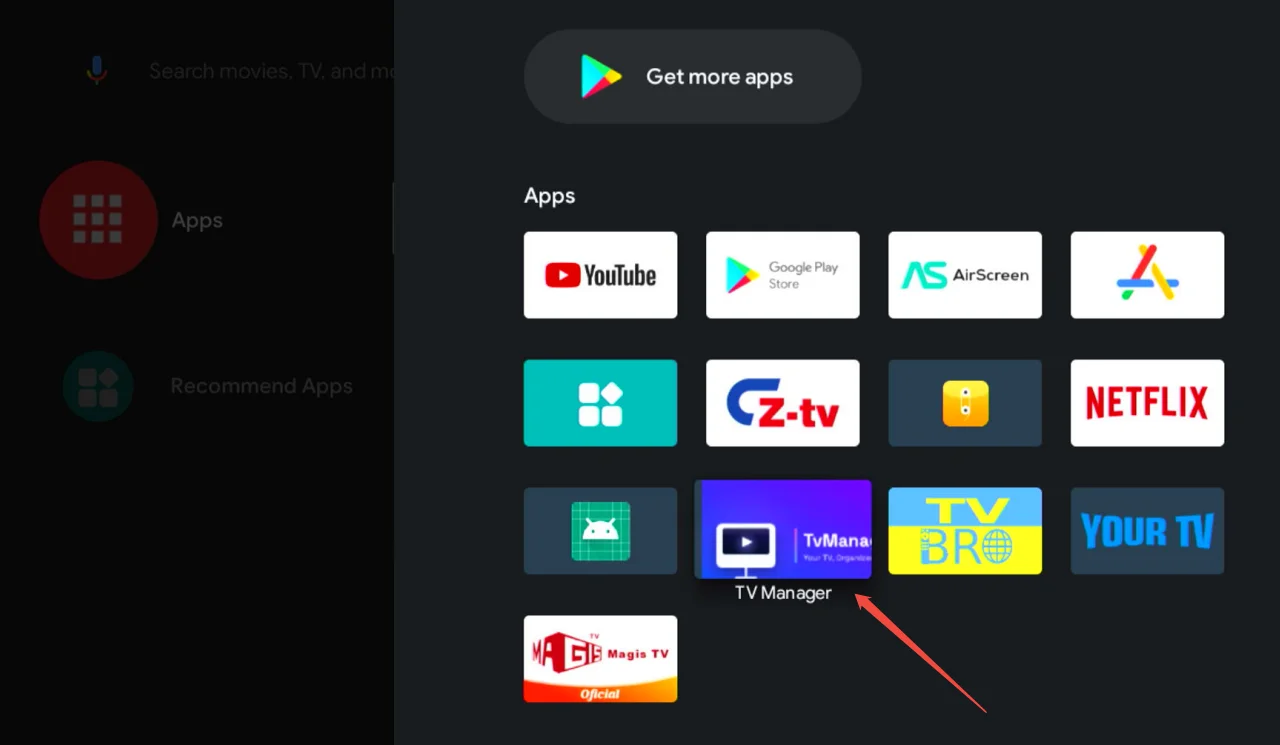
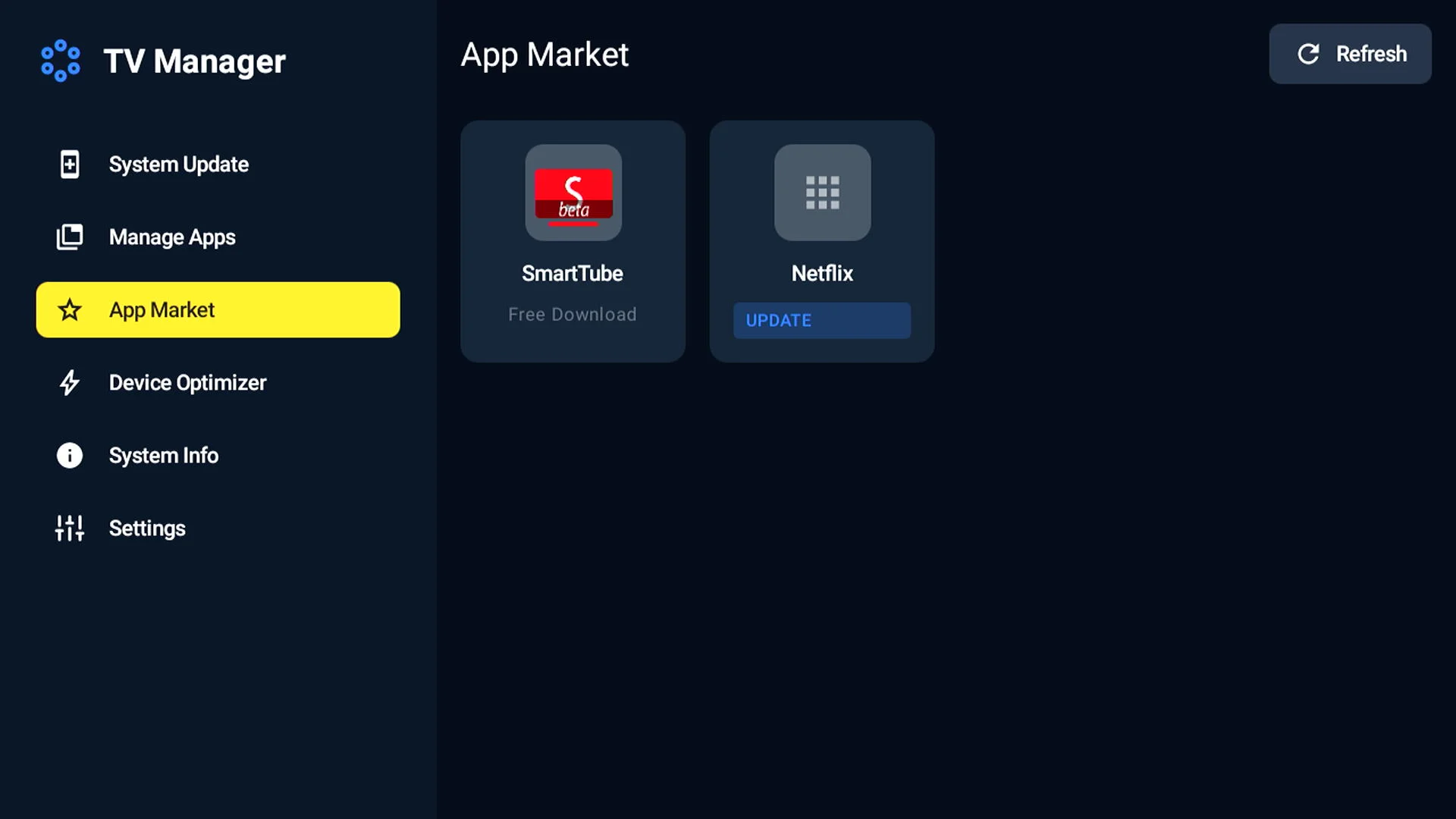
Open this app first

When the device is turned on and connected to the internet, it usually silently upgrades in the background.
If an immediate update is needed, the operation shown in the above image is required
 If you have watched this, please read the following information carefully
Based on the user experience feedback we have collected, we have optimized and upgraded the system. This upgrade is non essential and users can choose not to upgrade, but it will bring these changes:
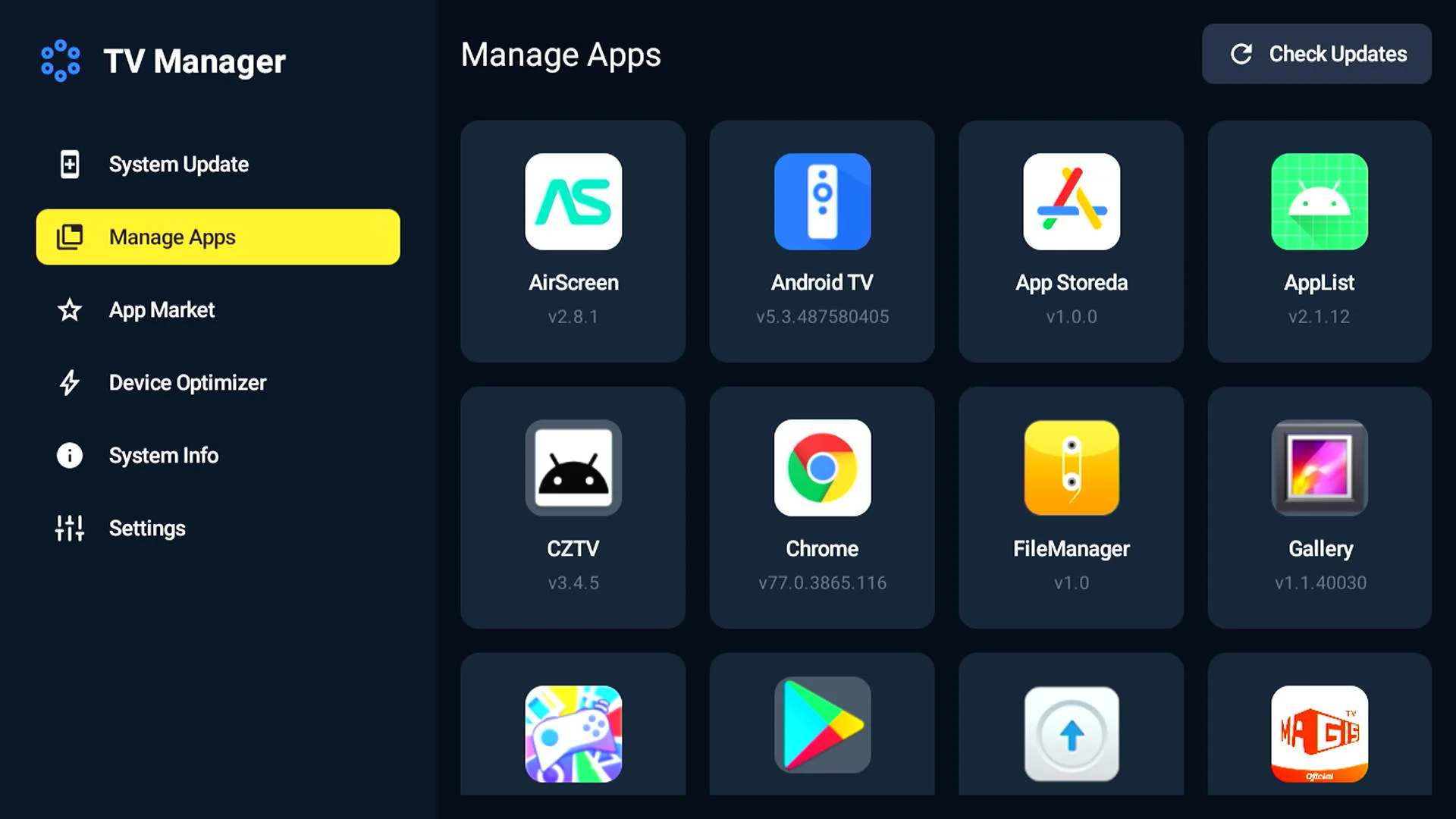
1. XUpadte has been renamed as TV Manager. While retaining the original update software functionality, we have merged the app store into it, where we can download software that is compatible with our devices
2. Optimized the system display interface to make it more aesthetically pleasing
3. Add the function of silently pushing APK updates in the background (such as updating Netflix APK without the need for users to open the app and click upgrade)
4. Upgrading the system will have a pop-up reminder, and you can also manually click on the upgrade button in the application
System upgrade portal, upgrade the current system version from 1.7.2 to 2.1.1 through the system update option in xuupdate() (please ensure normal network connection)
Xupdate software will no longer be retained and replaced with TV Manager
In TVManager, system update options are first provided, including detecting the current system, viewing system information, and resetting device functions
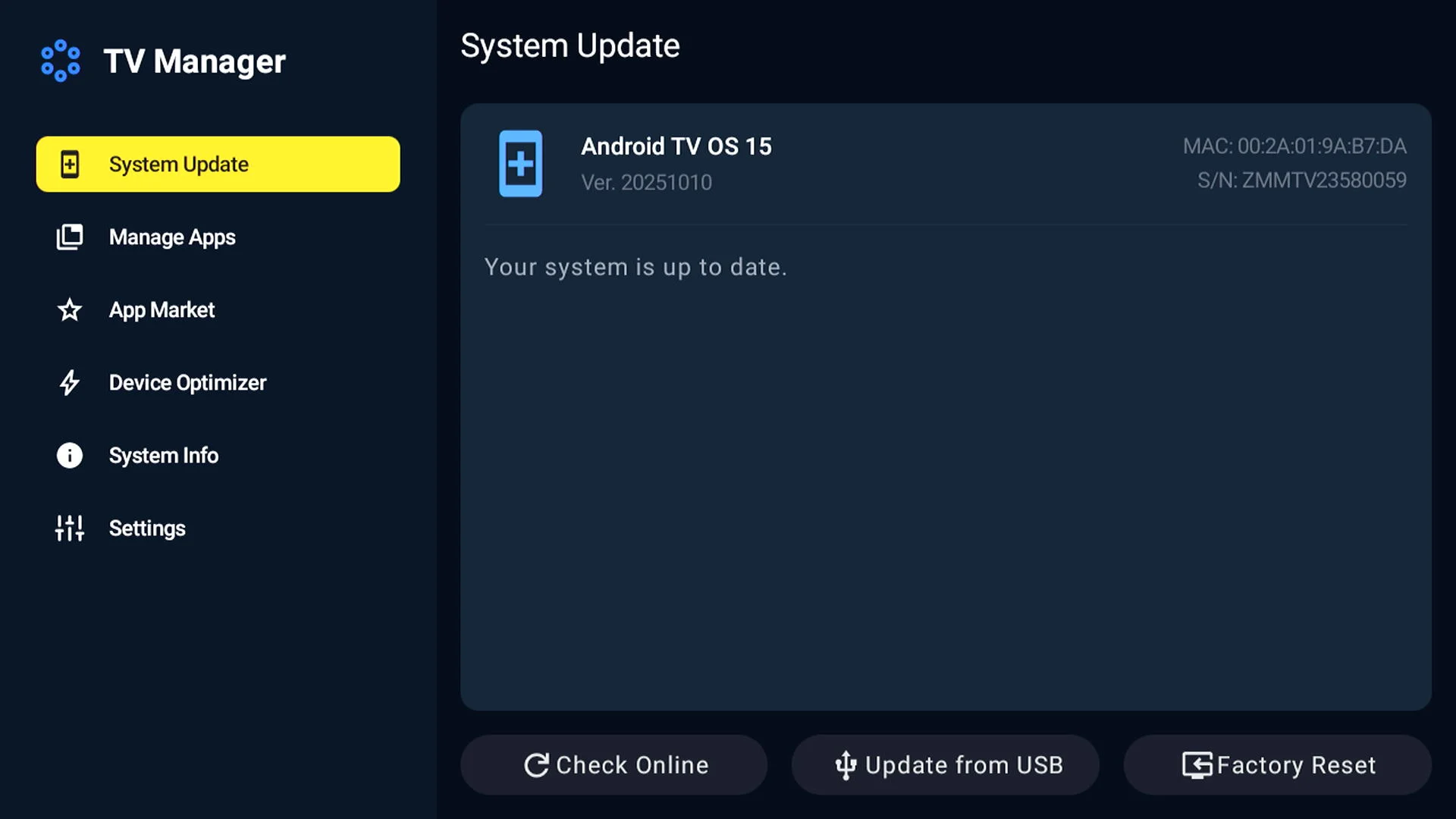 You can update and delete device applications through the management app, as well as download fully adapted new applications through the app market
1.Android TV System: Comes with a newest Android 15 system, simple UI interface, gives you a smarter, easier way to get more from your TV.
2. Allwinner H618 Quad Core : Comes with a powerful quad core processor that ensures smooth and seamless performance.
3. 2.4G+5G Dual Wifi BT5.0 Voice: Stay connected with the dual wifi and BT5.0 voice feature.
CPU: Allwinner H618 Quad Core
WiFi: 802.11 b/g/n 2.4G+5G WIFI
Ethernet Interface: RJ45 100M
HDMI: HDMI 2.0A, 4K*2K UHD Output
Support Multi-functions: 4K@60fps, H.265, HDR10+, 8K Video etc
Language Support: English / French / German / Spanish / Italian / Dutch / Portuguese / Hebrew etc multilateral languages.
The voice remote control supports a variety of national languages: English, German, Dutch, French, Portuguese, Spanish, Danish, Finnish, Italian, Hebrew, Japanese, Korean, Malay, Russian, Arabic, Swedish, Thai, Turkish.
4、User Manual *1
5、Package Box *1
6、Power Plug *1