NOTICE:
- We offer two versions:SSH Version(No Web UI) & 8311 Firmware Version (Supports Web Management), please choose the version that best suits your needs.
- We defualt send8311 firmware version, it pre-flashed V2.8.0 firmware. And please leave us message if you need SSH version.
- For those intending to flash the device, we highly advise creating a backup of the u-Boot before proceeding with any firmware updates to minimize potential risks.
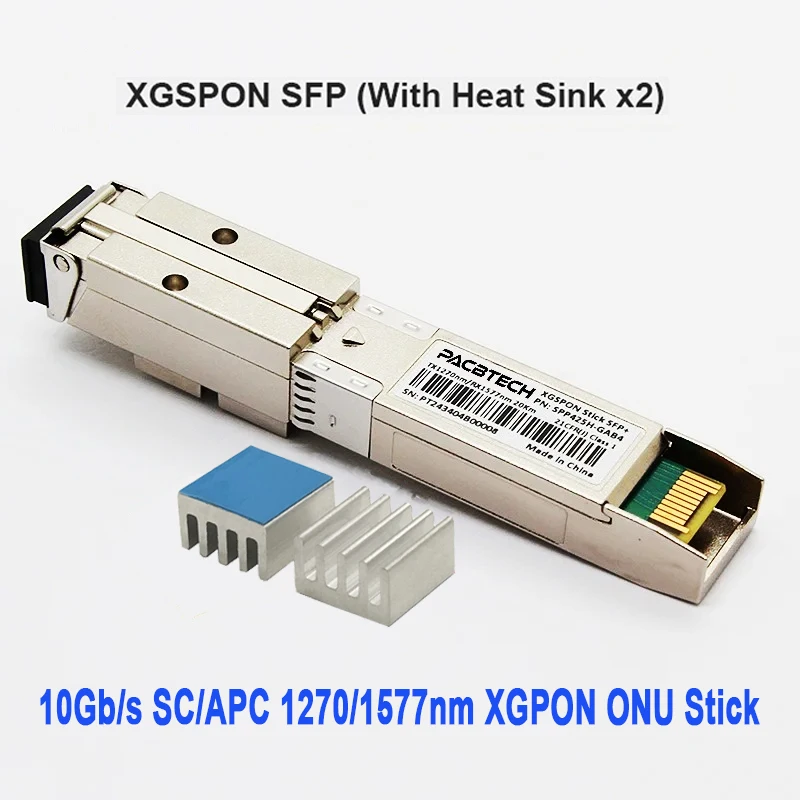
OVER VIEW:
- Product Name: XGS-PON ONU SFP+ Stick, commonly known as "Optical Network Unit (ONU) Stick”
- Chipset Solution: Maxlinear PRX126
|
Part Number |
Description |
|
SPP425H-GAB4 |
SFP+ ONU, 9.953G TX/9.953G RX, Tx1270/Rx1577nm 20km, SC/APC, XGSPON ONU STICK |
KEY Features:
-
- Maximum transmission distance of 20 km
-
- Data encryption support
-
- Compatible with SFP MSA (Multi-Source Agreement)
-
- VLAN configuration support
-
- RoHS compliant
-
- Software online upgrade support
-
- Fault alarm support
-
- Dynamic Bandwidth Allocation (DBA) support
-
- Multicast pass-through support
-
- SC/APC or SC/UPC interface options
- 3.3V power supply
COMPATIBLE:
OLTs: ZTE | Huawei | Nokia | Other Main Brands
Switches: Huawei | H3C | TP-Link | Cisco | MikroTik | Other Leading Brands
Note: The list of compatible devices is continuously being updated.
USER GUIDE:
8311 Community Firmware Version:
Access the ONU: IP Address: 192.168.11.1, Web Username: admin, SSH Username: root (No password for web/SSH access)
PON Mode: The current firmware supports switching between XGS-PON and XG-PON modes (GPON and EPON not support)
OMCI Masking: Includes Vendor ID, Equipment ID, Hardware Version, Software Versions A & B, OMCC Version, MIB File (For Huawei OLT, select /etc/mibs/prx300_1U.ini).
*If you are unsure about the specific configuration, it is strongly recommended not to modify these settings as it may cause the device to become inaccessible
.*If you need to make changes, we strongly suggest first flashing the 8311-community version U-boot. If the device becomes a soft brick, it can be recovered using the U-boot recovery process.
Authentication Configuration: LOID, SN, SN + Password, SN + Password + MAC
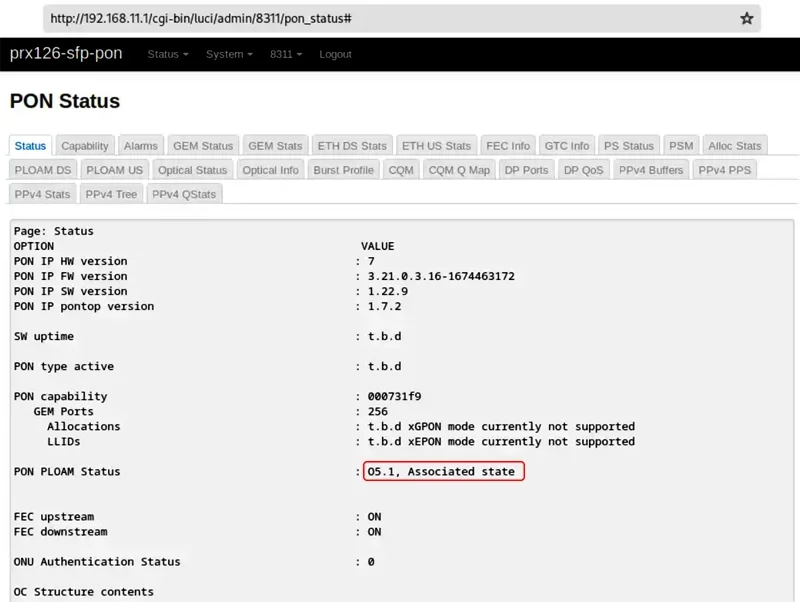
If setting correctly, the SFP should operate with O5.1 PLOAM status
ABOUT WARRANTY:
Thank you for purchasing our brand new 10G ONU sticks. We are dedicated to providing high-quality products and exceptional after-sales support. Please review our after-sales policy:
Pre-Shipment Testing: All products are thoroughly tested before shipment to ensure they meet functionality standards. We guarantee that the product will function properly upon arrival.
Warranty:
-
- SSH Version Support: 2-years warranty.
- 8311 Firmware Version Support: 1-year warranty.
Customer Responsibility:
Please ensure that the ONU stick is configured correctly before use, as improper configuration can cause functional issues. We advise customers to check the product setup carefully and consult professional resources if needed.
If there are compatibility issues with your equipment, we are happy to assist, but we recommend referring to relevant documentation or seeking technical support from professionals.
APPLICATIONS:
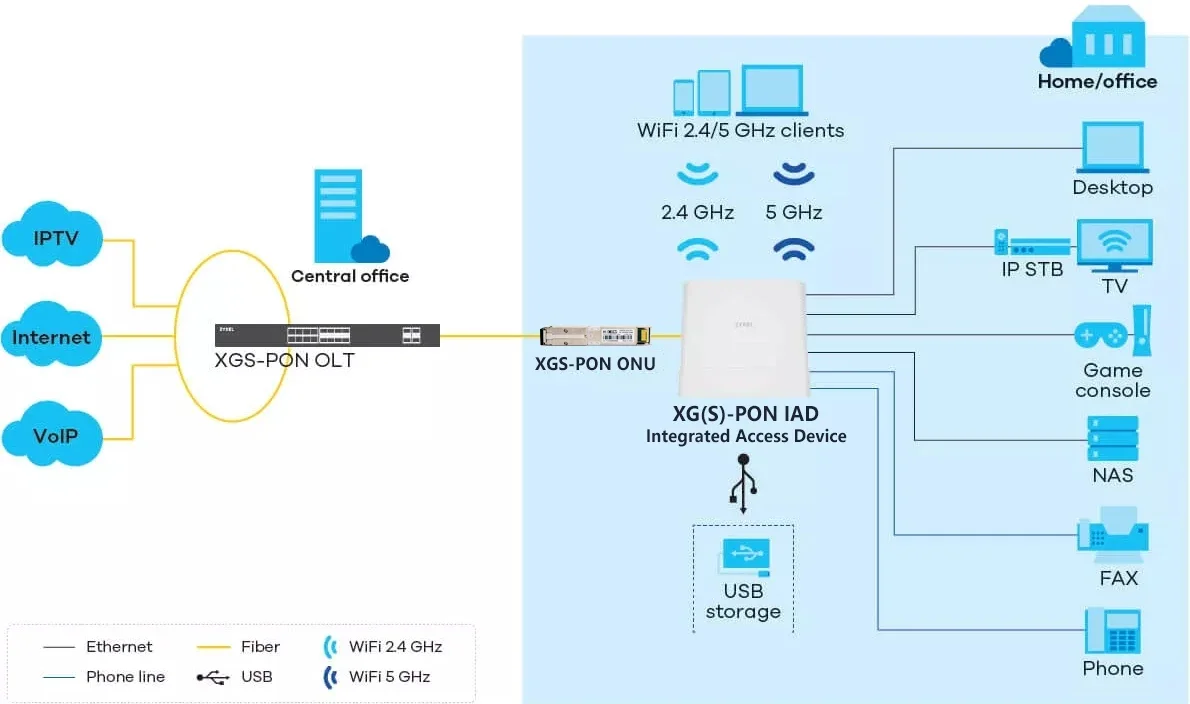
The XGS-PON ONU SFP+ Stick, also referred to as the "SFP+ encapsulated PON ONU module" in China Telecom's enterprise standards, is primarily used to replace SFU (Single Family Unit) optical modems. It facilitates gigabit (or 10-gigabit) single-port optical-to-electrical conversion in PON (Passive Optical Network) networks.
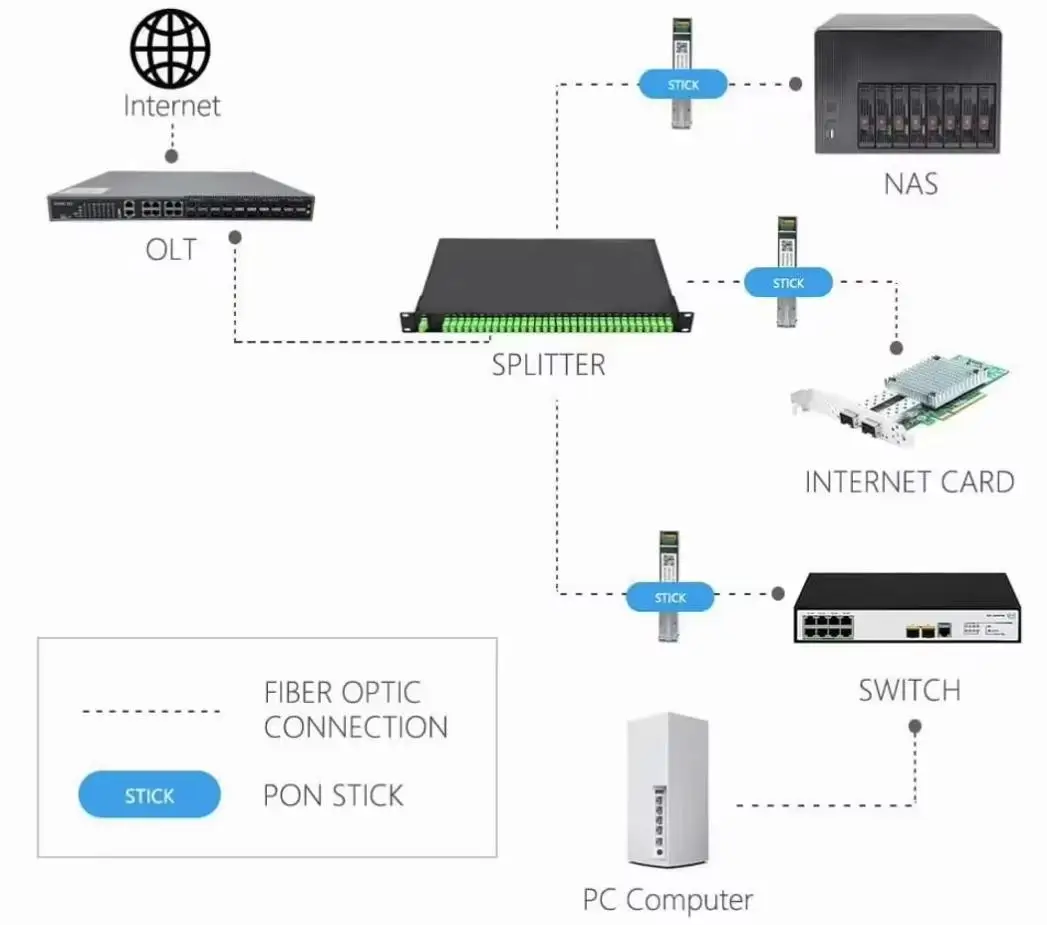
This module fully meets the requirements for telecom-grade FTTB (Fiber to the Building), FTTH (Fiber to the Home), and FTTO (Fiber to the Office) equipment. It can be hot-plugged into a 10G SFP+ slot on a Layer 2 Ethernet switch, functioning as an ONU. This allows the entire device to directly connect to the XGS-PON optical network. The OLT (Optical Line Terminal) at the central office can register the XGS-PON ONU SFP+ Stick just like a regular ONU, enabling the transition from a P2P (Point-to-Point) network to a PON network.
|
Product Name
|
10G XGSPON ONU Stick
|
|
Material
|
PCBA+IRON Shell
|
|
Function
|
Used to provide broadband access and transmission services for scenarios such as home access and enterprise access
|
|
Package
|
10PCS/Blister Box,IPC/Individual box or Customized
|
Title goes here.
No password