Click image to enlarge
Description
Special Bundle for Microsoft Office Excel and Windows Course:
Office Excel 2019/21 Training Course with Basic, Intermediate and Advanced Level
Windows 7, 10 and 11 Essential Training Courses
All Lessons are stored in USB Thumb Drive so can run on Windows PC or Mac OS with USB port
It is perfect if you installed old and new Excel in any Windows system for your business or your family.
Product Features:
- Learn Microsoft Excel 2010 to 2021 in less time and more effective than other training methods.
- Learn from the Pro: you will be able to learn all of the essential features of the Excel in a few hours.
- Break down complex features into easy smaller topics to understand and go over the topics later.
- Learn Excel New Ribbon Interface and how to create spreadsheets with formulas, graphs, charts, and much more!
- Master these special functions in an easy understandable way - Lookup, Auto Fill and Pivot Table, Formulas and many more!
This Course consists of Three Levels:
Level: Beginner
Lesson 1: Excel Fundamental
Lesson 2: Entering and Editing Text
Lesson 3: Basic Excel Functions
Lesson 4: Modifying an Excel Worksheet
Lesson 2: Databased Functions
Lesson 3: Data Validation
Lesson 4: Importing and Exporting
Lesson 1: Excel Fundamental
Lesson 2: Entering and Editing Text
Lesson 3: Basic Excel Functions
Lesson 4: Modifying an Excel Worksheet
Lesson 5: Formatting Data
Lesson 6: Images, Shapes and SmartArt
Lesson 7: Printing in Excel
Lesson 8: Template
Level: Intermediate
Lesson 1: LIstsLevel: Intermediate
Lesson 2: Databased Functions
Lesson 3: Data Validation
Lesson 4: Importing and Exporting
Lesson 5: Creating Basic Charts
Lesson 6: Pivot Tables
Lesson 7: Working with Large Data
Lesson 8: Lookup Function
Lesson 9: Advanced Functions
Lesson 2: Protecting Worksheets and Workbooks
Lesson 3: Conditional Formulas
Lesson 4: Advanced Functions

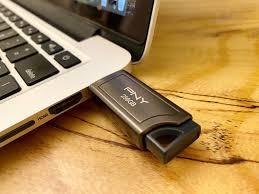
Content: All lesson files are stored in USB thumb Drive
Operating condition: Just plug this thumb drive into your USB port of your choice of Computer system, such as Windows PC, Mac or LInux. Then, run the program and it will display on any browser, such as Edge, Safari, Chrome or Firefox.
System Requirements: Windows PC, Mac OS or Lunix
Browser: Microsoft Edge, Safari, Chrome or Firefox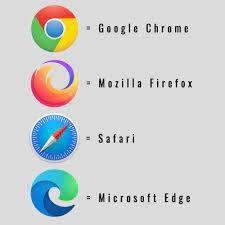
Lesson 9: Advanced Functions
Level: Advanced
Lesson 1: Working with Multiple WorkbooksLesson 2: Protecting Worksheets and Workbooks
Lesson 3: Conditional Formulas
Lesson 4: Advanced Functions
Lesson 5: Text-Based Functions
Lesson 6: Work-IF tools
Windows 7, 10 and 11 Essential Training Courses
It is designed for who beginners who want to take advantage of Windows 7, 10 and 11 useful features
to increase your productivity. If you plan to upgrade to Windows 11, this course will
help you learn fast and apply to your daily tasks.
Bonus - Free Online Access:
You are qualified to receive free access to our online site: amazingelearning.
- Access the course from your PC, Tablet or Mac
- Free courses, such as Financial Analysis using Excel
- updated contents
- lifetime membership
- download practice files
- 24/7 unlimited access
Content: All lesson files are stored in USB thumb Drive
Operating condition: Just plug this thumb drive into your USB port of your choice of Computer system, such as Windows PC, Mac or LInux. Then, run the program and it will display on any browser, such as Edge, Safari, Chrome or Firefox.
System Requirements: Windows PC, Mac OS or Lunix
Browser: Microsoft Edge, Safari, Chrome or Firefox
