


About this item
- Cool down to minus 86 Celcius /-123 °F: Labfeng ultra low-temperature freezer with dual door gaskets and high-density polyurethane foam layer insulation prevent loss of cooling, excellent thermal insulation performance. Freezer self-repeating refrigeration system design make a stable and reliable performance.
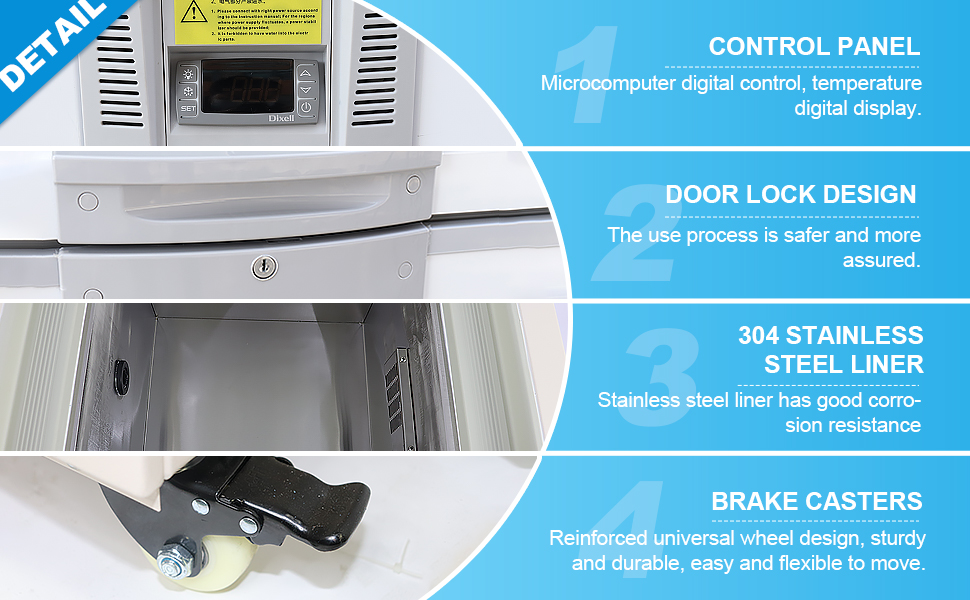
- Microcomputer control system accurate to 0.1℃: Electronic temperature control, LED digital display, can accurately display the temperature inside Low-Temperature Freezer.Labfeng lab refrigerator provide precise and accurate temperature control.
- Power compressor: Ultra Low-Temperature Freezer body is welded with a high-quality galvanized spraying board, durable. Full copper tube evaporator refrigeration, pressure, and corrosion resistance.
- Intelligent temperature alarm system: Can set your own maximum and minimum temperature,out of this temperature range , the Ultra Low-Temperature Freezer will produce a buzzer as well as a flashing alarm on the display.
- 1 years warranty: Free replacement parts at any time.Samples flash freezer suitable for hotels, canteens, fishery shipping, biological laboratories, chemical research sites, etc. Easy to operate, advanced design, system stable. Professional ultra-low temperature refrigerator manufacturers, leave a message, we can follow your needs customized products
-86 Degree Ultra Low Temperature Freezer 28L Laboratory Deep Freezer for Samples Stored
Specifications
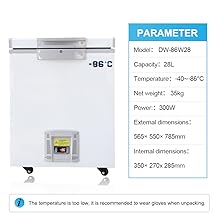
Model:28L Ultra low temperature refrigeration
Capacity:28L
Temp. range:-40~-86℃
Power supply:220V/50HZ
Rated input:300W
Insulation:100mm
Inner size:350*270*285mm
Controller:Dixell,electronic
Temp.display: Digital temperature display
Evapotrator:Copper tube coil
|
|
|
|
|---|---|---|---|
Major components such as compressor, thermostat and fan motor , copper tube evaporator and SUS 304 stainless steel interior, reliable and durable, ensure safety of stored samples | Ultra low temperature patent technology,strong refrigeration, fast cooling and lower temperature, high efficiency and lowerenergy consumption | Digital temperature display, the temperature inside freezer is easy to see.High/low temperature and sensor fault alarms, to know the real conditions inside the freezer at any time | Double gaskets and thick foam insulation, good thermal insulation and energy saving.We can offer a All-life service |




Press and hold the SET key for 8 seconds, and the screen will display the input setting password (the factory initial password is 0).
Users can use the ↑ and ↓ keys to change the password.
Press the SET key to enter the password. If the password is correct, enter the first parameter setting (SP).
Use the ↑ and ↓ keys to set the desired value.
Press SET key to exit parameter setting.
Repeat until all parameters are set.
Press the SET key and DOWN key at the same time to exit the parameter setting, or wait for one minute, the display will automatically exit the setting interface.
Turn off the thermostat and press and hold the SET key while powering on to restore the password to 0
Led indication, buzzer and display information
The OUT on the LCD screen indicates whether cooling is taking place. When cooling is going on, the display light is steady on; While the thermostat is waiting for minimum downtime (50% on 50% off)
Normally, the temperature of the probe will be displayed on the display.
In the case of alarm, the displayed information is as follows (alarm indicator light on, buzzer sounds) :
000 -- Temperature probe rod fault -- short circuit fault ALH -- high temperature alarm ALL -- low temperature alarm
Alarm confirmation
In case of alarm, the internal buzzer and alarm indicator are activated to display the corresponding message. The buzzer can be silenced by pressing the SET key.

