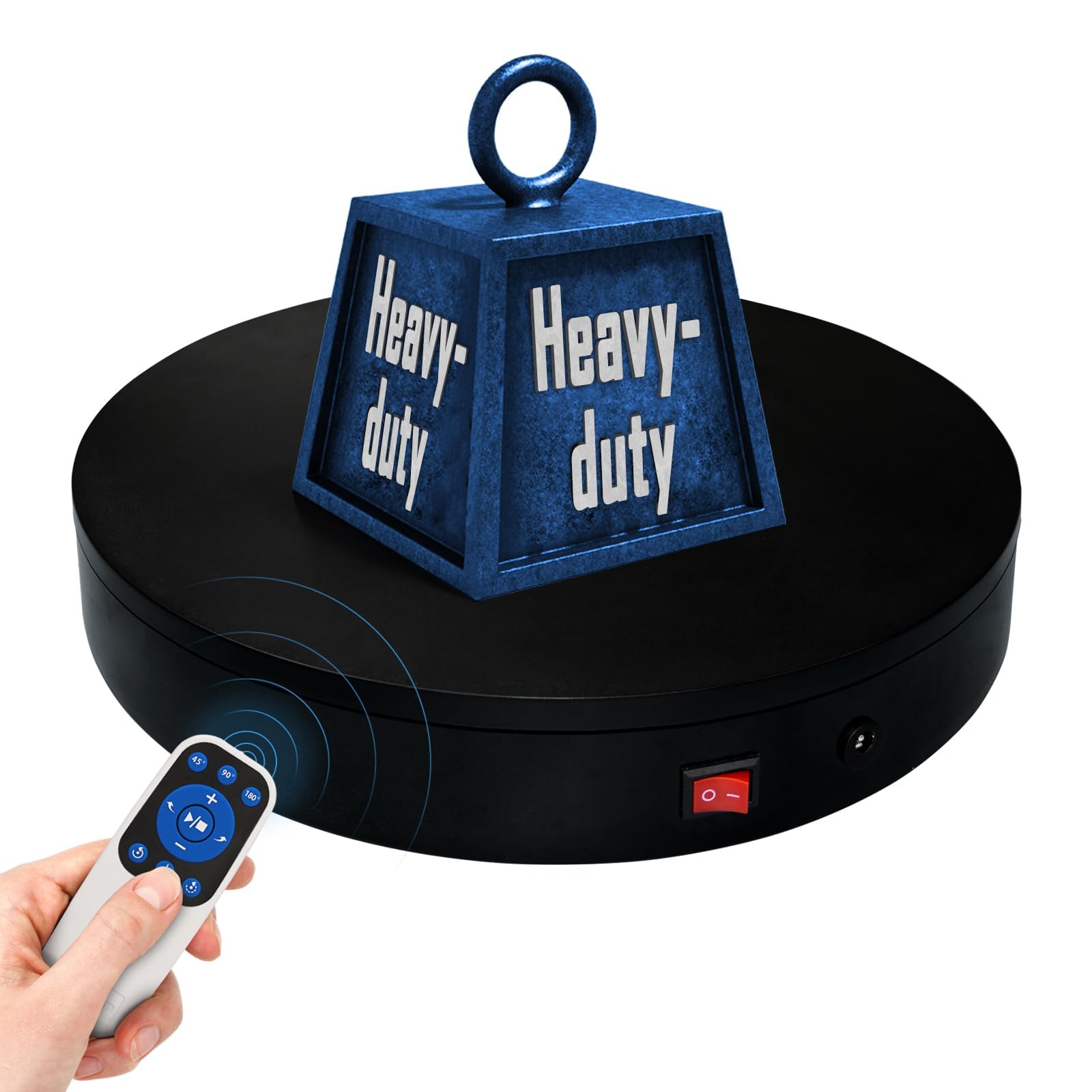
Remote Motorized Electric Turntable Rotating Display Stand Spinning Rotating Platform 360 Photography Turntable lazy susan base giratoria para for Photography,Display,3D Scan,Exhibition rotating table
Multi-Rotation Modes: [Continuous Rotation Mode] [Single-Step Mode] [Repeated Step Mode] [Pendulum (Swing) Mode] Button Description: About [Set Angle] Function: Specifies the angle for a single rotation. For example, setting it to 90° means the turntable will rotate 90 degrees per step. Purpose: 1. Single-Step Mode: Rotates the specified angle and then stops. 2. Repeated Step Mode: Rotates the specified angle, pauses, and repeats the cycle until interrupted by another operation.< 3. Pendulum (Swing) Mode: Oscillates within the specified angle range continuously until interrupted by another operation. About [Speed Up]/ [Speed Down] [Speed Up]: Increases the rotation speed of the turntable by one level. [Speed Down] : Decreases the turntable's rotation speed by one level. About [Clockwise Direction] / [Counterclockwise Direction] [Clockwise Direction]: Switches the turntable's rotation direction to clockwise. [Counterclockwise Direction]: Switches the turntable's rotation direction to counterclockwise. About [Start/Stop] Function: Starts or stops the turntable's rotation. About [Continuous Rotation Mode] Function: Switches the rotation mode to continuous rotation.Purpose: Changes the turntable's rotation mode from any other mode or state to continuous rotation, taking effect immediately. About [Repeated Step Mode] Function: Switches the rotation mode to rotate-and-pause mode (intermittent mode), used in conjunction with the [Set Angle] button. About [Pendulum (Swing) Mode] Function: Switches the turntable's rotation mode to pendulum (swing) mode. Used in conjunction with the [Set Angle] button.
MORE BENEFITS
【360° Rotating Platform Max Load】: Max Loading range is 40~100lbs(20~45kg) - Continuous Rotation Mode: "45kg" max load(No angular positioning required). - Stepped Rotation Mode: "20kg" max load(With positioning accuracy). This rotating platform features a planar sliding bearing and adopts a gear meshing structure, ensuring extended rotational lifespan and smooth rotation.
【Specifications of this Display Platform】 Diameter: "20cm/7.9 inches." Rotation Speed Range: "Adjustable speed range of 20 to 68 seconds per revolution". Direction: "Supports clockwise and counterclockwise rotation". It utilizes ComXim's patented soft-start and electric turntable chopper frequency conversion technology for speed regulation, guaranteeing stable load capacity across varying rotational speeds.
【User-Friendly Remote Control】This user-friendly remote control offers multiple rotation modes, including continuous rotation, single-step rotation, repeated step rotation, and pendulum (swing) rotation, making it versatile and easy to use for various applications. 【Continuous Rotation Mode】for Live Video Show.【Single-Step Mode】for Product Display and Live Demonstration.【Repeated Step Mode】 for Automated Product Display ,Multi-Angle Photography【Pendulum Mode】 for Automatic Product Display.
This rotating display stand Supports remote control of four rotation modes: Continuous rotation. Single-step rotation at 45°, 90°, and 180°. Repeated step rotation at 45°, 90°, and 180°. Pendulum (swing) rotation at 45°, 90°, and 180°. Allows remote control for both clockwise and counterclockwise rotation. This Rotating Platform Supports remote control for start/pause and speed adjustment (increase/decrease).
【Excellent Structural Design】 The Rotating Platform is equipped with a flat thrust bearing inside, enabling it to support heavier loads. It features a high-precision reduction stepper motor (a type of brushless motor), offering high torque, long lifespan, stable rotation, quiet operation, and reliable performance.
【The Rotating Platform Application Scenarios】Widely used for 3D scanning, body scanning and modeling, product display, video shooting, product photography, 360-degree photography, and large-scale product displays both in-store and online, such as clothing mannequins, Christmas trees, digital products, and household items.
【Power Adapter】The adapter input is AC 100~240V, and the output is DC 13.3V/0.5A. US Standard Plug. UL-certified power adapter. The electric turntable has passed the US FCC certification, EU CE and ROHS certification.