56
7211
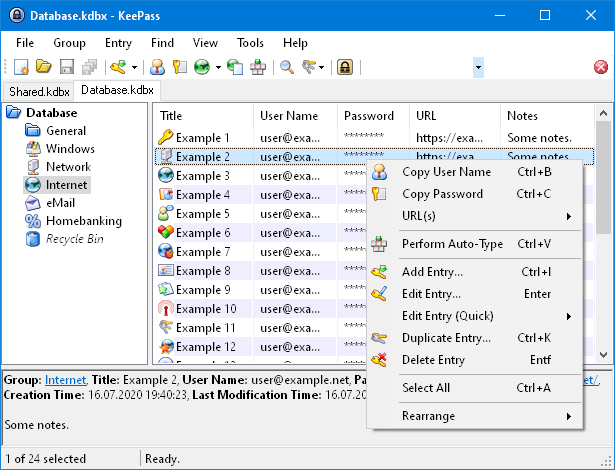
KeePass stores usernames, passwords, and other fields, including free-form notes and file attachments, in an encrypted file. This file can be protected by any combination of a master password, a key file, and the current Windows account details. By default, the KeePass database is stored on a local file system (as opposed to cloud storage).
What makes KeePass Special
KeePass puts all your passwords in a highly encrypted database and locks them with one master key or a key file. As a result, you only have to remember one single master password or select the key file to unlock the whole database. It supports simultaneous access and simultaneous changes to a shared password file by multiple computers (often by using a shared network drive), however there is no provisioning of access per-group or per-entry.
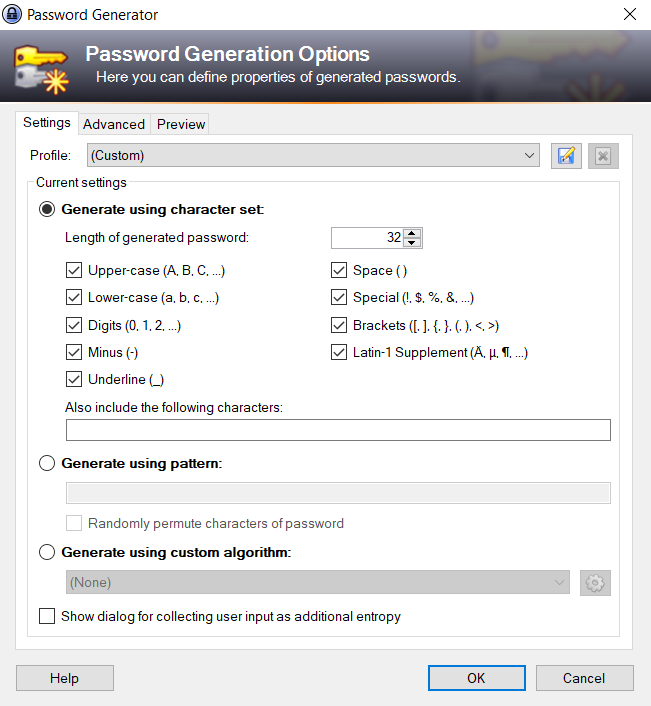
KeePass features a built-in password generator that generates random passwords. Random seeding can be done through user input (mouse movement and random keyboard input).
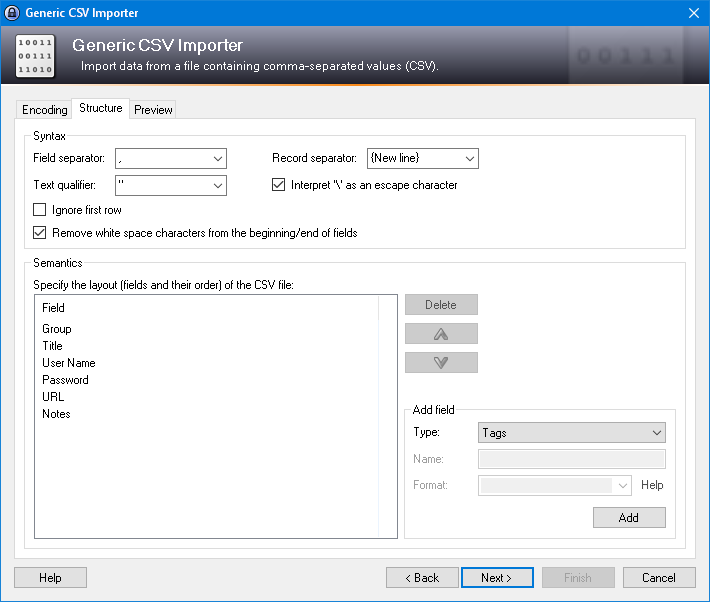
The password list is saved by default as a .kdbx file, but it can be exported to .txt, .html, .xml and .csv. The XML format is often used by other applications hence helping to the export to or import from other password managers.
Security and Privacy
kpcli (KeePass Command Line Interface) is an interactive shell. You can use this program to access and manage your KeePass 1.x or 2.x databases from a Unix-like command line.
The KeePass Google Sync Plugin, synchronizes your KeePass database with Google Drive using Google API.