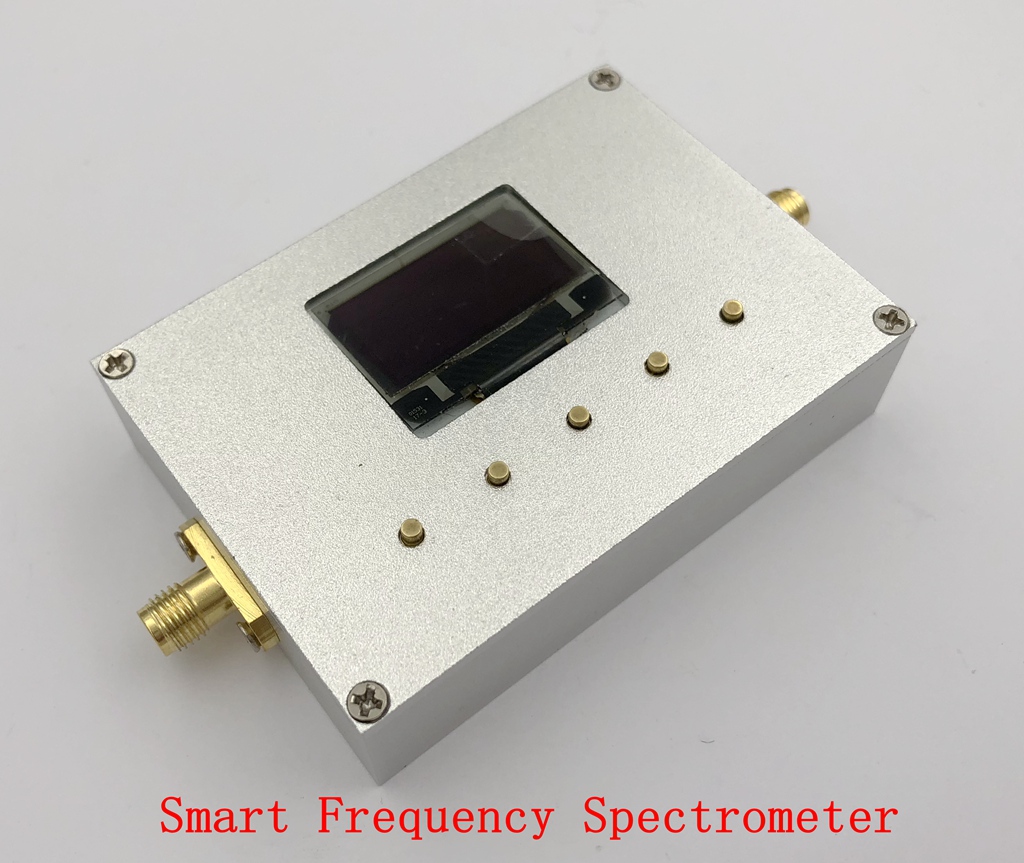
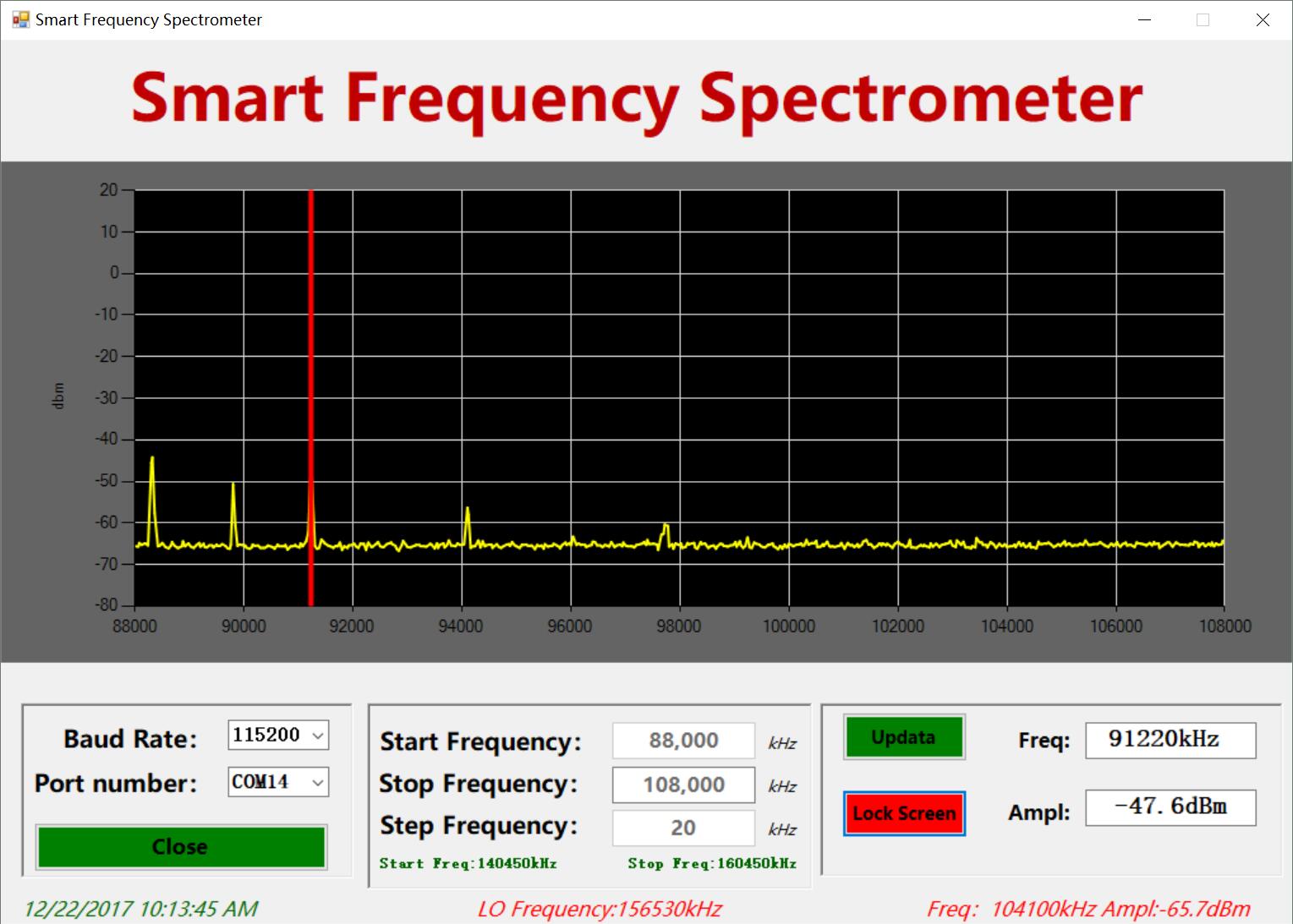
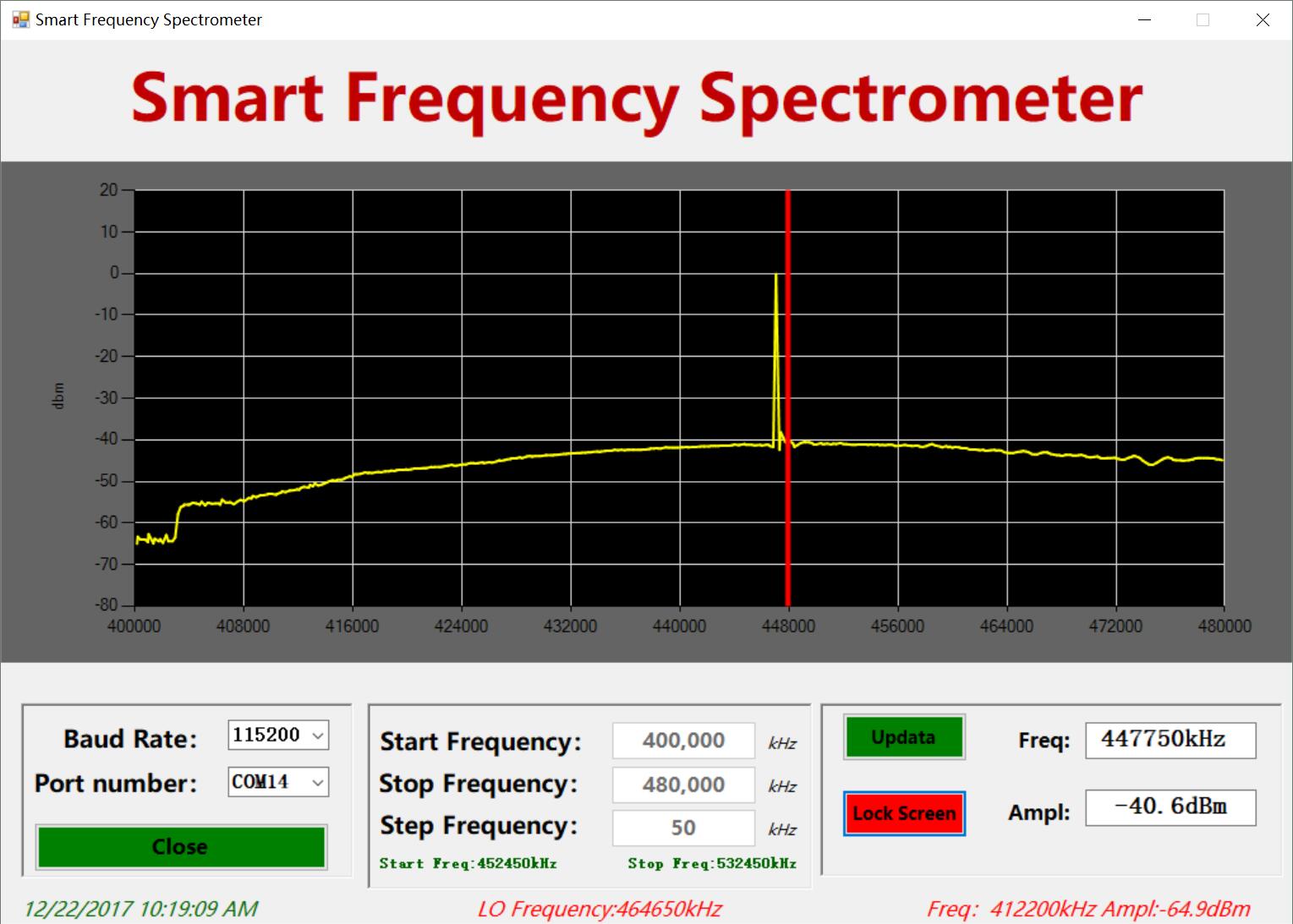
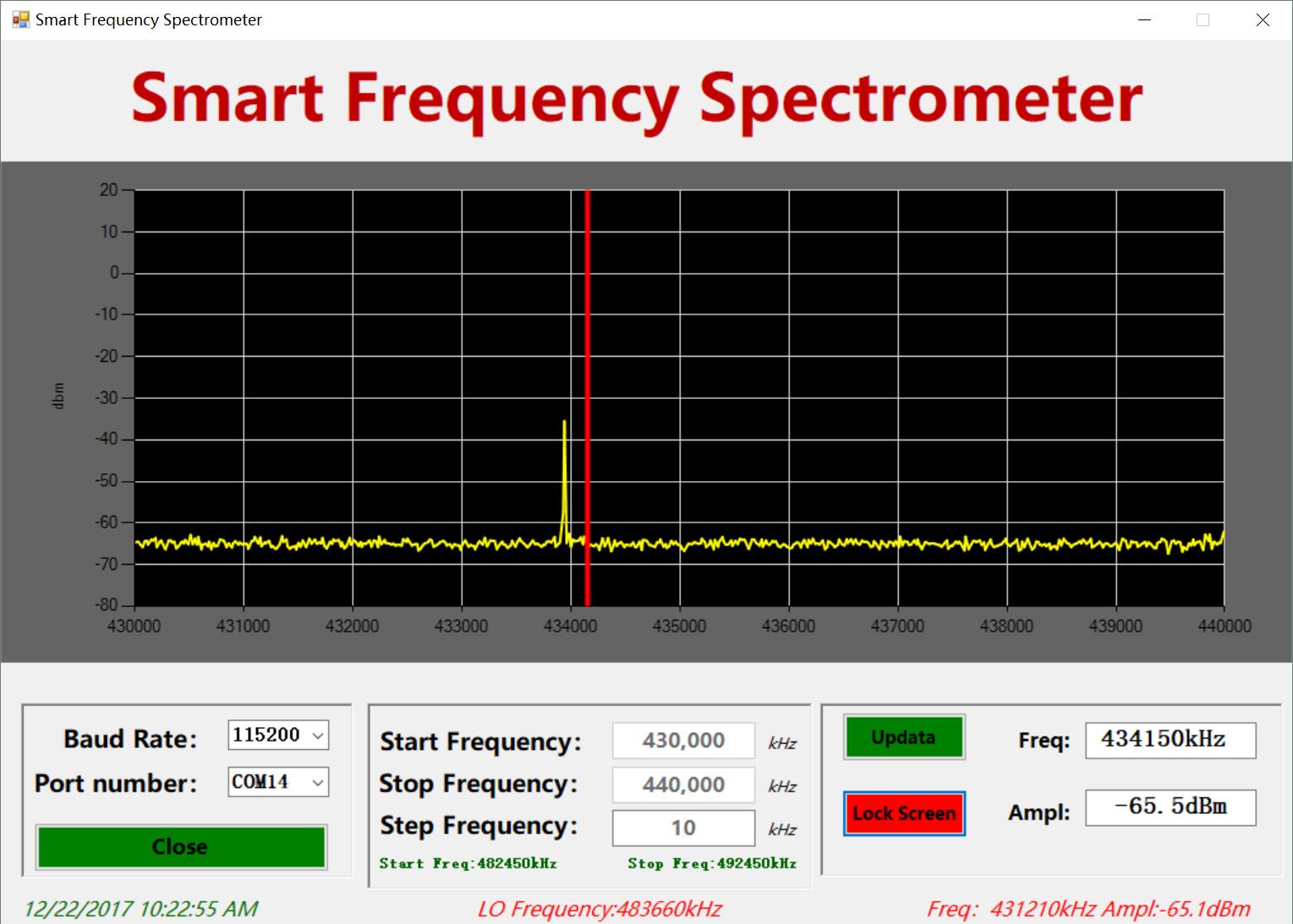
The Smart Frequency Spectrometer is a broadband, hands-on, easy-to-use spectrum analyzer that uses a PC-based display with integrated high-performance frequency synthesizer and balanced mixer to ensure high performance, small size, low power consumption and high cost performance.
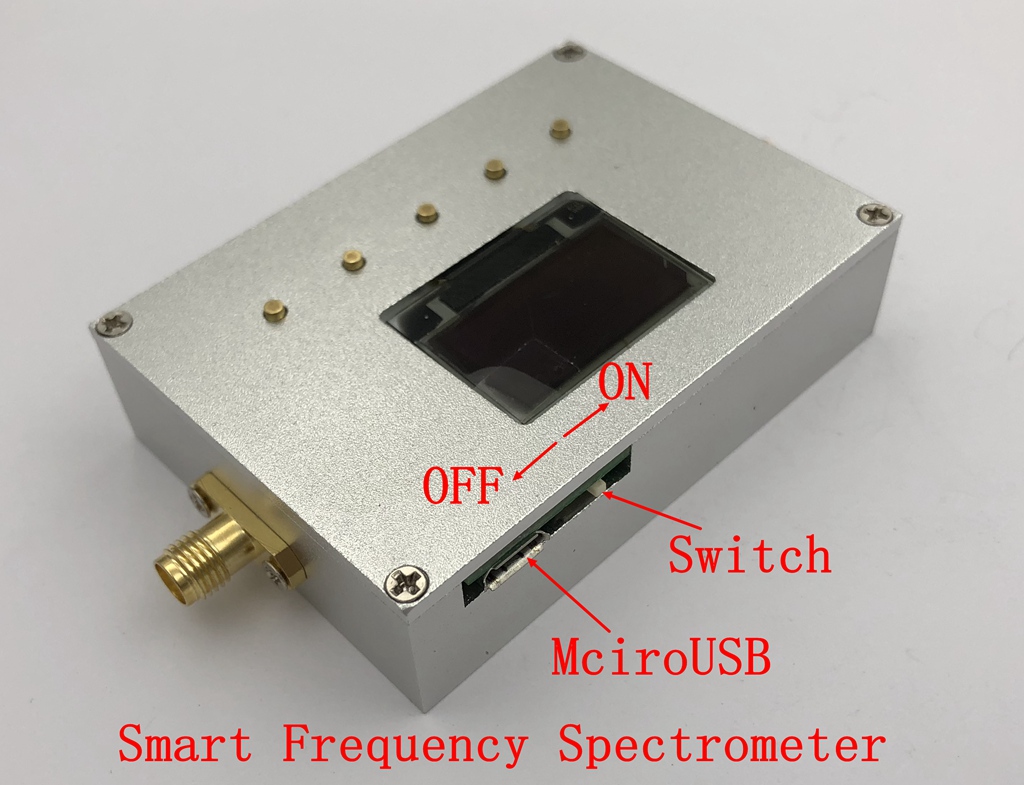
The Smart Frequency Spectrometer uses a standard USB 2.0 connector (miniUSB) for device communication and is suitable for indoor, outdoor and even in the wild. The Smart Frequency Spectrometer is especially portable for its small size and comes with a monitor.
Smart Frequency Spectrometer contains a combination of the frequency can basically cover the current popular various wireless bands, including WiFi, Bluetooth, wireless audio and video, LTE, GSM, GPRS, satellite communications, CATV ......
Product specifications
1, the host net weight: 90g (using CNC aluminum alloy CNC shell);
2, USB supply current 300mA;
3, using PL2303SA serial-USB chip to communicate;
4, with 3 major functions:
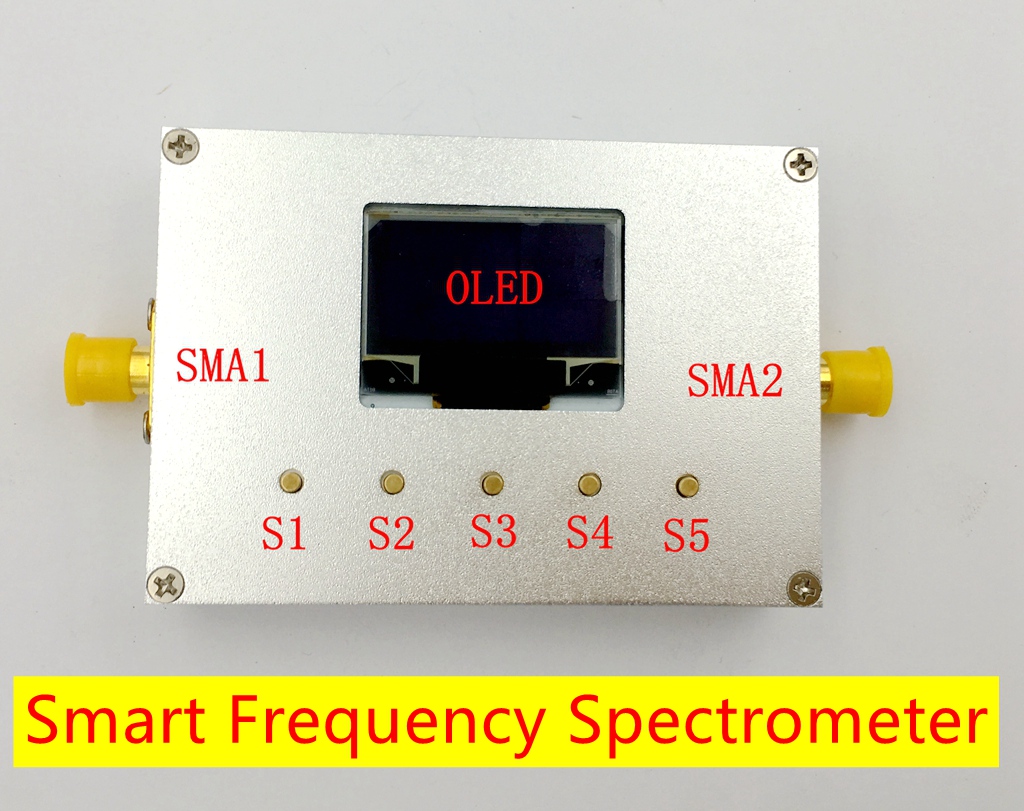
Left SMA port, spectrum measurement input signal
SMA port on the right, you can do some frequency RF source / sweep source
Left SMA port input point frequency signal, the starting frequency and termination frequency is set to the same, when the power meter.
Spectral analysis of some performance indicators
1, the measured signal frequency range: 83.5-4300 MHz
2, the measured signal power range: -70dBm to +10 dBm
3, the frequency resolution: 1KHZ
4, resolution bandwidth (RBW) adaptive 1kHz to 100kHz
5, frequency stability and accuracy (typical): ± 0.5ppm
RF signal source performance indicators
1, the frequency range: 137.5-4400 MHz
2, power: -10dBm
3, the frequency resolution: 1KHZ
4, frequency stability and accuracy (typical): ± 0.5ppm
Refer to the figure to make a brief explanation:
1, power supply: connect the power through micro-USB (computer).
2, the power switch: USB next to the switch to the left to dial the machine, right to turn off.
3, Input: connect the RF input signal through SMA1 interface, SMA2 is a sweep local oscillator output signal, which can be used as signal source.
4, press the "OK S3" button to start the measurement, or by pressing "Updata" on the host computer.
5, the button S1 to change the position of the cursor (left)
Button S5 to change the position of the cursor (to the right)
Press S2 to change the data of cursor position
Press S4 to change the cursor bit data minus
After entering the system, the cursor indicates the selected digit. At this moment, the upper and lower buttons can modify the value of the selected digit.
When the cursor is at the last digit (or first digit) of the selected item, press the right (or left) key to switch the selected item. After setting the parameters, press the middle button to validate the settin
the application scenarios (different bands need to be equipped with different antenna)
Package include:
1 x New 83.5-4300MHz Spectrum Analyzer W/ RF Signal Source For WiFi BLE LT GSM GPRS