MediCat Software Bootable
PC Repair Recovery Toolkit
Windows Diagnostics Rescue
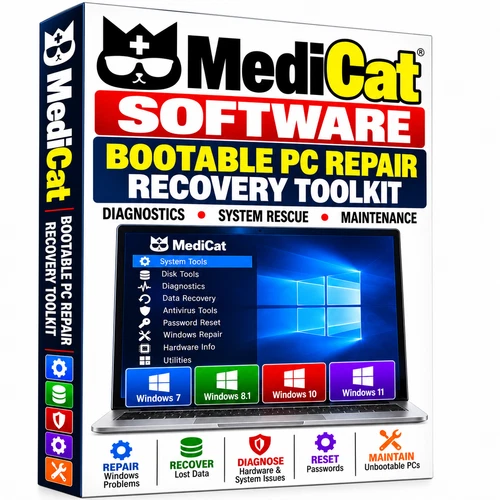
Access a collection of diagnostic, recovery, backup, storage, and maintenance utilities from a prepared bootable device. MediCat can start an independent repair environment on compatible computers, so many tasks can be investigated even when the installed Windows system will not start normally.
Diagnostic and maintenance tools
Investigate startup failures, crashes, freezes, slow performance, and storage-related errors. Available utilities cover hardware and system information, drive health and SMART information, storage testing, file management, network troubleshooting, and driver identification. The installed release determines the exact tools and versions available.
Backup, recovery, and drive management
Use the appropriate included utilities for file backup, deleted-file recovery, partition management, drive imaging, and cloning. Recoverable documents, photos, videos, and other files depend on the condition of the storage device and whether data has been overwritten. Recovery is not guaranteed, and software cannot repair physically failed hardware.
Startup troubleshooting and security utilities
The independent environment provides access to tools for investigating boot problems and unstable Windows installations. Security and malware-scanning functions depend on the individual utility; internet access or current definitions may be needed for some tasks. This toolkit does not guarantee removal of every infection or repair of every startup fault.
Compatibility: check before ordering
Intended for compatible Windows PCs and laptops that support booting from an external device. The existing package description identifies Windows 7, 8/8.1, 10, and 11 as target systems for troubleshooting; support for an individual task depends on the installed tools, hardware, drivers, and boot configuration. Do not assume every utility works with every Windows version.
BIOS/UEFI configuration, Secure Boot requirements, and storage-controller support can affect startup and drive access. Review the included instructions and your computer manufacturer’s guidance. No specific RAM, processor minimum, device capacity, or software release number is stated here because those details have not been verified for this prepared device.
What you receive
1 × prepared MediCat bootable device
PC repair, diagnostic, recovery, and maintenance utilities
Step-by-step PDF usage instructions
Basic setup and startup support
Physical device only. No retail software box is included.
Basic startup workflow
Connect the device, restart the computer, and open its boot-selection menu. Select the external device, launch the desired repair environment, and choose the appropriate utility. Common menu keys include F2, F10, F11, F12, Esc, or Delete; the correct key depends on your computer. Starting the repair environment does not require installing the complete toolkit onto the internal drive.
Before using drive or recovery tools
Back up important information whenever possible. Formatting, partitioning, cloning, and other disk operations can overwrite or erase data. Confirm the correct source and destination drives before proceeding. Use the utilities only on systems you own or are authorized to service. Basic knowledge of boot menus and PC troubleshooting is recommended.
DISCLAIMER
Graceful Life is the creator of this software package and its UPC / MPN Code. This software does not break any eBay policies or copyright rules. All software programs are open source. Graceful Life is authorized to distribute this software under the GNU LGPL in full observance of the General Public License agreement. All Software, eBooks, Audiobooks, PDFs, JPGs... in our listings are sourced from public domain or open-source repositories freely available on the web, ensuring zero copyright infringement. The price you pay does not pertain to the content itself; it covers the costs for locating, testing products, instructional guides, tutorials, templates, labor expenses related to transferring files onto media formats, cost of media used, listing fees, shipping expenses..
Shipping and support
Prepared and shipped from the USA using the delivery service and handling time shown in this listing. Refer to the listing’s shipping and returns sections for the applicable terms. Keep the PDF guide available when starting the device and selecting unfamiliar utilities.