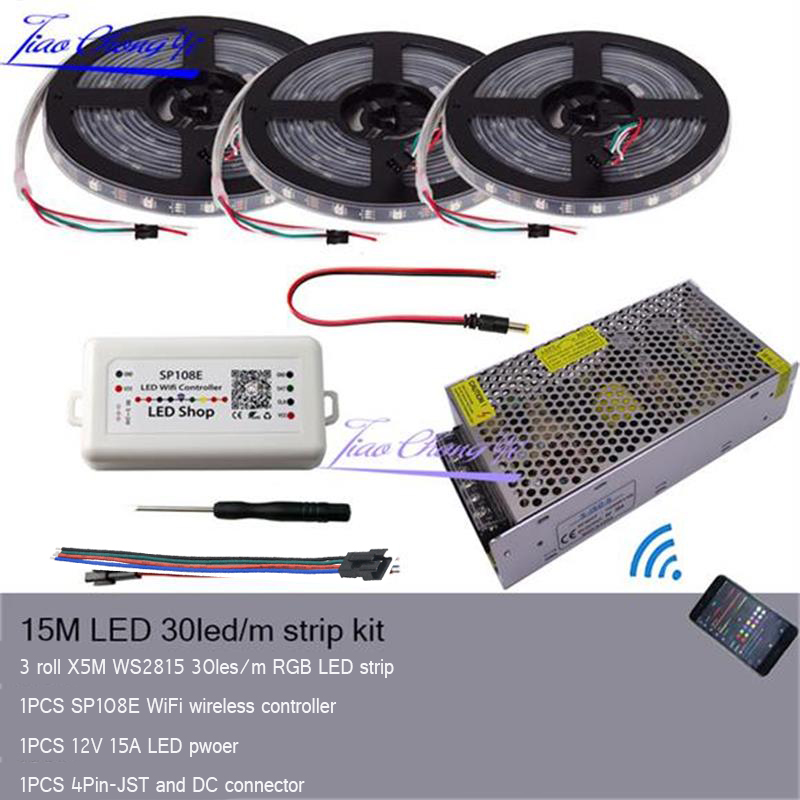
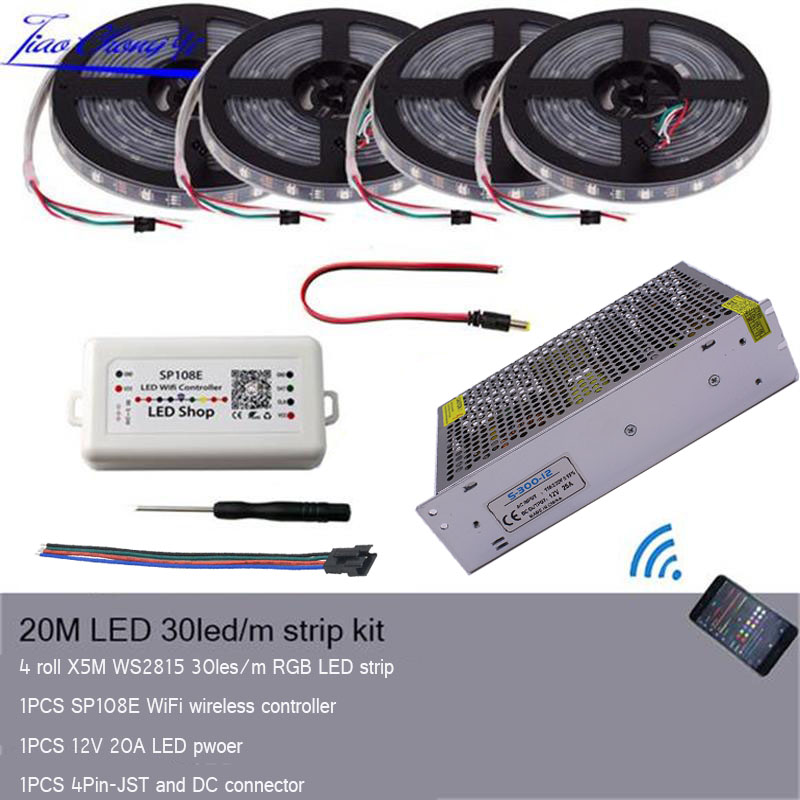

Wide compatibility:
Can be controlled by Arduino, Raspberry Pi, Fadecandy, K1000C, SP105E, SP107E, SP110E etc.
12V WS2812B LED Strip:
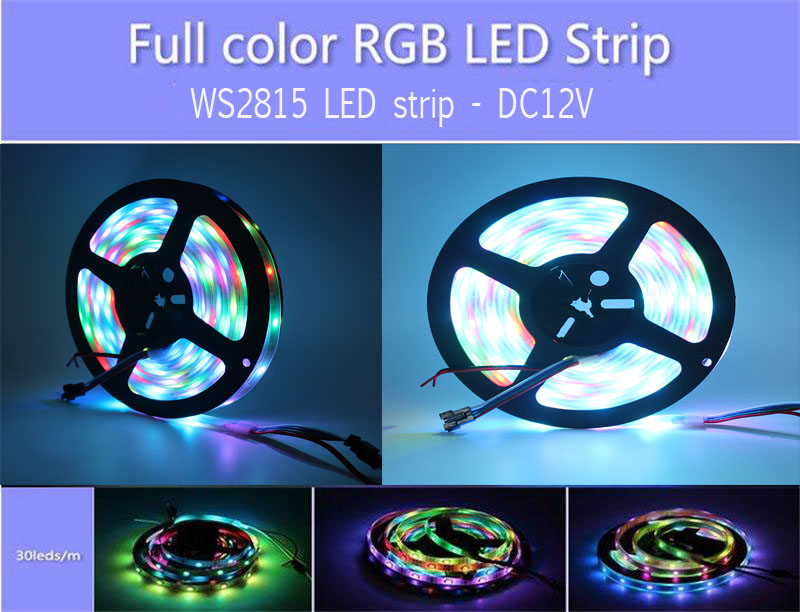
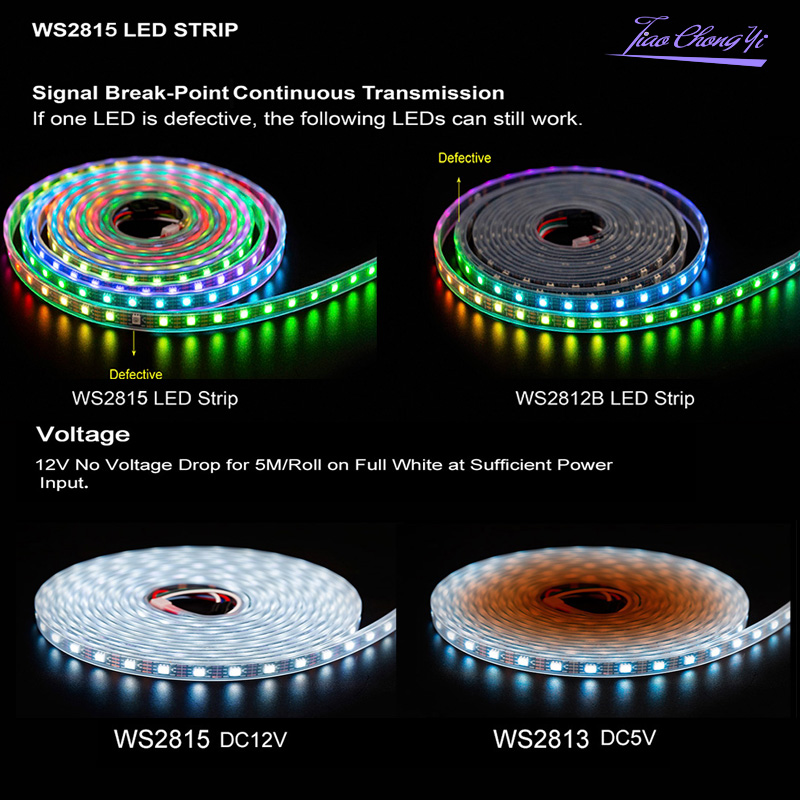
WS2815 LED strip is upgraded version of 5V WS2812B LED strip. For 5M LED strip, even if all the LEDs are turned on full white, 12V version has no voltage drop. You don't need to inject power as frequently as 5V version.
Individually addressable:
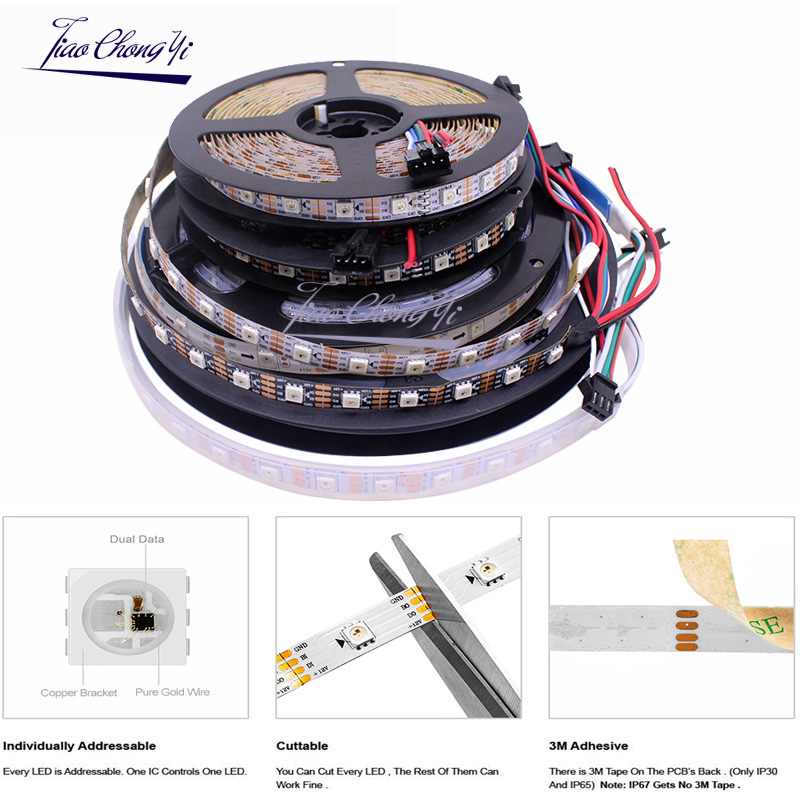
Each pixel can have its own color and brightness. You can control it individually and set them to any color or animation you want. 256 brightness display and 24-bit color display.
Dual-signal wires:
WS2815 LED strip is Similar like the version of 5V WS2813 LED strip, Designed with one data wire and one backup data wire. Signal break-point continuous transmission. If one LED is damaged, the following LEDs can still work.
Easy installation:
Self-adhesive tape on back FOR IP33/IP65, it can be fixed on any dry and flat surface without any screws and clips. Each LED can be cut off at cutting line.
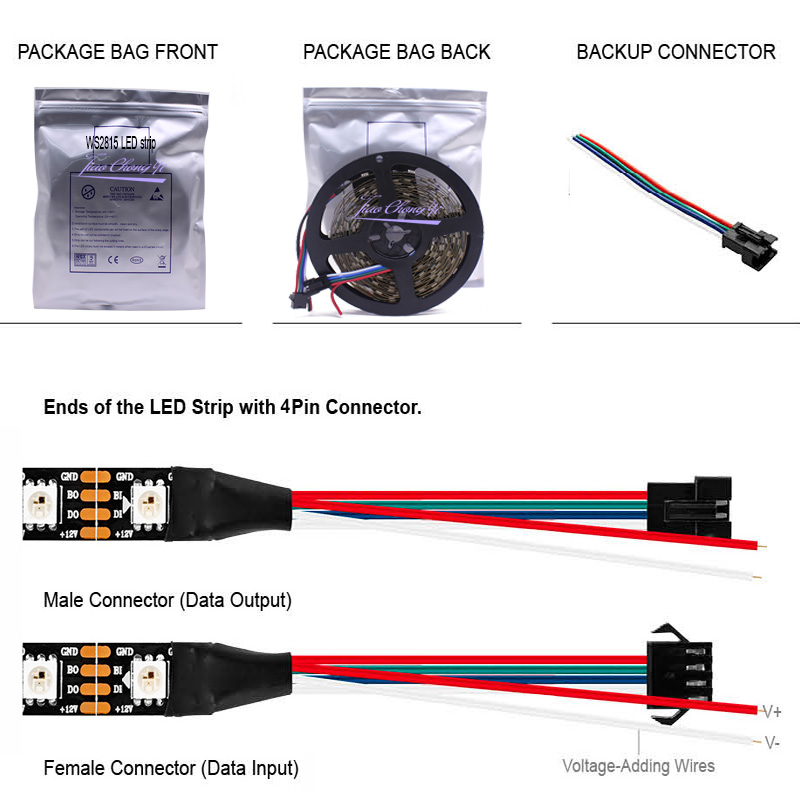
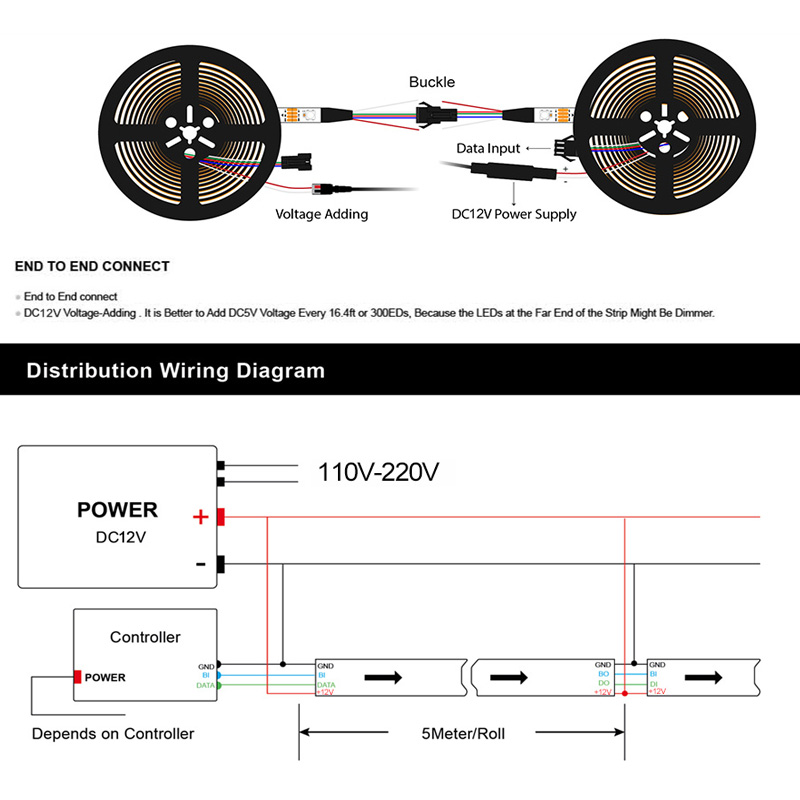
There are 4-pin JST SM connectors and separated power/ground wires on both ends, which make it easy to hook up each other and wire up for power.
Specifications:
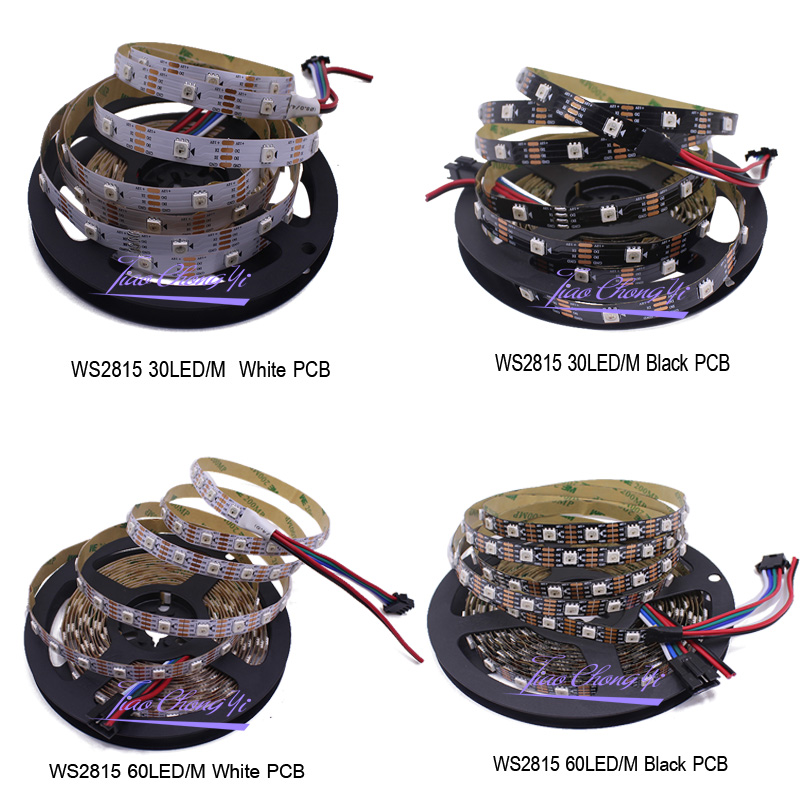
IC type :WS2815 IC
Gray level: 256
View angle: 120°
Input voltage: DC12V
Color: full color 24-bit
FPCB board color: White/Black
Power: 0.3W/LED 30/60 LEDs/m
Model: WS2815 strip 5050rgb chips
Storage Temperature:-30-+95 °C
Operating Temperature:-20 ~ +85°C
Led Qty: 30/60 pcs RGB SMD 5050 per meter
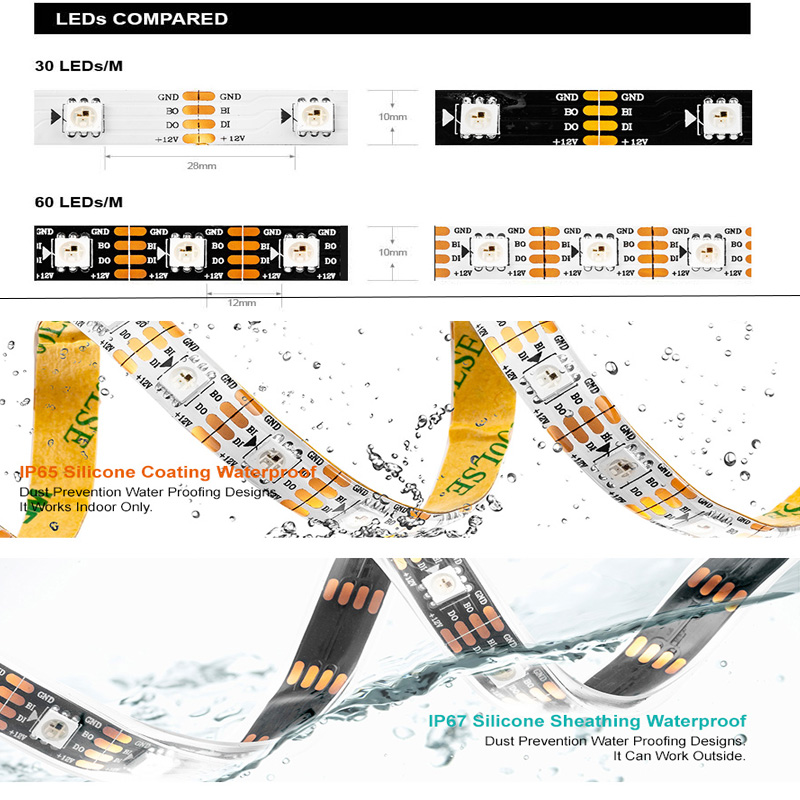
The distance between two LEDs:30Leds/m -- 28mm, 60Leds/m -- 12mm
Wave length(nm):Red,650nm ; Green,520nm ; Blue,460nm
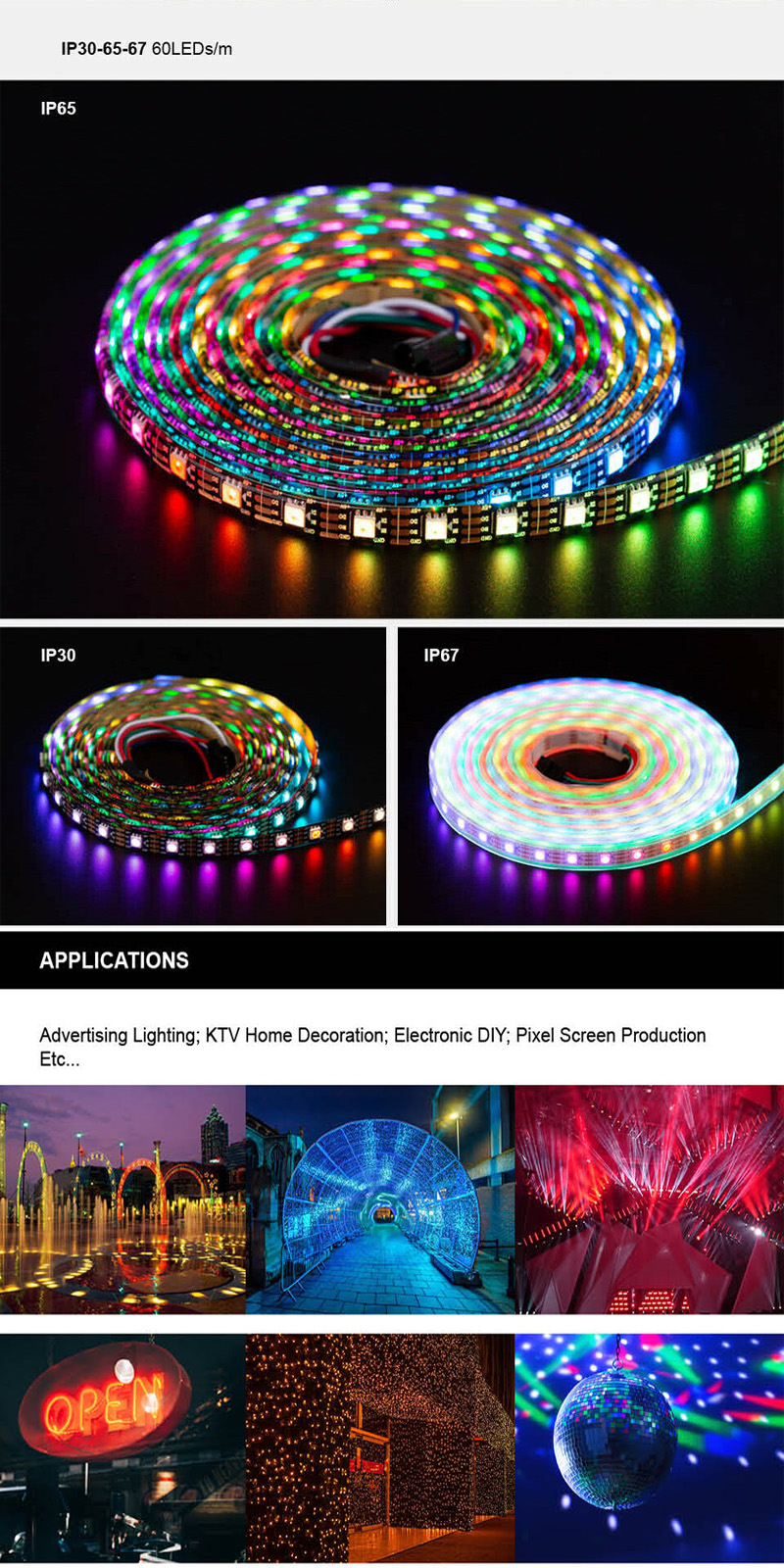
Waterproof level: IP33: Non- waterproof, IP65: Waterproof in Silicon Coating, IP67: Waterproof in SiliconTube

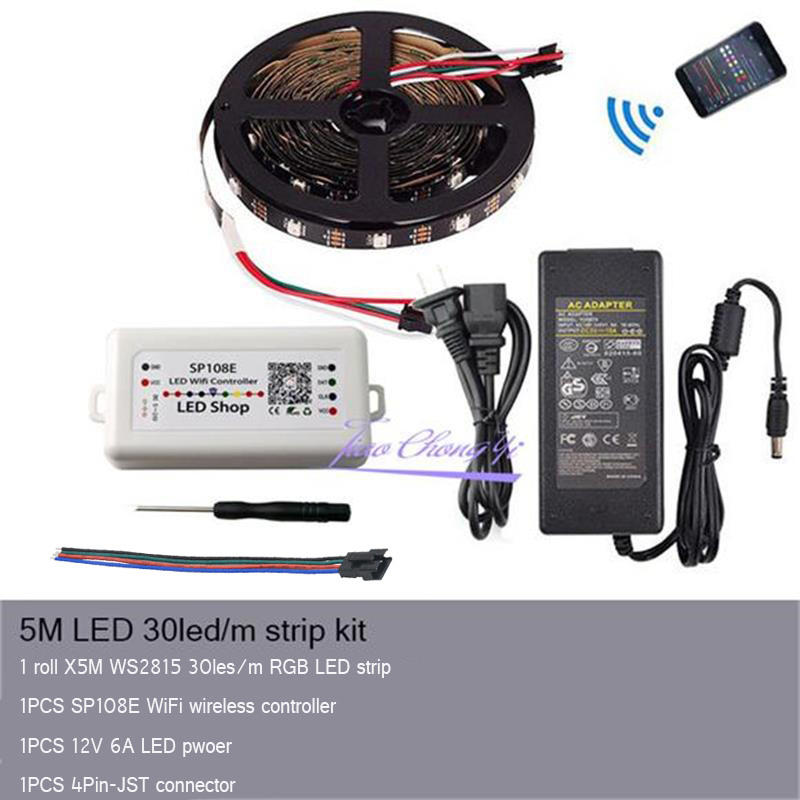
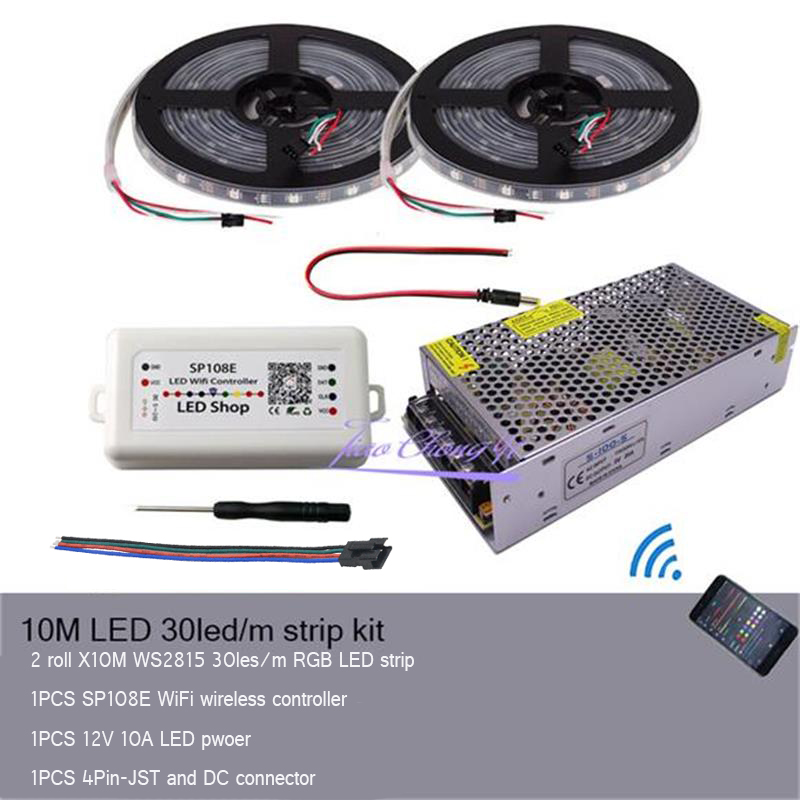
SP108E WIFI LED Controller OperatingInstructions
Features:
1) Long distance APP remote control via WIFI;
2) Support routing mode (AP) and LAN connection mode (STA);
3) Support almost every kind of one-wire or two-wire LED driver IC;
4) Brightness adjustable, with 180 kinds of patterns and 8 kind of color adjustable patterns;
5) Creatively using from-image-to-effect method for user to DIY any effect;
6) Support setting pixel number and segments number, able to control up to 2048 pixels;
7) DC5V~24V wide range working voltage, preventing reverse connection of power supply;
8) User setting saving;
Specifications:
Working Temperature: -20~60 Degrees Celsius
Working Voltage: DC5V~24V;
Working Current: 20mA~130mA;
Remote Distance: 30 Meters;
Product Size: 85mm*45mm*22mm;
Product Weight: 40g;
Certificates: CE, RoHS;
Note:
Can not use 5.0G WIFI network , it just support 2.4G WIFI network

AP (Access Point) mode:
Controller and Phone connect directly, controller works as an access point.
Connect steps:
When the device is not connected to any WIFI network, power on the controller and wait for 20s and then controller will switch into AP mode;
In the WIFI setting page, find and connect the controller (named likeSP108E_xxx, the default pin code is 12345678),
Open the LED Shop App, then the controller will be showed on the device lis
STA (Station) mode:
Controller and phone are in one same WIFI network, in this network, users can operate the controller smoothly.
Connect steps:
When the device is not connected to any WIFI network, power on the controller, controller will be remain in Wait-For-Connect mode for 20 seconds;
Make sure that your phone is connected to a WIFI network, Open LED Shop APP, pressing the Add Device button, input the WIFI pin code, then press the OK to confirm and wait for the configure processing finish;
When controller successfully enter the WIFI network, it will be showed on the device list;
User can select the controller and remove it out of the network by pressing the Remove Device button, then the controller will switch into AP mode.


Please don't hesitate to contact us if you have any questions or concerns before or after your purchase. We are committed to your 100% satisfaction.
We accept only Paypal payment.
After winning an auction or completing a Buy It Now purchase, you can complete the payment thru PAYPAL immediately.

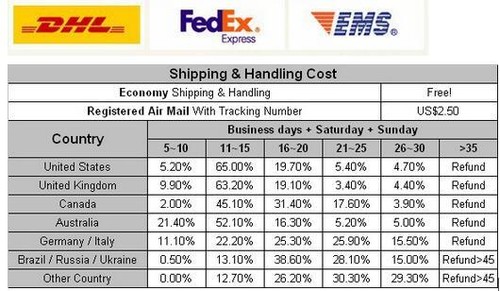
- Item will be shipped by airmail within 48 hours after full payment is received.
- We will ship your package via international standard flat shipping in Hong Kong Post
- Tracking number is not offered. If you hope it reach you get the tracking number, it will charges US$2.5
100% Return - Guarantee in 30 days
Your satisfaction is very important to us. We accept returns for an exchange, or refund within 30 days of the items delivery.
Items must be in their original condition, not worn, or altered. We will not reimburse the return shipping.
Any refund, we will send you notice through ebay to cancel the transaction and refund to you at once after you accepted the cancellation.
If we feel that the return policy is being abused we reserve the right to refuse any exchange.
Since your feedback is very important to our business`s development, we sincerely invite you to leave positive feedback for us if you are satisfied with our product and service. Thank you!