XTOOL Overseas Store
1. No VAT | No TAX | No Additional Charges | Lifetime Free Update
2. 2~5 days shipping from overseas local warehouses. Delivery available to the US, UK, Mexico, AU, and EU countries.
3. Activate Language: After the app is upgraded to the latest version, you can freely switch languages without any additional steps.
4.Lifetime 24H free technical support, 365-day free return policy and 2-year free repair service
Highlight for XTOOL WIFI Version TP150 TPMS Programming Tool:
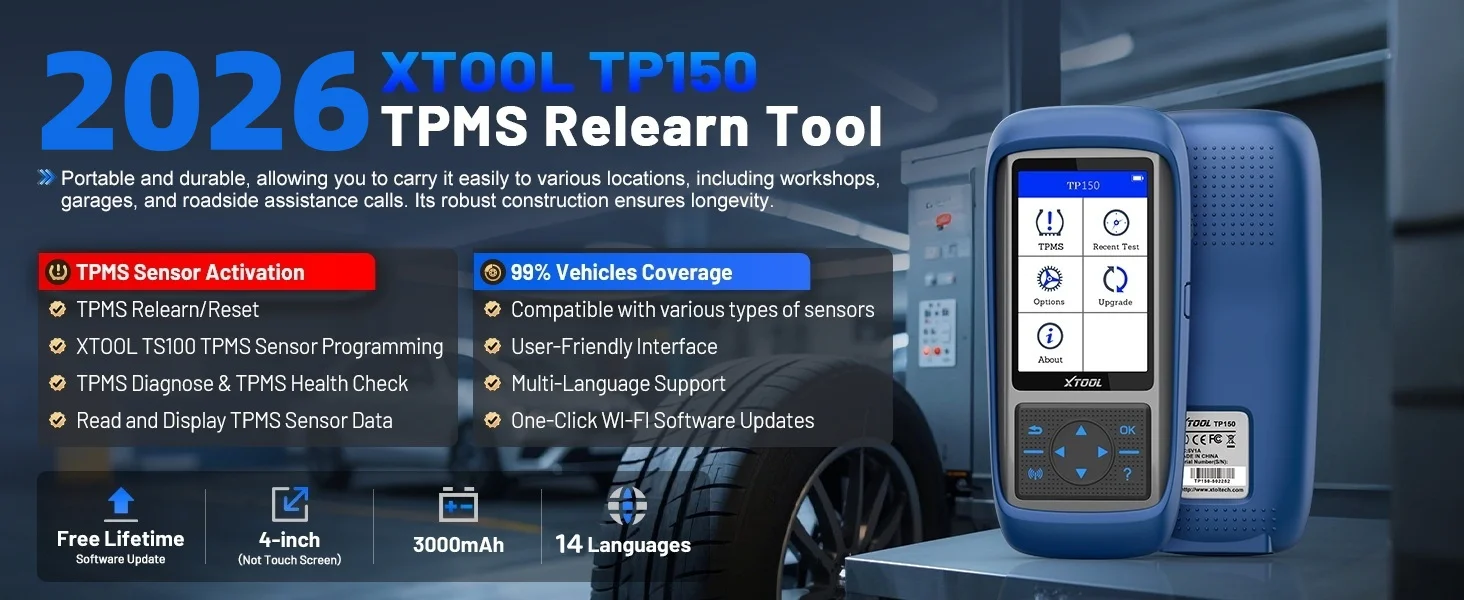
1. Lifetime Free Software Updates via WIFI or USB
2. Supports 315mhz & 433mhz Sensors
3. Activates & Relearns All Tpms Sensors
4. Programs XTOOL Sensors, Single or Multiple at Once
5. Reads ECU ID Matching Status & Sensor Live Data
6. Diagnoses TPMS System: Read/Clear Codes, Reset Warning Light
7. Checks OE Sensor Info: Brand, Part Number, Frequency, etc.
8. Test Log Function
9. Built-IN Rechargeable Battery
10. TFT Color Display, 3.95-Inch Key Operation,3.7 V 3000mAh Battery, 8G Storage.
11. 14 Languages: English, German, Spanish, Polish, Italian, French, Japanese, Korean, Portuguese, Turkish,Russian, Traditional Chinese, Hungarian, Greek
12.TP150 Come with More Useful Settings, Such as: Pressure Unit Setting, Temperature Unit Setting, ID Format Setting, Auto Power Setting, Language Change, District Setting, Sound.
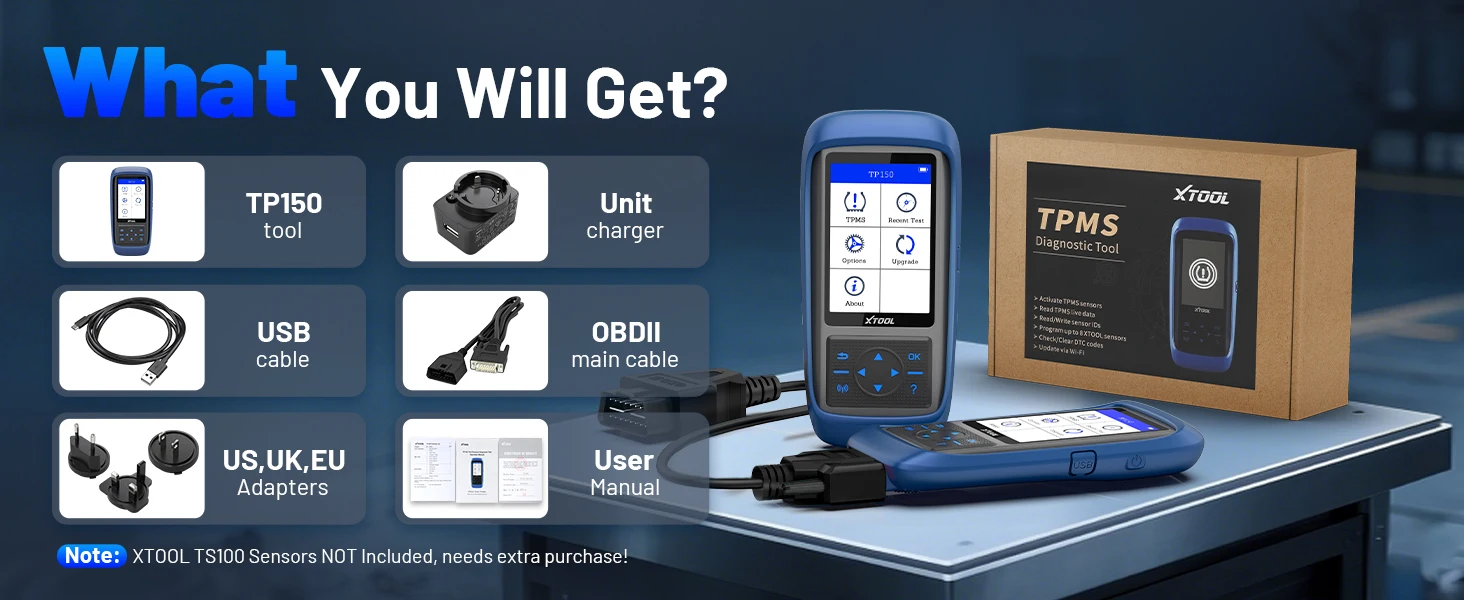
⚠️Please Note: XTOOL TP150 programming tool supports programming TS100PRO sensors only; it does not support sensors from other brands.
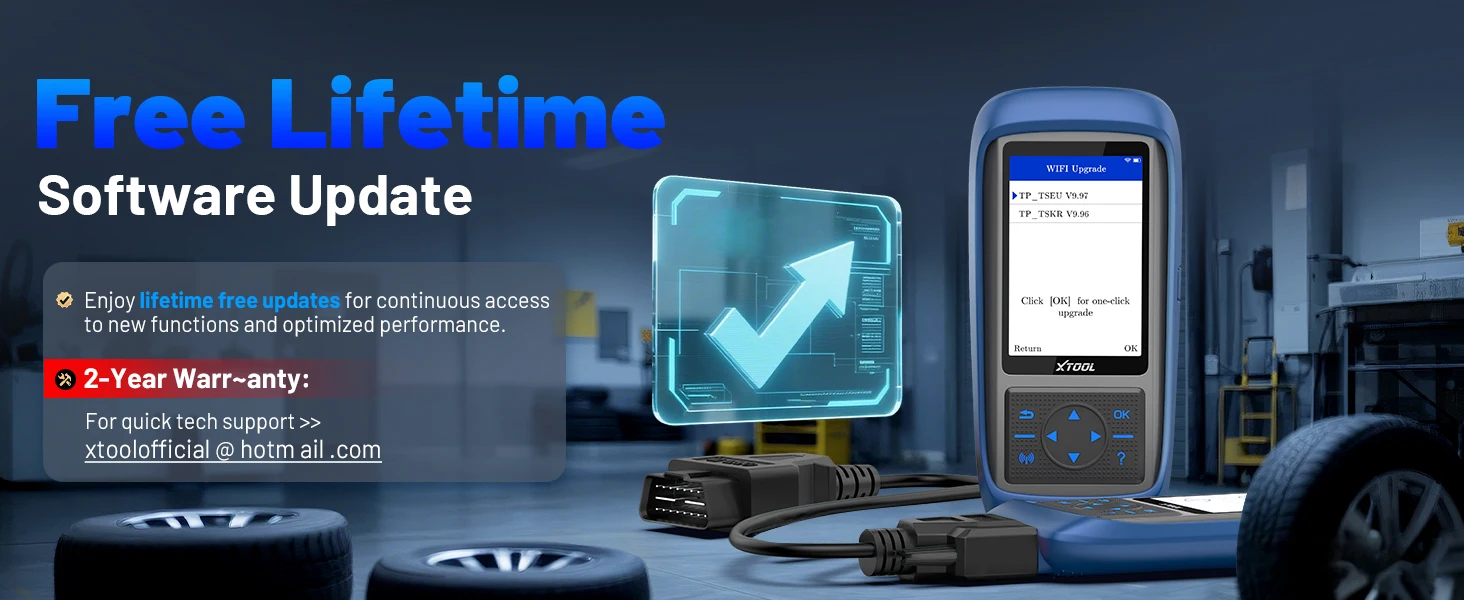
XTOOL TP150 TPMS Programming Tool Supports Free Lifetime Updates via Wi-Fi.
XTOOL TP150 TPMS Diagnostic tool provides two methods for updating: Update by Wi-Fi and Update by USB. Upgrading by WiFi eliminates the hassle of having to connect to a computer via USB for updates.
Update Method Via USB:
1. Log in to XTOOL official website https://www.xtooltech.com/english/Index.html, in [Service And Download Center] page select upgrade tool with Download, download and install the upgrade tool.
2. open the upgrade software and enter the Product sequence Column number and activation codelogin software.
3. connect TP150 via USB cable Hand held device and PC connection.
Update Method Via WIFI:
1. Enter [Setting] and click WIFI connecting
2. After connect the WIFI, enter [Upgrade] and click WIFI Upgrade
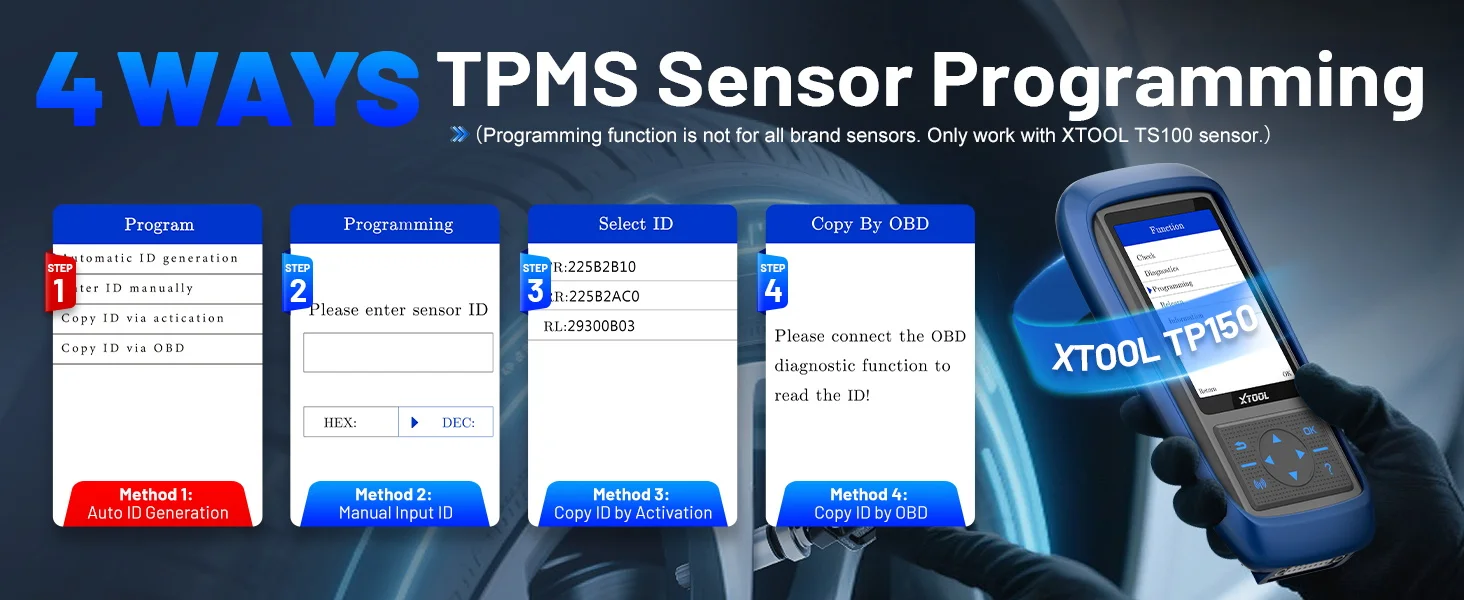
XTOOL TP150 TPMS Programming Tool Supports 4-Way TPMS Sensor Programming
1️⃣ Automatic ID Generation: Automatically generate a new unique ID for TS100PRO sensors. After programming, perform TPMS relearn to sync the sensor with the vehicle ECU. Ideal when the original sensor ID is unknown or the sensor is faulty.
2️⃣ Manual ID Input: Manually input the original sensor ID into the new TS100PRO sensor. Suitable when the original ID is available and sensor position remains unchanged.
3️⃣ Copy ID by Activation: Activate the original sensor to retrieve its ID, then copy it directly to the new sensor.
Recommended when the original sensor is still functional and installed in the vehicle.
4️⃣ Copy ID by OBD: Read sensor ID directly from the vehicle ECU via OBD, then write it to the new sensor. Useful when the original sensor is missing but ECU data is still accessible.
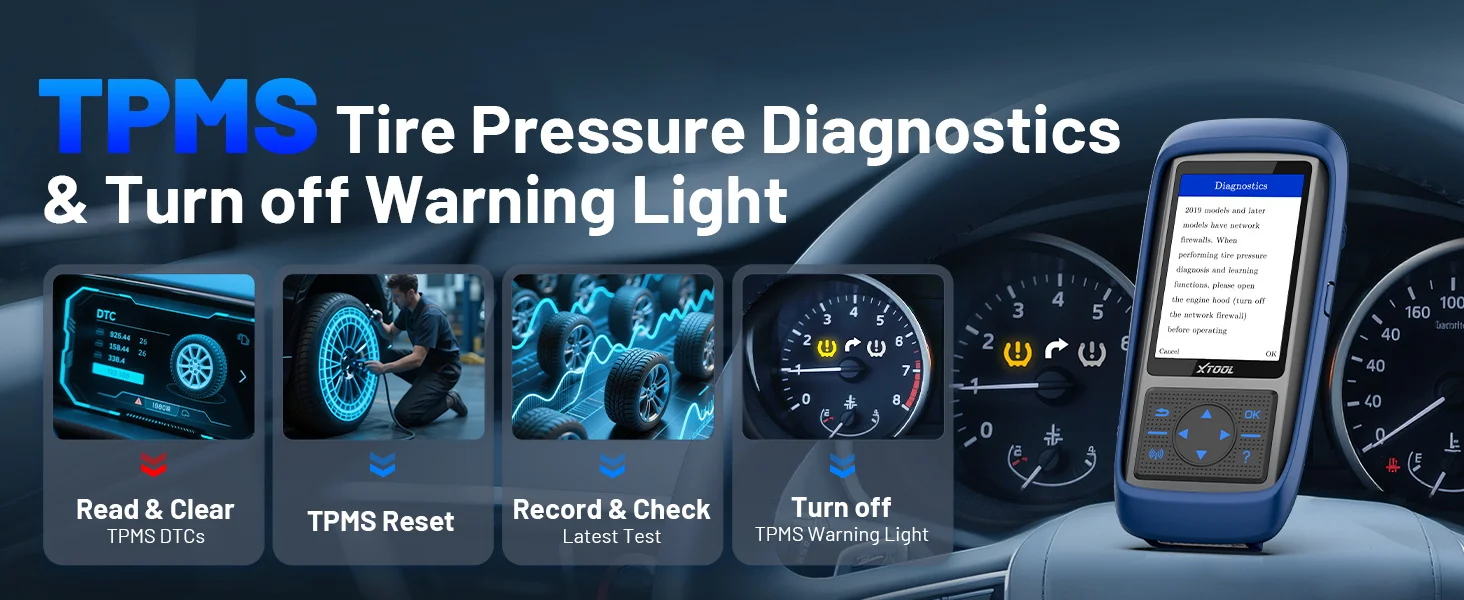
XTOOL TP150 Quick Diagnosis TPMS System, Clear Tpms Warning Light
XTOOL TP150 TPMS Scan Tool delivers fast and accurate TPMS diagnostics. Read fault codes, reset warning lights, and complete relearn procedures with ease. Designed for tire shops, mechanics, and DIY users to maintain tire safety and system performance
⭐️ Read & Clear TPMS Codes: Quickly detect TPMS faults and clear DTCs. Turn off the warning light after repair and avoid repeated alerts.
⭐️ TPMS Reset & Relearn: Complete relearn procedures after tire or sensor replacement. Ensure proper communication between sensors and ECU.
⭐️ Last Test Record & Fast Access: Automatically save the latest vehicle data. Return to the same vehicle faster and activate sensors without repeating setup.
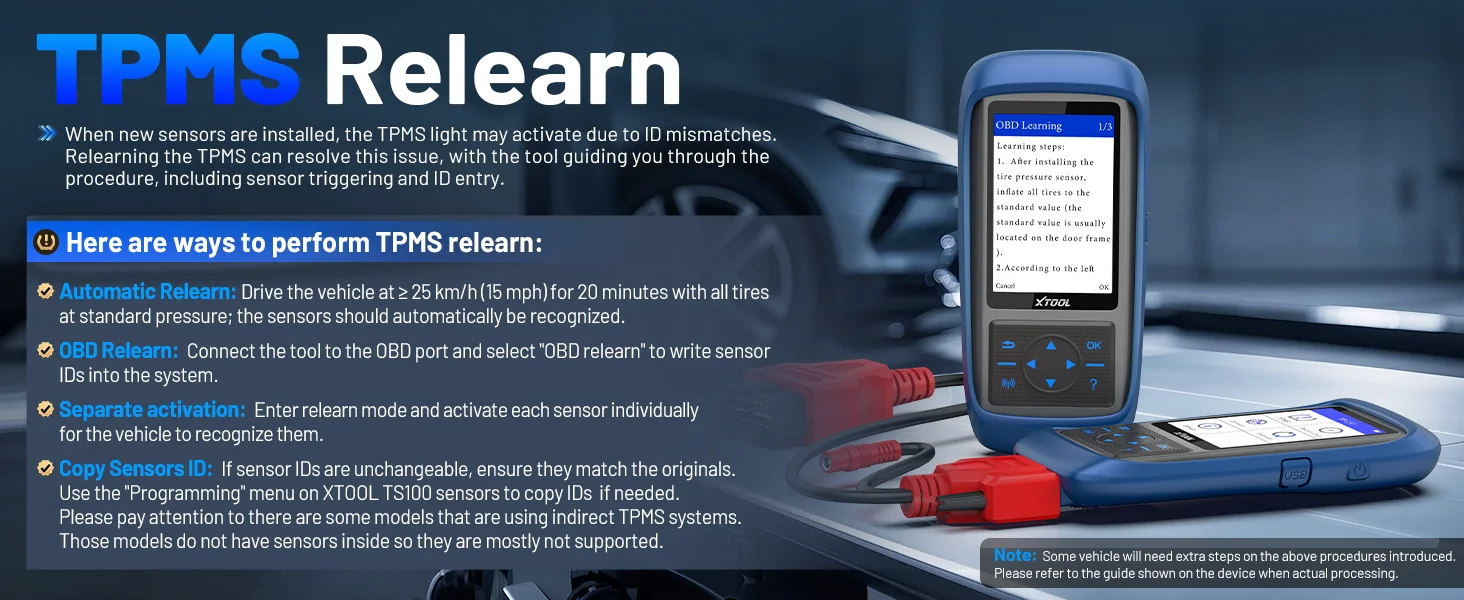
Advanced TPMS Sensor Programming – Fast, Flexible, Reliable
1.Automatic ID Generation
Generate a brand-new unique sensor ID in seconds. Perfect when the original ID is missing or the old sensor is faulty. After programming, simply perform a TPMS relearn to sync with the ECU. Fast setup. No prior data needed.
2.Manual ID Input
Directly enter the original sensor ID into the new TS100 sensor. Ideal when the existing ID is known. Ensures accurate duplication and seamless system matching. Precise replacement. Zero guesswork.
3.Copy Function (Clone ID)
Copy the original sensor ID and transfer it to a new sensor instantly. Maintains full vehicle compatibility without additional setup complexity. Best for quick sensor replacement scenarios.
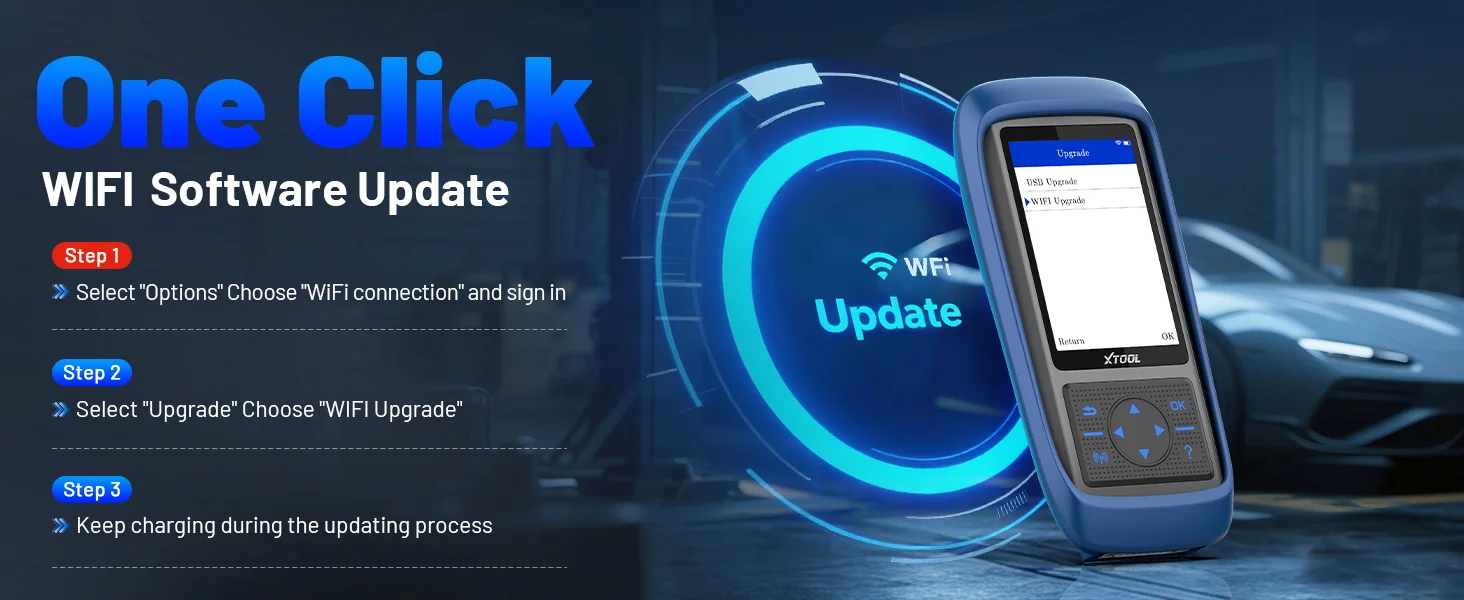
XTOOL TP150 Support WIFI Update
XTOOL TP150 Wi-Fi next-generation Tire Pressure Monitoring System (TPMS) tool offers faster and smarter TPMS services. The TP150 offers a fast mode for handling routine tasks and an advanced mode for performing comprehensive TPMS diagnostics, effectively reducing troubleshooting time and improving operational efficiency. Additionally, one-click WiFi software updates are free for life. No complicated steps required, saving you valuable time.
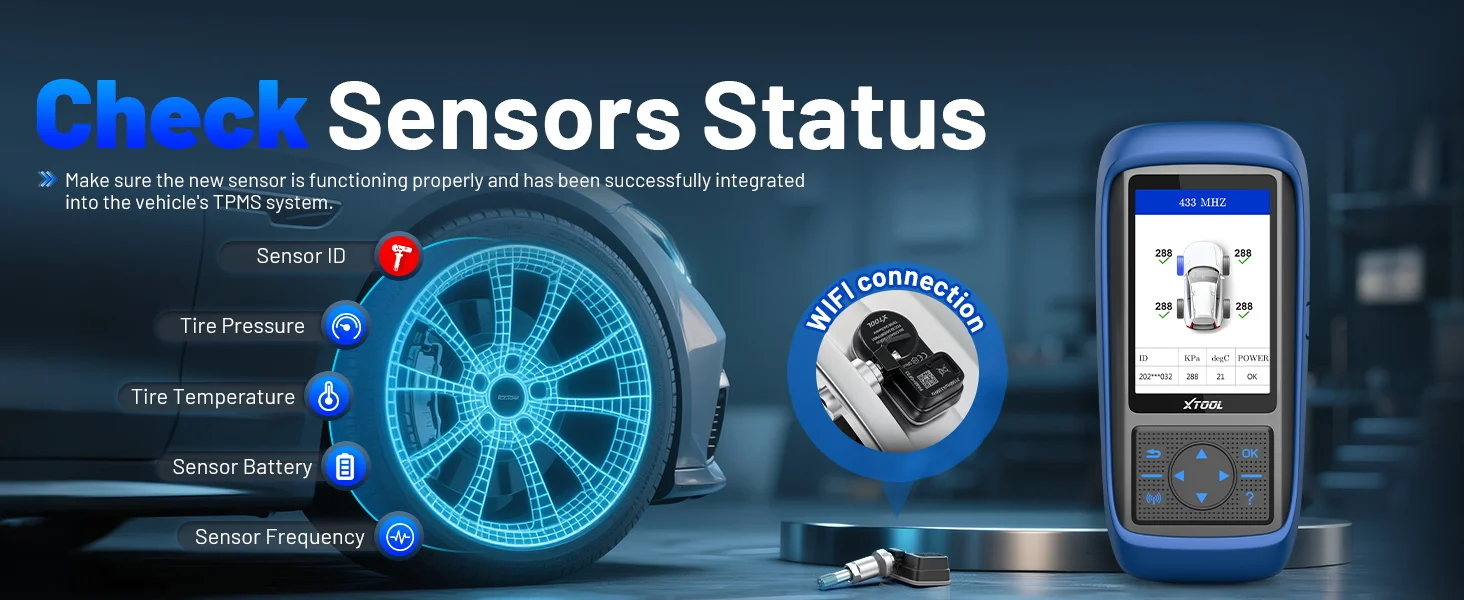
TPMS Sensor Activation and Check Sensor Status
Wirelessly activate 99% of the original/generic TPMS sensors (315/433MHz) on the market, allowing you to easily obtain TPMS sensor data such as sensor ID, tire pressure, tire temperature, sensor battery voltage and view real-time sensor data.
Step 1:Hold the device close to the sensor or the tire sidewall above the sensor.
Step 2:Use the arrow keys to switch to different tire positions and click the activation button to trigger the tire pressure sensor to receive tire pressure sensor data.
Step 3:Click the activation button and the screen will display the sensor's detailed information, including sensor ID, tire pressure, tire temperature, battery voltage, etc.
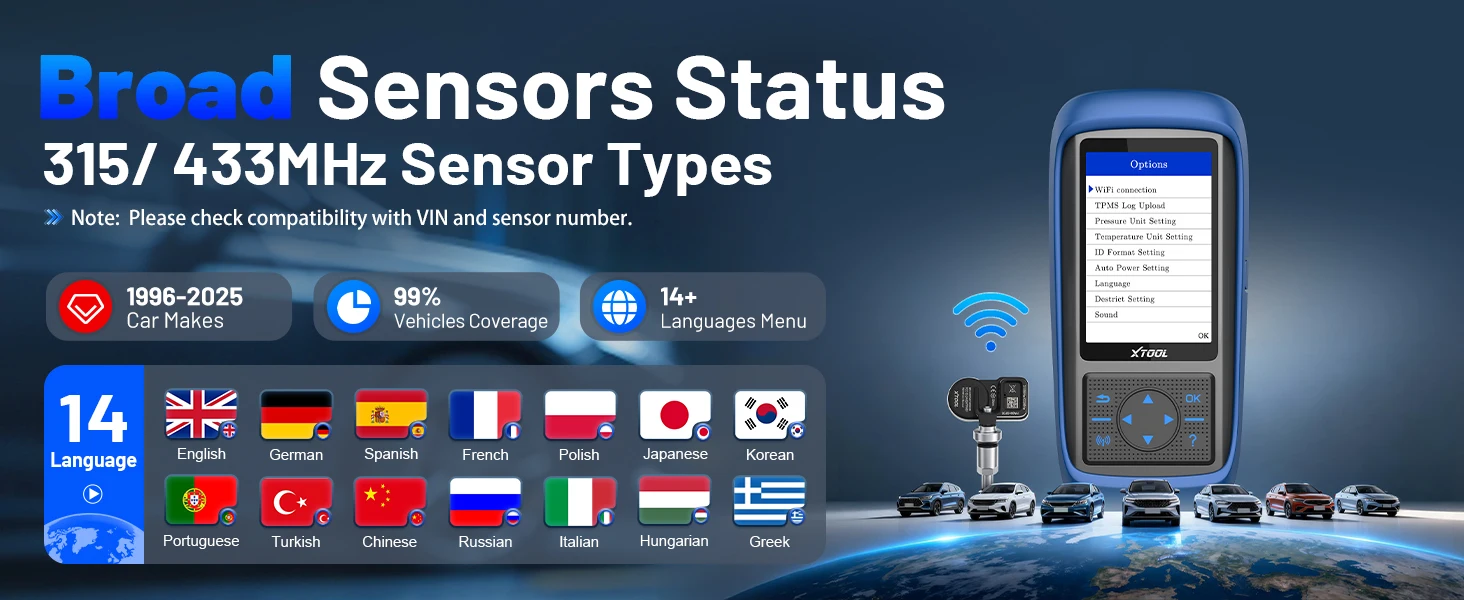
XTOOL TP150 Diagnostic Tool Support 14 Languages
English, German, Spanish, Polish, Italian, French, Japanese, Korean, Portuguese, Turkish,Russian, Traditional Chinese, Hungarian, Greek
Note: The default language is English. If you need to change to a different language, switch the language in the settings and then update the software

XTOOL TP150 Support Car Models:
For ABARTH, for Acuba, for Alfa Romeo, For Alpina, for Aston Martin, for Audi,for Bentley, for BMW, for Bugatti, for Buick, for BYD, for Cadillac, for ChangAn, for Chery,
For Chevrolet, for Chrysler, for Citroen, for Dacia, for Daewoo, for Dodge, for Ferrari, for Fiat, for Ford, for Foton, for Geely, for GMC, for GreatWall, for Haval, for Holden, for Honda, for HSV, for Hummer, for Hyundai, for Infiniti, for ISUZU, for JAC, for Jaguar,
For Jeep, for Junpai, for KIA, for Lada, for Lamborghini, for Lancia, for LandRover, for Lexus, for Lifan, for Lincoln, for Lotus, for Mahindra,
For Maserati, for Maybach, for Mazda, for McLaren, for Mercedes Benz, for Mercury, for MG, for Mini,
For Mitsubishi, for Nissan, for Oldsmobile, for Opel, for Peugeot, for Plymouth, for Pontiac, for Porsche, for Renault, for Rolls-Royce, for SAAB, for Samsung, for Saturn, for Scion,
For Skoda, for Smart, for SsangYong, for Subaru, for Suzuki, for Tesla, for Toyota, for Venucia, for Vo lvo, for VPG, for VW.