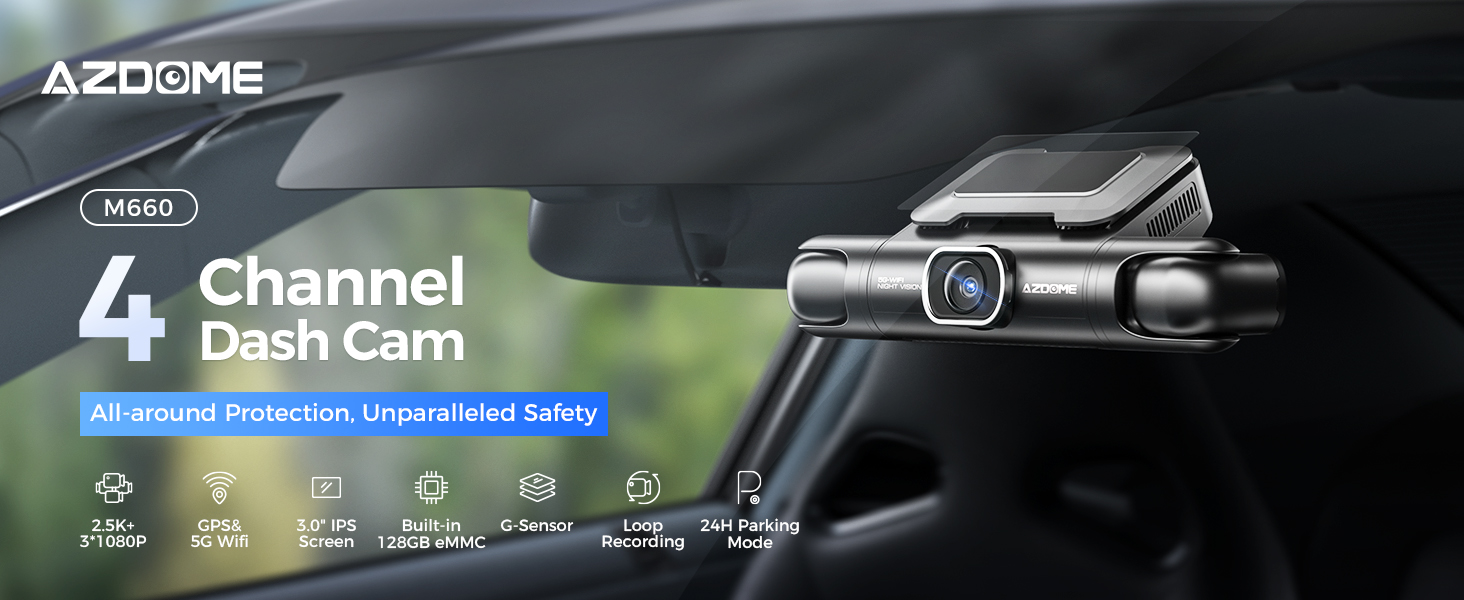
AZDOME 4 Channel 360° Dash Cam Front Rear Inside with 128GB eMMC, 2K+1K+1K+1K Dashcam 5G WiFi GPS Dash Camera for Cars, IR Night Vision, Smart Voice Control, 24H Parking Mode, Fatigue Driving Reminder and Rear Cam Mirror, M660
 |  |
 |  |
 |  |
 |  |
 |  |
🚗 4-Channel Ultra HD Recording
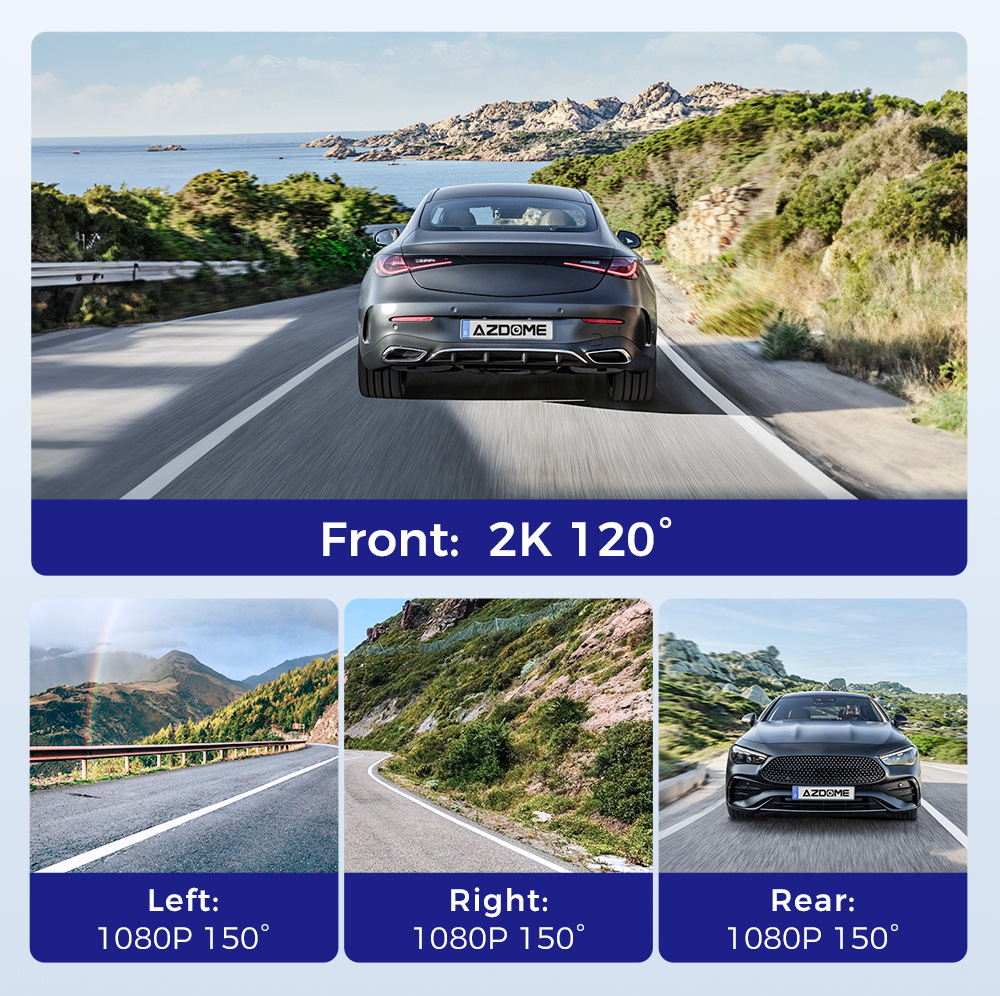
Records simultaneously with 2.5K front camera and three 1080P cameras, providing full coverage of the front, rear, left, and right sides. Captures clear details for accidents, lane changes, and daily driving evidence.
👀 Wide-Angle View Reduced Blind Spots
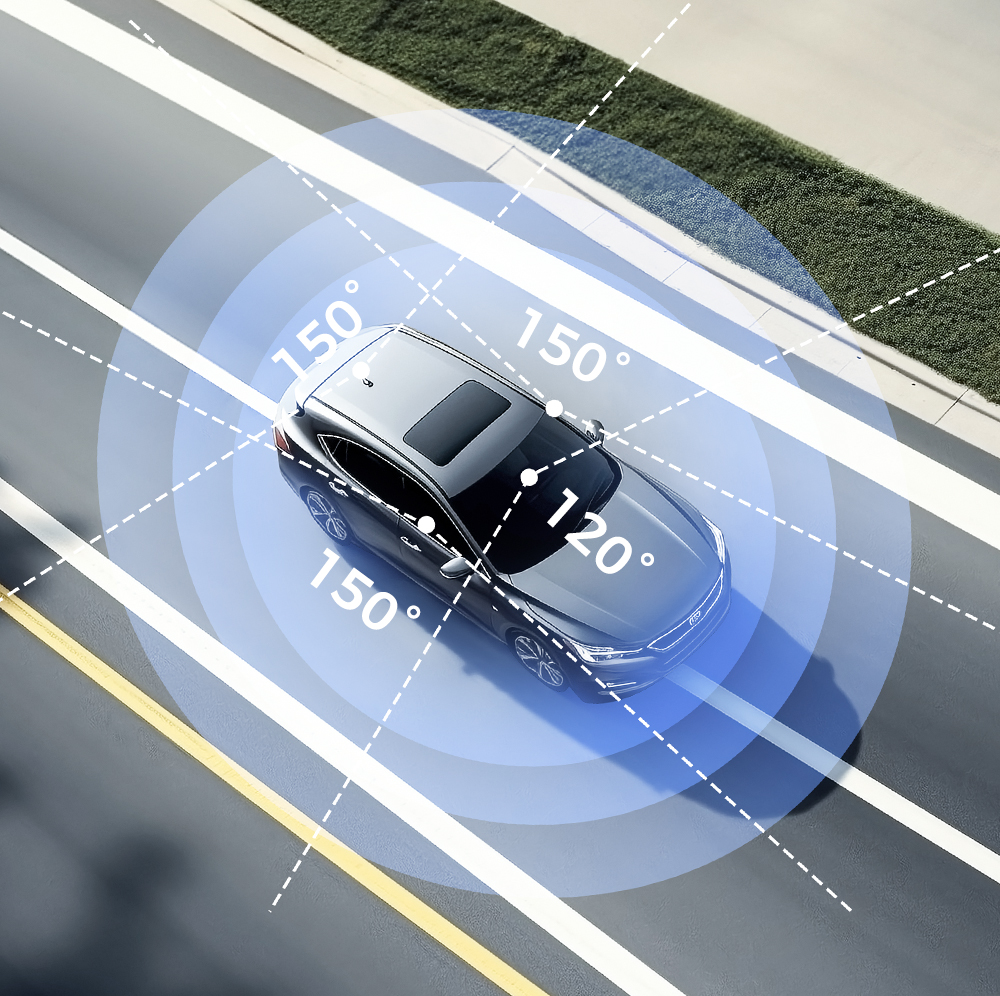
Features 120° + 150° + 150° + 150° wide-angle lenses to minimize blind spots and cover multiple lanes. Offers a wider field of view for safer driving and better parking surveillance.
📶 Built-in WiFi & GPS Tracking
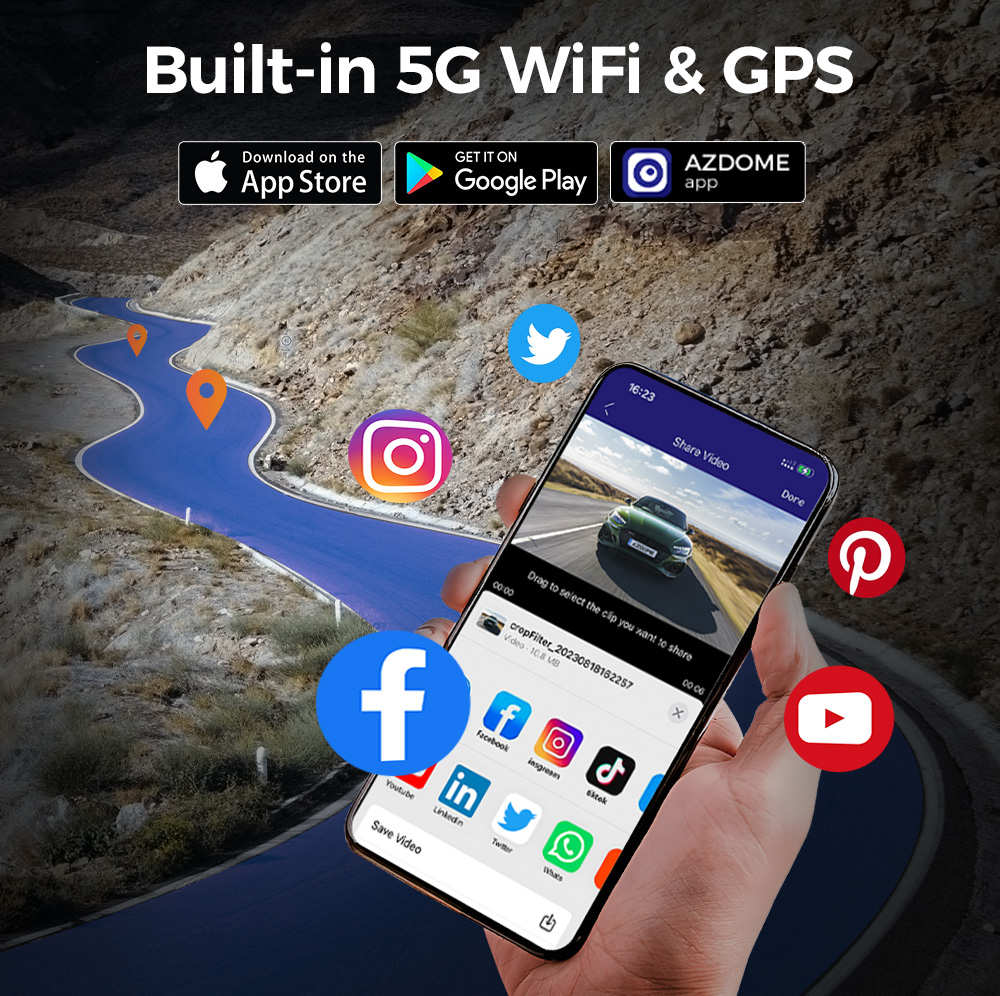
Built-in WiFi allows easy video preview, download, and sharing via smartphone app. Integrated GPS records speed, route, and location data, providing reliable evidence for insurance and incident review.
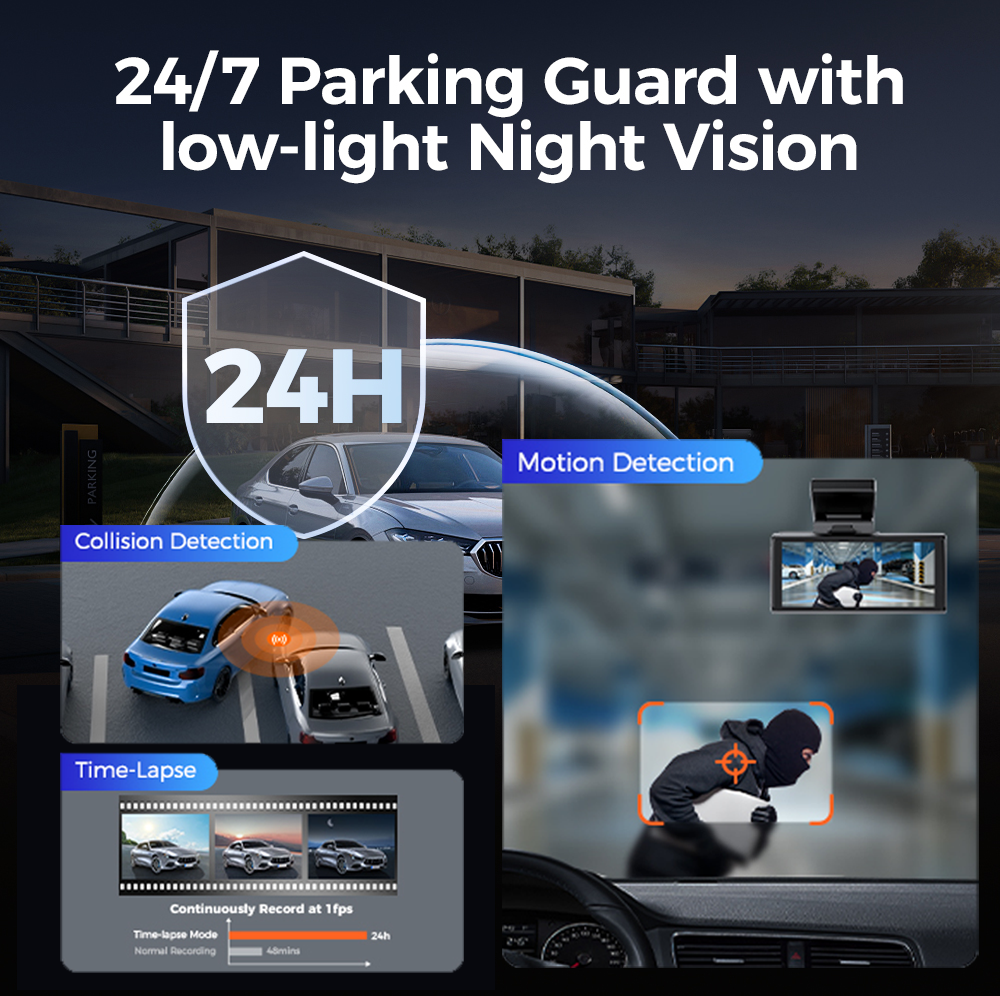
🅿️ 24-Hour Parking Monitoring Support
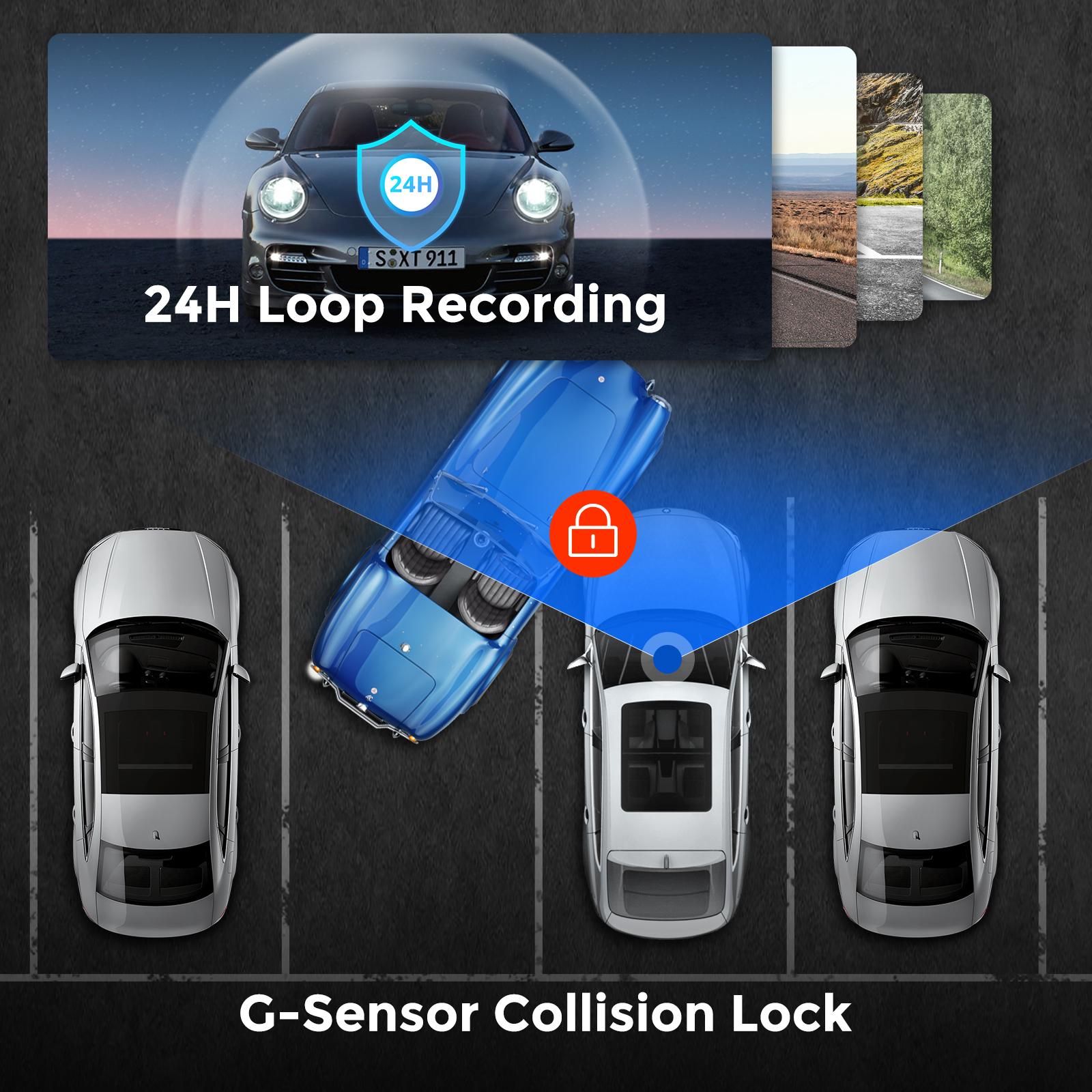
1. Parking mode with collision detection: When the dashboard camera's G-sensor detects a collision or hard impact on the vehicle and the impact force reaches the set G-sensor level, the camera turns on > then starts recording 1 minute of continuous video and saves and locks the video in the EMR folder > then the camera turns off.
2. Time-lapse parking mode: When someone hits your car and the impact force reaches the set G-sensor level, the camera starts locking the current loop of the time-lapse video clip and saves and locks the video in the EMR folder > then returns to time-lapse 1 fps recording mode.
3、Motion Detection Parking Mode:When the vehicle is parked, the dashboard camera monitors the surrounding movement. If a person or object is detected approaching the vehicle, it will automatically start recording to capture potential threats or events. This mode helps protect the vehicle from theft or vandalism.
(To avoid fire, our product does not install a large capacity battery, so if you want it to work for you when the car is parked, you need to install a hard wiring kit. If you need it, you can buy it from this link: https://www.ebay.com/itm/256487986659 or https://www.ebay.com/itm/256004133341 ).
🌙 Smart Safety Features
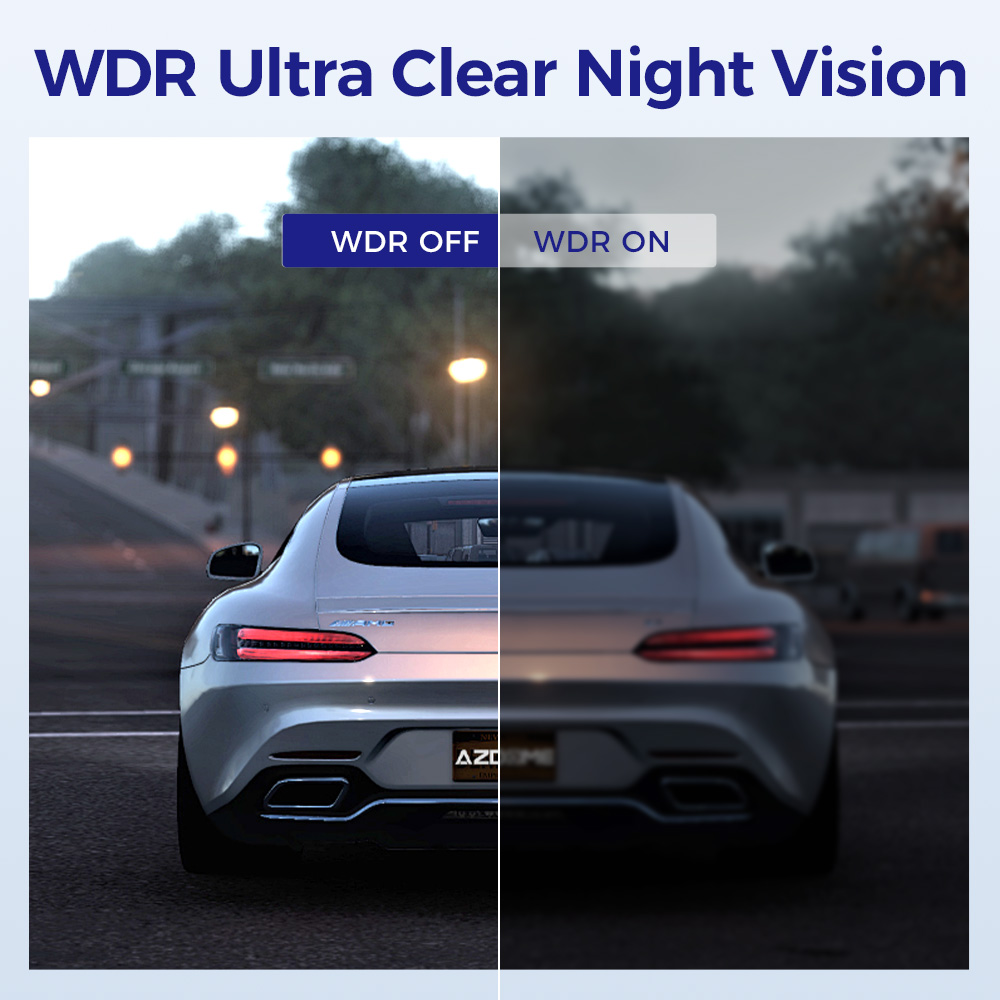
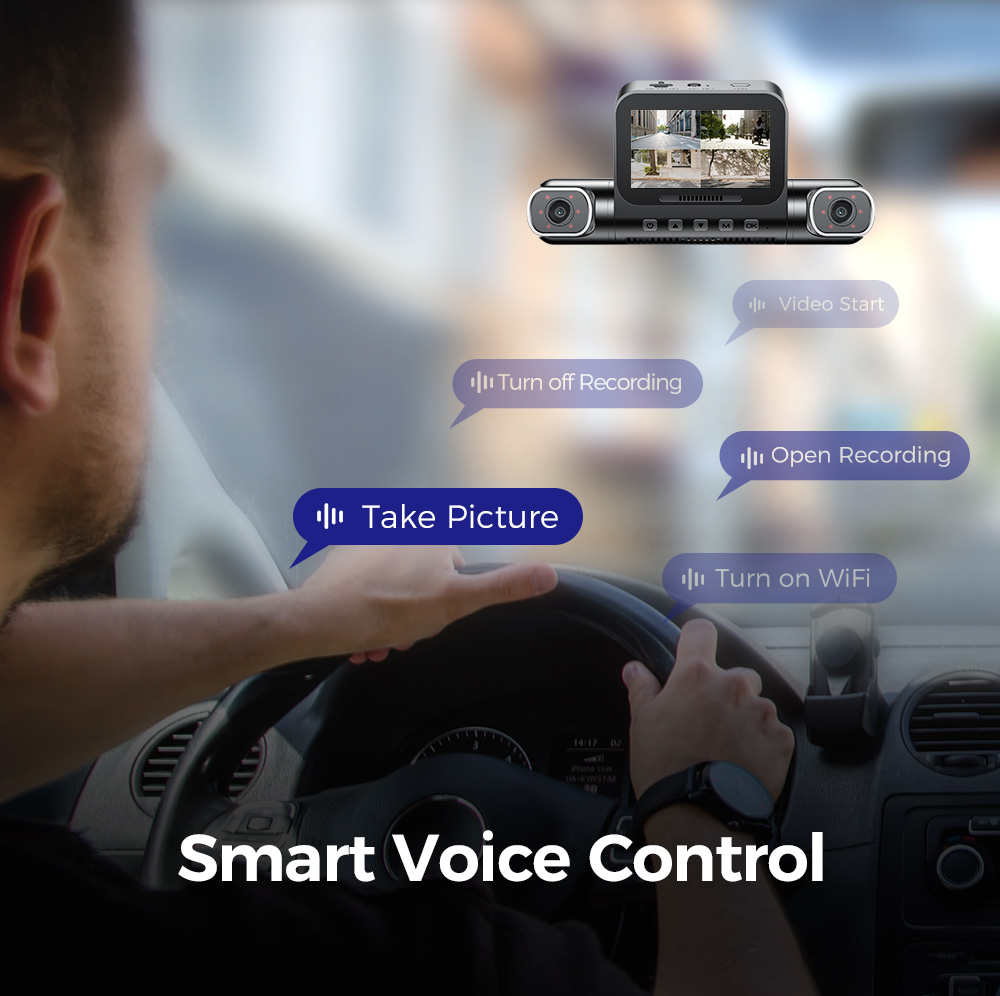
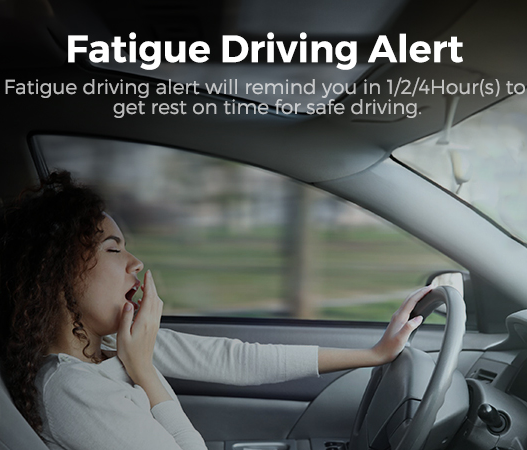
Includes enhanced night vision, loop recording, voice control, and fatigue driving alerts. Ensures clear recording in low light while offering hands-free operation and additional driving safety support.
💾 128GB Built-in Storage Ready to Use
Comes with a pre-installed 128GB memory card, no extra purchase needed. Supports long-duration multi-channel recording and automatic overwriting, making it convenient and cost-effective.
Specifications
| Model | M660 | Number of Cameras | MP4 |
| Hersteller | AZDOME | Video Resolution | 1 CH:4K; 2 CH:4K+1K; 3 CH:4K+1K+1K; 4 CH:2K+1K+1K+1K |
| Number of Cameras | 4 (Front+Left+Right+Rear) | Type: | AZDOME M660 360 Dash Cam |
| Screen Size | 3.0" IPS | Wi-Fi | Built-in 5GHz/ 2.4GHz Wi-Fi |
| Aperture | F=1.8 | Memory card | 128GB (Built-in 128GB eMMC Storage) |
| G-Sensor | Support | Warranty | 1 Year |
| Product Dimensions | 8 x 2.5 x 7 inches | Item Weight | 2.64 pounds |
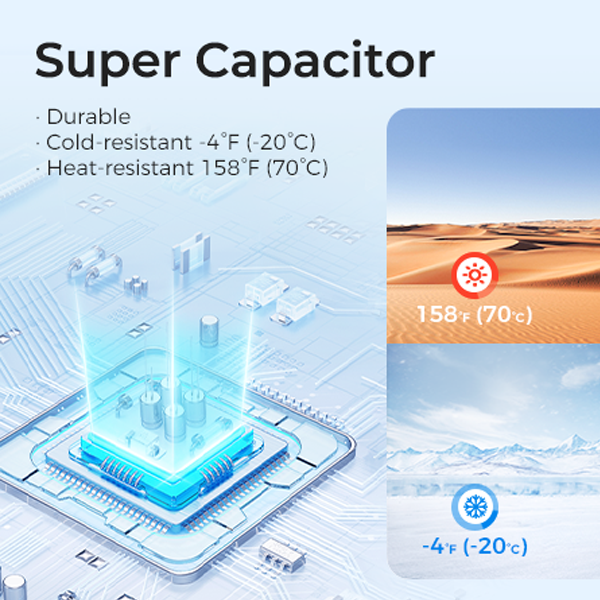
| Language | English/Français/Español/Português/Deutsch/Italiano/简体中⽂.etc | Battery pack | Super Capacitor |
| Wide angle lens | 360° | Working temperature | -20°C to 70°C |
| Picture format | JPG | Storage temperature | -30~75℃ |
Warm Tips
✨ Battery is mainly used to save files in emergency. Please always connect Dash Cam to external power while it is in use.
✨ The 128GB eMMC (Embedded Multi Media Card) is built in the AZDOME dash cam for storage.No need to purchase additional SD card.
✨ If no activity is detected within 1 minute, the device will enter screen saver mode. Pressing any button will reactivate the screen. You can disable this function by turning off the backlight setting.
✨ Please do not activate motion detection function while driving (this function is only suitable for use when parking. If this function is activated during normal driving, it will interfere with the normal recording of the recorder and may cause the device to turn on or off automatically.
✨ At AZDOME, our goal is to continue working hard to provide you with innovative hardware & software for the camera to give you that personalized experience. We offer updates for camera firmware, software, iOS & Android app improvements regularly for FREE.
✨ This dash camera for cars is backed by full 1-YEAR WARRANTY. You can text us for (Faster Response) or Email our customer service and we will answer all your questions and resolve any issues quickly. If you are having any doubts, it comes with a FULL REFUND within 30 DAYS.
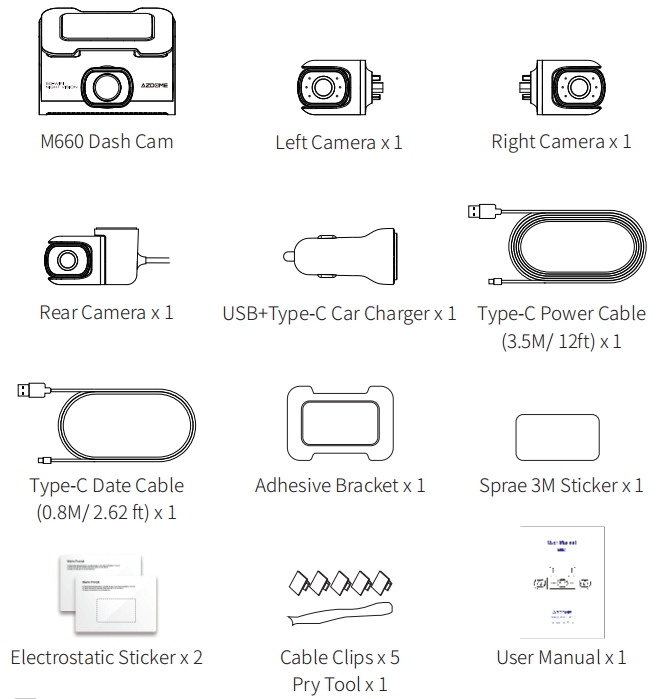
M660 Standard Packaging List
M660 Dash Cam
Left Camera x1
Right Camera x1
Rear Camera x1
USB+Type-C Car Charger x1
Type-C Power Cable (3.5M/12ft) x1
Type-C Date Cable (0.8M/2.62 ft) x1
Adhesive Bracket x1
Sprae 3M Sticker x1
Electrostatic Sticker x2
Cable Clips x5
Pry Tool x1
User Manual x1
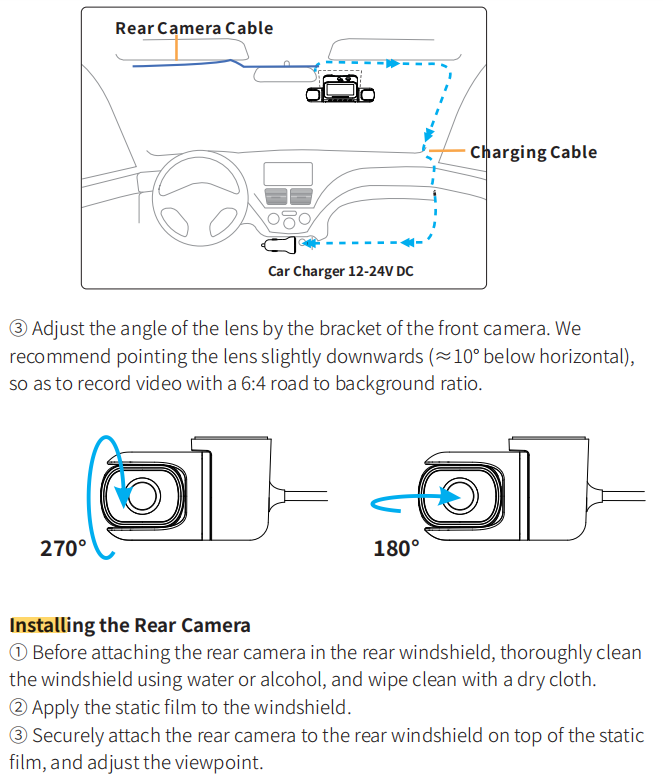
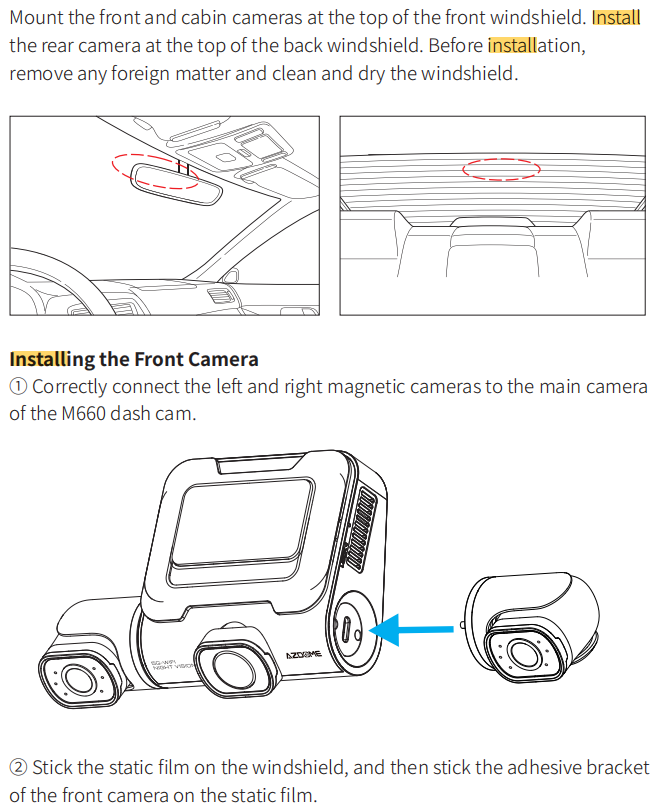
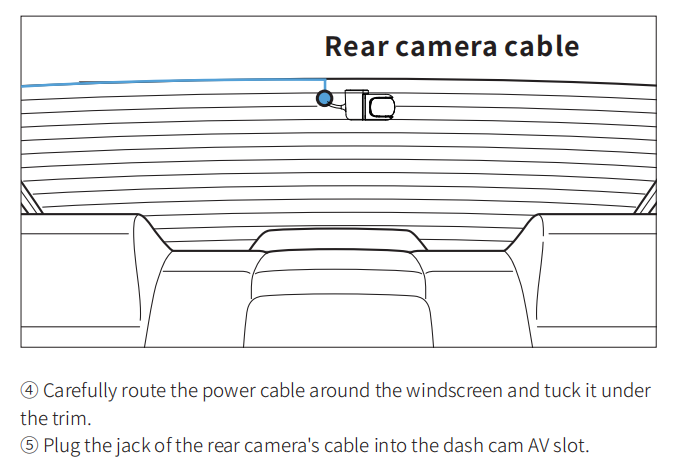
Easy to install
You can install it yourself according to the instructions in the manual without hiring a professional, which can save you installation costs.
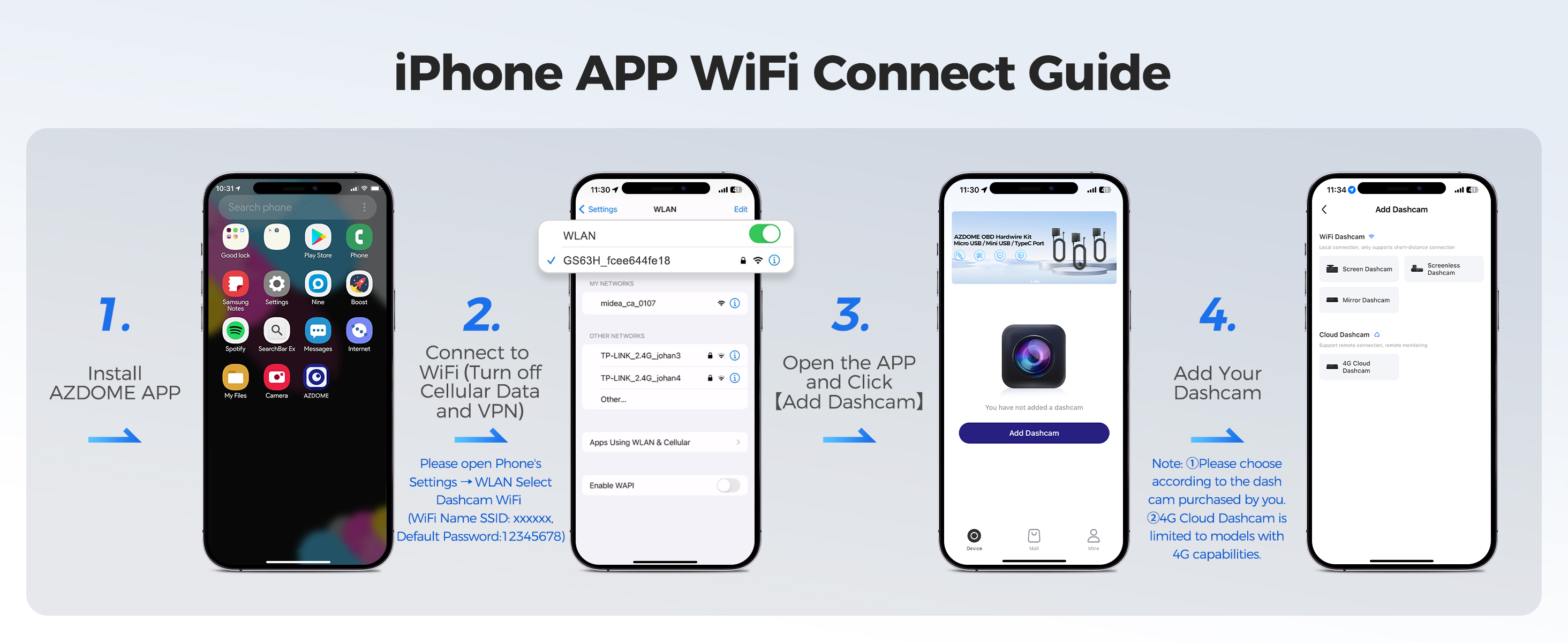
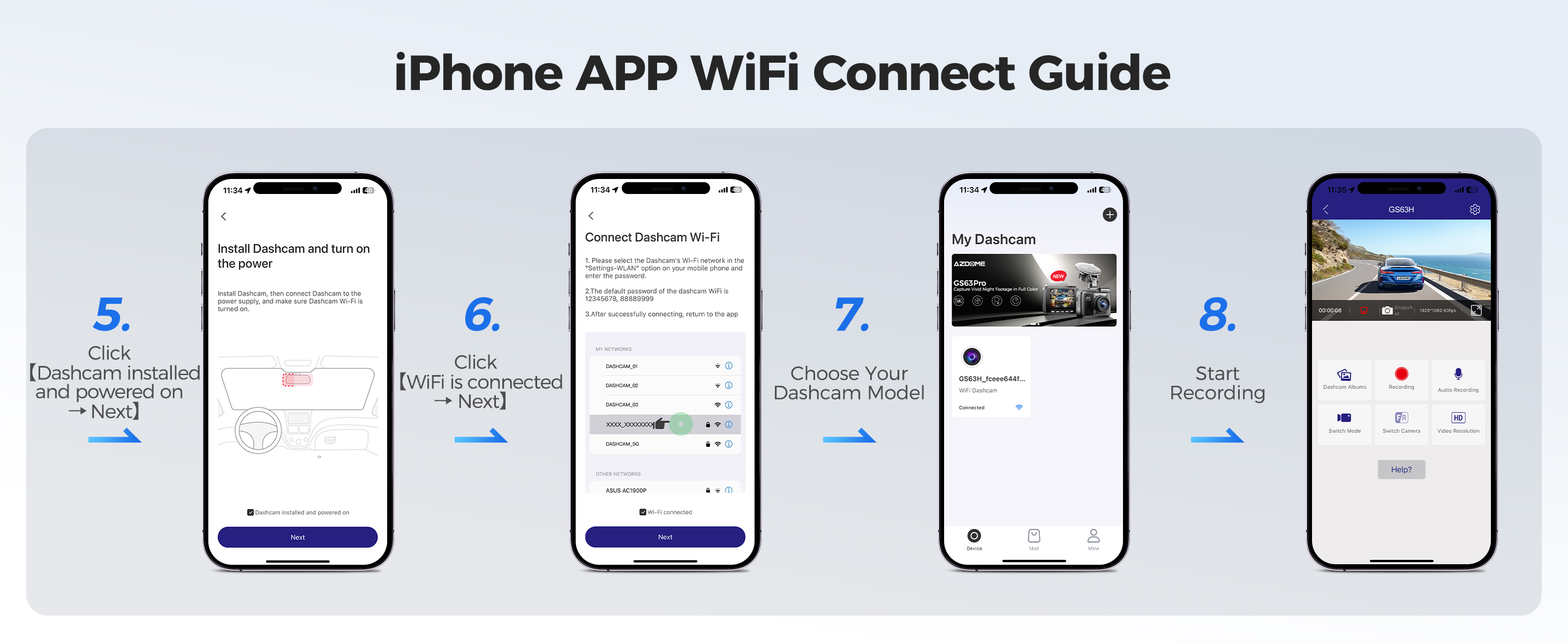
How to connect to WiFi?
The content of the following two pictures and videos can help you to connect the WIFI of the car recorder, if there are more questions about this step, please contact customer service, thank you!
Customer questions & answers
Q1: What is a WiFi Feature?
A: The WiFi feature has been designed so you can pair your dash camera wirelessly with your smartphone and access your recording instantly from the dash cam. Here you can view, download and share your videos easily with your friends and family. Just like how you would connect your Bluetooth speaker to your smartphone for wireless music play, the same way dash cameras use WiFi signal (instead of a Bluetooth) to pair your smartphone with AZDOME M660.
Q2: Can I watch the videos around my car remotely?
A: NO.AZDOME M660 dash cam is NOT made to broadcast footage over the cloud or internet. It is NOT a cloud or an IP camera and it is NOT meant to do that. You can get live video and footage on AZDOME dash cam's APP as long as you stay within the 10FT range from the dashcam.
Q3: What is the WiFi Range?
A: The WiFi signal range is about 10FT when there are NO obstructions in the middle. Please NOTE that just like your home WiFi network, you don't have WiFi signal outside your home, the same way, WiFi range is 10FT from this small device.
Q4: Camera turns ON/ OFF automatically?
A: To ensure optimal performance, please use our car charger and confirm that the output current reaches 5V/3A. Additionally, make sure to correctly connect both the cabin camera and rear camera for improved stability. Note that if different cameras are detected, the dashcam will automatically reboot once to maintain consistency.
Q5: It does not support micro SD card?
A: The 128GB eMMC (Embedded Multi Media Card) is built in the AZDOME dash cam for storage. It does not require a micro SD card.
Q6: Camera gets HOT?
A: It is normal for your camera to run slightly hot. Due to video being recorded at high speed, the dash cam may be hot during using. (No more than 158°F/70°C).
Q7: No power to my Dash Cam but it works upon my computer?
A: The cigarette power cable is not working. Inspect the fuse in the Car Power Cable plug. If the fuse is found to be blown, inspect the power cable for damage which may have caused the fuse to blow.
Q8: The sound is not synchronised with video during playback?
A: The Codecs upon your PC may not be compatible or the latest standard. Download the latest AZDOME GPS Player from www.azdomes.com> Support>Downloads.
Q9: Video Files cannot be played on my computer?
A: The video files from the Dash Cam are in MP4 format and may not be compatible with your PC if suitable playback software is not installed.
Q10: Video has no sound?
A: Ensure that ‘Record Audio’setting is turned ON. Press once the UP Button while the video is recording, and it will Mute the built-in microphone. Ensure that ‘Timelapse Record’setting is turned OFF within the Menu.
Q11: I can not delete files on my Dash Cam?
A: Check to see if these filesare‘locked’. If so please follow instructions to ‘un-lock’.
